RCK / PRE / 01
Scratch for kids
Blocks, sprites and first games for children not yet ready to type.
Open the syllabusPeru · Ages 8 to 14 · Roblox Studio and Luau, live in English
Most children in Peru who love Roblox have spent hundreds of hours inside other people's games. Very few have opened Roblox Studio and made one of their own. This page is for families who want that second thing: a child who scripts the door, the coin and the countdown rather than waiting for someone else to. It explains the Roblox accounts children have at each age, the language they will write, what your computer needs, and how a real lesson runs.
Teaching live since 2020 · 4.9 from about 547 Google reviews · every script typed by the child, never pasted
The short answer
Children in Peru aged 8 to 14 can learn Roblox coding with Modern Age Coders in live online classes, in English. A mentor in India follows the shared screen as the child builds in Roblox Studio and scripts in Luau, the language that runs every Roblox game. In roughly six months the child goes from placing a first part to scripted doors, scoreboards, a shop and a finished game published on Roblox. Lessons run in groups of fifteen to twenty or one to one, at any hour your family picks on the Peru clock; the opening lesson costs nothing.
Start here
The first is the Roblox course itself. The other two suit a child who is younger or who has not yet chosen a favourite game world.
RCK / 01
Ages 8 to 14, about six months. Studio skills first, then Luau from zero, then events, leaderboards, a shop and timed rounds, ending in a game the child publishes and presents.
Open the syllabus →
RCK / 02
Ages 8 to 12. A tour of three game worlds for the child who is not sure yet where they want to build; Roblox arrives once the logic is in place.
Open the syllabus →
RCK / 03
Ages 6 to 12. For a seven or eight year old who still reads slowly: sequence, loops and conditions with blocks, the same ideas Luau will ask for a few months later.
Open the syllabus →Playing or building
Yes, once they move from the Roblox app into Roblox Studio. The app is for playing; Studio is the free editor in which every Roblox game is made, and the code inside it is real code.
In the game, a lava floor simply hurts you. In Studio, your child places the floor, names it, and writes the few lines that decide what happens when a player touches it. The question stops being "how do I win?" and becomes "what should happen, and how do I tell the computer?"
That second question is programming. Roblox describes scripts as files that "add custom, dynamic behavior" to games: responding to player input, saving data, building leaderboards. A child who has played for years already knows what those things should feel like, which is a large head start.
Studio does not teach. A child alone with it tends to copy scripts from videos, paste them in, and feel stuck the first time one breaks. Nothing in that loop builds the habit of reading an error or predicting what a line will do.
A live mentor supplies the missing piece. They ask the child to say what the script should do before running it, and when it fails, to read the Output window aloud and guess why. Roblox itself offers "free software and curriculum to teach students of all ages computer science"; our job is to turn that material into steady thinking, week after week.
Families comparing Roblox with other first steps can read our guide to online coding classes for kids in Peru, which covers how to judge any live class for a child of 6 to 12.
Accounts by age
Roblox now gives younger users separate, more controlled accounts, and what a child can do depends on that account. Here is how Roblox describes the two youngest tiers on its own Safety Center page.
| Setting | Roblox Kids | Roblox Select |
|---|---|---|
| Ages, in most regions | From 5 up to 8 | 9 to 15 |
| Games available | Only the lowest maturity ratings (Minimal and Mild) | Ratings up to Moderate; parents of 9 to 12 year olds can lower it |
| Chat in games | Off unless a parent turns it on | On with age-appropriate users and trusted friends |
| Chat tab | Off outside games | Ages 9 to 12: trusted friends only |
| Voice chat | No voice setting described | Not available at 9 to 12; off at 13 to 15 unless a parent turns it on |
| Parental controls | All settings, through a linked parent account | Parents see all settings and manage direct chat |
Source: Roblox Corporation, Roblox Safety Center, corp.roblox.com/safety, read on 9 November 2026. Roblox notes that "accounts, settings, and controls vary by region", so check the settings on your child's own account in Peru.
Roblox says its users "range in age from 5 to over 25+ years old", which is why it built these tiers. For our classes the account matters less than you might expect: building happens in Studio, on the child's own private copy of a game, and nobody from outside joins a lesson.
We ask that a parent creates or checks the account before the first class and keeps the login. Roblox's parents page also lets a parent "choose the maximum rating for games their child can play", set monthly spending limits and set screen time limits for each day.
No Robux, no paid membership and no purchases at any point in the course. Every part, script and test place a child needs is free.
No chat with strangers. Testing a game happens inside Studio, alone or with the mentor watching the shared screen. When a child publishes the final game, the parent decides who may see it.
The language
Roblox games run on Luau. Roblox calls it "the scripting language creators use in Roblox Studio", derived from Lua 5.1, and everything a child learns in it carries over to other languages later.
Lua is a small, fast language that has been built into games and programs for decades. Luau is Roblox's own version of it, extended with features such as an optional typing system. Roblox describes it as "gradually typed": a beginner can write local score = 0 without naming a type, and an older student can add types later to catch mistakes earlier.
Roblox's own advice is that "it's almost always better to declare variables and functions locally with the local keyword". We teach that from the first script, so children learn early that where a name lives in a program matters.
Children who later move to Python find most ideas familiar: variables, if, loops, functions, lists. One difference catches almost everyone. In Luau, Roblox writes, arrays "are one-based rather than zero-based, so the first item is [1]". In Python the first item is [0].
We point that out on purpose rather than letting it surprise a child later. Knowing that two languages count differently, and why, is exactly the kind of understanding that separates a coder from someone who memorised one tool.
Because Roblox Studio, its menus, its documentation and its error messages are all in English, a child who learns Roblox in English never has to translate between the lesson and the tool. For a family in Peru that is also daily listening practice with a purpose, since a script built on a misheard instruction simply does nothing.
At home in Peru
A Windows or Mac computer. Roblox Studio does not run on phones or tablets, and most Chromebooks cannot run it either, so a family planning Roblox classes should check the computer first.
Roblox lists Studio as "a free application available on Windows and Mac". The minimum it publishes is Windows 10 or macOS 10.14 with 3 GB of memory, and it recommends 8 GB. The screen should be at least 1600 by 900 pixels.
That screen size matters more than it sounds. Studio shows the game world, the Explorer, the Properties panel and the script all at once, and in class the video call needs room too. On a small laptop screen a child spends half the lesson moving windows.
In the second quarter of 2026, INEI counted a computer of any kind in just 36.4% of homes across Peru. Many families with keen Roblox players therefore have a phone and a tablet but no machine that can run Studio, and it is better to know that before booking.
If your computer is shared, pick a class hour when it is free; flexible timing makes that easy. A headset with a microphone helps more than any other accessory, because the child can hear the mentor clearly over a busy house.
Six months
Our Roblox course runs for about six months, in three phases. Each phase ends with something the child has built and can show at home.
Parts and properties, building a small world, then Luau from zero: variables, decisions, loops and functions. The first script makes a part change colour; by the end of month two the child writes short functions alone.
The Touched event, doors and buttons, then leaderboards, collectible coins, checkpoints and simple on-screen interfaces. This is where the coin lesson below lives, and where a scripted obstacle course becomes a real game.
A shop, timers and rounds, sound and light, then a capstone the child designs, builds in two sprints, tests, tunes and publishes. The last lesson is a short presentation in English to the mentor and family.
Every phase uses the same routine: the child says what the script should do, writes it, runs it, and explains the difference between the plan and the result. By month six most children can read an error message in the Output window and find the line it points to without help. That is the skill we care about most, because it outlasts Roblox.
A lesson from month four
Through problems the game creates. Here is one from the collectibles week: a player should pick up any coin within 10 studs, Roblox's unit of distance. Most children's first solution works nearly all the time, and the interesting part is the coin it gets wrong.
Children usually reason one direction at a time: the coin is close enough if it is within 10 studs left or right, within 10 up or down, and within 10 forwards or back. In code, that is three comparisons joined by and.
We rebuild the idea in Python first, outside Roblox, with four coins at positions we chose. The player stands at (0, 3, 0). It is quicker to test there, and the maths is identical.
Before running anything, the mentor asks: "Which coins do you think are inside 10 studs?" Then the child runs the box check and sees all four collected, including coin B at (9, 3, 9).
Next question: "Is B really 10 studs away or less?" The child walks it out on paper. B is 9 studs along one way and 9 along the other, so it sits on the diagonal of a square. The diagonal is longer than either side.
player = (0, 3, 0)
coins = {"A": (6, 3, 8), "B": (9, 3, 9), "C": (2, 10, 4), "D": (-7, 3, 0)}
RADIUS = 10

print("Box check, one axis at a time:")
for name, (x, y, z) in coins.items():
    dx, dy, dz = x - player[0], y - player[1], z - player[2]
    if abs(dx) <= RADIUS and abs(dy) <= RADIUS and abs(dz) <= RADIUS:
print(" coin", name, "collected")Box check, one axis at a time: coin A collected coin B collected coin C collected coin D collected
Exact output of our run with Python 3. All four coins pass, because a box of side 20 includes its corners.
import math

print("Distance check, Pythagoras in 3D:")
for name, (x, y, z) in coins.items():
    dx, dy, dz = x - player[0], y - player[1], z - player[2]
    distance = math.sqrt(dx * dx + dy * dy + dz * dz)
    verdict = "collected" if distance <= RADIUS else "too far"
print(f" coin {name}: {distance:.2f} studs, {verdict}")Distance check, Pythagoras in 3D: coin A: 10.00 studs, collected coin B: 12.73 studs, too far coin C: 8.31 studs, collected coin D: 7.00 studs, collected
Exact output of our run. Coin B is 12.73 studs away and is now refused; coin A sits exactly on the edge at 10.00 and still counts, because we wrote <= and not <.
The box check was wrong only near the corners, which is why nobody noticed it in testing. The mentor asks the child to name the rule in their own words: a pickup radius is a sphere, and only Pythagoras measures a sphere. Older students then meet a trick game programmers use: compare the squared distance with the squared radius and skip the square root. For coin B, 162 <= 100 is False, the same answer with less work.
-- the same rule inside Roblox Studio, in Luau
local RADIUS = 10
local function canCollect(coin, root)
	return (coin.Position - root.Position).Magnitude <= RADIUS
end
Roblox's Vector3 type has a Magnitude property, the length of a vector, which is this Pythagoras calculation done for you. A child who has worked through the Python version knows what Magnitude means instead of trusting it blindly.
The right age
Eight is a comfortable start for Roblox Studio, with fourteen as our upper age for the kids' course. In Peruvian school terms that runs from about 3rd grade of primaria to 3rd of secundaria.
MINEDU places children by their age on 31 March of each school year. On its normative-age table a child of 8 is in 3rd grade of primaria, a child of 11 in 6th grade and a child of 12 in 1st of secundaria. We place children by age and starting level, not by grade, but the table helps parents picture the step.
Below eight, reading speed is usually the limit: Studio's menus and Luau's error messages are text. Younger children do better starting with blocks and arriving at Roblox later with the logic already in place.
Roblox is not a dead end. Children aged about 11 and up often run Roblox and Python side by side: the same loop or condition written twice, in two languages, makes the idea clearer than either alone. The coin lesson above is built that way.
Our page on Python for kids in Peru sets out a first year of typed Python by grade, and the Spanish-language guide for 12 year olds in 1st of secundaria shows how Python and Luau sit together at that age.
Thinking first
Not in our classes. Every line is typed by the child after they have said what it should do, and pasted code is the first thing a mentor notices on a shared screen.
Before pressing Play the child says what the script will do. When the result differs, that difference is the lesson, as with coin B above.
No child here signs in to an adult AI service. Anthropic sets 18 as the minimum age for Claude, and OpenAI wants a parent to agree before anyone younger uses ChatGPT.
A child in Lima, Trujillo or Iquitos gets the same mentors, the same course and the same patience. In Peru, where you live changes only the hour on the clock.
Roblox Studio is adding AI features of its own. Older students learn what such tools do and why their output must be read and tested, but only after they can write the script themselves. A child who can explain every line of their game owns it; a child who pasted it cannot fix it when it breaks.
Peru time
Whenever suits your family. Peru stays five hours behind UTC all year and India five and a half hours ahead, so the mentor's clock reads ten and a half hours later than yours on every day of the year. The table only converts hours; it is not a timetable.
| Peru time | India time | When it often suits |
|---|---|---|
| 09:00 | 19:30 | Summer-break mornings |
| 12:30 | 23:00 | A Saturday before lunch |
| 16:00 | 02:30, next day | Straight after school |
| 18:00 | 04:30, next day | Before the evening meal |
| 19:30 | 06:00, next day | Older children after homework |
Clock rules from the IANA time zone database: America/Lima has kept UTC minus 5 with no summer time since 1994, and Asia/Kolkata keeps UTC plus 5:30. We did the conversions.
Booking happens in Peru time; the mentor sees it translated automatically. Lima families can also read about coding taught in English for Lima's bilingual schools, and the full list of our Peru guides sits on the Peru coding and AI hub. Bilingual families who prefer to read in Spanish can start from clases de programación para niños en inglés.
Progress
Look at what they build and listen to how they explain it. We wrote these six stages ourselves and use them to place each new child.
| Stage | On screen | In their own words |
|---|---|---|
| 1. Builder | Places, sizes and colours parts; groups them into a small world | "I anchored it so it does not fall." |
| 2. First scripts | Changes a property from a script; uses a variable and an if | "When the value is 0, the door opens." |
| 3. Events | Makes the game react to a touch, a click or a player joining | "This runs every time someone touches the pad." |
| 4. Game state | Keeps score, saves checkpoints, shows a timer on screen | "The leaderboard reads the score from here." |
| 5. Mechanics | Builds a shop or timed rounds that work for every player | "I tested it with two players and found the bug." |
| 6. Publisher | Designs, tests and publishes a complete game | "Here is my game, how it works and what I would add next." |
Ask your child to open Studio and show you one script. If they can tell you what each line does, the class is working.
Stage 4 is where most children start inviting family members to test their game. That is a good sign: they want feedback.
Read the red text in the Output window before asking for help. It usually tells you the line number.
When a script works, try to break it on purpose. That is how real game testers find problems before players do.
Beyond Roblox
All live, in English, with the same mentor each week, in a group or one to one.
RCK / PRE / 01
Blocks, sprites and first games for children not yet ready to type.
Open the syllabusRCK / PRE / 02
Breaking a game idea into steps a computer can follow.
Open the syllabusRCK / PRE / 03
Code that builds inside Minecraft, a gentle route to scripting.
Open the syllabusRCK / WITH / 01
Typed Python, turtle drawings and child-safe AI projects.
Open the syllabusRCK / WITH / 02
Distance, angles and patterns like the coin lesson, in Python.
Open the syllabusRCK / WITH / 03
A second game engine with its own language, GDScript.
Open the syllabusRCK / NEXT / 01
Unity and C#, the tools of professional studios.
Open the syllabusRCK / NEXT / 02
From first scripts to real projects, at secundaria pace.
Open the syllabusRCK / NEXT / 03
Browser games and interactive pages anyone can open.
Open the syllabusHow it works
Any day, any time, flexible: choose a batch, or for a very personalised plan choose 1-on-1 at the hour that suits your family.
During the school year
Late afternoon in Peru is the usual choice, once the school day and homework are over.
January to March
Summer-break mornings are free for many families; name the hour and we find a mentor.
One to one
A single child and mentor, booked around the family's week.
The child shares their Studio screen; the mentor sees every click.
One teacher for the course, who knows the child's game by heart.
Short spoken instructions, repeated on screen in writing.
Each class ends with something new working in the game.
A short message after class: the new feature, the stubborn bug.
Fifteen to twenty of a similar age, or one to one.
Student work
Children who keep coding into their teens move from Roblox games to apps, websites and AI projects. Some examples are below, and many more are on our student labs page.
AI and ML
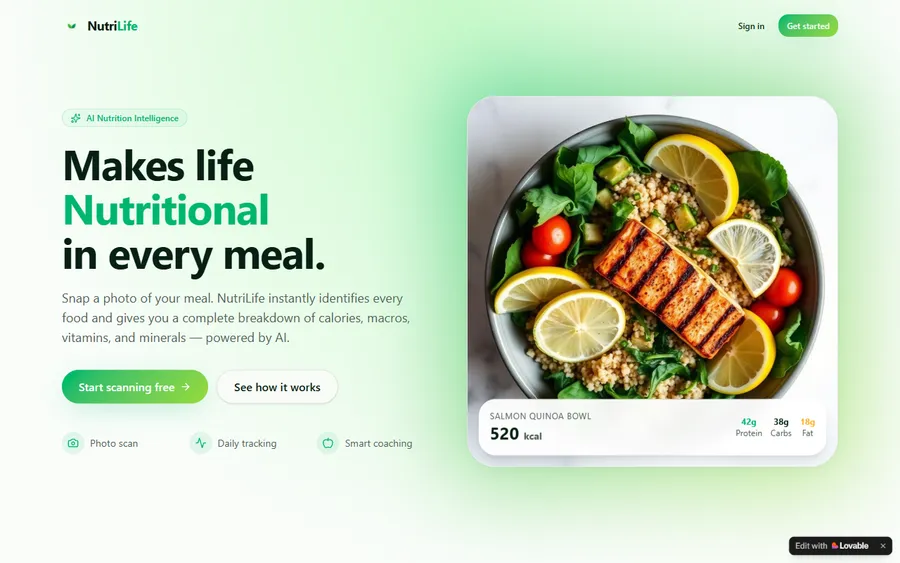
An AI nutrition coach that reads what you eat and works you toward a target.
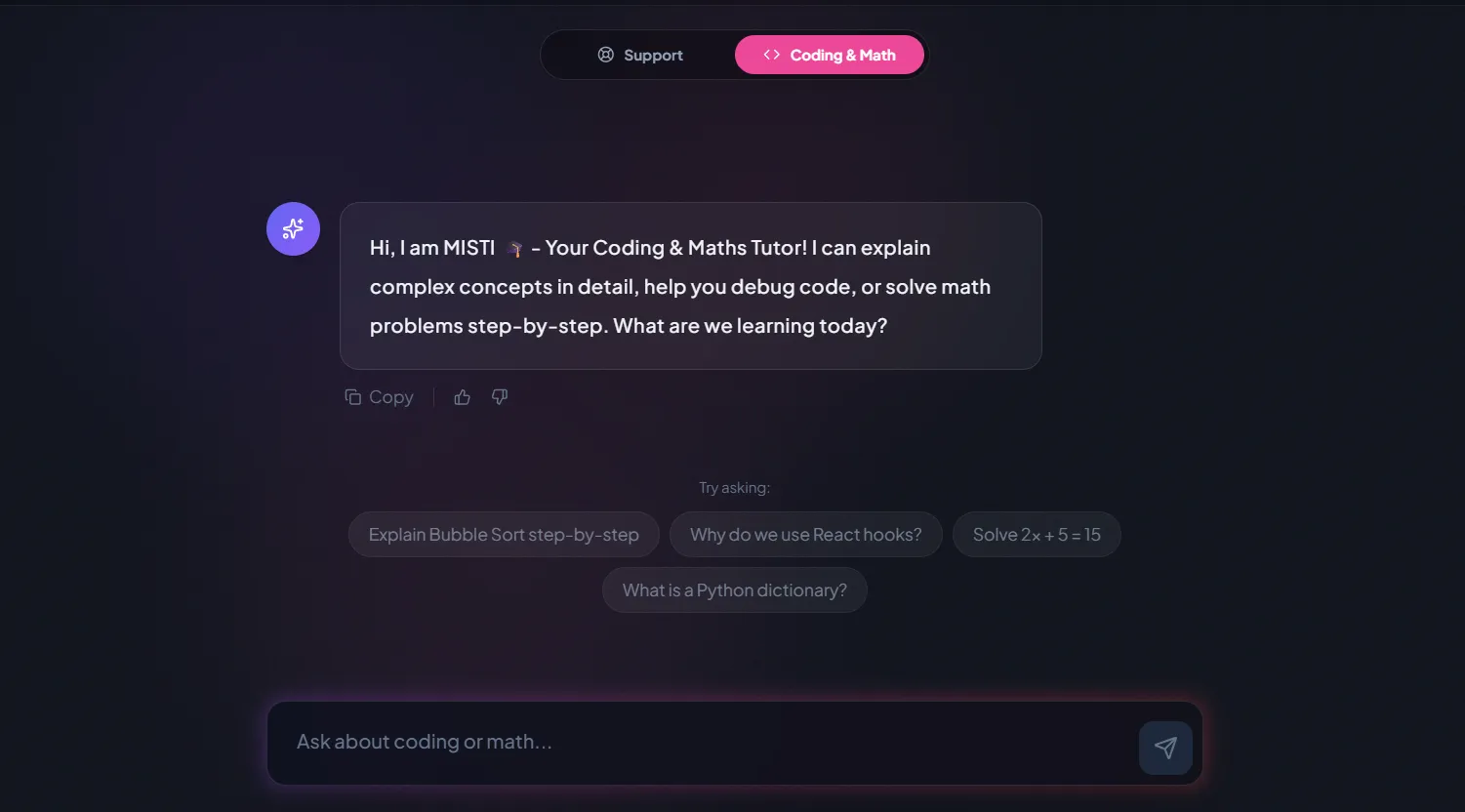
AI and ML
A chatbot that answers mathematics and programming questions, built and deployed by a student.
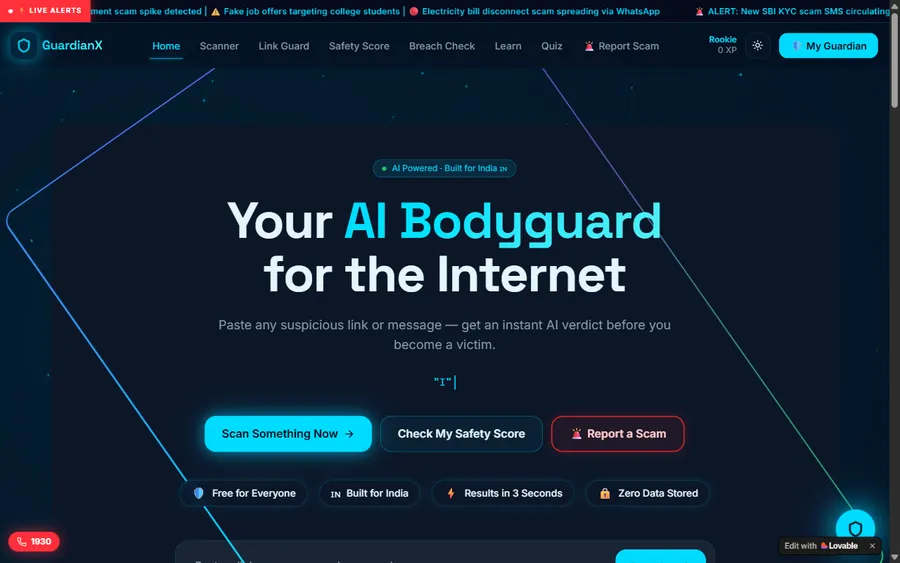
AI and ML
An assistant that helps a young person recognise unsafe situations online.
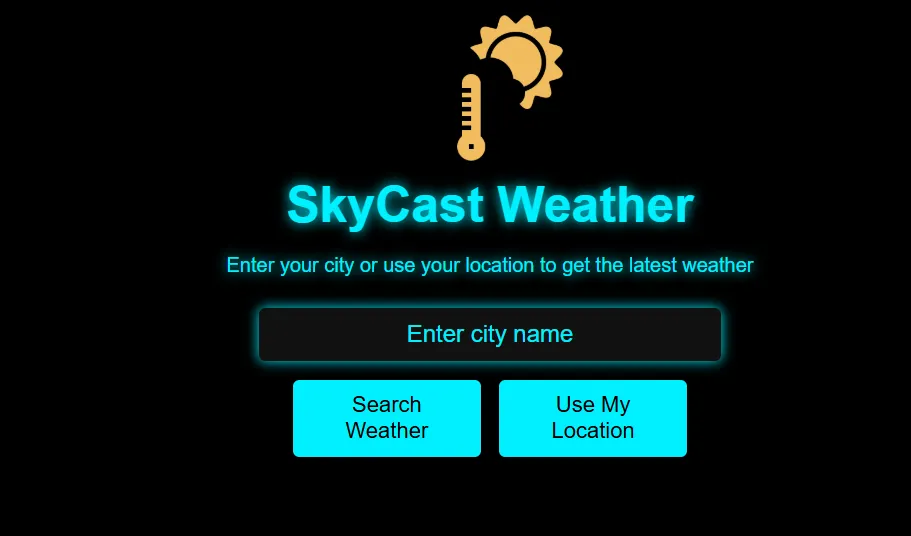
Web app
A weather forecasting site with live conditions for any location.
Fees
Our prices are fixed in US dollars and charged to a card. Whatever rate your bank applies that day decides the amount in soles, which is why statements differ slightly between months.
Free first class
Free
no card required
Group batch
$100 USD
a month, eight live classes
One to one
$150 USD
a month, eight live classes
What families say
Reviews from parents and students, as written on Google.
★★★★★
"The one step solution for my son. Modern Age Coders make learning coding so simple that kids love it. The teachers explain complex concepts clearly with practical exercises and interactive content."
Ria Mukherjee
Parent
★★★★★
"Modern Age Coders has been a game-changer for me. I struggled to grasp IT concepts and coding before joining, but their classes transformed everything. I can now confidently write complex programs with ease."
Samriddha Mondal
Student
★★★★★
"One of the most wonderful education centres out there. Education is not limited to school syllabus but focuses on skill development."
Vansh Agarwal
Student
★★★★★
"My child Dhairya is really enjoying the Modern Age Coders classes. This is his first online class and he eagerly looks forward to it. I can already see his improvement, and the teachers are very cooperative."
Sonam Oswal
Parent of Dhairya
★★★★★
"Modern Age Coders have wonderful teachers who teach in a clear, easy and practical way. The teacher boosts students' confidence and inspires them to learn without hesitation."
Sonu Goyal
Parent
★★★★★
"I highly recommend this computer coding class! The teachers are incredibly knowledgeable and passionate about coding."
Ritu Kedia
Parent
Parents in Peru ask
No. We teach only in English, live and online. The mentor talks at an unhurried pace, tunes in to how your child speaks and how fast they work, and points to each Studio button on screen while naming it. Since Roblox Studio is in English too, lesson and tool share one vocabulary. Some of our Peru pages are written in Spanish for parents, yet no class is ever taught in Spanish.
Our Roblox course takes children from 8 to 14. At 8 a child usually reads well enough to follow Studio's menus and short error messages. Younger children start with blocks and come to Roblox later, already knowing what a loop and a condition are.
Luau. Roblox describes it as the scripting language creators use in Roblox Studio, derived from Lua 5.1 and gradually typed. It is a real language: variables, conditions, loops, functions and tables all work as they do elsewhere, which is why children move on to Python or JavaScript without starting again.
No. Roblox Studio is free, and nothing in our course needs Robux, a membership or any purchase. Roblox lets parents set monthly spending limits on the account, and we suggest setting them to zero if you prefer.
No. Roblox Studio runs on Windows and Mac computers only; Roblox lists Windows 10 or macOS 10.14 as the minimum, with 8 GB of memory recommended and a screen of at least 1600 by 900. Most Chromebooks cannot run it either.
Roblox gives children aged from 5 up to 8, in most regions, a Roblox Kids account with chat off and only the lowest-rated games, and children of 9 to 15 a Roblox Select account with more limits than an adult one. In our classes building happens in Studio on the child's own copy of a game, so no stranger joins the lesson. A parent should set up and keep the account.
Any day, any time, flexible: choose a batch, or for a very personalised plan choose 1-on-1 at the hour that suits your family. India is ten and a half hours ahead of Peru all year, so 16:00 in Lima is 02:30 the next morning for the mentor, who works those hours on purpose.
A group of fifteen to twenty players of a similar age suits those who like showing off a level and testing friends' games. Private lessons fit the quiet child, the child still finding their English, the child far ahead, or the one who turns up with a huge game plan already sketched.
Not to write them. Children type every line after saying what it should do. Older students study what AI coding tools do and how to check them, but never through adult accounts: Claude requires users to be 18, and ChatGPT needs a parent's permission for anyone under 18.
No. Modern Age Coders is an independent private online school, not linked with Roblox Corporation, MINEDU or any school in Peru. We give no Peruvian grades or qualifications; a child who finishes the course receives a completion certificate issued by us.
Read next
Pages that answer the next question.
Our main Roblox course page, for every country.
The steps from an idea to a published game.
Common error messages and what they mean.
Which AI tools allow children, and from what age.
Why our children predict before they run.
A live class from the first minute to the last.
Part of the guide: Every Peru page
More guides: Coding and AI classes in Peru · En español: clases de programación en inglés · Start here: English-medium coding in Lima · By age and stage: AI and coding for professionals · Exams, olympiads and school holidays: IB computer science tutor · Guides to choosing: An English-taught option to Crack The Code · Regions of Peru: Amazonas region · Cities: Arequipa: coding for every age · Lima and Callao districts: Programación para niños en Ancón
Start here
During the trial your child opens Studio beside a mentor, builds a small platform and scripts it to react to a touch. From that half hour the mentor learns how your child reasons and how much spoken English lands, and afterwards recommends a group or private lessons plus a time slot.
Curious about the detail? Every week of the Roblox course is listed on its page, and our teaching method walks through a lesson.
WhatsApp us · +91 91233 66161 · connect@modernagecoders.com
Mentors teach from India over live video, always in English. WhatsApp, written in English, gets the fastest answer.
A priority demo is a full class of about 45 to 60 minutes. After the class the mentor sends a written skill report and a personal learning roadmap on WhatsApp. If you enrol, the demo fee is adjusted against your first month's fee. Share your demo Order ID with us on WhatsApp and we take it off.
Book a priority demo