COKI / FIRST / 01
Reasoning for young thinkers
Puzzles, order and patterns before any screen work, for ages 6 to 9.
Open the syllabusPeru · Ages 6 to 12 · Live online, in English
A child learns to code fastest with a real person on the other side of the screen: someone who watches the mistake happen and asks the right question about it. This page is for families in Peru, English-speaking or bilingual, who want that for a child of 6 to 12. It covers how to tell a good live class from a weak one, how Peruvian children of this age actually get online, where coding fits beside primaria, and a first Python lesson you can try at home tonight.
Live classes since 2020 · rated 4.9 by about 547 Google reviewers · your child codes on their own screen, guided in English
In short
Modern Age Coders teaches online coding classes for kids in Peru aged 6 to 12. Every lesson is live, on video, and taught in English by a mentor based in India, who shares a screen with your child and corrects mistakes as they happen. Children of 6 to 8 start with Scratch blocks; from about 9 they move to typed Python, games and a first look at AI. Families choose a group of fifteen to twenty children of a similar age or one-to-one lessons, at whatever hour suits them in Peru time, and the first class is free.
Where most children start
Pick by age and by whether your child is already typing comfortably. The free class settles any doubt.
COKI / 01
Ages 6 to 10, about three months. Blocks that snap together, so a child who reads slowly in English can still make a cat dance, a maze game and a quiz, and explain each one in short spoken sentences.
Open the syllabus →
COKI / 02
Ages 9 to 12, for children ready to type. Real Python from the first week: turtle drawings, small games and AI projects built with child-safe tools, never adult chatbot accounts.
Open the syllabus →
COKI / 03
Ages 8 to 14, for children who already play. They stop being players and start building: doors that open, scores that count, levels that end, all scripted in Luau.
Open the syllabus →Who this suits
Families in Peru whose children can follow simple spoken English, or who want them to. Most of the families who write to us from Peru fit one of three descriptions.
They already hear English for much of the school day. A coding class in the same language means the words "repeat", "if" and "variable" stay in one language from primaria to secundaria, and nothing has to be relearnt later.
A child whose Spanish is still new may find a Spanish-language coding club hard going. Here the instructions arrive in English, the mentor keeps the same face every week, and the child has one hour a week where language is not the obstacle.
You read this page in English, and you would like your child to use English for something real. Coding gives a reason to listen carefully: the program only works once the instruction has been understood.
Families who would rather read in Spanish have a page of their own: Leer en español: clases de programación para niños online. It describes the same live classes from a parent's point of view at home. Either way, the teaching is in English; nothing changes except the language of the page.
How to choose
Ask what happens when your child gets something wrong. Every course looks good when things work; the difference between a strong class and a weak one shows at the moment of a mistake.
A recorded course can explain a loop beautifully, but it cannot see that your daughter has put the "forever" block in the wrong place, and it cannot ask her why. Children of 6 to 12 rarely know how to describe what went wrong, so they need someone watching.
In a live class the mentor sees the screen, waits a few seconds, and then asks a question instead of giving the answer. That pause, repeated every week, is most of what teaching a child to think looks like.
A group of fifteen to twenty children of a similar age is lively: children see other solutions to the same puzzle and learn to explain their own. It suits a child who is happy to speak up, even a little.
One to one suits a child who is very young, very shy, new to English, or racing ahead. The mentor sets the pace for one learner. Many families start one way and switch after a month; that is normal.
Whichever provider you try, use the free class to ask questions like these. They are our list, written for parents, and we answer every one of them in the first class.
Children online in Peru
More of them every year, and increasingly through devices other than a phone. Peru's statistics institute, INEI, measures it every quarter in its national household survey.
| Measure (INEI table) | 2023 | 2024 | 2025 | 2026 |
|---|---|---|---|---|
| Used the internet (Cuadro 2.1, share of all children 6 to 11) | 60.1 | 61.7 | 61.5 | 68.2 |
| Went online through a mobile phone (Cuadro 2.6, share of children 6 to 11 who use the internet) | 54.7 | 50.4 | 43.3 | 48.5 |
| Used a mobile phone at all (Cuadro 3.3, share of all children 6 to 11) | 67.0 | 67.7 | 65.3 | 67.8 |
Source: INEI, Estadísticas de las Tecnologías de Información y Comunicación en los Hogares, II Trimestre 2026 (bulletin N° 03, September 2026), Cuadros 2.1, 2.6 and 3.3, from the Encuesta Nacional de Hogares; 2026 figures are preliminary. Read on 9 November 2026. INEI writes decimals with a comma; we print them with a point.
In the second quarter of 2026, 68.2% of Peruvian children aged 6 to 11 used the internet, up from 61.5% a year earlier. INEI notes that this age group still uses the internet less than any other except people of 60 and over.
Read the middle row with care: it counts only children who use the internet. Among them, 48.5% went online through a mobile phone in 2026, against 90.2% of all internet users aged 6 and over. Many younger children, in other words, reach the internet some other way: a family laptop, a computer or a smart television.
Watching a video on a phone works well enough. Writing code on one does not, because a child needs a keyboard, a mouse or trackpad and room on the screen for both the program and the mentor. Our classes need a laptop or desktop computer.
INEI also reports that 36.4% of Peruvian households had at least one computer in the second quarter of 2026. If yours is shared, book the class at an hour when nobody else needs it; with flexible timing, that is usually easy to arrange.
The right age
Six is a good age to start with blocks, and nine is a good age to start typing. Those ages line up neatly with the Peruvian primaria years.
Peru's Ley General de Educación (Ley 28044) says primaria "dura seis años", and its Reglamento says it serves children "a partir de los 6 años de edad". So a Peruvian child is usually in 1st grade of primaria at 6 and in 6th grade at 11.
Families arriving from abroad should know that MINEDU places a child by age on 31 March of each year, the "edad normativa". A child who turns six in April may therefore be a grade behind a classmate born in February. We group children by age and level, not by grade, so this never matters in our classes.
6 to 8: Scratch. Children drag blocks, watch a character move and learn sequence, repetition and simple conditions without needing to read long instructions.
9 to 10: the first typed Python, short programs that draw or count. 11 to 12: longer projects, games with scores, first data and a careful look at how AI makes decisions. A child who has done well in Scratch often moves to Python early; the free class tells us.
If your child is ten and wondering about Python specifically, our Spanish-language page on Python for children of 9 to 12 explains when to move from blocks to code. For bilingual families, clases de programación para niños en inglés sets out why English-taught coding helps at this age.
Coding and primaria
There is no coding lesson in the national primaria timetable. MINEDU's curriculum, the CNEB, leaves computing out of its list of areas and treats digital skills as something all subjects share.
In the CNEB's primaria plan of studies, Matemática has 5 teaching periods a week in grades 1 and 2 and 4 periods from grade 3, and Inglés has 2 periods in grades 1 and 2 and 3 periods from grade 3. No line of that table is called computing or programming.
Competency 28, on working in virtual environments, is filed under the CNEB heading for skills that cross every area ("competencias transversales"). In practice, how much a child codes at school depends on the school and the teacher, not on the national plan.
MINEDU reopened 53,631 schools for 6,225,000 pupils on 16 March 2026, the start of the 2026 school year. Our classes do not replace any of that; they run alongside the school year and through the January to March summer break.
In 2025 MINEDU's national assessment, the ENLA, tested 4th grade of primaria in reading and mathematics. Coding helps both in an honest, indirect way: a child who writes programs reads instructions carefully and checks numbers twice. We make no promise about any school result.
To be clear about status: Modern Age Coders has no link with MINEDU or with any Peruvian school, gives no Peruvian marks, and the only certificate a finishing child receives is one we issue ourselves.
A first Python lesson
Here is one we teach to children of about 9 to 11 in their first weeks of typed code. They build a pyramid out of text, and on the way they discover a piece of mathematics nobody told them about.
In Python you can multiply text by a number. "#" * 3 gives ###. Children find this funny at first, then useful: it is the quickest way to draw a row of bricks.
We ask for a pyramid four rows high, with one brick on top and two more on every row below. Most children write something like Version 1 within a few minutes, and it runs first time.
It runs, but it draws a slope, not a pyramid. Every row starts at the left edge. The mentor does not point this out; we ask the child to compare the screen with the picture they had in mind and say what is different, in English.
The fix is to push each row to the right with spaces. The top row needs the most spaces and the bottom row none, so the number of spaces is the height minus the row number.
height = 4
for row in range(1, height + 1):
print("#" * (2 * row - 1))# ### ##### #######
Exact output when we ran it with Python 3: four rows of 1, 3, 5 and 7 bricks, all starting at the left edge.
height = 4
total = 0
for row in range(1, height + 1):
    spaces = height - row
    bricks = 2 * row - 1
    total = total + bricks
    print(" " * spaces + "#" * bricks)
print("Bricks used:", total)# ### ##### ####### Bricks used: 16
Exact output of our run: a centred pyramid, then Bricks used: 16.
Now the surprise. We ask the child to change the first line to height = 10 and, before running it, to guess how many bricks the pyramid will need. Most guess something near 50. The program ends with Bricks used: 100. For four rows the answer was 16, which is 4 times 4; for ten rows it is 10 times 10. The rows hold 1, 3, 5, 7 bricks and so on, and odd numbers added in order always make a square number.
Nobody had to teach the rule. The child predicted, ran the program, was surprised, and then found the pattern by testing a third height. That is the habit we want: guess first, test second, and trust the test over the guess. Children who meet a pattern this way remember it far longer than a rule copied from a board.
Thinking first
No. A child here works the problem out first and is asked to talk through each line of their program; a tool comes later, if at all.
Every program starts with a guess said out loud. The pyramid lesson above only works because the child guessed 50 before seeing 100.
Children never use adult chatbot accounts with us. Claude's terms require users to be at least 18, and ChatGPT's terms require a parent or guardian's permission for anyone under 18.
A child in Lima, Piura or Cusco gets the same mentors, the same standard and the same patience. Where a family lives in Peru changes nothing except the hour on the clock.
Older children do meet AI in our courses, as something to understand and question: how a program can sort pictures, why it sometimes gets them wrong, and why a confident answer can still be false. They learn it through tools built for their age. Using AI to skip the thinking is the one thing we do not teach.
Peru time
At an hour your family picks. Peru does not change its clocks during the year (it sits five hours behind UTC), and India sits five and a half hours ahead of UTC, which puts the mentor's clock ten and a half hours later than yours. The rows below only convert; they are not a timetable.
| Peru time | India time | A typical moment in Peru |
|---|---|---|
| 08:30 | 19:00 | Before school on a summer-break morning |
| 11:00 | 21:30 | Late morning on a Saturday |
| 15:00 | 01:30, next day | Straight after lunch |
| 17:30 | 04:00, next day | Homework done, before dinner |
| 20:00 | 06:30, next day | Early evening, for older children |
Source: IANA tz database, zones America/Lima (UTC minus 5, no summer time since 1994) and Asia/Kolkata (UTC plus 5:30). Conversions are ours.
You pick the hour on your own clock when you book; our system shows the mentor the same moment in India time. Because neither country changes its clocks, a class at 17:30 in Arequipa stays at 17:30 in February and in August. More detail for Lima families is on our English-medium coding classes in Lima page, and every Peru page is listed on the coding and AI classes in Peru hub.
Progress
Through things your child can do and say, not hours logged. These stages are ours; they decide which group a child joins and what the mentor works on next.
| Stage | Usual age | Can do on screen | Can say in English |
|---|---|---|---|
| 1. Steps | 6 to 7 | Put blocks in order so a character moves and speaks | "First it walks, then it jumps." |
| 2. Loops | 7 to 8 | Repeat an action and stop it at the right moment | "This repeats ten times." |
| 3. Choices | 8 to 9 | Make a game react to a key or a touch | "If it touches the wall, it stops." |
| 4. Typing | 9 to 10 | Write a short Python program that draws or counts | "I changed the number and it moved." |
| 5. Patterns | 10 to 11 | Predict an output, run it, explain the difference | "I guessed 50, but it was 100 because..." |
| 6. Projects | 11 to 12 | Plan and finish a small game or tool alone | "Here is what it does and how I tested it." |
Ask your child to show you the last thing they built and to explain one part. If they can, the class is working.
Stage 5 is the pyramid lesson. A child who reaches it starts asking "why?" about numbers well beyond the class.
Guess what your program will do before you press run. Being wrong is how you find the interesting part.
If you are stuck, say what you expected and what happened. That sentence is half the answer.
More courses
All taught live, in English, by a mentor who stays with your child, in a group or one to one.
COKI / FIRST / 01
Puzzles, order and patterns before any screen work, for ages 6 to 9.
Open the syllabusCOKI / FIRST / 02
A long block-coding path from stories to games and simple apps.
Open the syllabusCOKI / FIRST / 03
Breaking a problem into steps, the skill under every program.
Open the syllabusCOKI / BUILD / 01
From blocks to real code inside a world children already know.
Open the syllabusCOKI / BUILD / 02
Real websites, written and published by the child.
Open the syllabusCOKI / BUILD / 03
Phone-style apps designed and built with block code.
Open the syllabusCOKI / MORE / 01
How AI works and where it fails, without adult accounts.
Open the syllabusCOKI / MORE / 02
Patterns like the pyramid, explored in Python from age 10.
Open the syllabusCOKI / MORE / 03
First real C++ for confident 9 to 12 year olds.
Open the syllabusHow it works
Any day, any time, flexible: choose a batch, or for a very personalised plan choose 1-on-1 at the hour that suits your family.
School term
Late afternoons and early evenings in Peru are popular once homework is finished.
Summer break
January to March mornings open up; tell us the hour and we match a mentor.
1-on-1
One child, one mentor, at an hour fixed around your family.
The same teacher each week, who learns how your child thinks.
Instructions in simple English, shown on screen as well as said.
Children build from the first ten minutes of every class.
Groups formed by age and level, never mixed widely.
A few lines for parents: built, struggled with, next.
A group of fifteen to twenty, or one to one.
Student work
Children who stay with coding into their teens build things that work in the real world. A few examples from older students are below, and the student labs page has many more.
AI and ML
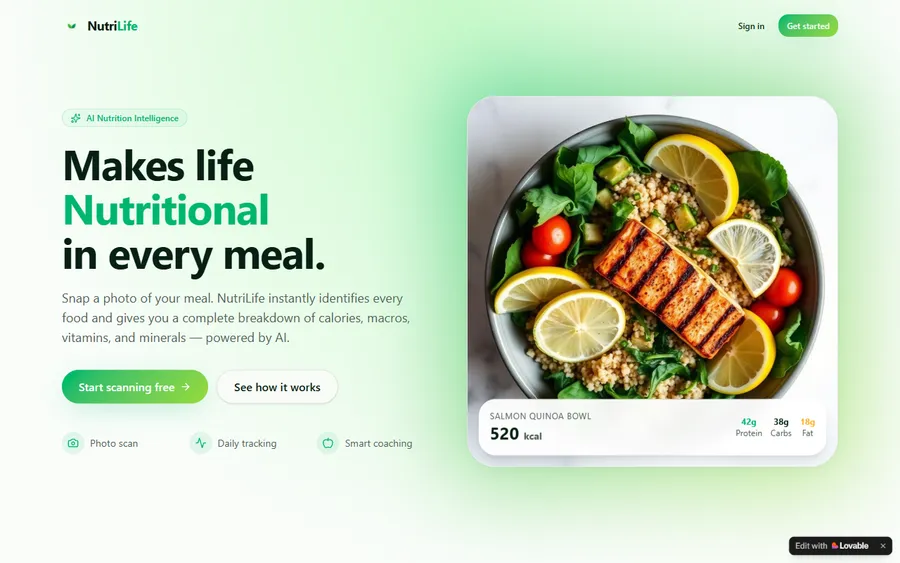
An AI nutrition coach that reads what you eat and works you toward a target.
AI and ML
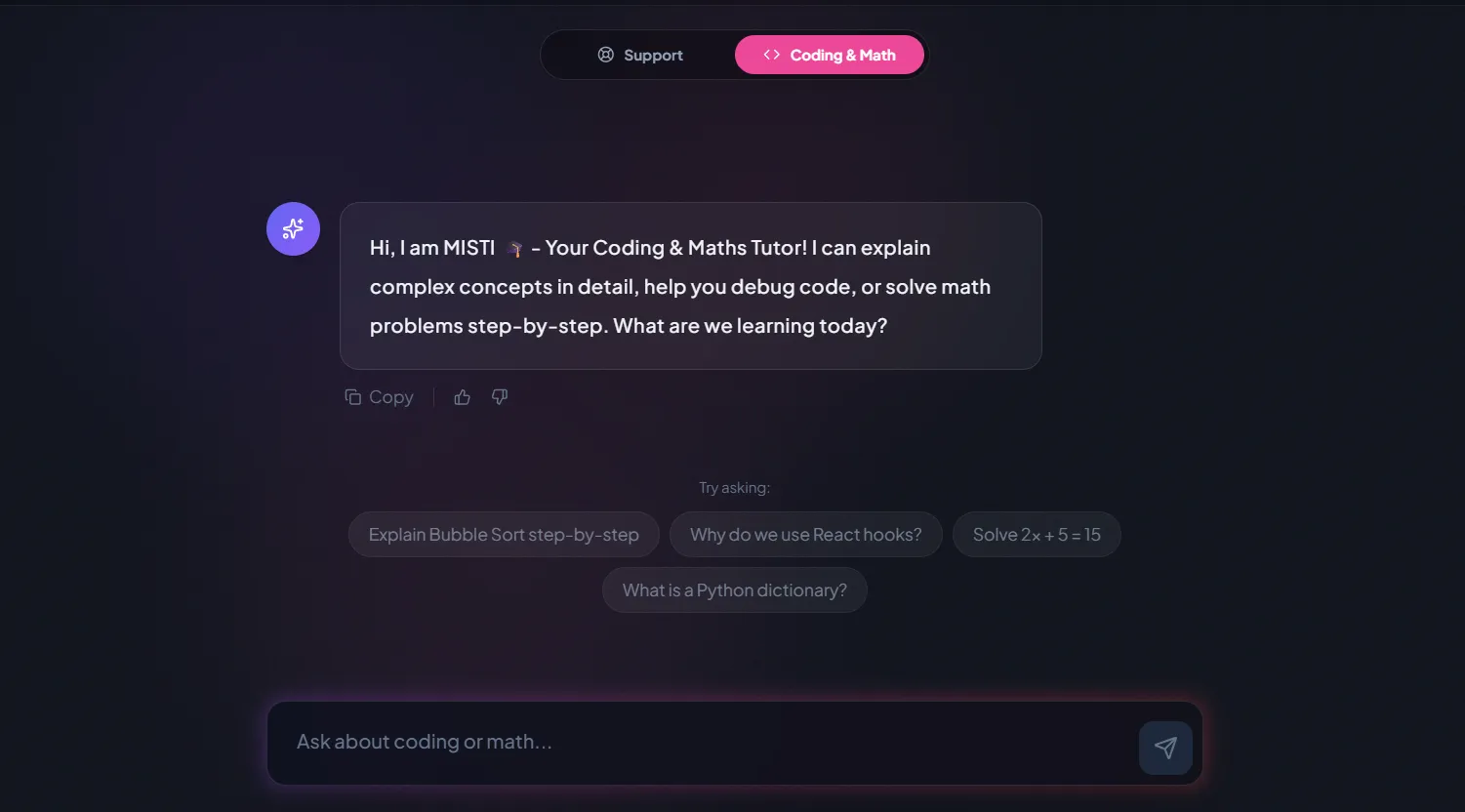
A chatbot that answers mathematics and programming questions, built and deployed by a student.
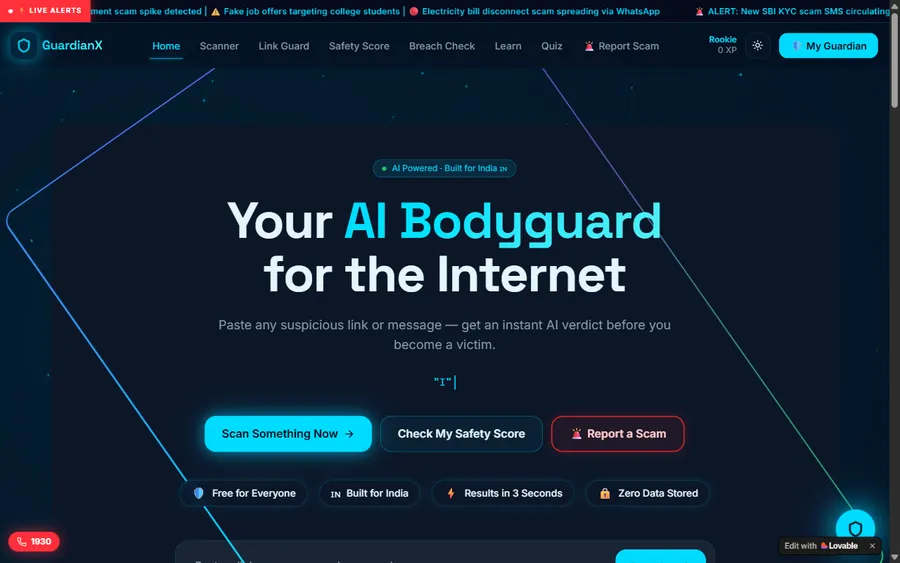
AI and ML
An assistant that helps a young person recognise unsafe situations online.
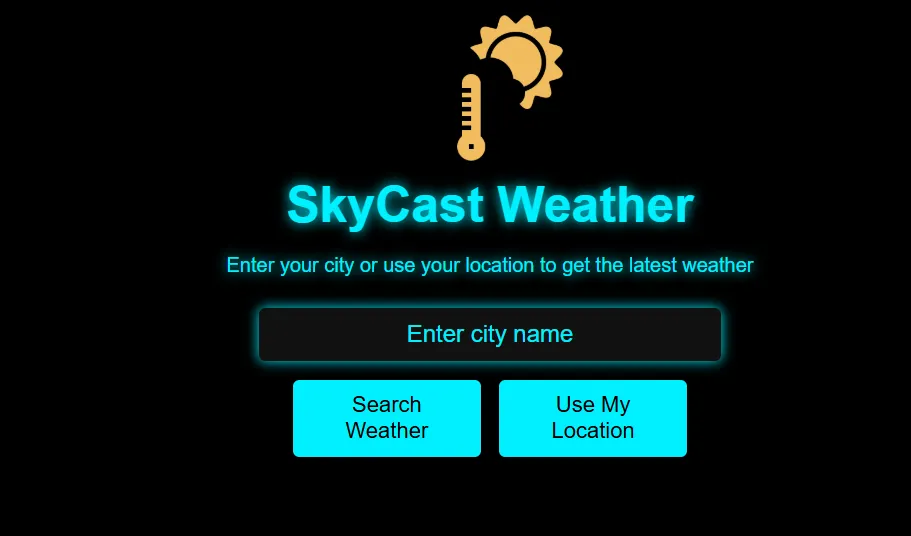
Web app
A weather forecasting site with live conditions for any location.
Fees
Our fees are set in US dollars and paid by card. Your card issuer changes each payment into soles at its own rate, so the amount on your statement may differ slightly from one month to the next.
Free first class
Free
no card required
Group batch
$100 USD
a month, eight live classes
One to one
$150 USD
a month, eight live classes
What families say
What parents and students wrote on Google, copied exactly.
★★★★★
"The one step solution for my son. Modern Age Coders make learning coding so simple that kids love it. The teachers explain complex concepts clearly with practical exercises and interactive content."
Ria Mukherjee
Parent
★★★★★
"Modern Age Coders has been a game-changer for me. I struggled to grasp IT concepts and coding before joining, but their classes transformed everything. I can now confidently write complex programs with ease."
Samriddha Mondal
Student
★★★★★
"One of the most wonderful education centres out there. Education is not limited to school syllabus but focuses on skill development."
Vansh Agarwal
Student
★★★★★
"My child Dhairya is really enjoying the Modern Age Coders classes. This is his first online class and he eagerly looks forward to it. I can already see his improvement, and the teachers are very cooperative."
Sonam Oswal
Parent of Dhairya
★★★★★
"Modern Age Coders have wonderful teachers who teach in a clear, easy and practical way. The teacher boosts students' confidence and inspires them to learn without hesitation."
Sonu Goyal
Parent
★★★★★
"I highly recommend this computer coding class! The teachers are incredibly knowledgeable and passionate about coding."
Ritu Kedia
Parent
Parents in Peru ask
No. Every class is live, online and taught in English only. Mentors speak slowly and clearly, adapt to your child's pace and accent, and show each step on the shared screen, so a child who is still learning English can follow. If you prefer to read about the classes in Spanish, our Spanish-language page describes them, but the teaching itself is always in English.
Six. Between 6 and 8 a child works in Scratch, dragging coloured blocks, so reading long instructions is not needed. From about 9, most children are ready to type Python. In Peru that usually means Scratch in the first years of primaria and Python from 4th or 5th grade, though we place children by age and level, not by grade.
Yes, if it is live. A ten year old learns quickly but rarely knows how to describe a problem, so a recorded video cannot help when they are stuck. In a live class the mentor sees the screen, asks the right question and lets the child find the fix.
Groups of fifteen to twenty children of a similar age suit children who enjoy talking about their work. One to one suits very young or shy children, children new to English and children who are racing ahead. You can switch after the first month if the format does not fit.
Any day, any time, flexible: choose a batch, or for a very personalised plan choose 1-on-1 at the hour that suits your family. With Peru five hours behind UTC and India five and a half ahead, the gap is ten and a half hours on every day of the year: 17:30 in Peru is 04:00 the next morning for the mentor.
Not for coding. Coding needs a laptop or desktop with a keyboard and a mouse or trackpad, plus a steady connection; a headset with its own microphone makes listening much easier. A tablet can show the video, but typing code and dragging blocks on it is slow and frustrating.
Rarely as its own lesson. MINEDU's national curriculum, the CNEB, gives primaria no computing area; digital skills are a transversal competency shared by every subject. Some private schools add their own computing lessons, so ask your child's school what they cover.
Never on adult accounts. Anthropic sets 18 as the minimum age for Claude, and OpenAI asks that a parent or guardian agree before a minor uses ChatGPT. Children study how AI behaves with child-appropriate tools, once they have already worked the problem out by themselves.
No. Modern Age Coders is a private online school whose mentors work from India, with no tie to MINEDU or to any Peruvian school. We give no Peruvian marks or qualifications; a child who finishes a course gets a completion certificate issued by us.
Monthly, by card, in US dollars. The bank that issued your card does the conversion into soles, which is why two months can show slightly different amounts. The first class is free and booking it needs no card.
Read next
Pages that help with the next decision.
Why blocks come first for young children.
What a ten year old can really do in Python.
Each AI tool and the youngest user it allows.
Reasoning before tools, in every class.
One live class described from start to end.
Projects built by our students.
Part of the guide: Every Peru page
More guides: Coding and AI classes in Peru · En español: clases de programación en inglés · Start here: English-medium coding in Lima · Subjects and courses: AI agents course · Exams, olympiads and school holidays: IB computer science tutor · Guides to choosing: An English-taught option to Crack The Code · Regions of Peru: Amazonas region · Cities: Arequipa: coding for every age · Lima and Callao districts: Programación para niños en Ancón
Start here
During the free lesson a mentor sits with your child through a short puzzle and a first working program, quietly noting the way they think and the English they catch. Afterwards the mentor suggests a course, a group or one-to-one lessons, and an hour that suits your week.
Would you like to look around first? How we teach describes a class in detail, and the course list has every syllabus.
WhatsApp us · +91 91233 66161 · connect@modernagecoders.com
Classes are live video lessons from India, in English only. For a quick reply, message us on WhatsApp in English.
A priority demo is a full class of about 45 to 60 minutes. After the class the mentor sends a written skill report and a personal learning roadmap on WhatsApp. If you enrol, the demo fee is adjusted against your first month's fee. Share your demo Order ID with us on WhatsApp and we take it off.
Book a priority demo