PE / TEEN / 01
App development for teens
React Native apps from zero, for 13 to 18 year olds, over 10 to 12 months.
Open the syllabusPeru · App development · Live online, in English · 18 and over
Building an app is the easy half. Getting it accepted by Google Play and the App Store, keeping the personal data of Peruvian users the way Peruvian law expects, and making sure the app never shows a status that cannot be true: that is the half employers notice. This page explains all three, with the 2026 rules quoted from their own sources and a lesson we teach in the first month.
Teaching live since 2020 · 10,000+ learners worldwide · mentors who slow down when you ask
The short answer
Modern Age Coders teaches app development to adults and university students in Peru, live online and in English, with a mentor on video in every class. You can start from zero and build cross-platform apps with Flutter, Android apps with Kotlin or iPhone apps with Swift, then learn to publish them under the 2026 rules of Google Play and Apple and to handle personal data the way Peru's 2024 regulation expects. You learn either with fifteen to twenty other adults or one to one, on whatever days and hours suit you.
Start here
All three begin from nothing and assume no earlier programming. Pick by the phones you want to reach: both kinds, Android only, or a single cross-platform codebase.
PE / APP / 01
For complete beginners aged 18 and over, 10 to 12 months. A broad route through cross-platform and native tools, ending with an app prepared for both stores.
Open the syllabus →
PE / APP / 02
One codebase for Android and iPhone, 10 to 12 months from zero. The quickest way for one developer to reach both halves of the phone market.
Open the syllabus →
PE / APP / 03
Kotlin from first principles, then Android apps, 10 to 12 months. For learners who want to know the platform most Peruvian phones run on in depth.
Open the syllabus →What you learn
Much more than screens. A phone app is a small program that must remember things, talk to a server, survive being closed at any moment and pass a store review. Our courses teach each of those as a separate skill.
Dart, Kotlin or Swift, learned as a language before any framework: variables, functions, classes, lists and errors. Learners who skip this step end up copying widget code they cannot change.
Layouts that adapt to a small Android phone and a large iPhone, then state: what the app knows right now, what changes it, and which screen must redraw when it does. Most app bugs live here.
Saving data on the phone, calling a web service, handling a slow or failed reply, and storing records in a database. Learners write their own small server so the app has something real to talk to.
Asking only for the data the app needs, explaining why in plain words, letting users delete their account, and knowing what Peru's data regulation says about minors and about leaks.
Automated tests for the parts that must not break, a build signed for release, store listings, screenshots and the review questions both stores now ask before an app goes live.
Git from the first month, small commits with clear messages, and code reviews with the mentor. A portfolio of three or four apps on GitHub says more to an employer than any certificate.
The order matters. We see many adults in Peru who have followed long video playlists and can assemble a screen, yet freeze when the app must do something the video did not show. Our mentors keep the learner's hands on the keyboard and ask them to predict what a line will do before running it. That habit, think first and then type, is what lets someone build an app nobody has filmed yet.
Why phones
Because in Peru the phone is the internet for most people. The national statistics office measures it every quarter.
In its bulletin on household technology for the second quarter of 2026, INEI reports that 90.2% of internet users aged six and over went online through a mobile phone. In the same quarter, only 36.4% of households in the country had at least one computer.
Put those two figures side by side and the case for apps writes itself. A Peruvian business that wants to reach customers reaches them on a phone screen, often a modest Android phone, and often with a patchy connection.
Building for that reality is a skill in itself: small downloads, screens that still make sense on a narrow display, and an app that behaves well when the signal drops between two districts. We build those constraints into the projects rather than treating them as an afterthought.
One practical point for learners themselves: you write apps on a computer, not on the phone. If your home is among the many without one, tell us at the free class and the mentor will suggest the lightest setup that still works.
Our Spanish-language page on the same subject, curso de desarrollo de aplicaciones en inglés, looks at the weak-signal problem in detail and teaches a retry lesson. This English page takes a different route: the rules an app must obey before anyone in Peru can install it.
Store rules, 2026
Both stores now publish dated technical floors. An app that misses them is refused at upload, or quietly disappears for new users. Here are the 2026 rules in the stores' own words, summarised.
| Store | Since or from | What the store requires | Who it affects |
|---|---|---|---|
| Google Play | 31 August 2026 | New apps and updates must target Android 16 (API level 36) or higher | Phone and tablet apps |
| Google Play | 31 August 2026 | Existing apps must target Android 15 (API level 35) or higher to stay available to new users on newer Android versions | Apps already in the store |
| Google Play | 31 August 2026 | Wear OS and Android Automotive OS: Android 15 (API level 35); Android TV and Android XR: Android 14 (API level 34) | Watch, car, TV and XR apps |
| Apple App Store | 31 January 2026 | Answers to the updated age rating questions for each app | Every app |
| Apple App Store | 28 April 2026 | Built with Xcode 26 or later, using an SDK for iOS 26 or the matching platform | Every upload |
| Apple App Store | 9 September 2026 | iOS and iPadOS apps must target iOS 13 or later | Every iPhone and iPad upload |
Sources: Google, Android Developers, "Target API level requirements for Google Play apps"; Apple Developer, "Upcoming Requirements". Both pages read on 9 November 2026. Dates are the stores' own; requirements change every year, so we check them again before each cohort reaches its release module.
Every Android version has a number, its API level. When you build an app you declare which level you have tested against. Google uses that number to decide whether your app has been kept up to date with newer privacy and battery rules, and refuses uploads that point too far into the past.
For a learner this has one practical meaning: tutorials written two or three years ago often produce an app that targets an old level. Our mentors start every project on a current template, so the first app a learner builds could actually be submitted.
Apple redesigned its age ratings and asked developers to answer new questions for every app by the end of January 2026. A developer answers questions about the app's content and features; the store turns the answers into a rating shown to families.
This links straight to Peru's own rules on minors, below. An app that a 12 year old might use is a different product, legally and ethically, from one meant only for adults, and the developer is expected to know which one they are building.
Peru's data rules
Peru updated the regulation of its personal data law, Ley 29733, with Supreme Decree DS 016-2024-JUS, published in El Peruano on Saturday 30 November 2024. Several of its articles land directly on the desk of whoever builds an app. This is a teaching summary, not legal advice.
| Where in the regulation | What it says | What it means when you build an app |
|---|---|---|
| Final provision on entry into force | In force 120 calendar days after publication | Our arithmetic: from 30 March 2025, so every app launched in Peru today falls under it |
| Article VI, 3.1 | Covers a controller outside Peru that offers goods or services aimed at people located in Peru | A developer abroad who targets Peruvian users is not outside the rules |
| Article 25, 25.3 | Digital services aimed at children under fourteen need the consent of a parent or guardian | Know your audience before you design the sign-up screen |
| Article 34, 34.1 | Serious data incidents are notified to the national authority within 48 hours at most | Logging and alerting are part of the app, not extras |
| Recitals, citing DL 1412 | The principle of privacy from the design stage for digital services | Collect less, explain why, and build deletion in from the start |
Source: Decreto Supremo N.° 016-2024-JUS, Reglamento de la Ley N.° 29733, Ley de Protección de Datos Personales, official copy on gob.pe. The 30 March 2025 date is our own calculation from the 120-day rule. We summarise for teaching; for a real product, ask a Peruvian lawyer.
In class this turns into habits rather than law lectures. A sign-up form that asks for a birthday has to do something with the answer. A login screen should not store a password in plain text on the phone. A crash report should not contain the user's phone number. Each of these is a few lines of code, and each is easier to write on the first day than to retrofit after launch.
The same regulation is why we design our own forms carefully: a learner under 14 joins our classes with a parent's consent, and adults on this page sign up for themselves.
A lesson from month one
Because somewhere in the code, any status is allowed to replace any other. Our learners meet this bug in their first delivery-app project, and fix it with one of the oldest ideas in computing: the state machine.
A delivery app tracks an order through five statuses: placed, accepted, on the way, delivered and cancelled. The rider taps "delivered" at the door. A second later, a customer who has not refreshed the screen taps "cancel", and the request reaches the server after the rider's.
Version 1 below does what many first apps do: whatever status arrives last wins. The order that was handed over ends up marked as cancelled, and a real system might then refund it.
Before running anything, the mentor asks: which changes of status should be possible at all? Can a delivered order be cancelled? Can a cancelled order go back on the road? Learners write the answer on paper as arrows between boxes.
Those arrows are the program. Version 2 turns them into a dictionary, and the update function refuses every move that is not one of the arrows.
order = {"id": "A-17", "status": "placed"}

def update(order, new_status):
    order["status"] = new_status
    print(order["id"], "->", new_status)

update(order, "accepted")
update(order, "on_the_way")
update(order, "delivered")
update(order, "cancelled")      # the customer's late tap
print("Final:", order["status"])
It prints the four moves in turn, ending with A-17 -> cancelled, and then Final: cancelled.
ALLOWED = {
    "placed":     {"accepted", "cancelled"},
    "accepted":   {"on_the_way", "cancelled"},
    "on_the_way": {"delivered"},
    "delivered":  set(),
    "cancelled":  set(),
}

def update(order, new_status):
    now = order["status"]
    if new_status not in ALLOWED[now]:
        print(order["id"], "refused:", now, "->", new_status)
        return False
    order["status"] = new_status
    order["history"].append(new_status)
    print(order["id"], "->", new_status)
    return True

order = {"id": "A-17", "status": "placed", "history": ["placed"]}
for event in ["accepted", "on_the_way", "delivered", "cancelled", "on_the_way"]:
    update(order, event)

print("Final:", order["status"])
print("History:", " > ".join(order["history"]))
print("End states:", [s for s, nxt in ALLOWED.items() if not nxt])
print("Allowed moves:", sum(len(nxt) for nxt in ALLOWED.values()), "of", len(ALLOWED) * (len(ALLOWED) - 1))
It prints A-17 -> accepted, A-17 -> on_the_way, A-17 -> delivered, then A-17 refused: delivered -> cancelled and A-17 refused: delivered -> on_the_way, followed by Final: delivered, History: placed > accepted > on_the_way > delivered, End states: ['delivered', 'cancelled'] and Allowed moves: 5 of 20.
The last line is the one learners remember. With five statuses there are 20 possible changes from one status to a different one, and only 5 of them make sense. Version 1 accepted all 20. Version 2 accepts exactly the 5 on the diagram and keeps a history, so a support agent can see what happened to order A-17 without guessing.
The examples are written in Python so the idea is visible without any framework around it. In the Flutter course the same dictionary becomes a Dart map, in Kotlin a sealed class with a when expression, and in Swift an enum. The thinking is identical, which is the point: a learner who understands why the refusal belongs in the code can write it in any language.
The code, its output and the practice tasks are ours, written for this page and run with Python 3 on 9 November 2026. Order A-17 is invented.
Choosing a track
Choose by who will use your app and what you want to do next, not by which framework is fashionable. The table is our own advice, based on how our learners have fared.
| Your goal | Track we suggest | Language you learn | What you can publish |
|---|---|---|---|
| Reach Android and iPhone users with one app | Flutter | Dart | One codebase for both stores |
| Work on Android apps in a company | Kotlin and Android | Kotlin | Android apps for Google Play |
| Build for iPhone and iPad | Swift and iOS | Swift | Apps for the App Store; a Mac is needed |
| Explore before choosing | App development masterclass | Several, step by step | Small apps on both platforms |
| Already a web developer | React, then a mobile track | JavaScript first | Web apps, then mobile |
Our advice, not a ranking. Apple requires Xcode for App Store builds, and Xcode runs on a Mac; Android and Flutter work can be done on Windows, macOS or Linux.
Many of our adult learners start with Flutter, because a single project reaches both stores and a portfolio app can be shown on whatever phone the interviewer carries. Once comfortable, some move to Kotlin to understand what Flutter is doing underneath on Android.
Learners without a Mac usually leave Swift for later. That is not a judgement on iOS, only a practical point about what the store requires to build.
Python is not used to build most phone apps, but it is how we teach the first logic, as in the lesson above, and it is the language of the server many apps talk to. MINEDU's Fábrica de Programadores pilot taught Python to 1,000 students in 4° and 5° de secundaria, so some younger adults arrive already knowing it.
If you have that background, we skip ahead. If you do not, the first weeks of any track teach programming itself.
Language of the classes
No. English is the only teaching language, in every live online session, with a mentor based in India. Better to know that now than after enrolling; the mentor adapts to you.
Mentors speak at a measured pace, rephrase when you hesitate and get used to your accent within a couple of classes. You can ask a question in imperfect English and be answered patiently; nobody is marked down for grammar.
Most of a class is spent looking at the same code on a shared screen. Error messages, documentation, store consoles and almost every framework tutorial are written in English anyway, so the language of the class matches the language of the work.
In the 2025 edition of EF's English Proficiency Index, Peru is placed 52nd among 123 countries on 519 points, which EF calls moderate. Lima reaches 555, inside EF's high band, and Peruvians in IT jobs average 522.
For many adults in Peru, then, English is a working language that is not yet fully comfortable. Studying app development in it is practice that pays twice: in the code, and in the interviews and calls that come after.
If you are deciding between this and a Spanish-language course, try the free class first. It is a short coding task and a conversation, and the mentor tells you honestly whether the English will be a help or a hurdle at your current level.
Class times
Whenever you choose. Peru keeps one clock all year, and so does India, which makes planning simple.
| Peru time | India time | Same day in India? |
|---|---|---|
| 06:30 | 17:00 | Yes |
| 08:00 | 18:30 | Yes |
| 12:30 | 23:00 | Yes |
| 19:00 | 05:30 | No, the next day |
| 21:30 | 08:00 | No, the next day |
Clock facts: Peru runs on UTC minus 5 in every month, without daylight saving since 1994 (zone America/Lima in the tz database; INACAL publishes the official hour). India runs on UTC plus 5:30. The gap is therefore 10 hours 30 minutes, every day.
Working adults often choose an early slot before the office or a late one after it; university students fit classes between lectures. You pick the time in Peru time when you book, the mentor sees the India time, and because neither country moves its clocks, the slot never drifts between March and October.
Progress
Our own milestones. The mentor checks each one with something you build and explain, not with a quiz.
| Milestone | You can | The mentor checks |
|---|---|---|
| 1. Language | Write functions, classes and loops without a template | A small program written live from a spoken brief |
| 2. Screens | Build a layout that works on a small and a large phone | The same screen on two device sizes |
| 3. State | Explain which data changes which screen | A diagram of states and the arrows between them |
| 4. Data | Save, load and sync records with a server | The app working with the network switched off and on |
| 5. Trust | Ask for little data, explain it and allow deletion | A privacy screen and a delete-account flow |
| 6. Release | Prepare a signed build and a store listing | A release checklist against the current store rules |
Milestone 3 is where most self-taught developers get stuck. The status lesson on this page is milestone 3 in miniature.
Milestones 5 and 6 change every year with the stores and the law, so we teach how to read the rules, not only today's version of them.
Each milestone leaves something on the learner's GitHub: a project, a test file, a diagram. That is the evidence we encourage them to show.
Our certificate of completion records the course; it is our own and is not a Peruvian university qualification.
More courses
For teenagers who want to start early, for university students filling gaps, and for professionals adding a skill. Every course is live and taught in English.
PE / TEEN / 01
React Native apps from zero, for 13 to 18 year olds, over 10 to 12 months.
Open the syllabusPE / TEEN / 02
The language behind React Native, taught through browser games.
Open the syllabusPE / TEEN / 03
Twenty-four classes on saving, sharing and reviewing code.
Open the syllabusPE / UNI / 01
SwiftUI apps from zero, for learners who have a Mac.
Open the syllabusPE / UNI / 02
From JavaScript to production React, a bridge to mobile.
Open the syllabusPE / UNI / 03
SQL and database design for the server behind an app.
Open the syllabusPE / PRO / 01
Branching, reviews and releases for working teams.
Open the syllabusPE / PRO / 02
React, Node.js and the basics of deployment.
Open the syllabusPE / PRO / 03
Using coding agents well, with a developer who still checks every line.
Open the syllabusHow it works
Any day, any time, flexible: choose a batch, or for a very personalised plan choose 1-on-1 at the hour that suits your family.
Before work
An early Peru morning lands in the Indian evening, a calm hour for both of you.
After work
Peru evenings fall in India's early morning, and our mentors cover them too.
1-on-1
Your own slot and pace, agreed with one mentor who follows your app.
You type; the mentor watches, asks and nudges.
You keep one mentor, who knows your project by heart.
Plain words, repeated on request, time to think.
Apps tested on an emulator and on your own phone.
A short task each time, reviewed at the next class.
Fifteen to twenty adults, or just you.
Student work
A few finished projects are shown below; the student labs hold many more.
AI and ML
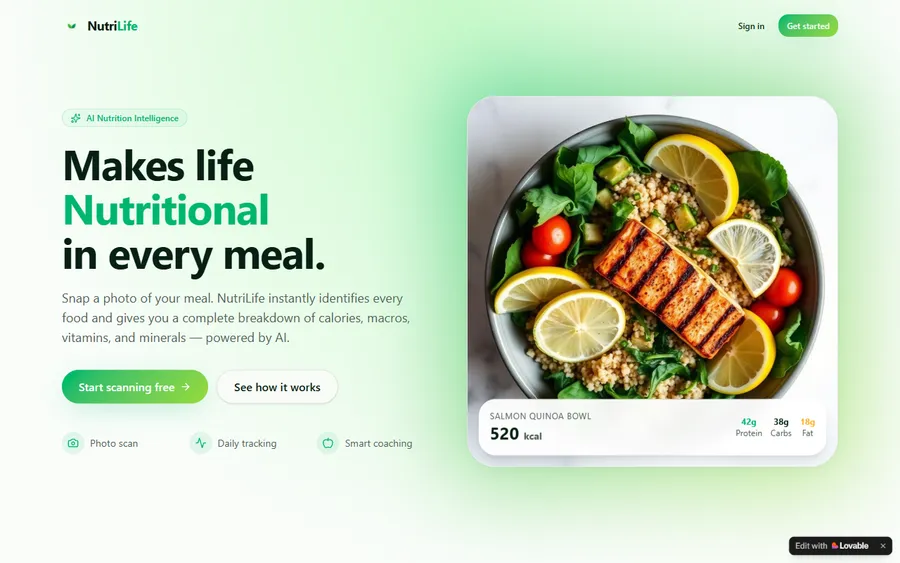
An AI nutrition coach that reads what you eat and works you toward a target.
AI and ML
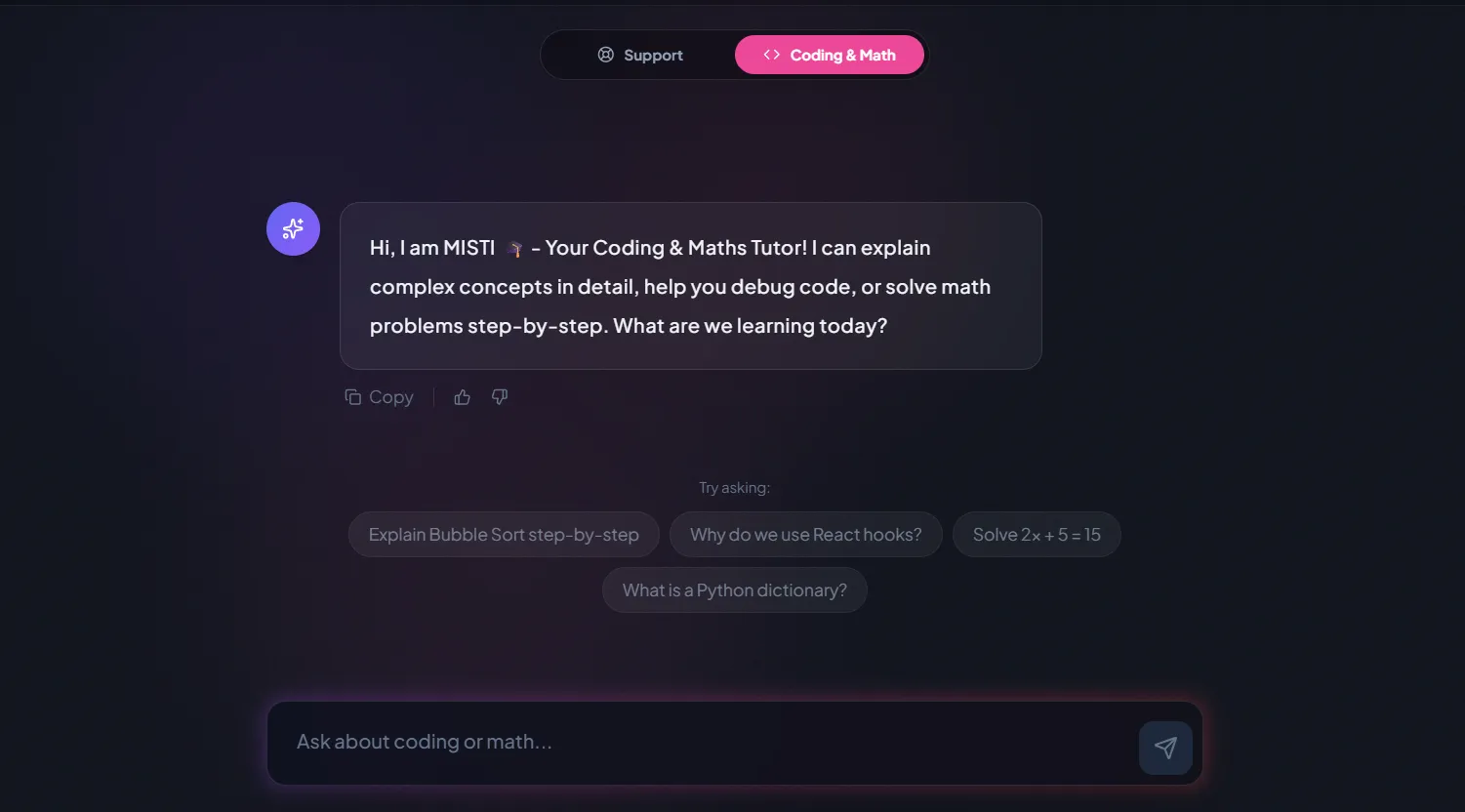
A chatbot that answers mathematics and programming questions, built and deployed by a student.
AI and ML
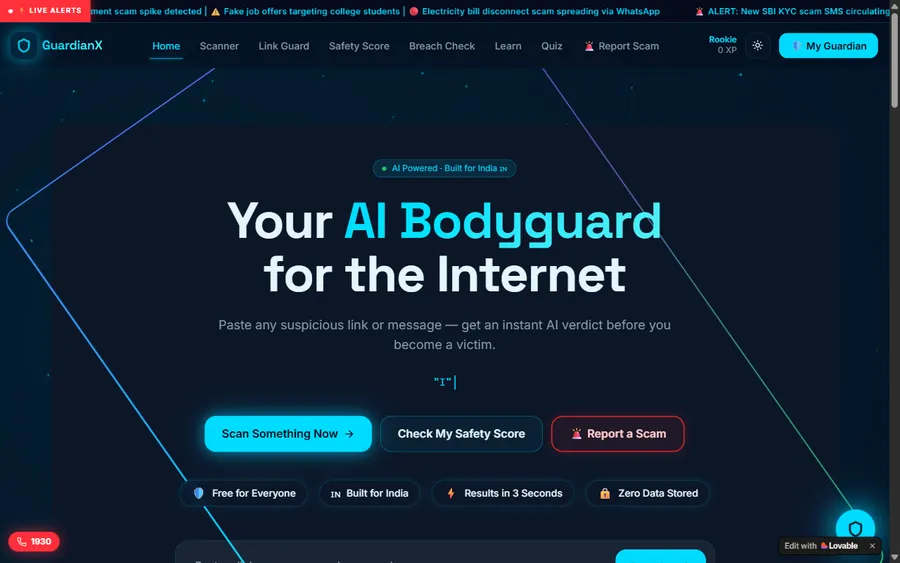
An assistant that helps a young person recognise unsafe situations online.
Web app
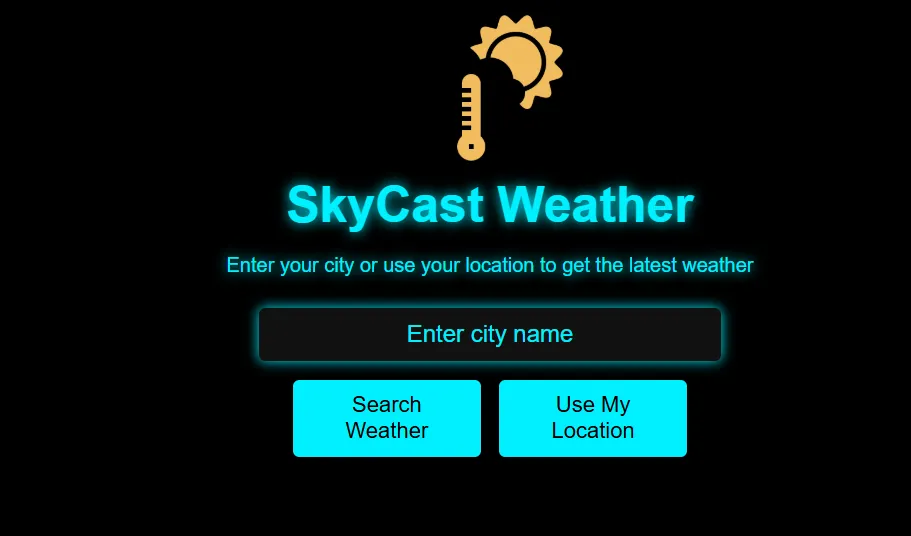
A weather forecasting site with live conditions for any location.
Fees
You pay month by month. We set the fee in US dollars and take it from your card in that currency; the conversion to soles is done by your bank, so your statement can show a slightly different amount.
Free first class
Free
no card required
Group batch
$100 USD
a month, eight live classes
One to one
$150 USD
a month, eight live classes
What families say
What learners and parents wrote on Google, unedited.
★★★★★
"The one step solution for my son. Modern Age Coders make learning coding so simple that kids love it. The teachers explain complex concepts clearly with practical exercises and interactive content."
Ria Mukherjee
Parent
★★★★★
"Modern Age Coders has been a game-changer for me. I struggled to grasp IT concepts and coding before joining, but their classes transformed everything. I can now confidently write complex programs with ease."
Samriddha Mondal
Student
★★★★★
"One of the most wonderful education centres out there. Education is not limited to school syllabus but focuses on skill development."
Vansh Agarwal
Student
★★★★★
"My child Dhairya is really enjoying the Modern Age Coders classes. This is his first online class and he eagerly looks forward to it. I can already see his improvement, and the teachers are very cooperative."
Sonam Oswal
Parent of Dhairya
★★★★★
"Modern Age Coders have wonderful teachers who teach in a clear, easy and practical way. The teacher boosts students' confidence and inspires them to learn without hesitation."
Sonu Goyal
Parent
★★★★★
"I highly recommend this computer coding class! The teachers are incredibly knowledgeable and passionate about coding."
Ritu Kedia
Parent
Questions from Peru
No. We teach in English only, live and online, and our mentors in India keep their speech clear, follow your pace, get used to your accent and say it again more simply whenever you ask. The code, the documentation and the store consoles are English as well.
Yes. All three starting courses on this page assume no programming. The first weeks teach the language itself, Dart, Kotlin or Swift, before any app screen appears.
Flutter if you want one app on both Android and iPhone; Kotlin if you want to work on Android apps in depth. Many learners start with Flutter and add Kotlin later. The free class is a good place to decide with a mentor.
Only for iPhone apps built with Swift, because Apple requires Xcode for App Store builds and Xcode runs on macOS. Flutter and Kotlin work on Windows, macOS or Linux; Flutter can still produce an iPhone build later on a Mac.
From 31 August 2026, new apps and updates must target Android 16 (API level 36) or higher, and existing apps need Android 15 (API level 35) or higher to stay available to new users on newer Android versions. We start every project on a current template.
If your app collects personal data from people in Peru, very likely: DS 016-2024-JUS covers even controllers outside Peru that offer services to people there, and it has been in force since 2025. We teach privacy habits, not legal advice; ask a lawyer for a real product.
Any day, any time, flexible: choose a batch, or for a very personalised plan choose 1-on-1 at the hour that suits your family. Peru is 10 hours 30 minutes behind India all year, so 08:00 in Peru is 18:30 for the mentor.
Most learners have a small working app within the first few months and a store-ready project towards the end of the course. Our app courses run 10 to 12 months for a complete beginner; the pace depends on your weekly practice.
See the monthly fee in US dollars in the fees section; that is the currency your card pays in, with your bank handling the switch to soles. Browsing from India shows rupees. Your first class costs nothing and no card is taken.
The course ends with our own certificate of completion when you pass the final exam. It is not issued by a Peruvian university or by any ministry; the apps on your GitHub are the stronger evidence.
Yes, a separate one for ages 13 to 18, taught in its own groups. Our Spanish page for Peruvian teenagers explains it, and the teen course appears in the list above.
Read next
More for adults in Peru who want to build software.
The Spanish-language page on mobile apps, with a lesson on retrying when the signal drops.
Every Peru page in one place, sorted by age and subject.
For secundaria students who want to make their own app.
Python, Java and algorithms next to a Peruvian degree.
Projects that learners finished and published.
What happens in one live class, minute by minute.
Part of the guide: Every Peru page
More guides: Coding and AI classes in Peru · En español: clases de programación en inglés · Start here: English-medium coding in Lima · By age and stage: AI and coding for professionals · Exams, olympiads and school holidays: IB computer science tutor · Guides to choosing: An English-taught option to Crack The Code · Regions of Peru: Amazonas region · Cities: Arequipa: coding for every age · Lima and Callao districts: Programación para niños en Ancón
Start here
The free class is a short task in code and a conversation about the app you have in mind. The mentor sees how you approach a problem and how comfortable the English feels, then suggests a track and a group.
Not ready to book? Read how a live class runs, or look through every syllabus we teach.
WhatsApp us · +91 91233 66161 · connect@modernagecoders.com
Every session is live and online, led from India, in English only. For the quickest reply, message us on WhatsApp in English.
A priority demo is a full class of about 45 to 60 minutes. After the class the mentor sends a written skill report and a personal learning roadmap on WhatsApp. If you enrol, the demo fee is adjusted against your first month's fee. Share your demo Order ID with us on WhatsApp and we take it off.
Book a priority demo