AKI / FIRST / 01
Scratch coding
Stories, animations and first games, three months from zero.
Open the syllabusPeru · Artificial intelligence · Ages 6 to 12
Most children in Peru meet artificial intelligence as a voice that answers back. Very few get to see inside it. This page is for parents of children aged 6 to 12 who want the second thing: a course where a child builds a tiny machine that guesses, watches it get something wrong, and works out why. Below you will find what a child can realistically learn at each age, what INEI's 2026 figures say about how Peruvian children get online, which AI tools a child may and may not use, and one complete lesson.
Live online classes since 2020 · 10,000+ students worldwide · every lesson taught in English
In one paragraph
Modern Age Coders teaches an AI course for kids in Peru: live online classes, taught in English, for children aged 6 to 12. Children learn how a machine sorts, guesses and learns by building small projects themselves, first with cards and Scratch blocks and later in short Python programs, rather than by chatting to an adult AI app. Each class has a mentor based in India and either a group of fifteen to twenty classmates close in age or just your child, at an hour you pick on the Peru clock. A free first class shows whether it fits.
Three ways in
The right first course depends less on the child's age than on whether they can read comfortably and type a little. These three cover the whole range from 6 to 12.
AKI / 01
Suits 6 to 9 year olds. Scratch blocks first, so nobody has to type, and the AI ideas arrive as games: a sprite that sorts, a quiz that keeps score of its own mistakes.
Open the syllabus →
AKI / 02
For 8 to 14 year olds who want to understand AI rather than just use it: how a machine learns from examples, why it gets things wrong, and how to check an answer before trusting it.
Open the syllabus →
AKI / 03
For confident readers from about 9 or 10. Real typed Python, turtle drawings, then small programs that sort and predict, including the decision tree further down this page.
Open the syllabus →What kids learn
Far more than how to type a question into a chatbot. A child can learn the ideas that sit underneath every AI system, as long as each idea is something they can touch, sort or build.
A useful map comes from AI4K12, a United States initiative that writes guidelines for teaching AI in school from kindergarten to the end of secondary. In 2019 it published a poster of what it calls the "Five Big Ideas in AI", and its guidelines are arranged in grade-band progression charts, so the same idea returns at a deeper level as a child grows. We are not connected with AI4K12; we use its five ideas because they are clear, and because they make a parent's question easier to answer: which of these can my child do now?
| Big Idea (AI4K12) | In plain words | Ages 6 to 8 (ours) | Ages 9 to 12 (ours) |
|---|---|---|---|
| 1. Perception | Machines take in the world through sensors | Which sense does a robot vacuum use? A card game | A Scratch sprite that reacts to sound or a colour |
| 2. Representation and Reasoning | Machines keep a model of the world and reason with it | Sort animal cards with yes or no questions | Store facts in a table and write the questions in Python |
| 3. Learning | Machines can learn from data | Spot the pattern in a set of pictures | Build a decision tree and test it on something new |
| 4. Natural Interaction | Talking to people is hard for machines | Why did the voice assistant mishear? | A chatbot with five fixed answers, and where it breaks |
| 5. Societal Impact | AI can help and harm | Is it fair if the game only knows some animals? | Who checks the answer, and what if nobody does? |
Source: AI4K12 (ai4k12.org), the Five Big Ideas in AI, poster first released on 16 April 2019; read on 9 November 2026. The two right-hand columns are our own classroom activities, not part of the AI4K12 guidelines.
Young children do not need neural network jargon, and they do not need to train a model on their own photos. Both make a course sound impressive while teaching very little, and the second hands a child's images to a service that was not built for them.
We also avoid "magic" demonstrations, where a screen does something clever and the child claps. If a child cannot explain, in their own words, why the machine gave its answer, the lesson has not finished.
Sorting, guessing, counting mistakes and fixing them. These are the moves every AI system makes, and every one of them can be acted out with cards on a table before it becomes code on a screen.
The habit of asking "how would it know that?" A child who asks that question about a game, a search result or a video recommendation has understood the most important thing a course like this can teach.
Kids online in Peru
About two in three children of primary age, mostly on a phone. INEI's household survey for the second quarter of 2026 puts internet use among 6 to 11 year olds at 68.2%, the lowest of any age group except people over 60, and rising faster than any other.
| Age group | 2023 | 2024 | 2025 | 2026 |
|---|---|---|---|---|
| All aged 6 and over | 77.6 | 80.0 | 81.0 | 84.2 |
| 6 to 11 | 60.1 | 61.7 | 61.5 | 68.2 |
| 12 to 18 | 89.7 | 91.4 | 90.7 | 92.5 |
| 19 to 24 | 95.6 | 96.4 | 96.4 | 97.3 |
Source: INEI's quarterly TIC household bulletin for April to June 2026, cuadro 2.1, drawn from the ENAHO survey; INEI marks the 2026 column as preliminary. INEI reports the 6 to 11 group rose 6.7 percentage points on 2025. Read on 9 November 2026.
Subtract 68.2 from 100 and you get 31.8: our own sum says close to one primary-age child in three in Peru was not online at all during those three months. Any family reading this page is already in the connected two thirds, but the gap is a reminder that a live class needs planning, not just a link.
Among everyone who goes online, INEI found that 93.1% used the internet for entertainment such as games, films and music. For most children, AI arrives the same way: inside a game, a video feed or a voice assistant, long before anyone explains it.
INEI also reports that 90.2% of internet users aged 6 and over connect through a mobile phone, against 18.9% on a laptop, 14.0% on a desktop computer and 2.9% on a tablet. Computers are scarcer still: INEI counts one or more in just 36.4% of homes nationwide for April to June 2026.
A phone is fine for watching a class, but building a program on one is miserable for a child. Before the first lesson we ask for a laptop or desktop, even a shared or borrowed one, a stable connection, and a headset if possible. For 6 and 7 year olds, a parent nearby for the first few sessions helps.
What school covers
Not as a subject. Peru's national curriculum, the CNEB, has no computing or AI area in primary or secondary; digital skills appear as a transversal competency that every subject is meant to share.
The CNEB lists competency 28, "Se desenvuelve en entornos virtuales generados por las TIC", among its competencies that cut across the subject areas. In practice that means a child may use a tablet in science or make a slideshow in communication, but nobody is required to teach how a program or an AI system works.
So a ten year old in a Lima or Arequipa primary school can be a skilled user of apps and still have no idea that a recommendation is a guess based on counting. That gap is not the school's fault; it is simply not in the plan of studies.
Peru regulated artificial intelligence through DS 115-2025-PCM, the regulation of Law 31814, published in El Peruano on 9 September 2025. Article 13.2 asks the government's digital transformation office to work with MINEDU on promoting the "uso responsable, ético, transparente e inclusivo de la IA" for student competencies within the national curriculum.
Article 12 adds that digital services built on AI must take full account of the different needs of girls, boys and adolescents, among other groups. We quote both as published context about where Peru is heading. They are not legal advice, and they do not mean any course, ours included, is approved by anyone.
Our classes sit alongside school and never replace it. If you want the Spanish-language version of this guide, written separately for Peruvian parents, read our curso de inteligencia artificial para niños page; the lessons themselves are taught in English on both.
Which AI tools
Very few of the famous ones. The companies that make the big chatbots set minimum ages in their own terms, and a child of primary age is under almost all of them.
| Tool | What the vendor's terms say | In our kids' classes |
|---|---|---|
| ChatGPT (OpenAI) | At least 13; under 18 needs a parent or guardian's permission | Not used with under 13s |
| Gemini (Google) | 13 or the applicable age in the country; not with a Family Link account | Not used with under 13s |
| Claude (Anthropic) | At least 18 | Never used with children or teenagers |
| Teachable Machine (Google) | Trains in the browser with no sign-in needed | Used only when the mentor runs it on screen |
| Scratch and plain Python | No AI account at all | Where most of the work happens |
Sources: OpenAI terms of use, Google Gemini help, Anthropic consumer terms and Google account help, quoted in our own AI tools age audit; read on 9 November 2026. Terms change, so check the vendor's page before any child signs up. More detail on the AI tools age guide.
This is why our AI course for kids is built mostly from things the child makes. A decision tree written in twenty lines of Python teaches more about how an AI system decides than an hour of chatting, and it involves no account, no data sent anywhere and no terms of service a child cannot legally accept.
From 13, the picture changes: with a parent's permission, a teenager can use some AI tools under supervision, and our teen courses introduce them carefully. Under 13, the honest course teaches the ideas and leaves the adult apps alone.
A real lesson
This is a lesson we teach to children from about 9, after a first session with paper cards. The program plays "guess the animal" with yes-or-no questions, and it chooses its own questions. Then we show it an animal it has never met.
best_question does exactly what the child did with the cards: it tries every question and keeps the one whose bigger half is smallest. The function build asks it again on each smaller pile until one animal is left.animals = {
"condor": {"feathers": 1, "swims": 0, "four_legs": 0, "big": 1},
"hummingbird": {"feathers": 1, "swims": 0, "four_legs": 0, "big": 0},
"llama": {"feathers": 0, "swims": 0, "four_legs": 1, "big": 1},
"guinea pig": {"feathers": 0, "swims": 0, "four_legs": 1, "big": 0},
"dolphin": {"feathers": 0, "swims": 1, "four_legs": 0, "big": 1},
"frog": {"feathers": 0, "swims": 1, "four_legs": 1, "big": 0},
}
def best_question(names):
pick, best_size = None, len(names)
for q in ["feathers", "swims", "four_legs", "big"]:
yes = [n for n in names if animals[n][q]]
bigger_half = max(len(yes), len(names) - len(yes))
if bigger_half < best_size:
pick, best_size = q, bigger_half
return pick
def build(names, depth=0):
if len(names) == 1:
print(" " * depth + "-> " + names[0])
return names[0]
q = best_question(names)
yes = [n for n in names if animals[n][q]]
no = [n for n in names if not animals[n][q]]
print(" " * depth + q + "?")
return {"q": q, "yes": build(yes, depth + 1), "no": build(no, depth + 1)}
tree = build(list(animals))
def guess(tree, thing):
while isinstance(tree, dict):
tree = tree["yes"] if thing[tree["q"]] else tree["no"]
return tree
bat = {"feathers": 0, "swims": 0, "four_legs": 0, "big": 0}
print("bat ->", guess(tree, bat))It prints the tree it built, one question per line, and finally bat -> dolphin. The full output is below.
four_legs?
  swims?
    -> frog
    big?
      -> llama
      -> guinea pig
  feathers?
    big?
      -> condor
      -> hummingbird
    -> dolphin
bat -> dolphin
Read it from the top: the first question is "four_legs?", which splits the six animals three and three. Indented lines are the questions asked next.
The bat has no feathers, does not swim, does not have four legs and is not bigger than a cat. The tree asks "four_legs?" (no), then "feathers?" (no), and lands on the only animal left on that branch: bat -> dolphin.
Children laugh, then go quiet. The program did nothing wrong by its own rules. It had never seen a bat, so it could only answer with something it already knew. That is the honest limit of every system that learns from examples.
We add one row for the bat and run the same code again. The tree grows a new question at the bottom: after "feathers?" it now asks "swims?", and the answer becomes bat -> bat.
Nothing about the code changed. Only the examples changed. A child who sees that has understood, in one afternoon, the sentence adults find hard: an AI system is only as good as what it was shown.
# Version 2: one new row in the table, nothing else changes
    "bat":         {"feathers": 0, "swims": 0, "four_legs": 0, "big": 0},

# the last lines of the new tree, and the new answer:
#   feathers?
#     big?
#       -> condor
#       -> hummingbird
#     swims?
#       -> dolphin
#       -> bat
# bat -> bat
With the bat in the table, the end of the printed tree reads swims?, -> dolphin, -> bat, and the last line is bat -> bat.
best_question. Does the tree choose it? Why or why not?The animals and their yes-or-no answers are our own simplification for a children's lesson; "bigger than a cat" is a judgement, and children are encouraged to argue about it. That argument is part of the lesson: somebody always decides what goes into the data.
Safety and fairness
AI can be safe for children when adults make careful choices about tools, data and supervision. UNICEF's Guidance on AI and children, updated to version 3.0 in December 2025, sets out 10 requirements for child-centred AI, and three of them shape our kids' classes directly.
UNICEF lists this among its 10 requirements. In our classes a child never uploads photos, voice recordings or personal details to an AI service. The data in our lessons is invented by us or typed by the child, like the six animals above.
UNICEF asks that AI be transparent and explainable for children. We take that literally: every model a child meets in our course is small enough to print and read, so the child can point to the line that made the decision.
The guidance also asks adults to "prepare and skill children for present and future developments in AI". That is the purpose of the course: not to make children fans of a product, but to make them the people who understand and question it.
UNICEF published its first draft guidance in September 2020 and a second version in 2021, before the third in December 2025. We are not connected with UNICEF; we cite its guidance because it is the most widely used child-rights framework for AI, and because parents deserve a standard they can check us against.
Two classroom rules follow. Children only use AI tools whose terms allow their age, and a child's mentor never asks for a home address, school name or photograph. If your child is shy on camera, cameras can stay off; we need to hear them and see their screen, not their face.
In English
Usually yes, if they can follow simple spoken instructions. The lessons are mostly short sentences, demonstrations on a shared screen and lots of doing, and the code itself reads the same in any language.
Mentors slow down, repeat an instruction in simpler words and show each step before asking the child to try it. Words like "question", "yes", "no", "guess" and "wrong" turn up so often that children absorb them within a few sessions.
For a 6 or 7 year old with very little English, we usually suggest one-to-one classes at first, so the mentor can pause as often as needed without holding a group back.
Many parents choose an English-taught course on purpose, because the child practises listening and speaking with a reason to do it: the game only works once they understand the instruction. Our page on clases de programación para niños en inglés explains that choice in Spanish for parents.
We do not teach in Spanish, and we would rather say so here than after a trial class. The free first class is the truest test: you will see in forty minutes whether your child can follow.
Progress
These stages are our own, not a school or AI4K12 standard. They help a mentor place a child and give parents a plain picture of what has been learned.
| Stage | Usual age | The child can | Ask them at home |
|---|---|---|---|
| 1. Sort | 6 to 7 | Sort cards with yes-or-no questions | Which question did you ask first? |
| 2. Spot | 7 to 8 | Find a pattern in a set of pictures | What made you sure? |
| 3. Build | 8 to 10 | Make a Scratch game that guesses | When does your game guess wrong? |
| 4. Code | 9 to 11 | Write a decision tree in Python | Why that question first? |
| 5. Test | 10 to 12 | Try a case the program never saw | What should we add to the data? |
| 6. Judge | 11 and up | Explain who checks an AI answer | Would you trust it, and why? |
Stage 5 is the bat lesson above. Children at that point begin to wonder aloud where an app gets its answers, which is precisely the instinct worth growing.
Monthly notes from the mentor describe things built and ideas explained, not minutes spent on a screen.
A machine that guesses is only as clever as the examples it has seen.
If your program surprises you, that is a clue, not a failure. Find out why.
More courses
All live, all in English, each led by a mentor who stays with the child from month to month.
AKI / FIRST / 01
Stories, animations and first games, three months from zero.
Open the syllabusAKI / FIRST / 02
Scratch and game ideas with gentle, supervised AI help, ages 8 to 12.
Open the syllabusAKI / FIRST / 03
Number puzzles and shapes that come alive in code.
Open the syllabusAKI / BUILD / 01
Their own Roblox games, scripted line by line in Luau.
Open the syllabusAKI / BUILD / 02
Web pages a child designs, codes and puts online.
Open the syllabusAKI / BUILD / 03
Twelve weeks of project building before a friendly event.
Open the syllabusAKI / NEXT / 01
From Python to working models, when the time comes.
Open the syllabusAKI / NEXT / 02
Machine learning by connecting visual blocks.
Open the syllabusAKI / NEXT / 03
The full language, beginner to advanced.
Open the syllabusHow classes run
Any day, any time, flexible: choose a batch, or for a very personalised plan choose 1-on-1 at the hour that suits your family.
Before school
An early hour in Peru falls in the Indian evening, an easy time for a mentor.
After school
Afternoon and evening hours in Peru work as well; tell us yours.
One to one
A single child, a single mentor, a pace that bends to them.
Each new idea is acted out first, then built.
Instructions in small steps, shown on screen.
The child drives the mouse and keyboard every class.
Seven year olds and twelve year olds learn apart.
What your child built and what puzzled them.
Under 13s work without chatbot accounts.
Student work
Children who keep going for a few years end up building things like these, made by our older students. More on the student labs page.
AI and ML
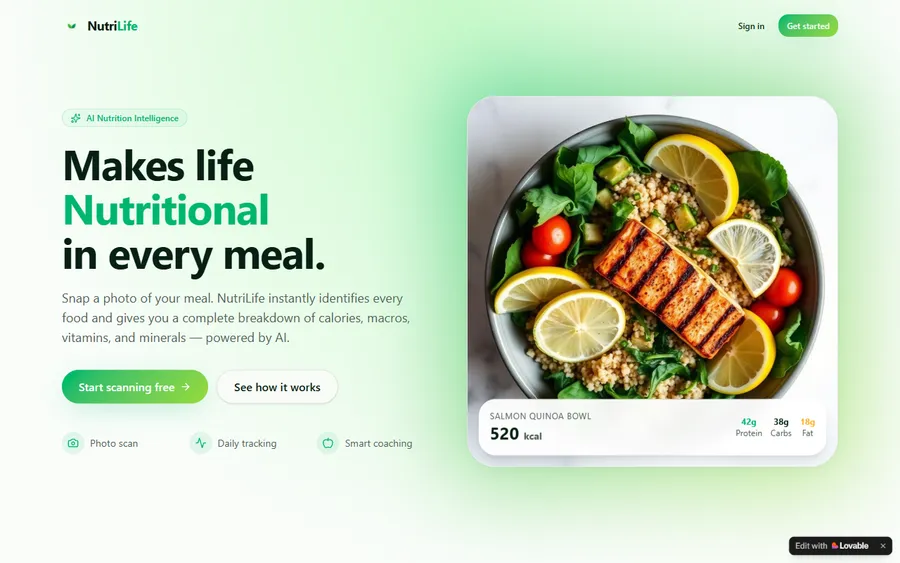
An AI nutrition coach that reads what you eat and works you toward a target.
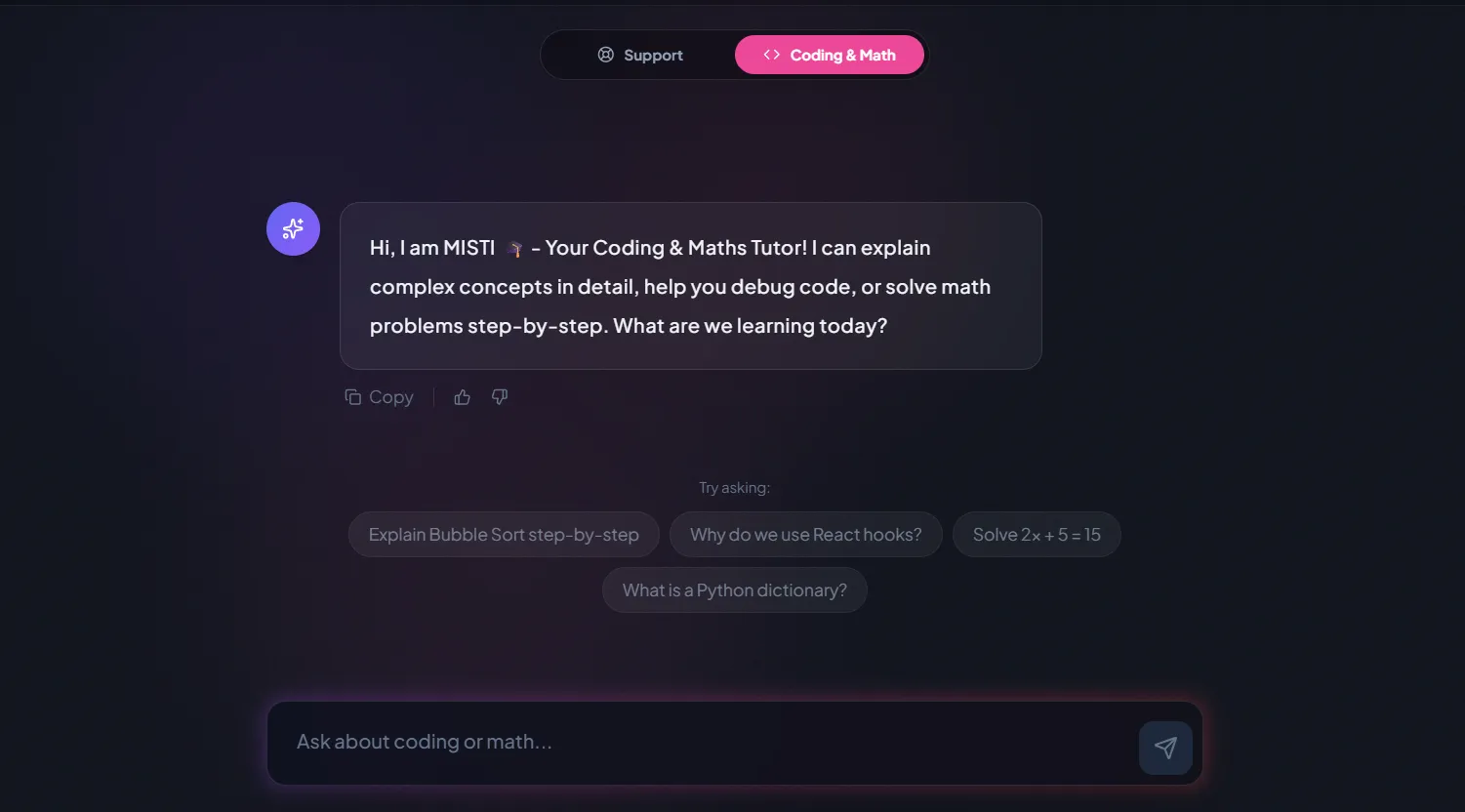
AI and ML
A chatbot that answers mathematics and programming questions, built and deployed by a student.
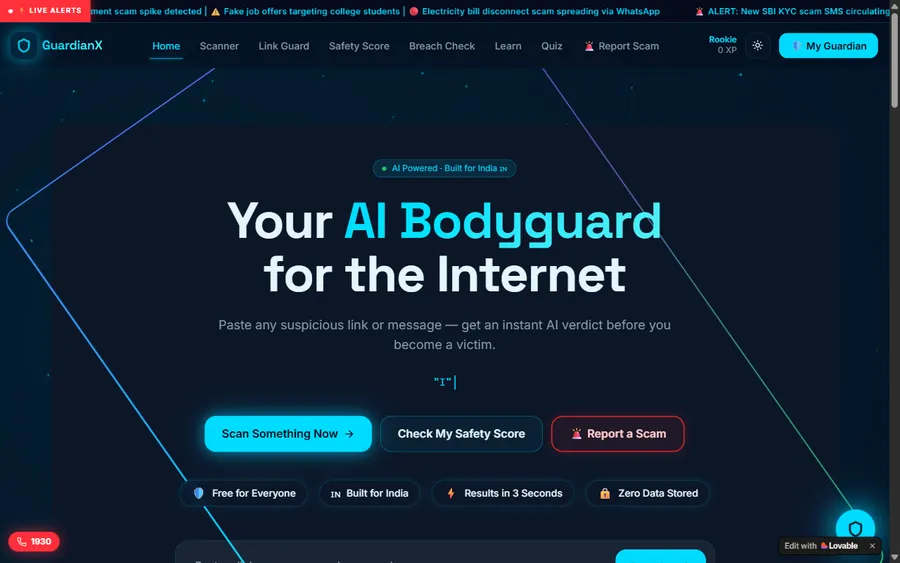
AI and ML
An assistant that helps a young person recognise unsafe situations online.
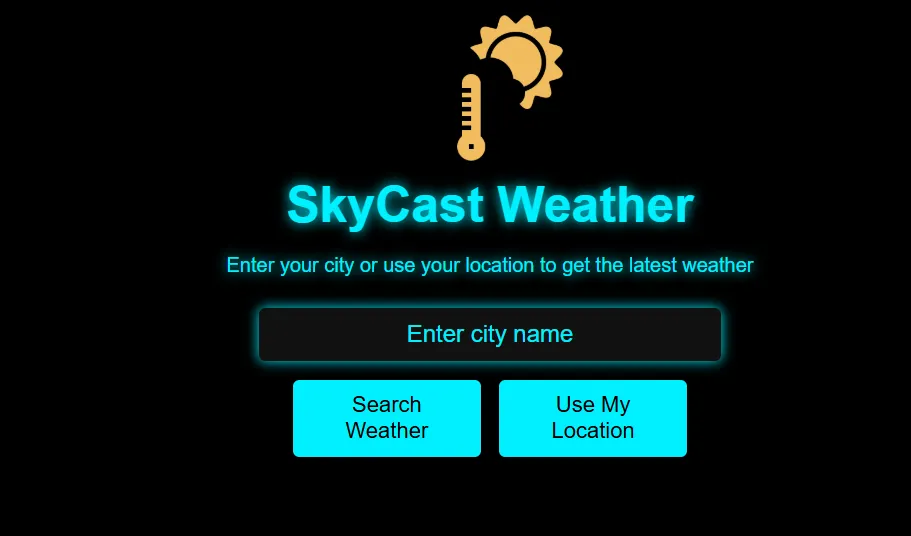
Web app
A weather forecasting site with live conditions for any location.
Fees
We price the course in US dollars and take payment by card. Your card issuer handles the switch into soles using its own exchange rate on the day of each charge, which is why two months can show slightly different totals.
Free first class
Free
no card required
Group batch
$100 USD
a month, eight live classes
One to one
$150 USD
a month, eight live classes
What families say
What parents and students have written about us on Google, word for word.
★★★★★
"The one step solution for my son. Modern Age Coders make learning coding so simple that kids love it. The teachers explain complex concepts clearly with practical exercises and interactive content."
Ria Mukherjee
Parent
★★★★★
"Modern Age Coders has been a game-changer for me. I struggled to grasp IT concepts and coding before joining, but their classes transformed everything. I can now confidently write complex programs with ease."
Samriddha Mondal
Student
★★★★★
"One of the most wonderful education centres out there. Education is not limited to school syllabus but focuses on skill development."
Vansh Agarwal
Student
★★★★★
"My child Dhairya is really enjoying the Modern Age Coders classes. This is his first online class and he eagerly looks forward to it. I can already see his improvement, and the teachers are very cooperative."
Sonam Oswal
Parent of Dhairya
★★★★★
"Modern Age Coders have wonderful teachers who teach in a clear, easy and practical way. The teacher boosts students' confidence and inspires them to learn without hesitation."
Sonu Goyal
Parent
★★★★★
"I highly recommend this computer coding class! The teachers are incredibly knowledgeable and passionate about coding."
Ritu Kedia
Parent
Parents in Peru ask
No, never: the teaching language is English from the first minute to the last, live over video. Our mentors keep their sentences short, slow down for a child who needs it, get used to the way your child speaks, and demonstrate before they ask. Most Spanish-speaking children settle in within a handful of lessons.
From 6, with sorting games and Scratch blocks that need no typing. From about 9 or 10, once reading and a little typing are comfortable, children can write short Python programs such as the decision tree on this page.
Not under 13. OpenAI's terms set a minimum age of 13 and require a parent's permission under 18; Anthropic sets 18 for Claude. Our kids' lessons are built from programs the child writes, which need no AI account at all.
Small programs that sort, guess and learn from examples: a quiz that counts its own mistakes, a sprite that reacts to sound, a decision tree that plays "guess the animal". Each one is small enough for the child to explain line by line.
Any day, any time, flexible: choose a batch, or for a very personalised plan choose 1-on-1 at the hour that suits your family. Peru stays on UTC minus 5 all year and India on UTC plus 5:30, so 16:00 in Lima is 02:30 the next morning in India.
Not as a subject. The CNEB treats digital skills as a transversal competency shared across subjects, with no computing or AI area. Peru's 2025 AI regulation asks for responsible AI to be promoted in the curriculum, but that is a direction, not a timetabled class.
A laptop or desktop computer, a stable internet connection and ideally a headset. INEI found that 90.2% of Peruvian internet users connect by phone, but a phone is too small for building programs, so please plan a computer for class time.
Children never upload photos, voice recordings or personal details to an AI service in our classes. The data they work with is invented for the lesson or typed by them. Cameras can stay off if your child prefers.
No. We are an independent online school with mentors in India, not connected with MINEDU, any school, AI4K12 or UNICEF. We do not award Peruvian qualifications; children who finish a course receive our own certificate of completion.
Your child plays a short sorting game, writes a first program and talks with the mentor. Then you hear the mentor's honest recommendation: which course, whether a group or one-to-one suits better, and which hours could work. No card details are needed to book it.
Keep reading
Other pages that help with choosing a first course.
Every course we offer families in Peru, by age.
A Spanish guide to starting at eight.
For bilingual, Cambridge and IB school families.
The minimum age for over a hundred AI tools.
Why reasoning comes before tools.
One live class, from start to finish.
Part of the guide: Every Peru page
More guides: Coding and AI classes in Peru · En español: clases de programación en inglés · Start here: English-medium coding in Lima · By age and stage: AI and coding for professionals · Exams, olympiads and school holidays: IB computer science tutor · Guides to choosing: An English-taught option to Crack The Code · Regions of Peru: Amazonas region · Cities: Arequipa: coding for every age · Lima and Callao districts: Programación para niños en Ancón
Start here
In the trial your child sorts a few cards, builds a first tiny program and chats with a mentor in simple English. The mentor watches how they think and how much they follow, then recommends a course and a time that suits your family.
Rather read before you book? Our how we teach page follows one lesson from hello to homework, and each course in the catalogue opens its own syllabus.
WhatsApp us · +91 91233 66161 · connect@modernagecoders.com
Every class is live on video, in English, with a mentor based in India. WhatsApp us in English for a quick reply.
A priority demo is a full class of about 45 to 60 minutes. After the class the mentor sends a written skill report and a personal learning roadmap on WhatsApp. If you enrol, the demo fee is adjusted against your first month's fee. Share your demo Order ID with us on WhatsApp and we take it off.
Book a priority demo