PE / TEEN / 01
Frontend for teens
HTML, CSS and JavaScript from zero, 9 to 11 months.
Open the syllabusPeru · Web development · Live online, in English · 18 and over
In June 2025 Peru made the international accessibility guidelines, WCAG 2.2, the minimum standard for every public website and digital service, with deadlines running into 2026 and 2027. That changes what it means to know web development in Peru. This page explains the rule, what WCAG asks of a developer, the route our courses take, and a lesson in which a short program checks a page the way a browser and a screen reader see it.
Live teaching since 2020 · 10,000+ learners worldwide · one mentor who reads your code
The short answer
Modern Age Coders runs web development courses for adults and university students in Peru, live online and in English. Learners begin with HTML and CSS, move to JavaScript and React, and then build a back end in Node.js or Python with a database, making every page accessible to the WCAG 2.2 guidelines that Peru adopted as its public-sector minimum in 2025. A mentor teaches on video in every class, to a group of fifteen to twenty or one to one, at whatever day and hour you choose.
Start here
A complete route, a short first step, and a Python route for people who already know some code. All three are taught live in English.
PE / WEB / 01
For beginners from 18, over 12 to 14 months. HTML and CSS to React and Node.js, with databases and the basics of putting a site online.
Open the syllabus →
PE / WEB / 02
Four months, from 10 years old to adult. Real responsive pages from nothing, and the place where accessible structure is first learnt.
Open the syllabus →
PE / WEB / 03
Six months of Django and Flask for learners with Python basics. A route into the web for people who came to code through data or university.
Open the syllabus →What you learn
The three classic layers, plus two things that used to be optional and are no longer: accessibility and version control.
HTML that describes what each part of a page is, a heading, a list, a form, and CSS that makes it look right on a phone and a desktop. Good structure is also the first half of accessibility.
JavaScript for interaction, then React for larger interfaces built from components. Learners write the logic themselves before reaching for a library.
A back end in Node.js or Python, a database, logins and the security habits that go with them. Learners deploy at least one complete site that other people can use.
Text alternatives, keyboard use, contrast, clear link text and the page language, checked against WCAG 2.2. In Peru this is now the legal floor for public services.
Git from week one: small commits, branches, pull requests and code review with the mentor.
MDN, the W3C Recommendation and framework docs are in English. Learning to read them is part of the course, not homework.
Our Spanish page, curso de desarrollo web en inglés, explains front end, back end and full stack in detail, with INEI's figures on how quickly Peruvian homes got online and a lesson on escaping user text. This page concentrates on the rule that changed Peruvian web work in 2025.
Peru's 2025 rule
Public ones do. On 24 June 2025 the Secretariat of Government and Digital Transformation of the PCM approved a guideline that obliges public bodies to adopt WCAG 2.2 and later versions as the minimum accessibility standard for their digital services, replacing the 2009 rules.
| Public body | Deadline, months |
|---|---|
| Executive, Legislature and Judiciary | 12 |
| Autonomous constitutional bodies | 12 |
| Regional governments and public universities | 12 |
| Public companies of regional and local governments or under FONAFE | 12 |
| Local governments, Type A and Type C | 18 |
| Other bodies covered by Ley 27444 not listed above | 18 |
| Local governments, Type B | 24 |
Source: Resolución de Secretaría de Gobierno y Transformación Digital N° 001-2025-PCM/SGTD, Lima, 24 June 2025, article 2 ("plazo no mayor de"). Deadlines run from the resolution; other bodies apply it "en función a sus capacidades y recursos". The earlier rules, RM 126-2009-PCM, were repealed by RM 100-2025-PCM on 13 May 2025.
Section 6.2 of the guideline says public bodies "incorporan de forma obligatoria" the Web Content Accessibility Guidelines, WCAG, "en su versión 2.2 y posteriores versiones, como estándar mínimo", applied progressively. It defines level AA as the one "que se solicita generalmente a las administraciones públicas".
It goes further than the international text in one Peruvian direction: a section on accessibility in Peruvian Sign Language and in Peru's original languages, and a description of level AAA that mentions an interpreter of "lengua de señas peruana" for multimedia.
The guideline names the team roles every public body needs for accessibility, at minimum: a front-end and back-end developer, a user experience writer, and a UX/UI designer. Bodies may also designate a Coordinador de Accesibilidad Digital, and gob.pe shows municipalities and public universities naming one through 2025 and 2026.
There is also a public reward: a Sello de Accesibilidad Digital. On 23 December 2025, gob.pe reported that Conadis, Peru's council for people with disabilities, received the 2025 seal at level AA for its digital document desk.
For a learner, the point is practical. The developer role in that guideline is exactly the job a web course prepares you for, and the state now expects that developer to know WCAG. Private companies are not bound by this guideline, but many supply software to public bodies, and accessible sites are simply better sites. We teach it to everyone.
WCAG 2.2
WCAG is the W3C's Web Content Accessibility Guidelines. Version 2.2 is a W3C Recommendation, in its current form dated 12 December 2024, and it is the version Peru's guideline names.
| Part | What it is | Example |
|---|---|---|
| 4 principles | Perceivable, operable, understandable, robust | Robust: works with assistive technology |
| 13 guidelines | Goals under the principles, not testable on their own | 1.1 Text Alternatives |
| Success criteria | Testable statements, each with a level | 1.1.1 Non-text Content, level A |
| Level A | The minimum level of conformance (Peru's guideline, 5.19) | Every image has a text alternative |
| Level AA | The level generally asked of public administrations (5.20) | 1.4.3 Contrast (Minimum): at least 4.5:1 |
| Level AAA | The high level; includes a Peruvian Sign Language interpreter for multimedia (5.21) | Extended audio description |
Sources: W3C, Web Content Accessibility Guidelines (WCAG) 2.2, W3C Recommendation 12 December 2024; Lineamiento para el diseño y desarrollo de servicios o plataformas digitales accesibles, sections 5.19 to 5.21 and Annex 1 (PCM, 2025). Read on 9 November 2026.
In our experience, first websites fail the same few criteria again and again: images without a text alternative (1.1.1), links that say "click here" (2.4.4, Link Purpose), a page with no declared language (3.1.1, Language of Page) and pale grey text on white (1.4.3, Contrast). The first three are level A, the most basic level.
All four are cheap to get right on the first day and tedious to fix on a finished site with hundreds of pages. That is why we teach them in the HTML module, not at the end.
WCAG 2.2 marks success criterion 4.1.1, Parsing, as "Obsolete and removed". Older courses and checklists still teach it as a requirement. A learner who notices that, and knows why browsers made it unnecessary, has read the actual Recommendation rather than a summary of a summary.
Reading the source is a habit we push throughout: when a learner asks whether something is required, the mentor sends them to the W3C text first.
A lesson from the course
By reading the page as structure, the way a browser does, rather than searching it as text. Our learners discover the difference with a small page about tours in Cusco that has four deliberate mistakes.
The page has four images. One has a proper description. One, a logo, has no alt attribute at all. One, a route map, has a data-alt attribute, which looks like alt text to a human but is ignored by screen readers. One, a decorative divider, has an empty alt="", which is correct: it tells assistive technology to skip it.
There is also no lang on the html element, and one link whose whole text is "click here".
Version 1 does what most beginners try: count the images, count the occurrences of alt=", and subtract. It runs, prints a reasonable answer and gives a false sense of safety.
Before running Version 2, the mentor asks the learner to list every problem by eye. Most find the logo; fewer catch the map, the language or the link.
PAGE = """<html>
<body>
<h1>Turismo en Cusco</h1>
<img src="machu-picchu.jpg" alt="Machu Picchu at sunrise">
<img src="logo.png">
<img src="mapa.png" data-alt="map of the route">
<img src="divider.png" alt="">
<p>Tours leave every morning.</p>
<a href="/horarios">click here</a>
<a href="/contacto">Contact the tourist office</a>
</body>
</html>"""

images = PAGE.count("<img")
with_alt = PAGE.count('alt="')
print("Images:", images)
print("Missing alt:", images - with_alt)
It prints Images: 4 and Missing alt: 1. The real answer is 2: the search also counted data-alt=" as alt text.
from html.parser import HTMLParser

PAGE = """..."""   # the same page as in version 1

VAGUE = {"click here", "here", "aquí", "haga clic aquí", "más", "read more"}

class Checker(HTMLParser):
    def __init__(self):
        super().__init__()
        self.problems = []
        self.link = None                       # (href, text so far)

    def handle_starttag(self, tag, attrs):
        a = dict(attrs)
        if tag == "html" and not a.get("lang"):
            self.problems.append("html: no lang (WCAG 3.1.1)")
        if tag == "img" and "alt" not in a:
            self.problems.append("img " + a["src"] + ": no alt (WCAG 1.1.1)")
        if tag == "a":
            self.link = [a.get("href", "?"), ""]

    def handle_data(self, data):
        if self.link:
            self.link[1] += data

    def handle_endtag(self, tag):
        if tag == "a" and self.link:
            href, text = self.link
            if text.strip().lower() in VAGUE:
                self.problems.append("a " + href + ": '" + text.strip() + "' (WCAG 2.4.4)")
            self.link = None

c = Checker()
c.feed(PAGE)
for p in c.problems:
    print(p)
print(len(c.problems), "problems")
With the same page pasted in, it prints html: no lang (WCAG 3.1.1), img logo.png: no alt (WCAG 1.1.1), img mapa.png: no alt (WCAG 1.1.1), a /horarios: 'click here' (WCAG 2.4.4) and 4 problems.
Python's html.parser hands the program each tag with its attributes already separated, so "alt" in a means exactly "this image has an alt attribute", whatever else is written nearby. It also lets the empty alt="" through, because the attribute is present, and that is the right behaviour for a decorative image. A text search can do none of this reliably.
The wider lesson reaches far beyond accessibility. HTML, JSON, CSV and dates all look like text, and every one of them has a parser in the standard library. A developer who reaches for the parser instead of a search writes code that survives the next page, not just this one. Professional tools such as browser accessibility audits are built on the same idea, and once a learner has written a small checker, they understand what those tools can and cannot see: no program can tell you whether "Machu Picchu at sunrise" is a good description of the photo. A person still has to judge that.
0 problems.alt="logo.png".lang should the page declare, and how does WCAG 3.1.2 handle a passage in another language?The page, code, output and tasks are ours, written for this page and run with Python 3 on 9 November 2026. The tour page is invented.
A route of our own
For a beginner who practises between classes, a first real website comes within weeks and a complete full stack project within about a year. Our suggested route:
| Stage | What you learn | What you finish with |
|---|---|---|
| First months | HTML, CSS and accessible structure | A personal site that passes the checks in the lesson above |
| Next | JavaScript, without a framework | Interactive pages: forms, filters, a small game |
| Then | React and components | A front end for a real use, such as a booking page |
| Then | Node.js or Python, and a database | A back end with logins and stored data |
| Final stage | Deployment, testing, an accessibility review | A full stack project online, documented |
Our plan, adjusted to each learner. Our full stack course for adults runs 12 to 14 months from zero; the HTML and CSS course is four months. We promise no job or salary.
AI tools now produce working pages quickly, and our professional courses show how to use them. But generated pages fail accessibility checks often, because the model reproduces the average of the web, and the average web is not accessible.
The developer who knows WCAG can review what the tool produced and fix it. The one who does not cannot even see what is wrong. Our page on vibe coding, in Spanish, covers this balance.
Many of our adult learners in Peru come from other jobs: administration, teaching, sales. Web development suits that path, because results are visible early and the portfolio is a link anyone can open.
Our page for adults learning to code in Peru explains how classes fit around work.
Language of the classes
No. Our classes are live and online, and they are taught in English only, by mentors based in India who adjust to each learner.
Mentors use plain sentences, slow down for new terms, and say a thing twice in different ways when a learner hesitates. Questions in unpolished English are welcome; most of the hour is spent looking at the same code and the same browser window.
The vocabulary of the web is English: element, attribute, selector, request, response. Even Peru's own guideline refers to WCAG "por su abreviatura en inglés" and links each criterion to its English page.
EF's English Proficiency Index 2025 gives Peru 519 points overall, which EF calls moderate, and gives Lima 555, which falls in its high band.
A learner near the national level will find the first weeks demanding and then easier. A learner in Lima's band will mostly notice that the documentation finally makes sense. The free class is the honest test.
Class times
Any time you pick. Peru and India both stay on one clock all year.
| Peru time | India time | Note |
|---|---|---|
| 07:00 | 17:30 | Before a working day |
| 11:30 | 22:00 | Late morning, same day in India |
| 18:30 | 05:00, next day | After work |
| 22:00 | 08:30, next day | Late evening |
Time zones: America/Lima at UTC minus 5, with no summer time since 1994 (tz database); Asia/Kolkata at UTC plus 5:30. India is therefore 10 hours 30 minutes ahead on every day of the year.
You choose your slot in Peru time when you book; the mentor's calendar shows the India equivalent. Because neither country shifts its clocks, the slot you pick in November is still right in June.
Progress
Six stages of our own. At each, the mentor checks a working page, not a quiz answer.
| Stage | You can | Checked by |
|---|---|---|
| 1. Structure | Write semantic HTML with headings, lists, forms and alt text | A page with zero problems in the lesson checker |
| 2. Layout | Make the page work from a small phone to a wide screen | The same page at three widths |
| 3. Interaction | Add JavaScript that also works from the keyboard | The page used with no mouse at all |
| 4. Components | Build a React interface from small reusable parts | One component reused in three places |
| 5. Server | Store and serve data from a back end you wrote | A form that saves and a page that lists |
| 6. Release | Deploy, test and review against WCAG 2.2 level AA | A public link and a short accessibility statement |
Stage 3 surprises people. Unplug the mouse and try your own site: if you cannot reach every button, neither can many real users.
Stage 6 mirrors what Peru's public bodies must now publish about their own services.
Each stage ends in something public: a link, a repository, a statement.
Our certificate of completion is our own; it is not a Peruvian degree and is not the state's accessibility seal.
More courses
Courses for teenagers who want to start early, for adults adding depth, and for working developers. All taught live, in English.
PE / TEEN / 01
HTML, CSS and JavaScript from zero, 9 to 11 months.
Open the syllabusPE / TEEN / 02
React and Node.js for 13 to 18 year olds.
Open the syllabusPE / TEEN / 03
Interactive pages and browser games, six months.
Open the syllabusPE / WEB / 04
JavaScript to production React, from zero.
Open the syllabusPE / WEB / 05
The database behind most of the web, properly designed.
Open the syllabusPE / WEB / 06
Team habits in twenty-four classes.
Open the syllabusPE / PRO / 01
Python from zero, the base for Django and Flask.
Open the syllabusPE / PRO / 02
Full stack with AI tools, for 18 and over, in 12 weeks.
Open the syllabusPE / PRO / 03
Reviews, releases and branch strategy for teams.
Open the syllabusHow it works
Any day, any time, flexible: choose a batch, or for a very personalised plan choose 1-on-1 at the hour that suits your family.
Mornings
A Peru morning falls in the Indian evening, a good hour for a focused class.
Evenings
After work in Peru is early morning in India, and that hour is covered too.
1-on-1
A slot, pace and project chosen around you.
Every class ends with something visible on screen.
Who reviews your code and knows your project.
Short sentences, terms explained, time to answer.
Each page you build is checked against WCAG.
Practice that the next class starts from.
Fifteen to twenty adults, or one to one.
Student work
Some appear below; browse the student labs for more.
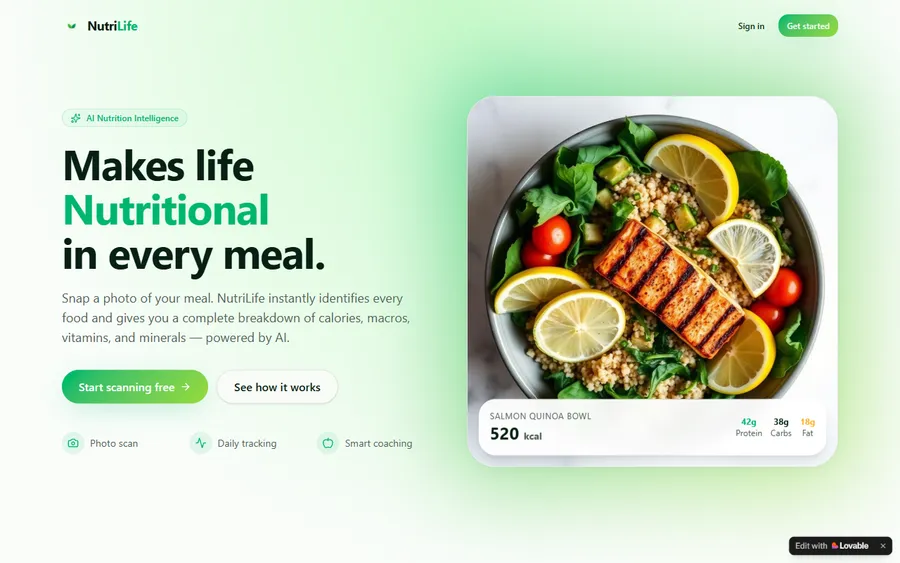
AI and ML
An AI nutrition coach that reads what you eat and works you toward a target.
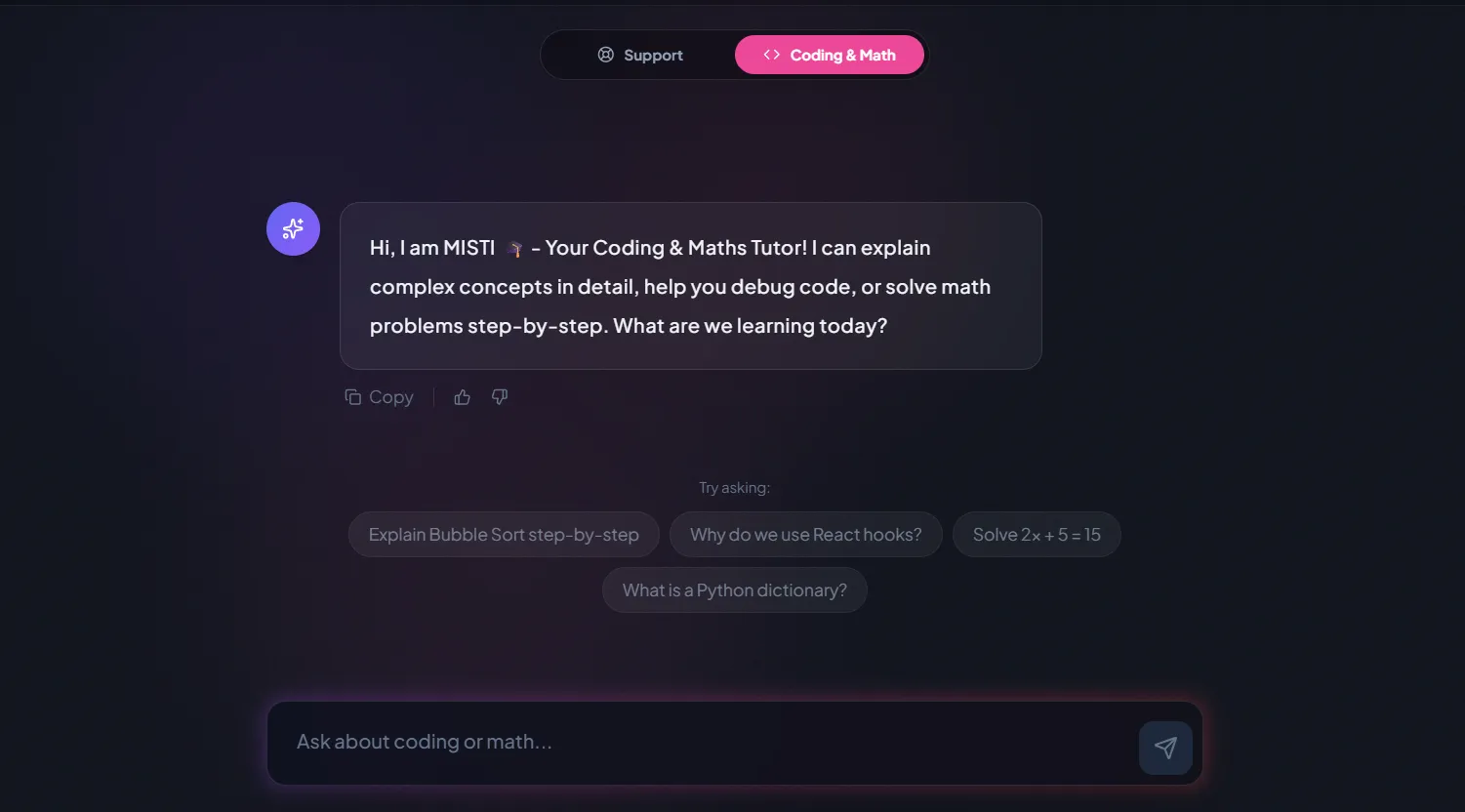
AI and ML
A chatbot that answers mathematics and programming questions, built and deployed by a student.
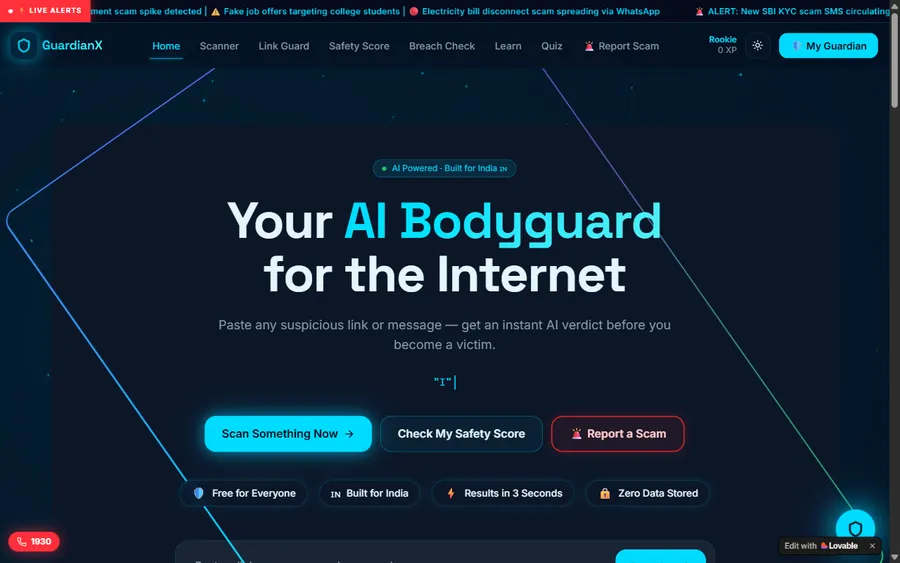
AI and ML
An assistant that helps a young person recognise unsafe situations online.
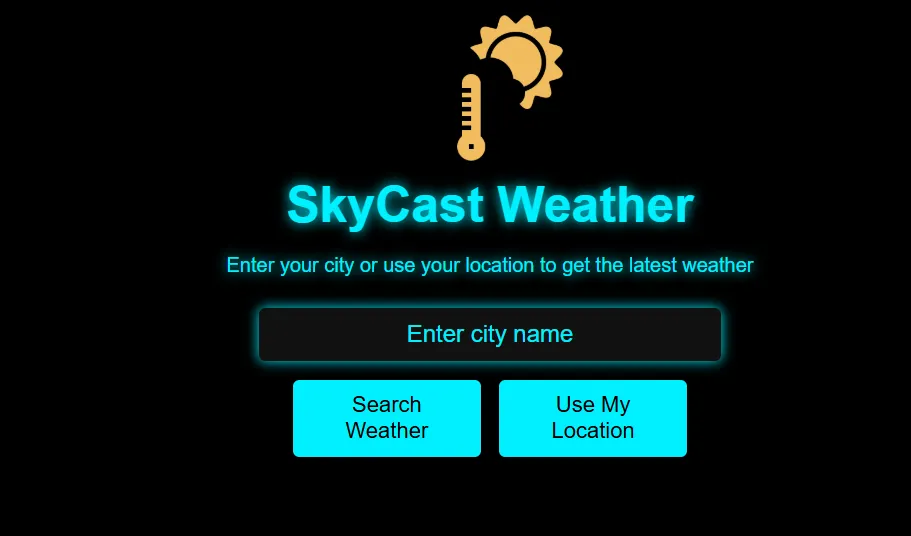
Web app
A weather forecasting site with live conditions for any location.
Fees
Billed monthly. Our fees are set in US dollars and charged to your card in dollars, and your bank changes them into soles at the rate it uses, so the statement amount can vary a little.
Free first class
Free
no card required
Group batch
$100 USD
a month, eight live classes
One to one
$150 USD
a month, eight live classes
What families say
Learners and parents on Google, in their own words.
★★★★★
"The one step solution for my son. Modern Age Coders make learning coding so simple that kids love it. The teachers explain complex concepts clearly with practical exercises and interactive content."
Ria Mukherjee
Parent
★★★★★
"Modern Age Coders has been a game-changer for me. I struggled to grasp IT concepts and coding before joining, but their classes transformed everything. I can now confidently write complex programs with ease."
Samriddha Mondal
Student
★★★★★
"One of the most wonderful education centres out there. Education is not limited to school syllabus but focuses on skill development."
Vansh Agarwal
Student
★★★★★
"My child Dhairya is really enjoying the Modern Age Coders classes. This is his first online class and he eagerly looks forward to it. I can already see his improvement, and the teachers are very cooperative."
Sonam Oswal
Parent of Dhairya
★★★★★
"Modern Age Coders have wonderful teachers who teach in a clear, easy and practical way. The teacher boosts students' confidence and inspires them to learn without hesitation."
Sonu Goyal
Parent
★★★★★
"I highly recommend this computer coding class! The teachers are incredibly knowledgeable and passionate about coding."
Ritu Kedia
Parent
Questions from Peru
No. We teach web development in English only, live and online. Mentors based in India use short, clear sentences, take your pace and accent into account and explain any term again in other words. The web's own vocabulary and documentation are English.
Yes. The full stack course and the HTML and CSS course both start from nothing. You build a first page in the opening weeks.
Public ones do. Since 24 June 2025, RS 001-2025-PCM/SGTD and its guideline oblige public bodies to adopt WCAG 2.2 and later versions as the minimum, with deadlines of 12 to 24 months by type of body. Private sites are not covered by that guideline.
The middle of WCAG's three conformance levels. Peru's guideline describes it as the level generally asked of public administrations; it includes, for example, a contrast ratio of at least 4.5:1 for normal text.
Not at first. We teach HTML, CSS and plain JavaScript properly, then React. Learners who start with React often cannot explain what it is doing underneath.
Both are good. Node.js keeps one language from front to back; Python suits people who also want data or automation. The free class helps you choose.
Any day, any time, flexible: choose a batch, or for a very personalised plan choose 1-on-1 at the hour that suits your family. India is 10 hours 30 minutes ahead of Peru all year, so 18:30 in Peru is 05:00 the next day for the mentor.
A simple accessible site in the first months; a full stack project with a database within about a year for a beginner, depending on practice. We do not promise jobs or salaries.
Look at the fee section: the monthly price is in US dollars, the card is charged in dollars, and soles appear only after your bank converts it. Visitors from India see rupees. The first class costs nothing and needs no card.
Our own certificate of completion after the final exam. It is not a university degree, and it is not the Peruvian state's Sello de Accesibilidad Digital, which public bodies apply for.
No. We quote their public documents to explain the rules; we have no connection with the PCM, its Secretariat of Government and Digital Transformation, Conadis or any public body.
Read next
For adults in Peru who want to build for the web.
The Spanish page: full stack explained, and a lesson on escaping user text.
Learning to code around a job in Peru.
Building with AI without copying blindly.
All our Peru pages in one list.
Projects learners finished and published.
Inside a live class.
Part of the guide: Every Peru page
More guides: Coding and AI classes in Peru · En español: clases de programación en inglés · Start here: English-medium coding in Lima · By age and stage: AI and coding for professionals · Exams, olympiads and school holidays: IB computer science tutor · Guides to choosing: An English-taught option to Crack The Code · Regions of Peru: Amazonas region · Cities: Arequipa: coding for every age · Lima and Callao districts: Programación para niños en Ancón
Start here
In the free class you and the mentor build a tiny page together and talk about what you want to make. The mentor gauges how you think and how comfortable the English is, then proposes a course.
To read before booking, see a class described step by step or the full catalogue of courses.
WhatsApp us · +91 91233 66161 · connect@modernagecoders.com
Live, online, in English only, with mentors in India. WhatsApp in English gets the fastest reply.
A priority demo is a full class of about 45 to 60 minutes. After the class the mentor sends a written skill report and a personal learning roadmap on WhatsApp. If you enrol, the demo fee is adjusted against your first month's fee. Share your demo Order ID with us on WhatsApp and we take it off.
Book a priority demo