Game Development for Teens
From playing games to shipping them: real Unity games, published where friends can actually play them, built in ten honest months.
Syllabus updated August 2026
Questions? WhatsApp +91 91233 66161 or email connect@modernagecoders.com
Recordings are free with a Google sign-in. These recordings show how we teach, not the exact syllabus of this course.
Our promise
The world's best learning experience, open to everyone.
- World-class instructorsEvery class is taught by an instructor who specialises in that exact field.
- No compromise on qualityEvery lesson, project and piece of feedback is held to the highest standard.
- Education for everyoneLearners aged 6 to 67, from first-time beginners to working professionals, in 25+ countries.
If you want the highest quality, Modern Age Coders is the right choice.
Book a Priority DemoHow long this course takes
This course runs 10-12 months (40-48 weeks) at 2 live classes/week + 3-4 hours practice. The range allows for background and pace: a complete beginner uses the full span, and a student with prior knowledge finishes sooner. The syllabus below is planned to the shorter end, with margin kept for revision.
For personalised duration planning, call +91 91233 66161 and we'll map a schedule to your goals.
At a glance
- Who it is for
- Absolute beginner, ages 13 to 18.
- Prerequisites
- None. C# is taught from the first variable
- Format
- Live, interactive classes with a real instructor, never pre-recorded videos. Live classes run about one hour.
- Language
- English or Hindi, depending on the batch.
- Duration
- 10-12 months (40-48 weeks)
- Weekly commitment
- 2 live classes/week + 3-4 hours practice
- Class size
- Group batches of 15 to 20 students, mini batches of up to 6, or 1-on-1.
- Certificate
- Certificate from Modern Age Coders, awarded on passing the final exam
- Watch first
- Free recordings of real classes for ages 13 and up, free with a Google sign-in. These recordings show how we teach, not the exact syllabus of this course.
- Live demo
- Optional. Enrol directly on this page, or book a Priority Demo: a full live class of about 45 to 60 minutes with a mentor reserved for you.
- Questions
- WhatsApp +91 91233 66161 or email connect@modernagecoders.com.
How we teach
Deep understanding. Real projects. Expert guidance.
Learn coding, AI and maths through careful explanations, practical demonstrations, and hands-on problem-solving. Our instructors guide you from the foundations to advanced ideas, helping you understand what happens, why it happens, and how to build it yourself.
You will explore concepts step by step, write and improve code, investigate mistakes, ask questions, and apply your knowledge to meaningful projects. Lessons are designed around active participation, thoughtful feedback, and growing independence.
Expert-led live teaching, with practical participation built into every lesson.
- Students explain their thinking.
- Instructors demonstrate, then guide practice.
- Learners code, solve, or build during lessons.
- Questions and misconceptions get attention.
- Assignments receive useful feedback.
- Progress is checked before advancing.
How to join Game Development for Teens: Unity, C# and Real Shipped Games
Four steps from this page to the first class. See a full class first with a Priority Demo, or choose a plan and enrol today.
Rated 4.9 across 547 Google reviews. Monthly billing, cancel any time.
How enrolment works
See a full class first (optional)
Book a Priority Demo: a live class of about 45 to 60 minutes with a mentor reserved for you, today or tomorrow. After the class the mentor sends a written skill report and a personal learning roadmap on WhatsApp. If you enrol, the demo fee is adjusted against your first month's fee. Share your demo Order ID with us on WhatsApp and we take it off.
Book a Priority DemoDemo fee ₹499Choose a plan
Group batch (15 to 20 students), mini batch (up to 6 students, India only) or 1-on-1 with your own mentor. Every plan is live online, and each class runs about one hour. The cards below show classes per week and the monthly fee in your currency.
Enrol and pay the first month
Press Enrol Now on your plan, fill in the student's name, email and phone, and pay through secure Razorpay checkout: UPI, cards or net banking in India, and debit or credit card from any other country.
Fix your class timings
After payment, message us on WhatsApp or call +91 91233 66161 with the student's name, the course and your preferred time slot. We confirm the batch, send the class link and schedule the first class at your chosen time.
Billing is monthly and you can cancel any time.
International Students (Outside India)
Billed monthly in US dollars, the same price in every country. Contact us with any questions.
Questions before you enrol? Talk to our team.
Ask about class timings, the right level for your child, what they need to know already, or payment. Parents and adult learners can reach us on WhatsApp, by email or by phone.
Program Overview
Every teenager who loves games has had the thought: I could make one of these. This live online course turns that thought into shipped games. Students aged 13 to 18 start from zero and learn game development the way it is genuinely practiced: C# and Unity, the engine behind Hollow Knight, Among Us and thousands of indie hits, with Blender for 3D assets and real game design theory underneath it all.
The arc is built around finishing things. The first months produce complete 2D games, movement that feels good, enemies with real AI, menus, sound, save systems, and the phase ends with a finished game published on itch.io. The middle months move into 3D: character controllers, environments, animation with Mixamo, Blender modeling, shaders, procedural generation and optimization, ending in a complete 3D game. The later months add what makes games feel modern: multiplayer basics, mobile builds, an honest week inside Unreal Engine to understand the other side of the industry, game narrative, and accessibility, designing games more people can play. The final month is pure production: a capstone game, playtested, polished and published, presented at demo day.
The pace is honest: two live classes a week plus three to four hours of practice fits this in ten months, and students who need longer take up to twelve, the class adapts. Learning is checked the honest way: homework after every class, monthly assignments mixing new questions with earlier topics, and a final exam that decides the certificate. Real knowledge, real work, real projects, depth over dopamine.
What Makes This Program Different
- Finished beats fancy: students publish complete games on itch.io from phase 1, not endless unfinished prototypes
- One engine mastered: Unity and C# learned deeply, with an honest Unreal taste week instead of a shallow two-engine tour
- Real game design theory: flow, pacing, difficulty and ethical design, including why some games respect players and some exploit them
- Blender is in the syllabus: students model, texture and import their own 3D assets
- Accessibility and narrative get real weeks: the parts of game craft most courses skip
- Real assessment: weekly homework, mixed-review assignments every month, and a final exam that decides the certificate, with focused revision and a free retest for students who fall short
Your Learning Journey
Career Progression
Detailed Course Curriculum
Explore the complete week-by-week breakdown of what you'll learn in this comprehensive program.
Topics Covered
- History of games: From Pong to Fortnite
- How games are made: The development pipeline
- Game genres: What makes each unique
- Setting up your game development environment
- Installing Unity Hub and Visual Studio
- Introduction to game engines
- Your first game: Pong in 1 hour
- Understanding game loops
- Frames, updates, and time in games
- Version control with Git for games
- Creating your game developer portfolio
Projects You Build
- Pong remake
- Breakout/Arkanoid clone
- Simple clicker game
- Text adventure game
Practice & Assignments
Play and analyze 3 games: write down what makes each one fun
Topics Covered
- Why C# for game development
- Variables: Storing player health, score, lives
- Data types: int, float, bool, string for games
- Game math: Vectors, positions, distances
- Functions: Creating reusable game actions
- Classes: Building game objects
- If statements: Game logic and decisions
- Loops: Spawning enemies, updating objects
- Arrays: Managing multiple enemies/items
- Lists: Dynamic game collections
- Debugging games with console logs
- Common game programming patterns
Projects You Build
- Number guessing game
- Rock Paper Scissors with AI
- Simple RPG battle system
- Dice rolling game
Practice & Assignments
Complete 25 C# coding challenges
Topics Covered
- Unity interface mastery
- GameObjects and components
- Transform: Position, rotation, scale
- Sprites and sprite renderers
- 2D physics: Rigidbody2D and colliders
- Input system: Keyboard and mouse
- Prefabs: Reusable game objects
- Tags and layers
- Scene management
- Unity's coordinate system
- Game camera setup
- Building for different platforms
Projects You Build
- Top-down shooter
- Endless runner like Temple Run
- 2D platformer basics
- Asteroids remake
Practice & Assignments
Build 3 mini-games in Unity
Topics Covered
- Physics in games: Gravity, forces, velocity
- Rigidbody2D properties
- Colliders: Box, circle, polygon, edge
- Trigger vs collision detection
- OnCollisionEnter2D and OnTriggerEnter2D
- Physics materials: Bounce and friction
- Joints: Hinge, spring, fixed
- Effectors: Area, platform, point
- Raycasting for line of sight
- Optimizing physics performance
- Creating realistic movement
- Physics-based puzzles
Projects You Build
- Angry Birds clone
- Pinball game
- Physics puzzle game
- Rope swing mechanics
Practice & Assignments
Create 3 physics-based game mechanics
Assessment
Month 1 check: build a small physics mechanic live, plus a take-home assignment mixing everything from month 1
Topics Covered
- Character controllers for different genres
- Platformer movement: Jump, double jump, wall jump
- Top-down movement: 8-directional, tank controls
- Side-scroller mechanics
- Mobile touch controls
- Controller/gamepad support
- Input buffering and coyote time
- Movement feel: Acceleration, deceleration
- Camera follow systems
- Parallax scrolling backgrounds
- Screen shake and juice
- Polish that makes movement fun
Projects You Build
- Mario-style platformer
- Twin-stick shooter
- Racing game controls
- Fighting game inputs
Practice & Assignments
Implement 5 different movement systems and tune each until it feels right
Topics Covered
- Basic enemy AI patterns
- Patrol and chase behaviors
- State machines for AI
- Pathfinding basics: A* algorithm
- Line of sight detection
- Shooting and projectiles
- Enemy spawn systems
- Difficulty scaling
- Boss fight patterns
- Crowd AI and flocking
- AI debugging and visualization
- Balancing AI difficulty
Projects You Build
- Pac-Man with ghost AI
- Tower defense game
- Stealth game with guards
- Boss battle system
Practice & Assignments
Create 8 different enemy types
Topics Covered
- Unity UI system (Canvas)
- UI elements: Buttons, text, images, sliders
- Anchoring and responsive UI
- Health bars and HUD elements
- Score and timer displays
- Main menu design
- Pause menu implementation
- Settings and options
- Inventory systems
- Dialog systems
- UI animations and transitions
- Mobile-friendly UI
Projects You Build
- RPG inventory system
- Crafting interface
- Dialog tree system
- Complete menu system
Practice & Assignments
Build a complete menu flow: title, pause, settings, game over
Topics Covered
- Sprite animation basics
- Unity Animator and state machines
- Animation transitions and parameters
- Blend trees for smooth animation
- Sprite sheets and texture atlases
- Particle systems for effects
- Trail renderers
- Screen effects and post-processing
- Lighting in 2D games
- Shader basics for 2D
- Creating game juice
- Performance optimization
Projects You Build
- Fully animated character
- Explosion and magic effects
- Weather system
- Animated cutscene
Practice & Assignments
Add animation and effects polish to two earlier games
Assessment
Month 2 check: build an animated, juicy mechanic live, with quiz questions reaching back to month 1
Topics Covered
- Importance of game audio
- Unity's audio system
- Playing sounds and music
- 3D spatial audio
- Audio mixers and groups
- Dynamic music systems
- Sound effect creation basics
- Free audio resources
- Audio optimization
- Creating atmosphere with sound
- Audio feedback for actions
- Music synchronization
Projects You Build
- Rhythm game prototype
- Dynamic soundtrack system
- 3D audio showcase
- Complete game with audio
Practice & Assignments
Add sound and music to every game you have built
Topics Covered
- Principles of level design
- Teaching through level design
- Difficulty curves and pacing
- Environmental storytelling
- Tilemap system in Unity
- Procedural generation basics
- Level editor tools
- Playtesting and iteration
- Secrets and collectibles
- Multiple paths and choices
- Boss arenas and set pieces
- Level design documentation
Projects You Build
- 10-level platformer
- Procedural dungeon generator
- Puzzle game levels
- Open world map
Practice & Assignments
Design 10 unique levels with a deliberate difficulty curve
Topics Covered
- PlayerPrefs for simple data
- JSON serialization
- Binary save files
- Profile and progress systems
- Unlockables and achievements
- Leaderboards implementation
- Backup and recovery
Projects You Build
- Complete save system
- Achievement system
- Local high-score table
Practice & Assignments
Add saving and unlockables to your best game
Topics Covered
- Planning a complete game
- Scope management
- Creating a development timeline
- Asset lists and requirements
- Playtesting plan
- Publishing checklist
Projects You Build
- CAPSTONE: a complete 2D game with levels, save system and polish
- Published on itch.io with a proper game page
- Playtested by classmates and family, with fixes shipped
Practice & Assignments
Send the link to five people and act on the best piece of feedback
Assessment
Phase 1 exam: present the published game and rebuild a small mechanic live, with mixed questions from months 1-3
Topics Covered
- 3D vs 2D: Understanding the difference
- 3D coordinate systems and space
- 3D primitives: Cubes, spheres, capsules
- Materials and textures
- Basic shaders and rendering
- 3D transforms and rotation
- Cameras in 3D: Perspective vs orthographic
- Lighting basics: Directional, point, spot
- Shadows and quality settings
- 3D physics: Rigidbody and colliders
- Importing 3D models
- ProBuilder for level design
Projects You Build
- 3D obstacle course
- Bowling game
- Simple racing game
- 3D puzzle game
Practice & Assignments
Create 5 small 3D prototypes
Topics Covered
- First-person controller setup
- Third-person controller with camera
- Character movement and physics
- Jumping and gravity
- Slopes and stairs
- Moving platforms
- Swimming mechanics
- Flying and gliding
- Vehicle controllers
- Camera collision handling
- Input smoothing
- Controller feel and polish
Projects You Build
- FPS controller like Valorant
- Third-person like Fortnite
- Car racing mechanics
- Flight simulator controls
Practice & Assignments
Build first-person and third-person controllers and tune both
Topics Covered
- 3D animation principles
- Humanoid vs generic rigs
- Importing animations from Mixamo
- Animation state machines
- Blend trees for movement
- Root motion
- IK (Inverse Kinematics) basics
- Animation events
- Cutscene creation with Timeline
- Performance optimization
Projects You Build
- Animated player character
- Combat animation system
- Cinematic cutscene
- Dance game with mocap
Practice & Assignments
Fully animate one character: idle, run, jump, attack
Topics Covered
- 3D level design principles
- Terrain system in Unity
- Terrain painting and sculpting
- Vegetation and trees
- LOD (Level of Detail) systems
- Occlusion culling
- Light baking and probes
- Skyboxes and atmosphere
- Weather effects
- Day/night cycles
- Interior vs exterior design
- Performance optimization
Projects You Build
- Open world environment
- Dungeon crawler levels
- Racing track design
- Atmospheric horror level
Practice & Assignments
Design 2 contrasting 3D environments
Assessment
Month 4 check: build a small 3D scene live, plus a mixed assignment reaching back to phase 1
Topics Covered
- Introduction to Blender
- 3D modeling fundamentals
- Box modeling techniques
- Sculpting basics
- UV unwrapping introduction
- Texturing in Blender
- Low-poly modeling for games
- Optimization for game engines
- Exporting to Unity
- Creating game props
- Character modeling basics
- Animation in Blender
Projects You Build
- Low-poly character model
- Game props collection
- Simple vehicle model
- Environment assets
Practice & Assignments
Model 10 game props and import them into Unity
Topics Covered
- What makes games fun: Flow theory
- Core gameplay loops
- Game mechanics vs dynamics vs aesthetics
- Player motivation and rewards
- Progression systems
- Economy and balance
- Game design documentation (GDD)
- Prototyping and iteration
- Player psychology
- Addiction and ethical design
- Analyzing successful games
Projects You Build
- Game design document for your dream game
- Progression system design
- A written analysis of one game that respects players and one that exploits them
Practice & Assignments
Analyze and document 5 games using the theory
Topics Covered
- Unity NavMesh system
- NavMesh agents setup
- Dynamic obstacles
- Off-mesh links
- Crowd simulation
- Behavior trees introduction
- State machines for complex AI
- GOAP (Goal-Oriented Action Planning)
- Machine learning agents basics
- Enemy squad tactics
- Stealth AI systems
- AI performance optimization
Projects You Build
- Zombie survival AI
- Stealth game with smart guards
- RTS unit control
- Battle royale AI
Practice & Assignments
Build 10 AI behaviors
Topics Covered
- Introduction to shaders
- Shader Graph in Unity
- Vertex and fragment shaders
- Surface shaders
- HLSL basics
- Creating custom materials
- Water shaders
- Toon/cel shading
- Dissolve and fade effects
- Hologram effects
- Outline shaders
- Performance considerations
Projects You Build
- Stylized water shader
- Toon shaded game
- Sci-fi hologram effects
- Custom art style game
Practice & Assignments
Create 15 custom shaders
Assessment
Month 5 check: a small AI or shader build live, plus a mixed quiz over months 1-5
Topics Covered
- Procedural generation concepts
- Random vs seeded generation
- Perlin noise for terrain
- Dungeon generation algorithms
- Infinite world generation
- Procedural textures
- Procedural meshes
- L-systems for vegetation
- Wave function collapse
- Minecraft-style voxel worlds
- Procedural quests and stories
- Balancing randomness
Projects You Build
- Minecraft-style terrain
- Roguelike dungeon generator
- Infinite runner levels
- No Man's Sky planets
Practice & Assignments
Generate 10 different content types
Topics Covered
- Unity Profiler mastery
- Frame rate optimization
- Draw call batching
- Texture atlasing
- Mesh combining
- LOD implementation
- Object pooling
- Coroutine optimization
- Job System and Burst Compiler
- ECS introduction
- Mobile optimization deep dive
- Memory management
Projects You Build
- Optimize existing game
- 1000 enemy system
- Mobile performance test
- VR performance optimization
Practice & Assignments
Optimize all projects to 60 FPS
Topics Covered
- Scoping a 3D game you can finish in two weeks
- Blocking out the level before decorating it
- Bringing it together: controller, AI, UI, audio, saves
- Your own Blender assets in a real build
- Playtesting: watching a stranger play in silence
- The finish-line checklist
Projects You Build
- A complete small 3D game: platformer, dungeon crawler or racing game
Practice & Assignments
A working build at the end of every session
Topics Covered
- Polish pass: juice, sound, menus, feel
- Publishing the 3D game on itch.io
- Writing the game page like a small studio would
- A review week shaped by what the batch found hard
- Reading each other’s projects: kind, useful feedback
Projects You Build
- Phase capstone: the finished 3D game, published and playtested
Practice & Assignments
Ship one improvement based on player feedback
Assessment
Phase 2 exam: capstone walkthrough plus a written mixed review spanning phases 1 and 2
Topics Covered
- Networking fundamentals for games
- Client-server vs peer-to-peer
- Unity Netcode for GameObjects
- Setting up multiplayer
- Player spawning and management
- Synchronizing transforms
- RPCs (Remote Procedure Calls)
- Network variables
- Lag compensation
- Client prediction
- Server authority
- Cheating prevention basics
Projects You Build
- 2-player Pong online
- Multiplayer racing game
- Co-op platformer
- Simple battle arena
Practice & Assignments
Add multiplayer to 5 games
Topics Covered
- Netcode for GameObjects: Unity’s modern networking
- Lobbies and rooms: getting friends into one game
- Synchronizing movement without jitter
- Client prediction and lag, explained honestly
- Simple matchmaking for small games
- Hosting options for student projects, free tiers first
- Testing multiplayer with the batch as your players
- Why 100-player games are a different profession, and what they add
Projects You Build
- A small Among Us-style social game for the batch
- Two-player versus game with a lobby
Practice & Assignments
Host a batch play-session of your multiplayer build and fix what broke
Topics Covered
- Mobile game market overview
- Touch input and gestures
- Accelerometer and gyroscope
- Mobile UI best practices
- Performance optimization for mobile
- Battery and thermal management
- Android build setup
- iOS build requirements
- Installing your game on your own phone, the honest thrill
Projects You Build
- Endless runner built for touch
- Your best 2D game running on an Android phone
Practice & Assignments
Optimize one game until it runs smoothly on a mid-range phone
Topics Covered
- What game services are: the invisible half of modern games
- Building an online leaderboard for your own game
- Achievements that reward mastery, not grind
- Cloud saves: progress that follows the player
- Simple analytics: which level do players quit on?
- Privacy first: what a game should never collect, especially from kids
- Wiring one service into your published game
Projects You Build
- Global leaderboard added to your best game
- Achievement set designed and implemented
Practice & Assignments
Use your own analytics to find and fix your game’s quit-point
Assessment
Month 7 check: a small multiplayer or mobile build live, plus mixed questions from earlier phases
Topics Covered
- Why Unreal: Fortnite, Valorant, and AAA games
- Unreal Engine installation and setup
- Editor interface navigation
- Blueprints visual scripting
- Creating your first Blueprint
- Variables and functions in Blueprints
- Event graph and construction script
- Actor classes and components
- Level design in Unreal
- Lighting and atmosphere
- Materials and textures
- Project settings and configuration
- What transfers from Unity, and what to learn when you need Unreal for real
Projects You Build
- FPS prototype in Unreal
- Racing game conversion
- Puzzle game with Blueprints
- Environment showcase
Practice & Assignments
Rebuild one small Unity mechanic in Unreal Blueprints
Topics Covered
- Where AI genuinely helps a small team: ideas, placeholder assets, dialogue drafts
- AI-assisted NPC dialogue, with a human editor in charge
- Unity ML-Agents: training a simple agent to play
- Procedural content with constraints: generated but designed
- What AI tools cannot do: taste, tuning and game feel
- Where an AI account is needed, it is set up with a parent
- Crediting tools honestly in your game page
Projects You Build
- An NPC with AI-drafted, human-edited dialogue
- A simple ML-Agents experiment that learns a behavior
Practice & Assignments
One feature built twice: by hand and AI-assisted, with notes on the difference
Topics Covered
- Interactive storytelling
- Branching narratives
- Character development
- World building
- Dialog writing
- Environmental storytelling
- Cutscene planning
- Voice acting direction
- Localization considerations
- Narrative tools (Yarn, ink)
- Player choice systems
- Emotional design
Projects You Build
- Narrative-driven game
- Branching story system
- Character backstories
- World bible creation
Practice & Assignments
Write game narratives
Topics Covered
- Accessibility importance
- Visual accessibility
- Audio accessibility
- Motor accessibility
- Cognitive accessibility
- Colorblind modes
- Subtitle systems
- Control remapping
- Difficulty options
- Inclusive character design
- Cultural sensitivity
- Testing with disabled gamers
Projects You Build
- Accessibility audit
- Accessibility features implementation
- Inclusive game design
- Testing documentation
Practice & Assignments
Make all games accessible
Assessment
Phase 3 exam: apply an accessibility audit to your own game live, plus a cumulative mixed paper from phases 1-3
Topics Covered
- The production phases: concept, prototype, vertical slice, polish, ship
- The vertical slice: one perfect level before forty rough ones
- Scoping: why most games die of ambition, not difficulty
- Task boards with Trello: seeing the work
- Version control habits for game projects
- Playtesting as a process, not an event
- Bug triage: ship-stoppers, annoyances and wishes
- Milestones a real team would recognize
Projects You Build
- A one-page production plan for your capstone, with milestones and a task board
Practice & Assignments
Run your week like a studio: board updated daily, one milestone hit
Topics Covered
- The juice checklist: screenshake, particles, sound, feedback
- Menus and onboarding: the first 60 seconds decide everything
- Difficulty tuning with real playtesters
- Performance pass: stable frame rate as a feature
- Bug triage: what to fix, what to cut, what to ship
- Before-and-after: recording the polish difference
Projects You Build
- A measured polish pass on your best game, with before/after footage
Practice & Assignments
Run three playtests and ship fixes from each
Topics Covered
- itch.io done properly: where indie careers actually start
- Writing a game page that makes strangers click play
- Screenshots, GIFs and the thirty-second pitch
- Game jams: the fastest way to grow as a developer
- Jam survival: scope, sleep and shipping anyway
- Age ratings and content honesty for your own games
- The road beyond: what Steam and app stores ask for, told honestly
- Handling feedback and reviews with a straight back
Projects You Build
- All three finished games live on a polished itch.io profile
- One weekend game-jam entry, built and submitted
Practice & Assignments
Enter one online game jam during the course
Topics Covered
- A game developer portfolio: playable links beat screenshots
- Writing a short devlog: what you built, what fought back
- Recording clean gameplay GIFs and clips
- Your itch.io profile as the portfolio hub
- Explaining one system deeply: the interview habit
- Curating: your best three games, not all twenty
Projects You Build
- Portfolio page with playable links, clips and one deep-dive writeup
Practice & Assignments
Publish one devlog post about your favorite build
Assessment
Month 9 check: portfolio review plus a mixed assignment spanning the whole course so far
Topics Covered
- Choosing the capstone: your strongest idea, scoped to three weeks
- The one-page design document: concept, core loop, scope
- What makes it yours: the one unique element worth polishing
- Technical checklist: which systems from the course it will use
- Art and audio direction with the assets you can actually make
- The cut list: features you already know you will drop
- Instructor sign-off on scope before a single line is written
Projects You Build
- Signed-off design document plus a greybox prototype of the core loop
Practice & Assignments
Prototype the core loop in greybox before the build weeks begin
Topics Covered
- Two focused weeks: working core by day 4, feature-complete by day 10
- Instructor checkpoints and course corrections
- Using everything: mechanics, AI, UI, audio, saves, polish
- Daily builds that always run
- Playtesting mid-build and acting on it
- Cutting scope without cutting the soul of the game
Projects You Build
- The capstone game, built over two weeks with version control and daily builds
Practice & Assignments
A playable build at the end of every session, no exceptions
Topics Covered
- Publishing the capstone with a proper game page and trailer GIF
- Presenting at demo day: live gameplay plus the hardest bug story
- An honest skills inventory: strong, shaky, next
- Where each path leads: deeper Unity, Unreal, 3D art, or our DSA course for the CS side
- Staying sharp: game jams, communities and healthy practice habits
Projects You Build
- Demo day: the capstone played live by the audience
Assessment
FINAL EXAM: a practical build plus a written paper with questions mixed from every phase. Passing earns the certificate; a student who falls short gets a focused revision plan and a free retest
Projects You'll Build
Build a professional portfolio with 20+ games and prototypes, with at least three complete games published on itch.io real-world projects.
Weekly Learning Structure
Certification & Recognition
Technologies & Skills You'll Master
Comprehensive coverage of the entire modern web development stack.
Support & Resources
Career Outcomes & Opportunities
Transform your career with industry-ready skills and job placement support.
Prerequisites
Who Is This Course For?
Career Paths After Completion
Course Guarantees
Real students. Real moments. Real joy.
These are our actual student meetups. No stock photos, no filters. Swipe through and meet the community you'll be joining.







































What families say
Straight from the parents and students who learn with us. Rated 4.9 across 547 Google reviews.
“Mivaan enjoys the class. He understands the concepts and completes his tasks with excitement. He started taking interest in coding… truly amazing class.”
“I absolutely love it here! I made new friends and learned important valuable coding skills while having the fun of my life. It's not just coding here, it's outings, bonding and most importantly preparing you for your future. Definitely five stars.”
“What stands out most is how excited my son is before every class. He looks forward to learning, problem-solving, and sharing what he's built. I've noticed a big boost in his confidence!”
“Modern Age Coders has been a game-changer for me! I struggled to grasp IT concepts and coding before joining, but their classes transformed everything. I'm now the topper in my class and can confidently write complex programs with ease.”
“Modern Age Coder have wonderful teachers who teach in a clear, easy and practical way. The teacher boosts students' confidence, keeps them updated with technology, and inspires them to learn without hesitation.”
“The one step solution for my son. Modern Age Coders make learning coding so simple that kids love it.”
“Coding classes here make learning very interesting and conceptual. The teachers teach us in a very easy-to-understand and efficient manner.”
“One of the most wonderful education centres out there. Education is not limited to school syllabus but focuses on skill development. Learning here has been a wonderful journey and still continuing.”
“I highly recommend this computer coding class! The teachers are incredibly knowledgeable and passionate about coding. They make every session engaging and insightful.”
“My child Dhairya is really enjoying the Modern Age Coder IT classes. This is his first online class, and he eagerly looks forward to it.”
“Very good classes. Don't worry about coding. They teach the best, especially Shivam sir.”
“Very good classes. Makes learning very easy and interactive.”
Hear it from our students
Real parents and students in their own words, on our public YouTube channel.
Straight answers about Game Development for Teens: Unity, C# and Real Shipped Games
- Who should take this course?
- Absolute beginner, ages 13 to 18. It suits teens who analyze the games they play and itch to build their own; students starting from zero: c# and unity are taught from the first line; teens tired of tutorial graveyards who want complete, published games.
- What will they learn and build?
- Every teenager who loves games has had the thought: I could make one of these. This live online course turns that thought into shipped games. Students aged 13 to 18 start from zero and learn game development the way it is genuinely practiced: C# and Unity, the engine behind Hollow Knight, Among Us and thousands of indie hits, with Blender for 3D assets and real game design theory underneath it all.
- How deeply are topics covered?
- The course runs 10-12 months (40-48 weeks) at 2 live classes/week + 3-4 hours practice, across 4 phases listed week by week in the syllabus below. A structured, well-paced curriculum taught step by step, with classwork in every session and homework after every class.
- Who teaches it?
- Modern Age Coders mentors, who teach the live classes themselves. You can watch them at work in the free class recordings before you decide.
- How do practice, feedback and assessment work?
- Mixed-review assignments after every month and a final exam that decides the certificate: real knowledge, real work, real projects. Doubt support between classes over WhatsApp, so you are never left stuck. A certificate you earn by passing the final exam, with a free retest after revision if needed.
- What does it cost?
- Three monthly plans: a group batch, a mini batch and 1-on-1. Prices are shown in your currency in the plans section. Monthly billing, cancel any time.
- When can classes take place?
- Live classes are scheduled around your week. Group batches meet at a fixed weekly slot; 1-on-1 students choose their own. International students are scheduled in their own timezone. Ask on WhatsApp for the current slots.
- Can I watch the teaching before deciding?
- Yes. Full recordings of real 13 and up classes are free to watch, free with a Google sign-in. These recordings show how we teach, not the exact syllabus of this course. Some classes are in English and some in Hindi; everyone follows at their own pace. Watch a class end to end, like you are in it. Sessions are interactive and each moment builds on the last.
- Can I enroll without a live demo?
- Yes. Choose a plan on this page and enrol directly; a demo is not required. If you would like to see a full class with a mentor first, book a Priority Demo.
- How do I reach you with a question?
- WhatsApp +91 91233 66161, email connect@modernagecoders.com, or call +91 91233 66161. Tell us the student's age and what they have learned so far, and we will point you to the right plan and batch.
Common Questions About Game Development for Teens: Unity, C# and Real Shipped Games
Get answers to the most common questions about this comprehensive program
Still have questions? We're here to help!
Contact UsRelated Courses You May Like
Continue your learning journey with these recommended programs
 Game Development
Game Development Course: Unity, C# & Unreal Engine
Game development course for college students and professionals: Unity and C# from 2D to 3D with game...
Explore Course Game Development
Roblox Game Coding for Kids: Build Real Games in Luau
Roblox coding course for kids ages 8-14: live online classes in Roblox Studio and Luau scripting, fr...
Explore CourseRelated Articles & Guides
Deepen your knowledge with these hand-picked articles
 Career
18 min read
Career
18 min read
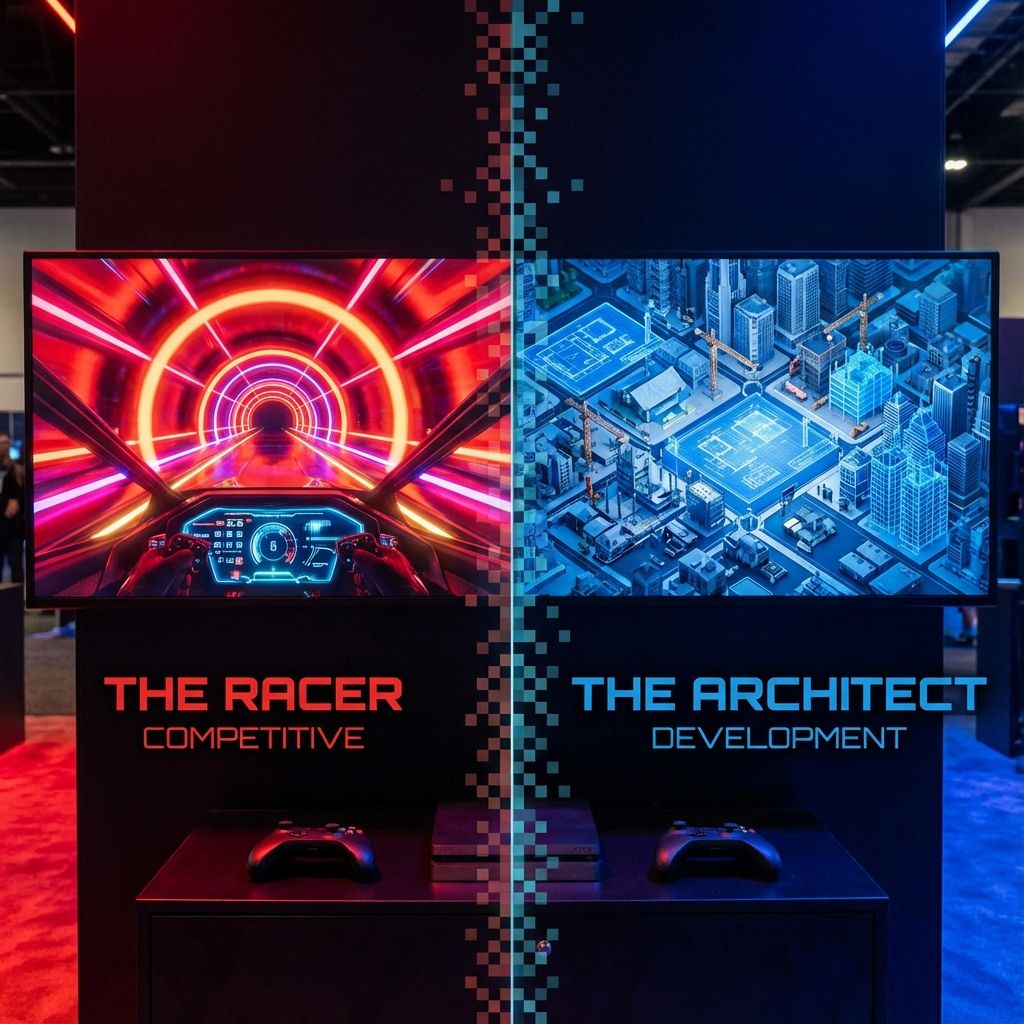
Competitive Coding vs Development Skills: What Should Students Focus On?
The great debate: should students focus on competitive programming or practical development skills? ...
Read Article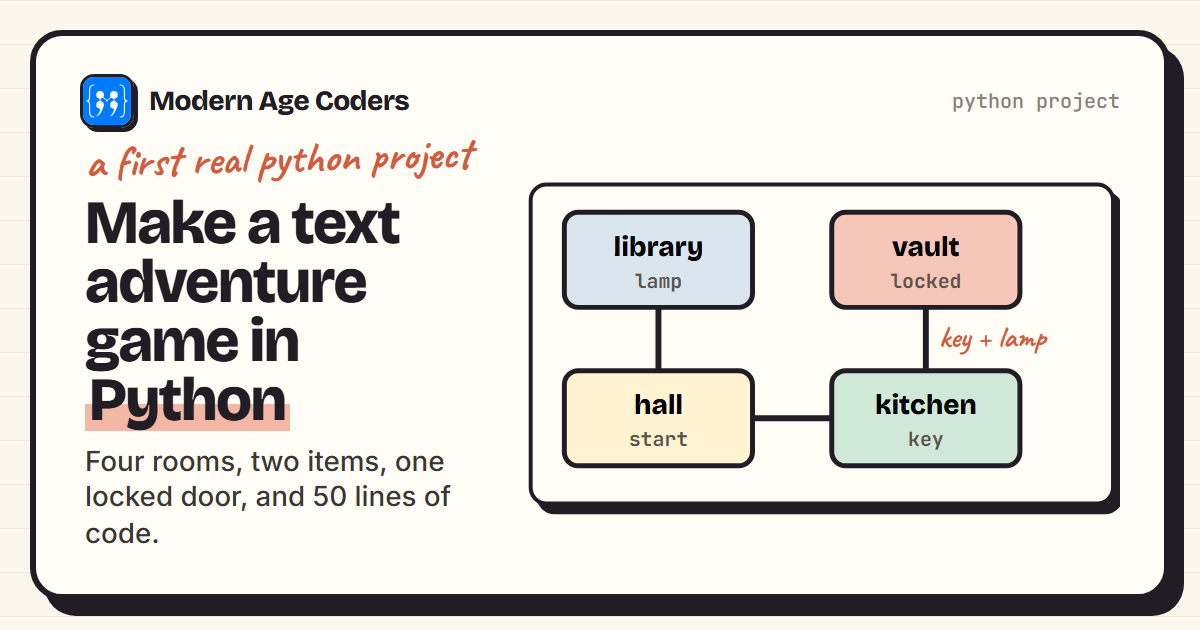 Programming
7 min read
Programming
7 min read
How to Make a Text Adventure Game in Python
Build a text adventure game in Python: rooms in a dictionary, the game loop, items, a locked door an...
Read ArticleReady to start Game Development for Teens: Unity, C# and Real Shipped Games?
Book a Priority Demo to see a full live class with a mentor reserved for you, today or tomorrow. Or choose a plan and enrol now.
Questions? WhatsApp +91 91233 66161 or email connect@modernagecoders.com