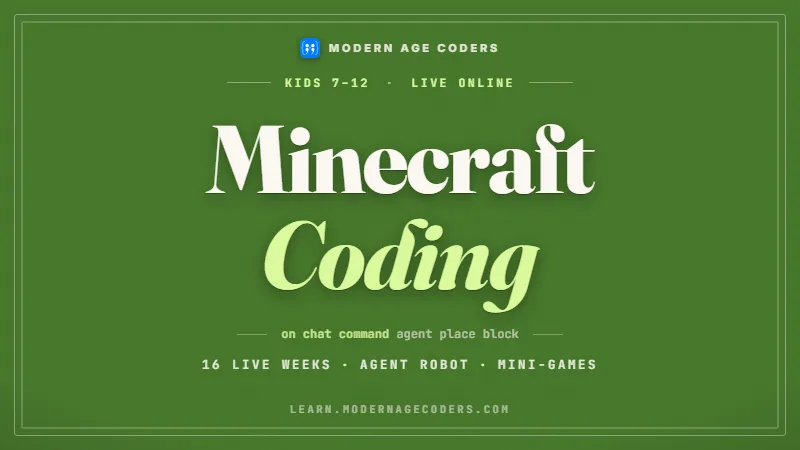
Minecraft Coding for Kids
The game your child already loves becomes the place they learn to think in code.
Syllabus updated August 2026
Questions? WhatsApp +91 91233 66161 or email connect@modernagecoders.com
Recordings are free with a Google sign-in. These recordings show how we teach, not the exact syllabus of this course.
Our promise
The world's best learning experience, open to everyone.
- World-class instructorsEvery class is taught by an instructor who specialises in that exact field.
- No compromise on qualityEvery lesson, project and piece of feedback is held to the highest standard.
- Education for everyoneLearners aged 6 to 67, from first-time beginners to working professionals, in 25+ countries.
If you want the highest quality, Modern Age Coders is the right choice.
Book a Priority DemoHow long this course takes
This course runs 4 months (16 weeks) at 2 live classes/week + 1-2 hours practice. The range allows for background and pace: a complete beginner uses the full span, and a student with prior knowledge finishes sooner. The syllabus below is planned to the shorter end, with margin kept for revision.
For personalised duration planning, call +91 91233 66161 and we'll map a schedule to your goals.
At a glance
- Who it is for
- Beginner, ages 7 to 12.
- Prerequisites
- None. The course starts from the very first block of code
- Format
- Live, interactive classes with a real instructor, never pre-recorded videos. Live classes run about one hour.
- Language
- English or Hindi, depending on the batch.
- Duration
- 4 months (16 weeks)
- Weekly commitment
- 2 live classes/week + 1-2 hours practice
- Class size
- Group batches of 5 to 10 students, mini batches of 3 to 4, or 1-on-1.
- Certificate
- Certificate from Modern Age Coders, awarded on passing the final assessment
- Watch first
- Free recordings of real classes for ages 6 to 12, free with a Google sign-in. These recordings show how we teach, not the exact syllabus of this course.
- Live demo
- Optional. Enrol directly on this page, or book a Priority Demo: a full live class of about 45 to 60 minutes with a mentor reserved for you.
- Questions
- WhatsApp +91 91233 66161 or email connect@modernagecoders.com.
How we teach
Deep understanding. Real projects. Expert guidance.
Learn coding, AI and maths through careful explanations, practical demonstrations, and hands-on problem-solving. Our instructors guide you from the foundations to advanced ideas, helping you understand what happens, why it happens, and how to build it yourself.
You will explore concepts step by step, write and improve code, investigate mistakes, ask questions, and apply your knowledge to meaningful projects. Lessons are designed around active participation, thoughtful feedback, and growing independence.
Expert-led live teaching, with practical participation built into every lesson.
- Students explain their thinking.
- Instructors demonstrate, then guide practice.
- Learners code, solve, or build during lessons.
- Questions and misconceptions get attention.
- Assignments receive useful feedback.
- Progress is checked before advancing.
How to join Minecraft Coding for Kids: From Blocks to Real Code
Four steps from this page to the first class. See a full class first with a Priority Demo, or choose a plan and enrol today.
Rated 4.9 across 547 Google reviews. Monthly billing, cancel any time.
How enrolment works
See a full class first (optional)
Book a Priority Demo: a live class of about 45 to 60 minutes with a mentor reserved for you, today or tomorrow. After the class the mentor sends a written skill report and a personal learning roadmap on WhatsApp. If you enrol, the demo fee is adjusted against your first month's fee. Share your demo Order ID with us on WhatsApp and we take it off.
Book a Priority DemoDemo fee ₹499Choose a plan
Group batch (5 to 10 students), mini batch (3 to 4 students, India only) or 1-on-1 with your own mentor. Every plan is live online, and each class runs about one hour. The cards below show classes per week and the monthly fee in your currency.
Enrol and pay the first month
Press Enrol Now on your plan, fill in the student's name, email and phone, and pay through secure Razorpay checkout: UPI, cards or net banking in India, and debit or credit card from any other country.
Fix your class timings
After payment, message us on WhatsApp or call +91 91233 66161 with the student's name, the course and your preferred time slot. We confirm the batch, send the class link and schedule the first class at your chosen time.
Billing is monthly and you can cancel any time.
International Students (Outside India)
Billed monthly in US dollars, the same price in every country. Contact us with any questions.
Questions before you enrol? Talk to our team.
Ask about class timings, the right level for your child, what they need to know already, or payment. Parents and adult learners can reach us on WhatsApp, by email or by phone.
Program Overview
Minecraft has a superpower most parents never see: a built-in coding environment where children snap together blocks of code, press run, and watch the game obey. A castle wall appears in two seconds. A robot agent plants a farm. A trap springs when someone steps on the wrong block. This 4-month live course uses that loop, code it, run it, see it, to teach real programming ideas to children aged 7 to 12. Months 1 and 2 build the core: commands, the agent robot, loops that build faster than hands ever could, variables, and decisions. Months 3 and 4 turn those pieces into games: randomness, scores, timers, a full mini-game classmates play, and a finishing capstone the student designs. Along the way, older students get to flip the same blocks into JavaScript view and see what their program looks like as typed code.
Every class is live and hands-on. The instructor sets a build challenge, students code their own solution while the instructor watches and helps, and each week ends with something running in the world that was not there before.
What Makes This Program Different
- Coding happens inside Minecraft itself, so the feedback loop is instant and the motivation is already installed
- The agent robot makes loops and conditions physical: children watch their code walk, turn, plant, and build block by block
- Challenges are sized for live classes: every session ends with a working build, not a half-finished follow-along
- Block code is flipped to JavaScript view for curious older kids, so the bridge to typed programming is walked, not just mentioned
- Screen time turns productive: the same game hours now produce farms, machines, and mini-games the child engineered
- Small live batches mean the instructor sees every child's screen and every child's thinking, every class
Your Learning Journey
Career Progression
Detailed Course Curriculum
Explore the complete week-by-week breakdown of what you'll learn in this comprehensive program.
Topics Covered
- Opening the coding editor inside Minecraft and a tour of the block palette
- On chat command: making code run when you type a magic word
- Placing your first block with code instead of your hands
- Running, stopping, and re-running a program
- Changing one block in the code and predicting what changes in the world
- Saving projects so next class starts where this one ended
Projects You Build
- Magic words: three chat commands that summon a block tower, a splash of flowers, and a chicken
Practice & Assignments
Invent two new chat commands of your own and draw what each one should do before coding it
Topics Covered
- Meeting the agent: the robot that obeys your program
- Move forward, turn left, turn right: navigating step by step
- Agent place and agent destroy: building and clearing
- Sequencing: why the order of blocks changes everything
- Walking a maze on paper first, then in code
- Teleporting the agent back when it wanders off
Projects You Build
- Maze runner: program the agent to walk a maze you built for it, placing a torch at the exit
Practice & Assignments
Build a new maze for a classmate's agent and solve theirs, comparing step counts
Topics Covered
- The repeat block: doing something ten times without ten copies
- Building a wall with a loop instead of block-by-block
- Loops inside loops: from a wall to a whole floor
- Counting carefully: the off-by-one surprise
- The forever loop and when it is useful
- Hand-build vs loop-build: racing the same wall both ways
Projects You Build
- Wall factory: one program that builds a wall of any length, then a full square fort using nested loops
Practice & Assignments
Use loops to build a staircase to the clouds, then estimate how long it would have taken by hand
Topics Covered
- Planning a build as layers: what repeats and what does not
- Pyramids: each layer smaller than the last
- Hollow shapes: skipping the middle to save blocks
- Combining agent moves and loops for long structures
- Debugging a build gone wrong: reading the code out loud
- Showing your build: a mini tour for the class
Projects You Build
- Pyramid of Giza: a layered pyramid built entirely by code, with a hollow secret chamber inside
Practice & Assignments
Design and code one original loop-built monument for the class world
Assessment
Month 1 build check: the agent completes a fresh maze and a loop-built structure, explained block by block
Topics Covered
- What a variable is: a labeled box the program remembers
- A size variable: one number that controls how big the build is
- Changing a variable while the program runs
- Counting things: how many blocks the agent has placed
- Announcing values in chat: the program reports back
- Naming variables so they explain themselves
Projects You Build
- Any-size house: one program that builds a house small, medium, or giant by changing a single number
Practice & Assignments
Add a height variable to your fort program and test it at three different values
Topics Covered
- If and else: teaching the program to choose
- Agent detect: is there a block in front of me?
- Obstacle dodging: walk forward, but go around what blocks you
- Checking what a block is made of before acting
- Combining checks: if this and not that
- Predict-then-run: guessing what a decision program will do
Projects You Build
- Smart explorer: an agent that crosses rough ground by detecting obstacles and stepping around them
Practice & Assignments
Program a tunnel-digger that stops when it detects water, so nobody floods the base
Topics Covered
- On player walk: code that fires when someone steps somewhere
- On block placed and on block broken
- Building a pressure-plate trap the coding way
- Surprise effects: fireworks, sounds, and chat messages
- Being a fair trap-maker: warnings and escape routes
- Multiple events in one world without chaos
Projects You Build
- Trap gauntlet: a walkway with three coded surprises, from harmless confetti to a drop into a pool
Practice & Assignments
Add a welcome event to the class world that greets any player who arrives at your base
Topics Covered
- Automation: teaching the agent a full job, start to finish
- Till, plant, wait, harvest: the farming loop
- Combining loops, variables, and detection in one program
- Testing a long program one section at a time
- Making the farm bigger without rewriting it
- Explaining your automation to someone who does not code
Projects You Build
- Agent auto-farm: a robot farmer that tills the soil, plants crops in rows, and harvests when ready
Practice & Assignments
Extend your farm with a fence-building routine, then measure how many crops one run produces
Assessment
Month 2 skills check: a live automation challenge solved with loops, a variable, and at least one detect decision
Topics Covered
- Random numbers: why games need surprise
- Spawning animals at random positions
- Random blocks: a patchwork floor no one can predict
- Hiding treasure somewhere new every game
- Fair vs unfair randomness in games
- Testing random code: run it many times, watch the spread
Projects You Build
- Treasure hunt: a diamond block hidden at a random spot each round, with hot-and-cold chat hints
Practice & Assignments
Make a random pet generator that spawns one of five animals, and tally twenty runs to see the spread
Topics Covered
- A score variable that events update
- Announcing the score in chat after each point
- Win conditions: first to ten
- Resetting the game for a fresh round
- Counting down instead of up: lives
- Score displays that players actually notice
Projects You Build
- Collector clash: gather the glowing blocks scattered by code, one point each, first to ten wins
Practice & Assignments
Add a lives system to your treasure hunt: three wrong digs and the round ends
Topics Covered
- Countdown timers built from loops and waits
- Beat the clock: finishing a task before time runs out
- Announcing time left at the right moments
- Combining a timer with a score for real tension
- Rounds: game start, game play, game over
- Tuning time limits so the game is hard but winnable
Projects You Build
- Build rush: players race a two-minute timer to copy a target structure, with a code-checked finish
Practice & Assignments
Playtest your build rush with family and adjust the time limit after two rounds
Topics Covered
- Combining the month: randomness, score, timer, and events in one game
- Building the arena with your loop skills
- Rules players can learn in ten seconds
- Running a game for classmates: host duties
- Watching players find the fun and the flaws
- One improvement pass after the first playtest
Projects You Build
- Falling-floor arena: a coded mini-game where floor sections vanish on a timer and the last player standing wins
Practice & Assignments
Host two rounds of your arena for classmates and write down the one rule that confused people most
Assessment
Arena game demo: classmates play a full round, then the builder explains the timer and event code behind it
Topics Covered
- Functions: wrapping a build routine in a name
- One buildTower function used five times
- Functions with a size input
- A personal toolkit: your best routines, reusable forever
- Cleaner programs: reading code made of named pieces
- Sharing a function with a classmate and using theirs
Projects You Build
- Village in a minute: houses, paths, and lamp posts, each a function, assembled into a whole village program
Practice & Assignments
Turn your favorite build from the course into a function and use it three times in one world
Topics Covered
- Flipping the editor: the same program as blocks and as JavaScript text
- Finding your loop and your variable in the typed code
- What brackets, dots, and semicolons are doing
- Making one tiny change in text view and running it
- Block coding vs typed coding: same thinking, different clothes
- Where typed languages lead: Python, JavaScript, and beyond
Projects You Build
- Two-view build: a fountain program written in blocks, then modified once in JavaScript view to change its size
Practice & Assignments
Flip three of your old programs to code view and find the repeat loop in each one
Topics Covered
- Choosing a capstone: an original game or a grand automation
- The one-page plan: what it does, what code it needs, what done means
- Building must-haves first
- Reusing your own functions and past code honestly
- Instructor check-in: unblocking the hard part early
- Trimming the plan when time runs short, without giving up the core
Projects You Build
- Capstone, part one: the core of an original mini-game or automation, planned and working end to end
Practice & Assignments
Two 30-minute build sessions at home, each ending with a one-sentence progress note
Topics Covered
- The final bug hunt: testing every part on purpose
- Polish: sounds, messages, and a proper welcome
- Writing simple instructions for players
- Presenting: show the game first, then the code behind the best part
- Answering questions about your own program
- What comes next: Python for kids, or Roblox game coding
Projects You Build
- Finished capstone: an original, tested Minecraft game or automation presented live to classmates and families
Practice & Assignments
Run your capstone for two family members and collect one compliment and one improvement idea from each
Assessment
Capstone showcase and code Q&A, plus course-completion certificate review
Projects You'll Build
Build a professional portfolio with 14+ working programs, from a first chat command to an original mini-game real-world projects.
Weekly Learning Structure
Certification & Recognition
Technologies & Skills You'll Master
Comprehensive coverage of the entire modern web development stack.
Support & Resources
Career Outcomes & Opportunities
Transform your career with industry-ready skills and job placement support.
Prerequisites
Who Is This Course For?
Career Paths After Completion
Course Guarantees
Real students. Real moments. Real joy.
These are our actual student meetups. No stock photos, no filters. Swipe through and meet the community you'll be joining.







































What families say
Straight from the parents and students who learn with us. Rated 4.9 across 547 Google reviews.
“Mivaan enjoys the class. He understands the concepts and completes his tasks with excitement. He started taking interest in coding… truly amazing class.”
“I absolutely love it here! I made new friends and learned important valuable coding skills while having the fun of my life. It's not just coding here, it's outings, bonding and most importantly preparing you for your future. Definitely five stars.”
“What stands out most is how excited my son is before every class. He looks forward to learning, problem-solving, and sharing what he's built. I've noticed a big boost in his confidence!”
“Modern Age Coders has been a game-changer for me! I struggled to grasp IT concepts and coding before joining, but their classes transformed everything. I'm now the topper in my class and can confidently write complex programs with ease.”
“Modern Age Coder have wonderful teachers who teach in a clear, easy and practical way. The teacher boosts students' confidence, keeps them updated with technology, and inspires them to learn without hesitation.”
“The one step solution for my son. Modern Age Coders make learning coding so simple that kids love it.”
“Coding classes here make learning very interesting and conceptual. The teachers teach us in a very easy-to-understand and efficient manner.”
“One of the most wonderful education centres out there. Education is not limited to school syllabus but focuses on skill development. Learning here has been a wonderful journey and still continuing.”
“I highly recommend this computer coding class! The teachers are incredibly knowledgeable and passionate about coding. They make every session engaging and insightful.”
“My child Dhairya is really enjoying the Modern Age Coder IT classes. This is his first online class, and he eagerly looks forward to it.”
“Very good classes. Don't worry about coding. They teach the best, especially Shivam sir.”
“Very good classes. Makes learning very easy and interactive.”
Hear it from our students
Real parents and students in their own words, on our public YouTube channel.
Straight answers about Minecraft Coding for Kids: From Blocks to Real Code
- Who should take this course?
- Beginner, ages 7 to 12. It suits kids who play minecraft daily and are ready to command it instead of just mining in it; children aged 7 to 12 with zero coding exposure who need a first step that feels like play; kids who resist worksheets but will happily debug a robot farmer for twenty minutes.
- What will they learn and build?
- Minecraft has a superpower most parents never see: a built-in coding environment where children snap together blocks of code, press run, and watch the game obey. A castle wall appears in two seconds. A robot agent plants a farm. A trap springs when someone steps on the wrong block. This 4-month live course uses that loop, code it, run it, see it, to teach real programming ideas to children aged 7 to 12.
- How deeply are topics covered?
- The course runs 4 months (16 weeks) at 2 live classes/week + 1-2 hours practice, across 2 phases listed week by week in the syllabus below. A structured, well-paced curriculum taught step by step, with hands-on practice in every session.
- Who teaches it?
- Modern Age Coders mentors, who teach the live classes themselves. You can watch them at work in the free class recordings before you decide.
- How do practice, feedback and assessment work?
- Classwork every session, a task after every class, monthly reviews that mix in earlier topics, and a friendly final assessment of everything learned that decides the certificate: real knowledge and real work, with a free retest after revision if needed. Doubt support between classes over WhatsApp, so you are never left stuck. A certificate you earn by passing the final assessment, with a free retest after revision if needed.
- What does it cost?
- Three monthly plans: a group batch, a mini batch and 1-on-1. Prices are shown in your currency in the plans section. Monthly billing, cancel any time.
- When can classes take place?
- Live classes are scheduled around your week. Group batches meet at a fixed weekly slot; 1-on-1 students choose their own. International students are scheduled in their own timezone. Ask on WhatsApp for the current slots.
- Can I watch the teaching before deciding?
- Yes. Full recordings of real 6 to 12 classes are free to watch, free with a Google sign-in. These recordings show how we teach, not the exact syllabus of this course. Some classes are in English and some in Hindi; everyone follows at their own pace. Watch a class end to end, like you are in it. Sessions are interactive and each moment builds on the last.
- Can I enroll without a live demo?
- Yes. Choose a plan on this page and enrol directly; a demo is not required. If you would like to see a full class with a mentor first, book a Priority Demo.
- How do I reach you with a question?
- WhatsApp +91 91233 66161, email connect@modernagecoders.com, or call +91 91233 66161. Tell us the student's age and what they have learned so far, and we will point you to the right plan and batch.
Common Questions About Minecraft Coding for Kids: From Blocks to Real Code
Get answers to the most common questions about this comprehensive program
Still have questions? We're here to help!
Contact UsRelated Courses You May Like
Continue your learning journey with these recommended programs
 Kids Coding
App Making for Kids: Build Real Apps with Blocks
App development course for kids aged 8-12: build real mobile apps with block coding in live online c...
Explore Course Kids Coding
Game Development for Kids: Scratch, Roblox and Minecraft
Game development course for kids aged 8-12: live online classes building real games in Scratch, then...
Explore CourseRelated Articles & Guides
Deepen your knowledge with these hand-picked articles
 Kids Coding
7 min read
Kids Coding
7 min read
Is Coding Good for Kids? What It Really Teaches
Is coding good for kids? Yes, and not for the reason you think. What it actually teaches, and the ri...
Read Article Kids Coding
7 min read
Kids Coding
7 min read
Coding vs AI: What Should My Child Learn in 2026?
Coding or AI for your child in 2026? It is not a choice: why coding comes first and the age-by-age r...
Read ArticleReady to start Minecraft Coding for Kids: From Blocks to Real Code?
Book a Priority Demo to see a full live class with a mentor reserved for you, today or tomorrow. Or choose a plan and enrol now.
Questions? WhatsApp +91 91233 66161 or email connect@modernagecoders.com