VIC / KIDS / 01
Scratch coding
Games and stories built block by block.
Open the syllabusPeru · Vibe coding · Ages 8 to adult
Vibe coding means describing what you want and letting an AI write the code. It is the fastest way yet to build something that runs, and one of the easiest ways to build something that is quietly wrong. This page is for learners in Peru, and parents of younger ones, who want to build with AI and still understand what they built. It explains what vibe coding is, how many professional developers actually do it, why "almost right" is the problem worth solving, which AI coding tools each age may use, and a lesson in which a thousand random tests catch a bug that looked fine.
Live online since 2020 · 10,000+ students worldwide · every class live and taught in English
Straight answer
Modern Age Coders runs vibe coding classes for learners in Peru: live online lessons, taught in English, where children from 8, teenagers and adults build real projects with AI help, then check that the code does what they meant. Learners describe a project, use AI tools allowed for their age to draft it, and learn to state the rules the code must obey and test them, so they understand and can fix what they build. A mentor in India teaches a group of fifteen to twenty or one learner alone, at hours that suit the family in Peru.
One course for each age
The same idea at three levels: build quickly with AI, then make sure it is right. The tools and the amount of AI help change with age.
VIC / 01
Ages 8 to 12. Scratch games and simple web pages, with the mentor driving any AI tool on a shared screen. Children describe ideas, test them and explain what each part does.
Open the syllabus →
VIC / 02
Ages 13 to 17. Python and web projects built with AI tools whose terms allow the student's age, with a parent's permission where required, and a test for every feature.
Open the syllabus →
VIC / 03
Ages 18 and over. Full-stack apps built with AI coding assistants, plus the data structures and algorithms you need to judge what they produce.
Open the syllabus →What vibe coding is
Vibe coding is building software by describing it to an AI in ordinary language and accepting the code it writes. Stack Overflow's 2025 Developer Survey defines it, following Wikipedia, as "the process of generating software from LLM prompts". Most professional developers say it is not part of their work.
| Finding | Share |
|---|---|
| Respondents using or planning to use AI tools in development (76% the year before) | 84% |
| Professional developers using AI tools daily | 51% |
| Respondents not vibe coding | 72% |
| Respondents emphatic that vibe coding is not part of their work | 5% |
| Developers whose biggest frustration is AI solutions that are "almost right, but not quite" | 66% |
Source: Stack Overflow, 2025 Developer Survey, AI section, read on 9 November 2026. The survey is global and answered by developers who chose to take part; it is not a Peru sample.
Almost every developer now uses AI tools in some way: 84% are using or planning to use them, up from 76% a year earlier. Yet 72% say they are not vibe coding, and another 5% are emphatic about it.
The difference is control. Professionals use AI to draft, suggest and explain, then read, test and own the result. Vibe coding in its pure form skips that step, which is fine for a weekend game and risky for anything that matters.
From vibe coding: speed, and the joy of turning an idea into something that runs in an afternoon. That is why children and beginners love it, and why we use it.
From professional practice: stating what the code must do, testing it, and being able to explain every part. Our learners vibe code, then prove it. That habit is what separates a learner who can build from one who can only prompt.
Almost right
Because it runs, looks reasonable and passes a quick glance, and then fails on a case nobody tried. In the same survey, 66% of developers named "AI solutions that are almost right, but not quite" as their biggest frustration with AI tools.
The second-biggest frustration, cited by 45%, follows from the first: debugging AI-generated code takes more time. Code you did not write is harder to fix, especially when it is almost correct.
Trust is low. More developers actively distrust the accuracy of AI tools (46%) than trust it (33%), and only 3% say they highly trust the output. Asked when they would still ask a person for help, 75% chose "When I don't trust AI's answers".
If experienced developers distrust AI output, a beginner who accepts it without checking is in a weak position. The answer is not to avoid AI; it is to learn the checking skills professionals use.
The most powerful of those skills is easy to teach and rarely taught to beginners: say exactly what must always be true about the output, then let the computer test it on hundreds of cases you would never think to try. That is the lesson below.
A real lesson
This is a lesson from our teen and adult vibe coding courses, and a simplified version runs with children. The task is ordinary: split a restaurant bill between friends, in whole cents. The AI-style answer looks right. A rule and a thousand random cases show it is not.
import random

# Task given to an AI assistant (our wording): "split a bill of total_cents between
# `people` friends, in whole cents". This is the kind of answer it often gives:
def split_bill_generated(total_cents, people):
    share = round(total_cents / people)
    return [share] * people

# A version written to a rule we state first: the parts must add back to the total,
# and no two parts may differ by more than one cent.
def split_bill_checked(total_cents, people):
    base, extra = divmod(total_cents, people)
    return [base + 1] * extra + [base] * (people - extra)

def property_holds(parts, total_cents):
    return sum(parts) == total_cents and max(parts) - min(parts) <= 1

rng = random.Random(2026)
cases = [(rng.randint(1, 50000), rng.randint(1, 12)) for _ in range(1000)]

for name, f in [("generated", split_bill_generated), ("checked", split_bill_checked)]:
    failures = [(t, p) for t, p in cases if not property_holds(f(t, p), t)]
    print(name, "fails", len(failures), "of", len(cases), "| first:", failures[:1])

print("generated(1000, 3) ->", split_bill_generated(1000, 3), "sum", sum(split_bill_generated(1000, 3)))
print("checked(1000, 3)   ->", split_bill_checked(1000, 3), "sum", sum(split_bill_checked(1000, 3)))
The task wording, both functions and the random seed are ours. Run it with Python 3 and it prints the four lines below every time.
generated fails 762 of 1000 | first: [(7807, 6)]
checked fails 0 of 1000 | first: []
generated(1000, 3) -> [333, 333, 333] sum 999
checked(1000, 3)   -> [334, 333, 333] sum 1000
The generated-style version breaks the rule in 762 of 1,000 cases. Splitting 1,000 cents between three friends collects only 999.
Try it with 1,200 cents and four friends and it is perfect: 300 each. Most people test with numbers that divide evenly, because those are the numbers that come to mind. The bug only appears when there is a remainder, which is three times out of four in our random cases.
Rounding also hides the error in the other direction: sometimes the shares add up to more than the bill. A café that used this code would quietly over- or under-charge on most tables.
It starts from the rule. divmod gives each person the whole-cent base share and counts the leftover cents; that many people pay one cent more. The shares always add back exactly, and never differ by more than one.
The learner did not need to be cleverer than the AI. They needed to say what "correct" means, in one sentence, before looking at any code. That is a thinking skill, and it transfers to every program they will ever build or review.
Tools by age
It depends on each vendor's terms, and many popular tools exclude children or teenagers. In our own audit of AI coding assistants, GitHub Copilot, with a minimum age of 13, was the only one of eight that cleared it.
| Tool | What the terms say | Who uses it in our classes |
|---|---|---|
| GitHub Copilot | A minimum age of 13 | Teenagers and adults, after they can write the code alone |
| ChatGPT | 13 and over; under 18 needs a parent or guardian's permission | Teenagers with a parent's permission; adults |
| Replit AI | Adults; under 13 only with written parental consent; 13 to 17 not clearly covered | Adults only |
| Claude | 18 and over | Adults only |
| Scratch and plain Python | No AI account | Everyone; children work here, with the mentor running AI on screen |
Sources: GitHub terms of service, OpenAI terms of use, Replit terms of service and Anthropic consumer terms, as recorded in our AI tools age guide; read on 9 November 2026. Terms change; check the vendor's own page before signing up.
For children of 8 to 12, vibe coding in our classes means describing ideas aloud, watching the mentor ask an AI tool on a shared screen, and then rebuilding and testing the result themselves in Scratch or simple web code. No child creates an AI account. The excitement is the same; the account and the terms stay with the adult.
Thinking, not copying
It can, if nobody asks them to explain what they built. Our classes are designed around that risk: every project ends with the learner explaining, testing and changing the code without AI help.
After AI drafts a feature, the learner explains in English what each part does. If they cannot, they rebuild that part with the mentor until they can.
Each project includes a change the learner makes without AI: a new rule, a new level, a bug to fix. That is where understanding shows.
Every feature has a stated rule and a test, as in the lesson above. Code nobody tested is not finished, however it was written.
Competitions make the same point from the other side. Peru's Olympiad in Informatics, OPI, which UTEC runs free for all secundaria students in the country, prohibits generative AI for solving problems in its 2025 rules. A teenager who wants to compete has to reason and code alone. We are not connected with UTEC or the OPI; we simply make sure our vibe coding students can still code without the vibe.
If you would like to read about vibe coding in Spanish first, our vibe coding curso en inglés page explains it for Peruvian families with a different lesson. Learners who want to go deeper into one language can continue with Python in English or web development in English.
At home
A laptop or desktop computer, a steady internet connection and a headset. Vibe coding still involves reading and editing code, which a phone screen makes very hard.
INEI's household survey for the second quarter of 2026 reports that nine in ten Peruvian internet users (90.2%, ages 6 and up) go online through a mobile phone, while 18.9% use a laptop and 14.0% a desktop computer. Many families have a phone for everyone and one computer, or none.
For a live coding class, plan the computer first. A shared family laptop at a fixed hour works well; the mentor can work around the household timetable.
Classes are taught in English only. Mentors speak slowly, repeat in simpler words and put key terms in the chat, and Python looks identical whatever language a family speaks at dinner. We do not teach in Spanish.
Any day, any time, flexible: choose a batch, or for a very personalised plan choose 1-on-1 at the hour that suits your family. The Peru to India gap never changes, so a 17:00 class in Lima is always 03:30 the next morning in India, and a 09:00 class is always 19:30.
Progress
Our own stages for vibe coding learners. They decide which group a learner joins and what their progress notes report.
| Stage | The learner can | Shown by |
|---|---|---|
| 1. Describe | Describe a small project clearly in English | A one-paragraph plan |
| 2. Build | Get a working first version with AI help | A project that runs |
| 3. Explain | Say what each part of the code does | A walkthrough to the mentor |
| 4. State the rule | Write what must always be true about the output | One property per feature |
| 5. Test widely | Check that rule on many random inputs | The 1,000-test lesson, on their own code |
| 6. Change alone | Add or fix a feature without AI help | A change made live in class |
If you cannot say what "correct" means, you cannot know whether the AI got it right.
Test with ugly numbers, not just nice ones.
Stage 6 is the one to ask about. A learner who can change their code alone understands it.
Progress notes list projects built, rules stated and bugs found.
More courses
Each is live and in English, led by one mentor from start to finish.
VIC / KIDS / 01
Games and stories built block by block.
Open the syllabusVIC / KIDS / 02
Real websites, coded and published.
Open the syllabusVIC / KIDS / 03
Typed Python for children ready to type.
Open the syllabusVIC / TEEN / 01
The whole language, start to advanced.
Open the syllabusVIC / TEEN / 02
The thinking that lets you judge AI code.
Open the syllabusVIC / TEEN / 03
How the models behind AI tools learn.
Open the syllabusVIC / ADULT / 01
AI coding agents, every change reviewed.
Open the syllabusVIC / ADULT / 02
Django and Flask apps, built properly.
Open the syllabusVIC / ADULT / 03
Track and review every change AI makes.
Open the syllabusHow classes run
Any day, any time, flexible: choose a batch, or for a very personalised plan choose 1-on-1 at the hour that suits your family.
Morning in Peru
Evening in India, a comfortable teaching hour.
Evening in Peru
Early morning in India; possible with the right mentor.
One to one
A private class at a pace and hour you choose.
Every project starts with a plan in plain English.
AI drafts, within the learner's age rules.
Each feature gets a stated rule and a test.
Every project includes a change made without AI.
Children, teens and adults learn separately.
Short sentences; terms written in the chat.
Student work
A selection of work from students on our longer courses. The student labs page shows more.
AI and ML
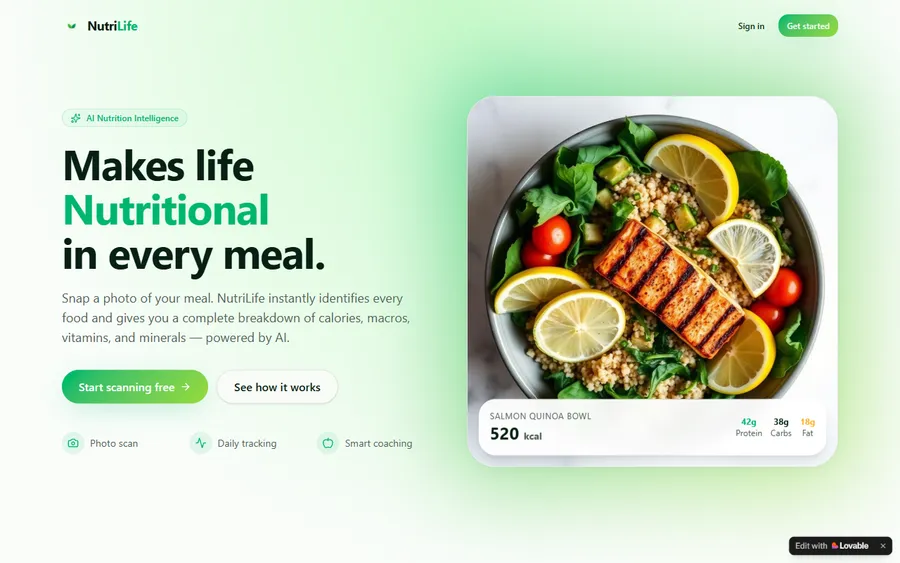
An AI nutrition coach that reads what you eat and works you toward a target.
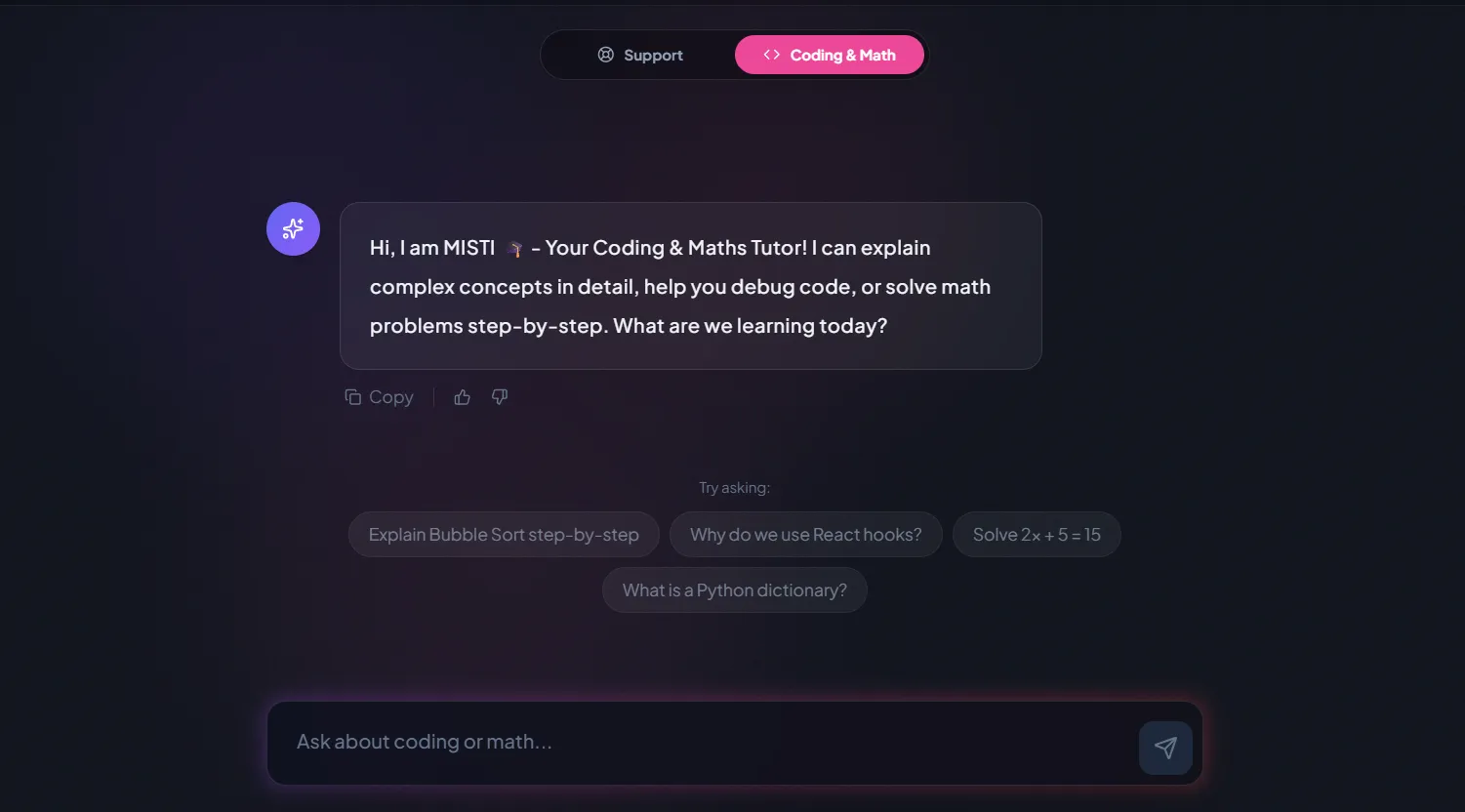
AI and ML
A chatbot that answers mathematics and programming questions, built and deployed by a student.
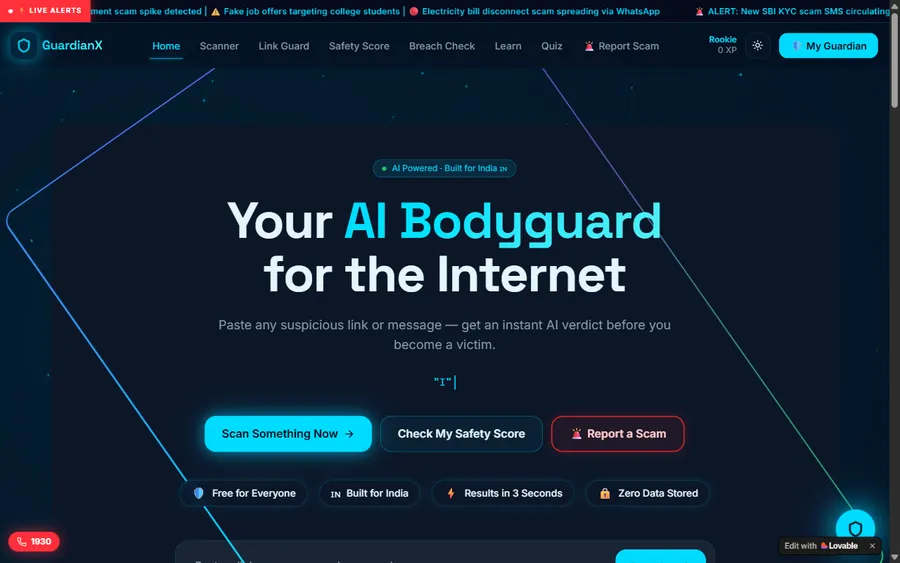
AI and ML
An assistant that helps a young person recognise unsafe situations online.
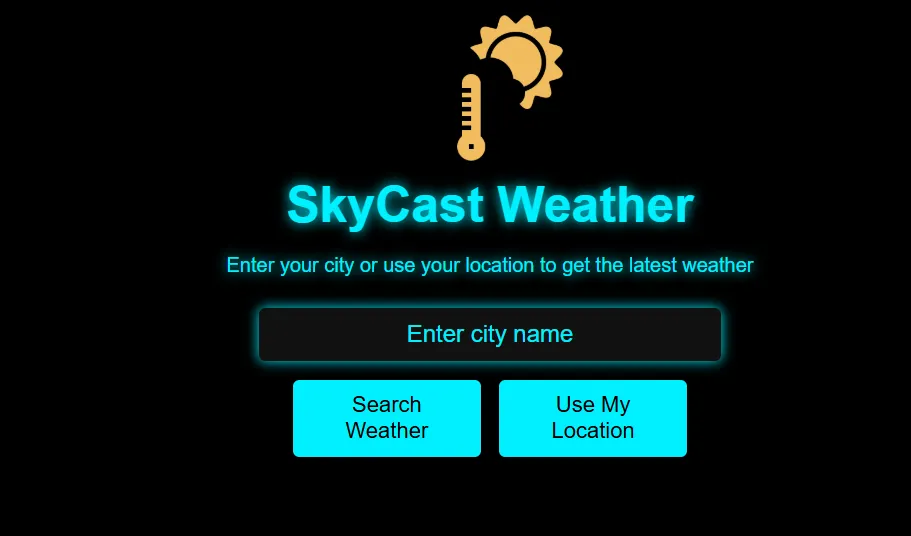
Web app
A weather forecasting site with live conditions for any location.
Fees
Classes are billed in US dollars and paid by card. Each charge reaches your account in soles after your bank converts it at its own rate, so monthly statements can differ by a little.
Free first class
Free
no card required
Group batch
$100 USD
a month, eight live classes
One to one
$150 USD
a month, eight live classes
What families say
Parents' and students' Google reviews, reproduced as written.
★★★★★
"The one step solution for my son. Modern Age Coders make learning coding so simple that kids love it. The teachers explain complex concepts clearly with practical exercises and interactive content."
Ria Mukherjee
Parent
★★★★★
"Modern Age Coders has been a game-changer for me. I struggled to grasp IT concepts and coding before joining, but their classes transformed everything. I can now confidently write complex programs with ease."
Samriddha Mondal
Student
★★★★★
"One of the most wonderful education centres out there. Education is not limited to school syllabus but focuses on skill development."
Vansh Agarwal
Student
★★★★★
"My child Dhairya is really enjoying the Modern Age Coders classes. This is his first online class and he eagerly looks forward to it. I can already see his improvement, and the teachers are very cooperative."
Sonam Oswal
Parent of Dhairya
★★★★★
"Modern Age Coders have wonderful teachers who teach in a clear, easy and practical way. The teacher boosts students' confidence and inspires them to learn without hesitation."
Sonu Goyal
Parent
★★★★★
"I highly recommend this computer coding class! The teachers are incredibly knowledgeable and passionate about coding."
Ritu Kedia
Parent
Families in Peru ask
No. Our vibe coding classes are live online and taught in English only. Mentors use short, clear sentences, adjust to each learner's accent and pace, and show everything on a shared screen, so learners with basic English settle in quickly.
Building software by describing what you want to an AI tool and letting it write the code. Stack Overflow's 2025 survey uses Wikipedia's definition: "the process of generating software from LLM prompts". In our classes, learners also test and explain everything they build.
Yes, from about 8, in a supervised form. Children describe ideas, watch the mentor use AI on a shared screen, then rebuild and test the result in Scratch or simple web code. No child creates an AI account, because most AI tools set a minimum age of 13 or more.
Only tools whose terms allow their age, such as GitHub Copilot, which sets a minimum of 13, and ChatGPT with a parent's permission, as OpenAI requires under 18. Claude and Replit are used only by adults in our classes.
No. Every project ends with the learner explaining the code, stating the rules it must obey, testing it, and making a change without AI help. If they cannot explain a part, they rebuild it with the mentor.
Any day, any time, flexible: choose a batch, or for a very personalised plan choose 1-on-1 at the hour that suits your family. India is always ten and a half hours ahead of Lima, so a 16:30 class in Lima is 03:00 the next day in India.
Most say they do not. In the Stack Overflow Developer Survey 2025, 72% of respondents said they were not vibe coding, though 84% were using or planning to use AI tools. Professionals use AI and then check its work, which is what we teach.
Not during the contest: the OPI 2025 rules ban generative AI for solving problems. But stating rules and testing widely, as in our lesson, are exactly the habits competition coders need. We are not connected with UTEC or the OPI.
Learners who complete a course receive our own certificate of completion. It is not a Peruvian school or university qualification, and we are not connected with MINEDU, any school or any AI company.
A laptop or desktop computer, a stable connection and a headset. AI tool accounts, where the learner's age allows, are set up during the course with a parent's involvement for under-18s.
Read next
More about learning with AI.
Everything we teach in Peru.
Which AI tools a child, teen or adult may sign up for.
Our case for understanding over copying.
What our students build.
A live class, step by step.
Every syllabus in one place.
Part of the guide: Every Peru page
More guides: Coding and AI classes in Peru · En español: clases de programación en inglés · Start here: English-medium coding in Lima · By age and stage: AI and coding for professionals · Exams, olympiads and school holidays: IB computer science tutor · Guides to choosing: An English-taught option to Crack The Code · Regions of Peru: Amazonas region · Cities: Arequipa: coding for every age · Lima and Callao districts: Programación para niños en Ancón
Start here
In the trial, the learner describes a tiny project, watches it come to life with AI help, and then finds out whether it really works. The mentor sees how they think and how much English they follow, and suggests the right course and format.
Want to know more before booking? How we teach walks through our classes, and the courses page lists every syllabus.
WhatsApp us · +91 91233 66161 · connect@modernagecoders.com
Lessons run over live video, in English, led by mentors who work from India. A WhatsApp message in English usually gets the fastest answer.
A priority demo is a full class of about 45 to 60 minutes. After the class the mentor sends a written skill report and a personal learning roadmap on WhatsApp. If you enrol, the demo fee is adjusted against your first month's fee. Share your demo Order ID with us on WhatsApp and we take it off.
Book a priority demo