AIPR / DATA / 01
Data and AI for non-programmers
Excel, Sheets and Power BI with AI, no code required.
Open the syllabusPeru · Working professionals · Live online, in English
Most professionals in Peru already use a spreadsheet; far fewer can make a computer do the repetitive part of their job for them. AI tools have narrowed that gap, but they have not closed it: someone still has to know what to ask for, and how to tell when the answer is wrong. This page is for working adults in Peru who read English and want that skill: where to start, what an AI agent really is, a short lesson on checking AI output, and how live classes fit a working week.
Teaching adults live since 2020 · 4.9 from about 547 Google reviews · one mentor, your pace, your hours
What we offer
Modern Age Coders teaches AI and coding to working professionals in Peru in live online classes, taught in English by mentors based in India. Professionals start in one of three places: using AI tools well in daily work, automating spreadsheet and file tasks with Python, or building AI agents with tools such as Copilot Studio, Gemini Enterprise, Codex and Claude Code. Lessons run one to one or in a group of fifteen to twenty, at an hour that fits around work in Peru time, and the first class is free.
Where professionals start
One for automating your own work, one for using AI tools with judgement, and one for professionals ready to direct AI coding agents.

AIPR / 01
For people who spend hours on files, reports and spreadsheets. Python scripts that rename, merge, clean and summarise, then applied AI on top. No coding background needed.
Open the syllabus →
AIPR / 02
ChatGPT, Claude and automation tools used properly: clear instructions, checked answers, and workflows that save real time without leaking data you should not share.
Open the syllabus →
AIPR / 03
For professionals who want AI agents to write and change code for them, and the judgement to review what those agents produce before it reaches anyone else.
Open the syllabus →Who it suits
Adults in work in Peru who can follow spoken English, from any profession. Many have never written a line of code; some have and want to modernise.
You live in spreadsheets, reports and email. You want the routine parts automated and AI used for drafts and analysis, without losing control of the numbers.
You can already program a little, or did once. You want modern Python, data skills, and AI coding agents that speed up work you understand.
You run a small team or work for a company abroad from Lima. You want to build simple tools yourself and speak about AI with confidence, in English.
Readers who prefer Spanish can see Leer en español: cursos de programación para adultos, about learning to code while working, and agentes de IA para profesionales, about agents at work and the rules around them. Both describe classes taught in English.
Where to start
Close to the work you already do. Peru's statistics institute shows that most computer users can handle a spreadsheet, and very few can program, which leaves a large and useful middle ground.
INEI's survey for the second quarter of 2026 asked Peruvians of 15 and over what they had done with a computer, laptop or tablet. Of those who had used one for any computing task, 73.7% had applied arithmetic formulas in a spreadsheet and 47.7% had installed and configured software, but only 12.1% had written a program in a programming language.
Learning online is already common. The World Bank's Global Findex found that 42.9% of Peruvians aged 15 and over had looked online for information to learn, train or study in the previous three months, in its 2024 survey.
AI tools, used well. For anyone. Writing precise instructions, checking the answers, keeping confidential data out, building small repeatable workflows.
Python automation. For anyone who repeats the same file or spreadsheet task each week. It is the step from 73.7% to 12.1% in the INEI table, and it takes weeks, not years.
AI agents. For professionals who already understand their process and want software to carry out several steps of it, with a person approving the important ones.
Whichever you start with, the habit we teach is the same: understand the task before you hand it to a machine, and check what comes back. Peru's public sector is moving the same way; MINEDU reported in 2025 that more than 87,000 teachers had enrolled in its free online course on AI in teaching practice. AI literacy is becoming part of ordinary professional work, not a specialism.
AI agents
An AI agent is a program that uses a language model to decide its next step, calls tools such as a search, a spreadsheet or an email system, and repeats until a goal is met or it is told to stop. You can build simple ones without code; you need code to make them reliable.
Platforms such as Microsoft Copilot Studio and Google Gemini Enterprise let a professional design an agent with forms and connectors: answer staff questions from company documents, draft replies, update a record. Our courses on both are taught one to one, because every organisation's setup differs.
The hard part is rarely the tool. It is deciding what the agent may do alone, what it must ask about, and what happens when it is unsure.
Coding agents such as OpenAI Codex and Anthropic's Claude Code write and change software from instructions. They are powerful in the hands of someone who can read the result, and risky in the hands of someone who cannot.
That is why our agents courses start with enough Python to read what the agent wrote and test it. These tools are for adults: Anthropic's terms, for example, require Claude users to be 18 or older.
For a beginner's explanation of agents with worked examples, read our Spanish page curso de agentes de IA, and the Peru hub lists every course page for adults in Peru.
A real lesson
Not without checking. This lesson comes early in our automation and agents courses. A model has been asked to pull the client, date and number of attendees out of meeting notes and return them as JSON. The replies below are typical of what models actually send back; the client names are invented.
Version 1 trusts every reply: it reads the JSON and uses the fields. The first reply is perfect, and the program prints Client 101 5.
The second reply is the same data wrapped in a code fence, the three backticks a model often adds when it thinks it is being helpful. json.loads cannot read it, and the whole program stops with a JSONDecodeError. The third reply never gets checked at all.
Version 2 treats the reply as untrusted input, like a form filled in by a stranger. It removes a code fence if there is one, catches the parsing error instead of crashing, and checks that every required field is present and of the right type.
Anything that fails is not guessed at or silently fixed. It is marked REVIEW with the reason, so a person looks at it. That one decision is the difference between automation that saves time and automation that creates quiet errors.
import json

replies = [
    '{"client": "Client 101", "date": "2027-01-15", "attendees": 4}',
    '```json\n{"client": "Client 102", "date": "2027-01-18", "attendees": 2}\n```',
    '{"client": "Client 103", "attendees": "four"}',
]
for r in replies:
    data = json.loads(r)
print(data["client"], data["attendees"] + 1)Client 101 5 Traceback (most recent call last): ... json.decoder.JSONDecodeError: Expecting value: line 1 column 1 (char 0)
From our run with Python 3; the middle lines of the traceback are shortened. One good line, then a crash on the second reply.
import json

REQUIRED = {"client": str, "date": str, "attendees": int}

def check(reply):
    text = reply.strip()
    if text.startswith("```"):
        text = text.strip("`").removeprefix("json").strip()
    try:
        data = json.loads(text)
    except json.JSONDecodeError as e:
        return None, ["not JSON: " + e.msg]
    problems = []
    for key, kind in REQUIRED.items():
        if key not in data:
            problems.append("missing " + key)
        elif not isinstance(data[key], kind):
            problems.append(key + " is " + type(data[key]).__name__)
    return (data if not problems else None), problems

replies = [
    '{"client": "Client 101", "date": "2027-01-15", "attendees": 4}',
    '```json\n{"client": "Client 102", "date": "2027-01-18", "attendees": 2}\n```',
    '{"client": "Client 103", "attendees": "four"}',
    'Sure! Here is the data you asked for.',
]
for r in replies:
    data, problems = check(r)
print("OK " + data["client"] if data else "REVIEW " + "; ".join(problems))OK Client 101 OK Client 102 REVIEW missing date; attendees is str REVIEW not JSON: Expecting value
Exact output of our run. Two replies accepted, two sent to a person, each with its reason.
Look at the third reply again. A careless fix would have converted "four" to 4 and invented a date. Version 2 does neither: it reports missing date; attendees is str and stops. In real work, the missing field is often the important one, and a model that cannot find a value will sometimes make one up. Checking the shape of the answer catches the honest failures; a person, or a second check against the source, catches the rest.
{"client": "Client 104", "date": "2027-02-01", "attendees": true}? Run it, then find out why Python lets it through.date fail unless it has the form year, month, day, using datetime.date.fromisoformat.Working clocks
Mostly the Americas and Europe, and Peru's clock never moves. Peru has not used summer time since 1994, while the United States and Europe change their clocks twice a year, so the gap to them changes even though Lima stays put.
| City (tz zone) | 15 January 2027 | 15 July 2027 | Why it moves, or not |
|---|---|---|---|
| Mexico City (America/Mexico_City) | 09:00 | 09:00 | Mexico's summer-time rules end in 2022 |
| New York (America/New_York) | 10:00 | 11:00 | US summer time from the second Sunday of March to the first Sunday of November |
| São Paulo (America/Sao_Paulo) | 12:00 | 12:00 | Brazil's last summer-time rule was for 2018 to 2019 |
| London (Europe/London) | 15:00 | 16:00 | European summer time from the last Sunday of March to the last Sunday of October |
| Madrid (Europe/Madrid) | 16:00 | 17:00 | Same European rule, one hour ahead of London |
| Your mentor (Asia/Kolkata) | 20:30 | 20:30 | India has no summer time, so the gap is always 10 hours 30 minutes |
Source: IANA tz database (files northamerica, southamerica, europe and asia, fetched on 9 November 2026), rules US 2007 onwards, EU 1981 and 1996 onwards, Mexico 2002 to 2022, Brazil to 2018, Peru to 1994. Conversions computed by us with Python's zoneinfo, under the rules in force in November 2026; governments can change their rules, and the tz database follows.
From early November to early March, Lima and New York share the same clock exactly, which makes a working day with a US team easy. From March to November, New York is one hour ahead. Madrid is six or seven hours ahead depending on the season, so meetings with Spain fall in the Lima morning.
Remote and multinational work of this kind usually runs in English. EF's English Proficiency Index 2025 scores Peruvians in IT roles at 522 and in strategy and project management at 589, and puts those aged 26 to 30 in its "high" band, at 559. EF tests adults who choose to take its test, so read these as signals, not a census.
India sits 10 hours 30 minutes ahead of Peru every day of the year, because neither country changes its clocks. A 07:00 class in Lima is 17:30 for the mentor; a 21:00 class is 07:30 the next morning in India. Both are ordinary working hours for our mentors.
So a professional can take a class before work, at lunch or late in the evening, and the hour will not shift when the US or Europe changes their clocks. More about Lima specifically is on our English-medium coding classes in Lima page.
Around a job
By being short, regular and attached to real work. Most professionals do best with two focused classes a week and one small task from their own job between them.
From the second week, exercises come from your job, with confidential details removed: your report, your spreadsheet layout, your recurring email. Progress is measured in hours saved, not slides watched.
Professionals with irregular schedules, travel or a specific company tool usually choose one-to-one classes and move them as needed. Group classes suit people who like a fixed rhythm and other learners to compare with.
We teach a simple rule from the first class: do not put client, personal or confidential company data into an AI tool unless your employer has approved that tool for it. Your organisation's own policy decides; we teach the habit.
Peru's growing digital sectors make these skills easier to use. The US Commercial Service's 2026 guide to Peru's digital economy counts 193 Peru-based fintech companies operating as of 2024, alongside e-commerce, software and digital services. We make no promise about jobs or pay; we teach skills that are useful in all of them.
People aged 41 to 59 are online in large numbers too: INEI reports internet use at 86.0% in that group in the second quarter of 2026, up from 76.5% in 2023. Starting AI and coding in mid-career is common in our classes, and nobody is expected to keep pace with a twenty-year-old.
Progress
Our milestones, set with each learner and adjusted to their job. They describe what you can do at work, not what you have watched.
| Stage | Usually by | At work you can | You can explain |
|---|---|---|---|
| 1. Precise prompts | Week 4 | Get consistent, checkable results from an AI tool | Why a vague instruction gives a vague answer |
| 2. First script | Month 2 | Automate one weekly file or spreadsheet task in Python | What each line of the script does |
| 3. Checked output | Month 3 | Validate AI or data output before anyone uses it | What your checks catch and what they miss |
| 4. Small tool | Month 6 | Build a tool a colleague can run without you | How it fails and how to fix it |
| 5. Supervised agent | Month 9 | Run an agent that does several steps, with approvals | Which steps a person must approve, and why |
| 6. Team practice | Month 12 | Set up shared, reviewed AI workflows for a team | The risks to a manager, in plain English |
Stage 3 is the checking lesson above. Once you have it, you will never paste an AI answer straight into a report again.
Keep a list of tasks you repeat each week. It becomes your syllabus.
Stage 4 is where the investment returns: a tool that keeps working when you are on holiday.
Stage 5 needs a written rule for what the agent may do alone. We help you draft it.
More courses
All live, in English, with one mentor throughout. Courses marked for one-to-one teaching are taught only that way.
AIPR / DATA / 01
Excel, Sheets and Power BI with AI, no code required.
Open the syllabusAIPR / DATA / 02
Excel, SQL, Python and BI, end to end.
Open the syllabusAIPR / DATA / 03
Queries and design for people who need their own data.
Open the syllabusAIPR / AGENT / 01
Agents inside Microsoft 365, one to one.
Open the syllabusAIPR / AGENT / 02
Agents in Google Workspace, one to one.
Open the syllabusAIPR / AGENT / 03
LLMs, retrieval and agents, built in Python.
Open the syllabusAIPR / BUILD / 01
The full language, at a working adult's pace.
Open the syllabusAIPR / BUILD / 02
Internal tools and web apps with React and Node.js.
Open the syllabusAIPR / BUILD / 03
Reviews, branching and history for teams.
Open the syllabusHow classes run
Any day, any time, flexible: choose a batch, or for a very personalised plan choose 1-on-1 at the hour that suits your family.
Before work
An early Lima hour lands in the Indian late afternoon, an easy time for mentors.
Evening
After work in Peru is early morning in India; that works too.
1-on-1
One professional and one mentor, rescheduled around travel and deadlines.
The same mentor learns your field and your tools.
Exercises drawn from your own job, anonymised.
Technical ideas in clear language, with no jargon left unexplained.
Professionals learn with other adults, never with school students.
Notes and code after each class to keep and reuse.
Fifteen to twenty adults, or one to one.
Student work
Our students build working software, from small automations to complete apps. A selection is below; the student labs page has more.
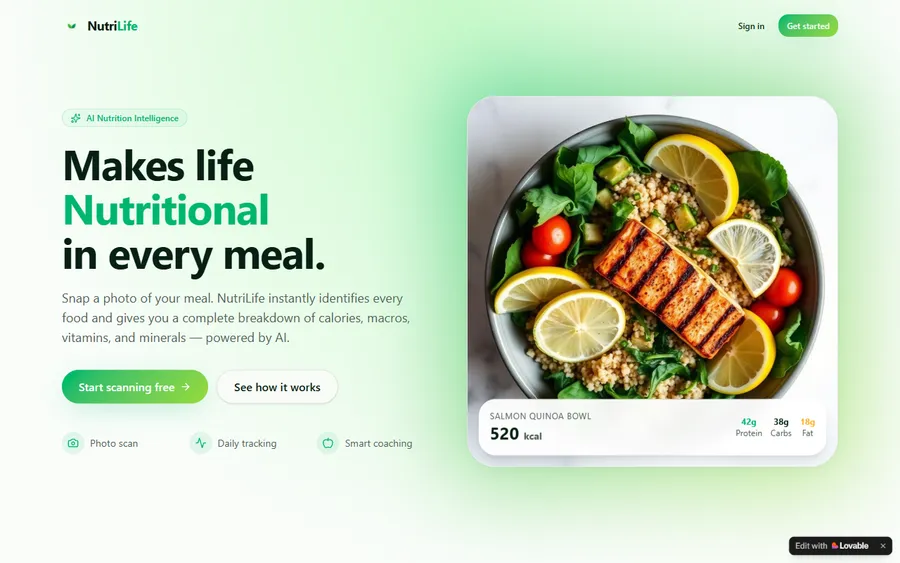
AI and ML
An AI nutrition coach that reads what you eat and works you toward a target.
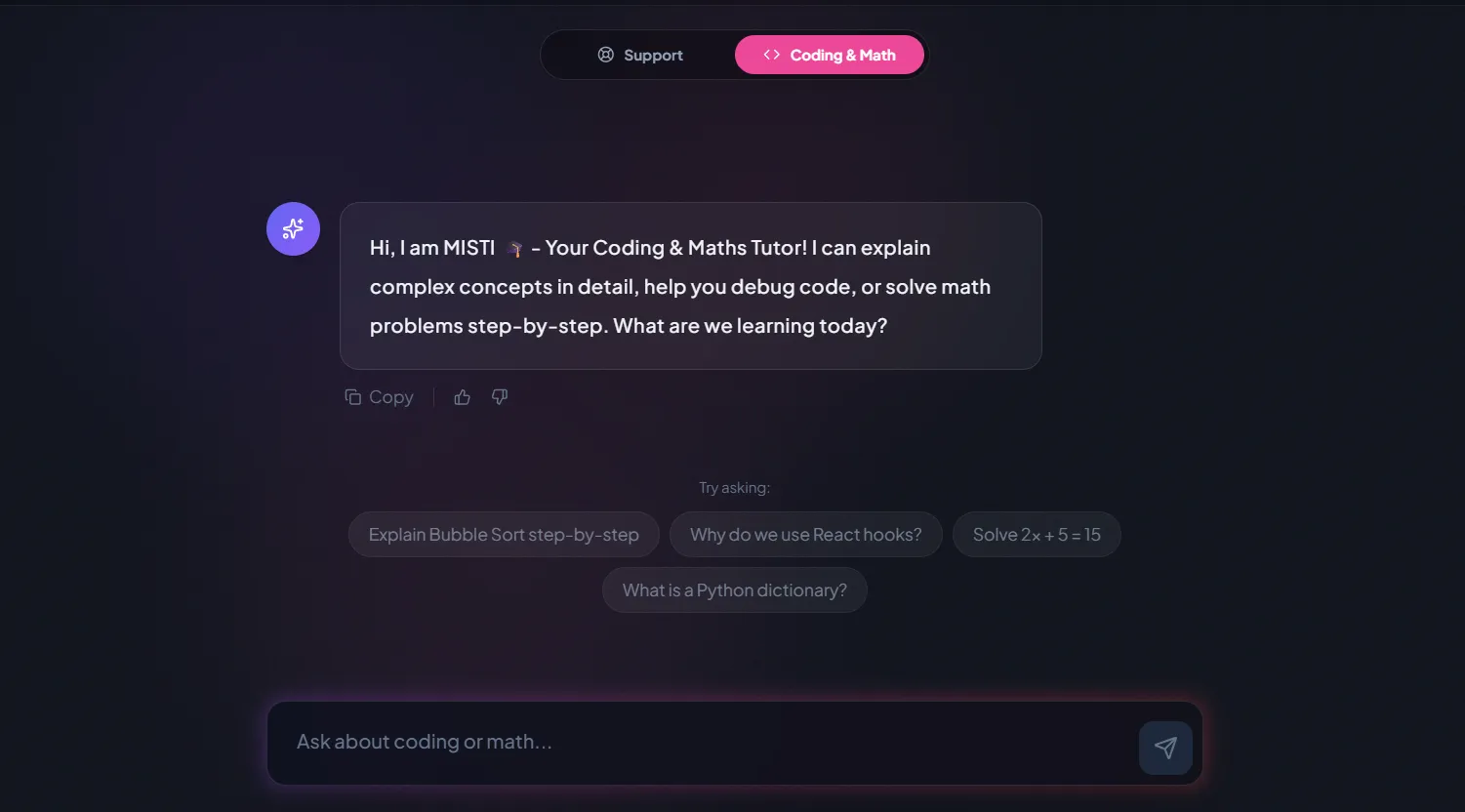
AI and ML
A chatbot that answers mathematics and programming questions, built and deployed by a student.
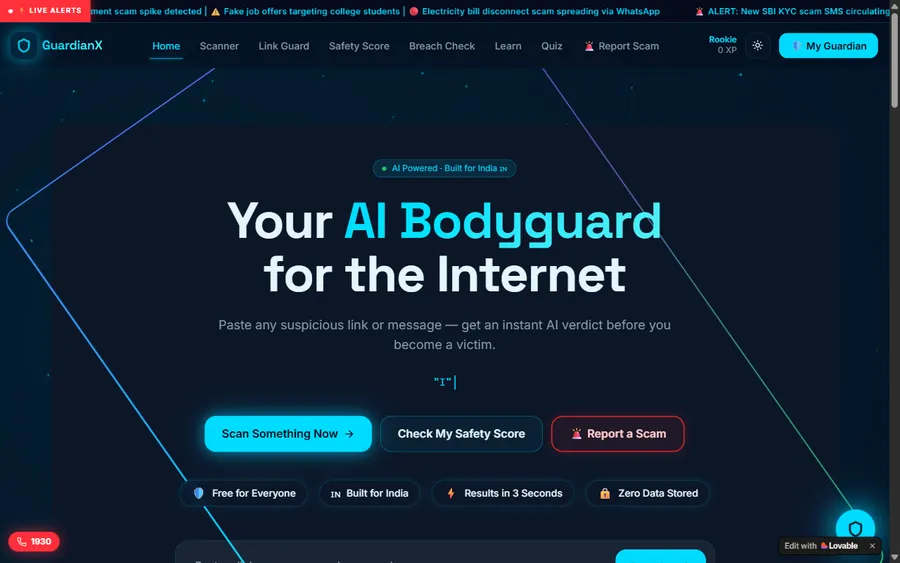
AI and ML
An assistant that helps a young person recognise unsafe situations online.
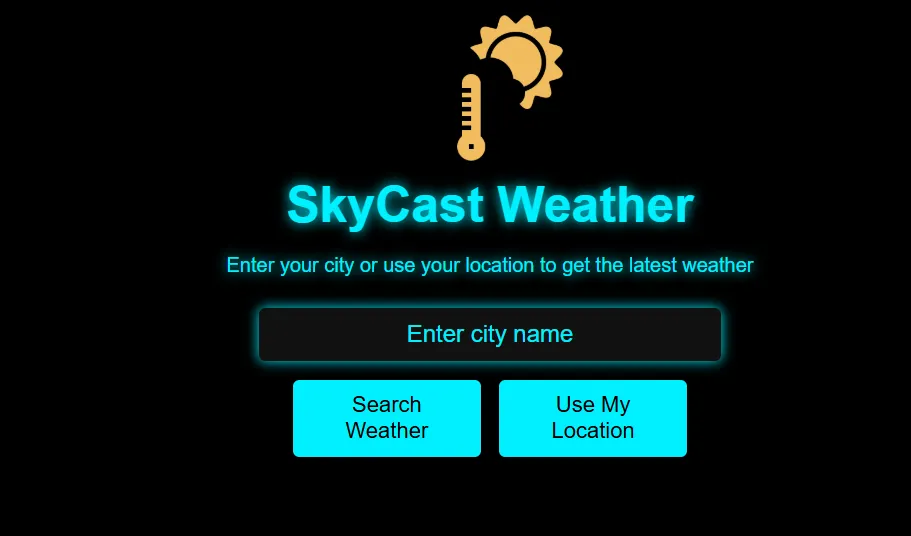
Web app
A weather forecasting site with live conditions for any location.
Fees
Courses are priced in US dollars and charged monthly to a card. Your bank sets the conversion into soles at the time of each charge, so the local amount can vary slightly.
Free first class
Free
no card required
Group batch
$100 USD
a month, eight live classes
One to one
$150 USD
a month, eight live classes
What families say
What students and parents wrote about us on Google, word for word.
★★★★★
"The one step solution for my son. Modern Age Coders make learning coding so simple that kids love it. The teachers explain complex concepts clearly with practical exercises and interactive content."
Ria Mukherjee
Parent
★★★★★
"Modern Age Coders has been a game-changer for me. I struggled to grasp IT concepts and coding before joining, but their classes transformed everything. I can now confidently write complex programs with ease."
Samriddha Mondal
Student
★★★★★
"One of the most wonderful education centres out there. Education is not limited to school syllabus but focuses on skill development."
Vansh Agarwal
Student
★★★★★
"My child Dhairya is really enjoying the Modern Age Coders classes. This is his first online class and he eagerly looks forward to it. I can already see his improvement, and the teachers are very cooperative."
Sonam Oswal
Parent of Dhairya
★★★★★
"Modern Age Coders have wonderful teachers who teach in a clear, easy and practical way. The teacher boosts students' confidence and inspires them to learn without hesitation."
Sonu Goyal
Parent
★★★★★
"I highly recommend this computer coding class! The teachers are incredibly knowledgeable and passionate about coding."
Ritu Kedia
Parent
Professionals ask
No. All classes are live, online and taught only in English. Mentors speak clearly, adjust to your pace and accent, and show everything on a shared screen. For many professionals the English practice is a second benefit; there are Spanish-language pages about the courses, but the teaching is always in English.
No. Our AI tools and Python automation courses start from zero. If you already use spreadsheet formulas, you already think in steps and conditions, which is most of what a first script needs.
An AI tool answers when you ask. An AI agent takes a goal, decides its own next steps, uses other software such as email or a spreadsheet, and keeps going until it finishes or is stopped. Agents save more time and need more care, so we teach approvals and checks with them.
Any day, any time, flexible: choose a batch, or for a very personalised plan choose 1-on-1 at the hour that suits your family. India stays 10 hours 30 minutes ahead of Peru all year, so 07:00 in Lima is 17:30 in India and 21:00 in Lima is 07:30 the next morning there.
Only with the confidential details removed, and only within your employer's rules. We teach professionals not to put client, personal or confidential data into any AI tool their organisation has not approved. Your employer's policy always comes first.
Tools you can use at work: ChatGPT and Claude for writing and analysis, Python libraries for automation, and agent platforms such as Microsoft Copilot Studio, Google Gemini Enterprise, Codex and Claude Code. The Copilot Studio and Gemini courses are taught one to one.
We make no promise of jobs or pay. We teach skills that are useful in many roles and help you show them: a working tool, a checked analysis, an agent with clear rules. What you do with them is up to you and your employer.
Yes, our own certificate of completion. It is not a Peruvian qualification, and we are not connected with any Peruvian university, institute or ministry. Employers generally care more about what you can show them than about the certificate.
No. Many of our adult students start in mid-career or later. One-to-one classes let you set the pace, and the first goal is always something useful in your own work within a few weeks.
By card, monthly, in US dollars. The conversion into soles is done by your bank at its rate, so amounts can move slightly. The first class is free and booking it needs no card.
Read next
Pages that help you decide what to learn first.
One live class from start to finish.
Why we teach the reasoning first.
Projects our students have built.
Every syllabus in one place.
All our pages for learners in Peru.
Classes in English for Lima, every age.
Part of the guide: Every Peru page
More guides: Coding and AI classes in Peru · En español: clases de programación en inglés · Start here: English-medium coding in Lima · Subjects and courses: AI agents course · Exams, olympiads and school holidays: IB computer science tutor · Guides to choosing: An English-taught option to Crack The Code · Regions of Peru: Amazonas region · Cities: Arequipa: coding for every age · Lima and Callao districts: Programación para niños en Ancón
Start here
Bring one task from your work. In the free class a mentor works through it with you, sees where AI or a short script would help, and gauges your starting point and your English. Then you get a plan: which course, one to one or group, and hours that suit your week.
Want to read more first? How we teach describes a class, and the course list has every syllabus.
WhatsApp us · +91 91233 66161 · connect@modernagecoders.com
Classes are live video lessons taught from India, in English. For a quick reply, message us on WhatsApp in English.
A priority demo is a full class of about 45 to 60 minutes. After the class the mentor sends a written skill report and a personal learning roadmap on WhatsApp. If you enrol, the demo fee is adjusted against your first month's fee. Share your demo Order ID with us on WhatsApp and we take it off.
Book a priority demo