SCK / START / 01
Reasoning for young thinkers
Patterns and puzzles that prepare small children for code.
Open the syllabusPeru · Ages 6 to 12 · Scratch, live in English
Scratch looks like a toy: a cat, some coloured blocks, a white stage. Underneath, every block is a small piece of real computing, and a good teacher can show a child the maths and logic hiding inside it. This page is for families in Peru choosing Scratch for a child of 6 to 12. It explains what Scratch is, what a block actually does, how a six year old and a ten year old use it differently, and how to tell when a child is ready to move on.
Live classes since 2020 · 4.9 from about 547 Google reviews · children build, test and explain every project
Scratch in one paragraph
Modern Age Coders teaches Scratch to kids in Peru aged 6 to 12 in live online classes, in English. Scratch is a free block-based coding tool from the Scratch Foundation; children snap blocks together to make characters move, talk, score points and react to keys, with no typing needed. A mentor based in India watches the child's screen, asks them to predict what each script will do and helps them find their own mistakes. Families pick a group of fifteen to twenty children of the same age or one-to-one lessons, at any hour on Peru time, and the first class is free.
Starting points
Choose by age and ambition. The free first class shows which one fits.
SCK / 01
Ages 6 to 12, three to four months. Motion, events, loops, variables and a finished game, grouped by age so a six year old never shares a class with a twelve year old.
Open the syllabus →
SCK / 02
Ages 6 to 12, across a school year. Starts in Scratch and carries on into apps, game worlds and a first taste of Python.
Open the syllabus →
SCK / 03
Ages 8 to 12. Scratch games plus a careful, age-appropriate look at how AI tools help and where they go wrong, always after the child has done the thinking.
Open the syllabus →What Scratch is
Scratch is a free coding tool in which children build programs from blocks instead of typed text. It is one of the most widely used first languages in the world, and for good reason.
According to the Scratch Foundation, Scratch "was developed at the MIT Media Lab in 2007", and in 2019 it moved from MIT to the Scratch Foundation, "an independent nonprofit". The Foundation says "200 million kids create on Scratch for free" and that children have "created over a billion Scratch projects".
"Scratch is free for everyone," the Foundation writes. It runs in a web browser, and an offline editor can be downloaded for computers without a steady connection. A family pays nothing for Scratch itself; what a class adds is a teacher.
A block cannot be misspelt. A six year old who cannot yet type "repeat" correctly can still drag a repeat block and see what it does. Blocks only fit together in ways that make sense, so children spend their effort on the idea rather than on punctuation.
That does not make Scratch shallow. Variables, loops, conditions, events, messages between characters and even simple physics all appear in Scratch. The limit is the teaching, not the tool, which is why the next section looks inside a block.
Inside a block
Scratch is open source, so anyone can read the code that runs each block. We did, and the answers are useful for parents and children alike.
| Question | Answer in the code | What it means for a child |
|---|---|---|
| How big is the stage? | 480 wide, 360 high | x runs from -240 to 240 and y from -180 to 180, with 0, 0 in the middle |
| How often does Scratch update the screen? | The editor turns on compatibility mode, which steps 1000 / 30 milliseconds apart | About 30 updates every second; a script inside a forever loop moves once per update |
| What does "move 10 steps" calculate? | x changes by steps times cos(90 minus direction); y by steps times sin(90 minus direction) | Direction 90 is right, 0 is up; diagonal moves share the 10 steps between x and y |
| Does "pick random 1 to 10" include 10? | Yes: with whole numbers both ends can come up | A dice game with 1 to 6 really can roll a 6 |
| And "pick random 1 to 10.5"? | A decimal in either box gives decimal answers | Typing 1.0 instead of 1 changes the kind of answer you get |
Source: the Scratch Foundation's open source repositories on GitHub (scratch-vm: runtime.js, scratch3_motion.js, scratch3_operators.js; scratch-gui: layout-constants.js and vm-manager-hoc.jsx), develop branch, read on 9 November 2026. The plain-language readings in the last column are ours.
None of this needs to be taught to a six year old. But the third row is a piece of real trigonometry, and children of ten or eleven are perfectly able to discover it for themselves if a teacher sets up the right experiment. That is the lesson below.
A lesson for ages 10 to 12
By asking questions the child can test. In this lesson a sprite moves 10 steps in different directions and the child writes down how far it travels along x and along y each time.
The child sets a direction, clicks "move 10 steps" once, and reads the change in x and y from the sprite's information panel. Direction 90: x goes up by 10. Direction 0: y goes up by 10. So far, nothing surprising.
Then the mentor asks for a prediction: "At direction 45, halfway between, how far will it move along x?" Most children say 5, or 10. Scratch says about 7.07, and the same along y.
The sprite still travels 10 steps, but along a slant. Seven and a bit across and seven and a bit up make a right-angled triangle whose long side is 10. Children who have met squares can check it: 7.07 times 7.07 is about 50, and 50 plus 50 is 100, which is 10 times 10.
Scratch's own code does this with cosine and sine of 90 minus the direction. We rebuild it in a few lines of Python so the child can print a whole table of directions at once.
import math


def move(steps, direction):
    radians = math.radians(90 - direction)
    dx = round(steps * math.cos(radians), 2) + 0.0
    dy = round(steps * math.sin(radians), 2) + 0.0
    return dx, dy


for direction in (90, 0, 45, 30, 180, -90):
    dx, dy = move(10, direction)
print(f"move 10 steps, direction {direction:>3}: x {dx:+.2f}, y {dy:+.2f}")move 10 steps, direction 90: x +10.00, y +0.00 move 10 steps, direction 0: x +0.00, y +10.00 move 10 steps, direction 45: x +7.07, y +7.07 move 10 steps, direction 30: x +5.00, y +8.66 move 10 steps, direction 180: x +0.00, y -10.00 move 10 steps, direction -90: x -10.00, y +0.00
Exact output of our run with Python 3. Direction 30 gives 5.00 across and 8.66 up; 5 squared plus 8.66 squared is again about 100.
The rule children write in their own notebooks is short: a step at a slant is shared between x and y, and the two parts always rebuild the full step. They have just met Pythagoras and a little trigonometry, years before school asks for it, through a block they have used a hundred times.
Next question: how fast is "move 5 steps" inside a forever loop? The block does not know about seconds. But the Scratch editor updates about 30 times a second, so 5 steps per update means about 150 steps per second.
The stage is 480 steps wide. Children predict how long a sprite takes to cross it at 2, 5 and 10 steps per update, then run the calculation.
A child who knows that speed is steps per frame times frames per second can design a game on purpose: a slow enemy that takes eight seconds to cross the screen, a fast one that takes under two.
It also explains a common puzzle: the same project can feel slower on an old computer that cannot keep up 30 updates a second. The steps did not change; the frames did.
FRAMES_PER_SECOND = 30
STAGE_WIDTH = 480
for steps in (2, 5, 10):
    frames = STAGE_WIDTH / steps
    print(f"{steps:>2} steps a frame: {frames:.0f} frames, "
f"{frames / FRAMES_PER_SECOND:.1f} seconds to cross")2 steps a frame: 240 frames, 8.0 seconds to cross 5 steps a frame: 96 frames, 3.2 seconds to cross 10 steps a frame: 48 frames, 1.6 seconds to cross
Exact output of our run. Doubling the steps per frame halves the time to cross, which children then check with a stopwatch in Scratch.
Six and ten
Both, used very differently. Peruvian primaria lasts six years, and by MINEDU's normative-age table a child of 6 is in 1st grade and a child of 10 in 5th grade. A good Scratch class changes shape across those years.
Young children make a character walk, speak and change costume. The ideas are order (first this, then that), repetition and simple events such as "when this sprite is clicked". Reading is light, and the mentor names each block aloud.
Projects are short: an animated birthday card, a dancing cat, a talking animal. The aim is confidence and a child who says, in simple English, what their program does.
Older children build games with scores, lives, levels and timers. They use variables, conditions that combine two tests, messages between sprites and lists. The lesson above, on direction and speed, belongs here.
Projects are planned before they are built, and the child is asked to test edge cases: what happens at zero lives, at the edge of the stage, when two keys are pressed together.
Families with a younger child can read our Spanish-language page on coding at 6, in 1st grade of primaria, and for the middle years, the page on coding at 8, in 3rd grade. Both describe the same English-taught classes from a parent's point of view.
Remix or copy
It can be, and that is the risk. Scratch invites children to remix other people's projects; the Foundation's own page says "Don't want to "start from Scratch"? Try remixing". Remixing is a fine way to learn when a child understands what they changed.
Before remixing, the child explains in a sentence what the original project does and which script does it. If they cannot, they are not ready to change it.
One edit at a time, with a guess first. "If I change 5 to 10, the bat will fly twice as fast." Then run it and compare.
After a remix, the child builds a similar project from an empty stage. Only then is the idea theirs.
Peru's national curriculum, the CNEB, describes creating digital objects as building them "siguiendo un proceso de mejoras sucesivas y retroalimentación", by successive improvement and feedback. That is a fair description of a good Scratch class: build, show, hear a question, improve. Our classes run alongside school; we do not replace any part of it.
At home
A laptop or desktop computer with a browser, a mouse, and a headset if possible. Scratch itself costs nothing and needs no installation, though an offline version exists.
INEI reports that 67.8% of Peruvian children aged 6 to 11 used a mobile phone in the second quarter of 2026. Phones are the screen children know best, but dragging small blocks with a finger while watching a mentor on the same screen is frustrating, so our Scratch classes use a computer.
A mouse makes a real difference for six and seven year olds, whose fingers find a trackpad hard to control. It is the cheapest upgrade a family can make for a Scratch class.
Scratch's language menu includes both English and Español Latinoamericano. In our classes children use the English menus, so the words they see on the blocks are the words the mentor says.
For a Spanish-speaking child that is part of the value: "forever", "repeat" and "if" become everyday words, heard and read in the same moment. Families who want the reasons in Spanish can read clases de programación para niños en inglés.
After Scratch
When Scratch starts getting in the way. Age matters less than signs, and most children show them somewhere between 9 and 11.
When those signs appear, our mentor suggests the move, and the first Python lessons rebuild a familiar Scratch project in typed code, just as the direction lesson above rebuilt a block. Python for kids in Peru describes that first year of typed code. Children who are still enjoying Scratch at 11 are not behind; there is plenty left to learn in it.
Peru time
Whenever suits you. Peru is on UTC minus 5 and India on UTC plus 5:30 all year, which puts India ten and a half hours ahead every day. The table only shows conversions, not a timetable.
| Peru time | India time | Often chosen for |
|---|---|---|
| 07:30 | 18:00 | An early summer-holiday start |
| 11:30 | 22:00 | A Saturday late morning |
| 15:30 | 02:00, next day | After school for younger children |
| 16:30 | 03:00, next day | After a snack and a rest |
| 19:00 | 05:30, next day | Evenings for older children |
Based on the IANA time zone database: America/Lima at UTC minus 5 with no daylight saving, Asia/Kolkata at UTC plus 5:30. We worked out the conversions.
Because neither clock changes during the year, a class booked for 15:30 in Cusco stays at 15:30 in winter and summer. For help judging any live class for a young child, see online coding classes for kids in Peru; all our Peru pages are gathered on the coding and AI classes in Peru hub.
Progress
Ask to see a project and hear it explained. These six stages are our own and guide each child's next step.
| Stage | Typical age | Builds | Explains |
|---|---|---|---|
| 1. Story | 6 to 7 | A character that moves and speaks in order | "First it says hello, then it walks." |
| 2. Repeat | 7 to 8 | Animations with repeat and forever loops | "It does this ten times, then stops." |
| 3. React | 8 to 9 | Projects that respond to keys, clicks and touching | "When it touches the wall, it turns." |
| 4. Remember | 9 to 10 | Games with a score or lives in a variable | "The score goes up by one each time." |
| 5. Measure | 10 to 11 | Movement planned with direction, speed and timing | "At 45 degrees it only moves 7 across." |
| 6. Design | 11 to 12 | A planned, tested game with levels | "I tested zero lives and found a bug." |
Ask which part of the project was hardest. A child who can name it is thinking about their own work.
Stage 5 is the direction lesson. Children who reach it often start explaining maths to the rest of the family.
Before you click the green flag, say what will happen. Then watch.
If a sprite does something strange, change one block at a time until you find the one responsible.
More courses
Live, in English, with one mentor throughout, in a group or one to one.
SCK / START / 01
Patterns and puzzles that prepare small children for code.
Open the syllabusSCK / START / 02
Planning a project in steps before building it.
Open the syllabusSCK / START / 03
Number sense that helps with scores, speeds and coordinates.
Open the syllabusSCK / WORLDS / 01
Blocks that build inside Minecraft Education.
Open the syllabusSCK / WORLDS / 02
Scratch, Roblox and Minecraft in one path.
Open the syllabusSCK / WORLDS / 03
Phone-style apps built from blocks.
Open the syllabusSCK / AFTER / 01
The first typed language, with child-safe AI projects.
Open the syllabusSCK / AFTER / 02
More lessons like the direction table, in Python.
Open the syllabusSCK / AFTER / 03
A real website, written and published by the child.
Open the syllabusHow it works
Any day, any time, flexible: choose a batch, or for a very personalised plan choose 1-on-1 at the hour that suits your family.
School weeks
Mid to late afternoon in Peru is the usual choice for primaria children.
January to March
Mornings in the long summer break suit many families; say the hour and we arrange it.
Private lessons
A single child and a mentor, on a schedule set by the family.
The mentor sees the child's Scratch screen all lesson.
The same mentor each week, who knows every project so far.
Spoken English backed up by the words on each block.
A working project, however small, at the end of every class.
Two or three lines for parents after each class.
Fifteen to twenty children, or one to one.
Student work
Many of our older students began with Scratch and now build apps, websites and AI projects. Some are below; the student labs page shows more.
AI and ML
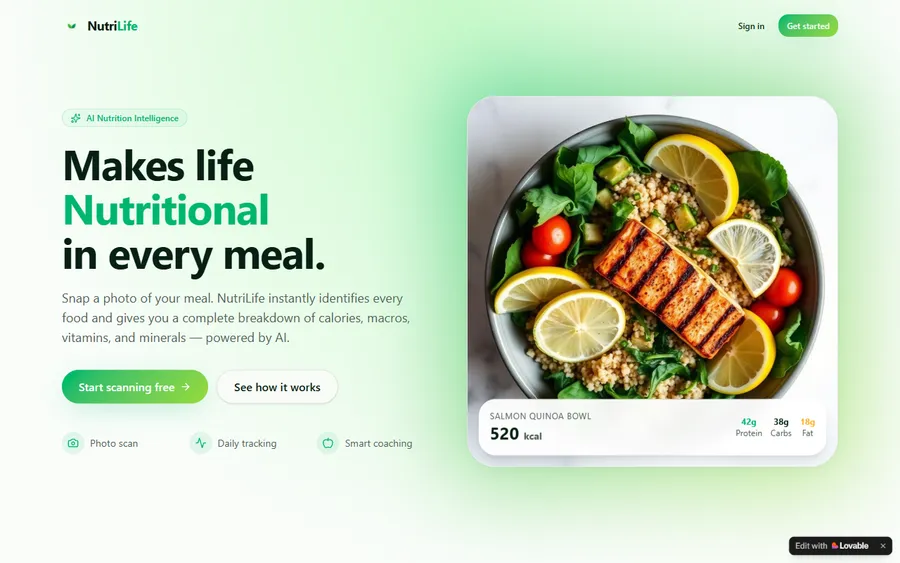
An AI nutrition coach that reads what you eat and works you toward a target.
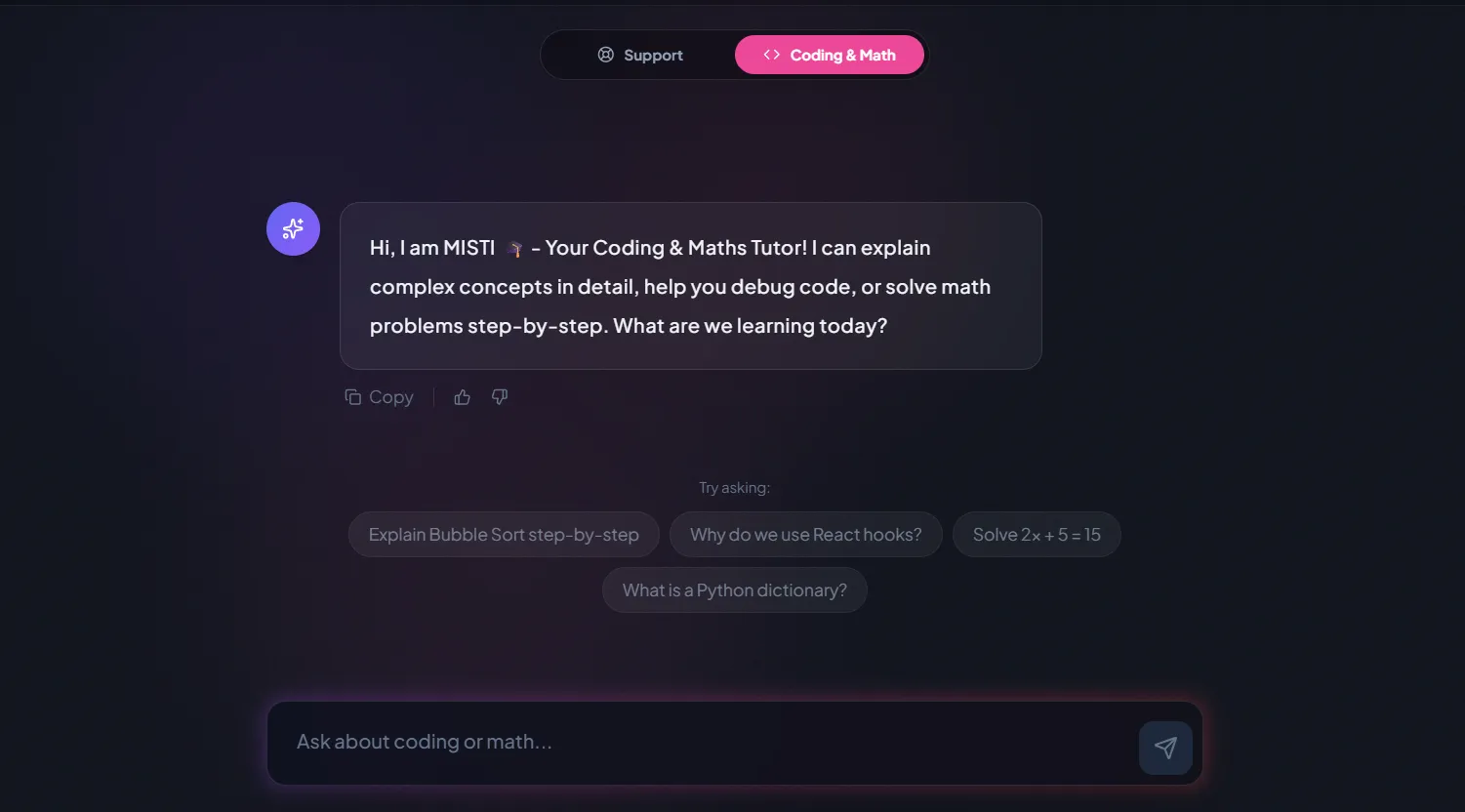
AI and ML
A chatbot that answers mathematics and programming questions, built and deployed by a student.
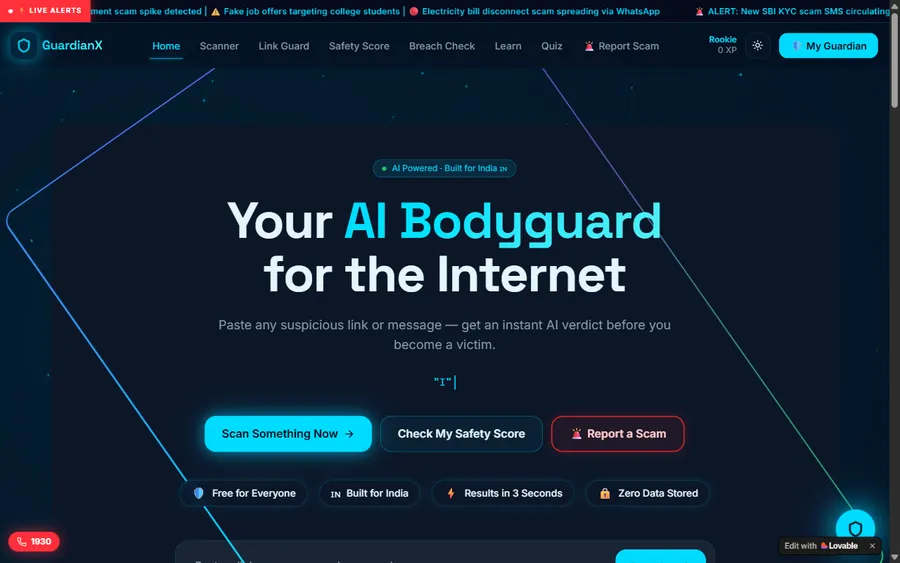
AI and ML
An assistant that helps a young person recognise unsafe situations online.
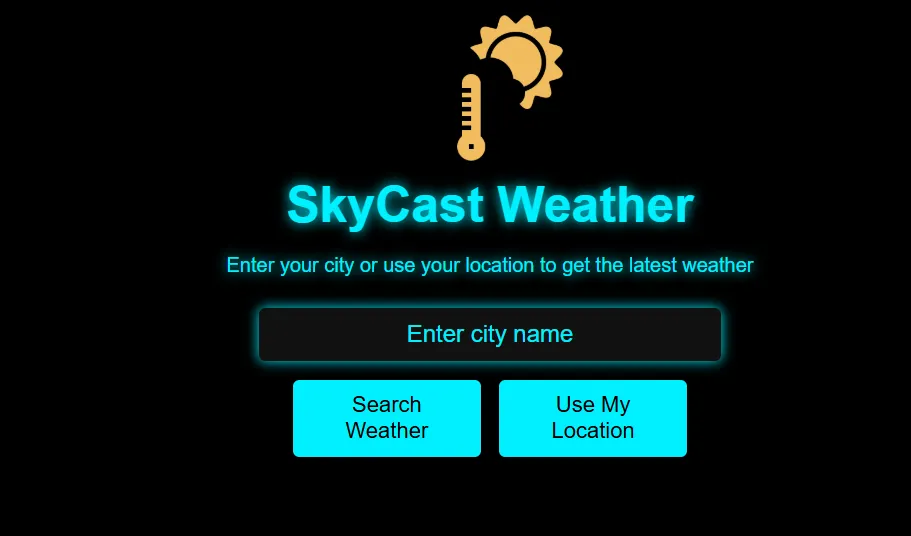
Web app
A weather forecasting site with live conditions for any location.
Fees
We bill in US dollars, monthly, to a card. Your bank chooses the soles exchange rate when the charge arrives, which is why the amount you see can shift slightly between months.
Free first class
Free
no card required
Group batch
$100 USD
a month, eight live classes
One to one
$150 USD
a month, eight live classes
What families say
From parents and students on Google, unchanged.
★★★★★
"The one step solution for my son. Modern Age Coders make learning coding so simple that kids love it. The teachers explain complex concepts clearly with practical exercises and interactive content."
Ria Mukherjee
Parent
★★★★★
"Modern Age Coders has been a game-changer for me. I struggled to grasp IT concepts and coding before joining, but their classes transformed everything. I can now confidently write complex programs with ease."
Samriddha Mondal
Student
★★★★★
"One of the most wonderful education centres out there. Education is not limited to school syllabus but focuses on skill development."
Vansh Agarwal
Student
★★★★★
"My child Dhairya is really enjoying the Modern Age Coders classes. This is his first online class and he eagerly looks forward to it. I can already see his improvement, and the teachers are very cooperative."
Sonam Oswal
Parent of Dhairya
★★★★★
"Modern Age Coders have wonderful teachers who teach in a clear, easy and practical way. The teacher boosts students' confidence and inspires them to learn without hesitation."
Sonu Goyal
Parent
★★★★★
"I highly recommend this computer coding class! The teachers are incredibly knowledgeable and passionate about coding."
Ritu Kedia
Parent
Parents in Peru ask
No. Every Scratch class is live, online and in English only. The mentor speaks plainly and patiently, follows your child's pace and accent, and points to each block while saying its name, so a child still learning English can keep up. Some of our Peru pages are in Spanish for parents, but the lessons are always in English.
Our Scratch course takes children from 6 to 12, grouped by age. Six and seven year olds make stories and animations; ten to twelve year olds build games with scores, timers and planned movement. In Peru that spans 1st to 6th grade of primaria.
Yes. The Scratch Foundation says Scratch is free for everyone, and it runs in a web browser, with an offline editor available to download. Our classes charge for live teaching by a mentor, not for Scratch.
Not in our classes. Scratch needs a laptop or desktop with a mouse to drag blocks accurately, and the screen must show both the project and the mentor. A headset with a microphone helps a lot.
Yes. Loops, conditions, variables, events and lists are real programming ideas, and Scratch's own code turns a single "move" block into trigonometry. Children who learn Scratch well find Python easier because the thinking is already in place.
Any day, any time, flexible: choose a batch, or for a very personalised plan choose 1-on-1 at the hour that suits your family. India is ten and a half hours ahead of Peru all year, so 15:30 in Peru is 02:00 the next day for the mentor.
A group of fifteen to twenty of the same age suits a child who likes sharing their work. One to one suits a six year old who needs more help with the mouse and the English, a shy child, or one far ahead of their age group. You can change format later.
When long scripts become hard to manage, when they read and type comfortably in English, and when they predict what a script will do most of the time. That is usually between 9 and 11, but the signs matter more than the age.
Only after explaining what the original does, and then changing one thing at a time with a prediction first. Every remix is followed by a similar project built from an empty stage, so the idea becomes the child's own.
No. Modern Age Coders is an independent online school, not part of the Scratch Foundation, MINEDU or any Peruvian school. We award no Peruvian grades; finishing children receive a completion certificate from us.
Read next
Pages for the next question.
Our main Scratch course page.
Common Scratch problems and quick fixes.
What comes after Scratch for many children.
The youngest age each AI tool allows.
Why we ask children to predict.
One class described from start to end.
Part of the guide: Every Peru page
More guides: Coding and AI classes in Peru · En español: clases de programación en inglés · Start here: English-medium coding in Lima · By age and stage: AI and coding for professionals · Exams, olympiads and school holidays: IB computer science tutor · Guides to choosing: An English-taught option to Crack The Code · Regions of Peru: Amazonas region · Cities: Arequipa: coding for every age · Lima and Callao districts: Programación para niños en Ancón
Start here
During the trial your child opens Scratch with a mentor and makes a sprite move, turn and say something, then changes it on their own. The mentor sees how your child thinks and how much English they catch, and suggests a course, a format and a time that suit your week.
Would you rather read more first? The Scratch course page sets out each week, and how we teach follows one lesson through.
WhatsApp us · +91 91233 66161 · connect@modernagecoders.com
Our mentors teach from India by live video, in English only. For a fast answer, write to us on WhatsApp in English.
A priority demo is a full class of about 45 to 60 minutes. After the class the mentor sends a written skill report and a personal learning roadmap on WhatsApp. If you enrol, the demo fee is adjusted against your first month's fee. Share your demo Order ID with us on WhatsApp and we take it off.
Book a priority demo