SKI / THINK / 01
Reasoning for young thinkers
Patterns and logic for 6 to 9, a good partner to Scratch.
Open the syllabusGermany · Scratch for children · Ages 6 to 12
Scratch is where most children first make a computer do what they want: a cat that walks, a game that keeps score, a story with a twist. It is free, it runs in a browser, and its blocks fit together like puzzle pieces. This page explains what Scratch is, what age suits it and its little sibling ScratchJr, how a child in Germany learns it with us in English, how safe it is, and a project that builds a real German traffic light, Rot und Gelb included.
Teaching children live since 2020 · 10,000+ students worldwide · games your child builds, not watches
In a few lines
Scratch classes for kids in Germany at Modern Age Coders are live online lessons in English for children aged 6 to 12, using Scratch, the free block-based language first built at the MIT Media Lab. In our Scratch Coding for Kids course a child goes from a first moving sprite to finished games in about three months, with one mentor who adapts to their speed and accent, in a class of fifteen to twenty or one to one, at German afternoon or weekend times.
Scratch courses
A short Scratch course, a long one that continues beyond it, and a games course that starts in Scratch and moves to Roblox and Minecraft.
SKI / 01
About three months for complete beginners. The quickest way to find out whether your child loves building things on a screen.
Open the syllabus →
SKI / 02
Starts in Scratch, then adds apps and first AI ideas, for children from 6 who want to keep going.
Open the syllabus →
SKI / 03
Scratch games first, then Roblox and Minecraft, for children of about 8 to 12 who mainly want to make games.
Open the syllabus →What Scratch is
Yes, it is free, and has been since the beginning. The facts below come from the Scratch Foundation, the nonprofit that runs it.
| Fact | What the Foundation says |
|---|---|
| Cost | "Scratch is free for everyone." |
| Where it began | Developed at the MIT Media Lab in 2007, by a team led by Professor Mitchel Resnick |
| Who runs it now | Since 2019 the Scratch Foundation, an independent nonprofit |
| How it works | Blocks children "drag and snap together: no tricky syntax required" |
| Projects | "1+ Billion Scratch projects created" |
| New users | "1.8 Million new monthly registrations" |
| Reach | "used by over 150 million young people in every country" |
| Languages | "80 languages" |
Sources: Scratch Foundation, About page (scratch.mit.edu/about) and Impact page (scratchfoundation.org/impact), read on 3 November 2026. The figures are the Foundation's own and we have not checked them independently.
In Scratch a program is a stack of coloured blocks. A block that does not fit simply does not snap on, so a child cannot make the spelling mistakes that stop beginners in typed languages.
Everything happens on the stage at once: press the green flag and the sprite moves. That instant result keeps a seven year old going far longer than any worksheet.
Under the bright colours are the same ideas as in any language: sequences, loops, conditions, variables, events and messages between parts of a program.
A child who builds a game with a score, a timer and two levels in Scratch has used most of what a first Python course teaches. Only the typing is new.
Which age
Scratch suits most children from about 7 or 8, and younger ones with help. Its little sibling, ScratchJr, is aimed at the youngest.
ScratchJr describes itself as a tool with which "young children (ages 5-7) can program their own interactive stories and games". It uses picture blocks and needs almost no reading.
Six and seven year olds can use full Scratch in short, guided lessons. We keep to a few blocks, lots of movement and sound, and stories rather than scores.
From about 8 most children read the blocks themselves and start planning their own games. By 10 or 11 many are ready to try typed Python next.
In most of Germany, Grundschule runs from grade 1 to grade 4, and to grade 6 in Berlin and Brandenburg, according to the KMK. Scratch fits that whole span. It is also good preparation for the first school Informatik, which the Informatik-Monitor 2026/27 shows arriving in grades 5 and 6 in Nordrhein-Westfalen, and for the free Informatik-Biber, which is open from grade 3 and needs no prior knowledge. In 2026 the Biberwochen run from 9 to 20 November, and primary pupils get nine puzzles in 30 minutes.
Taught in English
Yes. Scratch is the same program in every language; only the words on the blocks change.
The Scratch Foundation lists Scratch in 80 languages, and the language can be changed from the editor's menu at any moment. The blocks keep their colours and shapes, so a child who knows where the orange "wait" block lives finds it again in any language.
In our lessons the editor is set to English, and the mentor names each block in English as it is used.
Our mentors are based in India and every class is in English; we do not teach in German. They speak slowly, point at the screen as they talk, and use the same short phrases each week, so that "when green flag clicked" and "forever" become familiar quickly.
Children at bilingual or international schools find this natural. Children at a German Grundschule usually enjoy the extra English, because it is about their own game.
A German project
Yes, and it teaches one of the most useful ideas in programming: a program that remembers which state it is in. German traffic lights make it interesting, because they have a phase many children have never noticed.
The Straßenverkehrs-Ordnung, paragraph 37, sets the colour order of a German traffic light: green, yellow, red, then "Rot und Gelb (gleichzeitig)", red and yellow together, then green again. It even fixes the layout: "Rot ist oben, Gelb in der Mitte und Grün unten", red at the top, yellow in the middle, green at the bottom.
So a German Ampel has four states, not three. That red-and-yellow phase is the one we ask children to find on their way to school.
One sprite with four costumes, one per state. A second sprite is the pedestrians' button, and a third is the little walking figure. The timings in seconds are ours, invented for the lesson, and much shorter than a real crossing.
First the children build the light as a simple loop. Then they discover that a loop cannot listen for the button, and rebuild it as a state machine.
| State | Lamps lit | Seconds | What moves it on |
|---|---|---|---|
| green | Green (bottom) | until pressed, then 3 | The button is pressed |
| yellow | Yellow (middle) | 2 | Time runs out |
| red | Red (top) | 8 | Time runs out; the walk light shows for 7 |
| red and yellow | Red and yellow together | 1 | Time runs out, back to green |
when green flag clicked
forever
    switch costume to [green v]
    wait (6) seconds
    switch costume to [yellow v]
    wait (2) seconds
    switch costume to [red v]
    wait (8) seconds
    switch costume to [red and yellow v]
    wait (1) seconds
end
Our script. It cycles correctly through all four German phases, but nothing can interrupt it, so the button has nothing to talk to.
Version 1 looks right, and children are proud of it. Then we add the button and ask: how does the light know someone pressed it? The loop is always busy waiting. The fix is to give the program a memory, a variable called phase, and to write down, for each phase, what the light shows and what makes it move on. That table above is the program before it is code.
// Ampel sprite
when green flag clicked
set [phase v] to [green]
set [button v] to [0]
forever
    if <(phase) = [green]> then
        switch costume to [green v]
        wait until <(button) = [1]>
        wait (3) seconds
        set [phase v] to [yellow]
    end
    if <(phase) = [yellow]> then
        switch costume to [yellow v]
        wait (2) seconds
        set [phase v] to [red]
    end
    if <(phase) = [red]> then
        switch costume to [red v]
        broadcast [walk v]
        wait (8) seconds
        set [button v] to [0]
        set [phase v] to [red and yellow]
    end
    if <(phase) = [red and yellow]> then
        switch costume to [red and yellow v]
        wait (1) seconds
        set [phase v] to [green]
    end
end

// Button sprite
when this sprite clicked
set [button v] to [1]
say [Signal kommt] for (2) seconds

// Walk light sprite
when I receive [walk v]
switch costume to [walking v]
wait (7) seconds
switch costume to [standing v]
Our scripts for three sprites. The light now rests on green until button is 1, then runs yellow, red and red-and-yellow. The walk light shows for 7 of the 8 red seconds, so the pedestrians are never still walking when the red-and-yellow phase begins.
The single second of difference between 7 and 8 is the real lesson for older children. Change the walk light to 9 seconds and run it: the figure is still walking while the cars' light already shows red and yellow. Nothing crashes and Scratch shows no error, yet the program is wrong. Finding mistakes like that, where every block works and the design does not, is what separates building from copying.
button variable. Make the light wait on green until the button is pressed.Safety
Scratch is one of the more carefully run places online for children, and in our classes a child does not need a public account at all.
The Scratch Foundation describes its sharing site as a "safe, moderated online community" with a team of moderators. Sharing projects there is optional, and parents decide.
On its page about AI, the Foundation says that "right now, we are not training any AI models on Scratchers' data", and that what it collects is used in aggregate, not to identify children.
Children can build every project in our course without a Scratch account. If a family wants to save and share online, a parent sets the account up; mentors never ask children for personal details.
| Germany | Mentor, until 28 March 2027 | Mentor, after 28 March 2027 |
|---|---|---|
| Weekday 15:15 | 19:45 | 18:45 |
| Sunday 10:30 | 15:00 | 14:00 |
Germany uses MEZ (UTC+1) in winter and MESZ (UTC+2) in summer, as the Einheitenzeitgesetz sets out; the switch back happened on 25 October 2026 and the next switch forward is on 28 March 2027. India is on UTC+5:30 throughout. Two sample slots, not a timetable.
Milestones
Our own ladder. It helps the mentor pitch each lesson and helps parents see what has changed.
| Rung | Usual age | In Scratch, your child can |
|---|---|---|
| 1. Move | 6 to 7 | Make a sprite move, speak and change costume when the green flag is clicked |
| 2. Repeat | 7 to 8 | Use repeat and forever instead of stacking the same block many times |
| 3. React | 8 to 9 | Use if blocks and key presses so the game responds to the player |
| 4. Remember | 9 to 10 | Keep a score or a phase in a variable and change it on purpose |
| 5. Coordinate | 10 to 12 | Make several sprites work together with broadcast messages and states |
Rung 5 is the Ampel project. When your child can explain why the walk light must stop before the red light ends, they are thinking like a programmer.
We show progress through finished projects, never through time spent online.
Before you build, write down every state your project can be in, and what makes it change.
If there is no error but it still looks wrong, your design has a bug. Those are the most interesting ones.
After and beside Scratch
Live and in English, with one mentor throughout. Some build on Scratch, some lead on from it.
SKI / THINK / 01
Patterns and logic for 6 to 9, a good partner to Scratch.
Open the syllabusSKI / THINK / 02
Breaking big problems into small steps, on and off screen.
Open the syllabusSKI / THINK / 03
Original puzzles in the spirit of the Informatik-Biber.
Open the syllabusSKI / GAME / 01
Block code inside Minecraft, then a step towards text.
Open the syllabusSKI / GAME / 02
From Scratch ideas to real Luau scripts, 8 to 14.
Open the syllabusSKI / GAME / 03
Scratch games with first ideas about AI, 8 to 12.
Open the syllabusSKI / NEXT / 01
The natural next language, typed, from about 9.
Open the syllabusSKI / NEXT / 02
Block code that becomes a working phone app.
Open the syllabusSKI / NEXT / 03
How machines learn, taught with no chatbot account.
Open the syllabusHow lessons run
Weekdays or weekends, flexible: choose your batch, or for a very personalised plan choose 1-on-1 at your convenience, weekend mornings or weekdays.
Afternoons
After school in Germany, before the evening rush.
Sundays
A relaxed mid-morning slot that younger children like.
Solo
Private lessons at a time you and the mentor agree.
Each lesson ends with something that moves.
One person who knows your child's projects.
One new block or idea at a time.
Children present their work in simple English.
Young children learn with children their own age.
A line or two on what was built.
Student work
Many of our older students started in Scratch. A few of their later projects are below; see the student labs for more.
AI and ML
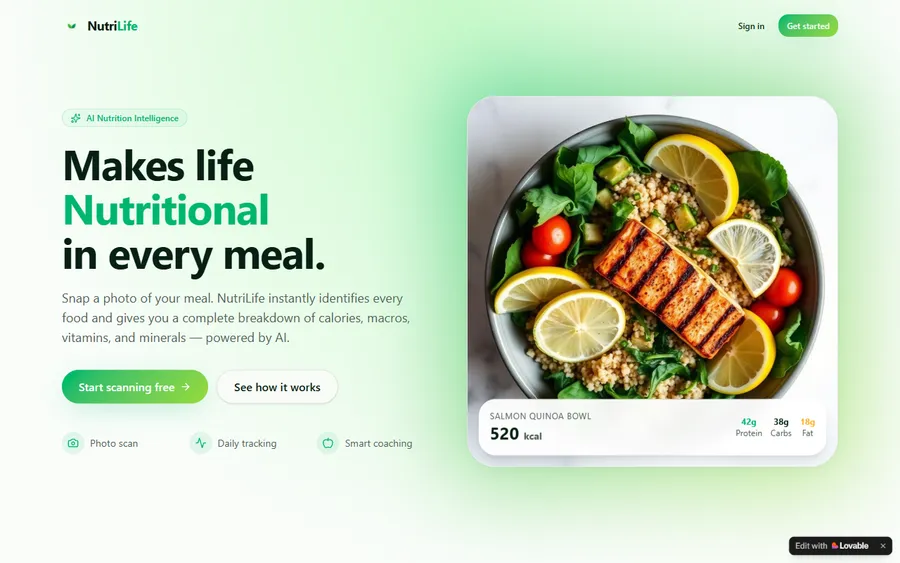
An AI nutrition coach that reads what you eat and works you toward a target.
AI and ML
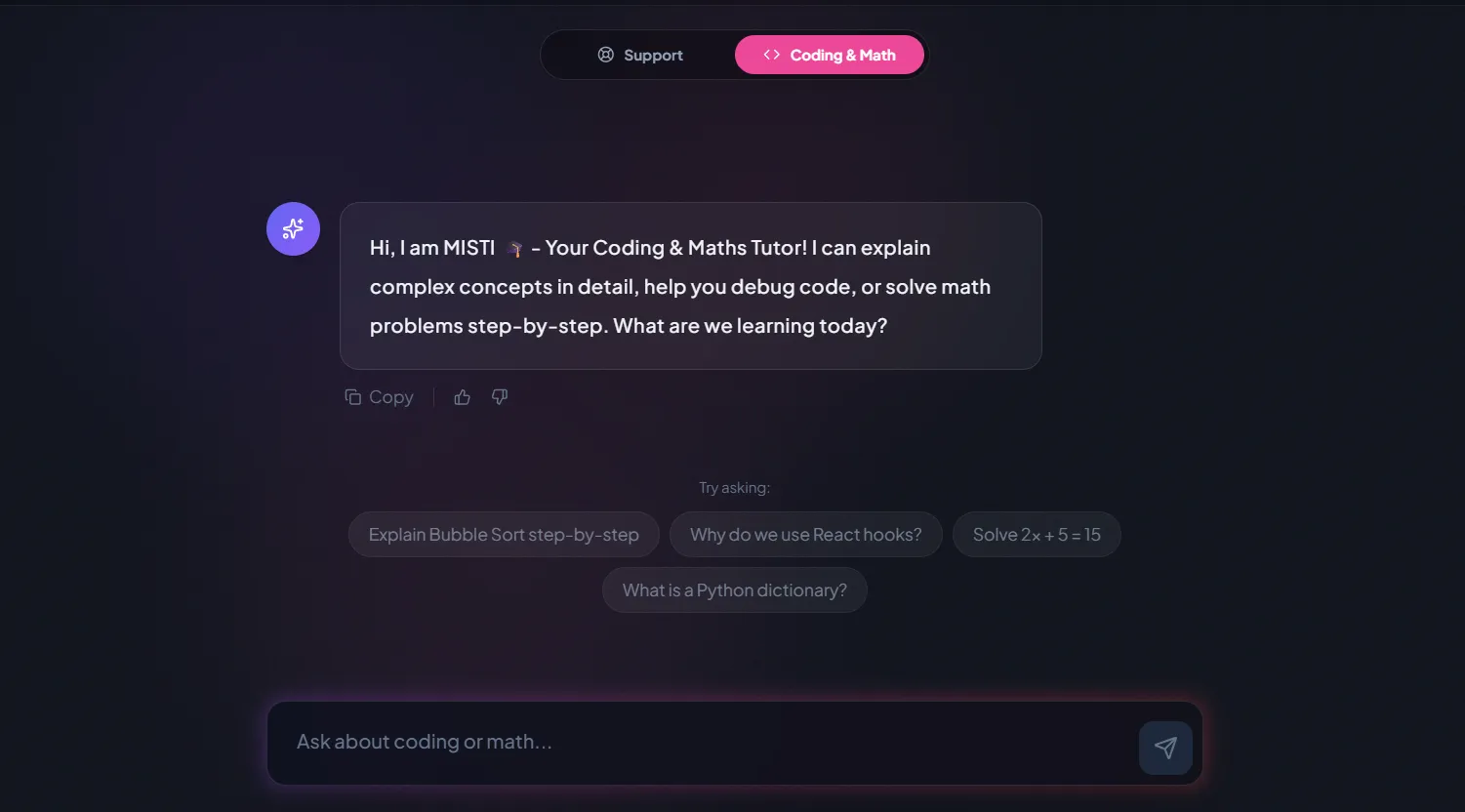
A chatbot that answers mathematics and programming questions, built and deployed by a student.
AI and ML
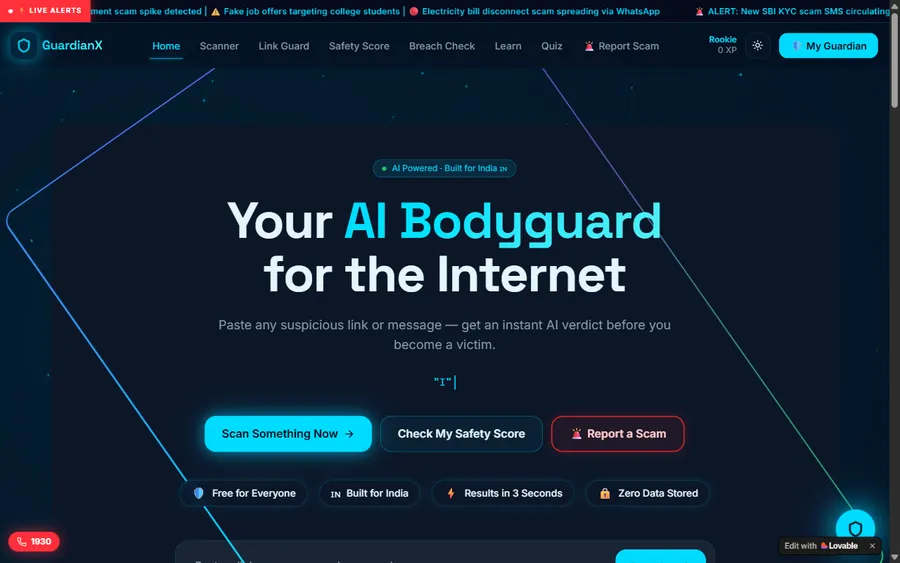
An assistant that helps a young person recognise unsafe situations online.
Web app
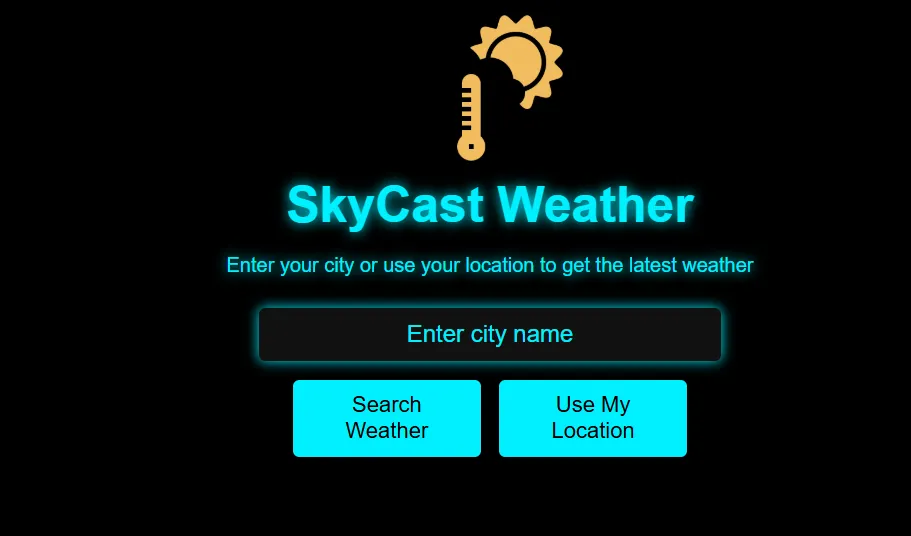
A weather forecasting site with live conditions for any location.
Fees
Eight live lessons make up each month, paid monthly. Euro prices here are converted at the European Central Bank reference rate for display; the actual charge is in US dollars, and your card issuer converts it, so a statement can show a slightly different euro figure.
Free first class
Free
no card required
Group batch
€90
a month, eight live classes, charged in US dollars
One to one
€134
a month, eight live classes, charged in US dollars
What families say
Google reviews from our families, unedited.
★★★★★
"The one step solution for my son. Modern Age Coders make learning coding so simple that kids love it. The teachers explain complex concepts clearly with practical exercises and interactive content."
Ria Mukherjee
Parent
★★★★★
"Modern Age Coders has been a game-changer for me. I struggled to grasp IT concepts and coding before joining, but their classes transformed everything. I can now confidently write complex programs with ease."
Samriddha Mondal
Student
★★★★★
"One of the most wonderful education centres out there. Education is not limited to school syllabus but focuses on skill development."
Vansh Agarwal
Student
★★★★★
"My child Dhairya is really enjoying the Modern Age Coders classes. This is his first online class and he eagerly looks forward to it. I can already see his improvement, and the teachers are very cooperative."
Sonam Oswal
Parent of Dhairya
★★★★★
"Modern Age Coders have wonderful teachers who teach in a clear, easy and practical way. The teacher boosts students' confidence and inspires them to learn without hesitation."
Sonu Goyal
Parent
★★★★★
"I highly recommend this computer coding class! The teachers are incredibly knowledgeable and passionate about coding."
Ritu Kedia
Parent
Parents ask
No. Classes are live and in English only, with mentors based in India. The Scratch editor is set to English in class, and the mentor matches your child's pace and accent, so children with a little English follow well.
Yes. The Scratch Foundation says Scratch is free for everyone. It runs in a web browser, and our course fee is for the live teaching, not for the software.
From about 6 with a mentor guiding closely, and from about 8 more independently. For 5 to 7 year olds, ScratchJr is designed for that age group, and we use its gentle style with our youngest.
Not at all. Scratch is the same program in every language and the blocks keep their colours and shapes. Switching the language takes one click, and children quickly know the blocks by both names.
No. Every project in our course can be built without one. If you want your child to save and share projects online, a parent can create the account.
Weekdays or weekends, flexible: choose your batch, or for a very personalised plan choose 1-on-1 at your convenience, weekend mornings or weekdays. A Sunday class at 10:30 in Germany is 15:00 for the mentor until 28 March 2027.
Our Scratch Coding for Kids course takes about three months from a blank screen to finished games. Children who want more continue into the longer Coding for Kids course or into Python.
Yes. Scratch uses the same ideas as typed languages: sequences, loops, conditions, variables, events and messages. The Ampel project on this page is a real state machine, a pattern used in professional software.
We show the monthly fee in euro using the European Central Bank reference rate. The payment is taken in US dollars and your card issuer converts it, so the statement amount may vary slightly. The first lesson is free.
The Scratch Foundation states that it is not training any AI models on Scratchers' data right now, and that the data it collects is used in aggregate. In our classes children do not need an account at all.
Elsewhere on this site
More reading for parents of young coders in Germany.
All our Germany pages.
School computing in every Land.
One live lesson, minute by minute.
Our general Scratch page.
The next step after Scratch.
What an eight year old can make.
Start here
In the free lesson your child makes a first sprite move and talk with the mentor, who then suggests the course and age group that fit.
You can also read how we teach first, or open the Scratch course syllabus.
WhatsApp us · +91 91233 66161 · connect@modernagecoders.com
Live online, in English, with mentors in India. Ask us anything on WhatsApp.
A priority demo is a full class of about 45 to 60 minutes. After the class the mentor sends a written skill report and a personal learning roadmap on WhatsApp. If you enrol, the demo fee is adjusted against your first month's fee. Share your demo Order ID with us on WhatsApp and we take it off.
Book a priority demo