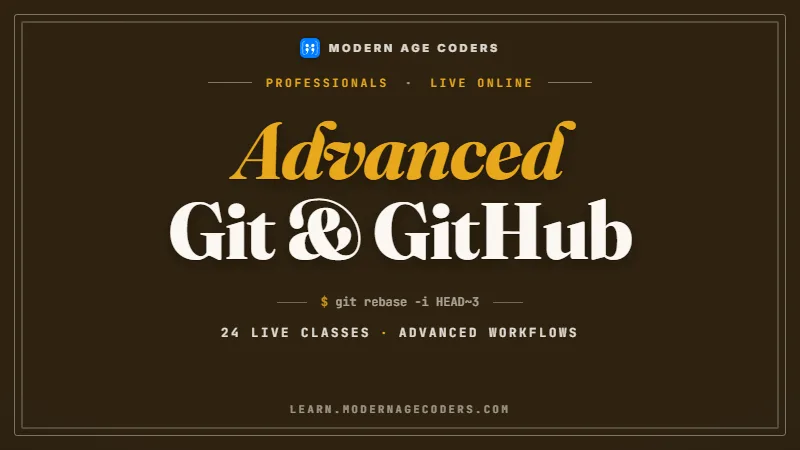
Advanced Git & GitHub Masterclass: Internals, Team Workflows, CI/CD and Security
Stop fearing Git. Build the mental model, master history surgery, and become the engineer your team calls when version control goes wrong.
Syllabus updated August 2026
Questions? WhatsApp +91 91233 66161 or email connect@modernagecoders.com
Recordings are free with a Google sign-in. These recordings show how we teach, not the exact syllabus of this course.
Fees and enrolment
How to join Advanced Git & GitHub Masterclass for Professionals
Choose how you want to pay, pick a plan and press Enrol. We then fix your class timing with you.
Rated 4.9 across 547 Google reviews. Monthly billing, cancel any time.
How enrolment works
Pick a plan
Group (15 to 20 students), Mini Batch (up to 6, India only) or 1-on-1 with your own mentor. Billing is monthly.
Press Enrol and pay
Fill in the student's name, email and phone, then pay securely: UPI, cards or net banking in India, or a debit or credit card from any other country.
Fix your class timing
After paying, WhatsApp or call +91 91233 66161 with the student's name and your preferred time. We confirm the batch or 1-on-1 slot and send the class link.
Start learning
Join your first live class at the time you chose. Your mentor takes it from there.
Want to see a class first? Book a Priority Demo: a live class of about 45 to 60 minutes with a mentor reserved for you. If you enrol, the demo fee is adjusted against your first month's fee. Share your demo Order ID with us on WhatsApp and we take it off.
Billing is monthly and you can cancel any time.
International Students (Outside India)
Billed monthly in US dollars, the same price in every country. Contact us with any questions.
Questions before you enrol? Talk to our team.
Ask about class timings, the right level for your child, what they need to know already, or payment. Parents and adult learners can reach us on WhatsApp, by email or by phone.
Our promise
The world's best learning experience, open to everyone.
- World-class instructorsEvery class is taught by an instructor who specialises in that exact field.
- No compromise on qualityEvery lesson, project and piece of feedback is held to the highest standard.
- Education for everyoneLearners aged 6 to 67, from first-time beginners to working professionals, in 25+ countries.
If you want the highest quality, Modern Age Coders is the right choice.
Book a Priority DemoHow long this course takes
This course runs 24 classes (12 weeks · 2 classes/week) at 4-5 hours/week recommended. The range allows for background and pace: a complete beginner uses the full span, and a student with prior knowledge finishes sooner. The syllabus below is planned to the shorter end, with margin kept for revision.
For personalised duration planning, call +91 91233 66161 and we'll map a schedule to your goals.
At a glance
- Who it is for
- Intermediate to advanced (working professionals; basic Git assumed or fast-tracked).
- Prerequisites
- You should already write code in some language and have touched Git (clone, add, commit, push). Rusty is fine: Classes 1-4 rebuild everything from the ground up, just at a professional pace
- Format
- Live, interactive classes with a real instructor, never pre-recorded videos. Live classes run about one hour.
- Language
- English or Hindi, depending on the batch.
- Duration
- 24 classes (12 weeks · 2 classes/week)
- Weekly commitment
- 4-5 hours/week recommended
- Class size
- Group batches of 15 to 20 students, mini batches of up to 6, or 1-on-1.
- Certificate
- Certificate from Modern Age Coders, awarded on passing the final assessment
- Watch first
- Free recordings of real classes for ages 13 and up, free with a Google sign-in. These recordings show how we teach, not the exact syllabus of this course.
- Live demo
- Optional. Enrol directly on this page, or book a Priority Demo: a full live class of about 45 to 60 minutes with a mentor reserved for you.
- Questions
- WhatsApp +91 91233 66161 or email connect@modernagecoders.com.
How we teach
Deep understanding. Real projects. Expert guidance.
Learn coding, AI and maths through careful explanations, practical demonstrations, and hands-on problem-solving. Our instructors guide you from the foundations to advanced ideas, helping you understand what happens, why it happens, and how to build it yourself.
You will explore concepts step by step, write and improve code, investigate mistakes, ask questions, and apply your knowledge to meaningful projects. Lessons are designed around active participation, thoughtful feedback, and growing independence.
Expert-led live teaching, with practical participation built into every lesson.
- Students explain their thinking.
- Instructors demonstrate, then guide practice.
- Learners code, solve, or build during lessons.
- Questions and misconceptions get attention.
- Assignments receive useful feedback.
- Progress is checked before advancing.
Program Overview
Most working developers rely on the same handful of Git commands and quietly avoid everything else: rebase feels risky, reflog is a mystery, and a leaked secret in history triggers panic. This masterclass fixes that permanently, the way professionals need it fixed: from the inside out. In 24 live, instructor-led classes you first learn how Git actually stores data (blobs, trees, commits, refs, the three trees), because once the model is clear, nothing Git does is scary. Then you go deep into history mastery (interactive rebase, cherry-pick, bisect run, reflog rescues), team workflow design at scale (trunk-based development vs GitFlow, branch protection rulesets, CODEOWNERS, monorepo tooling, release management), and full GitHub platform automation: GitHub Actions matrix builds and reusable workflows, gated deployments, Dependabot, secret scanning, CodeQL, signed commits, hooks, and GitHub CLI scripting. You finish with a leadership phase covering team migrations, disaster recovery with git filter-repo, and AI-assisted review workflows, then a capstone where you design and defend a complete production-grade workflow on a real repository. Git is free, open source, and created by Linus Torvalds in 2005 for Linux kernel development; two decades later, deep fluency in it remains one of the most durable skills a working developer can build.
What Makes This Program Different
- Internals-first: you learn the object model, refs, and the three trees before any advanced command, so rebase, reset, and reflog become predictable instead of frightening.
- Built for professionals: every class is framed around real workplace scenarios, the broken main branch, the leaked API key, the 3,000-line PR, the release that must ship tonight.
- Live, interactive classes with a real instructor: you run the commands, break real repositories, and recover them under guidance, never passive video watching.
- Full platform depth, not just commands: branch protection rulesets, CODEOWNERS, merge queues, GitHub Actions, environments, OIDC deploys, CodeQL, and the gh CLI are covered as thoroughly as Git itself.
- Living Syllabus: the curriculum is updated continuously as Git and GitHub ship new features, so you always learn the current toolchain, not a frozen snapshot.
- A capstone you can apply at work on Monday: you leave with a fully hardened reference repository (workflow, CI/CD, security, release process) and the reasoning behind every choice.
Your Learning Journey
Career Progression
Detailed Course Curriculum
Explore the complete week-by-week breakdown of what you'll learn in this comprehensive program.
Topics Covered
- Git as a content-addressable database: every file, folder, and commit is an object named by the hash of its content
- The four object types: blobs (file contents), trees (directories), commits (snapshots plus parent pointers), and annotated tags
- SHA-1 vs SHA-256 object formats: why the hash is the identity, and what the ongoing SHA-256 transition means for repositories
- Guided tour of the .git directory: objects/, refs/, HEAD, index, config, and what actually changes on disk when you commit
- Inspecting any object with plumbing: git cat-file -t <sha> and git cat-file -p <sha> to walk from a commit to its tree to a blob by hand
- Writing objects manually with git hash-object -w, and why Git stores whole snapshots, never diffs
- Loose objects vs packfiles: git gc, delta compression, and why full history costs less disk than people assume
Projects You Build
- Trace one of your own commits end to end with git cat-file: from the commit SHA to the root tree to a specific blob, and diagram the object graph you found
Practice & Assignments
Run git cat-file -p HEAD, then cat-file -p the tree it references, and keep descending until you reach a blob.
Assessment
Explain the four Git object types and draw the object graph for a two-file commit from memory.
Topics Covered
- What a branch really is: a tiny file in refs/heads containing one commit SHA, nothing more
- HEAD as a symbolic ref: git symbolic-ref HEAD, and what detached HEAD actually means (HEAD pointing at a SHA instead of a branch)
- Working safely in detached HEAD: inspecting old commits, building from a tag, and rescuing new work with git switch -c
- Revision syntax fluency: HEAD~2 vs HEAD^2, @{upstream}, main@{yesterday}, and resolving any expression with git rev-parse
- The three trees model: HEAD, the index (staging area), and the working directory, and how every core command moves content between them
- git reset --soft vs --mixed vs --hard explained precisely through the three trees, plus git restore and git switch as the modern split of checkout
- Remote-tracking refs: refs/remotes/origin/main as your last-known snapshot of the server, and how fetch vs pull update it
Projects You Build
- Build a personal reset cheat card: run soft, mixed, and hard resets on a scratch repository and document exactly what happened to HEAD, index, and working tree in each case
Practice & Assignments
Check out a raw commit SHA, make a commit in detached HEAD, then rescue it onto a new branch with git switch -c.
Assessment
Predict the exact effect of git reset --mixed HEAD~1 on all three trees before running it, then verify your prediction.
Topics Covered
- Porcelain vs plumbing: the user-facing commands vs the scriptable core, and why plumbing output stays stable for automation
- Reading the index directly: git ls-files -s shows mode, SHA, and stage number for every staged file
- Building a commit with pure plumbing: git update-index, git write-tree, and git commit-tree, so commits stop being magic
- Surgical staging: git add -p hunk selection (y, n, s to split, e to edit the hunk) for clean, reviewable commits
- Unstaging and untracking precisely: git restore --staged vs git rm --cached vs git rm, and what each leaves on disk
- gitignore mechanics: pattern rules, negation with !, why an already-tracked file ignores .gitignore, and debugging with git check-ignore -v
- Scripting-safe status: git status --porcelain=v2 and git diff --name-only as building blocks for your own tools
Projects You Build
- Create a real commit using only plumbing commands (update-index, write-tree, commit-tree), then verify it with git log and git cat-file
Practice & Assignments
Take a deliberately messy working directory and use git add -p to split it into two clean, single-purpose commits.
Assessment
Explain the difference between git rm --cached and git restore --staged, and demonstrate both on a test file.
Topics Covered
- The config cascade: system, global, local, and worktree levels, audited with git config --list --show-origin
- Conditional includes with includeIf gitdir: separate work and personal identities (name, email, signing key) automatically per directory
- Power aliases: a graph log alias, and shell aliases with the ! prefix for anything Git cannot do natively
- Better conflicts by default: merge.conflictStyle zdiff3 to see the common ancestor inside conflict markers
- rerere (reuse recorded resolution): letting Git remember how you resolved a conflict and replay it automatically next time
- Wiring difftool and mergetool: using VS Code or your editor of choice for three-way merges instead of raw conflict markers
- Cross-platform hygiene: core.autocrlf and .gitattributes eol rules so Windows, Mac, and Linux teammates stop fighting over line endings
Projects You Build
- Ship a dotfiles-quality global .gitconfig: identities via includeIf, five aliases you will actually use, zdiff3 conflict style, rerere enabled, and a configured mergetool
Practice & Assignments
Trigger the same merge conflict twice in a scratch repo and watch rerere resolve it automatically the second time.
Assessment
Show git config --list --show-origin and explain which layer each of your key settings comes from and why it lives there.
Topics Covered
- git rebase -i HEAD~n: the todo list (pick, reword, edit, squash, fixup, drop) and how Git replays commits one at a time
- The autosquash workflow: git commit --fixup=<sha>, git rebase -i --autosquash, and rebase.autosquash true to make it the default
- Splitting a commit with edit: stop mid-rebase, git reset HEAD~1, restage in pieces, then git rebase --continue
- exec lines in the todo list: running your test suite after every replayed commit so each commit in the branch builds
- git rebase --update-refs: rewriting a stack of dependent branches in a single pass
- Precision transplants with git rebase --onto: moving a branch from one base to another exactly
- The golden rule: never rewrite pushed shared history, and git push --force-with-lease as the seatbelt when rewriting your own branch
Projects You Build
- Take a deliberately messy 10-commit feature branch and rebase it into 3 clean, logical, test-passing commits using fixup, squash, reword, and an exec test line
Practice & Assignments
Use git commit --fixup plus rebase --autosquash to fold a typo fix into the commit where it belongs.
Assessment
Explain when rebase is safe versus dangerous, and demonstrate --force-with-lease rejecting a push over a stale remote.
Topics Covered
- git cherry-pick <sha> and ranges (A..B vs A^..B): replaying exact changes onto another branch
- cherry-pick -x for traceability back to the original commit, and -n (--no-commit) to batch several picks into one commit
- Backporting in practice: moving a hotfix from main onto a release branch without dragging unrelated work along
- git revert: the only safe undo on shared history, and why it adds a new commit instead of deleting anything
- Reverting a merge commit with revert -m 1: what mainline means, and the trap waiting when you later re-merge that branch
- Reverting a revert: bringing previously reverted work back cleanly
- Conflict handling mid-operation: --continue, --abort, and --skip, and reading the conflict to know which side you actually want
Projects You Build
- Simulate a release: branch release/1.2 from an older commit, cherry-pick two hotfixes onto it with -x, then revert a bad feature merge on main with revert -m 1
Practice & Assignments
Cherry-pick a range of three commits onto a clean branch and resolve the one conflict it produces.
Assessment
State when to use revert versus reset versus rebase on a shared branch, with one concrete scenario for each.
Topics Covered
- git reflog: the private journal of everywhere HEAD has been, plus per-branch reflogs with git reflog show <branch>
- Undoing a bad reset --hard: locate the pre-reset entry and restore with git reset --hard HEAD@{1}
- Resurrecting a deleted branch: recover its tip SHA from the reflog and recreate it with git branch <name> <sha>
- Deep recovery: git fsck --lost-found and dangling commits when the reflog cannot help, and how reflog expiry works
- Stash beyond the basics: git stash push -m with a message, --include-untracked, and stashing selected hunks with stash push -p
- apply vs pop, inspecting a stash with git stash show -p stash@{n}, and turning an old stash into a branch with git stash branch
- Built-in bookmarks: ORIG_HEAD and @{1}, the markers Git leaves behind before every dangerous operation
Projects You Build
- Run a rescue drill: deliberately destroy work three different ways (reset --hard, branch -D, dropped stash) and recover all three using reflog and fsck
Practice & Assignments
Stash only half of your working changes with stash push -p, then apply them on a different branch.
Assessment
Given a repo where a branch was force-deleted an hour ago, recover it fully and explain each command you used.
Topics Covered
- Binary search over history: why bisect pinpoints the bad commit in a handful of steps instead of hundreds of diff readings
- The manual loop: git bisect start, git bisect bad, git bisect good <sha>, test, mark, repeat, then git bisect reset
- git bisect skip for commits that cannot build, and how Git routes the search around them
- Full automation: git bisect run ./test.sh, with exit code 0 meaning good, 1-124 meaning bad, and 125 meaning skip
- Bisecting anything scriptable: failing unit tests, performance regressions via a timing script, even bundle size growth
- git bisect terms with --term-old and --term-new for hunts about behavior changes rather than breakage
- Reading the verdict: the first-bad-commit report, then git show and git blame on it to understand the real cause
Projects You Build
- In a prepared repository with a hidden regression, write a small test script and let git bisect run find the first bad commit completely automatically
Practice & Assignments
Bisect the same repository manually and count your steps to feel the binary search converge.
Assessment
Explain the meaning of exit codes 0, 1, and 125 in a bisect run script and give a case where you would return each.
Topics Covered
- git blame beyond basics: -w to ignore whitespace, -C -C to track code moved between files, and -L 10,30 for a line range
- Keeping blame honest: blame.ignoreRevsFile with a .git-blame-ignore-revs file so mass reformatting commits stop hiding real authors
- The pickaxe: git log -S 'someString' to find every commit that added or removed a string, with -p to see the diffs
- Regex archaeology: git log -G '<pattern>' for changes matching a pattern even when the occurrence count stayed the same
- Function-level history: git log -L :myFunction:path/to/file to follow one function through time, and --follow across renames
- Shaping output for investigation: --oneline --graph --all, --author, --since, --grep, and custom --pretty=format: strings
- Choosing the right tool: pickaxe when you know the code, bisect when you know the symptom, blame when you know the line
Projects You Build
- Answer three archaeology questions on a real open source repository (when was X introduced, who last changed Y and why, which commit removed Z) using blame, -S, and -G, citing exact SHAs
Practice & Assignments
Use git log -L to follow one function through several refactors and renames.
Assessment
Given a mystery behavior change, produce the introducing commit SHA plus the command trail that found it.
Topics Covered
- GitHub Flow: branch, PR, review, merge, deploy, the default loop for continuously deployed products
- GitFlow honestly assessed: develop, release, and hotfix branches, where it still fits (versioned, installed software) and where it hurts
- Trunk-based development: short-lived branches merged to main within a day or two, backed by strong CI
- Feature flags as the enabler: shipping incomplete work safely to main instead of letting branches age for weeks
- Merge strategy tradeoffs: merge commits vs squash-merge vs rebase-merge, and what each does to history, bisect, and blame
- Long-lived branch pathology: drift, giant conflicts, and review fatigue, and how batch size drives team speed
- A decision framework: choosing a strategy from team size, release cadence, deployment model, and compliance requirements
Projects You Build
- Write a one-page branching strategy proposal for a team you know: chosen model, merge strategy, branch naming, and the reasoning behind each decision
Practice & Assignments
Merge the same two branches three ways (merge, squash, rebase) in a scratch repo and compare git log --graph for each result.
Assessment
Defend a recommended strategy for two scenarios: a 4-person startup deploying daily, and a 40-person team shipping quarterly releases.
Topics Covered
- Branch protection rules vs the newer rulesets: what each can enforce, and why rulesets can layer and apply across an organization
- Required pull request reviews: approval counts, dismissing stale approvals on new commits, and requiring review from Code Owners
- Required status checks: making green CI a hard merge gate, and strict mode requiring the branch to be up to date first
- CODEOWNERS syntax in depth: path patterns, teams vs individuals, and the gotchas (last matching rule wins, owners need write access)
- Blocking force pushes and deletions on protected branches, plus require linear history and how it interacts with squash and rebase merges
- Bypass lists and enforcement for admins: granting emergency exceptions without switching protection off
- Push protection and required signed commits as organization policy: stopping secrets and unverified commits at the door
Projects You Build
- Configure a demo repository with a full ruleset: required reviews with code owners, required status checks, linear history, and a CODEOWNERS file covering two teams, then prove each rule blocks what it should
Practice & Assignments
Open a PR that violates each rule in turn (no review, failing check, force push) and document exactly what GitHub blocks.
Assessment
Explain last-match-wins in CODEOWNERS using a worked example of a pattern ordering that surprises people.
Topics Covered
- PR templates in .github/PULL_REQUEST_TEMPLATE.md: prompting authors for context, testing notes, and rollout risk every time
- Draft PRs for early feedback, and converting to ready-for-review once CI is green
- Review mechanics that save hours: committable suggested changes, batching comments into one review, and viewed-files tracking
- Writing reviews people accept: comment on the code not the person, separate blocking issues from nits, always explain the why
- Keeping PRs small and stacked: splitting a large change into a chain of dependent PRs and landing them in order
- Auto-merge and merge queues: letting approved, green PRs land themselves without last-minute conflicts on busy repositories
- Review load balancing: round-robin and load-based team review assignment so reviews never bottleneck on one senior
Projects You Build
- Design a complete PR playbook for a repository: template, review checklist, size guidelines, and auto-merge or merge queue settings, then run one real PR through it end to end
Practice & Assignments
Review a prepared flawed PR and leave at least five comments, using committable suggestions wherever possible.
Assessment
Split a provided large change into a sensible stack of three PRs and explain the landing order.
Topics Covered
- Monorepo vs polyrepo: atomic cross-project changes and a single-version policy versus independent cadence and access isolation
- Submodules honestly: git submodule add, update --init --recursive, how the parent pins an exact SHA, and the classic detached-HEAD-inside-a-submodule trap
- git subtree as the low-ceremony alternative: vendoring a repository with history and pushing changes back upstream
- sparse-checkout in cone mode: git sparse-checkout init --cone and set <dirs> to work on one slice of a huge monorepo
- Partial clone: git clone --filter=blob:none for full history without full content, versus shallow --depth 1 clones and their limitations
- Git LFS for large binaries: git lfs track, .gitattributes, and migrating existing history with git lfs migrate import
- Repo health at scale: git maintenance start, the commit-graph, and background prefetch to keep big repositories fast
Projects You Build
- Rescue a bloated demo repo: move its binary assets to Git LFS with lfs migrate, set up cone-mode sparse-checkout for one team's directory, and measure clone size before and after using --filter=blob:none
Practice & Assignments
Add the same dependency repo as a submodule on one branch and a subtree on another, update upstream, and pull the change in both ways.
Assessment
Recommend monorepo or polyrepo for a described organization and name the specific Git features that make your choice workable.
Topics Covered
- Semantic versioning as a contract: what MAJOR.MINOR.PATCH each promise to consumers, plus pre-release and build metadata suffixes
- Annotated vs lightweight tags: git tag -a v2.1.0 -m, why releases always get annotated (or signed with -s) tags, and pushing them explicitly
- git describe: turning any commit into a human-readable version string for build stamping and support tickets
- GitHub Releases: creating a release from a tag, attaching artifacts, and auto-generated release notes configured via release.yml categories
- Conventional Commits (feat:, fix:, BREAKING CHANGE:) and how they enable automated changelogs and version bumping
- Release branches and the hotfix flow: cutting release/2.1, hardening it, and backporting fixes with cherry-pick -x
- Tag discipline: why a published tag must never be moved, and the correct recovery when a bad tag ships
Projects You Build
- Run a full release cycle on your own project: conventional commits, cut a release branch, create an annotated signed v1.0.0 tag, publish a GitHub Release with categorized auto-generated notes, then ship a v1.0.1 hotfix
Practice & Assignments
Rewrite five real commit messages into Conventional Commits format and predict the version bump each one implies.
Assessment
Explain the difference between annotated and lightweight tags and demonstrate why release tooling only trusts the former.
Topics Covered
- Anatomy of a workflow: .github/workflows/*.yml, events, jobs, steps, runners, and reading logs in the Actions tab
- Trigger fluency: on push with branch and path filters, pull_request vs pull_request_target (and why the latter is dangerous), workflow_dispatch with inputs, and schedule with cron
- Jobs and runners: ubuntu, windows, and macos images, needs: for dependencies between jobs, and parallel-by-default execution
- Using marketplace actions safely: actions/checkout and setup actions, and pinning by tag versus full commit SHA
- Contexts and expressions: github and runner contexts, if: conditions, and wiring step outputs into later steps
- The GITHUB_TOKEN: what it can touch, and shrinking it with workflow-level and job-level permissions: blocks
- The free tier in real numbers: GitHub Free includes 2,000 Actions minutes per month plus unlimited public and private repositories, so every exercise in this course runs at no cost
Projects You Build
- Build a CI workflow from scratch for a small app: lint, test, and build on every pull request, with path filters so documentation-only changes skip CI
Practice & Assignments
Add a workflow_dispatch trigger with an input and use its value inside a step expression.
Assessment
Read an unfamiliar failing workflow run and identify the failing job, step, and root cause from the logs alone.
Topics Covered
- strategy.matrix: testing across language versions and operating systems from one job definition, with include and exclude for edge cells
- fail-fast and max-parallel: controlling what happens to the rest of the matrix when one cell fails
- actions/cache: key design with hashFiles on your lockfile, restore-keys fallback chains, and verifying the cache actually saves time
- Artifacts vs cache: upload-artifact and download-artifact for passing build outputs between jobs and preserving test reports
- Reusable workflows with workflow_call: one CI definition shared across many repositories, with inputs and secrets passed explicitly
- Composite actions: bundling repeated step sequences into your own action under .github/actions/
- concurrency groups with cancel-in-progress: stopping superseded runs on the same PR instead of burning minutes
Projects You Build
- Upgrade your Class 15 pipeline: a six-cell OS-by-version matrix, dependency caching, a test-report artifact, and the whole pipeline extracted into a reusable workflow called from a second repository
Practice & Assignments
Measure one workflow's runtime with a cold cache and a warm cache and record the difference.
Assessment
Design a cache key strategy for a given project and justify the restore-keys ordering.
Topics Covered
- The secrets hierarchy: repository, organization, and environment secrets, plus log masking and its limits
- GitHub environments: production vs staging with required reviewers, wait timers, and environment-scoped secrets
- Deployment jobs: attaching environment: production to a job and tracking deploy history in the repository's Environments view
- OIDC federation: short-lived cloud credentials for AWS, Azure, or GCP instead of storing long-lived keys as secrets
- The build-once pattern: build a single artifact, deploy that same artifact to staging, then promote it to production through an approval gate
- Deploying to GitHub Pages: free static site hosting wired directly from an Actions workflow
- Rollback and safety: re-running a previous successful deployment, and protecting the deploy branch so only reviewed code ships
Projects You Build
- Build a two-stage deploy pipeline: build an artifact, auto-deploy to a staging environment, then a production deploy to GitHub Pages gated behind a required reviewer
Practice & Assignments
Rotate a repository secret and confirm the workflow picks up the new value with no file changes.
Assessment
Explain why OIDC beats long-lived cloud keys in CI and sketch the trust relationship that makes it work.
Topics Covered
- The modern threat model: most of a repository's code is dependencies, and attacks arrive through them and through leaked credentials
- Dependabot alerts and security updates: automatic PRs that bump vulnerable dependencies, and triaging them without alert fatigue
- dependabot.yml version updates: scheduled freshness PRs per ecosystem and directory, with grouping to cut the noise
- Secret scanning and push protection: GitHub detecting known credential patterns and blocking the push before the secret ever lands
- CodeQL code scanning: enabling default setup, reading alerts as data-flow paths, and gating PRs on newly introduced alerts
- Hardening Actions themselves: pinning third-party actions to full commit SHAs, least-privilege GITHUB_TOKEN, and reviewing workflow changes like code
- Dependency review on pull requests: seeing new and changed dependencies with their advisories before merge
Projects You Build
- Fully harden a demo repository: Dependabot alerts plus weekly grouped version updates, push protection, and CodeQL default setup, then deliberately introduce a vulnerable dependency and a planted fake secret and document what each defense caught
Practice & Assignments
Triage three Dependabot alerts: decide update now, ignore, or investigate, and justify each call.
Assessment
Explain the difference between Dependabot alerts, version updates, and security updates in plain language.
Topics Covered
- Why signing matters: anyone can set user.name and user.email to any value, so signatures are the only real authorship proof
- SSH-based signing, the easy modern path: gpg.format ssh, user.signingkey, commit.gpgsign true, and registering the key as a signing key on GitHub
- The Verified badge and vigilant mode: making unsigned commits attributed to you stand out
- Account hygiene: two-factor authentication, and fine-grained personal access tokens with minimal scopes and expiry dates
- Client-side hooks: pre-commit, commit-msg, and pre-push, why they are per-clone by default, and sharing them with core.hooksPath
- The pre-commit framework: .pre-commit-config.yaml, pre-commit install, and running formatters, linters, and secret detectors on staged files only
- Server-side thinking: what pre-receive hooks do, and how GitHub replaces them for hosted repos with protection rules and push protection
Projects You Build
- Set up verified signed commits with an SSH key, then add a pre-commit configuration running a formatter, a linter, and a secret detector, and prove a planted fake credential cannot be committed
Practice & Assignments
Write a commit-msg hook that rejects messages not matching Conventional Commits format, and test it both ways.
Assessment
Show a Verified badge on your own GitHub commit and explain the chain of trust that produces it.
Topics Covered
- gh auth login and gh auth status: authenticated automation from any terminal once, then scriptable forever
- The PR workday without a browser: gh pr create --fill, gh pr checkout, gh pr view --web, gh pr review --approve, gh pr merge --squash
- Issue automation: gh issue list --label bug --json number,title for structured output, and gh issue create from scripts
- Watching CI from the terminal: gh run list, gh run watch, and gh run rerun --failed
- Raw API access: gh api repos/{owner}/{repo}/pulls with --jq filters and --paginate for full result sets
- GraphQL for the hard questions: gh api graphql for data the REST API returns poorly, like nested review threads
- Gluing it together: gh inside shell scripts and Actions workflows via GH_TOKEN, plus gh alias set for daily shortcuts
Projects You Build
- Write a morning-review script with gh: list PRs awaiting your review with their CI status and age as a clean table, then alias it to a single command
Practice & Assignments
Open, review, and squash-merge a pull request entirely from the terminal without touching the browser.
Assessment
Use gh api with --jq to answer a repository question (for example, the five most recently updated open PRs) in one command.
Topics Covered
- Migration inventory: repositories, history depth, binaries destined for LFS, users and permissions, CI jobs, and the integrations that will break
- Full-fidelity moves: git clone --mirror plus git push --mirror to carry every branch and tag, and importer tooling for other hosts
- Cutover planning: freeze windows, read-only on the old host, repointing remotes with git remote set-url, and a tested rollback plan
- Designing team conventions: branch naming, commit style, PR rules, and a CONTRIBUTING.md people actually read
- Teaching Git so it sticks: mental model first (objects, refs, three trees), commands second, and running an internal workshop
- The failure modes you will meet: force-push accidents, giant binary commits, enormous PRs, and the specific guardrail that prevents each
- Measuring adoption: PR cycle time, review coverage, and revert rate as signals the new workflow is actually working
Projects You Build
- Produce a complete migration runbook for a fictional 10-developer team moving to GitHub: timeline, mirror commands, permission mapping, guardrail configuration, and a one-hour onboarding workshop outline
Practice & Assignments
Mirror-migrate a multi-branch repository between two remotes and verify every branch and tag arrived intact.
Assessment
Deliver a five-minute explanation of the three trees model as you would to a junior teammate, without notes.
Topics Covered
- First rule of a leaked secret: rotate the credential immediately, because forks and clones already have the history, cleanup is step two
- git filter-repo, the maintained replacement for filter-branch: removing a file from all history with --path plus --invert-paths
- Redacting content everywhere: filter-repo --replace-text to scrub passwords and keys from every commit that ever contained them
- The aftermath of a rewrite: every SHA changes, force-push coordination, teammates re-clone or hard-reset, and open PRs need rebasing
- Recovering from a bad force-push: your own reflog, teammates' clones as backups, and why --force-with-lease should be muscle memory
- Corrupt repository triage: reading git fsck output, copying missing objects from a healthy clone's .git/objects, and knowing when to re-clone
- Prevention as the real strategy: push protection, pre-commit secret detectors, and protected branches make most of this class unnecessary
Projects You Build
- Run a leak drill: plant a fake API key five commits deep, then execute the full response: rotate (simulated), scrub with filter-repo --replace-text, force-push, and verify with git log -S that no trace remains
Practice & Assignments
Break a scratch repository by deleting an object file, diagnose it with git fsck, and repair it from a second clone.
Assessment
Write the incident checklist you would follow for a production secret leak, in the correct order, with commands.
Topics Covered
- Copilot code review on GitHub: requesting an AI review on a pull request and treating its findings as a first pass, never a verdict
- Access reality: GitHub Copilot has a free tier you can practice with; check github.com/features/copilot for what the current plans include before relying on any feature
- Coding agents that open PRs: routing AI-authored branches through the same protection rules, status checks, and CODEOWNERS as human code
- Git hygiene for agent work: small scoped branches per task, descriptive PR bodies, and never letting an agent force-push shared history
- AI-generated commit messages and PR summaries: where they genuinely help, and why the diff remains the source of truth
- Team policy for AI code: disclosure, review depth, and the license and provenance questions your organization must answer
- The reviewer's edge: your archaeology skills (blame, pickaxe, bisect) are exactly what keeps AI-speed development safe
Projects You Build
- Run one feature through an AI-assisted flow: have an AI tool draft the change on a branch, then apply your full professional gauntlet (protection rules, CI, line-by-line review) before merging, and write up what the AI got right and wrong
Practice & Assignments
Request a Copilot review on a pull request and compare its findings against your own review of the same diff.
Assessment
Draft a one-page AI usage policy for a team's Git workflow covering branches, review requirements, and accountability.
Topics Covered
- The capstone brief: take a real repository, yours or a provided one, and productionize it end to end
- Workflow layer: a written branching strategy, protected main with a ruleset, CODEOWNERS, a PR template, and an auto-merge or merge queue decision
- CI/CD layer: a matrix test workflow with caching, a build artifact, and a staged deploy behind an environment approval gate
- Security layer: Dependabot, secret scanning with push protection, CodeQL, signed commits, and actions pinned to SHAs
- Release layer: Conventional Commits, an annotated signed tag, and a GitHub Release with generated notes
- The defense: walk a mentor through every choice and justify it against the alternatives, exactly like an architecture review
- Certification: present the finished repository and earn the Modern Age Coders Advanced Git & GitHub certificate
Projects You Build
- Ship the capstone: one repository with the complete workflow, CI/CD, security, and release stack configured and demonstrably working, plus a README section documenting every design decision
Practice & Assignments
Do a dry-run presentation of your capstone to a classmate and incorporate at least one piece of their feedback.
Assessment
Final review: every guardrail demonstrated live (a blocked push, a failing check gate, a gated deploy) earns the certificate.
Projects You'll Build
Build a professional portfolio with 24 hands-on projects, one per class, finishing with a production-grade capstone repository real-world projects.
Weekly Learning Structure
Certification & Recognition
Technologies & Skills You'll Master
Comprehensive coverage of the entire modern web development stack.
Support & Resources
Career Outcomes & Opportunities
Transform your career with industry-ready skills and job placement support.
Prerequisites
Who Is This Course For?
Career Paths After Completion
Course Guarantees
Real students. Real moments. Real joy.
These are our actual student meetups. No stock photos, no filters. Swipe through and meet the community you'll be joining.







































What families say
Straight from the parents and students who learn with us. Rated 4.9 across 547 Google reviews.
“Mivaan enjoys the class. He understands the concepts and completes his tasks with excitement. He started taking interest in coding… truly amazing class.”
“I absolutely love it here! I made new friends and learned important valuable coding skills while having the fun of my life. It's not just coding here, it's outings, bonding and most importantly preparing you for your future. Definitely five stars.”
“What stands out most is how excited my son is before every class. He looks forward to learning, problem-solving, and sharing what he's built. I've noticed a big boost in his confidence!”
“Modern Age Coders has been a game-changer for me! I struggled to grasp IT concepts and coding before joining, but their classes transformed everything. I'm now the topper in my class and can confidently write complex programs with ease.”
“Modern Age Coder have wonderful teachers who teach in a clear, easy and practical way. The teacher boosts students' confidence, keeps them updated with technology, and inspires them to learn without hesitation.”
“The one step solution for my son. Modern Age Coders make learning coding so simple that kids love it.”
“Coding classes here make learning very interesting and conceptual. The teachers teach us in a very easy-to-understand and efficient manner.”
“One of the most wonderful education centres out there. Education is not limited to school syllabus but focuses on skill development. Learning here has been a wonderful journey and still continuing.”
“I highly recommend this computer coding class! The teachers are incredibly knowledgeable and passionate about coding. They make every session engaging and insightful.”
“My child Dhairya is really enjoying the Modern Age Coder IT classes. This is his first online class, and he eagerly looks forward to it.”
“Very good classes. Don't worry about coding. They teach the best, especially Shivam sir.”
“Very good classes. Makes learning very easy and interactive.”
Hear it from our students
Real parents and students in their own words, on our public YouTube channel.
Straight answers about Advanced Git & GitHub Masterclass for Professionals
- Who should take this course?
- Intermediate to advanced (working professionals; basic Git assumed or fast-tracked). It suits developers who use git daily but lean on the same few commands and want the deep fluency that makes everything else routine; leads and managers who need to design branching, review, and release workflows for a team and enforce them with the right guardrails; career switchers who already code and want the professional git and github habits that interviews and first jobs quietly assume.
- What will they learn and build?
- Most working developers rely on the same handful of Git commands and quietly avoid everything else: rebase feels risky, reflog is a mystery, and a leaked secret in history triggers panic. This masterclass fixes that permanently, the way professionals need it fixed: from the inside out.
- How deeply are topics covered?
- The course runs 24 classes (12 weeks · 2 classes/week) at 4-5 hours/week recommended, across 5 phases listed week by week in the syllabus below. A structured, well-paced curriculum taught step by step, with hands-on practice in every session.
- Who teaches it?
- Modern Age Coders mentors, who teach the live classes themselves. You can watch them at work in the free class recordings before you decide.
- How do practice, feedback and assessment work?
- Classwork every session, a task after every class, monthly reviews that mix in earlier topics, and a final project defended live, plus a written assessment that decides the certificate: real knowledge and real work, with a free retest after revision if needed. Doubt support between classes over WhatsApp, so you are never left stuck mid-rebase. A certificate you earn by passing the final assessment, with a free retest after revision if needed.
- What does it cost?
- Three monthly plans: a group batch, a mini batch and 1-on-1. Prices are shown in your currency in the plans section. Monthly billing, cancel any time.
- When can classes take place?
- Live classes are scheduled around your week. Group batches meet at a fixed weekly slot; 1-on-1 students choose their own. International students are scheduled in their own timezone. Ask on WhatsApp for the current slots.
- Can I watch the teaching before deciding?
- Yes. Full recordings of real 13 and up classes are free to watch, free with a Google sign-in. These recordings show how we teach, not the exact syllabus of this course. Some classes are in English and some in Hindi; everyone follows at their own pace. Watch a class end to end, like you are in it. Sessions are interactive and each moment builds on the last.
- Can I enroll without a live demo?
- Yes. Choose a plan on this page and enrol directly; a demo is not required. If you would like to see a full class with a mentor first, book a Priority Demo.
- How do I reach you with a question?
- WhatsApp +91 91233 66161, email connect@modernagecoders.com, or call +91 91233 66161. Tell us the student's age and what they have learned so far, and we will point you to the right plan and batch.
Common Questions About Advanced Git & GitHub Masterclass for Professionals
Get answers to the most common questions about this comprehensive program
Still have questions? We're here to help!
Contact UsWhy Choose Advanced Git & GitHub Masterclass for Professionals?
Related Courses You May Like
Continue your learning journey with these recommended programs
 Version Control & Developer Tools
Git & GitHub Course for College Students: Team-Ready Skills
Master Git and GitHub in a live 24-class course for college students: team branching workflows, pull...
Explore Course Version Control & Developer Tools
Git & GitHub Course for Teens: Version Control from Zero
Learn Git and GitHub from zero in 24 live classes for teens 13-18: commits, branching, pull requests...
Explore CourseRelated Articles & Guides
Deepen your knowledge with these hand-picked articles
 Technology
26 min read
Technology
26 min read
Best Data Science Courses in India for Students and Professionals in 2026
Comprehensive guide to the best data science courses in India for 2026. Compare IITs, IIMs, online p...
Read Article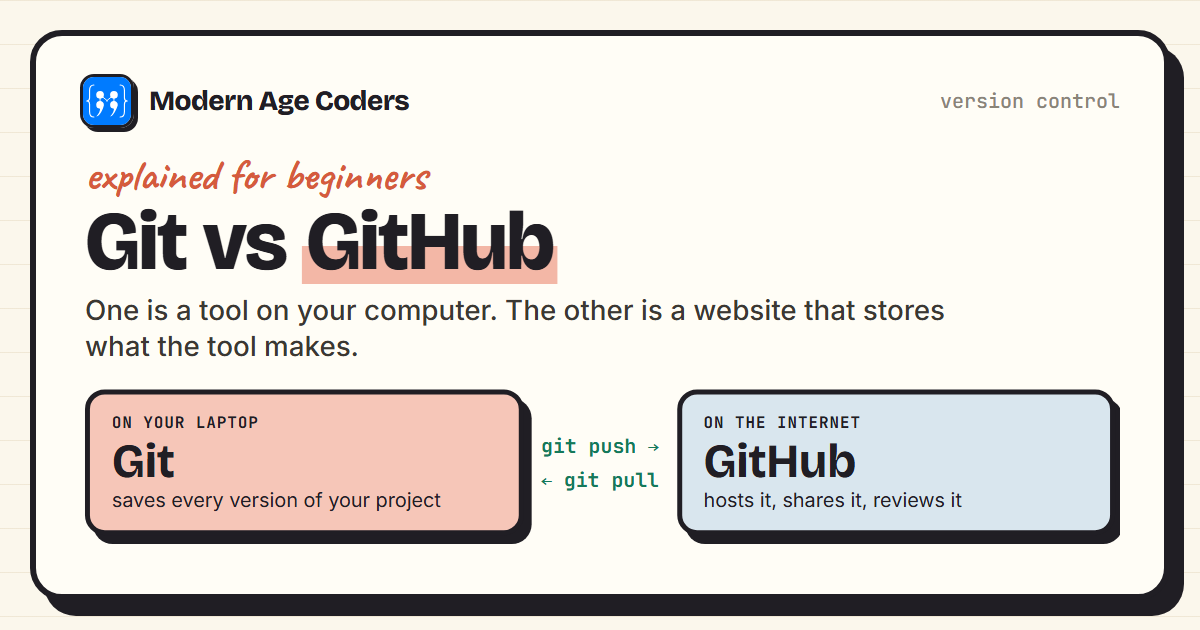 Programming
9 min read
Programming
9 min read
Git vs GitHub: The Difference, With a Real Session
Git vs GitHub explained: Git tracks versions on your computer, GitHub hosts them online. See a real ...
Read ArticleReady to start Advanced Git & GitHub Masterclass for Professionals?
Book a Priority Demo to see a full live class with a mentor reserved for you, today or tomorrow. Or choose a plan and enrol now.
Questions? WhatsApp +91 91233 66161 or email connect@modernagecoders.com