HTML & CSS for Beginners
Every website you have ever visited is built on these two languages. Four months from a blank file to your own published site.
Syllabus updated August 2026
Questions? WhatsApp +91 91233 66161 or email connect@modernagecoders.com
Recordings are free with a Google sign-in. These recordings show how we teach, not the exact syllabus of this course.
Our promise
The world's best learning experience, open to everyone.
- World-class instructorsEvery class is taught by an instructor who specialises in that exact field.
- No compromise on qualityEvery lesson, project and piece of feedback is held to the highest standard.
- Education for everyoneLearners aged 6 to 67, from first-time beginners to working professionals, in 25+ countries.
If you want the highest quality, Modern Age Coders is the right choice.
Book a Priority DemoHow long this course takes
This course runs 4 months (16 weeks) at 2 live classes/week + 2-3 hours practice. The range allows for background and pace: a complete beginner uses the full span, and a student with prior knowledge finishes sooner. The syllabus below is planned to the shorter end, with margin kept for revision.
For personalised duration planning, call +91 91233 66161 and we'll map a schedule to your goals.
At a glance
- Who it is for
- Absolute beginner, ages 10 to adult.
- Prerequisites
- None. This is the true starting point of web development
- Format
- Live, interactive classes with a real instructor, never pre-recorded videos. Live classes run about one hour.
- Language
- English or Hindi, depending on the batch.
- Duration
- 4 months (16 weeks)
- Weekly commitment
- 2 live classes/week + 2-3 hours practice
- Class size
- Group batches of 5 to 10 students, mini batches of 3 to 4, or 1-on-1.
- Certificate
- Certificate from Modern Age Coders, awarded on passing the final assessment
- Watch first
- Free recordings of real classes for ages 13 and up, free with a Google sign-in. These recordings show how we teach, not the exact syllabus of this course.
- Live demo
- Optional. Enrol directly on this page, or book a Priority Demo: a full live class of about 45 to 60 minutes with a mentor reserved for you.
- Questions
- WhatsApp +91 91233 66161 or email connect@modernagecoders.com.
How we teach
Deep understanding. Real projects. Expert guidance.
Learn coding, AI and maths through careful explanations, practical demonstrations, and hands-on problem-solving. Our instructors guide you from the foundations to advanced ideas, helping you understand what happens, why it happens, and how to build it yourself.
You will explore concepts step by step, write and improve code, investigate mistakes, ask questions, and apply your knowledge to meaningful projects. Lessons are designed around active participation, thoughtful feedback, and growing independence.
Expert-led live teaching, with practical participation built into every lesson.
- Students explain their thinking.
- Instructors demonstrate, then guide practice.
- Learners code, solve, or build during lessons.
- Questions and misconceptions get attention.
- Assignments receive useful feedback.
- Progress is checked before advancing.
How to join HTML & CSS for Beginners: Build Real Responsive Websites
Four steps from this page to the first class. See a full class first with a Priority Demo, or choose a plan and enrol today.
Rated 4.9 across 547 Google reviews. Monthly billing, cancel any time.
How enrolment works
See a full class first (optional)
Book a Priority Demo: a live class of about 45 to 60 minutes with a mentor reserved for you, today or tomorrow. After the class the mentor sends a written skill report and a personal learning roadmap on WhatsApp. If you enrol, the demo fee is adjusted against your first month's fee. Share your demo Order ID with us on WhatsApp and we take it off.
Book a Priority DemoDemo fee ₹499Choose a plan
Group batch (5 to 10 students), mini batch (3 to 4 students, India only) or 1-on-1 with your own mentor. Every plan is live online, and each class runs about one hour. The cards below show classes per week and the monthly fee in your currency.
Enrol and pay the first month
Press Enrol Now on your plan, fill in the student's name, email and phone, and pay through secure Razorpay checkout: UPI, cards or net banking in India, and debit or credit card from any other country.
Fix your class timings
After payment, message us on WhatsApp or call +91 91233 66161 with the student's name, the course and your preferred time slot. We confirm the batch, send the class link and schedule the first class at your chosen time.
Billing is monthly and you can cancel any time.
International Students (Outside India)
Billed monthly in US dollars, the same price in every country. Contact us with any questions.
Questions before you enrol? Talk to our team.
Ask about class timings, the right level for your child, what they need to know already, or payment. Parents and adult learners can reach us on WhatsApp, by email or by phone.
Program Overview
HTML and CSS are where the web actually starts. Frameworks come and go, but every page on the internet is, underneath, structure written in HTML and appearance written in CSS, and people who skip this layer pay for it later. This 4-month live course takes complete beginners from an empty folder to a multi-page personal website they design, build, test on a phone, and publish to a real URL.
The first two months build the two languages properly: semantic page structure, then selectors, the box model, and typography, so students understand why a page looks the way it does instead of copying snippets and hoping. The second half is where pages become layouts: flexbox and grid, responsive design that survives a phone screen, working forms, and a capstone month spent building and shipping the personal site. Classes are live and small, and every student leaves with a site that is genuinely theirs, structure, design decisions, and all.
What Makes This Program Different
- Structure before decoration: semantic HTML is taught properly in month 1, the habit that separates clean sites from tag soup
- Layout is taught as a system, not a bag of tricks: flexbox and grid each get real time, including when to use which
- Students recreate real designs from screenshots, the same exercise working developers use to train their eye
- Every page built in class is tested on a phone, because most visitors arrive on one
- The capstone is published to a real URL on free hosting, not left on a laptop
- Works for ages 10 to adult: batches are grouped by age so examples and pace fit the room
Your Learning Journey
Career Progression
Detailed Course Curriculum
Explore the complete week-by-week breakdown of what you'll learn in this comprehensive program.
Topics Covered
- How a website actually works: files, browsers, and servers in plain language
- Setting up VS Code and a tidy project folder
- The skeleton of every page: doctype, head, and body
- Headings, paragraphs, and line breaks
- Ordered and unordered lists
- Saving, refreshing, and reading your page the way the browser does
Projects You Build
- A real first page: an introduction page with headings, paragraphs, and a list, opened in the browser by the end of class one
Practice & Assignments
Build a second page about a hobby using every element from class, plus one you look up yourself
Topics Covered
- Anchor tags: linking to other sites and to your own pages
- Images: src, alt text, and why alt text matters for real people
- Relative vs absolute paths, and the broken-image bug everyone hits
- Organizing a project: an images folder that stays tidy
- Attributes in general: the pattern behind href, src, and the rest
- Opening links in new tabs, used sparingly
Projects You Build
- Two-page mini site: an about page and a favorites page, linked both ways, with images that actually load
Practice & Assignments
Fix a provided page with six broken links and images, then explain what was wrong with each
Topics Covered
- header, nav, main, section, article, and footer: naming the parts of a page
- Why structure matters: screen readers, search engines, and future-you
- div and span, and why they are the last resort, not the first
- Nesting elements correctly and indenting so you can see the structure
- Block vs inline elements, previewed before CSS makes it matter
- Reading the structure of real websites with dev tools
Projects You Build
- Restructure week 2's site with proper semantic tags, then sketch the structure of a favorite real website on paper
Practice & Assignments
Mark up a printed newspaper-style article into clean semantic HTML
Topics Covered
- Tables for actual tabular data: rows, headers, and captions
- Embedding video and maps with iframes
- Character entities and special symbols
- Validating your HTML with the W3C validator and reading its complaints
- Commenting and formatting habits that keep pages readable
- A structure checklist to run before calling any page done
Projects You Build
- A results or schedule page with a real data table plus an embedded video or map
Practice & Assignments
Run all your pages through the validator and clear every error
Assessment
Month 1 check: build a clean semantic page live from a hand-drawn sketch, validator-clean
Topics Covered
- What CSS is and the three ways to add it, and why external stylesheets win
- Selectors: element, class, and id, and when each is appropriate
- Colors: names, hex, and rgb
- The cascade in plain terms: what wins when rules collide
- Grouping selectors and keeping a stylesheet organized
- Dev tools as a CSS laboratory: change styles live, then copy them back
Projects You Build
- Style the month 1 introduction page: a real color scheme, applied through classes, no inline styles
Practice & Assignments
Given an unstyled page and a screenshot, write the selectors and colors to match it
Topics Covered
- font-family and font stacks: what happens when a font is missing
- Loading Google Fonts properly
- Size, weight, and line-height: the three dials that change everything
- Spacing text so it breathes: letter-spacing and text alignment
- Units: px, em, rem, and percent, explained with examples
- Pairing two fonts without the page looking like a ransom note
Projects You Build
- Typography makeover: the same article styled two ways, one serious, one playful, with a note on the choices
Practice & Assignments
Recreate the text styling of a well-designed real site as closely as you can
Topics Covered
- Every element is a box: content, padding, border, margin
- Reading the box model diagram in dev tools
- box-sizing: border-box and why we set it everywhere
- Backgrounds: colors, images, and gradients
- Borders, rounded corners, and shadows used with restraint
- Margin collapse, the classic surprise, demonstrated live
Projects You Build
- Profile card: photo, name, description, and a button, spaced and shadowed like a real component
Practice & Assignments
Ten box-model puzzles: match the target spacing exactly using padding and margin
Topics Covered
- display: block, inline, and inline-block in practice
- Width, height, and max-width: making content behave
- Centering things: the honest tour of the classic problem
- Building a content column that sits nicely on any screen
- Hover states: the first taste of interactivity in pure CSS
- Putting a full page together: structure from month 1, styles from month 2
Projects You Build
- A styled article page: centered content column, styled headings, hover-styled links, and a card or two
Practice & Assignments
Recreate a provided card design from a screenshot, pixel-close
Assessment
Month 2 check: recreate a small component design from a screenshot live, explaining each CSS choice
Topics Covered
- The flex container and its children: a mental model that sticks
- Main axis and cross axis, drawn before coded
- justify-content and align-items: the six arrangements you use daily
- gap: spacing items without margin hacks
- flex-direction: rows becoming columns
- The navigation bar: flexbox's most famous job
Projects You Build
- A proper navigation bar: logo left, links right, evenly spaced, with hover states
Practice & Assignments
Flexbox Froggy through the core levels, plus three layout snippets built from description alone
Topics Covered
- flex-wrap: rows that break gracefully
- flex-grow and flex-shrink: who gets the spare space
- Building a card row that becomes a card grid
- Aligning odd items: the last-item problem and clean solutions
- Nested flex containers without confusion
- Reading a real site's layout and spotting the flex containers
Projects You Build
- Photo gallery row and a three-card feature section, both wrapping cleanly as the window narrows
Practice & Assignments
Recreate two sections of a real landing page using only flexbox
Topics Covered
- grid-template-columns and rows: designing in two dimensions
- The fr unit and repeat()
- Placing items: spanning columns and rows
- grid-template-areas: layouts you can read like a map
- Grid vs flexbox: a working rule for choosing
- Gaps, alignment, and auto-fit for self-arranging grids
Projects You Build
- Magazine-style layout: a featured story spanning two columns above a grid of smaller pieces
Practice & Assignments
Build the same page layout twice, once in flexbox, once in grid, and write three sentences on which felt right
Topics Covered
- Why mobile-first is the sane default
- Media queries: syntax, breakpoints, and where breakpoints actually come from
- The viewport meta tag, the line everyone forgets
- Flexible images: max-width 100% and object-fit
- Testing with the dev tools device toolbar and on a real phone
- Responsive navigation: what stacks, what hides, what stays
Projects You Build
- Make the month's layouts fully responsive: gallery, cards, and magazine layout all working from phone to desktop
Practice & Assignments
Audit two favorite websites at three screen widths and note what changes at each
Assessment
Layout check: build a responsive two-breakpoint layout live from a wireframe
Topics Covered
- form, input, label, and why every input needs its label
- Input types: text, email, number, date, and what the browser gives you free
- Textareas, selects, checkboxes, and radio buttons
- Styling form controls so they match the site
- Built-in validation: required, min, max, and helpful error states
- What happens on submit, honestly: where the backend would take over
Projects You Build
- A styled contact form: name, email, subject dropdown, message, and a submit button that validates
Practice & Assignments
Build a sign-up form for an imaginary club, labels and validation included
Topics Covered
- Transitions: hover effects that feel smooth instead of sudden
- Simple keyframe animations, used with restraint
- Favicons and page titles: the details visitors notice
- Image weight: resizing and compressing before uploading
- A consistent spacing scale: the quiet secret of pages that look professional
- Accessibility pass: contrast, alt text, and keyboard-reachable links
Projects You Build
- Polish pass on your best existing page: transitions, favicon, compressed images, and an accessibility check
Practice & Assignments
Run a contrast checker on your color scheme and fix anything that fails
Topics Covered
- Scoping the personal site: home, about, gallery or projects, and contact
- A shared header and footer across pages, kept consistent by hand
- Wireframing each page before building it
- Reusing your components: cards, navigation, and forms from past weeks
- Working from a checklist: structure, styles, responsive, polish
- Mid-build review with the instructor and a course correction if needed
Projects You Build
- The capstone: a multi-page personal site, four pages, shared navigation, responsive throughout
Practice & Assignments
Complete two pages between classes to keep the build on schedule
Topics Covered
- Cross-device testing: phone, tablet width, and a second browser
- The pre-launch checklist: links, images, validator, spelling
- Publishing to free hosting so the site has a real address
- Sharing the link and what to say when you do
- Presenting design decisions: why it looks the way it looks
- Where this leads: JavaScript to make pages interactive
Projects You Build
- The published site: live at a real URL, presented to the class with a walkthrough of one design decision per page
Practice & Assignments
Send the live link to three people and collect one piece of feedback from each
Assessment
Capstone presentation: live site walkthrough plus questions on structure and CSS choices
Projects You'll Build
Build a professional portfolio with 10+ real pages and components, ending with a published multi-page website real-world projects.
Weekly Learning Structure
Certification & Recognition
Technologies & Skills You'll Master
Comprehensive coverage of the entire modern web development stack.
Support & Resources
Career Outcomes & Opportunities
Transform your career with industry-ready skills and job placement support.
Prerequisites
Who Is This Course For?
Career Paths After Completion
Course Guarantees
Real students. Real moments. Real joy.
These are our actual student meetups. No stock photos, no filters. Swipe through and meet the community you'll be joining.







































What families say
Straight from the parents and students who learn with us. Rated 4.9 across 547 Google reviews.
“Mivaan enjoys the class. He understands the concepts and completes his tasks with excitement. He started taking interest in coding… truly amazing class.”
“I absolutely love it here! I made new friends and learned important valuable coding skills while having the fun of my life. It's not just coding here, it's outings, bonding and most importantly preparing you for your future. Definitely five stars.”
“What stands out most is how excited my son is before every class. He looks forward to learning, problem-solving, and sharing what he's built. I've noticed a big boost in his confidence!”
“Modern Age Coders has been a game-changer for me! I struggled to grasp IT concepts and coding before joining, but their classes transformed everything. I'm now the topper in my class and can confidently write complex programs with ease.”
“Modern Age Coder have wonderful teachers who teach in a clear, easy and practical way. The teacher boosts students' confidence, keeps them updated with technology, and inspires them to learn without hesitation.”
“The one step solution for my son. Modern Age Coders make learning coding so simple that kids love it.”
“Coding classes here make learning very interesting and conceptual. The teachers teach us in a very easy-to-understand and efficient manner.”
“One of the most wonderful education centres out there. Education is not limited to school syllabus but focuses on skill development. Learning here has been a wonderful journey and still continuing.”
“I highly recommend this computer coding class! The teachers are incredibly knowledgeable and passionate about coding. They make every session engaging and insightful.”
“My child Dhairya is really enjoying the Modern Age Coder IT classes. This is his first online class, and he eagerly looks forward to it.”
“Very good classes. Don't worry about coding. They teach the best, especially Shivam sir.”
“Very good classes. Makes learning very easy and interactive.”
Hear it from our students
Real parents and students in their own words, on our public YouTube channel.
Straight answers about HTML & CSS for Beginners: Build Real Responsive Websites
- Who should take this course?
- Absolute beginner, ages 10 to adult. It suits anyone starting web development from zero who wants to build the real foundation, not skip it; students aged 10+ who want to make actual websites they can show, not just follow tutorials; working adults testing whether web development suits them, with a real published site as the outcome.
- What will they learn and build?
- HTML and CSS are where the web actually starts. Frameworks come and go, but every page on the internet is, underneath, structure written in HTML and appearance written in CSS, and people who skip this layer pay for it later. This 4-month live course takes complete beginners from an empty folder to a multi-page personal website they design, build, test on a phone, and publish to a real URL.
- How deeply are topics covered?
- The course runs 4 months (16 weeks) at 2 live classes/week + 2-3 hours practice, across 2 phases listed week by week in the syllabus below. A structured, well-paced curriculum taught step by step, with hands-on practice in every session.
- Who teaches it?
- Modern Age Coders mentors, who teach the live classes themselves. You can watch them at work in the free class recordings before you decide.
- How do practice, feedback and assessment work?
- Classwork every session, a task after every class, monthly reviews that mix in earlier topics, and a final project defended live, plus a written assessment that decides the certificate: real knowledge and real work, with a free retest after revision if needed. Doubt support between classes over WhatsApp, so you are never left stuck. A certificate you earn by passing the final assessment, with a free retest after revision if needed.
- What does it cost?
- Three monthly plans: a group batch, a mini batch and 1-on-1. Prices are shown in your currency in the plans section. Monthly billing, cancel any time.
- When can classes take place?
- Live classes are scheduled around your week. Group batches meet at a fixed weekly slot; 1-on-1 students choose their own. International students are scheduled in their own timezone. Ask on WhatsApp for the current slots.
- Can I watch the teaching before deciding?
- Yes. Full recordings of real 13 and up classes are free to watch, free with a Google sign-in. These recordings show how we teach, not the exact syllabus of this course. Some classes are in English and some in Hindi; everyone follows at their own pace. Watch a class end to end, like you are in it. Sessions are interactive and each moment builds on the last.
- Can I enroll without a live demo?
- Yes. Choose a plan on this page and enrol directly; a demo is not required. If you would like to see a full class with a mentor first, book a Priority Demo.
- How do I reach you with a question?
- WhatsApp +91 91233 66161, email connect@modernagecoders.com, or call +91 91233 66161. Tell us the student's age and what they have learned so far, and we will point you to the right plan and batch.
Common Questions About HTML & CSS for Beginners: Build Real Responsive Websites
Get answers to the most common questions about this comprehensive program
Still have questions? We're here to help!
Contact UsRelated Courses You May Like
Continue your learning journey with these recommended programs
 Web Development
Backend Development for Teens: Node, APIs and Databases
Backend course for teens aged 13-18: Node.js, Express, REST APIs, MongoDB and PostgreSQL, auth, secu...
Explore Course Web Development
Frontend Development for Teens: CSS Craft to React UI
Frontend course for teens aged 13-18 with a design soul: CSS mastery, Tailwind, animations, JavaScri...
Explore CourseRelated Articles & Guides
Deepen your knowledge with these hand-picked articles
 Web Development
38 min read
Web Development
38 min read
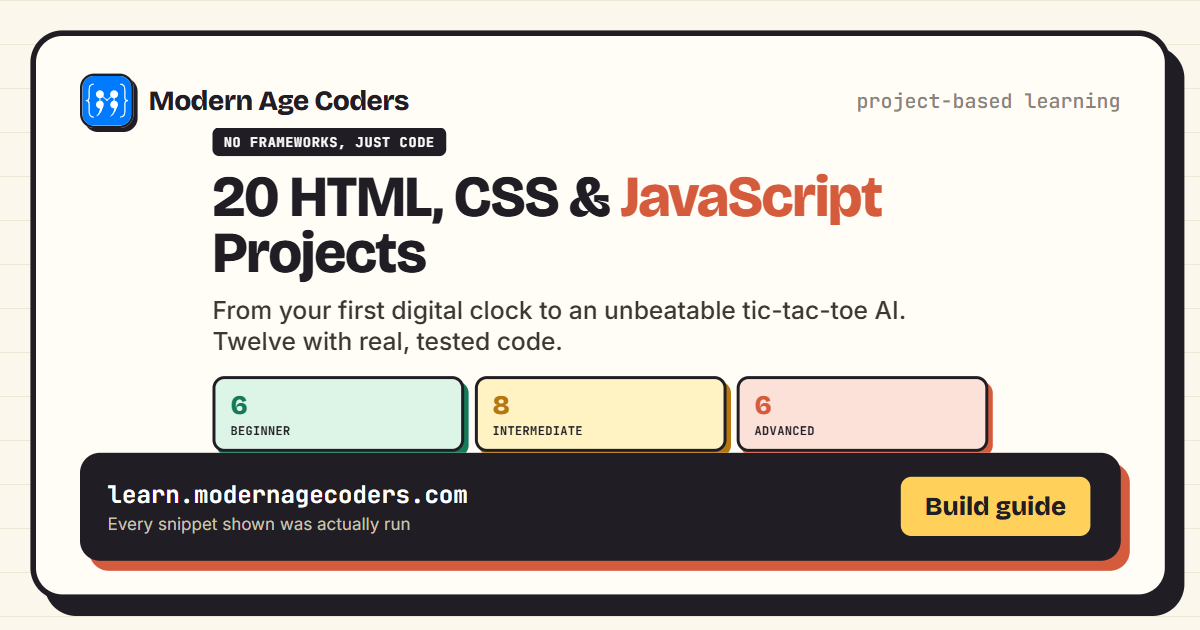
20 HTML, CSS, and JavaScript Project Ideas (With Code)
20 HTML, CSS, and JavaScript project ideas from beginner to advanced, each with the exact skills it ...
Read Article Education
15 min read
Education
15 min read
Scratch vs Python for Kids: The Difference and Which First
Scratch vs Python: Scratch is free drag-and-drop blocks for ages 8 to 13+, Python is typed text code...
Read ArticleReady to start HTML & CSS for Beginners: Build Real Responsive Websites?
Book a Priority Demo to see a full live class with a mentor reserved for you, today or tomorrow. Or choose a plan and enrol now.
Questions? WhatsApp +91 91233 66161 or email connect@modernagecoders.com