Git & GitHub for College: From Solo Coder to Team-Ready Engineer
Every internship, hackathon, and placement interview touches Git. Learn to work like an engineer on a team, and make your GitHub profile do the talking.
Syllabus updated August 2026
Questions? WhatsApp +91 91233 66161 or email connect@modernagecoders.com
Recordings are free with a Google sign-in. These recordings show how we teach, not the exact syllabus of this course.
Fees and enrolment
How to join Git & GitHub Course for College Students: Team-Ready Skills
Choose how you want to pay, pick a plan and press Enrol. We then fix your class timing with you.
Rated 4.9 across 547 Google reviews. Monthly billing, cancel any time.
How enrolment works
Pick a plan
Group (15 to 20 students), Mini Batch (up to 6, India only) or 1-on-1 with your own mentor. Billing is monthly.
Press Enrol and pay
Fill in the student's name, email and phone, then pay securely: UPI, cards or net banking in India, or a debit or credit card from any other country.
Fix your class timing
After paying, WhatsApp or call +91 91233 66161 with the student's name and your preferred time. We confirm the batch or 1-on-1 slot and send the class link.
Start learning
Join your first live class at the time you chose. Your mentor takes it from there.
Want to see a class first? Book a Priority Demo: a live class of about 45 to 60 minutes with a mentor reserved for you. If you enrol, the demo fee is adjusted against your first month's fee. Share your demo Order ID with us on WhatsApp and we take it off.
Billing is monthly and you can cancel any time.
International Students (Outside India)
Billed monthly in US dollars, the same price in every country. Contact us with any questions.
Questions before you enrol? Talk to our team.
Ask about class timings, the right level for your child, what they need to know already, or payment. Parents and adult learners can reach us on WhatsApp, by email or by phone.
Our promise
The world's best learning experience, open to everyone.
- World-class instructorsEvery class is taught by an instructor who specialises in that exact field.
- No compromise on qualityEvery lesson, project and piece of feedback is held to the highest standard.
- Education for everyoneLearners aged 6 to 67, from first-time beginners to working professionals, in 25+ countries.
If you want the highest quality, Modern Age Coders is the right choice.
Book a Priority DemoHow long this course takes
This course runs 24 classes (12 weeks · 2 classes/week) at 4-5 hours/week recommended. The range allows for background and pace: a complete beginner uses the full span, and a student with prior knowledge finishes sooner. The syllabus below is planned to the shorter end, with margin kept for revision.
For personalised duration planning, call +91 91233 66161 and we'll map a schedule to your goals.
At a glance
- Who it is for
- Beginner to job-ready collaborator (college students and recent graduates).
- Prerequisites
- Basic familiarity with any one programming language (first-year college Python, C, Java, or JavaScript is plenty); this course teaches the workflow around your code, not the language itself
- Format
- Live, interactive classes with a real instructor, never pre-recorded videos. Live classes run about one hour.
- Language
- English or Hindi, depending on the batch.
- Duration
- 24 classes (12 weeks · 2 classes/week)
- Weekly commitment
- 4-5 hours/week recommended
- Class size
- Group batches of 15 to 20 students, mini batches of up to 6, or 1-on-1.
- Certificate
- Certificate from Modern Age Coders, awarded on passing the final assessment
- Watch first
- Free recordings of real classes for ages 13 and up, free with a Google sign-in. These recordings show how we teach, not the exact syllabus of this course.
- Live demo
- Optional. Enrol directly on this page, or book a Priority Demo: a full live class of about 45 to 60 minutes with a mentor reserved for you.
- Questions
- WhatsApp +91 91233 66161 or email connect@modernagecoders.com.
How we teach
Deep understanding. Real projects. Expert guidance.
Learn coding, AI and maths through careful explanations, practical demonstrations, and hands-on problem-solving. Our instructors guide you from the foundations to advanced ideas, helping you understand what happens, why it happens, and how to build it yourself.
You will explore concepts step by step, write and improve code, investigate mistakes, ask questions, and apply your knowledge to meaningful projects. Lessons are designed around active participation, thoughtful feedback, and growing independence.
Expert-led live teaching, with practical participation built into every lesson.
- Students explain their thinking.
- Instructors demonstrate, then guide practice.
- Learners code, solve, or build during lessons.
- Questions and misconceptions get attention.
- Assignments receive useful feedback.
- Progress is checked before advancing.
Program Overview
Most college students can type git add and git commit, and that is where their Git knowledge ends. Then the first hackathon, group assignment, or internship arrives and everything falls apart: overwritten work, merge conflicts nobody can resolve, a single main branch with fifty messy commits, and a GitHub profile that tells recruiters nothing. This course closes that gap in 24 live, instructor-led classes. You start with version control fundamentals and command-line fluency, master the full undo toolkit, then move to the skills placements actually test: SSH and remotes, professional READMEs, a portfolio on GitHub Pages, the feature-branch workflow, merge vs rebase, pull requests with real code review, GitHub Actions CI with branch protection, open source contribution including Hacktoberfest and GSoC preparation, and the Git interview questions that appear in technical rounds. You finish with a team capstone executed exactly the way an engineering team ships software, plus a full GitHub profile audit, so your commits, pull requests, and green CI checks speak for you before you say a word.
What Makes This Program Different
- Team-first, not command-first: you do not just memorize git commands, you run the full branch, PR, review, CI loop the way internship teams actually work.
- Live classes with a real instructor, never pre-recorded videos: every session is hands-on, with your terminal open and your questions answered on the spot.
- Career-wired from Class 5: SSH done properly, recruiter-grade READMEs, a profile that survives a 30-second scan, the GitHub Student Developer Pack, and a live portfolio on GitHub Pages.
- Real scenarios, not toy demos: staged three-person merge conflicts, rescue drills with reflog, a git bisect bug hunt, and a full live mock Git interview.
- Open source is in the syllabus: CONTRIBUTING.md etiquette, a first external pull request, and a personal Hacktoberfest and GSoC preparation roadmap.
- Living Syllabus: the curriculum is updated as Git and GitHub ship new features, so you always learn the current tools, not screenshots from three years ago.
Your Learning Journey
Career Progression
Detailed Course Curriculum
Explore the complete week-by-week breakdown of what you'll learn in this comprehensive program.
Topics Covered
- The problem Git solves: no more project_final_v2_REALLY_FINAL.zip, safe experiments, and a complete history of who changed what and why
- Centralized vs distributed version control, and why Git (created by Linus Torvalds in 2005 as a free, open source tool for Linux kernel development) is the system you should expect to meet at internships, placements, and beyond
- The core mental model: repository, commit, branch, remote, and how Git stores snapshots of your whole project rather than just file differences
- The three areas every command moves work between: working directory, staging area (the index), and the repository
- Installing Git on Windows (with Git Bash), macOS, and Linux, and verifying with git --version
- First-time setup: git config --global user.name and user.email (the identity stamped on every commit you will ever make), init.defaultBranch main, and core.editor
- Reading your setup back with git config --list --show-origin, and understanding system vs global vs local config levels
Projects You Build
- Install Git, complete your global configuration, create your first repository with git init, and explore the hidden .git folder to see where history actually lives
Practice & Assignments
Run git config --list and explain out loud what each line you set does and where it applies.
Assessment
Explain the working directory, staging area, and repository to a classmate by narrating one real file's journey through all three.
Topics Covered
- Terminal survival kit: pwd, ls, cd, mkdir, and why interviewers and internship teams expect command-line comfort
- git status as your compass: reading untracked, modified, and staged states without guessing
- Staging with intent: git add <file>, git add -A, and the professional's git add -p to stage changes hunk by hunk
- Committing properly: git commit -m for quick saves, git commit opening your editor for detailed messages, and what a commit object actually contains (snapshot, author, timestamp, parent, SHA)
- Reading history: git log, git log --oneline --graph --all --decorate, and filtering with git log --author and git log -n 5
- Inspecting change: git diff for unstaged edits, git diff --staged for what will be committed, and git show <sha> for any past commit
- HEAD and relative references like HEAD~1 and HEAD~3: the addressing system the entire undo toolkit depends on
Projects You Build
- Build a personal-notes repository with at least 8 meaningful commits, using git add -p at least twice and reading your own history with git log --oneline --graph
Practice & Assignments
Complete one full edit, stage, commit cycle while narrating how git status output changes at each step.
Assessment
Given a repository with mixed staged and unstaged changes, correctly predict the output of git status and git diff --staged before running them.
Topics Covered
- Undo an unstaged edit with git restore <file>, and unstage without losing work with git restore --staged <file>
- Fix the last commit with git commit --amend for a better message or a forgotten file, and why amend rewrites the commit SHA
- git reset --soft HEAD~1: move the branch pointer back but keep everything staged, the 'redo my commit' move
- git reset --mixed HEAD~1 (the default): also unstage, keeping all changes safe in your working directory
- git reset --hard HEAD~1: discard changes completely, the rare cases where it is justified, and why you type it slowly
- git revert <sha>: a new commit that undoes an old one, the ONLY safe undo on history you have already pushed and shared
- The decision table: private unpushed history means reset and amend freely; shared pushed history means revert only, and what a force push does to your teammates
Projects You Build
- Run a scripted rescue drill: amend a bad message, soft-reset a premature commit, hard-reset a failed experiment, and revert a bad commit that was already pushed to a practice remote
Practice & Assignments
For five written scenarios, state which undo command you would use and why it is safe in that exact situation.
Assessment
Correctly choose between reset and revert for shared vs private history across a set of real situations, losing zero work in the lab.
Topics Covered
- .gitignore syntax that matters: literal names, *.log wildcards, dir/ trailing slashes, ! negation, and how rule order works
- What real stacks must ignore: node_modules/ and dist/ for JavaScript, venv/ and __pycache__/ for Python, .DS_Store, and IDE folders like .idea/ and .vscode/
- Secrets discipline: .env files never enter history; what to do the moment a key IS committed (rotate the key first, then clean up), and why deleting the file in a later commit does not remove it from history
- Untracking without deleting: git rm --cached <file> for files that were committed before the ignore rule existed
- A machine-wide ignore file: git config --global core.excludesFile ~/.gitignore_global for editor junk on every project
- Commit message craft: imperative subject around 50 characters, blank line, body explaining why, the style engineering teams and open source maintainers expect
- Atomic commits: one logical change per commit, and searching history later with git log --grep and the pickaxe git log -S 'functionName'
Projects You Build
- Take a messy starter project with node_modules, a fake .env, and editor junk already tracked; write a production-grade .gitignore, untrack the offenders with git rm --cached, and re-commit cleanly
Practice & Assignments
Write .gitignore rules for a Python project and a Node project from memory, then verify both with git status.
Assessment
Your cleaned repository shows no generated files or secrets in git status, and your last five commit messages pass the message-quality checklist.
Topics Covered
- Git vs GitHub: the tool vs the hosting platform (owned by Microsoft since 2018), and what GitHub Free includes: unlimited public and private repositories and 2,000 GitHub Actions minutes per month
- Creating an account that will carry your career: choosing a username recruiters will read, and GitHub's Terms of Service age requirement of 13 or older
- Authentication today: passwords do not work for pushing; SSH keys vs HTTPS with personal access tokens, and when each fits
- Generating a key: ssh-keygen -t ed25519 -C 'you@college.edu', adding it to ssh-agent, and pasting the public key into GitHub Settings under SSH and GPG keys
- Verifying the handshake with ssh -T git@github.com and reading what the greeting message confirms
- Wiring local to remote: git remote add origin git@github.com:you/repo.git, then git push -u origin main, and what the -u upstream flag saves you forever after
- Reading a repository page like a developer: commits, branches, browsing files at any point in history, and the Insights tab
Projects You Build
- Create or clean up your GitHub account, set up ed25519 SSH authentication end to end, and push your Class 4 repository with git push -u origin main
Practice & Assignments
Break and re-verify your SSH setup once, so you can debug 'Permission denied (publickey)' on your own next time.
Assessment
Your local repository pushes to GitHub over SSH with no password prompt, and the commit history renders correctly online.
Topics Covered
- git clone <url>: what you actually get (full history, an origin remote, a tracked default branch), and cloning over SSH vs HTTPS
- Remote-tracking branches: what origin/main really is, and why git status says 'ahead 2, behind 1'
- git fetch: download remote changes WITHOUT touching your work, then inspect the gap with git log main..origin/main
- git pull as fetch plus merge, git pull --rebase for linear history, and setting pull.rebase true the way many teams do
- Push rejections decoded: 'non-fast-forward' means fetch first, integrate, then push; force-pushing a shared branch is never the reflex answer
- Working from two machines (hostel laptop and lab computer): the pull-before-work, push-before-leave rhythm that prevents divergence
- Remote management: git remote -v, git remote show origin, and renaming or removing remotes safely
Projects You Build
- Simulate a two-computer workflow using two local clones of your own repository: make diverging changes, inspect with git fetch, reconcile with git pull --rebase, and push
Practice & Assignments
Trigger one rejected push on purpose and resolve it with fetch and rebase instead of a force push.
Assessment
Explain the exact difference between fetch and pull, then demonstrate both live on a repository with pending remote changes.
Topics Covered
- What a recruiter or interviewer does in 30 seconds on your repository: README first, commit history second, code third, which makes the README your landing page
- Professional README structure: one-line pitch, screenshot or GIF, features, tech stack, setup steps that actually work, usage, and what you would improve next
- Markdown fluency: headings, code fences with language tags, tables, task lists, images, and status badges
- Naming and describing repositories: expense-tracker-django beats project2-final; filling the description field and topics so your work is searchable
- Licenses in plain language: MIT (permissive, common for student projects), Apache-2.0 (adds a patent clause), GPL-3.0 (copyleft), and what 'no license' legally means for your code
- Adding a LICENSE file through GitHub's license chooser, and when a college project should have one
- Cleaning your existing account: archiving dead experiments, deleting empty repos, and making 3 repositories excellent instead of 20 mediocre
Projects You Build
- Rewrite the README of your best existing project to the professional template, add a screenshot and a suitable license, and complete the repo description and topics
Practice & Assignments
Review a classmate's README against the recruiter checklist and give two concrete, actionable improvements.
Assessment
A stranger can clone and run your project using only your README, verified by a classmate actually doing it.
Topics Covered
- The username/username repository: GitHub renders that repo's README at the top of your profile page, your one free billboard for recruiters
- What belongs in a profile README: who you are, what you build, current focus, top projects with links, and how to reach you; what to skip (walls of badges and fake stats)
- Pinning your best 6 repositories and choosing them for range: a web app, a tool, a contribution, not six versions of one tutorial
- The contribution graph: what actually counts toward it, why consistent real work beats gaming it, and how interviewers read it
- The GitHub Student Developer Pack: free for verified students enrolled at a degree or diploma granting school, and it includes GitHub Pro while you are a student; claim it at education.github.com with your college ID or institute email
- GitHub Copilot for students: Copilot has a free tier, and GitHub Education has offered free Copilot access to verified students; availability can change, so always check education.github.com
- Your public identity checklist: consistent handle, photo, a bio with your college and interests, location, and a pinned portfolio link
Projects You Build
- Ship your profile README in the username/username repository, pin your best repositories, complete your bio, and submit your Student Developer Pack verification
Practice & Assignments
Study three impressive real student profiles and write down one idea to borrow from each.
Assessment
Your profile passes the class rubric: profile README live, three or more pinned repos with descriptions, complete bio, and Pack verification submitted.
Topics Covered
- GitHub Pages: static hosting GitHub provides free, publishing files directly out of your repo, and why a live URL beats 'code available on request' on a resume
- User site vs project site: username.github.io serves at the root domain, while every other repository can publish under /repo-name
- Enabling Pages in Settings under Pages: deploy from a branch (main or a /docs folder) vs deploying with a GitHub Actions workflow
- Building a clean single-page portfolio: about, projects with live links and repo links, skills, and contact; plain HTML and CSS is enough
- Debugging deploys: a custom 404.html, relative path gotchas, and why case-sensitive file names break images that worked locally
- Pointing a custom domain at Pages with a CNAME record (optional) and enforcing HTTPS
- The portfolio loop from now on: every future project gets a live demo link in its README and a card on your portfolio site
Projects You Build
- Deploy a portfolio site at username.github.io featuring at least three projects with live links, then add the portfolio URL to your GitHub bio and resume
Practice & Assignments
Push one content update and watch GitHub Pages rebuild and redeploy it live.
Assessment
Your portfolio URL loads publicly, every link resolves, and it is referenced from your GitHub profile.
Topics Covered
- What Git calls a branch: a lightweight named reference to a commit SHA, so creating, switching, and deleting branches costs nothing
- Modern commands: git switch -c feature/login, alongside the older git checkout -b you will still see in every tutorial and team
- The feature-branch workflow: main stays always-working, and every feature, fix, and experiment gets its own branch
- Branch naming conventions teams use: feature/, fix/, chore/, and docs/ prefixes plus a short descriptive slug
- Switching branches with uncommitted changes: when Git blocks you, why, and a first look at git stash as the escape
- Fast-forward merges: git merge feature/login when main has not moved, and reading the result in git log --graph
- Cleaning up: git branch -d (safe, merged work only) vs git branch -D (force), plus listing with git branch -a and git branch --merged
Projects You Build
- Build two features of a small app on separate branches (feature/navbar and feature/contact-form), merge both into main, and delete the merged branches
Practice & Assignments
Draw your repository's commit graph on paper mid-exercise, then verify it against git log --oneline --graph --all.
Assessment
Your history shows main receiving two feature branches through merges, with no work ever committed directly to main.
Topics Covered
- The three-way merge: how Git finds the common ancestor and combines both sides into a merge commit
- git merge --no-ff to force a merge commit that records the feature as one unit, and why some teams mandate it
- git rebase main from your feature branch: replaying your commits onto a new base for a straight-line history
- The golden rule of rebase: never rebase commits that others already have; rewriting shared history breaks every teammate's repository
- Interactive rebase: git rebase -i HEAD~4 to squash WIP commits, reword messages, and reorder work before opening a pull request
- git merge --squash: landing a messy branch as one clean commit, and how it differs from GitHub's squash-merge button
- Choosing a team policy: merge-commit history vs linear rebase history, and reading each style fluently in git log --graph
Projects You Build
- Take a feature branch with five messy WIP commits, use git rebase -i to squash and reword them into two clean commits, then rebase onto an updated main and merge
Practice & Assignments
Integrate the same branch in two clone copies, once with merge and once with rebase, and compare the resulting graphs.
Assessment
Explain to the class when rebase is safe and when it is forbidden, giving one correct example of each.
Topics Covered
- The anatomy of a conflict: both branches touched identical lines since their common ancestor, so Git stops and makes you decide
- Reading conflict markers: <<<<<<< HEAD, =======, and >>>>>>> feature, and what each side represents in a merge vs during a rebase
- Resolving by hand and in VS Code's merge editor: accept current, accept incoming, accept both, or write the correct combination yourself
- Escape hatches: git merge --abort and git rebase --abort return you to safety, and git rebase --continue moves forward after each fixed commit
- Taking a whole side deliberately: git checkout --ours <file> and git checkout --theirs, and how their meaning flips during a rebase
- Conflict prevention as a team habit: pull main into your branch often, keep pull requests small, and split files everyone edits
- The full drill: conflicting a shared team file, resolving it, staging the resolution, and completing the merge commit
Projects You Build
- Run a staged three-person conflict lab: all three teammates edit the same function on separate branches, then merge every branch into main resolving each conflict correctly
Practice & Assignments
Abort a scary conflicted merge with git merge --abort, then redo it and resolve it for real.
Assessment
You resolve a two-file conflict with the intended code surviving and no conflict markers left behind, verified with git diff.
Topics Covered
- What a pull request is: a request to merge a branch, plus the conversation, review, and checks that professionalize the merge
- Opening a PR properly: base vs compare branch, a title that summarizes the change, and the shortcut link Git prints after every push
- The PR description that gets fast reviews: what changed, why, how you tested it, screenshots for UI work, and where reviewers should focus
- Linking work: 'Closes #12' auto-closes the issue on merge, and referencing related PRs and commits by SHA keeps the trail connected
- Draft PRs for early feedback, requesting specific reviewers, and updating a PR by pushing new commits to the same branch
- GitHub's three merge buttons: create a merge commit vs squash and merge vs rebase and merge, and when a team picks each
- PR templates: a .github/PULL_REQUEST_TEMPLATE.md so every teammate's pull request arrives complete
Projects You Build
- Open a real PR on your team repository with a complete description, screenshots, and a linked issue; get it reviewed by a classmate and squash-merge it
Practice & Assignments
Rewrite a terrible one-line PR description ('fixed stuff') into one a reviewer can actually act on.
Assessment
Your PR history shows a described, linked, reviewed pull request merged with the strategy your team agreed on.
Topics Covered
- Why review exists: catching bugs early, spreading knowledge, and keeping a codebase consistent; it is the daily collaboration ritual at real companies
- Reviewing a diff on GitHub: the Files changed tab, viewed checkboxes, and commenting on specific lines or line ranges
- Suggested changes: proposing exact replacement code the author can apply with one click
- The three review verdicts: Comment, Approve, and Request changes, and what each one signals to the author
- Giving feedback that lands: comment on the code not the person, ask questions before issuing orders, and mark non-blockers with a 'nit:' prefix
- Receiving feedback without ego: respond to every comment, push fixes to the same branch, re-request review, and disagree with reasons rather than defensiveness
- Review culture tools: a CODEOWNERS file to auto-assign reviewers, and requiring one approval before merge
Projects You Build
- Complete a paired review cycle: review a classmate's PR leaving at least one suggested change and one question, and shepherd your own PR from Request changes to Approved
Practice & Assignments
Rewrite three blunt review comments into constructive ones without losing their technical point.
Assessment
Your review on a peer PR includes a line-level suggestion the author applied, and your own PR reached Approved after addressing feedback.
Topics Covered
- Issues as your team's shared brain: writing a reproducible bug report and a clearly scoped feature request
- Labels (bug, enhancement, good first issue), assignees, and milestones that group issues toward a deadline like a semester submission
- GitHub Projects: a board with Todo, In progress, and Done columns that updates automatically as linked issues and PRs move
- Issue templates and Markdown task lists so bug reports arrive with the information you need
- Fork vs clone: a fork is your own server-side copy under your account, the standard route for contributing when you lack push access
- Keeping your fork current: register the original repo with git remote add upstream, pull its history with git fetch upstream, integrate with git merge upstream/main, or click Sync fork on GitHub
- The hackathon playbook: repo plus board plus issues plus branch-per-feature plus PRs, set up in the first 30 minutes so the team never blocks
Projects You Build
- Set up your capstone team repository: issue templates, labels, a milestone, a Projects board with 10+ scoped issues, and a fork-based contributor test run with upstream syncing
Practice & Assignments
Convert a vague idea ('make the app better') into three well-scoped, labeled, assignable issues.
Assessment
Your team board shows issues flowing from Todo to Done via linked PRs, and every teammate has synced a fork with upstream at least once.
Topics Covered
- What continuous integration is and why teams refuse to live without it: every push gets built and tested automatically, so 'it works on my machine' dies
- Anatomy of a workflow: .github/workflows/ci.yml with name, on (push and pull_request), jobs, runs-on: ubuntu-latest, and steps
- Reusable building blocks: uses: actions/checkout@v4, plus actions/setup-node or actions/setup-python with the language version you need
- Running your real test command (npm test or pytest) as a step, and letting a failing test fail the whole build
- Reading the Actions tab: live logs, the red X and green check on commits and PRs, and re-running failed jobs
- Your free budget: the GitHub Free plan includes 2,000 GitHub Actions minutes per month, and public repositories are the friendliest place to learn CI
- Debugging CI failures: environment differences, missing dependencies, and printing your way to the root cause
Projects You Build
- Add a working CI workflow to your team repository that installs dependencies and runs the test suite on every push and pull request, then break it and fix it once on purpose
Practice & Assignments
Read one failed Actions log top to bottom and identify the exact failing line before touching any code.
Assessment
Your repository shows green checks on the latest commits and one PR that was blocked by a failing test and then fixed.
Topics Covered
- Required status checks: a pull request cannot merge until CI is green, turning tests from a suggestion into a gate
- Branch protection rules and rulesets on main: require a pull request before merging, require one approving review, and block force pushes and deletions
- Why protection matters for student teams: nobody, including you at 2 a.m. before a deadline, can push broken code straight to main
- Keeping reviews honest: dismissing stale approvals when new commits land, and requiring conversation resolution before merge
- Speeding CI up: caching dependencies with actions/cache and splitting independent jobs to run in parallel
- A build status badge in your README that shows live CI health to every visitor, including recruiters
- The protected-main loop end to end: branch, push, PR, review, green checks, merge; the exact rhythm you will run at every internship
Projects You Build
- Protect main on your team repository (PR required, one review, CI check required, force pushes blocked), then prove it by attempting a direct push and watching it fail
Practice & Assignments
Attempt to merge a PR with failing CI and another with no review, and document exactly what blocks each.
Assessment
Demonstrate your full protected workflow from new branch to merged PR, with review and green checks, in one live run-through.
Topics Covered
- Conventional Commits: feat:, fix:, docs:, refactor:, test:, and chore:, plus scopes like feat(auth): and the BREAKING CHANGE footer
- Why the convention pays off: readable history, automated changelogs, and commit messages interviewers actually compliment
- Semantic versioning: MAJOR.MINOR.PATCH, what bumps each number, and how it connects to conventional commit types
- Lightweight vs annotated tags: git tag v1.0.0 vs git tag -a v1.0.0 -m 'First stable release', and why releases use annotated tags
- Pushing tags explicitly: git push origin v1.0.0 (or --tags), and checking out any tagged version later to reproduce it
- GitHub Releases: turning a tag into a release page with notes, an auto-generated changelog from merged PRs, and downloadable assets
- Release hygiene for team projects: tagging the submission version of a group assignment so 'which version did we demo?' is never a question again
Projects You Build
- Adopt conventional commits on your team repository, then cut v1.0.0: an annotated tag pushed to GitHub and a Release with auto-generated notes plus a short highlights section
Practice & Assignments
Rewrite ten of your older commit messages as conventional commits on a practice branch.
Assessment
Your repository shows a published v1.0.0 release, and your last ten commits all follow the conventional-commit format.
Topics Covered
- Why open source is the strongest signal on a student profile: real code, review by strangers, and proof you can work inside someone else's codebase
- Finding a first target: 'good first issue' and 'help wanted' labels, projects you already use, and matching issue difficulty to your current skill
- Read before you write: CONTRIBUTING.md, CODE_OF_CONDUCT.md, the issue tracker, and recently merged PRs that reveal the project's norms
- The contribution loop: fork the repo, clone your fork, branch, make one focused change, push to your fork, and open a PR against upstream
- Upstream etiquette: comment on the issue before starting, keep the PR small, follow the project's style and commit conventions, and stay patient and responsive with maintainers
- Handling maintainer review: expect change requests, iterate on the same branch, and never take a closed PR personally
- Non-code contributions that count: documentation fixes, reproducible bug reports, and issue triage are all legitimate first steps
Projects You Build
- Make one real contribution attempt: pick an external project, claim or file an issue, and open a properly formed PR from your fork (a documentation fix is a valid target)
Practice & Assignments
Read the CONTRIBUTING.md of two major projects and list three rules that differ between them.
Assessment
You have a live PR, or a well-formed filed issue plus a prepared branch, on an external repository following that project's contribution rules.
Topics Covered
- Hacktoberfest: the annual October event that rewards quality pull requests to participating projects, and why your target list should be ready in September
- Quality over spam: why low-effort PRs get marked invalid, and how maintainers spot them instantly
- Google Summer of Code: mentored, stipend-backed contribution to real open source organizations; what the program involves and why you must check the current year's eligibility rules yourself
- The GSoC timeline shape: organizations announced, application window, community bonding, then coding periods, and why strong applicants engage with an org months before applying
- Choosing an organization: match your language and interests, study their project ideas list, and build credibility with small merged PRs first
- What a strong proposal contains: specific understanding of the project, a realistic milestone plan, and evidence you have already contributed
- Your personal 6-month open source roadmap: from a first documentation PR to a consistent contributor profile that stands out in placements
Projects You Build
- Write your open source roadmap: three target projects with justification, five candidate issues, and a month-by-month plan toward Hacktoberfest or a GSoC application
Practice & Assignments
Study one past accepted GSoC proposal from any organization's public archives and note what made it concrete.
Assessment
Present your roadmap and defend your project choices and timeline in a five-minute review with your mentor.
Topics Covered
- git stash push -m 'wip: form validation': shelving work instantly when you must switch branches right now
- Managing the shelf: git stash list, git stash pop vs git stash apply (pop applies AND drops), git stash drop, and including untracked files with -u
- git cherry-pick <sha>: copying a single commit onto your current branch, with -x to record its origin, and when it beats merging a whole branch
- Cherry-pick under fire: multi-commit ranges with git cherry-pick A..B, plus --continue and --abort when conflicts appear
- git reflog: the private journal of everywhere HEAD has been, surviving resets and branch deletions
- The classic rescues: undo a wrong git reset --hard with git reset --hard HEAD@{1}, and resurrect a deleted branch with git branch saved <reflog-sha>
- Detached HEAD demystified: how you get there (checking out a SHA or tag), why commits made there can be lost, and escaping cleanly with git switch -c
Projects You Build
- Complete the rescue gauntlet: stash mid-feature to hotfix main, cherry-pick the hotfix back to your branch, then 'accidentally' hard-reset a branch and recover it fully via reflog
Practice & Assignments
Delete a branch containing unmerged work, then bring every commit back using only git reflog.
Assessment
You recover a hard-reset commit and a deleted branch unaided, explaining each reflog entry you used along the way.
Topics Covered
- The scenario: the app broke somewhere in the last 60 commits, and reading them one by one is not a strategy
- Binary search over history: git bisect start, git bisect bad, git bisect good v1.0.0, then testing each checkout Git hands you
- Marking your way to the culprit: bisect halves the range each step, so even a long history takes only a handful of tests
- Full automation: git bisect run pytest (or any script whose exit code means pass or fail) finds the bad commit while you watch
- Finishing up: reading the 'first bad commit' report, git bisect reset, then fixing forward or reverting the culprit
- git blame -L 10,25 app.py: which commit last touched these exact lines, used to understand intent rather than assign blame
- History as a search engine: git log -S 'functionName' (the pickaxe) for when code appeared or vanished, and git log -p <file> to walk a file's evolution
Projects You Build
- In a provided repository with a hidden bug among 40+ commits, find the exact breaking commit with git bisect, first manually and then with bisect run, and revert it
Practice & Assignments
Use git blame and git log -S to answer three 'when and why did this change?' questions about a real codebase.
Assessment
You identify the breaking commit's SHA and author date, and your written explanation matches the actual bug introduced there.
Topics Covered
- The classics, answered precisely: git fetch vs pull, merge vs rebase, reset vs revert, clone vs fork, and what the staging area is actually for
- 'How do you undo a commit that is already pushed?': the revert answer interviewers want, and why 'reset and force push' is a red flag on shared branches
- Explaining detached HEAD, the difference between HEAD~2 and HEAD^2, and why branches are just pointers, with a whiteboard diagram you can redraw from memory
- Scenario drills: you committed to main instead of a feature branch; a teammate force-pushed over your work; a secret key entered history; .gitignore seems to be ignored
- 'Describe your team workflow' answers that prove experience: branch protection, PRs, reviews, CI checks, and conventional commits, evidenced by your capstone repo
- Walking an interviewer through your GitHub profile: choosing the repository, narrating one PR with review, and showing the CI pipeline you built
- Rapid-fire command recall under pressure: mock rounds covering the commands this course drilled, with follow-up 'what if' probes
Projects You Build
- Complete a live mock Git interview: 15 rapid-fire questions plus 2 whiteboard scenarios, then write model answers for every question you missed
Practice & Assignments
Run a 10-minute peer quiz each day this week, swapping interviewer and candidate roles.
Assessment
Clear the final mock interview against your mentor's rubric and deliver a confident 3-minute walkthrough of your own GitHub profile.
Topics Covered
- Capstone kickoff: a small team application, or your real group assignment, run exactly the way an engineering team would run it
- Repository setup from memory: protected main, issue templates, labels, a milestone, and a Projects board of scoped issues
- Executing the loop: feature branches, conventional commits, PRs with real descriptions, peer review with suggested changes, and green CI required to merge
- Handling the mess like a professional: at least one real conflict resolved and one revert or reflog rescue documented in the repo
- Cutting the release: an annotated v1.0.0 tag, a GitHub Release with generated notes, and a live demo link on GitHub Pages where applicable
- The GitHub profile audit: profile README, pins, portfolio link, contribution history, and your capstone repository as the centerpiece recruiters land on
- Presenting your work to the class and earning the Modern Age Coders 'Git & GitHub for College' certificate
Projects You Build
- Deliver the capstone: a team repository showing 15+ issues, 10+ merged PRs with reviews, protected main, green CI, a v1.0.0 release, and a demo link, plus your fully audited GitHub profile
Practice & Assignments
Dry-run your capstone presentation with a teammate playing a skeptical interviewer.
Assessment
Final review: the capstone repository meets the full professional-workflow checklist and your profile audit passes; success earns the certificate.
Projects You'll Build
Build a professional portfolio with 24 hands-on deliverables, one per class, culminating in a team capstone shipped with the full professional workflow real-world projects.
Weekly Learning Structure
Certification & Recognition
Technologies & Skills You'll Master
Comprehensive coverage of the entire modern web development stack.
Support & Resources
Career Outcomes & Opportunities
Transform your career with industry-ready skills and job placement support.
Prerequisites
Who Is This Course For?
Career Paths After Completion
Course Guarantees
Real students. Real moments. Real joy.
These are our actual student meetups. No stock photos, no filters. Swipe through and meet the community you'll be joining.







































What families say
Straight from the parents and students who learn with us. Rated 4.9 across 547 Google reviews.
“Mivaan enjoys the class. He understands the concepts and completes his tasks with excitement. He started taking interest in coding… truly amazing class.”
“I absolutely love it here! I made new friends and learned important valuable coding skills while having the fun of my life. It's not just coding here, it's outings, bonding and most importantly preparing you for your future. Definitely five stars.”
“What stands out most is how excited my son is before every class. He looks forward to learning, problem-solving, and sharing what he's built. I've noticed a big boost in his confidence!”
“Modern Age Coders has been a game-changer for me! I struggled to grasp IT concepts and coding before joining, but their classes transformed everything. I'm now the topper in my class and can confidently write complex programs with ease.”
“Modern Age Coder have wonderful teachers who teach in a clear, easy and practical way. The teacher boosts students' confidence, keeps them updated with technology, and inspires them to learn without hesitation.”
“The one step solution for my son. Modern Age Coders make learning coding so simple that kids love it.”
“Coding classes here make learning very interesting and conceptual. The teachers teach us in a very easy-to-understand and efficient manner.”
“One of the most wonderful education centres out there. Education is not limited to school syllabus but focuses on skill development. Learning here has been a wonderful journey and still continuing.”
“I highly recommend this computer coding class! The teachers are incredibly knowledgeable and passionate about coding. They make every session engaging and insightful.”
“My child Dhairya is really enjoying the Modern Age Coder IT classes. This is his first online class, and he eagerly looks forward to it.”
“Very good classes. Don't worry about coding. They teach the best, especially Shivam sir.”
“Very good classes. Makes learning very easy and interactive.”
Hear it from our students
Real parents and students in their own words, on our public YouTube channel.
Straight answers about Git & GitHub Course for College Students: Team-Ready Skills
- Who should take this course?
- Beginner to job-ready collaborator (college students and recent graduates). It suits b.tech, bca, bsc, and diploma students who can write some code but have never worked on a shared repository like a team; pre-final and final year students who know recruiters will open their github profile and want it to say 'engineer', not 'tutorial follower'; students whose group projects and hackathons keep dissolving into zip files on whatsapp and overwritten work.
- What will they learn and build?
- Most college students can type git add and git commit, and that is where their Git knowledge ends. Then the first hackathon, group assignment, or internship arrives and everything falls apart: overwritten work, merge conflicts nobody can resolve, a single main branch with fifty messy commits, and a GitHub profile that tells recruiters nothing. This course closes that gap in 24 live, instructor-led classes.
- How deeply are topics covered?
- The course runs 24 classes (12 weeks · 2 classes/week) at 4-5 hours/week recommended, across 5 phases listed week by week in the syllabus below. A structured, well-paced curriculum taught step by step, with hands-on practice in every session.
- Who teaches it?
- Modern Age Coders mentors, who teach the live classes themselves. You can watch them at work in the free class recordings before you decide.
- How do practice, feedback and assessment work?
- Classwork every session, a task after every class, monthly reviews that mix in earlier topics, and a final project defended live, plus a written assessment that decides the certificate: real knowledge and real work, with a free retest after revision if needed. Doubt support between classes over WhatsApp, so you are never left stuck before a submission or interview. A certificate you earn by passing the final assessment, with a free retest after revision if needed.
- What does it cost?
- Three monthly plans: a group batch, a mini batch and 1-on-1. Prices are shown in your currency in the plans section. Monthly billing, cancel any time.
- When can classes take place?
- Live classes are scheduled around your week. Group batches meet at a fixed weekly slot; 1-on-1 students choose their own. International students are scheduled in their own timezone. Ask on WhatsApp for the current slots.
- Can I watch the teaching before deciding?
- Yes. Full recordings of real 13 and up classes are free to watch, free with a Google sign-in. These recordings show how we teach, not the exact syllabus of this course. Some classes are in English and some in Hindi; everyone follows at their own pace. Watch a class end to end, like you are in it. Sessions are interactive and each moment builds on the last.
- Can I enroll without a live demo?
- Yes. Choose a plan on this page and enrol directly; a demo is not required. If you would like to see a full class with a mentor first, book a Priority Demo.
- How do I reach you with a question?
- WhatsApp +91 91233 66161, email connect@modernagecoders.com, or call +91 91233 66161. Tell us the student's age and what they have learned so far, and we will point you to the right plan and batch.
Common Questions About Git & GitHub Course for College Students: Team-Ready Skills
Get answers to the most common questions about this comprehensive program
Still have questions? We're here to help!
Contact UsWhy Choose Git & GitHub Course for College Students: Team-Ready Skills?
Related Courses You May Like
Continue your learning journey with these recommended programs
 Version Control & Developer Tools
Advanced Git & GitHub Masterclass for Professionals
Advanced Git & GitHub masterclass for professionals: master Git internals, interactive rebase, trunk...
Explore Course Version Control & Developer Tools
Git & GitHub Course for Teens: Version Control from Zero
Learn Git and GitHub from zero in 24 live classes for teens 13-18: commits, branching, pull requests...
Explore CourseRelated Articles & Guides
Deepen your knowledge with these hand-picked articles
 Programming
9 min read
Programming
9 min read
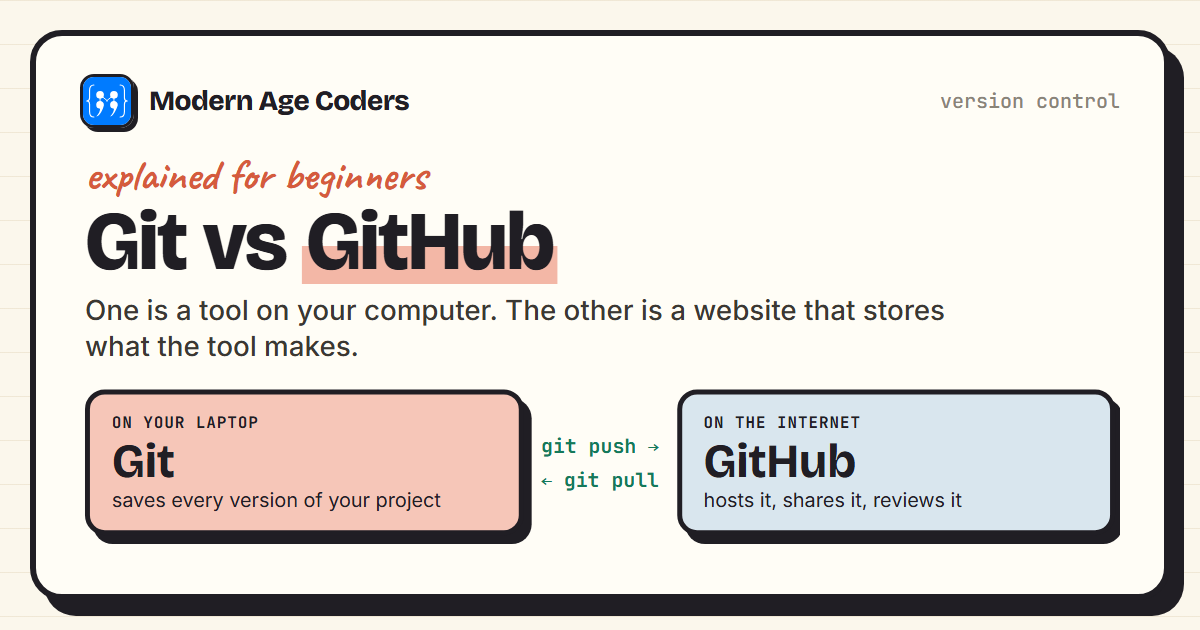
Git vs GitHub: The Difference, With a Real Session
Git vs GitHub explained: Git tracks versions on your computer, GitHub hosts them online. See a real ...
Read Article Career
18 min read
Career
18 min read
How College Students Can Build Real-World Projects While Studying
Practical guide for college students to build portfolio projects. 50+ project ideas, GitHub tips, an...
Read ArticleReady to start Git & GitHub Course for College Students: Team-Ready Skills?
Book a Priority Demo to see a full live class with a mentor reserved for you, today or tomorrow. Or choose a plan and enrol now.
Questions? WhatsApp +91 91233 66161 or email connect@modernagecoders.com