Table of Contents
Zip a folder and it gets smaller. Unzip it and every file comes back exactly as it was, down to the last bit. That seems impossible at first: how can you store the same information in less space? The answer is that most files are full of patterns and repetition, and compression is the art of describing those patterns more briefly.
This guide builds two classic compression methods in Python, run-length encoding and Huffman coding, then measures real compression with zlib, the method inside zip files and PNG images. It ends with a simple counting argument that proves no compressor can shrink every file, which explains why some files barely compress at all.
The core idea: say it more briefly
If someone asked you to read out a row of 12 white squares, 3 black and 12 white, you would not say "white, white, white..." 27 times. You would say "12 white, 3 black, 12 white". That is compression. It works whenever data has a pattern you can describe in fewer symbols than the data itself.
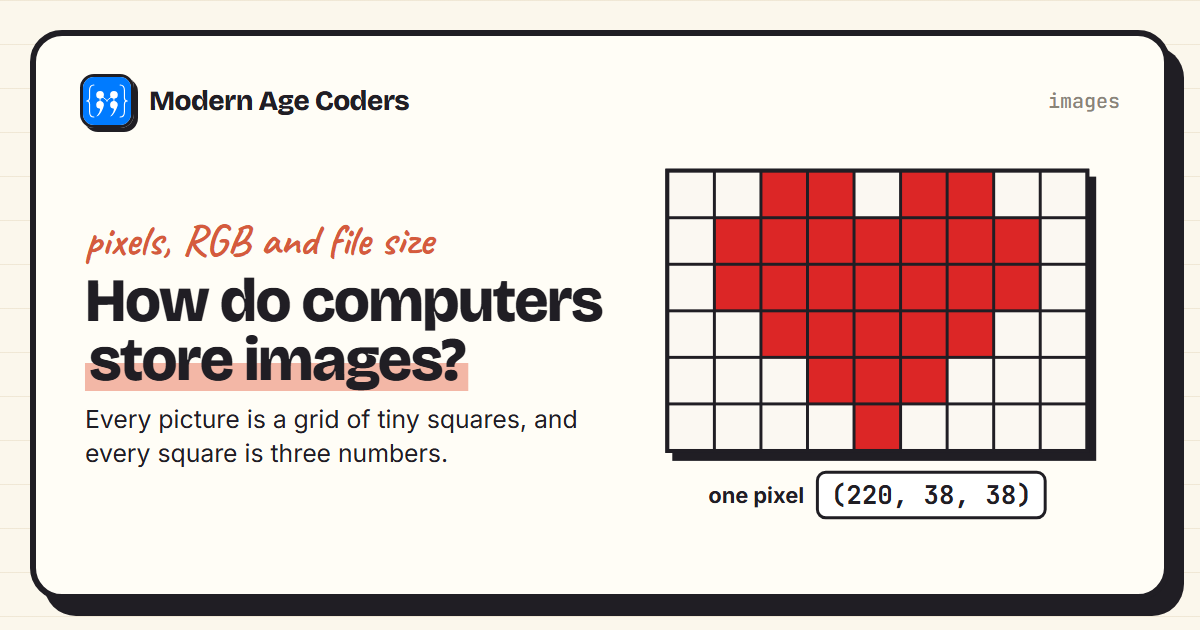
Lossless compression, the subject of this post, gives back exactly the original: zip files, PNG images and most document formats work this way. Lossy compression, like JPEG photos and streaming video, throws away detail you are unlikely to notice. Our guide to how computers store images compares the two with real measurements.
Method 1: run-length encoding
Run-length encoding (RLE) replaces each run of repeated characters with a count and the character. It is one of the simplest compression methods, and it was used in early image formats and fax machines, where pages are mostly long runs of white.
def rle_encode(text):
    """Run-length encoding: WWWWBBB becomes 4W3B."""
    out, i = "", 0
    while i < len(text):
        run = 1
        while i + run < len(text) and text[i + run] == text[i]:
            run += 1
        out += f"{run}{text[i]}"
        i += run
    return out

for row in ["WWWWWWWWWWWWBBBWWWWWWWWWWWW", "WBWBWBWBWBWB", "hello world"]:
    packed = rle_encode(row)
print(f"{row:<28} -> {packed:<26} {len(row):>2} chars -> {len(packed):>2}")WWWWWWWWWWWWBBBWWWWWWWWWWWW -> 12W3B12W 27 chars -> 8
WBWBWBWBWBWB -> 1W1B1W1B1W1B1W1B1W1B1W1B 12 chars -> 24
hello world -> 1h1e2l1o1 1w1o1r1l1d 11 chars -> 20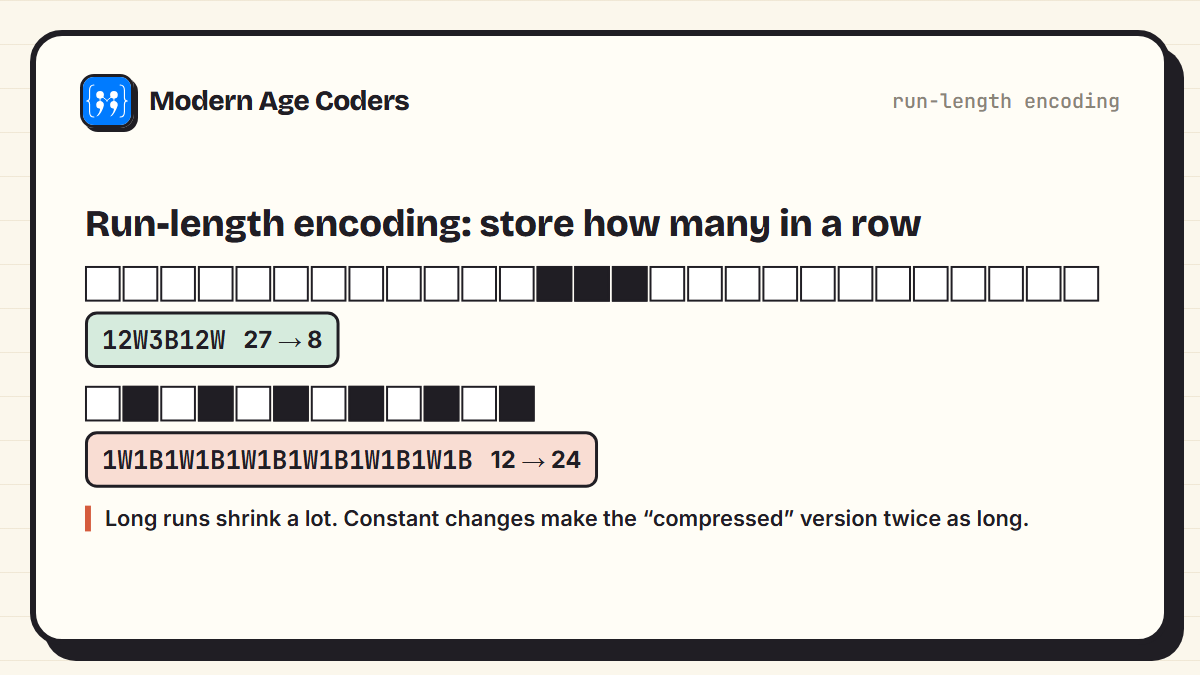
The pixel row shrank from 27 characters to 8. But the alternating row doubled from 12 to 24, and ordinary text like "hello world" nearly doubled too, because it has almost no runs. That is the first lesson of compression: every method is built around a particular kind of pattern, and it can make other data bigger.
Method 2: Huffman coding
Normal text uses 8 bits for every character, whether it is a common letter like e or a rare one like z. In 1952, David Huffman, then a student at MIT, published a way to build the best possible codes of this kind: give the most common characters the shortest codes and the rarest the longest. The algorithm repeatedly merges the two rarest groups of characters, adding a 0 to one side and a 1 to the other:
import heapq
from collections import Counter

def huffman_codes(text):
    # Start with one leaf per character, weighted by how often it appears
    heap = [(count, i, {ch: ""}) for i, (ch, count) in enumerate(Counter(text).items())]
    heapq.heapify(heap)
    tiebreak = len(heap)
    # Repeatedly merge the two rarest groups; one side gets a 0, the other a 1
    while len(heap) > 1:
        c1, _, left = heapq.heappop(heap)
        c2, _, right = heapq.heappop(heap)
        merged = {ch: "0" + code for ch, code in left.items()}
        merged.update({ch: "1" + code for ch, code in right.items()})
        heapq.heappush(heap, (c1 + c2, tiebreak, merged))
        tiebreak += 1
    return heap[0][2]

text = "abracadabra"
codes = huffman_codes(text)
for ch, count in Counter(text).most_common():
    print(f"'{ch}' appears {count} time{'s' if count > 1 else ''} -> code {codes[ch]}")

bits = "".join(codes[ch] for ch in text)
print(f"compressed: {bits} ({len(bits)} bits)")
print(f"plain 8-bit text: {len(text) * 8} bits")

decode = {v: k for k, v in codes.items()}
out, buf = "", ""
for b in bits:
    buf += b
    if buf in decode:
        out, buf = out + decode[buf], ""
print("decoded back:", out)'a' appears 5 times -> code 0
'b' appears 2 times -> code 110
'r' appears 2 times -> code 111
'c' appears 1 time -> code 100
'd' appears 1 time -> code 101
compressed: 01101110100010101101110 (23 bits)
plain 8-bit text: 88 bits
decoded back: abracadabra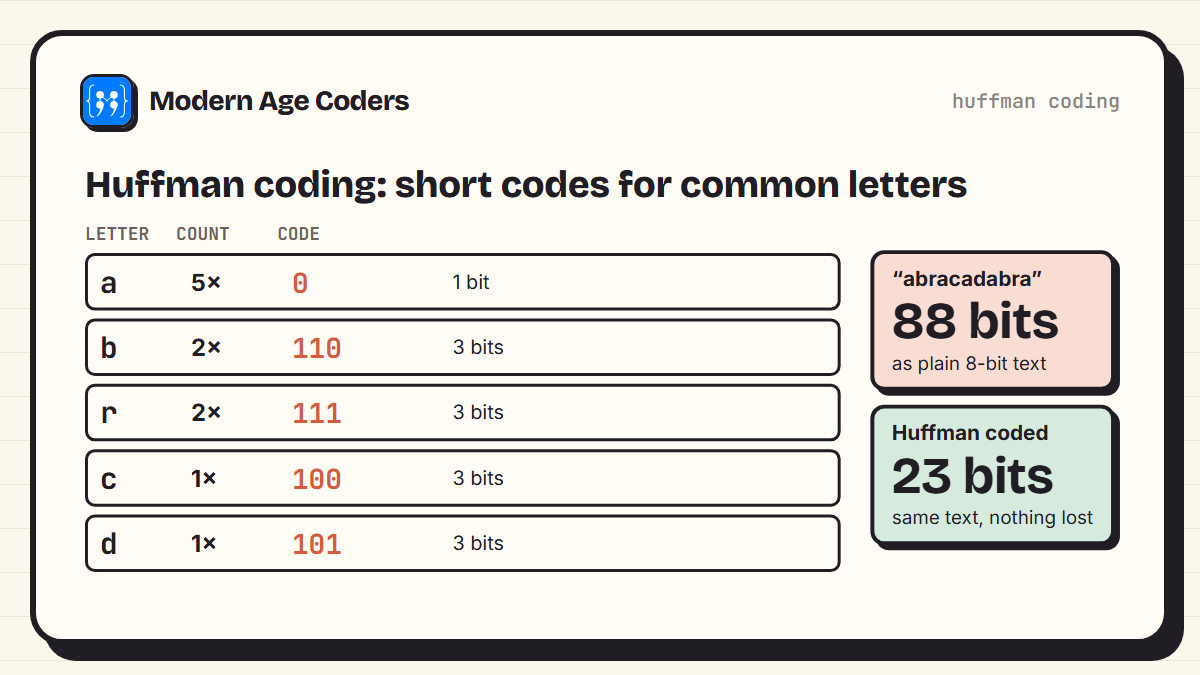
The letter a, which appears 5 times, gets a 1-bit code. The rarer letters get 3-bit codes. "abracadabra" fits in 23 bits instead of 88, and the decoder gets every letter back. There is a clever detail that makes decoding possible: no code is the beginning of another code, so the decoder always knows where one letter ends and the next begins. This is called a prefix code.
Morse code had the same idea
Morse code gives E, the most common letter in English, a single dot, and rare letters like Q and J longer patterns. Huffman coding is the same principle, worked out so the codes are as short as they can possibly be.
Real compression: zlib
Real tools combine several ideas. zlib uses a method called DEFLATE, which first replaces repeated sequences with short references back to where they appeared earlier, then Huffman-codes the result. It is the method inside zip files and PNG images, and it is built into Python. We measured it on three very different kinds of data:
import random, sysconfig, zlib, pathlib

samples = {
    "Python source code": pathlib.Path(sysconfig.get_paths()["stdlib"], "os.py").read_bytes(),
    "the same line 2,000 times": b"The quick brown fox jumps over the lazy dog.\n" * 2000,
    "random bytes": random.Random(42).randbytes(100_000),
}
for name, data in samples.items():
    packed = zlib.compress(data, 9)
    assert zlib.decompress(packed) == data          # lossless: exactly the same back
print(f"{name:<26} {len(data):>7,} -> {len(packed):>6,} bytes ({len(packed) / len(data):.2%} of original)")Python source code 42,811 -> 11,322 bytes (26.45% of original)
the same line 2,000 times 90,000 -> 333 bytes (0.37% of original)
random bytes 100,000 -> 100,041 bytes (100.04% of original)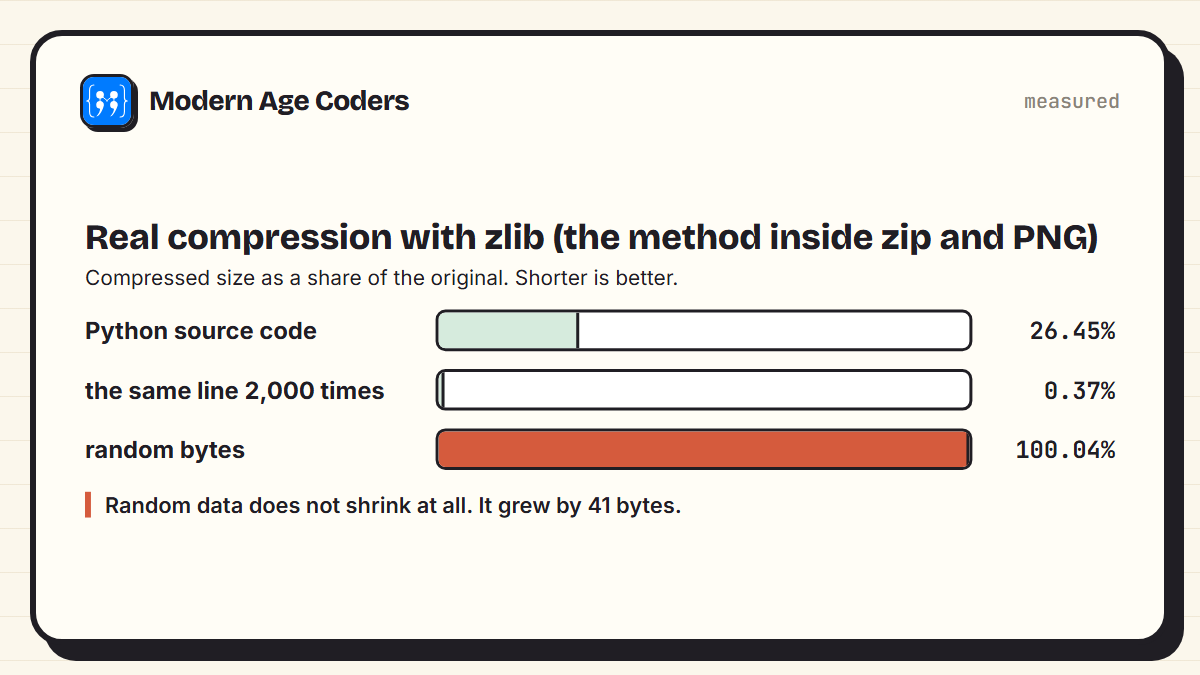
Python's own os.py source code shrank to 26.45% of its size, because code repeats words like def, return and variable names constantly. The same line repeated 2,000 times collapsed to 0.37%: after the first copy, everything else is "repeat that again". But 100,000 random bytes came out at 100.04%, slightly bigger than the original. Random data has no patterns to exploit, and the compressed format adds a little bookkeeping.
Why no compressor can shrink everything
Could a cleverer program compress random data too? No, and the proof is a simple counting argument:
# Why no compressor can shrink every file: count the possibilities
n = 8
files_of_n_bits = 2 ** n
shorter_files = sum(2 ** k for k in range(n))      # every length from 0 to n - 1 bits
print(f"files exactly {n} bits long: {files_of_n_bits}")
print(f"all possible shorter files:  {shorter_files}")
print("so at least two files would have to share a compressed version")files exactly 8 bits long: 256
all possible shorter files: 255
so at least two files would have to share a compressed version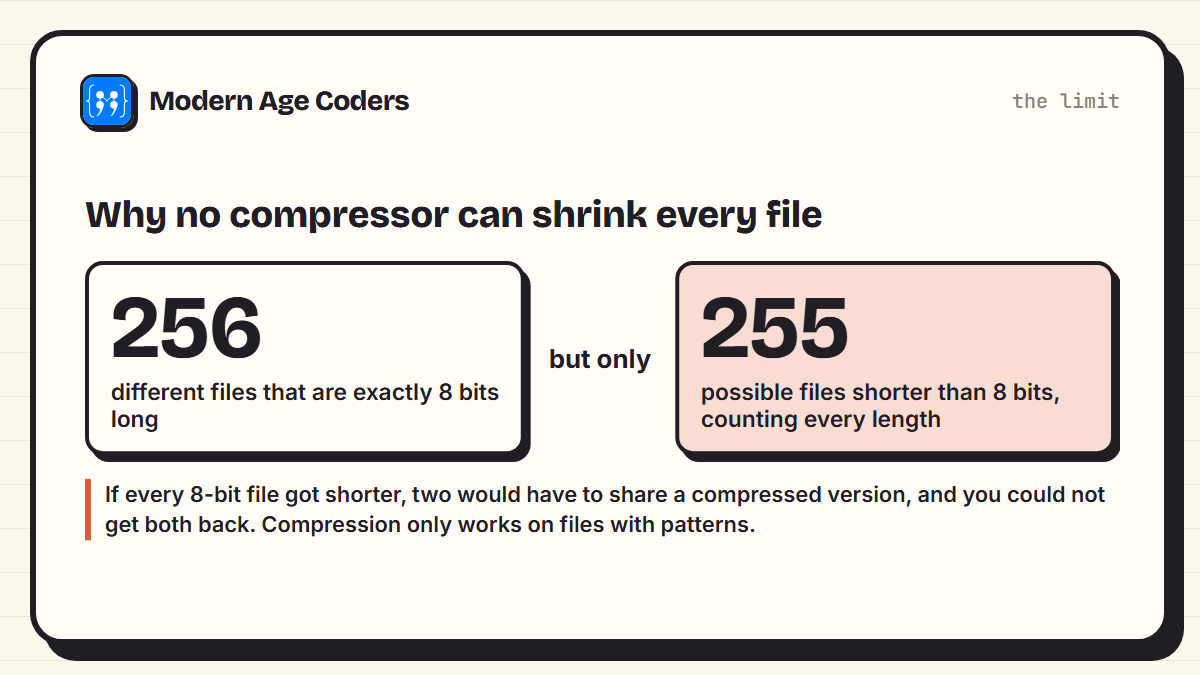
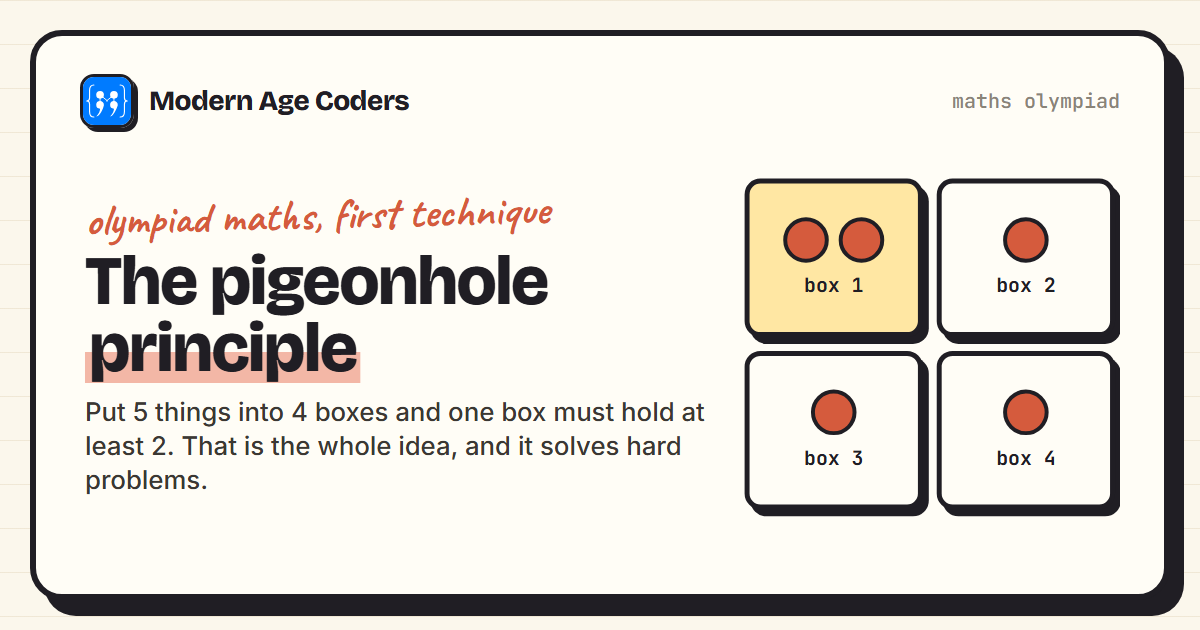
There are 256 different files exactly 8 bits long, but only 255 possible files that are shorter, even counting every length from 0 bits upwards. If a compressor made every 8-bit file shorter, at least two would have to end up as the same compressed file, and then it could not know which one to give back. This is the pigeonhole principle at work, and the same argument works for files of any size. Every lossless compressor must make some files bigger. The good ones only shrink files with patterns, which is almost every file people actually use.
Where you meet compression every day
- Zip files and most software downloads: lossless, usually DEFLATE or newer methods.
- PNG images: lossless, with zlib inside. JPEG photos are lossy.
- Web pages: servers usually compress text before sending it, and your browser unpacks it, which makes pages load faster.
- Music and video streaming: lossy, carefully discarding what ears and eyes are least likely to notice.
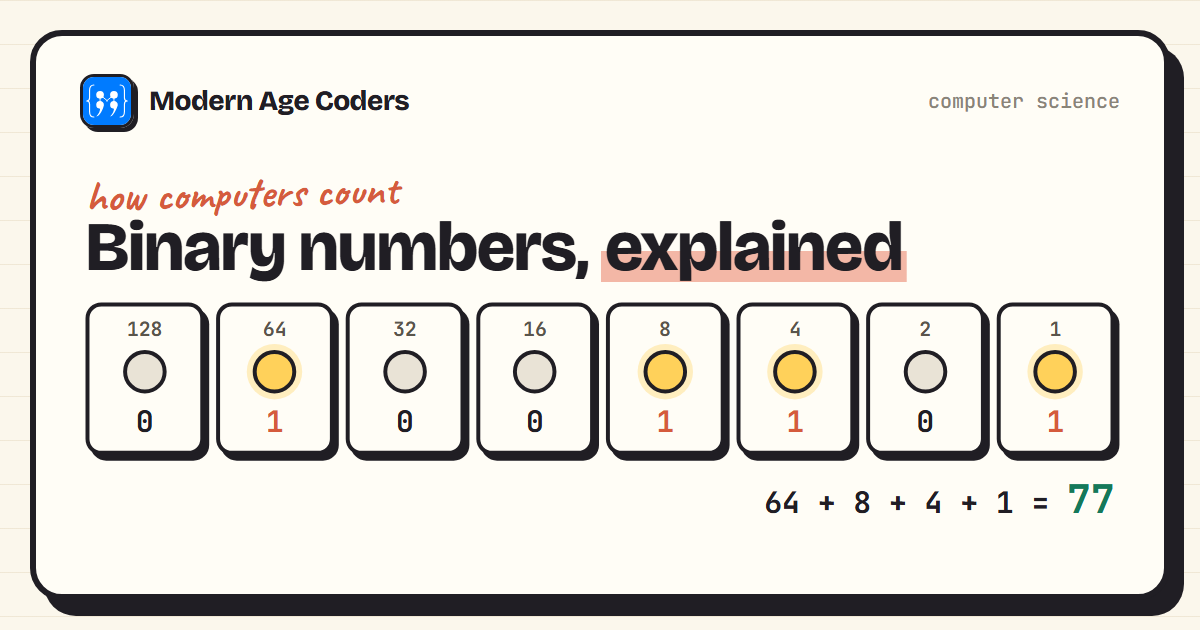
A good exercise after reading this: compress a file you already compressed. It barely changes, because the patterns are already gone, which is the counting argument in action. The idea connects closely to binary and to encryption, where good output is designed to look like pattern-free noise.
Compression is finding the pattern and describing it once. Where there is no pattern, there is nothing to compress.
How we teach it
Compression is a good fit for two principles on our how we teach page. Learning by building: a working Huffman coder teaches dictionaries and priority queues better than any definition. And tracing code line by line until every step can be predicted, which is how the merge-the-two-rarest step becomes clear. Our Python course for teens runs one to one or in small groups of 5 to 10.
Frequently asked questions
It finds patterns and repetition in data and describes them more briefly, for example replacing a run of identical values with a count, or giving common characters shorter codes. Lossless compression lets you get back exactly the original data.
Lossless compression, used in zip files and PNG images, restores every bit of the original. Lossy compression, used in JPEG photos and streaming video, discards detail people are unlikely to notice, which makes files much smaller but not identical.
A method that gives each character a code whose length depends on how often it appears: common characters get short codes and rare ones long codes. It was published by David Huffman in 1952 and is still used inside zip and PNG compression.
It replaces runs of the same value with a count and the value, so WWWWBBB becomes 4W3B. It works very well for data with long runs, such as simple images, and badly for data that changes constantly.
Because compression has already removed the patterns. What is left looks close to random, and random data cannot be made smaller; compressing it again usually makes it very slightly bigger.
No. A counting argument shows that no lossless method can make every file smaller: there are more files of a given length than there are shorter files. Compressors only shrink files that contain patterns.
Yes. Run-length encoding is a good early exercise with loops and strings, and Huffman coding is a satisfying intermediate project using dictionaries and a priority queue. Both appear in computer science syllabuses.