Table of Contents
API is one of those terms that everyone in technology uses and few people explain. It turns up in job adverts, AI news, school computing lessons and conversations about apps. The idea behind it is simple, and understanding it explains a surprising amount about how modern software is built: why a small app can show maps, take payments and use AI without building any of those things itself.
This guide explains what an API is in plain language, with a restaurant analogy, then shows a real one. We built a tiny weather API in Python for this post, ran it, and made real requests to it, so every request and response you see below is genuine output. It is written for students, parents and anyone curious about how software talks to software.
What an API is, in plain words
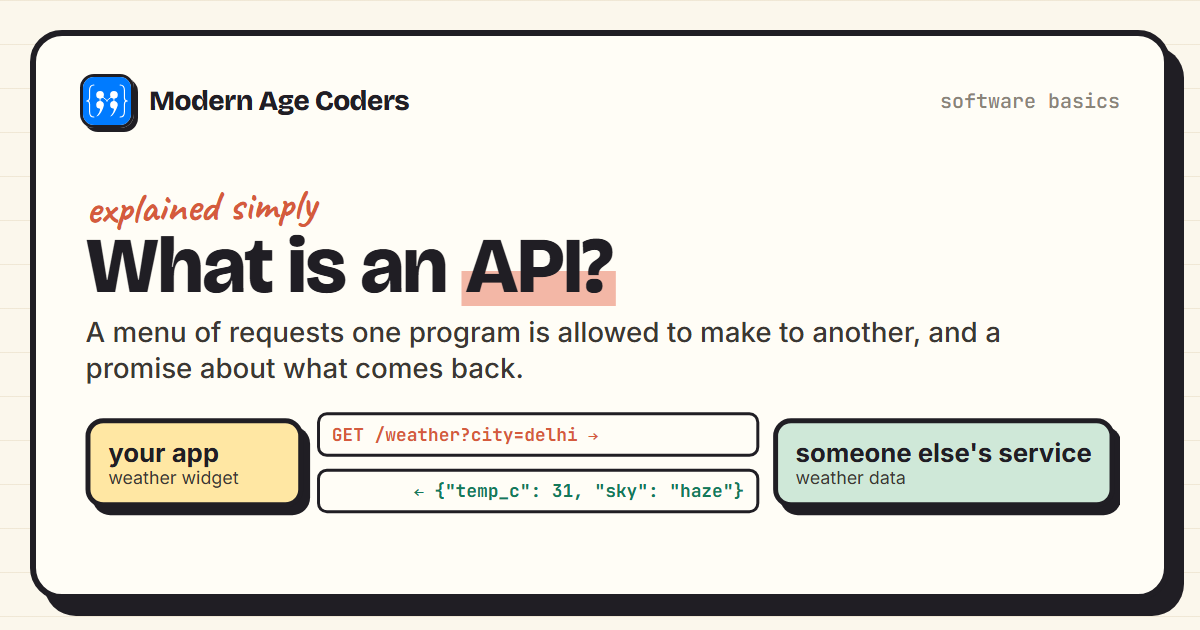
API stands for Application Programming Interface. An interface is the point where two things meet and communicate. A steering wheel is the interface between you and a car's engine: you do not need to know how the engine works, only how to use the wheel and pedals. An API is the same idea for programs. It is the set of requests one program is allowed to make to another, and the rules for what comes back.
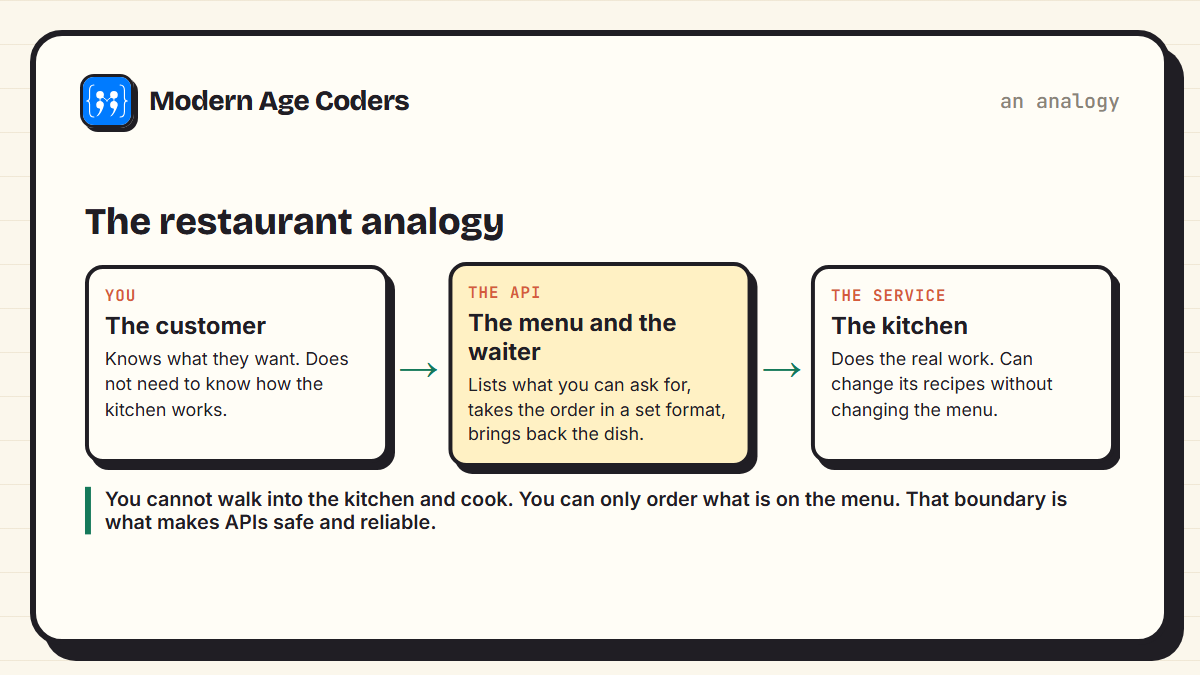
The classic analogy is a restaurant. You, the customer, know what you want to eat. The kitchen knows how to make it. You do not walk into the kitchen and start cooking. Instead there is a menu that lists what you can order, and a waiter who takes your order in a standard way and brings back the dish. The menu and the waiter are the API. The kitchen can change its recipes, its staff or its ovens, and as long as the menu stays the same, customers do not notice.
A real API, built and tested for this post
Here is a tiny weather API in Python. It knows the weather in three cities and answers requests for them. When asked about a city it knows, it replies with the data and the status code 200, meaning success. When asked about a city it does not know, it replies with an error message and 404, meaning not found.
import json
from http.server import BaseHTTPRequestHandler, HTTPServer
from urllib.parse import urlparse, parse_qs

WEATHER = {"delhi": {"temp_c": 31, "sky": "haze"},
           "london": {"temp_c": 14, "sky": "cloudy"},
           "dubai": {"temp_c": 38, "sky": "sunny"}}

class WeatherAPI(BaseHTTPRequestHandler):
    def do_GET(self):
        url = urlparse(self.path)
        city = parse_qs(url.query).get("city", [""])[0].lower()
        if url.path == "/weather" and city in WEATHER:
            status, body = 200, {"city": city, **WEATHER[city]}
        else:
            status, body = 404, {"error": f"no weather data for '{city}'"}
        self.send_response(status)
        self.send_header("Content-Type", "application/json")
        self.end_headers()
        self.wfile.write(json.dumps(body).encode())

    def log_message(self, *args):     # keep the terminal quiet
        pass
And here is a separate program that uses the API. It does not know or care how the weather data is stored. It only knows the menu: ask for /weather?city= and a city name, and read the JSON that comes back.
import json
from urllib.request import urlopen
from urllib.error import HTTPError

def ask(url):
    try:
        with urlopen(url) as response:
            return response.status, json.loads(response.read())
    except HTTPError as error:
        return error.code, json.loads(error.read())

for city in ["Delhi", "London", "Atlantis"]:
    status, data = ask(f"http://localhost:8765/weather?city={city}")
    print(status, data)

# the program only needs the parts it cares about
status, data = ask("http://localhost:8765/weather?city=dubai")
print(f"It is {data['temp_c']} degrees and {data['sky']} in {data['city'].title()}.")
We ran the server and the client together. This is exactly what the client printed:
200 {'city': 'delhi', 'temp_c': 31, 'sky': 'haze'}
200 {'city': 'london', 'temp_c': 14, 'sky': 'cloudy'}
404 {'error': "no weather data for 'atlantis'"}
It is 38 degrees and sunny in Dubai.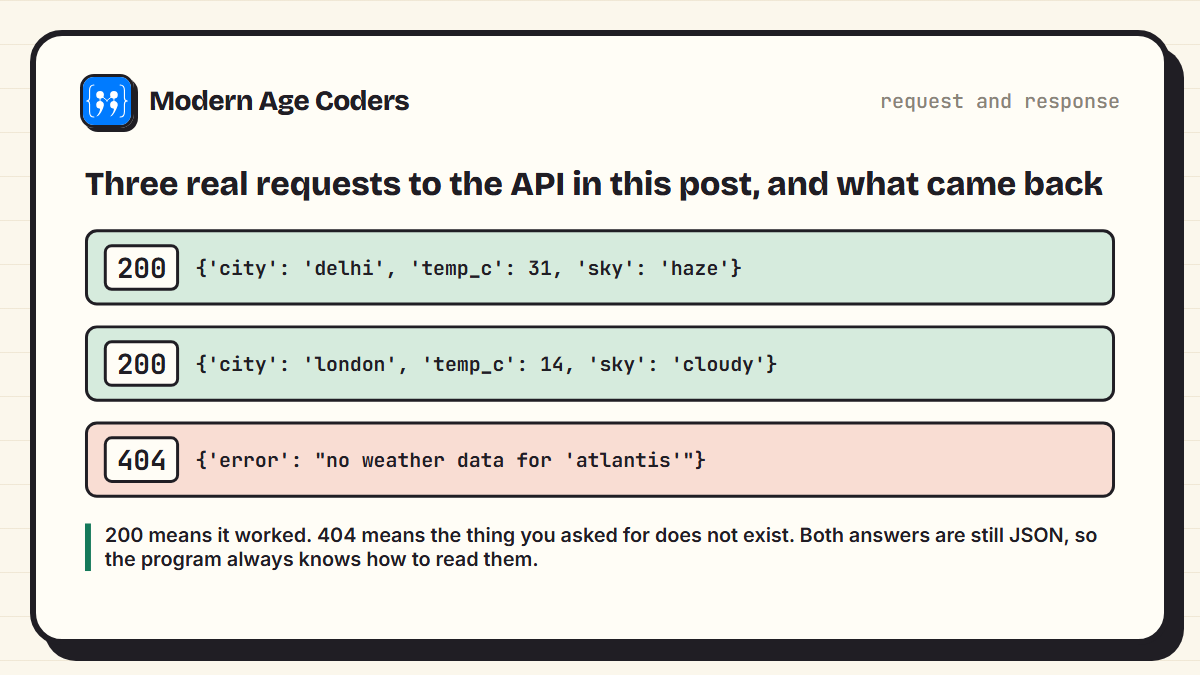
Notice three things. First, the answers come back as JSON, a simple text format for data that almost every programming language can read. Second, even the error is a proper, predictable answer, so the program can handle it gracefully instead of crashing. Third, the client program only used the parts of the answer it needed to build a friendly sentence. That is the whole idea of an API, working at a small scale.
Try a real public API
Many services offer free APIs for learning, such as weather, space and public data. A good first project for a student who knows basic Python is to request data from one, print a few fields, and then turn it into something useful, like a daily summary. Most need a free sign-up and an API key.
The vocabulary of web APIs
- Endpoint: an address you can send requests to, such as /weather. Each endpoint is like one item on the menu.
- Request: what you send: the endpoint, a verb, and sometimes data or parameters, like city=delhi.
- Response: what comes back: a status code and usually some data.
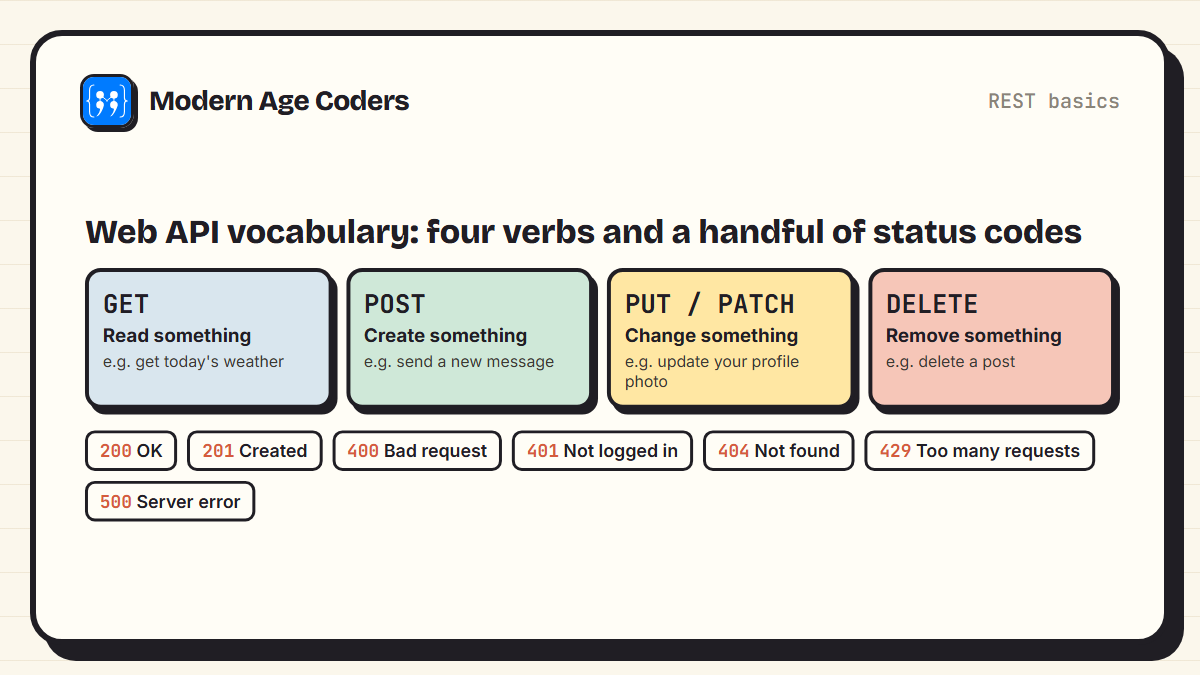
- Verbs (methods): GET to read, POST to create, PUT or PATCH to change, DELETE to remove.
- Status codes: three-digit numbers that summarise the result. 2xx means success, 4xx means the request had a problem, 5xx means the server had a problem.
- API key: a secret code that identifies who is making the request. Services use keys to control access and to limit how many requests each user can make.
- Rate limit: the maximum number of requests allowed in a period. Exceed it and you get status 429, too many requests.
APIs you use every day
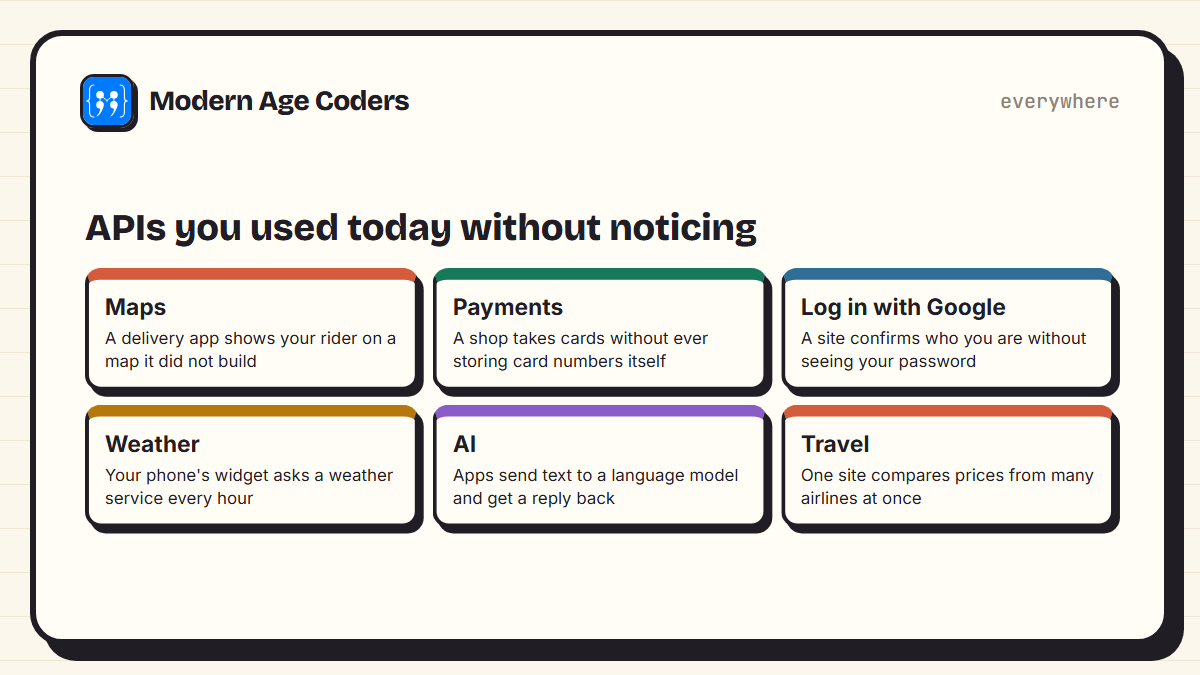
Most apps you use are partly built from other companies' services, connected by APIs. A food delivery app shows a map it did not draw by calling a maps API. A small online shop takes card payments through a payment company's API, so it never has to store card numbers itself. "Log in with Google" is an API that confirms who you are without the website ever seeing your password. And the recent wave of AI features in apps mostly works the same way: the app sends your text to a language model's API and displays the reply.
This is why APIs matter so much for people learning to code. They let a single student build something that would otherwise need a whole company, by combining existing services in a new way.
Why APIs are designed this way
- Separation. The weather service can change its database, add servers or rewrite its code, and nothing breaks for the apps using it, as long as the API stays the same.
- Security. Programs only get access to what the API offers, not to everything inside the service. A payments API lets a shop charge a card, not read the bank's database.
- Reuse. One API can serve thousands of different apps, websites and devices.
- Teamwork. Inside a company, teams agree on APIs between their parts, so they can work independently.
How to start learning to use APIs
- Learn basic Python or JavaScript first: variables, functions, lists and dictionaries. JSON maps almost exactly onto dictionaries.
- Call a public API that needs no key, print the whole response, then pick out one field.
- Handle errors: what happens with a bad request or no internet? The 404 case above is the pattern.
- Build something small: a weather summary, a quiz from a trivia API, or a page that shows space photos.
- Then build your own API, like the one in this post, so another program, or a website you make, can use it.
In JavaScript, the browser's fetch function does the same job as the client above. Our tutorial on the Fetch API and working with APIs covers it step by step, and our HTML, CSS and JavaScript project ideas include projects that use APIs.
An API is a promise: ask me this way, and I will always answer that way.
How we teach it
In our coding courses, APIs come once the basics are solid, and they follow the learning-by-building principle on our how we teach page: students make something that works, then understand why. Our Python from the ground up course leads naturally into it, taught live, one to one or in small groups of 5 to 10.
Frequently asked questions
An API is a set of rules that lets one program ask another program for data or to perform an action. It works like a restaurant menu: it lists what you can request and what you will get back, without you needing to know how the work is done.
API stands for Application Programming Interface. The interface is the point where two programs meet and communicate, following agreed rules.
A weather app that asks a weather service for the current temperature is using an API. Other examples include maps shown inside delivery apps, card payments in online shops, and logging in with Google.
JSON, short for JavaScript Object Notation, is a simple text format for sending structured data, such as {"temp_c": 31, "sky": "haze"}. Most web APIs send their responses as JSON because almost every programming language can read it.
An API key is a secret code that identifies the program making a request. Services use keys to control who can access their API, to track usage and to apply limits on how many requests can be made.
Status 404 means not found: the endpoint or the thing you asked for does not exist. In the example in this post, asking for weather in a city the service does not know returns 404 with an error message.
To use an API directly, yes, some basic programming helps. Python and JavaScript are the most common choices. Some no-code tools let you connect APIs without writing code, but understanding the basics makes them far easier to use well.