AI Literacy for Kids (Ages 8 to 14)
Children who understand how AI works, where its answers come from, and when to doubt it, taught safely and at the right age.
Syllabus updated August 2026
Questions? WhatsApp +91 91233 66161 or email connect@modernagecoders.com
Recordings are free with a Google sign-in. These recordings show how we teach, not the exact syllabus of this course.
Fees and enrolment
How to join AI Literacy for Kids (Ages 8 to 14): Understand AI, Do Not Just Use It
Choose how you want to pay, pick a plan and press Enrol. We then fix your class timing with you.
Rated 4.9 across 547 Google reviews. Monthly billing, cancel any time.
How enrolment works
Pick a plan
Group (15 to 20 students), Mini Batch (up to 6, India only) or 1-on-1 with your own mentor. Billing is monthly.
Press Enrol and pay
Fill in the student's name, email and phone, then pay securely: UPI, cards or net banking in India, or a debit or credit card from any other country.
Fix your class timing
After paying, WhatsApp or call +91 91233 66161 with the student's name and your preferred time. We confirm the batch or 1-on-1 slot and send the class link.
Start learning
Join your first live class at the time you chose. Your mentor takes it from there.
Want to see a class first? Book a Priority Demo: a live class of about 45 to 60 minutes with a mentor reserved for you. If you enrol, the demo fee is adjusted against your first month's fee. Share your demo Order ID with us on WhatsApp and we take it off.
Billing is monthly and you can cancel any time.
International Students (Outside India)
Billed monthly in US dollars, the same price in every country. Contact us with any questions.
Questions before you enrol? Talk to our team.
Ask about class timings, the right level for your child, what they need to know already, or payment. Parents and adult learners can reach us on WhatsApp, by email or by phone.
Our promise
The world's best learning experience, open to everyone.
- World-class instructorsEvery class is taught by an instructor who specialises in that exact field.
- No compromise on qualityEvery lesson, project and piece of feedback is held to the highest standard.
- Education for everyoneLearners aged 6 to 67, from first-time beginners to working professionals, in 25+ countries.
If you want the highest quality, Modern Age Coders is the right choice.
Book a Priority DemoHow long this course takes
This course runs 4 months (16 weeks), joinable any month at 2 live classes/week + small weekly projects. The range allows for background and pace: a complete beginner uses the full span, and a student with prior knowledge finishes sooner. The syllabus below is planned to the shorter end, with margin kept for revision.
For personalised duration planning, call +91 91233 66161 and we'll map a schedule to your goals.
At a glance
- Who it is for
- Ages 8 to 14; no prior coding required, everything is taught from scratch.
- Prerequisites
- None. The course starts from the beginning.
- Format
- Live, interactive online classes with a real mentor, never pre-recorded videos. Live classes run about one hour.
- Language
- English or Hindi, depending on the batch.
- Duration
- 4 months (16 weeks), joinable any month
- Weekly commitment
- 2 live classes/week + small weekly projects
- Class size
- Group batches of 15 to 20 students, mini batches of up to 6, or 1-on-1.
- Certificate
- Certificate from Modern Age Coders, awarded on passing the final assessment
- Watch first
- Free recordings of real classes for ages 6 to 12, free with a Google sign-in. These recordings show how we teach, not the exact syllabus of this course.
- Live demo
- Optional. Enrol directly on this page, or book a Priority Demo: a full live class of about 45 to 60 minutes with a mentor reserved for you.
- Questions
- WhatsApp +91 91233 66161 or email connect@modernagecoders.com.
How we teach
Deep understanding. Real projects. Expert guidance.
Learn coding, AI and maths through careful explanations, practical demonstrations, and hands-on problem-solving. Our instructors guide you from the foundations to advanced ideas, helping you understand what happens, why it happens, and how to build it yourself.
You will explore concepts step by step, write and improve code, investigate mistakes, ask questions, and apply your knowledge to meaningful projects. Lessons are designed around active participation, thoughtful feedback, and growing independence.
Expert-led live teaching, with practical participation built into every lesson.
- Students explain their thinking.
- Instructors demonstrate, then guide practice.
- Learners code, solve, or build during lessons.
- Questions and misconceptions get attention.
- Assignments receive useful feedback.
- Progress is checked before advancing.
Program Overview
Most children already use AI daily, in recommendations, filters, voice assistants and homework help. Almost none of them understand what it is doing. That gap is the actual risk: not that children use AI, but that they trust it without knowing how it works, where its answers come from, or how confidently it can be wrong.
This course closes that gap. Children learn what artificial intelligence actually is, how a machine learns from examples rather than rules, why the data it learns from decides what it does, and why it can produce a confident answer that is simply false. They train simple models themselves, on data they collect, so machine learning stops being magic and becomes something they have done with their own hands.
It is also built to be age-appropriate in a way most AI courses are not. Almost every mainstream AI tool sets a minimum age, commonly 13 and sometimes 18, in its own terms of service. We do not ask a nine-year-old to create an account on a service that does not permit it. Younger students work with tools designed for children and with teacher-run demonstrations, while older students in the range use more capable tools where age and parental permission allow. Nobody is left out, and no family is quietly pushed past a terms-of-service line.
What Makes This Program Different
- Understanding first: children learn how AI works, not just which buttons to press
- Genuinely age-appropriate, because mainstream AI tools set minimum ages (commonly 13, sometimes 18) that most kids' AI courses quietly ignore
- Children train their own simple models on data they collect, so machine learning becomes concrete instead of magical
- Bias, hallucination and data quality taught in plain language, with examples children can see for themselves
- Aligned with the direction of school curricula, including computational thinking and AI now entering national syllabuses
- Live, small batches with a real teacher, never a recorded video or an app left to babysit
Your Learning Journey
Career Progression
Detailed Course Curriculum
Explore the complete week-by-week breakdown of what you'll learn in this comprehensive program.
Topics Covered
- What people mean by AI, and what computers were already doing before it
- The difference between following rules and learning from examples
- Spotting the AI you already use every day
- What computers are genuinely good at, and what humans are still better at
- Why AI does not think or understand the way a person does
Projects You Build
- An AI spotting hunt: find five AI systems you used this week and explain what each one decides
Practice & Assignments
Sort everyday examples into rule-following or learning-from-examples, and explain each choice
Topics Covered
- What training data is, in plain language
- How a machine finds patterns in examples
- Labels, and why a machine needs to be told what things are
- Why more and better examples usually mean better results
- The unplugged version, done with paper before any computer
Projects You Build
- Train a classmate as if they were a machine: give only examples, no rules, then test them
Practice & Assignments
Build a labelled example set for a simple classification task
Topics Covered
- Using a child-safe, teacher-supervised training tool
- Collecting your own examples for two or three categories
- Training the model and testing it live
- Watching accuracy change as the examples change
- Why the machine gets some things confidently wrong
Projects You Build
- Train an image or sound classifier on your own examples and demonstrate it to the class
Practice & Assignments
Improve your model by adding better examples and record what changed
Assessment
Show and explain your trained model: what it does, how you taught it, where it fails
Topics Covered
- How patterns in data turn into predictions
- Simple ideas of features: what the machine actually looks at
- Why a machine can be confident and still wrong
- Prediction versus certainty, in language a child can hold
- Connecting this to maths patterns they already know
Projects You Build
- Predict outcomes from a small dataset by hand, then compare with the model's prediction
Practice & Assignments
Pattern and prediction puzzles using real, small datasets
Topics Covered
- Every AI learns from data somebody collected
- What gets left out of a dataset, and why that matters
- Seeing bias appear in a model you trained yourself
- Fair and unfair examples, explored with real cases suitable for the age
- Why the machine is not being unkind, it is repeating its examples
Projects You Build
- Deliberately train a model on lopsided data, then show the class exactly how it fails
Practice & Assignments
Audit a small dataset and list who or what is missing from it
Topics Covered
- Why a text AI can produce a confident, fluent, completely false answer
- What it means that it predicts likely words rather than looking up facts
- Checking an AI answer against a real source
- Why AI is a starting point and not a final authority
- How to tell a class or teacher when you used AI, honestly
Projects You Build
- Fact-check a set of teacher-provided AI answers and mark which are wrong and why
Practice & Assignments
Source-checking drills: verify five claims against real references
Assessment
A short critical-thinking test on judging AI answers
Topics Covered
- The difference between AI helping you learn and AI doing it for you
- Asking AI for a hint or an explanation instead of the answer
- Explaining a solution in your own words as the real test of understanding
- Why copying an AI answer cheats only yourself
- Simple, honest rules a child can actually follow
Projects You Build
- Take one homework-style problem, use AI only for hints, and explain the solution back unaided
Practice & Assignments
Rewrite AI explanations in your own words and check them for errors
Topics Covered
- Why AI tools have minimum ages, and what a terms of service is
- What personal information should never be typed into any AI tool
- Why what you type may be stored or used
- Talking to a parent or teacher when something feels wrong
- Deepfakes and manipulated media, at an age-appropriate level
Projects You Build
- Write a family AI agreement: what is allowed, what is not, and who to ask
Practice & Assignments
Sort scenarios into safe, unsafe and ask-an-adult
Assessment
End-of-phase check on safety, privacy and honest use
Topics Covered
- Connecting a trained model to a block-coded program
- Making the program react differently to each prediction
- Testing your project with inputs it has never seen
- Fixing it when it behaves oddly
- Planning before building
Projects You Build
- Build a block-coded project that responds to your trained model's predictions
Practice & Assignments
Debug three deliberately broken AI projects
Topics Covered
- Choosing a problem worth solving for a real person
- Deciding whether AI is even the right tool for it
- Sketching the idea before any building
- Planning what data you would need and whether you can get it fairly
- Setting a scope you can actually finish
Projects You Build
- Write a one-page plan for your capstone: the person, the problem, the data, the plan
Practice & Assignments
Give and receive feedback on each other's project plans
Topics Covered
- Building in small steps and testing each one
- Collecting balanced training data on purpose
- Handling the cases the model gets wrong
- Being honest in your project about its limits
- Getting it working end to end
Projects You Build
- Build your working capstone project
Practice & Assignments
Weekly build checkpoints with teacher review
Topics Covered
- Explaining what your project does and how you taught it
- Showing where it fails, honestly, which is the mark of real understanding
- Answering questions about your data
- Speaking clearly to an audience that is not technical
- Being proud of work you can actually explain
Projects You Build
- Present your capstone to the class and to your parents
Practice & Assignments
Rehearse the presentation and take questions
Assessment
Final capstone presentation, assessed on understanding rather than polish
Projects You'll Build
Build a professional portfolio with 50+ projects real-world projects.
Weekly Learning Structure
Certification & Recognition
Technologies & Skills You'll Master
Comprehensive coverage of the entire modern web development stack.
Career Outcomes & Opportunities
Transform your career with industry-ready skills and job placement support.
Prerequisites
Who Is This Course For?
Career Paths After Completion
Course Guarantees
Real students. Real moments. Real joy.
These are our actual student meetups. No stock photos, no filters. Swipe through and meet the community you'll be joining.







































What families say
Straight from the parents and students who learn with us. Rated 4.9 across 547 Google reviews.
“Mivaan enjoys the class. He understands the concepts and completes his tasks with excitement. He started taking interest in coding… truly amazing class.”
“I absolutely love it here! I made new friends and learned important valuable coding skills while having the fun of my life. It's not just coding here, it's outings, bonding and most importantly preparing you for your future. Definitely five stars.”
“What stands out most is how excited my son is before every class. He looks forward to learning, problem-solving, and sharing what he's built. I've noticed a big boost in his confidence!”
“Modern Age Coders has been a game-changer for me! I struggled to grasp IT concepts and coding before joining, but their classes transformed everything. I'm now the topper in my class and can confidently write complex programs with ease.”
“Modern Age Coder have wonderful teachers who teach in a clear, easy and practical way. The teacher boosts students' confidence, keeps them updated with technology, and inspires them to learn without hesitation.”
“The one step solution for my son. Modern Age Coders make learning coding so simple that kids love it.”
“Coding classes here make learning very interesting and conceptual. The teachers teach us in a very easy-to-understand and efficient manner.”
“One of the most wonderful education centres out there. Education is not limited to school syllabus but focuses on skill development. Learning here has been a wonderful journey and still continuing.”
“I highly recommend this computer coding class! The teachers are incredibly knowledgeable and passionate about coding. They make every session engaging and insightful.”
“My child Dhairya is really enjoying the Modern Age Coder IT classes. This is his first online class, and he eagerly looks forward to it.”
“Very good classes. Don't worry about coding. They teach the best, especially Shivam sir.”
“Very good classes. Makes learning very easy and interactive.”
Hear it from our students
Real parents and students in their own words, on our public YouTube channel.
Straight answers about AI Literacy for Kids (Ages 8 to 14): Understand AI, Do Not Just Use It
- Who should take this course?
- Ages 8 to 14; no prior coding required, everything is taught from scratch.
- What will they learn and build?
- Most children already use AI daily, in recommendations, filters, voice assistants and homework help. Almost none of them understand what it is doing. That gap is the actual risk: not that children use AI, but that they trust it without knowing how it works, where its answers come from, or how confidently it can be wrong.
- How deeply are topics covered?
- The course runs 4 months (16 weeks), joinable any month at 2 live classes/week + small weekly projects, across 3 phases listed week by week in the syllabus below.
- Who teaches it?
- Modern Age Coders mentors, who teach the live classes themselves. You can watch them at work in the free class recordings before you decide.
- How do practice, feedback and assessment work?
- Classwork in every session and homework after every class. Classwork every session, a task after every class, monthly reviews that mix in earlier topics, and a friendly final assessment of everything learned that decides the certificate: real knowledge and real work, with a free retest after revision if needed. A certificate you earn by passing the final assessment, with a free retest after revision if needed.
- What does it cost?
- Three monthly plans: a group batch, a mini batch and 1-on-1. Prices are shown in your currency in the plans section. Monthly billing, cancel any time.
- When can classes take place?
- Live classes are scheduled around your week. Group batches meet at a fixed weekly slot; 1-on-1 students choose their own. International students are scheduled in their own timezone. Ask on WhatsApp for the current slots.
- Can I watch the teaching before deciding?
- Yes. Full recordings of real 6 to 12 classes are free to watch, free with a Google sign-in. These recordings show how we teach, not the exact syllabus of this course. Some classes are in English and some in Hindi; everyone follows at their own pace. Watch a class end to end, like you are in it. Sessions are interactive and each moment builds on the last.
- Can I enroll without a live demo?
- Yes. Choose a plan on this page and enrol directly; a demo is not required. If you would like to see a full class with a mentor first, book a Priority Demo.
- How do I reach you with a question?
- WhatsApp +91 91233 66161, email connect@modernagecoders.com, or call +91 91233 66161. Tell us the student's age and what they have learned so far, and we will point you to the right plan and batch.
Common Questions About AI Literacy for Kids (Ages 8 to 14): Understand AI, Do Not Just Use It
Get answers to the most common questions about this comprehensive program
Still have questions? We're here to help!
Contact UsRelated Courses You May Like
Continue your learning journey with these recommended programs
 Exam Board Mathematics
IGCSE Maths: Core, Extended & Additional Mathematics Online
Live online IGCSE Maths course for Cambridge Core, Extended and Additional Mathematics: non-calculat...
Explore Course Digital Skills for Kids
Microsoft Office for Kids: Word, PowerPoint and Excel
Microsoft Office course for kids aged 7-12: live online classes for Word, PowerPoint, Excel, OneNote...
Explore CourseRelated Articles & Guides
Deepen your knowledge with these hand-picked articles
 Artificial Intelligence
14 min read
Artificial Intelligence
14 min read
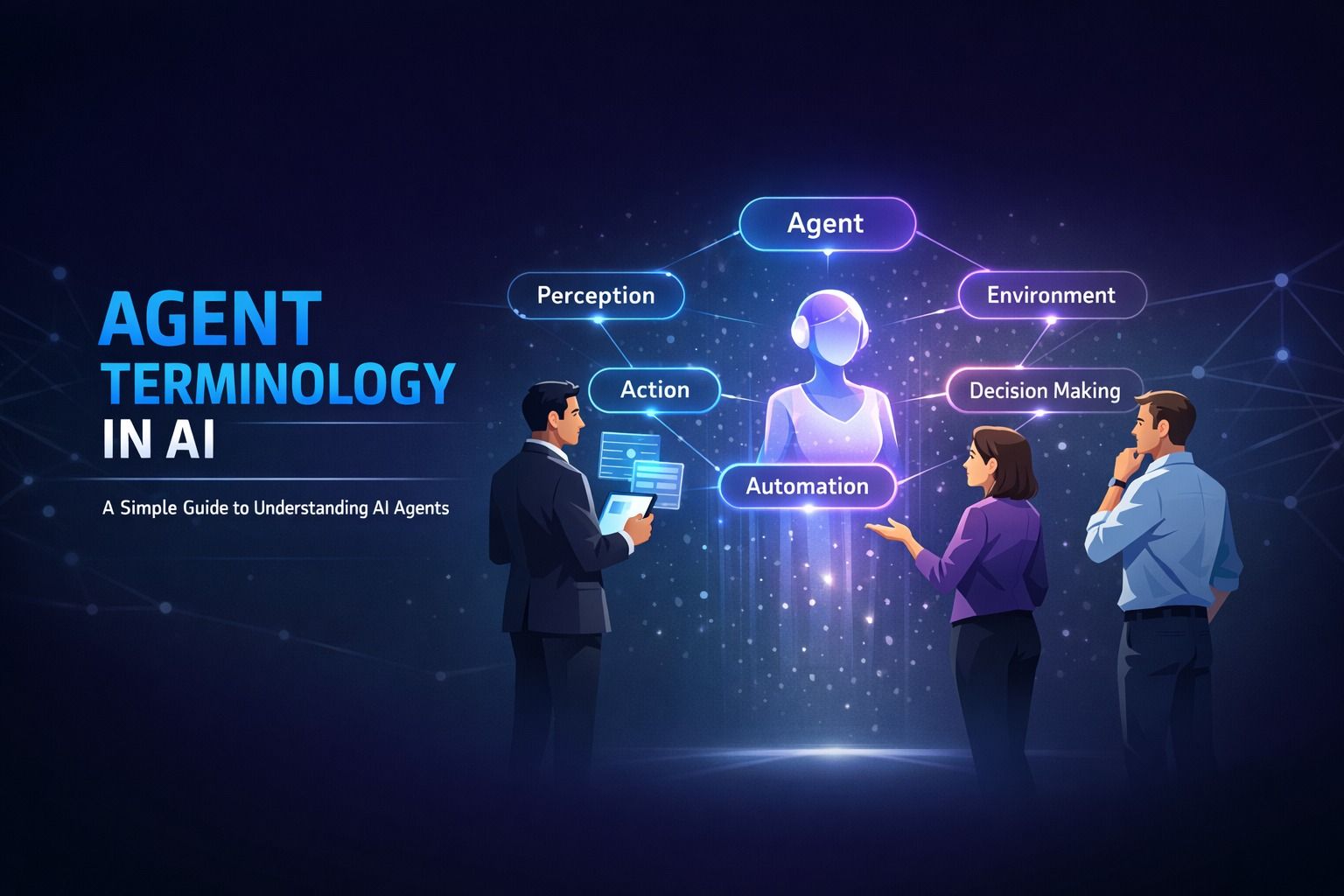
Agent Terminology in AI: A Simple Guide to Understanding AI Agents
Decode AI agent terminology in ai with this beginner-friendly guide. Learn about autonomous agents, ...
Read Article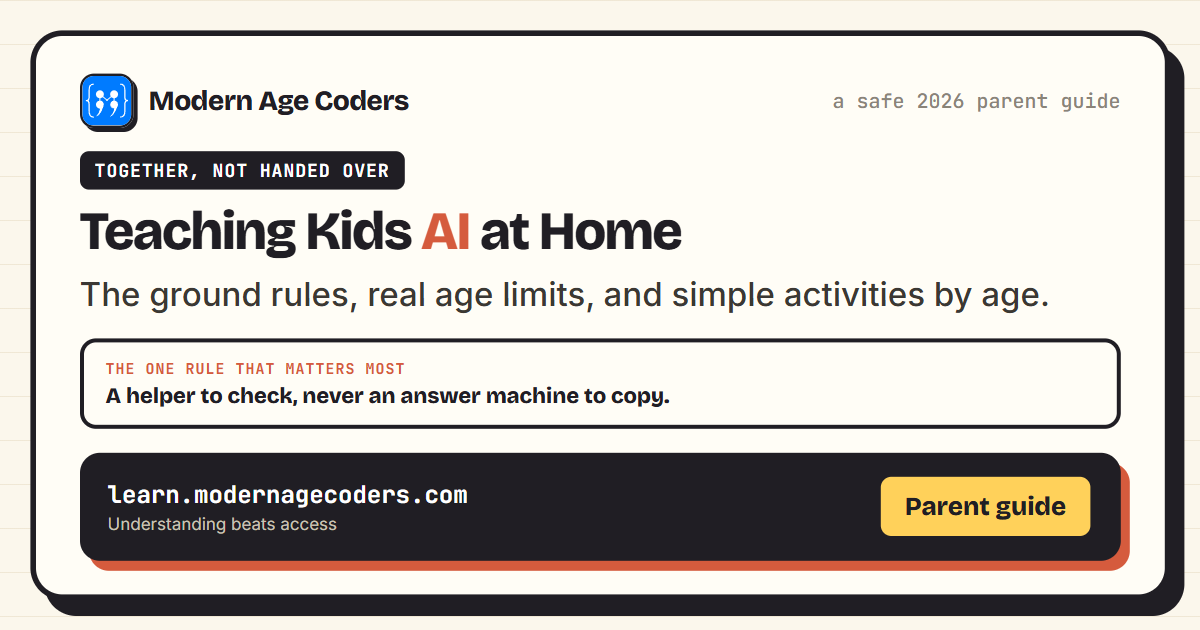 Artificial Intelligence
7 min read
Artificial Intelligence
7 min read
How to Teach Kids AI at Home: A Safe 2026 Parent Guide
How to teach your child about AI at home, safely: the ground rules, real age limits, and simple acti...
Read ArticleReady to start AI Literacy for Kids (Ages 8 to 14): Understand AI, Do Not Just Use It?
Book a Priority Demo to see a full live class with a mentor reserved for you, today or tomorrow. Or choose a plan and enrol now.
Questions? WhatsApp +91 91233 66161 or email connect@modernagecoders.com