AKAU / FST / 01
Scratch Coding for Kids
Logic first, so AI later makes sense.
Open the syllabusAustralia · Ages 6 to 12 · Understand AI, then build it
Search for an AI course for children and you will find everything from serious introductions to machine learning to sessions that amount to typing questions into a chatbot. They are not the same thing, and the difference matters. A child who learns how AI learns from examples, and how it fails, becomes a sharp and safe user for life. A child who only learns to ask a chatbot for answers may never find out that the confident reply can be wrong. This page is for Australian parents choosing an AI course for a child aged about six to twelve. It sets out what a good course should teach, works through one AI failure that children can understand completely, quotes the age rules some AI companies publish, and gives a short checklist for comparing courses.
Live teaching since 2020 · 10,000+ students · AI understood from the inside, not just used
In short
A good AI course for kids teaches how artificial intelligence learns from examples, how it can be wrong, and how to build small AI projects, rather than only how to type questions into a chatbot. For children aged about 6 to 12 that means age-appropriate tools, hands-on projects in Scratch or Python and plenty of discussion about mistakes and fairness. Several popular chatbots set minimum ages in their own terms. Modern Age Coders teaches AI to Australian children live online without adult chatbot accounts, and the first class is free.
Start here
Chosen by age and by how much the child wants to code. Each card opens the full syllabus.
AKAU / 01
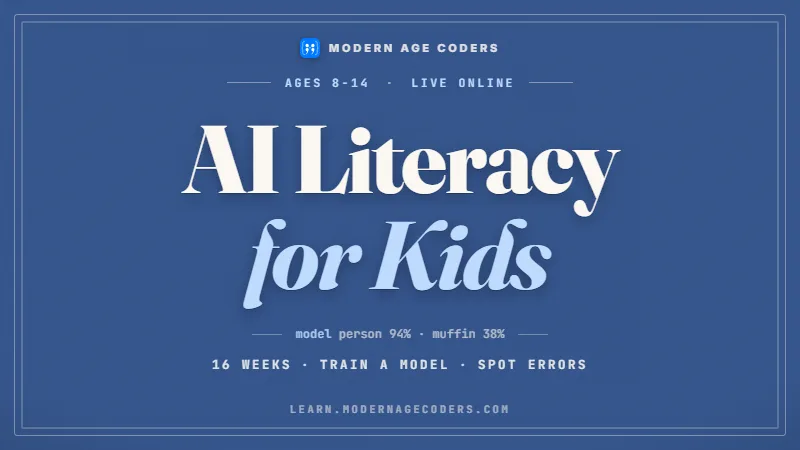
The thinking course: how AI learns, why it errs and how to question it, for ages 8 to 14.
Open the syllabus →
AKAU / 02
Typing real code at last: children aged 9 to 12 train small models and test them honestly.
Open the syllabus →
AKAU / 03
Games and apps made with an AI assistant, where the child, aged 8 to 12, makes every decision.
Open the syllabus →What a good course teaches
Whatever the tools, a course worth paying for teaches these ideas in a way a child can explain back to you.
| Idea | What a child should be able to say | How it is taught |
|---|---|---|
| AI learns from examples | "It looked at lots of labelled examples and found patterns." | Sorting games, then training a tiny model |
| Examples can be missing | "If it never saw something, it cannot recognise it." | Leaving a category out on purpose and watching it fail |
| AI can be confidently wrong | "A sure-sounding answer can still be a guess." | Checking AI answers against a trusted source |
| Fairness depends on data | "Lopsided examples make lopsided answers." | Training on an unbalanced set and comparing |
| People stay responsible | "I decide whether to use what it says." | Discussion and real decisions in projects |
Courses that are mostly typing prompts into a chatbot teach a narrow skill and often rely on tools with adult age rules. Ask exactly which tools are used and who holds the account.
Be wary too of promises that a child will "master AI" in a few sessions. Understanding grows with practice, like any subject.
Children build something, test it on new examples, and talk about its mistakes. They can tell you why it went wrong, not just that it did.
The course links AI to coding, so children can eventually build their own models instead of only using other people's.
A worked example
Here is one AI failure explained completely. Children as young as eight understand it, and it changes how they see every AI tool afterwards.
Imagine training a picture sorter on lots of photos of kangaroos and koalas, each labelled correctly. It learns well, and on new kangaroos and koalas it is usually right. Now show it a wallaby. It has never seen one, and "wallaby" is not one of its possible answers, so it must choose between the only two labels it knows. Whatever it says, it is wrong. The Australian Curriculum names this exact issue the zero problem: a category with zero training examples.
| Shown to the sorter | Labels it can choose from | What it can answer | Can it ever be right? |
|---|---|---|---|
| A kangaroo | Kangaroo, koala | Kangaroo | Yes |
| A koala | Kangaroo, koala | Koala | Yes |
| A wallaby | Kangaroo, koala | Kangaroo or koala | No: "wallaby" is not on its list |
| A wombat | Kangaroo, koala | Kangaroo or koala | No, for the same reason |
The curriculum's own example is "a model with many examples of horses and no zebras in its training data is likely to classify all zebras as horses". Our sorter makes the same mistake with wallabies.
The sorter does not say "I don't know". It gives an answer, sometimes a confident one, because nothing in its training taught it that something else exists.
Add examples of the missing category, add an "unsure" answer for low confidence, and always test on things the model was not trained on.
A song recommender that only knows what you have already played will keep suggesting more of the same. A voice assistant may struggle with words it rarely heard in training. Each is a version of the zero problem.
Once children recognise the pattern, they start asking the right question of any AI tool: what examples was this trained on, and what might it never have seen?
The curriculum also asks students to consider "ensuring that the data used to train an AI model minimises any potential biases in its output and is representative of the target audience". Missing or thin categories are a common way for unfair results to creep in.
In our lessons, children train a model with a category left out, watch it fail, then add examples and watch it improve. Seeing it happen is far more convincing than being told.
The two curriculum quotations come from elaborations of AC9TDI10P01 and AC9TDI8P01 in the ACARA Version 9.0 Digital Technologies content for Years 7 to 10, downloaded 7 October 2026. The kangaroo, koala and wallaby example is ours.
Chatbot age rules
Before any course puts a child in front of an AI chatbot, check the company's own rules. Here are two, quoted exactly as published.
| Service | What the company states |
|---|---|
| Anthropic (Claude), consumer terms | "You must be at least 18 years old or the minimum age required to consent to use the Services in your location, whichever is higher." |
| Google (Gemini Apps), Google AI plan help page | "To use Gemini Apps with a Google AI plan in most countries, you must be 13 (or the applicable age in your country) or over." |
| Other services | Read each provider's current terms yourself. One major provider's terms page could not be read automatically, so we do not quote it. |
A course for primary-aged children should not depend on tools that set an older minimum age. If a course does use a chatbot, ask whose account it is, what the provider's age rules say, and how conversations are supervised.
Age rules change, and they can differ by country and by product, so check the provider's current terms rather than relying on any summary, including ours.
Our AI courses for children do not require any adult chatbot account. Children learn with age-appropriate tools and with programs they write themselves in Scratch and Python.
Teenagers meet large AI tools later, in courses designed for their age and within each provider's rules. See AI classes for teens.
Sources, read 7 October 2026: Anthropic Consumer Terms of Service; Google Gemini Apps Help, Manage your Google AI plan. We are independent of both companies.
How to choose
Use these questions with any provider, including us. A good course will answer all of them clearly.
| Ask | A good answer | A worrying answer |
|---|---|---|
| Which tools will my child use? | Named, age-appropriate tools and their own code | Vague, or adult chatbots |
| Whose accounts are they? | No accounts needed, or the family's with settings explained | Accounts created for the child by the provider |
| Will my child build something? | Yes, and test it on new examples | Mostly watching or prompting |
| How do you teach AI mistakes? | Children cause, find and fix them | Mistakes are not discussed |
| How does it connect to coding? | It leads into Scratch and Python | It stands alone |
| What happens in a trial? | A real lesson with your child doing the work | A sales presentation |
If your child is ready to type code, our Python AI course for kids shows a full worked example of a model learning from sentences. Younger children often start with coding games and Scratch before any AI work.
At school
AI is not an add-on in Australian schools. Version 9 of the curriculum mentions it repeatedly in the Digital Technologies elaborations.
In Years 7 to 10 the elaborations include training data issues such as the zero problem, bias in training data, machine learning that classifies images, and using AI tools responsibly.
A good out-of-school AI course should prepare children for these ideas in a gentler form, so they arrive at secondary school already understanding them.
We never complete school assessment tasks, and we teach children to say when they have used AI help, as many schools now expect.
We also do not claim that an AI course raises school results. What it builds is understanding, and the habit of checking.
Progress
Most children move through the first three stages over a school year of weekly lessons.
| Stage | What your child can do |
|---|---|
| 1. Notice | Spot AI in everyday tools and describe what it is doing |
| 2. Explain | Say how a model learns from labelled examples, in their own words |
| 3. Test | Train a tiny model, test it on new examples and find where it fails |
| 4. Question | Ask what a model was trained on, what it never saw and who checks it |
Children from about six can start noticing and sorting, without screens or with simple tools. Hands-on model building usually suits ages eight and up.
The free first class helps us pick the right starting point.
Not for the first stages. To build real AI projects, some coding helps, which is why our AI courses lead into Scratch and Python.
Children who already code can go straight to building models.
The catalogue
Three bands by age and readiness. We decide the right one together in the trial lesson.
AKAU / FST / 01
Logic first, so AI later makes sense.
Open the syllabusAKAU / FST / 02
Patterns and sorting, the roots of AI.
Open the syllabusAKAU / FST / 03
Blocks, games and early Python.
Open the syllabusAKAU / AIK / 01
Understanding before using.
Open the syllabusAKAU / AIK / 02
Building small models in Python.
Open the syllabusAKAU / AIK / 03
Creative projects with an AI assistant.
Open the syllabusAKAU / TEN / 01
Machine learning with real libraries, for 13 to 18.
Open the syllabusAKAU / TEN / 02
Using AI tools well, strictly 13 and over.
Open the syllabusAKAU / TEN / 03
Machine learning without writing code.
Open the syllabusHow lessons run
Lessons are live and online, with teachers based in India. Australian afternoons overlap the Indian working day in every state, so after-school times are straightforward to set up.
After school
Short weekday lessons for primary children.
Saturday morning
Unhurried project time.
Sunday
Handy when the week is packed.
Your child sorts, trains and tests something small with a teacher. No card is asked for.
Groups that compare results and argue about mistakes.
Lessons tailored to one child's pace and curiosity.
Children's courses do not need any adult AI account.
Children break models deliberately to see why they fail.
You are welcome to watch and ask questions at any lesson.
Student work
A handful of projects our students built and published. Browse the student labs for more.

AI and ML
An AI nutrition coach that reads what you eat and works you toward a target.

AI and ML
A chatbot that answers mathematics and programming questions, built and deployed by a student.

AI and ML
An assistant that helps a young person recognise unsafe situations online.

Web app
A weather forecasting site with live conditions for any location.
Fees
For families outside India, one monthly fee in US dollars covers lessons. Nothing to pay up front to enrol, and no minimum number of months.
Free first class
USD 0
no card required
Group batch
USD 100
a month, billed in US dollars
One to one
USD 150
a month, billed in US dollars
What families say
Shown exactly as families posted them on our Google profile.
★★★★★
"The one step solution for my son. Modern Age Coders make learning coding so simple that kids love it. The teachers explain complex concepts clearly with practical exercises and interactive content."
Ria Mukherjee
Parent
★★★★★
"Modern Age Coders has been a game-changer for me. I struggled to grasp IT concepts and coding before joining, but their classes transformed everything. I can now confidently write complex programs with ease."
Samriddha Mondal
Student
★★★★★
"One of the most wonderful education centres out there. Education is not limited to school syllabus but focuses on skill development."
Vansh Agarwal
Student
★★★★★
"My child Dhairya is really enjoying the Modern Age Coders classes. This is his first online class and he eagerly looks forward to it. I can already see his improvement, and the teachers are very cooperative."
Sonam Oswal
Parent of Dhairya
★★★★★
"Modern Age Coders have wonderful teachers who teach in a clear, easy and practical way. The teacher boosts students' confidence and inspires them to learn without hesitation."
Sonu Goyal
Parent
★★★★★
"I highly recommend this computer coding class! The teachers are incredibly knowledgeable and passionate about coding."
Ritu Kedia
Parent
Parents ask
How AI learns from examples, how and why it can be wrong, how training data affects fairness, and how to build and test small AI projects. Typing questions into a chatbot should be a small part at most.
It is when a category has no examples in the training data, so the model cannot recognise it. A sorter trained on kangaroos and koalas but no wallabies will label every wallaby as a kangaroo or a koala.
From about six with sorting and noticing activities, and from about eight with hands-on model building. Typed Python AI projects usually suit children from about nine.
It depends on the provider. Anthropic's consumer terms require users to be at least 18, and Google's help page says Gemini Apps with a Google AI plan requires users to be 13 or over in most countries. Always check current terms.
No. Our children's AI courses use age-appropriate tools and programs the children write themselves, with no adult chatbot account.
Yes. The Australian Curriculum v9 Digital Technologies elaborations include machine learning, training data issues such as the zero problem, bias and responsible use of AI tools.
It prepares them for the AI ideas in the Digital Technologies curriculum and builds the habit of checking information. We do not promise better marks.
Not to start. Coding becomes useful for building real AI projects, so our courses lead naturally into Scratch and Python.
This page helps you choose an AI course. The Python AI course is one of the options, for children ready to type code and build models.
The first lesson is free and no card is needed. Monthly fees for groups and private lessons are set out in the fees section further up.
Hands-on AI, AI for teenagers, and our Australian guides.
The full list of our Australian guides.
Building small models in Python.
Where teenagers meet the big AI tools.
Machine learning for secondary students and adults.
Age rules for popular AI tools, with sources.
How live lessons run in Australia.
Start here
Share your details and choose a time for a call. In the trial lesson your child sorts, trains and tests something small with a teacher, and you hear honestly whether an AI course suits them now.
You can also read how we run a lesson or look through every course by age first.
WhatsApp us · +91 91233 66161 · connect@modernagecoders.com
WhatsApp is the quickest route from an Australian mobile. The +91 number reaches our team in India; we have no office in Australia.
A priority demo is a full class of about 45 to 60 minutes. After the class the mentor sends a written skill report and a personal learning roadmap on WhatsApp. If you enrol, the demo fee is adjusted against your first month's fee. Share your demo Order ID with us on WhatsApp and we take it off.
Book a priority demo