COBA / KIDS / 01
Coding for Kids
Scratch stories, games and simple apps, grouped by age.
Open the syllabusBarranco, Lima · Live online, in English · Children, teens and makers
Barranco is small. INEI's 2025 census puts it among the smallest districts of Lima, with only a couple of thousand children of primary age and a couple of thousand teenagers. That is wonderful for a neighbourhood and awkward for anyone looking for a specialist class taught in English: there are rarely enough learners of one age and level nearby to fill one. This page explains how live online classes get round that, who in Barranco takes them, what code offers people who already make things, and what a lesson looks like.
Live teaching since 2020 · more than 10,000 learners in many countries · every class in English
The short answer
In Barranco, Lima, Modern Age Coders offers coding as live online classes taught in English. Children start with Scratch at 6 and Python at about 9; teenagers learn Python, web and game development and creative coding; adults learn Python and web building, often for their own design, writing or music projects. Because classes are online, a Barranco learner joins a full group of the same age and level drawn from many places, fifteen to twenty learners, or studies one to one with a mentor based in India, at any hour chosen on Peru time.
Where Barranco learners start
Games for children, creative coding and animation for teenagers and adults with an eye for design, and web building for anyone who wants a site of their own.
COBA / 01
For children who would rather build a game than play one. Scratch first, then Roblox and Minecraft projects, with every rule of the game explained, and then written, in plain English.
Open the syllabus →
COBA / 02
For teenagers and adults who think visually. Motion, pattern and colour made with code in p5.js, where every image on screen is a small program that the learner can read and change.
Open the syllabus →
COBA / 03
For anyone who wants their own website, from a teenager's portfolio to an artist's gallery. Real, responsive pages written by hand, so the learner understands every line.
Open the syllabus →A small district
Far fewer than next door. INEI's census of 2025 gives Barranco a total population of 42,986, the seventh smallest of Lima's 43 districts by our sort of INEI's table, beside neighbours several times its size.
| District | Total population | People counted | People missed (INEI estimate) |
|---|---|---|---|
| Barranco | 42,986 | 41,076 | 1,910 |
| Miraflores (to the north) | 126,049 | 121,203 | 4,846 |
| Santiago de Surco (to the east) | 402,074 | 386,432 | 15,642 |
| Chorrillos (to the south) | 377,080 | 359,715 | 17,365 |
| Lima Metropolitana (43 districts) | 10,141,775 | 9,600,043 | 541,732 |
Taken from Cuadro N.° 1 of INEI's Censos Nacionales 2025 spreadsheet for the capital, saved on 8 November 2026. INEI's total is the counted population plus its estimate of people missed. The rows are separate districts and are not meant to be added; the ranking among the 43 districts is our own sort of the same table.
Of the 41,076 people INEI counted in Barranco, 2,243 were aged 6 to 11 and 2,559 were 12 to 17. The largest group is adults of 30 to 44, 10,819 people, about 26.3% by our division, and 9,241 were 60 or over.
Barranco holds about 0.4% of the population of Lima Metropolitana, again by our arithmetic. Women outnumber men slightly, 22,496 to 20,490 in INEI's total.
Spread two thousand primary-age children over six school years and many schools, and there are only a few hundred of any one age in the whole district. Fewer still will want a coding class, and fewer again want it taught in English.
That is why a specialist class in English is hard to find close to home in a small district. Online, the arithmetic disappears: a Barranco nine-year-old joins a group of nine-year-olds from many places, and the class is full from the first week.
Who learns
A mix that reflects the district: families with children at bilingual or international schools, teenagers who draw, film or make music, and adults who make things for a living or for love.
Children from 6 start with Scratch, where a story or a game appears in the first lesson. Pupils at bilingual schools follow easily; children who speak mostly Spanish at home learn the English of the class alongside the code. Either way, nobody switches to Spanish.
A teenager who already draws or edits video often loves creative coding: shapes, motion and colour from a few lines of code. Others want games or a website of their own. All of it starts with the same foundations of Python or JavaScript.
Designers, photographers, writers and musicians use code to build portfolios, automate dull tasks, or make generative work. Adults learn at their own pace, in a group of adults or one to one, at an hour around their work.
Peruvian school does not teach programming as a subject: no area of the CNEB plans of study covers it, and the curriculum treats digital skills as a competency spread across all subjects. Children who want to code learn it outside school, which is where we come in. Spanish-speaking parents planning the summer can read our guide to vacaciones útiles de programación en Barranco, about creative coding in January and February. Adults returning to learning after an office course can read, in Spanish, clases de programación en Barranco.
Code for makers
Because code is a material, like paint or clay, with properties you can only learn by working it. Once you can write a few lines, a computer stops being a tool you use and becomes something you can shape.
An illustrator can generate a thousand variations of a pattern and keep the few that please the eye; a photographer can rename, resize and sort a whole shoot in seconds; a writer can build an interactive story; a musician can program a rhythm that changes every bar.
None of this needs a computer science degree. It needs the foundations, taught properly: variables, loops, conditions, lists and functions, then a library for the medium the learner cares about.
Creative coding is full of small, puzzling failures: a shape drawn off the edge, a colour that never changes, an animation that freezes. A mentor watching your screen spots the cause in seconds and, more usefully, asks the question that lets you spot it yourself.
And because the class is in English, the learner meets the vocabulary of the documentation, the forums and the libraries in the language they are written in.
We teach learners to think through a problem rather than copy an answer, from a tutorial or from an AI tool. Adults in our classes use AI assistants and learn to check what they produce; children stay off adult chatbot accounts, since Claude sets 18 as its minimum age and ChatGPT asks for a parent's consent below 18.
A real lesson
Every drawing program has a paint-bucket tool: click inside a shape and the colour floods to its edges. We teach how it works to learners of about 12 and up, and it turns on a question an artist would ask: do two squares that touch only at a corner belong to the same shape?
Our picture, drawn for the lesson, is a small grid of squares: a 2 by 2 block in the top-left corner, a diagonal line of three squares running down from the top-right, a second 2 by 2 block lower down that the diagonal touches at one corner, and a single square on its own at the bottom right.
An artist looking at it sees three shapes: the first block, the diagonal joined to the second block, and the lone square. The program has to decide for itself.
The program finds a filled square it has not seen, then keeps a stack of squares to visit. It takes one from the stack, counts it, and pushes every filled neighbour it has not seen yet. When the stack is empty, one shape is finished, and it records the size.
The seen set is essential: without it the fill would visit the same squares back and forth for ever. Marking a square as seen when it is pushed, not when it is popped, also stops any square being counted twice.
picture = [
    "##....#",
    "##...#.",
    "....#..",
    "..##...",
    "..##..#",
]
STEPS = [(-1, 0), (1, 0), (0, -1), (0, 1)]

def count_shapes(rows, steps):
    seen = set()
    shapes = []
    for r in range(len(rows)):
        for c in range(len(rows[0])):
            if rows[r][c] == "#" and (r, c) not in seen:
                size = 0
                stack = [(r, c)]
                seen.add((r, c))
                while stack:
                    y, x = stack.pop()
                    size += 1
                    for dy, dx in steps:
                        ny, nx = y + dy, x + dx
                        if (0 <= ny < len(rows) and 0 <= nx < len(rows[0])
                                and rows[ny][nx] == "#" and (ny, nx) not in seen):
                            seen.add((ny, nx))
                            stack.append((ny, nx))
                shapes.append(size)
    return shapes

print("Four directions:", count_shapes(picture, STEPS))
It prints Four directions: [4, 1, 1, 1, 4, 1].
Six shapes, not three. The fill can only move up, down, left or right, so the diagonal line falls apart into three single squares, and none of them can reach the lower block. Nothing is broken in the code; it answered a different question from the one the artist asked. The fix is to say what touching means.
# picture, STEPS and count_shapes() as in Version 1
DIAGONALS = STEPS + [(-1, -1), (-1, 1), (1, -1), (1, 1)]
print("Four directions:", count_shapes(picture, STEPS))
print("Eight directions:", count_shapes(picture, DIAGONALS))
print("Squares painted:", sum(count_shapes(picture, STEPS)), sum(count_shapes(picture, DIAGONALS)))
With Version 1's picture, STEPS and function above it, it prints Four directions: [4, 1, 1, 1, 4, 1], Eight directions: [4, 7, 1] and Squares painted: 12 12.
With eight directions, corners count as touching. The diagonal joins up and links to the lower block, giving one shape of seven squares, and the count matches the artist's three. The last line is the check every learner should write: whichever rule we use, all 12 filled squares are painted exactly once. Only the grouping changes.
Real paint programs choose deliberately. Many fill with four directions, because otherwise colour leaks through a diagonal line meant as a border; the same choice appears in maps, games and medical images. There is no universally right answer, only a rule you have to state. That is the lesson: before you count shapes, decide what makes two pieces one.
Why online
For a small district, the alternative to an online class is usually a journey to a bigger one. A live class at home keeps the time for learning and costs no travel at all.
We do not publish traffic estimates without a source, and Barranco residents hardly need them. Whatever the route, an hour-long class elsewhere means an afternoon organised around getting there and back.
At home, the learner sits down, logs in and starts. A parent working nearby can glance over; nobody needs to drive.
A laptop or desktop computer with a keyboard, camera and microphone, and a steady connection. INEI's household survey for the second quarter of 2026 reported internet in 84.7% of homes in Lima Metropolitana, which for INEI includes Callao, and at least one computer in 53.3%.
For creative work a mouse helps, and headphones help everyone. A phone is fine for following a class but not for writing code.
Plenty of Lima adults use English daily, and EF's English Proficiency Index 2025 rates the city of Lima "High" at 555, against 519 for Peru as a whole. Lima-wide context, from the school timetable to IB students, is on our page about English-medium coding classes in Lima.
Barranco times
Whenever you choose. Peru keeps one clock all year, without daylight saving, and India is always 10 hours 30 minutes ahead of it. The table shows a few conversions; none is a fixed slot.
| Peru time, Barranco | India time | A likely learner |
|---|---|---|
| 07:30 | 18:00 | A freelancer before the day's work |
| 09:30 | 20:00 | A child in the January holidays |
| 16:30 | 03:00, next day | A pupil after school |
| 19:00 | 05:30, next day | A teenager after homework |
| 21:30 | 08:00, next day | An adult maker late in the evening |
Clock rules: tz database entries for America/Lima and Asia/Kolkata; Peru last changed its clocks in 1994. The conversions are ours and hold on every date.
Book on your own clock and the mentor sees the India time. The Peruvian school calendar starts in March, when MINEDU reported 53,631 schools reopening for 6,225,000 pupils on 16 March 2026, to December; our classes run through all of it, and through the summer holidays, unless you pause them.
Milestones
Our own stages, described by what the learner makes. They place learners in the right group and show parents and adult learners real progress.
| Stage | Typical start | The learner makes | And understands |
|---|---|---|---|
| 1. Scene | Age 6 | A Scratch scene where characters move and talk | Order matters |
| 2. Game | Age 8 | A playable game with a score | Events and variables |
| 3. Pattern | Age 10 | Repeating drawings with loops | How a loop builds a picture |
| 4. Page | Age 12 | A personal website in HTML and CSS | Structure versus style |
| 5. Tool | Age 13 and up | A program that fills, counts or sorts | Rules must be stated, like touching |
| 6. Work | Teens and adults | Generative art, a portfolio or a small app | How to test and explain it |
Stage 5 is the paint-bucket lesson above. A child who can explain why the count changed has learned something that applies far beyond pictures.
Our notes describe what was made and understood, not hours spent.
Before you count shapes, decide what makes two pieces one.
Change one thing at a time, then look. Code rewards the same patience as any craft.
More courses
All taught live and in English; pick a batch or private lessons, and keep the same mentor throughout.
COBA / KIDS / 01
Scratch stories, games and simple apps, grouped by age.
Open the syllabusCOBA / KIDS / 02
Children build real websites of their own.
Open the syllabusCOBA / KIDS / 03
Turtle art and small AI projects in typed Python.
Open the syllabusCOBA / TEEN / 01
Interactive pages and browser games from scratch.
Open the syllabusCOBA / TEEN / 02
Photo, video and design skills with a technical edge.
Open the syllabusCOBA / TEEN / 03
2D and 3D games in GDScript for kids and teens.
Open the syllabusCOBA / ADULT / 01
From a first script to automating your own work.
Open the syllabusCOBA / ADULT / 02
From pages to a complete web application.
Open the syllabusCOBA / ADULT / 03
Graphic design skills with AI tools used carefully, 13 and over.
Open the syllabusHow classes run
Any day, any time, flexible: choose a batch, or for a very personalised plan choose 1-on-1 at the hour that suits your family.
Early
Barranco mornings fall in the Indian evening, a natural teaching hour.
Late
Afternoon and night classes in Lima are arranged as well; name your hour.
1-on-1
A mentor of your own, around studio, school or work.
One teacher who learns what you like to make.
Calm pace, simple sentences, room for questions.
Every class ends with a thing that works.
Learners grouped by age and level.
What was made, what was hard, what is next.
Fifteen to twenty in a group, or one to one.
Student work
Learners who stay with coding make work worth sharing. Some projects by older students are below; the student labs page holds more.
AI and ML
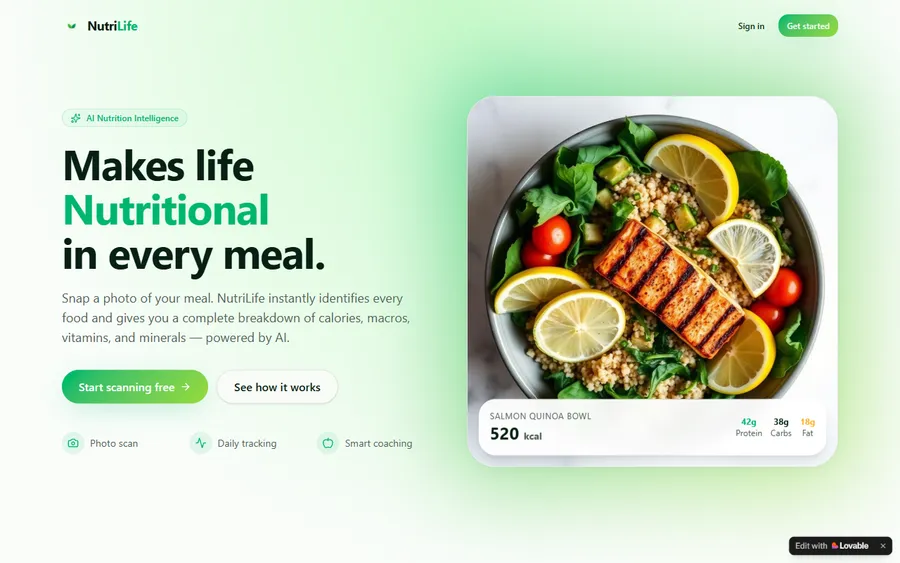
An AI nutrition coach that reads what you eat and works you toward a target.
AI and ML
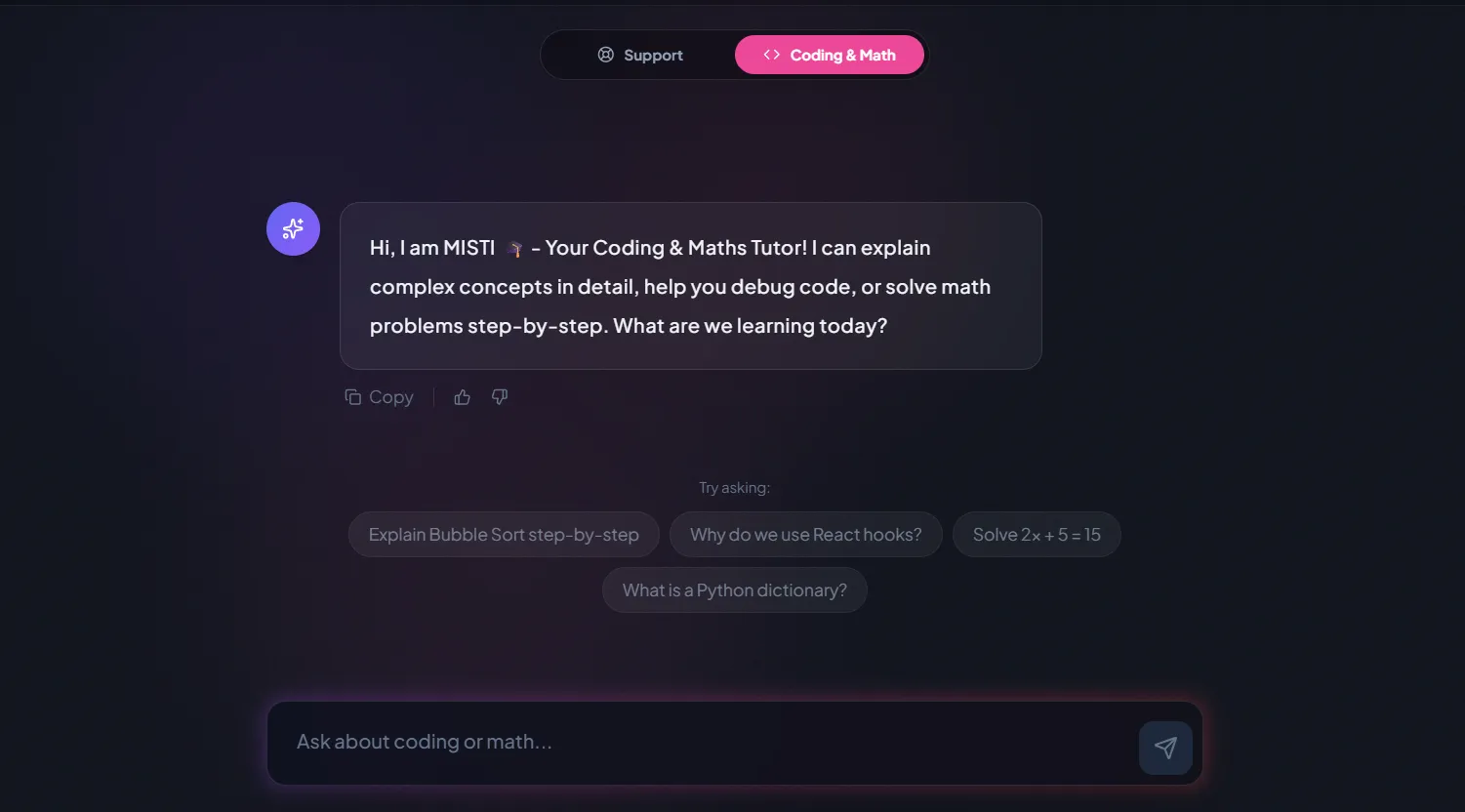
A chatbot that answers mathematics and programming questions, built and deployed by a student.
AI and ML
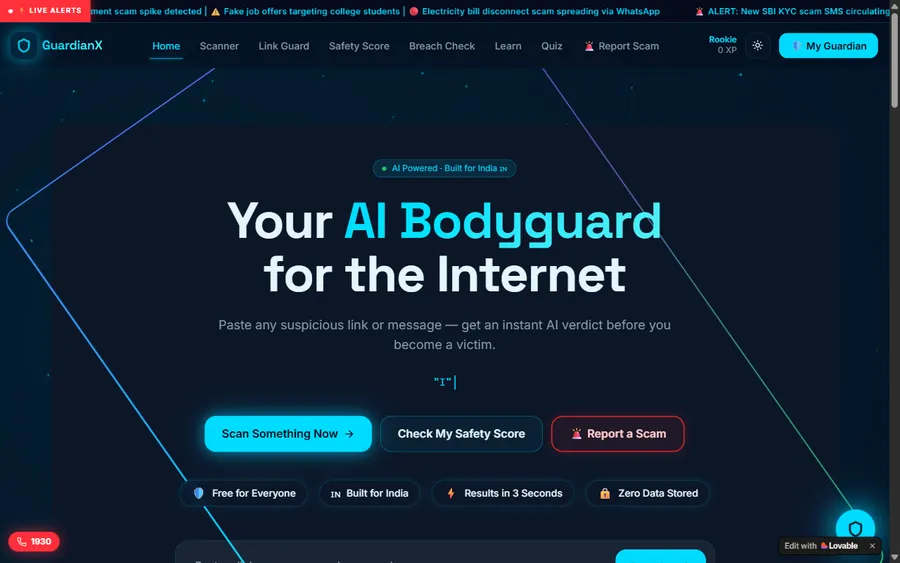
An assistant that helps a young person recognise unsafe situations online.
Web app
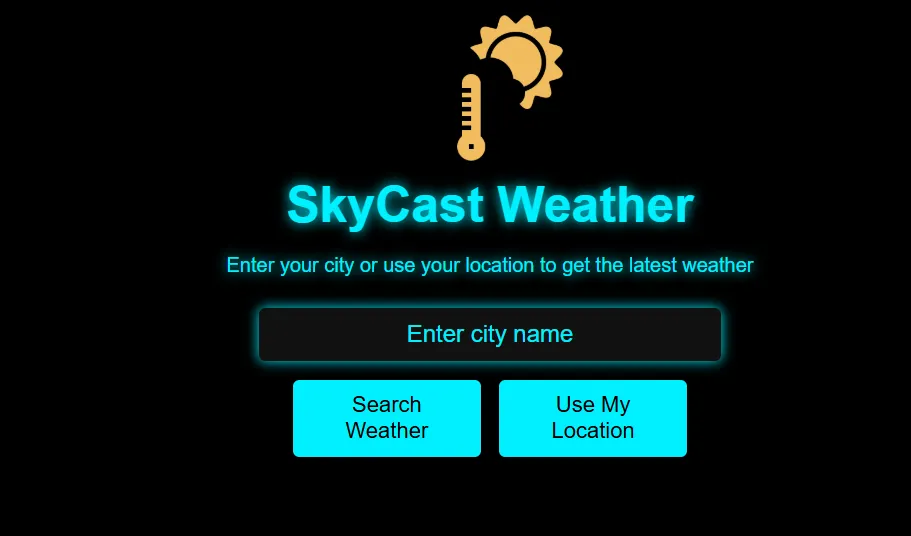
A weather forecasting site with live conditions for any location.
Fees
Prices are in US dollars and billed monthly to a card. A card in soles is no problem: the bank converts each charge at its own rate, so the figure you see may drift a little between months.
Free first class
Free
no card required
Group batch
$100 USD
a month, eight live classes
One to one
$150 USD
a month, eight live classes
What families say
Word-for-word Google reviews from families and learners.
★★★★★
"The one step solution for my son. Modern Age Coders make learning coding so simple that kids love it. The teachers explain complex concepts clearly with practical exercises and interactive content."
Ria Mukherjee
Parent
★★★★★
"Modern Age Coders has been a game-changer for me. I struggled to grasp IT concepts and coding before joining, but their classes transformed everything. I can now confidently write complex programs with ease."
Samriddha Mondal
Student
★★★★★
"One of the most wonderful education centres out there. Education is not limited to school syllabus but focuses on skill development."
Vansh Agarwal
Student
★★★★★
"My child Dhairya is really enjoying the Modern Age Coders classes. This is his first online class and he eagerly looks forward to it. I can already see his improvement, and the teachers are very cooperative."
Sonam Oswal
Parent of Dhairya
★★★★★
"Modern Age Coders have wonderful teachers who teach in a clear, easy and practical way. The teacher boosts students' confidence and inspires them to learn without hesitation."
Sonu Goyal
Parent
★★★★★
"I highly recommend this computer coding class! The teachers are incredibly knowledgeable and passionate about coding."
Ritu Kedia
Parent
Barranco learners ask
No. Every class is live, online and taught only in English. Mentors speak clearly, adapt to the learner's pace and accent, and show each step on screen, so children and adults whose English is still growing can follow. Code is written in English keywords anyway, so class and code share a language.
Not online. Groups are formed from learners of the same age and level in many places, so a Barranco learner joins a full group of fifteen to twenty from the start, or chooses one-to-one lessons.
From 6, with Scratch, where blocks snap together and little typing is needed. From about 9, most children can move to typed Python. Teenagers and adults start directly with Python, JavaScript or web building.
Any day, any time, flexible: choose a batch, or for a very personalised plan choose 1-on-1 at the hour that suits your family. India is 10 hours 30 minutes ahead of Peru on every date, so 09:30 in Barranco is 20:00 in India.
Usually with HTML and CSS if you want a website, or creative coding if you want to make images and motion. Both start from zero. If you want to automate work, start with Python. The free first class helps you choose.
No. We have no premises in Barranco or anywhere in Peru. Every class is live over video with a mentor based in India, which is how a small district gets the same classes as a large one.
Only what suits their age, and never before they have reasoned the problem out themselves. Claude is limited to users aged 18 or older, and ChatGPT requires parental consent for minors, so we keep children off adult chatbot accounts.
No. We are an independent online school, not connected with the Municipalidad de Barranco, MINEDU or any school, and we do not award Peruvian qualifications. Learners who complete a course receive our own certificate of completion.
Monthly, by card, in US dollars. If the card is in soles, your bank converts each charge, so the amount can vary slightly between months. The first class is free and needs no card.
Elsewhere on this site
More for Barranco learners and families.
Our guide for learners across Peru.
A live lesson from start to finish.
Reasoning first, tools second.
Projects by older students.
Which AI tools suit which ages.
Every syllabus, from Scratch to full stack.
Part of the guide: Every Peru page
More guides: Coding and AI classes in Peru · En español: clases de programación en inglés · Start here: English-medium coding in Lima · By age and stage: AI and coding for professionals · Subjects and courses: AI agents course · Exams, olympiads and school holidays: IB computer science tutor · Guides to choosing: An English-taught option to Crack The Code · Regions of Peru: Amazonas region · Lima and Callao districts: Programación para niños en Ancón
Start here
In the free class you, or your child, make something small with a mentor: a moving sprite, a shape on a page, a first line of Python. The mentor sees how the learner thinks and how much English they follow, then suggests a course, a group or private lessons, and an hour that fits.
To read before booking, How we teach describes a lesson and the course list shows every syllabus.
WhatsApp us · +91 91233 66161 · connect@modernagecoders.com
Teaching is live on video, in English, by mentors in India. Write to us on WhatsApp in English for a quick answer.
A priority demo is a full class of about 45 to 60 minutes. After the class the mentor sends a written skill report and a personal learning roadmap on WhatsApp. If you enrol, the demo fee is adjusted against your first month's fee. Share your demo Order ID with us on WhatsApp and we take it off.
Book a priority demo