LIM-AI / A / 01
Codex and Claude Code
AI coding agents for professionals, with human review.
Open the syllabusLima · Working professionals · Live online, in English
Most Lima professionals already ask a chat assistant for help with emails, spreadsheets and reports. Fewer know how to tell when its help is quietly wrong. This page sets out three practical tracks for learning AI at work, a lesson on public Lima data where an AI-style fix discards four rows in every five without a single error message, and how live classes in English fit around a Lima working day.
Live classes since 2020 · over 10,000 learners worldwide · mentors who build with AI and check it
Short answer
Modern Age Coders teaches AI to working professionals in Lima, live online and in English. You can learn to use AI tools well at work, analyse data with AI help without being a programmer, automate tasks in Python, or build AI agents with tools such as Copilot Studio, Gemini Enterprise, Codex and Claude Code. A mentor teaches you live over video, alone or with fifteen to twenty other professionals, at hours around your job. The thread through every track is judgement: how to check what an AI produces before you rely on it.
Start here
One with no code at all, one that adds Python, and one for using AI tools well across daily work.
LIM-AI / 01
Excel, Google Sheets and Power BI with AI assistance, for analysts, managers and anyone who lives in spreadsheets. No programming required.
Open the syllabus →
LIM-AI / 02
Scripts that read files, clean data, call AI models and produce reports. For professionals ready to write a little code to save a lot of time.
Open the syllabus →
LIM-AI / 03
ChatGPT, Claude and automation tools used properly: clear prompts, checking outputs, and knowing what not to paste into a chat window.
Open the syllabus →Who it is for
Adults in work: analysts, accountants, marketers, project managers, public servants, teachers and founders. The common thread is a job that involves documents, data or decisions, and an interest in doing it better with AI.
Our classes are taught live and in English only. EF's 2025 English index gives Lima city 555 points, a high result, and Peruvians aged 26 to 30 reach 559. By job function, people in strategy and project management score 589, customer service 585 and marketing 565, all in the high band.
For many Lima professionals that means English is already a working language, and AI tools, their documentation and most of their communities work best in it.
Lima Metropolitana counted 10,141,775 people across 43 districts in the 2025 census. A course across town after work is a big ask. A live class from home or the office is not.
Access is rarely the problem: INEI found that 95.2% of Peruvians aged 25 to 40 were online in INEI's April to June 2026 survey; in Lima Metropolitana the share for everyone from age 6 up was 92.4%.
Three tracks
It depends on your work. We suggest one of three tracks and move people between them as they go.
| Track | For | You learn to | First course |
|---|---|---|---|
| AI tools at work | Anyone who writes, plans or reports | Prompt clearly, check outputs, protect confidential data | AI Tools Mastery |
| Data with AI | Analysts, finance, operations, marketing | Clean and analyse data in spreadsheets and BI with AI help, and verify totals | Data and AI for Non-Programmers |
| Automation and agents | Professionals ready for some code, or teams building assistants | Automate tasks in Python, then build and govern AI agents | Python Automation and Applied AI |
Professionals who want the national picture, including time zones and checking AI output in structured formats, can read AI and coding for professionals in Peru. Teams should see the Spanish curso de IA para empresas, and those focused on agents the curso de agentes de IA para profesionales.
Good and bad fits
A useful rule: let AI draft, sort and suggest; keep people responsible for facts, numbers that matter and decisions about people. The table is our guidance, not a legal opinion.
| Task | Fit for AI | The check you keep |
|---|---|---|
| First draft of an email or report | Good | Read every sentence; delete anything you cannot stand behind |
| Summary of a long document | Good with care | Spot-check three claims against the source page |
| Spreadsheet formula or pivot table | Good | Test on a few rows whose answer you already know |
| Cleaning or merging data files | Risky | Count rows in and rows out, and label every row dropped |
| Figures for a client or regulator | Draft only | Reconcile with the system of record before sending |
| Decisions about hiring, credit or discipline | Not without a person | A named person decides and can explain why |
Most weak answers come from weak briefs. In class you learn to give the tool a role, the material, the format you want and the checks it must pass, in that order, and to ask it to list its own assumptions.
You also learn the opposite habit: asking the tool what would make its answer wrong. It is often better at finding problems than at avoiding them.
Client names, identity numbers, salaries, passwords and anything your company classifies as confidential stay out. Where a task needs real data, you work on an anonymised extract or an invented one with the same shape.
Mentors model this in every class. The Lima data lesson below uses a public file for exactly that reason.
A Lima data lesson
By counting what it throws away. This lesson, ours, uses a real Lima municipal file and the kind of fix an AI assistant often proposes when a script crashes.
The Municipalidad Metropolitana de Lima publishes its register of requests for public information, 2021 to 2026, as open data under an ODC-By licence, through Peru's national data portal. The file AI_0626.csv has 25,415 rows, one per request, with a registration timestamp, the channel used and a few other fields. It holds no personal data.
The data dictionary says the timestamp column FECHA_CREACION uses "Formato: yyyymmddhhmmss". A professional asks a simple question: how many requests arrived each year?
The first script crashes on a value that strptime cannot read. Asked to fix it, an AI assistant will often wrap the line in try and except ValueError: continue. The crash disappears, a tidy table appears, and nobody looks further.
Version 1 is that script. Read its output carefully before reading on.
import csv
from collections import Counter
from datetime import datetime

per_year = Counter()
with open("AI_0626.csv", encoding="latin-1") as raw:
    for row in csv.DictReader(raw, delimiter=";"):
        try:
            made = datetime.strptime(row["FECHA_CREACION"], "%Y%m%d%H%M%S")
        except ValueError:
            continue                      # the draft's quiet "fix"
        per_year[made.year] += 1

print("Requests counted:", sum(per_year.values()))
print(dict(sorted(per_year.items())))
It prints: Requests counted: 5135 and {2025: 3522, 2026: 1613}.
The result says the municipality received its first requests in 2025. But the file has 25,415 rows and its own year column runs from 2021. Four rows in five vanished without a message, because the except clause swallowed every error. Version 2 refuses to skip anything: it labels each timestamp by how precise it is and counts the labels.
import csv
from collections import Counter
from datetime import datetime

def precision(stamp):
    try:
        datetime.strptime(stamp, "%Y%m%d%H%M%S")
        return "full"
    except ValueError:
        if stamp[6:] == "00000000":
            return "month only"
        return "unreadable"

kinds = Counter()
by_year = Counter()
with open("AI_0626.csv", encoding="latin-1") as raw:
    for row in csv.DictReader(raw, delimiter=";"):
        kind = precision(row["FECHA_CREACION"])
        kinds[kind] += 1
        by_year[(row["FECHA_CREACION"][:4], kind)] += 1

print("Rows by precision:", dict(kinds))
for year in ("2021", "2023", "2025", "2026"):
    print(year, "full", by_year[(year, "full")], "month only", by_year[(year, "month only")])
It prints: Rows by precision: {'full': 5135, 'month only': 20280}, then 2021 full 0 month only 4890, 2023 full 0 month only 4567, 2025 full 3522 month only 424 and 2026 full 1613 month only 0.
| Year | Rows in the file | Counted by the draft | Lost |
|---|---|---|---|
| 2021 | 4,890 | 0 | 4,890 |
| 2022 | 5,040 | 0 | 5,040 |
| 2023 | 4,567 | 0 | 4,567 |
| 2024 | 5,359 | 0 | 5,359 |
| 2025 | 3,946 | 3,522 | 424 |
| 2026 (to 31 May) | 1,613 | 1,613 | 0 |
Data: Municipalidad Metropolitana de Lima, Solicitudes de acceso a la información pública, 2021 to 2026, national open-data portal, ODC-By licence; the counts are ours. Until January 2025 the file records only the year and month, written like 20210700000000 with day and time set to zero; full timestamps start on 1 February 2025.
Nothing in the data is wrong as such. The register simply recorded only the month for its older entries, and the "00" day is how it says so. The mistake was the fix. A professional's habit, which we drill in class, is to reconcile: before trusting a count, compare it with a total you already know, here 25,415 rows, and make every rejected row show up in a labelled bucket. With the full stamps you can then answer finer questions honestly, such as how many requests arrived at weekends since February 2025: 105 of 5,135.
Around a Lima working day
Mostly at the edges of the day. Many Lima professionals take a class before work, at lunch, or after they are home; one-to-one learners move their slot when work demands it.
A 7:00 class in Lima is early evening for the mentor in India, so both are fresh. It also means you start the day having built something.
Bring an anonymised version of a real task. Mentors help you apply what you learn to it, and never ask for confidential data.
Colleagues can learn together in a private group, at a time agreed with the team, on the tools your company already uses.
Adults who started later in their careers often prefer a slower pace; coding for adults over 50 in Peru describes how we adapt. Analysts who want to go deeper into queries can follow the SQL and data analysis course for Peru.
Class times
Whatever time you set. Lima keeps one clock all year and so does India.
| Lima | India | India date |
|---|---|---|
| 06:30 | 17:00 | Same |
| 07:00 | 17:30 | Same |
| 13:00 | 23:30 | Same |
| 19:00 | 05:30 | Next |
| 20:30 | 07:00 | Next |
Lima stays on UTC minus 5 hours without summer time (tz database, America/Lima), India on UTC plus 5 hours 30 minutes, a constant gap of 10 hours 30 minutes.
You book in Lima time and the mentor sees India time. Because neither clock changes, the hour you choose in January is still the hour in July, which makes it easy to block in a work calendar.
Progress
Our milestones for working adults. Each is something you can demonstrate at work.
| When | Milestone | You can |
|---|---|---|
| Month 1 | Clear prompts | Get useful drafts and spot vague or invented content |
| Month 3 | Checked outputs | Verify an AI-assisted analysis against a known total |
| Month 6 | Small automations | Run a script or flow that saves an hour a week |
| Month 9 | Data you trust | Explain every row your process drops, and why |
| Month 12 | Governed agents | Build an assistant with human approval for risky steps |
Month 9 is the Lima data lesson: never accept a tidy table until the rejected rows are counted.
You get a short written review after each block of classes.
An error you silence is still an error.
Reconcile before you report.
More courses
Grouped by direction. All are live, in English, with a regular mentor; three agent courses are one to one only.
LIM-AI / A / 01
AI coding agents for professionals, with human review.
Open the syllabusLIM-AI / A / 02
One to one: Microsoft agents for real business processes.
Open the syllabusLIM-AI / A / 03
One to one: agents on Google's enterprise platform.
Open the syllabusLIM-AI / D / 01
Excel, SQL, Python and BI from the beginning.
Open the syllabusLIM-AI / D / 02
Queries and database design for analysts.
Open the syllabusLIM-AI / D / 03
LLMs, retrieval and agents, in depth.
Open the syllabusLIM-AI / F / 01
Python from zero for working adults.
Open the syllabusLIM-AI / F / 02
Version control for people who automate.
Open the syllabusLIM-AI / F / 03
The numbers behind every dashboard.
Open the syllabusHow it works
Any day, any time, flexible: choose a batch, or for a very personalised plan choose 1-on-1 at the hour that suits your family.
Early
Before the office: Lima dawn is Indian early evening.
Midday or night
Lunch hours and late evenings are open too.
1-on-1
Your own hour, moved when work gets busy.
A practitioner who follows your progress.
Clear, professional, and patient with questions.
You run every tool and script yourself.
Professional groups, never mixed with students.
Anonymised examples only; no company data needed.
Fifteen to twenty people, or just you.
Student work
Learners who keep going build working tools. Some appear below; the student labs show more.
AI and ML
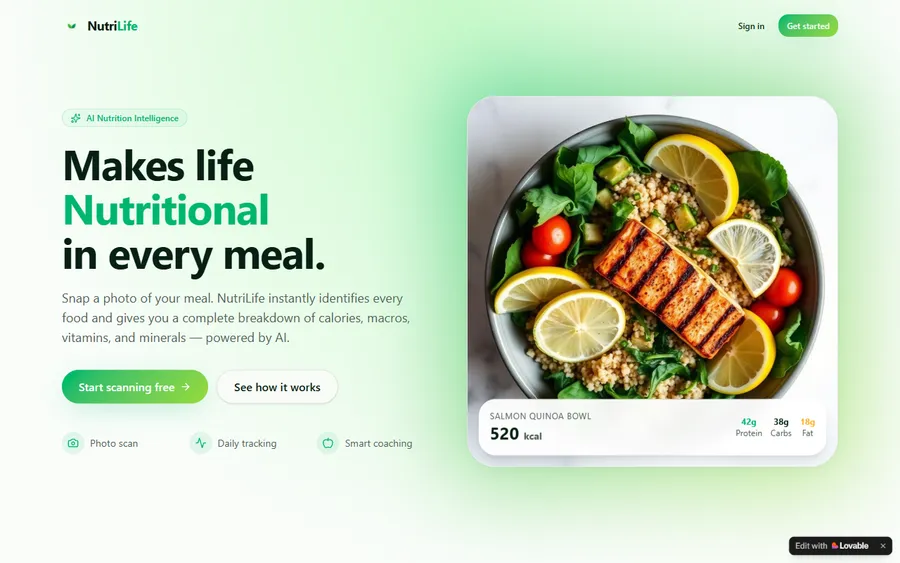
An AI nutrition coach that reads what you eat and works you toward a target.
AI and ML
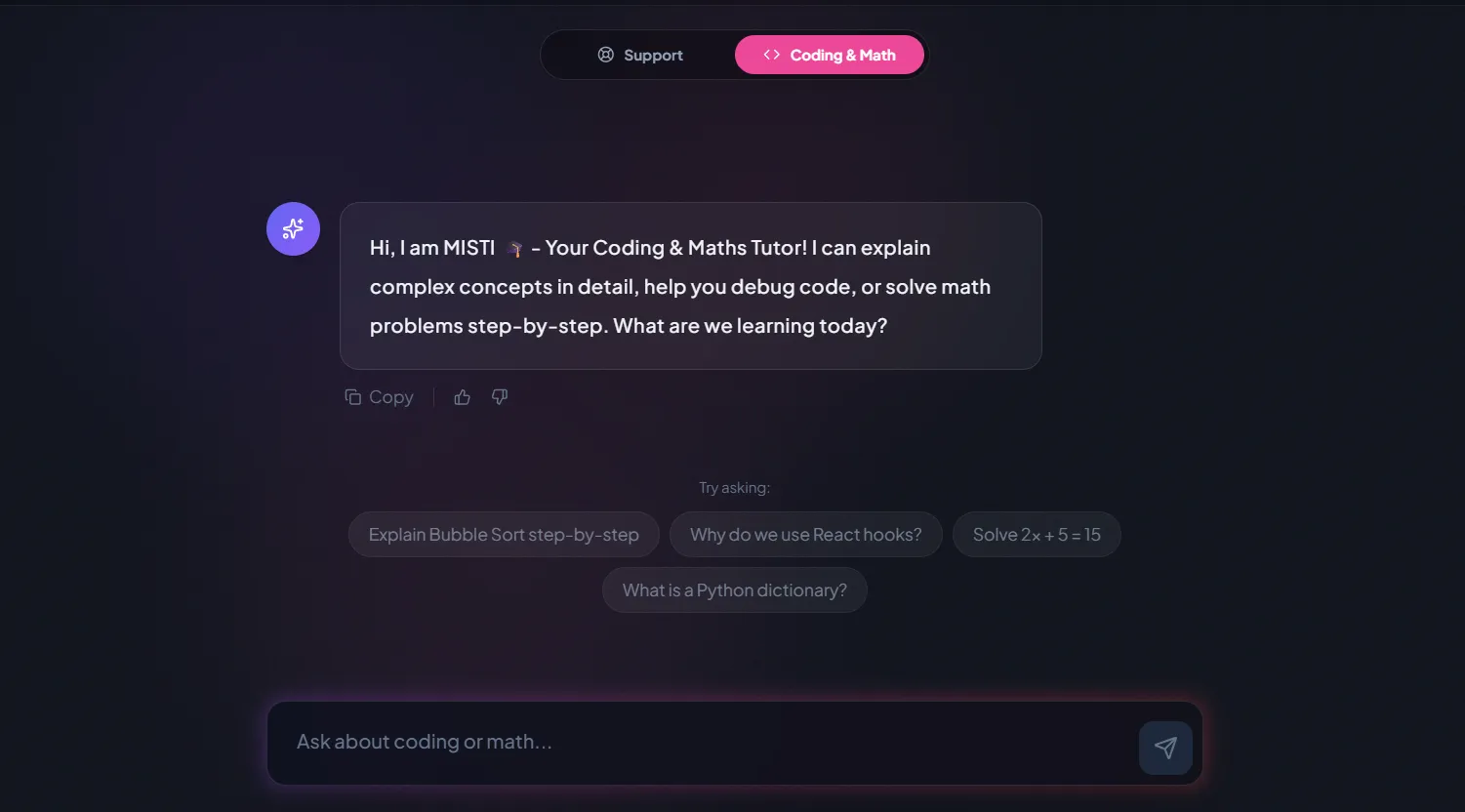
A chatbot that answers mathematics and programming questions, built and deployed by a student.
AI and ML
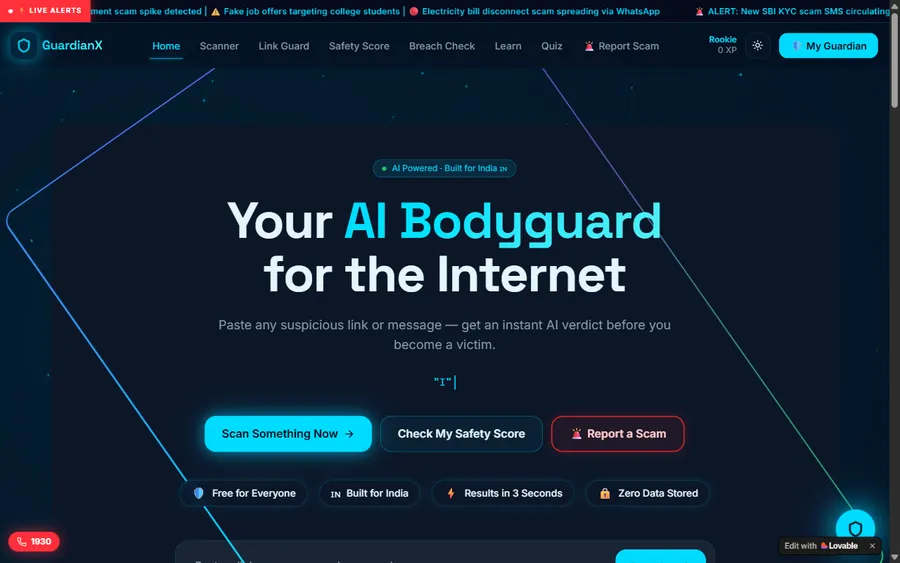
An assistant that helps a young person recognise unsafe situations online.
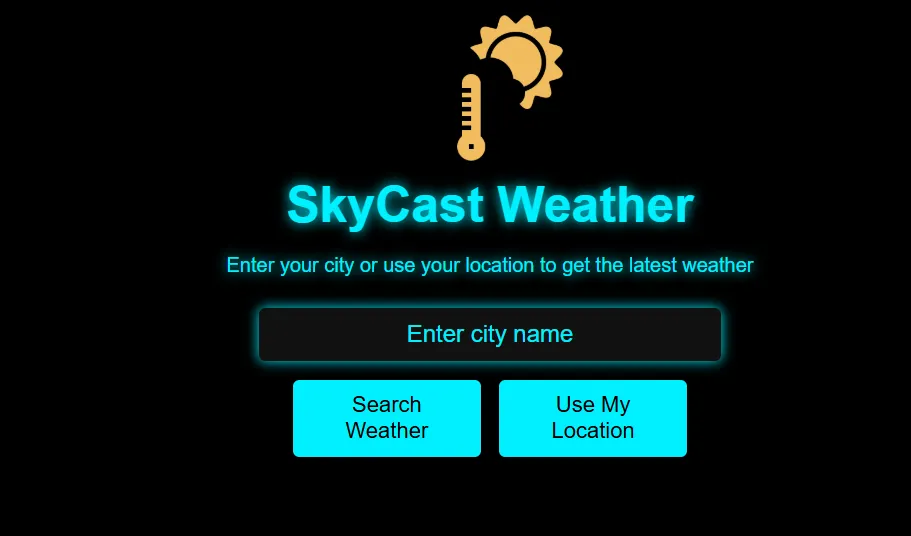
Web app
A weather forecasting site with live conditions for any location.
Fees
Monthly plans in US dollars, billed to your card in dollars. Your bank decides the soles amount on your statement using its own exchange rate, so it can vary slightly.
Free first class
Free
no card required
Group batch
$100 USD
a month, eight live classes
One to one
$150 USD
a month, eight live classes
What families say
Learners and parents, in their own words on Google.
★★★★★
"The one step solution for my son. Modern Age Coders make learning coding so simple that kids love it. The teachers explain complex concepts clearly with practical exercises and interactive content."
Ria Mukherjee
Parent
★★★★★
"Modern Age Coders has been a game-changer for me. I struggled to grasp IT concepts and coding before joining, but their classes transformed everything. I can now confidently write complex programs with ease."
Samriddha Mondal
Student
★★★★★
"One of the most wonderful education centres out there. Education is not limited to school syllabus but focuses on skill development."
Vansh Agarwal
Student
★★★★★
"My child Dhairya is really enjoying the Modern Age Coders classes. This is his first online class and he eagerly looks forward to it. I can already see his improvement, and the teachers are very cooperative."
Sonam Oswal
Parent of Dhairya
★★★★★
"Modern Age Coders have wonderful teachers who teach in a clear, easy and practical way. The teacher boosts students' confidence and inspires them to learn without hesitation."
Sonu Goyal
Parent
★★★★★
"I highly recommend this computer coding class! The teachers are incredibly knowledgeable and passionate about coding."
Ritu Kedia
Parent
Lima professionals ask
No. Every class is live, online and taught only in English. Mentors speak clearly, adapt to your accent and pace, and help you find the English for ideas you already know in Spanish.
No. The AI tools and the data-with-AI tracks need no programming. Python is optional and comes later if you want to automate.
Chat assistants such as ChatGPT and Claude, spreadsheet and BI tools with AI features, and for agents Copilot Studio, Gemini Enterprise, Codex and Claude Code. All of these classes are for adults.
Please do not. Bring an anonymised or invented version of the task. Part of what we teach is what never to paste into an AI tool.
We make no job or salary promises. We teach skills you can apply at work and demonstrate; what you do with them is your decision.
Any day, any time, flexible: choose a batch, or for a very personalised plan choose 1-on-1 at the hour that suits your family. India runs ten and a half hours later than Lima, so a 07:00 class here is 17:30 there.
Yes, in a private group at a time agreed with the team, focused on the tools you already use.
You pay by card each month in the dollar amount shown here, and the bank converts it into soles. Browsing from India shows rupees. There is no charge for the first class.
Some courses finish with a completion certificate from us, recording the work you did. It is not an official Peruvian qualification.
Elsewhere on this site
More for working adults in Peru.
The national page for working adults.
Agents, risk and approval, in Spanish.
AI for teams and companies, in Spanish.
A gentler start for later careers.
For analysts who want queries.
Courses and cities across Peru.
Part of the guide: Every Peru page
More guides: Coding and AI classes in Peru · En español: clases de programación en inglés · Start here: English-medium coding in Lima · By age and stage: AI and coding for professionals · Subjects and courses: AI agents course · Exams, olympiads and school holidays: IB computer science tutor · Guides to choosing: An English-taught option to Crack The Code · Regions of Peru: Amazonas region · Lima and Callao districts: Programación para niños en Ancón
Start here
The first class looks at one real task from your work, in anonymised form, and tries an AI approach to it together. The mentor then suggests a track.
To read more first, see how we teach or browse the course list.
WhatsApp us · +91 91233 66161 · connect@modernagecoders.com
Every lesson is live and online, in English only, with a mentor based in India. Write to us on WhatsApp, in English, for the quickest answer.
A priority demo is a full class of about 45 to 60 minutes. After the class the mentor sends a written skill report and a personal learning roadmap on WhatsApp. If you enrol, the demo fee is adjusted against your first month's fee. Share your demo Order ID with us on WhatsApp and we take it off.
Book a priority demo