CAE / BLOCK / 01
Scratch Coding for Kids
Three months from first sprite to a finished game.
Open the syllabusPeru · Age 8 · 3° de primaria · Live, in English
Something changes around eight. A child stops being happy that the cat moves and starts asking whether it can lose a life when it touches the dog. That question is the beginning of real programming: a program that decides. This page is for parents in Peru whose eight year old has reached that point, or is about to, and who want the next step taught live and in English.
Live classes since 2020 · rated 4.9 by about 547 Google reviewers · eight year olds build games that keep score and make choices
In short
An eight year old in Peru is ready to build games that keep score and make decisions, and Modern Age Coders teaches exactly that, live, online and in English. Most eight year olds work in Scratch, where a game can ask "if the cat touches the dog, then lose a life", and the strongest readers take their first look at typed Python. A mentor based in India guides each child on a shared screen, in a group of fifteen to twenty eight year olds or one to one, at whatever hour suits the family in Peru. The first class is free.
Where eight year olds start
Choose by what your child enjoys: making games, solving puzzles, or asking how machines think. The free class settles it.
CAE / 01
Ages 8 to 12. Scratch games first, then Roblox and Minecraft. Every game needs rules, so every game teaches if and else without the child noticing they are learning logic.
Open the syllabus →
CAE / 02
For the eight year old who likes puzzles more than games. Breaking a job into steps, spotting patterns and testing an idea before trusting it, with and without a computer.
Open the syllabus →
CAE / 03
Ages 8 to 14. How a machine learns from examples, why it guesses wrong, and how to check it, using tools made for children rather than adult chatbot accounts.
Open the syllabus →Who this page is for
Families in Peru with a child of eight who can follow simple spoken English, or who would like them to learn it while building something.
Perhaps at school, perhaps alone on a tablet. They can move a sprite but their games fall apart when there are rules to follow. That is exactly where an eight year old needs a teacher.
Eight is a fine age to start from nothing. Reading is easier than at six, so blocks go faster, and many eight year olds catch up with older beginners within a term.
An eight year old who hears "if it touches the edge, bounce" every week learns English the way children pick up a language most easily: because they need it to make their game work.
Families who read more comfortably in Spanish can turn to programación para niños de 8 años, which looks at this age through Scratch, Minecraft, Roblox and robotics. For younger and older brothers and sisters, our page on online coding classes for kids in Peru covers the whole range from 6 to 12.
What changes at eight
Games with rules, quizzes that check answers and stories that branch. The new idea at this age is the decision: a program that does one thing or another depending on what happens.
A catch game. Fruit falls, a basket moves left and right, and each catch adds a point. The child decides what happens when a piece is missed.
A quiz. The program asks five questions about the child's favourite animal and says "Correct!" or "Not quite" for each. Then it gives a badge at the end, which is where today's lesson comes from.
A branching story. The reader chooses a door, and the story goes one of two ways. Children love writing these for younger siblings.
Each of these needs a condition: a question the computer can answer with yes or no. Is the fruit touching the basket? Is the answer equal to 12? Did the reader click the red door?
Eight year olds are good at conditions because school is full of them already. If you finish your work, you may read. If it rains, we stay inside. Coding asks them to write those rules down so exactly that a machine can follow them, and that exactness is the real lesson.
A child of eight also starts to keep things: a score, a number of lives, a time left. These are variables, and they make games feel real. By the end of a year most eight year olds in our classes can explain, in short English sentences, what each variable in their game is for.
Third grade in Peru
Third grade brings more English and slightly less mathematics on the national plan, and still no computing lesson of its own. Here is what MINEDU sets and what it leaves to schools.
MINEDU decides a child's grade by age on 31 March of each school year. On its table of normative ages, 3° de primaria lines up with eight, so most eight year olds in Peru are in third grade.
In the CNEB plan of studies, Inglés goes up by one period at third grade, from two weekly periods to three, while Matemática drops from 5 to 4. With 45-minute periods, that is 135 minutes of English a week from third grade instead of 90, by our sum.
Computing is not on that list of areas. The CNEB treats working in virtual environments as a competency that crosses every area, and describes one of its parts as building digital materials "siguiendo un proceso de mejoras sucesivas y retroalimentación": making something, getting feedback, improving it.
Science and technology has its own competency, "Diseña y construye soluciones tecnológicas para resolver problemas". Coding fits both ideas well, which is why many schools add it in their own way. Ask your child's school how much they do; it varies a great deal.
MINEDU's norm for 2026 set a school year of thirty-six teaching weeks. Our classes sit beside that year, not inside it: they continue through the breaks and the summer, and nothing we do counts towards a school grade. We are not connected with MINEDU or with any school, and the only certificate we give is our own certificate of completion.
The right device
A laptop or desktop computer. Peru goes online mostly by phone, which is fine for chat and video but hard for building a game. INEI's figures show how people actually connect.
| Device (INEI Cuadro 2.3) | 2023 | 2024 | 2025 | 2026 |
|---|---|---|---|---|
| Mobile phone | 90.7 | 90.2 | 89.1 | 90.2 |
| Laptop | 18.9 | 18.9 | 18.4 | 18.9 |
| Desktop computer | 16.6 | 16.0 | 14.3 | 14.0 |
| Tablet | 2.4 | 2.2 | 1.9 | 2.9 |
| Other (smart TV and other Wi-Fi devices) | 9.9 | 12.3 | 15.3 | 15.7 |
Taken from Cuadro 2.3 of INEI's quarterly bulletin on household information technology for April to June 2026 (N° 03, published September 2026), which draws on the national household survey (ENAHO). INEI marks the 2026 column as provisional. We consulted it on 9 November 2026 and swapped INEI's decimal commas for points.
Nine in ten Peruvians who used the internet between April and June 2026 did it on a phone, and fewer than one in five used a laptop. Desktop use has slipped from 16.6% to 14.0% since 2023, while smart televisions and other Wi-Fi devices have climbed to 15.7%.
Children are different. In INEI's age table, only 48.5% of internet users aged 6 to 11 went online by phone in 2026. So for many families the shared laptop, the desktop in the corner or the television is still the child's way onto the internet, far more than for grown-ups.
For coding, the phone is the wrong tool: blocks are small, there is no room for the mentor's screen, and typing is slow. An eight year old needs a laptop or desktop, a mouse, and a headset with a microphone.
Only 36.4% of Peruvian homes owned a computer of any kind in that 2026 survey, and that 84.7% of households in Lima Metropolitana had internet against 27.1% in rural areas. If your family shares one laptop, flexible timing lets you book the class when it is free.
An original lesson
This is our lesson for eight and nine year olds who have built a quiz and want it to hand out badges. It shows, in one surprising run, that the order of your questions matters.
The child's quiz counts stars. The rules they choose are: 5 stars or more wins bronze, 10 or more wins silver, 15 or more wins gold, and fewer than 5 means "keep going".
In Scratch they build it with "if, else" blocks, writing the rules in the order they said them: bronze first, then silver, then gold. They test with 7 stars, get bronze, and are delighted.
Then a friend scores 18 stars and also gets bronze. So does someone with 12. The mentor does not explain; we ask the child to read the first rule aloud with the number 18 in it. "Is 18 more than or equal to 5?" Yes. So the program stops right there and says bronze.
The fix is to ask the hardest question first: gold, then silver, then bronze. The computer checks the rules from the top and stops at the first one that is true, so the strictest rule must come first.
Children of eight do this in blocks. We show the same two versions in Python so parents can see it, and so the child sees, perhaps for the first time, that Scratch and typed code are the same idea in two forms.
def badge_wrong(stars):
    if stars >= 5:
        return "bronze"
    elif stars >= 10:
        return "silver"
    elif stars >= 15:
        return "gold"
    else:
        return "keep going"

def badge_right(stars):
    if stars >= 15:
        return "gold"
    elif stars >= 10:
        return "silver"
    elif stars >= 5:
        return "bronze"
    else:
        return "keep going"

for stars in [3, 7, 12, 18]:
print(stars, "stars:", badge_wrong(stars), "/", badge_right(stars))3 stars: keep going / keep going 7 stars: bronze / bronze 12 stars: bronze / silver 18 stars: bronze / gold
Exact output when we ran it with Python 3 (python3 -I). With the easy rule first, 12 and 18 stars both stop at bronze; with the strictest rule first, they get silver and gold.
The real lesson is not about badges. It is that a computer is perfectly obedient and completely literal: it did exactly what the child wrote, not what the child meant. Learning to spot that gap is the most useful habit a young coder can build, and it starts with testing more than one number. Seven stars looked right; eighteen stars told the truth.
Between classes
A little, often, and on their own project. Here is the routine we suggest to families; it is ours, not a school rule, and you should bend it around your week.
If your child wants more, the next step is usually a second project in the same tool rather than a new tool. A child who has built three Scratch games with scores and badges is far better prepared for Python at nine or ten than one who has tried five different apps for a week each. When that time comes, our page on clases de programación para niños en inglés explains, in Spanish, how the English of code becomes an advantage.
AI at eight
Yes, as a thing to understand rather than a thing to ask for answers. The big chatbots are not for this age, and we keep it that way.
OpenAI's terms for ChatGPT open with "You must be at least 13 years old". An eight year old is five years short, so our classes never use it with children of this age.
Teachable Machine, a Google tool that trains in the browser without signing in. A child shows it ten pictures of a thumbs-up and ten of a thumbs-down, and watches it learn, and fail, from what they gave it.
When the model gets a picture wrong, the child asks why. Too few examples? All taken in the same light? That question is the same one they asked about the bronze badge: what did I actually tell it?
Each tool and the age its maker allows is listed, with the maker's own words, in our AI tools age guide.
Peru time
Whenever suits your family. Peru keeps UTC minus five all year and India keeps UTC plus five and a half, so the mentor in India is always ten hours and thirty minutes ahead of you. These rows only convert one clock to the other.
| In Peru | In India | Where an eight year old might be |
|---|---|---|
| 09:00 | 19:30 | Summer break, after breakfast |
| 11:30 | 22:00 | Late Saturday morning |
| 16:00 | 02:30, next day | Home from school, snack eaten |
| 17:30 | 04:00, next day | Homework finished |
| 19:00 | 05:30, next day | After dinner, for a night owl |
Clock rules from the tz database kept by IANA: America/Lima sits at UTC minus 5 and last used daylight saving in 1994; Asia/Kolkata sits at UTC plus 5:30. We did the arithmetic for each row.
Bookings are made in Peru time, and the slot does not drift during the year because neither country moves its clocks. Every Peru page, by age, subject and city, is listed on our coding and AI classes in Peru hub.
Progress at eight
By what they can build and explain. These five milestones are ours; mentors use them to decide what comes next.
| Milestone | Usually by | Builds | Says |
|---|---|---|---|
| 1. Moves with purpose | Month 1 | A sprite that goes where the child intends | "It walks to the tree, then stops." |
| 2. Keeps score | Month 2 to 3 | A game with a score variable that starts at zero | "Every catch adds one." |
| 3. Decides | Month 3 to 5 | A game with if, else rules | "If it touches the dog, you lose a life." |
| 4. Tests | Month 5 to 7 | Tries edge cases like exactly 10 | "I tried 10 and 11 to check." |
| 5. Plans | Month 7 to 12 | A whole game planned on paper first | "First the menu, then the levels, then the badges." |
Milestone 4 is the big one. A child who tests more than one number without being asked has started to think like a programmer.
Ask to see the bug list. A growing list is good news: it means your child is noticing.
When something works, try to break it. Try a big number, a small number, and the exact edge.
If the computer does something strange, it is following your rules exactly. Read them again slowly.
More options
All live, all in English, each with a mentor who knows your child, in a group or one to one.
CAE / BLOCK / 01
Three months from first sprite to a finished game.
Open the syllabusCAE / BLOCK / 02
Rules and loops inside a world children know well.
Open the syllabusCAE / BLOCK / 03
Real scripts in Luau, for confident eight year olds.
Open the syllabusCAE / MAKE / 01
Small apps an eight year old can plan, build and show off.
Open the syllabusCAE / MAKE / 02
Ideas first, with AI and Scratch, under a mentor's eye.
Open the syllabusCAE / MAKE / 03
Twelve weeks of building, then a live event.
Open the syllabusCAE / NEXT / 01
Number sense that makes scores and timers easy.
Open the syllabusCAE / NEXT / 02
School maths for grades 1 to 5, placed by level.
Open the syllabusCAE / NEXT / 03
Typed code from about nine, when blocks feel small.
Open the syllabusHow it works
Any day, any time, flexible: choose a batch, or for a very personalised plan choose 1-on-1 at the hour that suits your family.
After school
Late afternoon in Peru, once the snack is eaten and the school bag is down.
Summer
January to March mornings, while school is out.
1-on-1
Just your child and the mentor, at a time built around your week.
The child works on their own game, not a demo.
Someone who remembers last week's bug.
Short instructions, said and shown on screen.
Groups by age and level, never a wide mix.
What was built, what was hard, what is next.
Fifteen to twenty in a group, or one to one.
Student work
Eight year olds make games with scores and badges. Students who keep going build the projects below in their teens, and many more are on our student labs page.
AI and ML
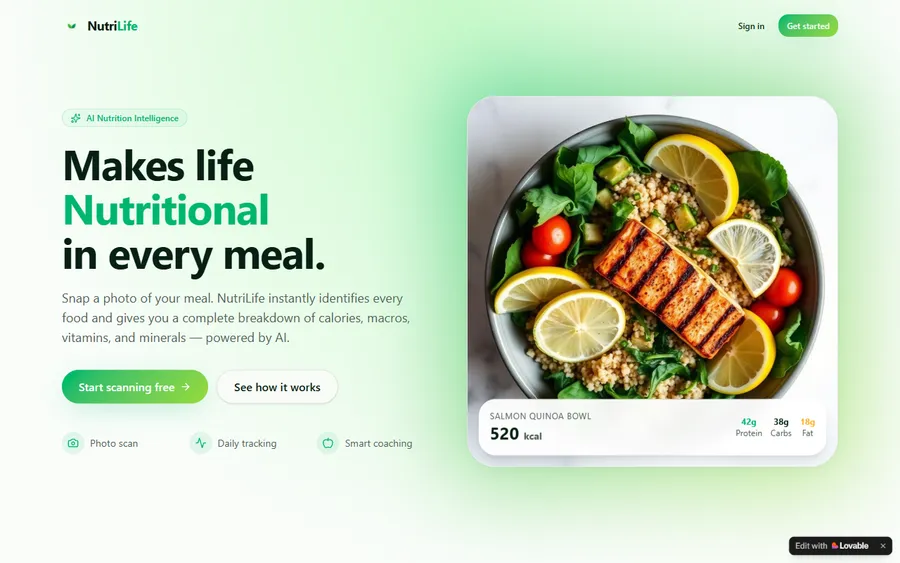
An AI nutrition coach that reads what you eat and works you toward a target.
AI and ML
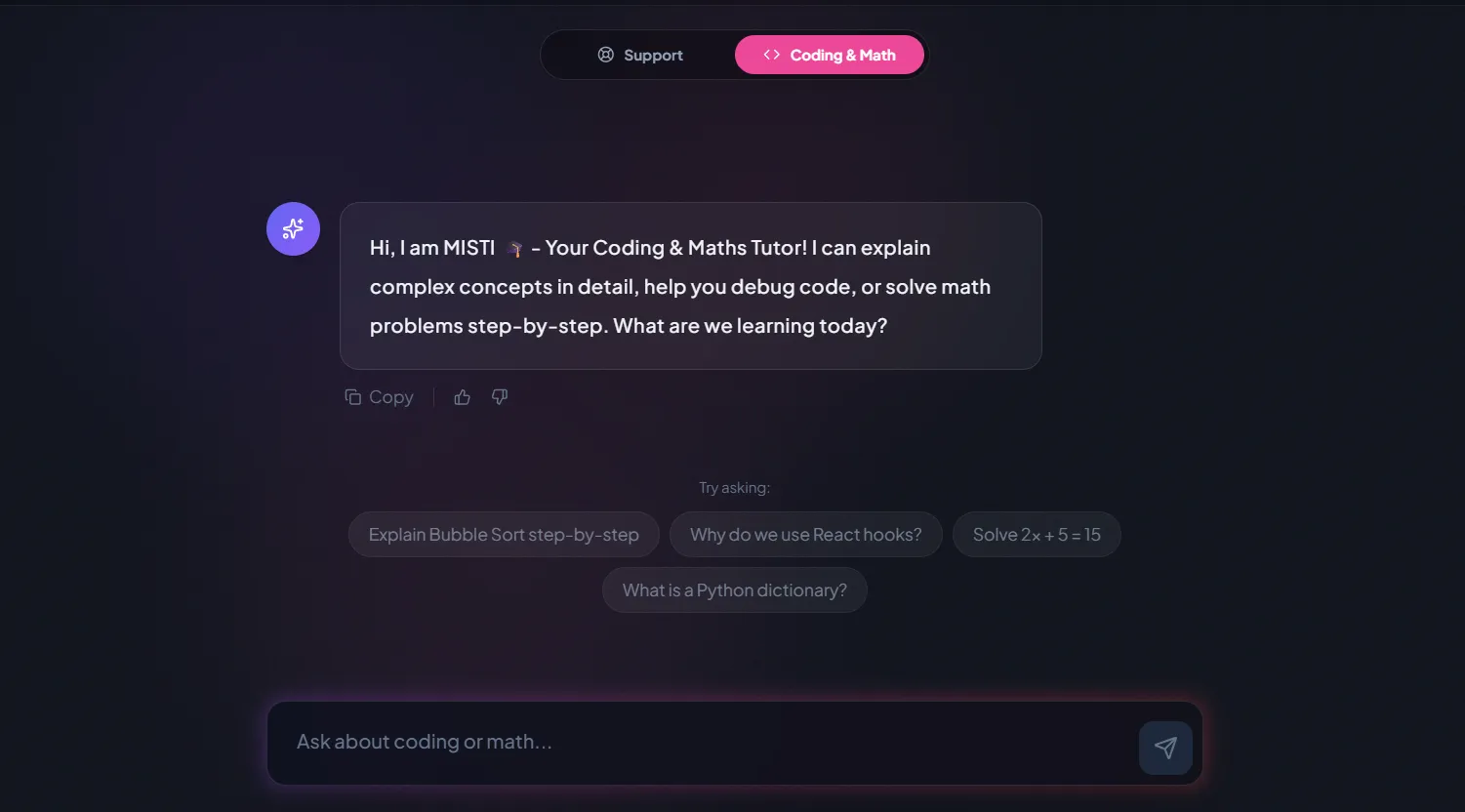
A chatbot that answers mathematics and programming questions, built and deployed by a student.
AI and ML
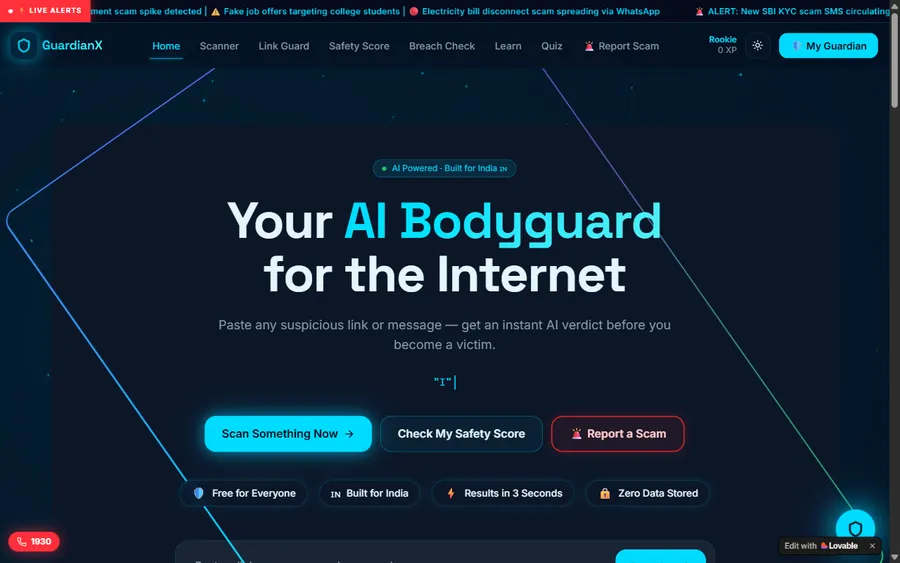
An assistant that helps a young person recognise unsafe situations online.
Web app
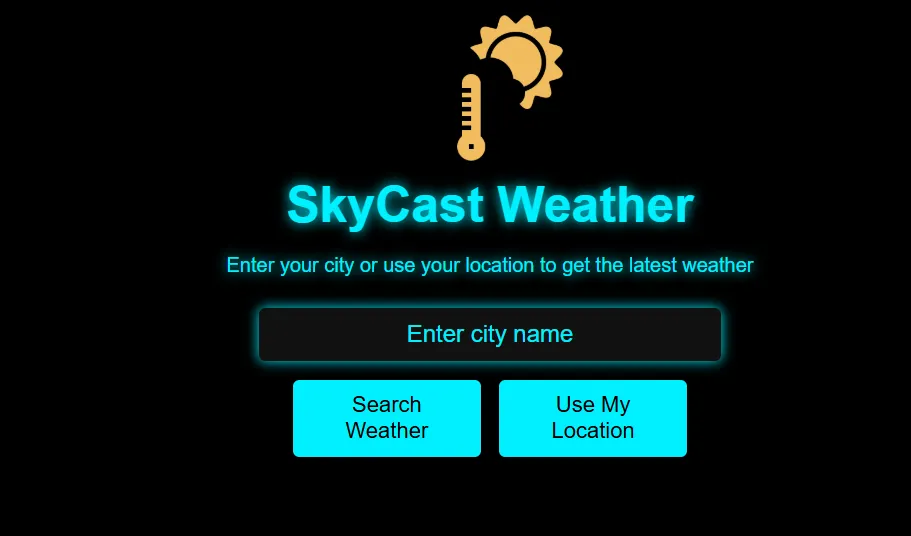
A weather forecasting site with live conditions for any location.
Fees
Fees are set in US dollars and taken monthly by card. Your card provider converts each payment into soles at that day's rate, which is why the total on your statement can shift slightly between months.
Free first class
Free
no card required
Group batch
$100 USD
a month, eight live classes
One to one
$150 USD
a month, eight live classes
What families say
Parents and students in their own words, copied from Google.
★★★★★
"The one step solution for my son. Modern Age Coders make learning coding so simple that kids love it. The teachers explain complex concepts clearly with practical exercises and interactive content."
Ria Mukherjee
Parent
★★★★★
"Modern Age Coders has been a game-changer for me. I struggled to grasp IT concepts and coding before joining, but their classes transformed everything. I can now confidently write complex programs with ease."
Samriddha Mondal
Student
★★★★★
"One of the most wonderful education centres out there. Education is not limited to school syllabus but focuses on skill development."
Vansh Agarwal
Student
★★★★★
"My child Dhairya is really enjoying the Modern Age Coders classes. This is his first online class and he eagerly looks forward to it. I can already see his improvement, and the teachers are very cooperative."
Sonam Oswal
Parent of Dhairya
★★★★★
"Modern Age Coders have wonderful teachers who teach in a clear, easy and practical way. The teacher boosts students' confidence and inspires them to learn without hesitation."
Sonu Goyal
Parent
★★★★★
"I highly recommend this computer coding class! The teachers are incredibly knowledgeable and passionate about coding."
Ritu Kedia
Parent
Parents in Peru ask
No. Every class is live, online and taught only in English. Mentors keep their English clear and unhurried, adapt to how fast your child works and how they speak, and put each instruction on the shared screen as they say it. Eight year olds who are still building their English follow well, because the game itself shows whether they understood.
Yes, and a very common one. An eight year old reads well enough to use blocks quickly, can hold a rule in mind, and is old enough to enjoy testing it. Children who start at eight often move to typed Python at nine or ten.
Scratch first for nearly every eight year old. It teaches decisions, loops and variables without spelling mistakes getting in the way. A strong reader who has already built several Scratch games can start Python; the free class shows us which.
There is no computing area in the national plan for third grade. MINEDU's curriculum treats digital skills as a competency shared across subjects, and Ciencia y Tecnología includes designing technological solutions. Some schools teach coding in their own time; many do not.
Only to watch. Building games needs a laptop or desktop with a mouse and a headset. INEI's 2026 data show that most people in Peru go online by phone, but coding is one of the jobs a phone does badly.
Any day, any time, flexible: choose a batch, or for a very personalised plan choose 1-on-1 at the hour that suits your family. India is always ten hours thirty minutes ahead of Peru, so a 16:00 class for your child is 02:30 the next day for the mentor.
No. OpenAI sets a minimum age of 13 for ChatGPT. In our classes eight year olds learn how AI learns with tools like Teachable Machine, which runs in the browser without an account.
Not much: two short sessions a week on the child's own game is plenty. The aim is a habit of small changes and testing, not hours at the screen.
We teach coding, not hardware, so there is no kit to buy. Children program characters, games and simple AI models on screen, which builds the same logic that robot programming uses.
No. We are a private online school with mentors in India, unconnected to MINEDU, any UGEL or any school in Peru. We give no Peruvian grades; finishing a course earns our own certificate of completion.
Read next
Further reading for the next decision.
Our general guide to this age, wherever you live.
Why blocks remain the right tool at eight.
What two more years will change.
The youngest age each AI maker allows.
A live class described from start to finish.
Games and tools built by our students.
Part of the guide: Every Peru page
More guides: Coding and AI classes in Peru · En español: clases de programación en inglés · Start here: English-medium coding in Lima · Subjects and courses: AI agents course · Exams, olympiads and school holidays: IB computer science tutor · Guides to choosing: An English-taught option to Crack The Code · Regions of Peru: Amazonas region · Cities: Arequipa: coding for every age · Lima and Callao districts: Programación para niños en Ancón
Start here
The free class starts with a short puzzle, then your child builds a tiny game with one rule in it and tests it with the mentor. You then hear which course suits, whether a group or one-to-one lessons would work better, and what hours are open.
Prefer to read first? Our how we teach page follows one lesson minute by minute, and every syllabus sits on the courses page.
WhatsApp us · +91 91233 66161 · connect@modernagecoders.com
Lessons are live video classes from India, taught in English. Message us on WhatsApp, in English, for a fast reply.
A priority demo is a full class of about 45 to 60 minutes. After the class the mentor sends a written skill report and a personal learning roadmap on WhatsApp. If you enrol, the demo fee is adjusted against your first month's fee. Share your demo Order ID with us on WhatsApp and we take it off.
Book a priority demo