COAG / NUM / 01
Early Maths Foundations
Counting, shapes and patterns with real objects, from four to seven.
Open the syllabusPeru · Age 6 · 1° de primaria · Live, in English
Six is the age when most children in Peru walk into 1° de primaria, still learning to read and very ready to play. A coding class at this age looks less like typing and more like a game with rules: drag a block, watch a cat move, try again. This page is for parents who want that for their six year old, in English, with a real teacher watching every move.
Teaching live since 2020 · 4.9 from about 547 Google reviews · a six year old clicks and drags, the mentor talks them through it in English
In short
Yes, a six year old in Peru can learn to code, and Modern Age Coders teaches it live, online and in English. Children of six work in Scratch, snapping coloured blocks together to make a character move, talk and repeat, so they need very little reading. A mentor based in India shares the screen, speaks slowly, and lets the child find each fix. Families pick a group of fifteen to twenty six year olds or one-to-one lessons, at any hour that suits them in Peru, and the first class is free.
Where six year olds begin
All three assume nothing: no reading speed, no typing, no earlier coding. The free class tells us which one suits your child.
COAG / 01
The usual first course at six. Over about three months a child makes a character dance, a simple chase game and a talking card for the family, each one built from blocks they choose themselves.
Open the syllabus →
COAG / 02
For a child who loves puzzles but is not yet comfortable with a mouse. Patterns, order, more and less, and if-this-then-that, mostly away from the keyboard, in a band for ages 6 and 7.
Open the syllabus →
COAG / 03
A year-long block-coding journey that starts at six and grows with the child: stories first, then games, then small apps, always grouped with children of the same age.
Open the syllabus →Who this page is for
Parents of a child who has just turned six or is about to, most often in the first year of primaria, who would like that child to meet coding with a patient adult and in English.
English is already part of their school day. A coding class in English gives the same words a second, playful use: "move", "turn" and "again" stop being vocabulary and become instructions that make something happen on screen.
A six year old who is still finding their feet in Spanish may enjoy one hour a week where the language is familiar and the task is pure play. The mentor stays the same each week, which matters a great deal at this age.
A child of six does not need perfect English to follow a coding class. They need a teacher who shows each step, waits, and repeats. Hearing English while building something real is a gentle way in.
If you would rather read about this in Spanish, our page programación para niños de 6 años takes a different route through the same age, including what to do when a child is still in inicial at four or five. The classes it describes are the same live English lessons.
What is realistic at six
Yes, as long as "coding" means giving clear instructions in order and watching what happens, not typing lines of text. That is the real skill under every program, and six year olds are surprisingly good at it.
Put three or four steps in the right order so a character walks to a door, opens it and says hello. Notice when the order is wrong, because the character walks into the wall instead. Use a "repeat" block once they see the same steps coming round again.
React to a click or a key: when the green flag is pressed, the cat starts; when the space bar is pressed, it jumps. Simple cause and effect is the heart of coding at six, and the child sees it the moment they press the key.
Typing words of code. Most children are ready for that between nine and ten, once reading and spelling feel easy. Before then, blocks do the same job with no spelling to get wrong.
Long projects, variables that keep a score, and anything that needs a child to hold more than three or four ideas in their head at once. We bring those in around seven or eight, when the child asks for them by trying to build a game that needs them.
A good sign that coding suits your six year old: they like to arrange things. Toy cars in a line, stickers in a row, a story told in the right order. Coding gives that instinct a screen and a purpose. Children who do not show it yet often grow into it after a few weeks of play; it is a habit, not a talent.
The first year of primaria
A great deal of reading, writing, numbers and English, and no separate computing lesson. Coding, if it happens at school at this age, depends on the school.
Under Ley 28044, the education law of 2003, primaria "dura seis años"; the Reglamento that puts the law into practice opens primaria to children "a partir de los 6 años de edad". Before that, the law describes inicial as serving children of 3 to 5 in a school setting.
MINEDU places each child by their age on 31 March of the school year, which it calls the edad normativa. So a child who is six by that date belongs in 1° de primaria, while one who turns six in April waits a year and is then among the oldest in the room. For that reason our groups follow a child's age and stage, never the grade printed on a school report.
In MINEDU's national curriculum, the CNEB, the weekly plan for 1° de primaria gives Matemática 5 teaching periods, Comunicación 5 and Inglés 2. A teaching period, the hora pedagógica, lasts 45 minutes, so a first grader in a school that follows the plan gets about 90 minutes of English a week.
Digital skills are not an area of their own. The CNEB lists "Se desenvuelve en entornos virtuales generados por las TIC" among the competencies shared across all areas, the competencias transversales. How much screen work a first grader actually does is therefore up to each school.
We say this plainly so nobody is misled: Modern Age Coders is not linked to MINEDU, to any UGEL or to any school in Peru. We award no Peruvian grades. A child who completes one of our courses receives a certificate of completion issued by us, and nothing more official than that.
When to start
Any week works, because our classes do not follow a term. Many families still like to begin in a school break, when a new routine has room to settle. The 2026 calendar set by MINEDU shows where those breaks fell.
| Block | Weeks | Dates in 2026 |
|---|---|---|
| First management block (no classes for pupils) | 2 | 2 to 13 March |
| First teaching block | 9 | 16 March to 15 May |
| Second management block | 1 | 18 to 22 May |
| Second teaching block | 9 | 25 May to 24 July |
| Third management block | 2 | 27 July to 7 August |
| Third teaching block | 9 | 10 August to 9 October |
| Fourth management block | 1 | 12 to 16 October |
| Fourth teaching block | 9 | 19 October to 18 December |
| Fifth management block | 2 | 21 to 31 December |
Source: MINEDU, Resolución Ministerial N.° 501-2025-MINEDU, Norma Técnica para el Año Escolar 2026, Tabla 1, read from the signed PDF on 9 November 2026. The norm sets thirty-six teaching weeks and eight management weeks, and lets regional education offices (DRE and UGEL) set a different split for climate or social reasons, so check your own school's calendar.
The management weeks are the gaps. In 2026 there was a week in late May, two weeks from late July into early August, and a week in mid-October. For a six year old, starting coding in one of those weeks means the first two or three classes happen without homework competing for energy.
The longest gap of all is the summer, from January until the school year opens in March. In 2026 the first management block began on 2 March, so January and February sat outside the school calendar entirely.
When we checked gob.pe on 8 November 2026, MINEDU had begun sending out materials for the 2027 school year but had not yet published the 2027 calendar norm. Until it appears, treat the 2026 pattern as a guide only.
Because our lessons run all year at hours you choose, a start date is never a deadline. A child who begins in October simply carries on through the summer and into the new school year, with the same mentor.
Beside the screen
In the first few weeks, quite a lot; after that, very little. A six year old needs help with the set-up and a calm adult within earshot, not a second teacher.
INEI's household survey for the second quarter of 2026 found that 68.2% of children aged 6 to 11 in Peru used the internet, the lowest share of any age group except people over 60. In Lima Metropolitana, 84.7% of households had an internet service.
In that same quarter only 36.4% of homes across the country owned so much as one computer. If the family laptop is shared, choose a class hour when nobody else needs it; with timing that is entirely flexible, that is easy to arrange.
A class for a six year old is a short, active session: the child is building and talking, not watching. We keep the screen part tight and fill the rest with things to do with the hands, such as the toy lesson below.
If your child is tired, it is fine to stop early and pick up next time. Pushing a six year old through a bad day teaches them that coding is a chore, which is the one lesson we never want them to learn.
An original lesson
Sorting is one of the oldest problems in computing, and a six year old can solve it with five toys on the floor. The lesson is ours; we run it in the first month with children of six and seven.
Your child brings five toys to the camera: say a lion, a duck, a bear, a frog and a cat, all different sizes. The mentor asks for them in a line, smallest first. Most six year olds just shuffle them about until it looks right, which works but cannot be explained.
So the mentor gives one rule to follow, and only one. Find the smallest toy. Put it at the front. Now do the same with the toys that are left. The child says the rule out loud in English, then plays it, round by round.
In some rounds nothing moves, because the smallest toy left is already in the right place. Children find this funny and slightly suspicious: did we do the round at all? Yes, we looked at every toy, and looking counts.
By the end the child has done something real programmers do: followed the same short rule again and again until the job is finished. That is a loop, and this way of sorting has a name, selection sort.
Then the mentor shows the same game on screen, written in Python. A six year old does not type this. We show it so that the child can watch the computer play their game, and so that you, the parent, can see the rule your child has just used turned into code. The numbers are the toys' sizes in centimetres, which we made up.
toys = [("lion", 9), ("duck", 4), ("bear", 12), ("frog", 2), ("cat", 7)]

comparisons = 0
for start in range(len(toys)):
    smallest = start
    for i in range(start + 1, len(toys)):
        comparisons = comparisons + 1
        if toys[i][1] < toys[smallest][1]:
            smallest = i
    toys[start], toys[smallest] = toys[smallest], toys[start]
    print("Round", start + 1, ":", [name for name, size in toys])

print("Comparisons:", comparisons)Round 1 : ['frog', 'duck', 'bear', 'lion', 'cat'] Round 2 : ['frog', 'duck', 'bear', 'lion', 'cat'] Round 3 : ['frog', 'duck', 'cat', 'lion', 'bear'] Round 4 : ['frog', 'duck', 'cat', 'lion', 'bear'] Round 5 : ['frog', 'duck', 'cat', 'lion', 'bear'] Comparisons: 10
Exact output when we ran it with Python 3 (python3 -I). Rounds 2, 4 and 5 change nothing, just as on the floor, and the computer compared two toys 10 times in all.
Ten comparisons for five toys comes from 4 + 3 + 2 + 1: in the first round you check four toys against the smallest so far, then three, then two, then one. Older children in our classes later work out that ten toys take 45 comparisons, and start to wonder whether there is a quicker way. There is, and that question leads to a lot of good computing.
Classroom English
Short, concrete ones, said slowly and shown on screen at the same moment. By the end of the first month most six year olds understand all of these and use several.
| Word | What it means in class | What the child does |
|---|---|---|
| Click | Press the mouse button once | Clicks the green flag to start |
| Drag | Hold the button down and move | Pulls a block into place |
| Move, turn | The two things a sprite does most | Snaps a "move" or "turn" block on |
| Repeat | Do it again, a set number of times | Wraps steps in a repeat block |
| First, next, last | The order of the steps | Says the steps aloud in order |
| Bigger, smaller | Comparing sizes | Sorts toys and sprites |
| Try again | A mistake is fine, run it once more | Runs the program after a change |
| Show me | Point to it on your screen | Moves the mouse to the block |
Classes for six year olds are in English only, but the mentor never rushes and never makes a child feel slow. If a child answers in Spanish, the mentor nods, says the English word back, and moves on. Understanding comes long before speaking, and that is perfectly normal at six.
AI and young children
Not chatbots. The companies that make them do not allow children this young, and a six year old has better things to do than ask a machine for answers.
OpenAI's terms for ChatGPT say "You must be at least 13 years old". Google says that to use Gemini with a personal or school account "You must be 13 (or the applicable age in your country) or over". Neither tool is meant for a six year old, and we never put one in front of a child this age.
Our full list of tools and the ages their makers allow is in our AI tools age guide, which quotes each company's own terms.
At six, AI is a game of sorting and guessing done with the mentor: which of these pictures shows a cat, and how did you know? Later, around eight, children try Teachable Machine, a Google tool that trains in the browser without signing in, and see a computer learn from examples they show it.
The habit we build now is the one that matters later: think first, test second, and do not believe something just because a machine says it.
Peru time
Usually a morning in the summer break, a weekend morning, or late afternoon on a school day after a rest. Peru stays five hours behind UTC all year, and India stays five and a half hours ahead, so whatever your clock says, the mentor's reads ten hours and thirty minutes on.
| Peru time | India time | Why families pick it |
|---|---|---|
| 08:00 | 18:30 | A fresh summer-break morning |
| 10:00 | 20:30 | Saturday, after breakfast |
| 15:30 | 02:00, next day | After lunch and a rest |
| 17:00 | 03:30, next day | Before dinner on a school day |
| 18:30 | 05:00, next day | Early evening, for a child who naps |
Source: IANA tz database (America/Lima, UTC minus 5 with no summer time since 1994; Asia/Kolkata, UTC plus 5:30). The conversions are ours.
Neither country changes its clocks, so a class booked for 17:00 in Trujillo or Lima stays at 17:00 in January and in July. For young children we suggest sessions before about 18:30, when attention is still good. All our Peru pages, by age and by city, are listed on the coding and AI classes in Peru page, and families in the capital will find more on our English-medium coding classes in Lima page.
Progress at six
In small, visible steps. These four stages are ours; they tell the mentor what to work on next and tell you what to look for at home.
| Stage | Usually by | On screen | Out loud |
|---|---|---|---|
| 1. Order | Month 1 to 2 | Puts three or four blocks in order so a sprite reaches a goal | "First move, then turn." |
| 2. Repeat | Month 3 to 4 | Uses a repeat block instead of copying the same block | "Repeat four times." |
| 3. Events | Month 5 to 7 | Makes a sprite react to a click or a key | "When I press space, it jumps." |
| 4. A small game | Month 8 to 12 | Builds a short game with a start and an end | "You win when the cat finds the fish." |
Look for the child explaining, not just clicking. A six year old who can tell you why the cat stopped has learnt more than one who made it move faster.
Progress at this age is uneven. A slow month is often followed by a jump; keep the routine and let it come.
If the cat goes the wrong way, that is a clue, not a mistake. Look at the blocks and find the one that sent it there.
You can always press the green flag again. Coders try things lots of times.
Also good at six
Every one of them taught live, in English, with children of a similar age, or one to one if you prefer.
COAG / NUM / 01
Counting, shapes and patterns with real objects, from four to seven.
Open the syllabusCOAG / NUM / 02
Number sense built slowly, without tricks to memorise.
Open the syllabusCOAG / NUM / 03
Beads first, then pictures in the head, from age five.
Open the syllabusCOAG / BUILD / 01
School maths with a placement check, grade by grade.
Open the syllabusCOAG / BUILD / 02
Breaking a job into steps, from age seven.
Open the syllabusCOAG / BUILD / 03
Blocks inside a world children already love, from seven.
Open the syllabusCOAG / NEXT / 01
How machines guess, and where they go wrong, from eight.
Open the syllabusCOAG / NEXT / 02
Scratch, Roblox and Minecraft games, from eight.
Open the syllabusCOAG / NEXT / 03
The first typed code, usually from about nine.
Open the syllabusHow it works
Any day, any time, flexible: choose a batch, or for a very personalised plan choose 1-on-1 at the hour that suits your family.
School days
Late afternoon, after lunch and a rest, is a favourite for first graders.
January to March
Summer mornings are free; tell us the hour that suits your house.
1-on-1
Your child alone with a mentor, at an hour set around naps and meals.
Hands on the mouse early, with a toy or paper task in the middle.
The same mentor every week, so the child feels safe to try.
Simple words, said clearly and shown on the screen together.
Groups formed by age, so nobody is left behind or held back.
What your child built, what was tricky, what comes next.
A group of fifteen to twenty, or one to one.
Student work
Six year olds build small things. The students below started small too and kept at it into their teens; more of their work is on our student labs page.
AI and ML
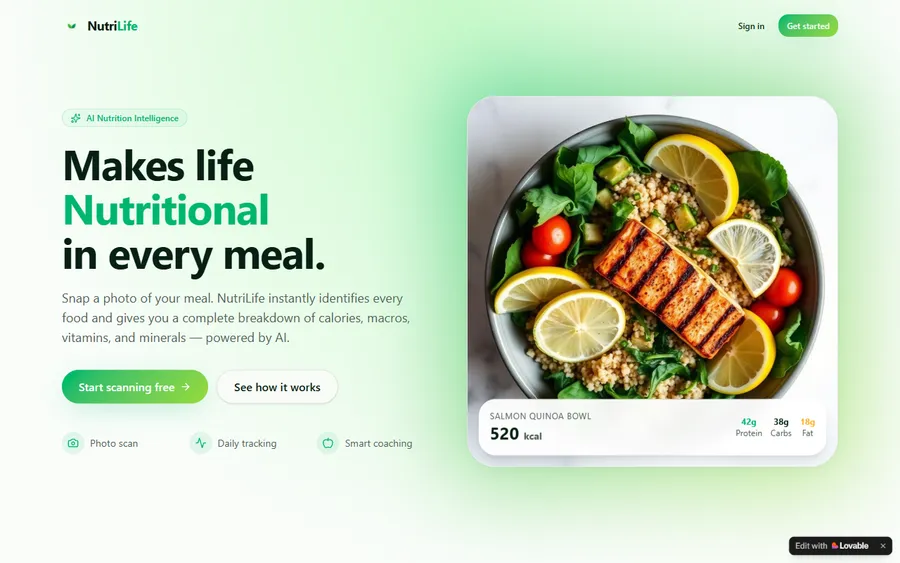
An AI nutrition coach that reads what you eat and works you toward a target.
AI and ML
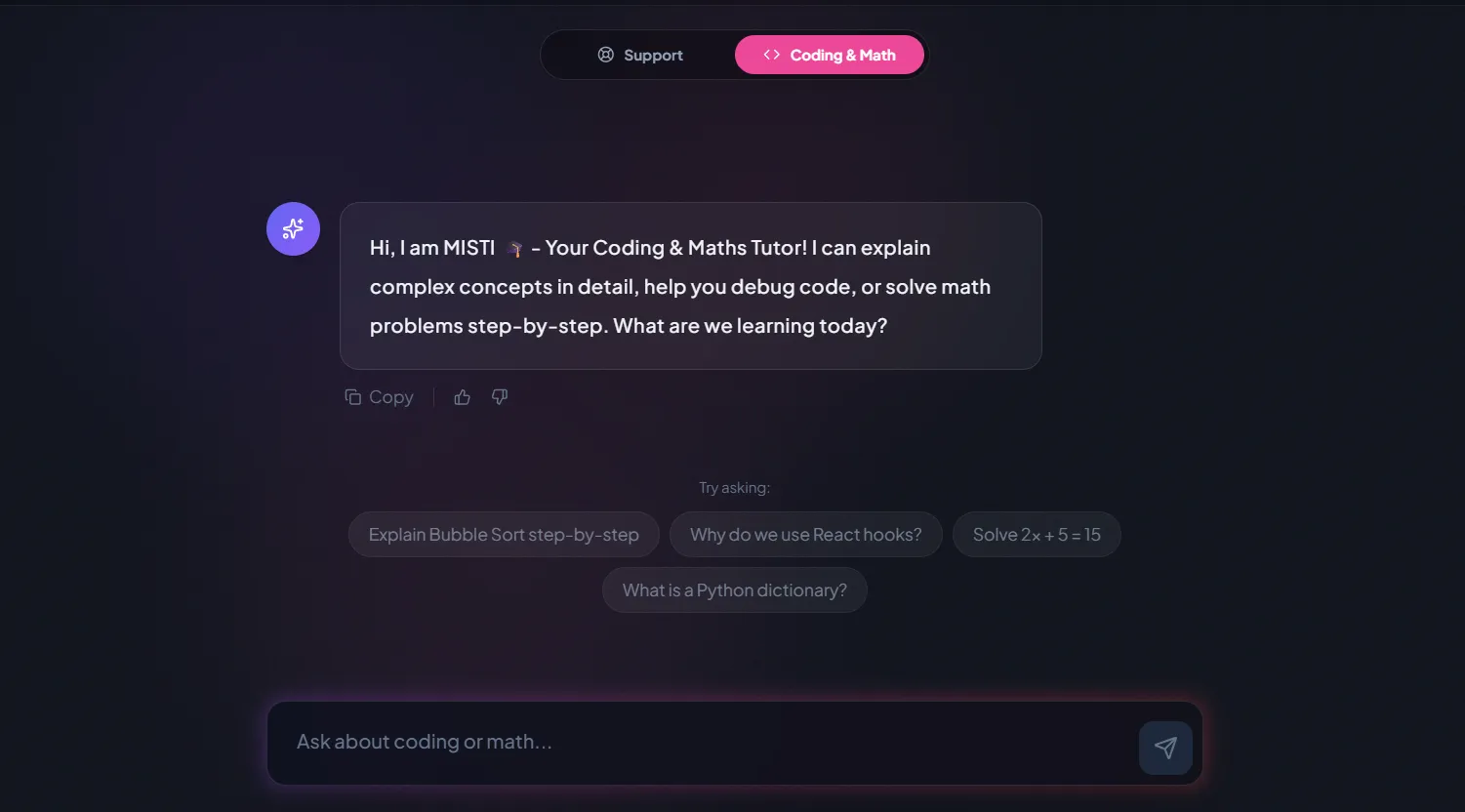
A chatbot that answers mathematics and programming questions, built and deployed by a student.
AI and ML
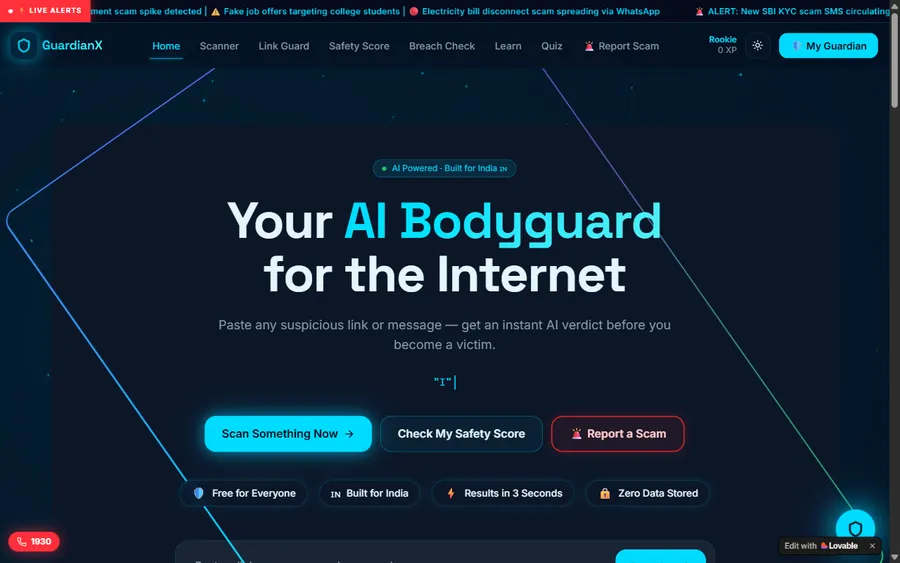
An assistant that helps a young person recognise unsafe situations online.
Web app
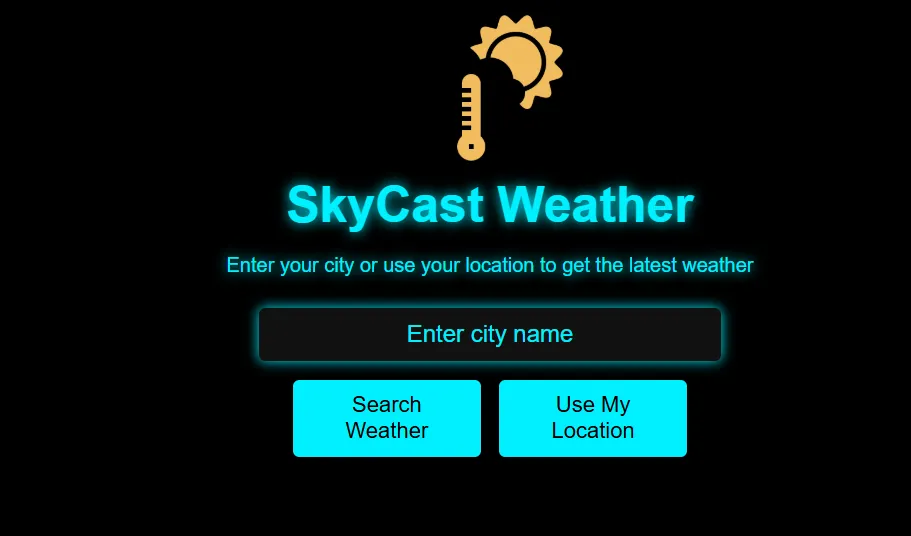
A weather forecasting site with live conditions for any location.
Fees
We charge in US dollars, monthly, by card. The bank behind your card turns each charge into soles at its own rate on the day, so the figure on your statement can move a little from month to month.
Free first class
Free
no card required
Group batch
$100 USD
a month, eight live classes
One to one
$150 USD
a month, eight live classes
What families say
Reviews from parents and students, as they wrote them on Google.
★★★★★
"The one step solution for my son. Modern Age Coders make learning coding so simple that kids love it. The teachers explain complex concepts clearly with practical exercises and interactive content."
Ria Mukherjee
Parent
★★★★★
"Modern Age Coders has been a game-changer for me. I struggled to grasp IT concepts and coding before joining, but their classes transformed everything. I can now confidently write complex programs with ease."
Samriddha Mondal
Student
★★★★★
"One of the most wonderful education centres out there. Education is not limited to school syllabus but focuses on skill development."
Vansh Agarwal
Student
★★★★★
"My child Dhairya is really enjoying the Modern Age Coders classes. This is his first online class and he eagerly looks forward to it. I can already see his improvement, and the teachers are very cooperative."
Sonam Oswal
Parent of Dhairya
★★★★★
"Modern Age Coders have wonderful teachers who teach in a clear, easy and practical way. The teacher boosts students' confidence and inspires them to learn without hesitation."
Sonu Goyal
Parent
★★★★★
"I highly recommend this computer coding class! The teachers are incredibly knowledgeable and passionate about coding."
Ritu Kedia
Parent
Parents in Peru ask
No. Every class is live, online and taught in English only, by mentors who speak slowly and clearly and adjust to your child's pace and accent. At six, most of the work is clicking, dragging and watching, and the mentor shows each step on the screen while saying it, so a child who is new to English can still follow.
No. Blocks suit a six year old very well, because a child can build a working program without reading or spelling. What is too early at six is typed code; we leave that until about nine.
Yes. Scratch blocks have colours and shapes as well as words, and the mentor reads each one aloud. Many six year olds in our classes are still learning to read in Spanish and in English, and coding often gives reading a push.
It helps, but it is not required. In the first classes the mentor practises clicking and dragging with your child. A small mouse is much easier for six year olds than a trackpad.
Classes are kept short and active for this age, with a hands-on task in the middle so the child is not staring at the screen the whole time. Your mentor will explain the exact length for your group or one-to-one plan at the free class.
Any day, any time, flexible: choose a batch, or for a very personalised plan choose 1-on-1 at the hour that suits your family. Because the gap never changes, 17:00 for your child is always 03:30 the following morning for the mentor in India.
No, not as a subject of its own. MINEDU's national curriculum gives 1° de primaria periods of Matemática, Comunicación and Inglés among others, but no computing area; digital skills are treated as a competency shared by all subjects. Some private schools add their own computing classes.
No. OpenAI's terms say users must be at least 13, and Google sets 13 for Gemini on personal and school accounts. Six year olds in our classes learn what AI is through games with the mentor, never through adult chatbots.
Not in a group: we form groups by age so a six year old is with other six year olds. Brothers and sisters can each have their own group, or share a one-to-one plan if the mentor agrees it will work for both.
No. We are an independent online school, our mentors work from India, and we have no link to MINEDU, a UGEL or any school in Peru. We give no Peruvian grades; children who finish a course get a completion certificate from us.
Read next
Pages that help with the next step.
Why block coding comes before typing.
Ages, readiness signs and first tools.
What changes two birthdays from now.
Each tool and the youngest user its maker allows.
One live class, from hello to goodbye.
Why we ask before we tell.
Part of the guide: Every Peru page
More guides: Coding and AI classes in Peru · En español: clases de programación en inglés · Start here: English-medium coding in Lima · Subjects and courses: AI agents course · Exams, olympiads and school holidays: IB computer science tutor · Guides to choosing: An English-taught option to Crack The Code · Regions of Peru: Amazonas region · Cities: Arequipa: coding for every age · Lima and Callao districts: Programación para niños en Ancón
Start here
In the free class a mentor plays a short sorting or ordering game with your child, then helps them make a sprite move for the first time. Afterwards you hear what the mentor noticed and which course, format and hour would suit your child.
Want to know more before booking? How we teach walks through a real class, and our full course list has every syllabus.
WhatsApp us · +91 91233 66161 · connect@modernagecoders.com
All classes are live video lessons from India, taught in English. WhatsApp us in English for the quickest answer.
A priority demo is a full class of about 45 to 60 minutes. After the class the mentor sends a written skill report and a personal learning roadmap on WhatsApp. If you enrol, the demo fee is adjusted against your first month's fee. Share your demo Order ID with us on WhatsApp and we take it off.
Book a priority demo