Table of Contents
- Is Coding Suitable for a 6-Year-Old?
- What is the Best Way to Introduce Coding to a 6-Year-Old?
- Best Beginner Coding Tools for 6-Year-Olds
- Understanding Core Coding Concepts for 6-Year-Olds
- How Long Should Coding Sessions Be for 6-Year-Olds?
- Should Parents Sit with Kids During Coding at Age 6?
- Transitioning from Play to Structured Learning
- Common Challenges and Solutions
- Measuring Progress Without Pressure
- When to Advance
- What a First Live Coding Class Looks Like for a 6 Year Old
- Frequently Asked Questions
- Final Thoughts
- Related Posts
At age 6, children stand at an exciting developmental crossroads. They're beginning to read, their attention spans are growing, and they're ready for slightly more structured learning than preschool play. This makes six the perfect age to introduce coding concepts with intention and organization.
Unlike 5-year-olds who primarily learn through pure play, 6-year-olds can handle gentle structure. They can follow longer sequences, understand simple rules, and take on small challenges that require planning ahead. They're developing the patience needed to work through problems rather than giving up immediately.
The short answer: coding for 6 year olds is visual and playful. Start with ScratchJr, Kodable or Code.org's pre-reader course, keep sessions to 20 or 30 minutes three or four times a week, sit with your child for the first few sessions, and aim for sequence, loops and problem solving rather than typing. This guide covers readiness signs, the best beginner tools, session length, parent involvement, when to move on, and what a first live class looks like for a 6 year old.
Is Coding Suitable for a 6-Year-Old?
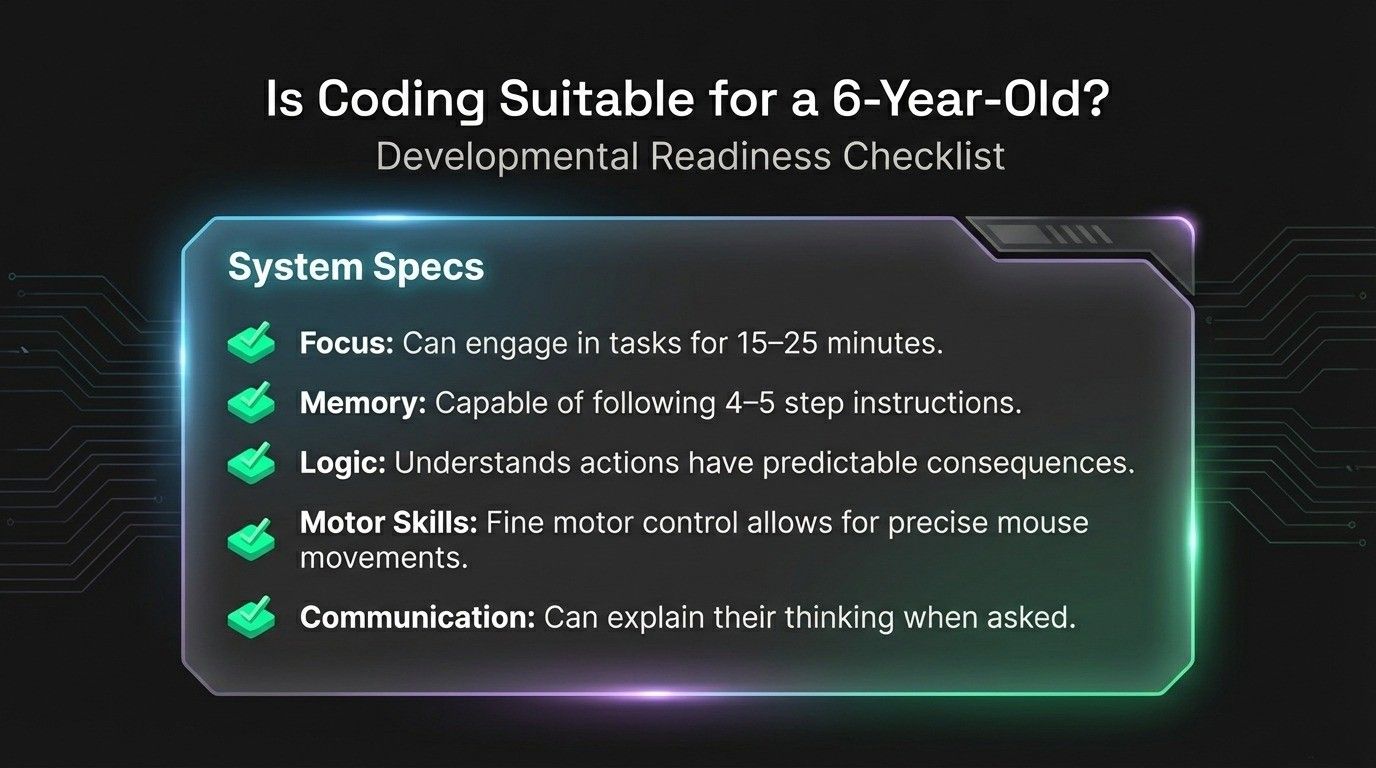
Developmental Readiness at Age 6
Six-year-olds have reached important cognitive milestones that make coding beneficial. Their working memory has improved, allowing them to remember and follow 4-5 step instructions. They're beginning to think before acting, crucial for coding where planning sequences matters.
Key abilities at this age:
- Focus on engaging tasks for 15-25 minutes
- Beginning to recognize letters and simple words
- Understanding actions have predictable consequences
- Developing mental flexibility to try different approaches
- Can explain their thinking when asked
Physical development supports coding: Fine motor skills enable precise mouse movements and tablet navigation. Hand-eye coordination allows accurate block dragging. These abilities make visual programming platforms accessible and frustration-free.
How 6-Year-Olds Differ from Younger Kids
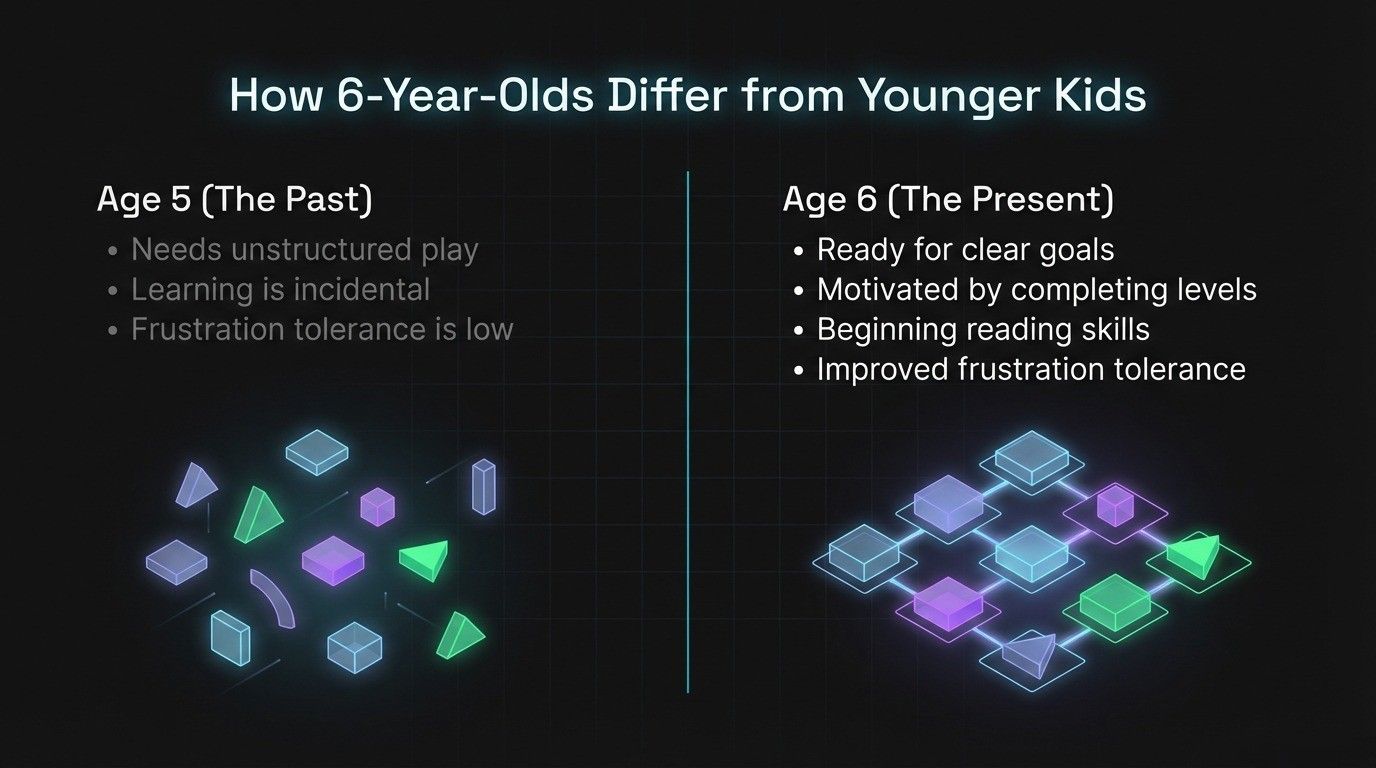
Unlike younger children: Five-year-olds need everything to feel like unstructured play, while 6-year-olds are transitioning into the school mindset. For parents who started with their child at age 5, understanding how coding for 5-year-olds differs helps recognize the developmental shift.
They're ready for activities with clear goals: "Make the character collect all the stars." They understand success and failure, making game-based coding particularly effective. They're motivated by completing levels and achieving objectives.
Beginning reading skills open new possibilities. Apps that combine pictures with simple text support both coding and literacy development simultaneously. Their improved frustration tolerance means they're more likely to try again when things don't work.
Coding Benefits Specific to Age 6
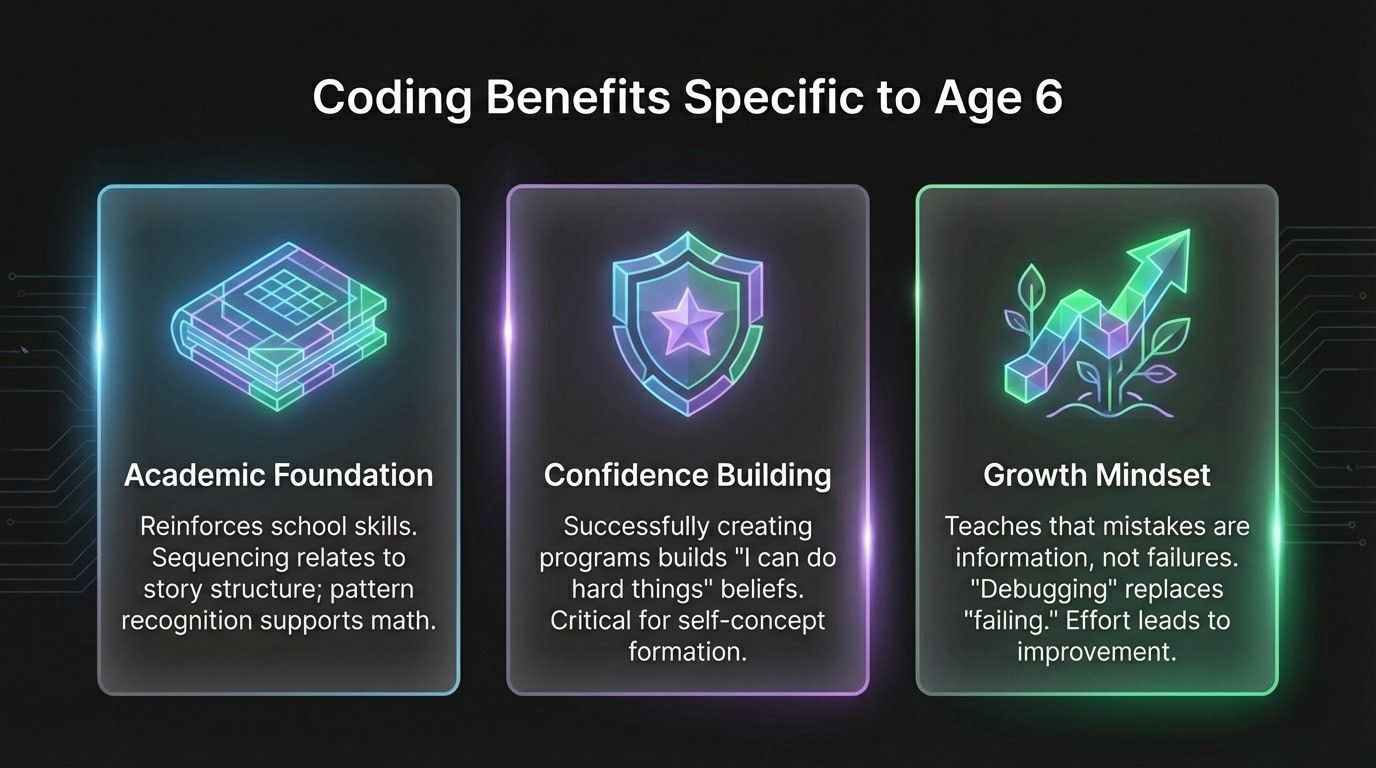
Academic foundation: Coding reinforces school skills. Sequencing relates to story structure in reading. Pattern recognition supports early math. Following multi-step directions strengthens listening comprehension.
Confidence building: Successfully creating programs, even simple ones, builds "I can do hard things" confidence that transfers to other learning. Age 6 is when children form beliefs about their abilities.
Growth mindset: Coding teaches that mistakes aren't failures but information. When code doesn't work, they debug and try again. This mindset, effort leads to improvement, supports all academic learning.
What is the Best Way to Introduce Coding to a 6-Year-Old?
Start with Visual, Interactive Platforms
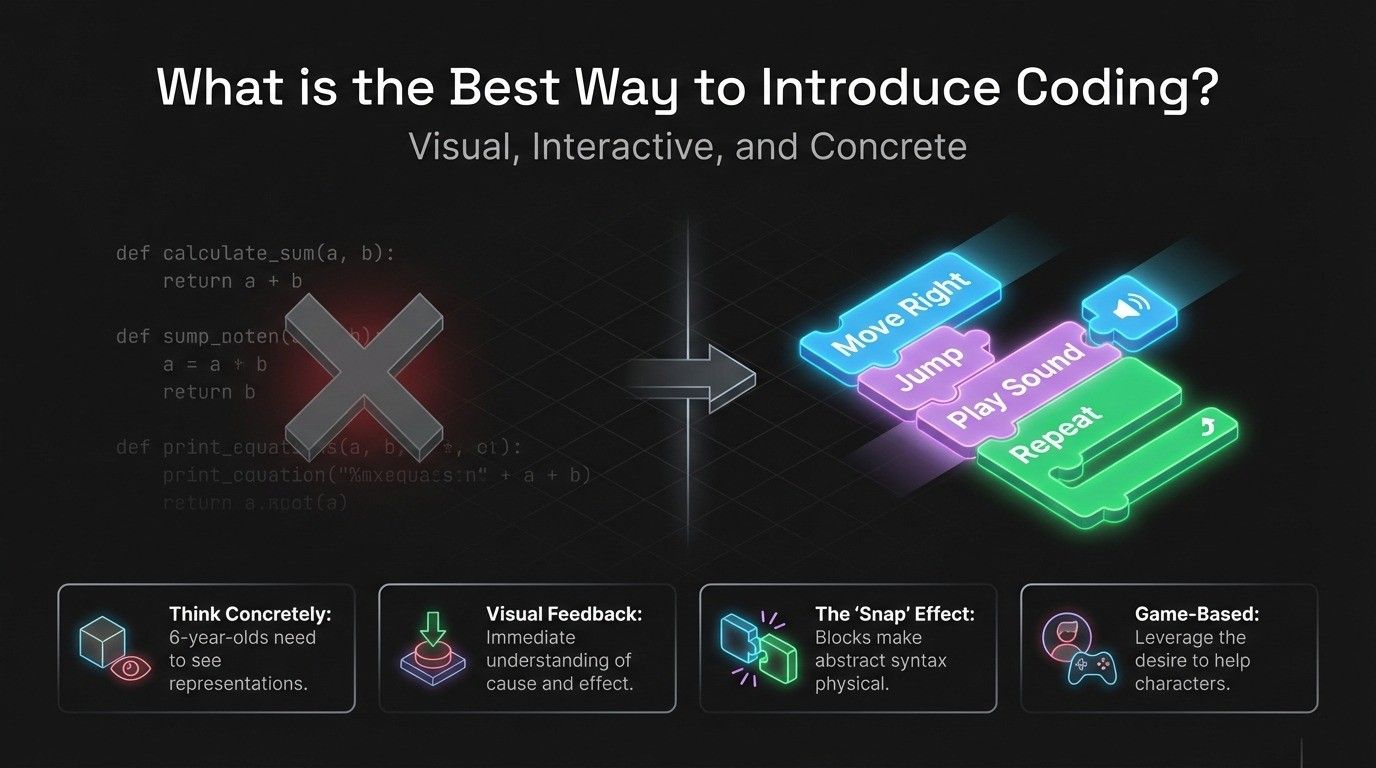
Text-based coding isn't appropriate yet, but visual programming is perfect. Colorful blocks that snap together like puzzles make abstract concepts concrete. Each block represents a command with pictures and sometimes words.
Six-year-olds think concretely. They need to see representations of concepts. A block showing a character jumping is easier to understand than typing code. Immediate visual feedback is crucial, seeing the character move exactly as programmed makes cause and effect crystal clear.
Use Game-Based Coding Approaches
Six-year-olds are motivated by fun, achievement, and progress. Game-based coding platforms leverage this natural motivation through levels, rewards, celebrations, and gradual difficulty increases.
Stories and characters create emotional investment. Kids want to help the character reach its goal. Platforms like Blockly for kids use game-like elements while teaching real programming concepts, making transitions to advanced coding smoother later.
Blend Structured and Free Exploration
The best approach combines structured tutorials and open-ended creation. Structured learning provides clear guidance and introduces concepts systematically. Free exploration allows creativity, personal expression, and discovery learning.
Recommended balance: Start each new platform with guided tutorials. Once comfortable, alternate between following lessons and creating freely. A 60/40 split (60% structured, 40% free) works well initially.
Connect to Their Interests
Engagement skyrockets when coding connects to what children love. Choose apps with themes matching their interests, animals, space, sports, or stories. Many platforms offer different themed activities teaching identical concepts.
Best Beginner Coding Tools for 6-Year-Olds
Top Visual Programming Platforms
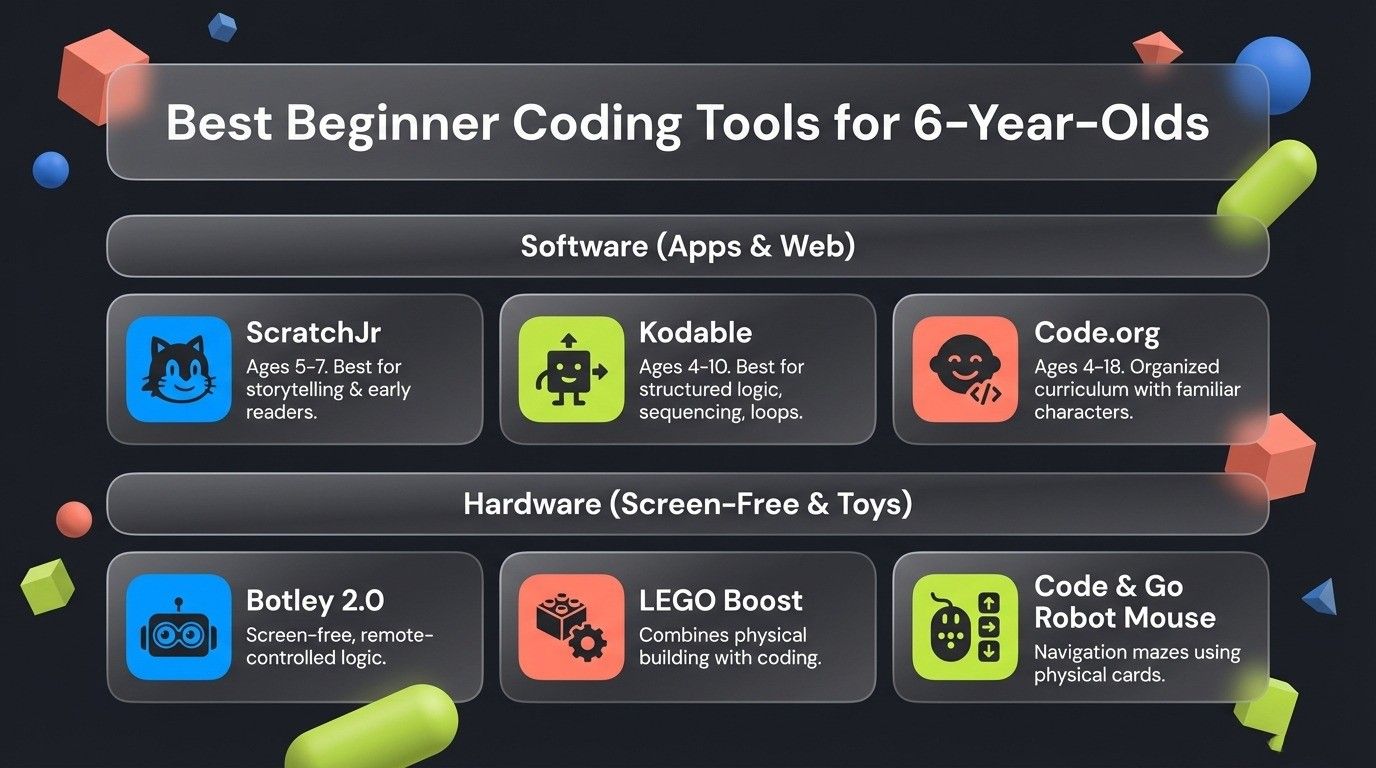
ScratchJr (Ages 5-7)
- Platform: iPad, Android, Chromebook, free
- Website: scratchjr.org
- Perfect for: Children transitioning from 5 to 6, early readers
- What they create: Animated stories, simple games
- Session length: 15-20 minutes ideal
Kodable (Ages 4-10)
- Platform: iPad, web browser
- Website: kodable.com
- Perfect for: Structured learning with clear progression
- What they learn: Sequencing, loops, conditionals
- Cost: Free trial, $6.99/month or $49.99/year
Code.org (Ages 4-18)
- Platform: Web browser, free
- Website: code.org
- Perfect for: Organized curriculum by grade level
- Features: Familiar characters (Frozen, Minecraft)
- Session length: 20-30 minute activities
Physical Coding Toys
Botley 2.0: Screen-free robot with remote. Programs complex sequences, teaches logic through physical interaction. Ages 5+, around $80.
Code & Go Robot Mouse: Programmable mouse navigates mazes using coding cards. No screen required. Ages 5+, around $60.
LEGO Boost: Build LEGO models, then code them to move using tablet app. Combines building with programming. Advanced 6-year-olds can handle it. Around $160.
These toys bridge to more advanced concepts, preparing for eventual transition to languages like Java for kids when ready for text-based programming.
Understanding Core Coding Concepts for 6-Year-Olds
Sequencing: Building Longer Command Chains
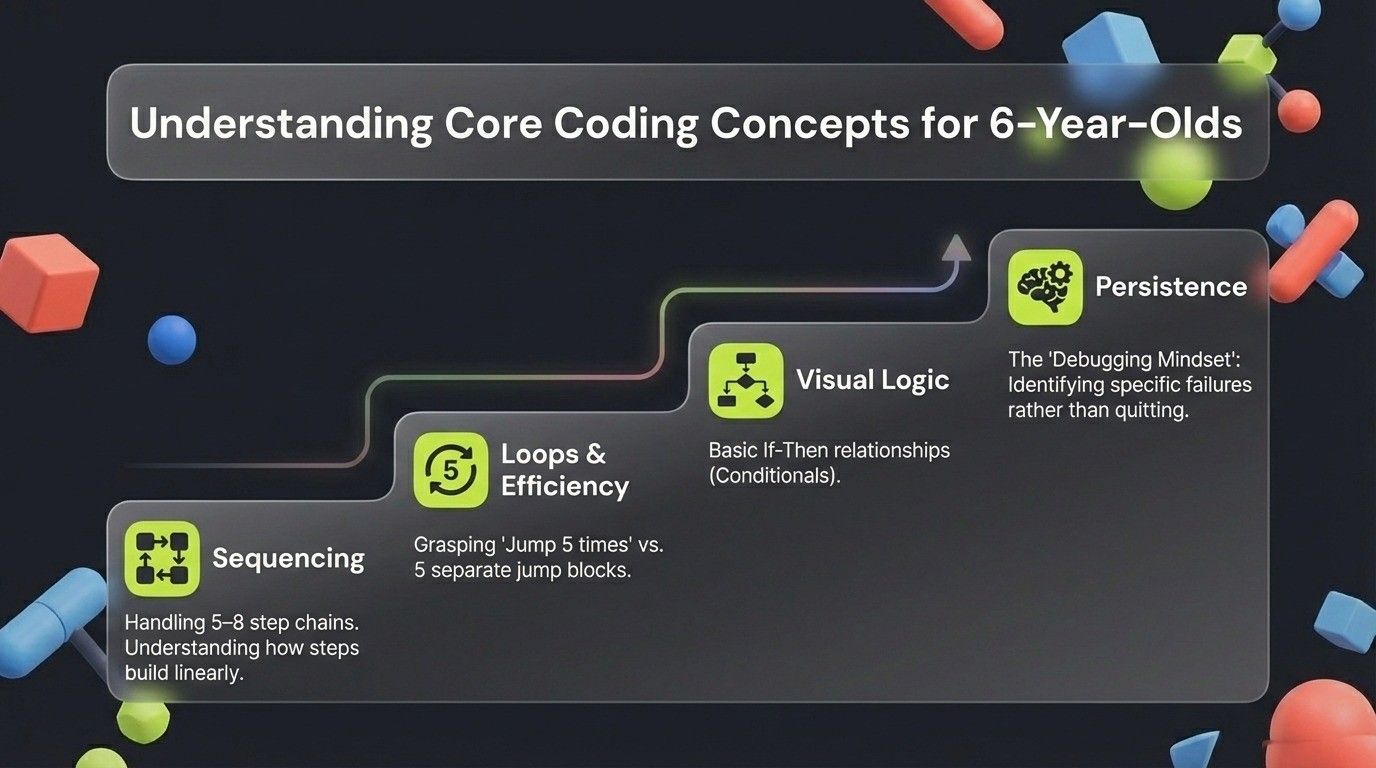
At age 6, children can handle 5-8 step sequences compared to 3-4 for 5-year-olds. They understand how steps build on each other and can explain their sequences: "First I made him go around the wall, then get the key, then open the door."
When something goes wrong, they can identify which specific step failed rather than giving up on the entire sequence.
Problem Solving with Persistence
Six-year-olds show notably more persistence than younger children. When facing challenges, they're willing to try multiple approaches before seeking help. They're beginning to test deliberately: "What if I try this? That didn't work. Now what if I do this instead?"
This developing persistence is exactly the mindset needed for programming, where solutions rarely work perfectly the first time.
Visual Logic and Simple Commands
Conditional thinking becomes clearer at age 6. They grasp if-then relationships: "If the character hits a wall, then turn around." They can often predict outcomes before running code and explain their reasoning.
Loops and Repetition
Loops make intuitive sense once demonstrated. They understand "jump 5 times" instead of dragging five jump blocks. Simple counted loops and forever loops both work well. Advanced 6-year-olds begin spotting when loops would simplify their code.
Basic Conditionals
Simple if-then logic works when concrete and visual: "If you touch the coin, then you get a point." Complex if-then-else logic and nested conditionals come later, typically ages 7-8.
How Long Should Coding Sessions Be for 6-Year-Olds?
Ideal duration: 20-30 minutes per session. This balances meaningful learning with maintaining focus.
Minimum effective time: 15 minutes. Shorter sessions barely allow time to get engaged.
Maximum before fatigue: 40 minutes, only for highly engaged children.
Optimal frequency: Three to four times weekly. Consistency matters more than session length. Daily 15-minute sessions work well. Gaps longer than 3-4 days reduce skill retention.
Signs Session Should End
Watch for frustration increasing, random clicking without thinking, asking to do something else, or physical fidgeting. Better to stop when they want more than push too long.
Structuring Sessions
Warm-up (3-5 minutes): Review what they did last time or complete one easy level.
Main activity (12-20 minutes): New concept or challenging level where real learning happens.
Cool-down (3-5 minutes): Let them show you what they created. Talk about what they learned.
Should Parents Sit with Kids During Coding at Age 6?
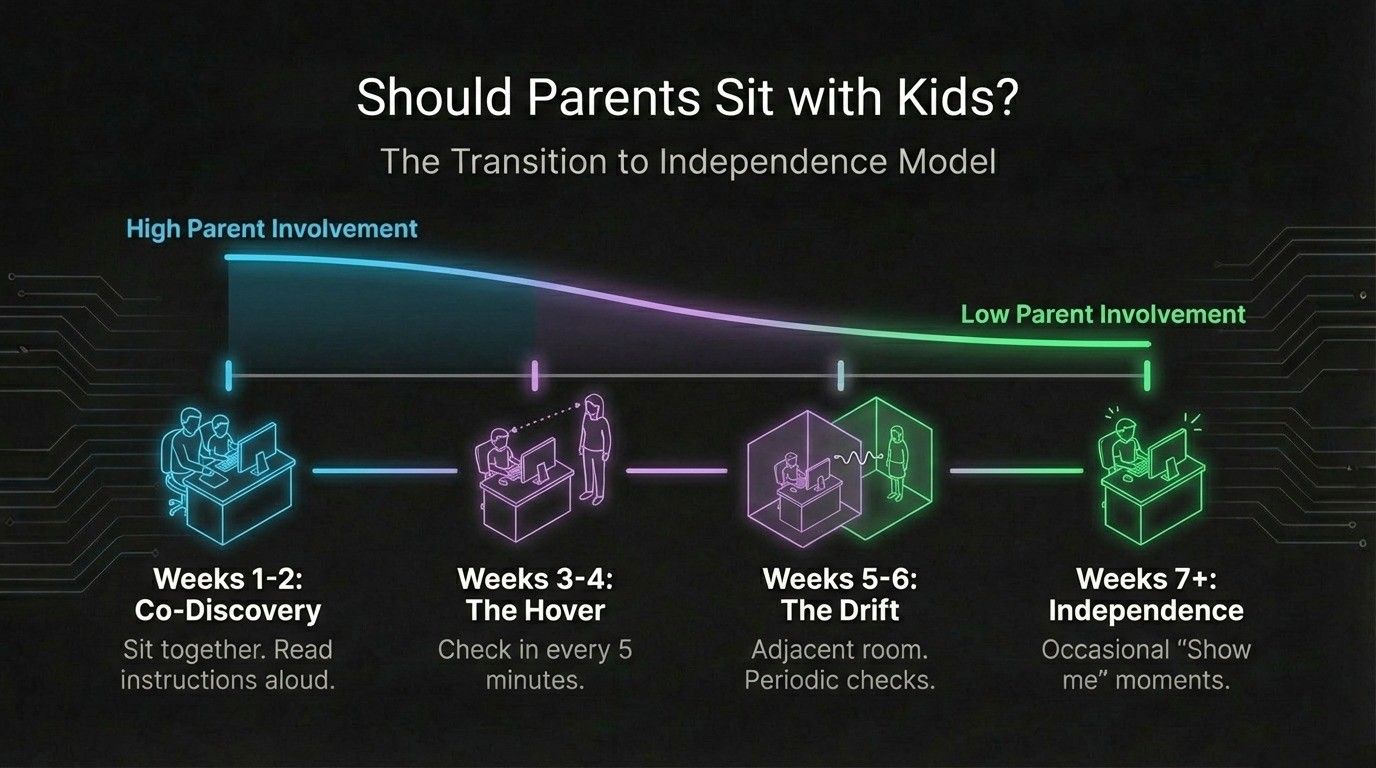
Initial Sessions: Yes, Absolutely
The first 2-3 times, explore together. This co-discovery helps you learn the interface, shows your interest, and becomes bonding time.
Transition to Independence
Weeks 1-2: Sit throughout sessions. Explore together, read instructions aloud.
Weeks 3-4: Stay nearby, check in every 5 minutes.
Weeks 5-6: Adjacent room, periodically checking.
Weeks 7+: Independent with occasional check-ins.
Be a Learning Partner
Ask questions instead of teaching: "What do you think will happen?" "How could you solve that?" Celebrate effort: "I saw you try three different ways!"
Provide strategic hints: "I wonder what that button does?" Guide without giving answers.
Transitioning from Play to Structured Learning
Six is transitional between playful exploration (age 5) and formal learning (age 7+). The best approach acknowledges both needs.
Structured elements appropriate: Clear goals, defined challenges, progressive difficulty, building on previous concepts.
Play elements still essential: Choice in activities, open-ended creative time, fun themes, no pressure, celebration not assessment.
Finding Balance
Too much structure: Feels like homework. Kids lose interest.
Too little structure: Skills don't progress. Just aimless clicking.
Right balance: Clear goals wrapped in engaging activities. Structure invisible beneath play surface.
Maintaining Fun
Choose engaging themes. Celebrate achievements enthusiastically. Never frame as homework. Let them show off creations. Keep it optional.
Common Challenges and Solutions
"Wants to skip to hard levels": Let them try. Natural consequences teach better than explanations. When they fail repeatedly, returning to practice makes sense.
"Can't read instructions yet": Choose apps with voice narration (ScratchJr, Code Spark). Use platforms with heavy visual cues. Sit with them for instruction-heavy portions.
"Gets frustrated when code doesn't work": Model debugging calmly: "Let's check each step." Normalize mistakes: "Every programmer debugs constantly." Celebrate fixing: "You found the problem!"
"Wants parent to fix everything": Ask guiding questions: "What do you think might be wrong?" "Try two more things, then if stuck, I'll help."
"Attention wanders after 10 minutes": Accept shorter sessions. Ten focused minutes is valuable. Try different apps, times of day, or incorporate movement breaks.
Measuring Progress Without Pressure
Progress indicators: Completing previously impossible levels. Using coding vocabulary naturally. Planning before placing blocks. Debugging independently. Creating original projects.
Avoid: Comparing to other children. Pushing to complete certain levels. Making it feel like homework. Creating performance anxiety.
Celebrate growth: "You figured that out yourself!" "Remember when this was hard?" "You stayed focused for 20 minutes!"
When to Advance
Don't rush transitions: Mastery of basics beats premature advancement.
Signs of readiness: Boredom with current activities. Asking about "real coding." Interest in how games are made. Mastering loops, conditionals, sequencing.
Most 6-year-olds thrive with visual platforms throughout the year. Transitions to advanced platforms happen naturally around age 7-8.
What a First Live Coding Class Looks Like for a 6 Year Old
Parents who search for coding classes for 6 year olds usually want to know whether a live online class works at this age, and the answer is: it can, if the class is built for it. Our live Scratch course takes children from 6 to 12, and a 6 year old's first class is the free demo, one hour with a teacher on screen, in a batch of 5 to 10 children of a similar age or 1-on-1.
The hour is not one activity. It is three or four short ones with a change every 15 to 20 minutes, which is how a 6 year old sustains it: meet the cat and the stage, make it move, add a sound, then a few minutes of the child choosing what the cat should do next. The teacher watches the child's screen the whole time and does the dragging with them when the mouse is the hard part.
If your child is not ready to sit for an hour with a teacher, the tools above at home are the right start, and nothing is lost by waiting: the same course starts from zero at 7 or 8. When they get there, coding for 7 year olds and coding for 8 year olds describe the next steps.
Frequently Asked Questions
Yes! Six-year-olds are developmentally ready for age-appropriate coding. They can follow longer sequences, handle gentle structure, and are beginning to read, all supporting coding learning. Choose visual, interactive, beginner coding tools designed for ages 5-7 and keep sessions playful while introducing basic structure.
Start with visual, game-based coding platforms like ScratchJr, Kodable, or Code.org using colorful blocks instead of text. Begin with guided tutorials, then allow free exploration. Keep sessions 20-30 minutes, sit with them initially, and connect activities to their interests. Balance structured challenges with creative projects.
Ideal session length is 20-30 minutes for 6-year-olds. Some can focus up to 40 minutes, others need 15-minute sessions. Three to four sessions weekly works better than daily marathons. Watch for frustration or fading attention and end before complete disengagement.
Yes, initially. Sit for first 2-3 sessions to explore together, then gradually transition to nearby supervision over 4-6 weeks. By weeks 7-8, many can code independently with occasional check-ins. Be a learning partner who asks guiding questions rather than a teacher who gives answers.
Yes, if the class is built for the age. Our live Scratch course takes children from 6 to 12, in a batch of 5 to 10 children of a similar age or 1-on-1, one hour per class split into three or four short activities, with a free demo first. If your 6 year old is not ready for an hour with a teacher, start with ScratchJr or Kodable at home and join at 7 or 8; the course starts from zero at any age in that range.
At 7 the child moves from ScratchJr to full Scratch, learns loops, events, conditions and a first variable, and builds small games. At 8 projects get longer and reading and typing start to matter. Our guides to coding for 7 year olds and coding for 8 year olds describe each step.
Final Thoughts
Age 6 is perfect for introducing coding with intention. Children are ready for slightly more structure than pure play, but still need activities that feel fun and engaging. The key is balancing guided learning with creative exploration.
Choose beginner coding tools matching their developmental stage, visual, interactive learning platforms with game-based approaches. Keep sessions short but consistent. Sit with them initially, then build independence. Celebrate their problem-solving process, not just successes.
Understanding how schools and parents can prepare children for future tech careers provides broader context for why these early coding experiences matter beyond immediate learning.
Coding at age 6 isn't about preparing for programming careers. It's about building logical thinking, persistence, and confidence with technology during critical development. Whether they engage for 15 or 30 minutes, whether they follow tutorials or create freely, they're developing valuable skills.
Start where they are, follow their interests, and keep it fun. That's how 6-year-olds learn best.
Related Posts
Python for Beginners: Complete Guide to Getting Started Ready to move beyond block-based coding? Learn how Python provides a gentle introduction to text-based programming for older kids and beginners.
How Schools and Parents Can Prepare Children for Future Tech Careers Discover comprehensive strategies for equipping children with the skills, mindset, and experiences needed to thrive in technology careers.
Scratch vs Python: Which is Better for Young Learners? Compare Scratch and Python to understand which programming language suits your child's age, skill level, and learning goals best.