CEP / YOUNG / 01
Coding for kids with blocks
Block coding from first steps to small apps.
Open the syllabusPeru · Primaria · Ages 6 to 12
Most children in Peru who take these classes speak Spanish at home and meet English as a school subject. That is the child this page is written for. Below you will find which primaria grade fits which kind of coding, what the national timetable already gives your child in English, how a first class handles a child who understands only a little, and a real lesson for a ten-year-old.
Live classes since 2020 · 10,000+ students worldwide · patient mentors for children still learning English
The short answer
Yes. Modern Age Coders runs coding classes for primaria children in Peru, aged 6 to 12, that are live, online and taught in English. The youngest, in 1° and 2°, build with Scratch blocks and picture stories; around 9 most move on to Roblox, web pages and their first typed Python. Mentors in India keep their English slow and simple, show each step on the screen and follow the child's pace and accent, so understanding basic instructions is enough to begin. Classes are in a group of fifteen to twenty or one to one, at hours the family sets.
Start here
One for the youngest, one for the middle years, one for children ready to type. The free first class tells you which fits.
CEP / 01
From 6. Drag-and-drop blocks, animated stories and small games, with almost no reading needed at first.
Open the syllabus →
CEP / 02
From about 8. Obstacle courses and scores in Roblox Studio, the game many Peruvian children already play.
Open the syllabus →
CEP / 03
From about 9. A first real typed language, with drawings, quizzes and games like the lesson below.
Open the syllabus →Grade by grade
Every primaria grade can code; what changes is the tool. MINEDU fixes each grade's normative age on 31 March of the school year, and the CNEB timetable sets how many hours of English the grade has each week, so both are useful clues to where a child should begin.
| Grade | Age on 31 March | CNEB cycle | English hours a week | Usual start with us (ours) |
|---|---|---|---|---|
| 1° de primaria | 6 | III | 2 | Scratch with pictures and spoken instructions |
| 2° de primaria | 7 | III | 2 | Scratch stories and simple games |
| 3° de primaria | 8 | IV | 3 | Scratch games with scores; Minecraft or Roblox |
| 4° de primaria | 9 | IV | 3 | Roblox or web pages; first Python for keen readers |
| 5° de primaria | 10 | V | 3 | Python with drawings and games |
| 6° de primaria | 11 | V | 3 | Python projects, small AI ideas, web |
Sources: MINEDU, "Edades normativas" (the normative age is taken on 31 March of each year); Currículo Nacional de la Educación Básica, Tabla N.° 6, weekly hours for Educación Primaria (30 hours a week in every grade). Read 9 November 2026. The last column is our own placement guide, not a MINEDU recommendation.
Primaria lasts six years under Ley 28044, and its regulations say it serves children from age 6. On the CNEB timetable every primaria grade has 30 hours a week. English gets 2 hours in 1° and 2° and 3 hours from 3° to 6°, while Matemática and Comunicación get 5 hours each in the first two grades and 4 after that.
There is no computing or programming area in the table. The CNEB itself also notes that English in primaria depends on a specialist teacher being hired; where none is, those hours become free-use hours. So two children in the same grade can have had very different amounts of English.
A child's age matters less than two things: whether they can read a short sentence, and whether they can use a mouse and keyboard. A confident reader in 3° may start Python early; a quieter 5° pupil may enjoy a term of Scratch first.
The free first class sorts this out in twenty minutes. The mentor asks the child to drag a few blocks, read a few words aloud and explain what they built, then suggests a starting point.
If you are looking at one particular age, our Spanish pages go deeper: programación para niños de 6 años covers coding before a child reads fluently, and programación para niños de 10 años covers the step from blocks to Python.
English on day one
Less than most parents fear. A child who can follow "click here", "drag this block" and "what happens next?" is ready. Everything else is taught inside the lesson, one word at a time, alongside the code.
Classes lean on pictures, gestures and the shared screen. A child learns perhaps one new word per class, such as "move", "turn" or "repeat", and uses it straight away in a block. ScratchJr, built for young children of 5 to 7, works the same way: almost everything is a picture.
Children start reading block labels and short instructions. The mentor keeps a word list on screen and asks the child to say each new word aloud. By this age most children have had two years of English at school, at least on paper.
Typed code is itself English: print, if, else, while. Children now explain their programs in short sentences, which is often the first time their school English is used for something they care about.
Families at bilingual or international schools, where English is already strong, can start faster, and our Lima page for English-medium pupils is written for them. For maths in English at the same ages, see clases de matemáticas en inglés para niños.
A real lesson
Here is a lesson our mentors teach to children of about 10 to 12 who have started Python. The game is rock, paper, scissors, which every child in Peru knows as piedra, papel o tijera. The code is ours. The surprise is that a spelling mistake in English breaks the game without any error message.
def judge(a, b):
    if a == b:
        return 'draw'
    if a == 'rock' and b == 'scissors':
        return 'player 1'
    if a == 'paper' and b == 'rock':
        return 'player 1'
    if a == 'scissors' and b == 'paper':
        return 'player 1'
    return 'player 2'

rounds = [('rock', 'scissors'), ('paper', 'paper'), ('scissors', 'rock'),
          ('sissors', 'paper'), ('Rock', 'scissors')]
for a, b in rounds:
    print(a, 'vs', b, '->', judge(a, b))
The child writes the rules as they would say them: if it is a draw, say draw; if rock meets scissors, player 1 wins; and so on. Anything else means player 2 wins. Before running it, the mentor asks: who wins each of the five rounds?
rock vs scissors -> player 1
paper vs paper -> draw
scissors vs rock -> player 2
sissors vs paper -> player 2
Rock vs scissors -> player 2
Exact output from our own run with Python 3. The first three rounds are right. Round four is a misspelling of "scissors", and round five has a capital R. Both are reported as wins for player 2, and the program never complains.
Children usually spot round five first: rock beats scissors, so why did player 2 win? Then someone notices "sissors". The program did not fail; it quietly took the last line, "otherwise player 2 wins", for any word it did not recognise. The lesson now has two parts: write the rules more clearly, and make the program say when it does not understand.
beats = {'rock': 'scissors', 'paper': 'rock', 'scissors': 'paper'}

for move in beats:
    print(move, 'beats', beats[move])
print('Words the game knows:', len(beats))
A dictionary pairs each move with the move it beats. The loop reads the table back as English sentences, and len counts how many words the game knows.
rock beats scissors
paper beats rock
scissors beats paper
Words the game knows: 3
Exact output from our own run. The child reads the three sentences aloud. If one sounds wrong, the table is wrong, which is much easier to check than nine separate lines of if statements.
def judge(a, b):
    a = a.lower()
    b = b.lower()
    if a not in beats:
        return 'I do not know the word ' + a
    if b not in beats:
        return 'I do not know the word ' + b
    if a == b:
        return 'draw'
    if beats[a] == b:
        return 'player 1'
    return 'player 2'
Uses the same beats table and the same five rounds as before. lower() turns "Rock" into "rock"; not in beats catches any word that is not in the table.
rock vs scissors -> player 1
paper vs paper -> draw
scissors vs rock -> player 2
sissors vs paper -> I do not know the word sissors
Rock vs scissors -> player 1
Exact output from our own run. The capital R no longer matters, and the misspelt word is reported by name instead of silently losing the round.
In about forty minutes the child has met a dictionary, the words "beats", "draw" and "scissors" (and how to spell it), and the idea that a good program says when it is confused. An extension for fast finishers: add "lizard" and "Spock" to the table and find out why one value per key is no longer enough.
What school covers
Not as a subject. The CNEB has no computing area in primaria; digital skills appear as a competency shared across all areas, and science and technology work may include building things. Some schools add computing or robotics workshops in their free-use hours.
MINEDU has used educational robotics since the 1990s. In 2009 and 2010 it supplied LEGO WeDo kits to almost all public primary schools, according to its own robotics document. Many parents therefore think of "robótica" as the natural first step in technology for children.
Our classes are about code, not hardware: no kit arrives at your door. What a child learns with us, sequences, loops and decisions, is exactly what makes a school robot move, so the two fit together.
MINEDU's national assessment, the ENLA, tests reading and maths rather than computing. ENLA 2024 was a census test of 532,000 pupils of 4° de primaria in 18,112 schools, and ENLA 2025, applied from 11 to 13 November 2025, again tested 4° de primaria in reading and maths.
Coding does not prepare a child for the ENLA directly, and we do not claim that it does. It does give daily practice in reading instructions carefully and in step-by-step reasoning, which is useful in any subject.
The scale is national. MINEDU said on 14 October 2026 that its materials for the 2027 school year will reach 2.7 million primaria pupils. We are not connected with MINEDU or any school; our classes run beside school, and a child who completes a course receives our own certificate of completion, not a school grade.
At home
A laptop or desktop with a webcam, a microphone and a steady connection, plus a quiet corner and, for the youngest, an adult nearby for the first few classes. Typing code on a tablet or phone does not work well.
According to INEI's survey of technology in households, April to June 2026, only 36.4% of Peruvian households owned at least one computer. It also showed that children of 6 to 11 were the age group least likely to use the internet, at 68.2%.
So for many primaria children, a coding class is their first regular, purposeful use of a computer. That is one reason we start young children with blocks and mouse skills before typing.
One computer shared by the whole family is fine. A headset with a built-in microphone cuts out kitchen and street noise, so your child catches every word the mentor says.
Keep the same seat for every class, open the link a few minutes early and have a notebook ready for new words. Scratch works straight from the browser, and in the first Python lesson the mentor talks your child through installing a free editor.
If the family computer is busy at certain times, choose class hours around it. That flexibility is one reason we never fix a timetable.
Language
No. All teaching is in English, live and online, by mentors who work from India. With children they speak simply and slowly, say things again in other words, and adjust to how fast the child follows and how they pronounce English.
Programming languages are built from English words, so a child who learns to code in English learns the words and the ideas at once. A Spanish-taught class still ends up typing if and while; ours explains them in the language they come from.
Children also get regular spoken English with an adult who is patient and interested in what they made, which school groups of thirty rarely allow.
A child who finds any English stressful, or who is struggling with reading in Spanish, may be happier waiting a year. We would rather tell you that in the free class than see a child unhappy.
Parents who would rather read about this in Spanish will find the questions they usually ask us first answered on our Spanish guide for parents of young coders.
Peru time
At an hour your family picks, often after school or homework. Mentors are in India, and the difference between the two clocks is fixed all year.
| Peru time | India time | Day in India |
|---|---|---|
| 8:00 a.m. | 6:30 p.m. | Same day |
| 10:30 a.m. | 9:00 p.m. | Same day |
| 12:00 noon | 10:30 p.m. | Same day |
| 3:30 p.m. | 2:00 a.m. | Next day |
| 5:00 p.m. | 3:30 a.m. | Next day |
| 7:00 p.m. | 5:30 a.m. | Next day |
Peruvian clocks stay on UTC minus 5 through the whole year, with no daylight saving (tz database, zone America/Lima). Indian clocks stay on UTC plus 5:30, which puts India a constant 10 hours 30 minutes ahead.
Children who go to school in the afternoon shift often take class in the morning, and morning-shift pupils in the late afternoon. If the school changes your child's shift, you simply move the class.
Progress
Five steps we use with primaria children in Peru. They are our own, and each one has a coding side and an English side.
| Step | In code, your child can | In English, your child can |
|---|---|---|
| 1. Follow | drag blocks in order so a character reaches a goal | follow "click", "drag", "move" and "turn" |
| 2. Repeat | use a loop instead of copying the same block | say "repeat ten times" and "again, please" |
| 3. Decide | add an if block that changes what happens | explain a rule: "if it touches the wall, it stops" |
| 4. Type | write a short Python program and guess its output first | read error messages and name the problem |
| 5. Build and show | finish a game or page of their own | present it to the family in a few English sentences |
Once a week, let your child give you a tour of what they built, in Spanish, English or a mix. Being able to explain it is the clearest sign that it was understood.
Most children move one step every couple of months. Step 4, typing, is the slowest and the most important.
Say what you think will happen before you press the green flag or run.
Keep a list of new English words next to your keyboard.
More courses
All live, in English, grouped by age, with one mentor through the course.
CEP / YOUNG / 01
Block coding from first steps to small apps.
Open the syllabusCEP / YOUNG / 02
Patterns and puzzles that prepare for code.
Open the syllabusCEP / YOUNG / 03
Number sense in English for the first school years.
Open the syllabusCEP / BUILD / 01
Programming a world children already know.
Open the syllabusCEP / BUILD / 02
Characters, levels and scores, step by step.
Open the syllabusCEP / BUILD / 03
A first website of their own in HTML and CSS.
Open the syllabusCEP / THINK / 01
What a machine can and cannot learn, taught without chatbot accounts.
Open the syllabusCEP / THINK / 02
Times tables, shapes and patterns checked by programs the child writes.
Open the syllabusCEP / THINK / 03
Breaking big problems into small steps.
Open the syllabusHow it works
Any day, any time, flexible: choose a batch, or for a very personalised plan choose 1-on-1 at the hour that suits your family.
Mornings
For children on the afternoon school shift.
After school
Late afternoon or early evening in Peru time.
Your choice
One-to-one classes on the days you pick.
The same adult every week, who learns how your child thinks.
Said and shown at the same time on the shared screen.
Your child drags, types and fixes; the mentor guides.
Each few weeks ends with a project for the family.
What was learned in code and in English.
Fifteen to twenty children of a similar age, or one to one.
Student work
Projects by some of our older students, to show where the first blocks can go. More on the student labs page.
AI and ML
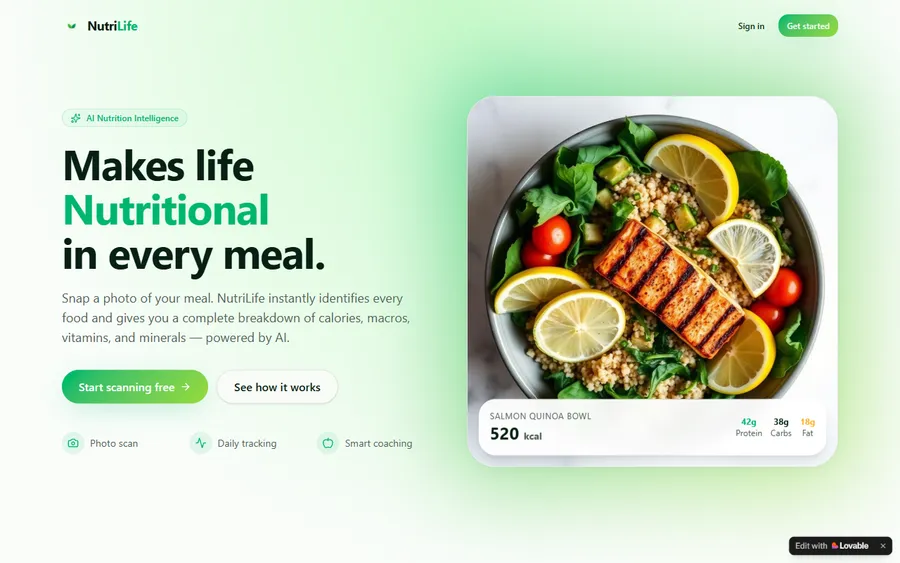
An AI nutrition coach that reads what you eat and works you toward a target.
AI and ML
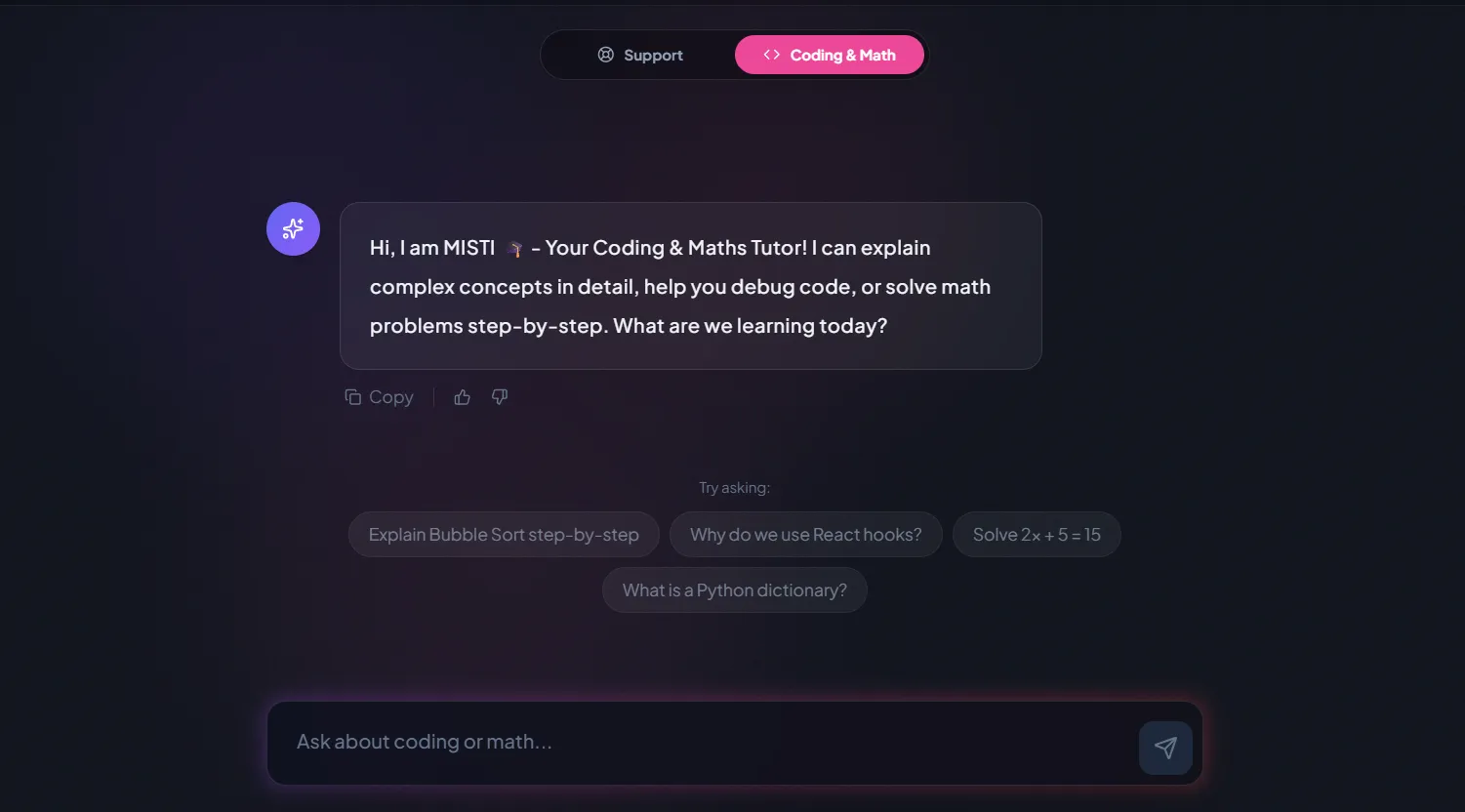
A chatbot that answers mathematics and programming questions, built and deployed by a student.
AI and ML
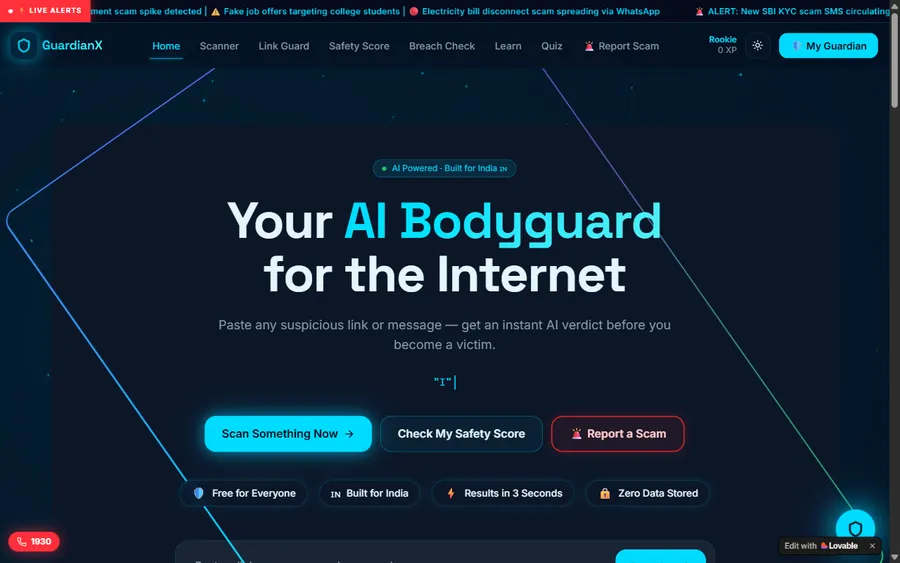
An assistant that helps a young person recognise unsafe situations online.
Web app
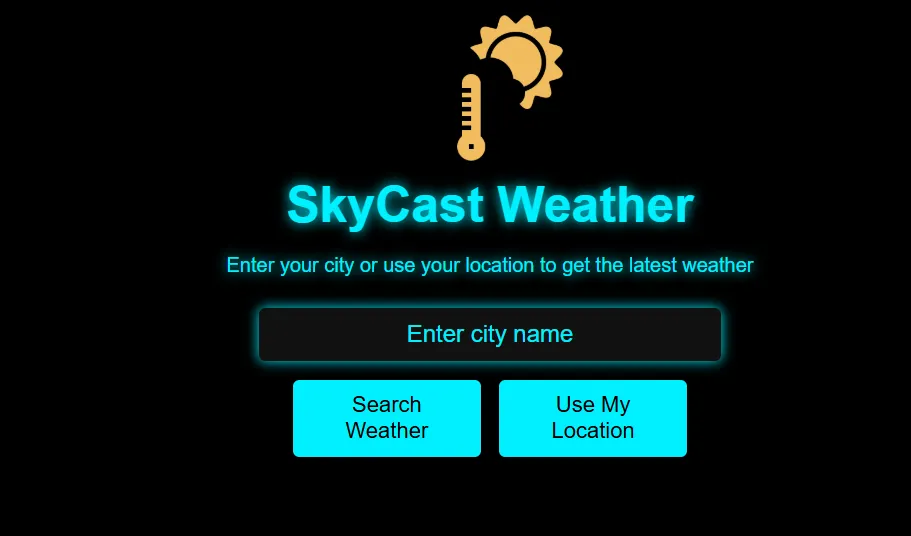
A weather forecasting site with live conditions for any location.
Fees
You will see each plan's monthly fee below in US dollars, paid by card. Your bank changes it into soles at its own exchange rate when it charges you, so the total on your statement may not be exactly the same each month.
Free first class
Free
no card required
Group batch
$100 USD
a month, eight live classes
One to one
$150 USD
a month, eight live classes
What families say
Parents and students writing on Google, quoted word for word.
★★★★★
"The one step solution for my son. Modern Age Coders make learning coding so simple that kids love it. The teachers explain complex concepts clearly with practical exercises and interactive content."
Ria Mukherjee
Parent
★★★★★
"Modern Age Coders has been a game-changer for me. I struggled to grasp IT concepts and coding before joining, but their classes transformed everything. I can now confidently write complex programs with ease."
Samriddha Mondal
Student
★★★★★
"One of the most wonderful education centres out there. Education is not limited to school syllabus but focuses on skill development."
Vansh Agarwal
Student
★★★★★
"My child Dhairya is really enjoying the Modern Age Coders classes. This is his first online class and he eagerly looks forward to it. I can already see his improvement, and the teachers are very cooperative."
Sonam Oswal
Parent of Dhairya
★★★★★
"Modern Age Coders have wonderful teachers who teach in a clear, easy and practical way. The teacher boosts students' confidence and inspires them to learn without hesitation."
Sonu Goyal
Parent
★★★★★
"I highly recommend this computer coding class! The teachers are incredibly knowledgeable and passionate about coding."
Ritu Kedia
Parent
Parents in Peru ask
No. Classes are live, online and taught only in English. With children our mentors in India slow down, use short sentences, repeat with simpler words and follow each child's pace and accent. You can still message us in Spanish on WhatsApp.
Usually yes. If your child can follow simple instructions such as "click" and "drag", they can start. Young children work mostly with pictures and blocks, and the mentor shows every step on screen. The free first class will tell you honestly whether to start now or wait.
From 6, in 1° de primaria, with Scratch blocks. Most children move to typed Python around 9 or 10. The free class places each child by reading level and confidence, not only by age.
Often Roblox game coding or web pages, and Python for confident readers. Children of that age usually have three hours of school English a week on the national timetable, which is enough to begin.
Not as a subject. The national curriculum has no computing area in primaria; digital skills are shared across other areas, and some schools run computing or robotics workshops. Our classes run alongside school.
No. We teach programming only and never post out robot kits. Still, the loops and decisions a child practises with us are the same instructions that drive a school robot.
Any day, any time, flexible: choose a batch, or for a very personalised plan choose 1-on-1 at the hour that suits your family. India is 10 hours 30 minutes ahead of Peru all year, so 5:00 p.m. in Lima is 3:30 a.m. the next day in India.
Yes, a laptop or desktop with a keyboard, camera and microphone. A tablet is not enough for typing code. A shared family computer is fine if the class hour is kept free.
They do not count towards Peruvian grades; we are not connected with MINEDU or any school. When a child finishes a course they receive our own certificate of completion.
No. Children under 13 do not use chatbots with us. They learn how AI works through small projects that need no account.
Elsewhere on this site
Pages in English with more on coding for children.
What children build in Scratch, term by term.
A live class from the first minute to the last.
Our promise: understanding first, tools second.
Which AI tools a child may use, from each maker's terms.
Projects made by our students.
All our classes for Peru, every age.
Part of the guide: Every Peru page
More guides: Coding and AI classes in Peru · En español: clases de programación en inglés · Start here: English-medium coding in Lima · Subjects and courses: AI agents course · Exams, olympiads and school holidays: IB computer science tutor · Guides to choosing: An English-taught option to Crack The Code · Regions of Peru: Amazonas region · Cities: Arequipa: coding for every age · Lima and Callao districts: Programación para niños en Ancón
Start here
During the free class a mentor sits with your child, builds something small with blocks or code and asks them to describe it in simple English. From that, the mentor judges how they reason and how much they follow, then suggests a course, a group or one-to-one, and an hour that suits your family.
Would you like to read more first? How we teach describes a live class, and the full list of courses has every syllabus.
WhatsApp us · +91 91233 66161 · connect@modernagecoders.com
Every lesson is live, online and in English, with a mentor in India. For questions, WhatsApp reaches us fastest, and Spanish messages are answered too.
A priority demo is a full class of about 45 to 60 minutes. After the class the mentor sends a written skill report and a personal learning roadmap on WhatsApp. If you enrol, the demo fee is adjusted against your first month's fee. Share your demo Order ID with us on WhatsApp and we take it off.
Book a priority demo