COK / FIRST / 01
Reasoning for young thinkers
Logic games on video for 6 to 9 year olds, a gentle first online class.
Open the syllabusGermany · Online coding for children · Live on video
Most parents have one real question about online classes: what actually happens on the screen for that hour? This page answers it plainly. It walks through one live lesson from hello to goodbye, lists what a child needs at home, shows how a German afternoon lines up with a mentor's evening in India, explains what the clock change in March does to a class, and checks the 2026/27 holiday table for every Land.
Teaching on video since 2020 · 10,000+ students worldwide · a real mentor on screen, never a recording
The short answer
Online coding classes for kids in Germany at Modern Age Coders are live video lessons in English for children aged 6 to 12: the mentor and the child share screens, and the child builds Scratch games or Python programs while the mentor guides, for about an hour twice a week. A computer with a keyboard, a headset and a steady connection are enough. Lessons sit in German afternoons or at weekends, in a group of fifteen to twenty or one to one.
Courses taught this way
All three are taught live on video. They differ in the child's age and in how much typing the child is ready for.
COK / 01
From age 6, grouped by age. The year-long route from Scratch blocks to apps, with the same mentor on screen at every lesson.
Open the syllabus →
COK / 02
A short first course. Ideal for finding out whether a young child enjoys learning on video before a longer commitment.
Open the syllabus →
COK / 03
For confident readers from about 9. Screen sharing makes typed code easy to check line by line, which suits Python well.
Open the syllabus →One lesson
Every lesson has the same rhythm, so children know what comes next. This is our plan for an hour with a group of nine year olds working in Scratch.
| Minutes | What happens | Who drives the screen |
|---|---|---|
| 0 to 5 | Hello, cameras on, a quick look back at last time's game | Mentor |
| 5 to 15 | One new idea shown on a tiny example, such as a timer that counts down | Mentor |
| 15 to 40 | Children add the idea to their own game; the mentor visits each screen in turn | Children |
| 40 to 50 | A bug hunt: something is broken on purpose, and the group finds it | Children, one at a time |
| 50 to 55 | Two or three children show their game and explain one block | Children |
| 55 to 60 | What to try before next time; a short note goes to parents | Mentor |
Our own lesson plan for a group class. One-to-one lessons follow the same order, with more time for the child's own project and less for showing.
For more than half the lesson the child's screen is the one being shared. The mentor can point, ask and suggest, but the child's hands are on the keyboard, which is why online lessons work at all.
In a video lesson a quiet child cannot sit at the back. The mentor calls on each child by name, checks every screen, and notices within a minute when a child is stuck.
There is no video to watch alone and no worksheet to finish without help. Each lesson happens once, live, with the mentor who taught the last one.
Our mentors are in India and teach only in English. On video that matters less than parents fear: the mentor shows each step on screen before saying it, keeps sentences short, and repeats in other words when a face looks puzzled. A child who answers in German is understood, and gently handed the English word.
The setup at home
Less than for most hobbies. Here is the checklist we send to families before the first lesson.
Children do not need their own email address or any social media account to join a lesson. The class link goes to the parent.
Mentors do not ask children for personal details, photos of themselves or their school's name, and children do not share contact details in class.
Connections drop. If a child falls out of the call, they rejoin with the same link and the mentor recaps what was missed.
If a lesson is lost to a broken connection or illness, we arrange a catch-up with the same mentor rather than leaving a gap.
Time zones, as a project
German law fixes the clock in two lines. The Einheitenzeitgesetz says legal time is Central European Time, "die koordinierte Weltzeit unter Hinzufügung einer Stunde": UTC plus one hour. In summer it is UTC plus two. India keeps UTC+5:30 all year, so the gap between a child's clock and a mentor's clock changes twice a year. Our older children turn that into a program.
| A child's clock in Germany | The mentor's clock this winter | The mentor's clock from 28 March 2027 |
|---|---|---|
| Weekday 14:00 | 18:30 | 17:30 |
| Weekday 16:45 | 21:15 | 20:15 |
| Saturday 11:30 | 16:00 | 15:00 |
| Sunday 09:00 | 13:30 | 12:30 |
Under the Sommerzeitverordnung, summer time begins on the last Sunday in March at 2 Uhr, when the clocks jump to 3 Uhr, and ends on the last Sunday in October at 3 Uhr, when they go back to 2 Uhr. It ended on 25 October 2026 and begins on 28 March 2027. India does not change its clocks. The rows are examples; no class is fixed to them.
A Saturday class sits at 11:30 in Germany. A child writes a program to tell the mentor's time: take the hours and minutes and add four and a half hours. It prints 16:00, which is correct today.
In April the program still prints 16:00. The mentor, meanwhile, is starting the class at 15:00. Nothing in the code is broken. The rule it uses is only true for half the year.
The better program never adds hours by hand. It records the moment of the class in Germany's own time zone, Europe/Berlin, and asks Python to show that same moment in Asia/Kolkata.
Python's zoneinfo module knows the German clock-change rules, so the answer moves by itself on 28 March 2027.
def india_time(hour, minute):
    total = hour * 60 + minute + 4 * 60 + 30
    return f"{total // 60:02d}:{total % 60:02d}"

print("Saturday 11:30 in Germany is", india_time(11, 30), "in India")
It prints: Saturday 11:30 in Germany is 16:00 in India. Right for this winter, wrong from April.
from datetime import datetime
from zoneinfo import ZoneInfo

germany = ZoneInfo("Europe/Berlin")
india = ZoneInfo("Asia/Kolkata")

for day in ["2027-03-20", "2027-03-27", "2027-04-03"]:
    lesson = datetime.fromisoformat(day + " 11:30").replace(tzinfo=germany)
    print(day, "11:30 in Germany is", lesson.astimezone(india).strftime("%H:%M"), "in India")
It prints 2027-03-20 11:30 in Germany is 16:00 in India, then the same for 27 March, then 2027-04-03 11:30 in Germany is 15:00 in India. The class did not move; the gap between the clocks did.
Then comes the part children remember. The Sommerzeitverordnung says that when summer time ends, "Die Stunde von 2 Uhr bis 3 Uhr erscheint dabei zweimal": the hour from 2 to 3 happens twice, and the law even names the two copies 2A and 2B. Version 3 walks through the night of 25 October 2026 in half-hour steps of world time and prints what a German clock showed.
from datetime import timedelta, timezone

night = datetime(2026, 10, 25, 0, 0, tzinfo=timezone.utc)
for step in range(4):
    moment = night + timedelta(minutes=30 * step)
    print(moment.strftime("%H:%M UTC"), "is", moment.astimezone(germany).strftime("%H:%M %Z"), "in Germany")
After Version 2, it prints: 00:00 UTC is 02:00 CEST in Germany, 00:30 UTC is 02:30 CEST in Germany, 01:00 UTC is 02:00 CET in Germany and 01:30 UTC is 02:30 CET in Germany.
School holidays
No, unless you want them to. Each Land sets its own autumn, Christmas, winter and Easter holidays, so a class with children from several Länder cannot follow one calendar anyway.
| Land | Herbstferien 2026 | Weihnachtsferien 2026/27 |
|---|---|---|
| Baden-Württemberg | 26.10. to 30.10., and 31.10. | 23.12. to 09.01. |
| Bayern | 02.11. to 06.11. | 24.12. to 08.01. |
| Berlin | 19.10. to 31.10. | 23.12. to 02.01. |
| Brandenburg | 19.10. to 30.10. | 23.12. to 02.01. |
| Bremen | 12.10. to 24.10. | 23.12. to 09.01. |
| Hamburg | 19.10. to 30.10. | 21.12. to 01.01. |
| Hessen | 05.10. to 17.10. | 23.12. to 12.01. |
| Mecklenburg-Vorpommern | 15.10. to 24.10. | 21.12. to 02.01. |
| Niedersachsen | 12.10. to 24.10. | 23.12. to 09.01. |
| Nordrhein-Westfalen | 17.10. to 31.10. | 23.12. to 06.01. |
| Rheinland-Pfalz | 05.10. to 16.10. | 23.12. to 08.01. |
| Saarland | 05.10. to 16.10. | 21.12. to 31.12. |
| Sachsen | 12.10. to 24.10. | 23.12. to 02.01. |
| Sachsen-Anhalt | 19.10. to 30.10. | 21.12. to 02.01. |
| Schleswig-Holstein | 12.10. to 24.10. | 21.12. to 06.01. |
| Thüringen | 12.10. to 24.10. | 23.12. to 02.01. |
Source: Kultusministerkonferenz, Ferien im Schuljahr 2026/2027, Stand 09.10.2025, which gives the first and last day of each holiday. The KMK agrees the summer holidays years ahead; every other holiday is set by the Land itself. Schleswig-Holstein has special rules for Sylt, Föhr, Amrum, Helgoland and the Halligen.
Read the Bayern row and you will see that Bavarian children are on their autumn holidays this very week, 2 to 6 November 2026, while the Hessen break ended on 17 October. Christmas runs from 21 or 24 December to anywhere between 31 December and 12 January. Online classes simply carry on through all of it. Families who travel can pause, and families who stay home often find a holiday week the easiest time to start, when a child is rested and curious.
The legal school year in Germany starts on 1 August and ends on 31 July, the KMK says, with six weeks of summer holidays somewhere between mid June and mid September depending on the Land. Our year does not have that shape. A child can start in any month, and the course picks up from wherever they are.
Getting used to video
Our own description of the first weeks, based on how most children respond. Some move faster, a few need longer, and that is fine.
| Week | What usually happens | What the mentor looks for |
|---|---|---|
| 1 | Finding the mute button, learning names, a first moving sprite | Can the child hear clearly and share a screen? |
| 2 | Following along on their own screen without waiting to be told | Does the child try before asking? |
| 3 | Answering a question out loud in English, in a short sentence | Is the child relaxed on camera? |
| 4 | Fixing a small bug while the group watches | Does the child explain what they changed? |
| 5 to 6 | Showing a finished game and taking a question about it | Is the child proud of something they made? |
The best sign is not a perfect game. It is the week your child stops asking you to sit with them.
If week 3 feels slow because of English, tell us. The mentor can slow down, or a one-to-one plan can take the pressure off.
If you cannot hear, say so straight away. Everyone has had a crackly microphone.
When you share your screen, the mentor sees your mistakes. That is the point: they can only help with what they can see.
Also taught online
Each one is a live video class in English, taught by one mentor from first lesson to last.
COK / FIRST / 01
Logic games on video for 6 to 9 year olds, a gentle first online class.
Open the syllabusCOK / FIRST / 02
Step-by-step thinking, practised out loud with a mentor.
Open the syllabusCOK / FIRST / 03
Scratch and simple AI ideas for 8 to 12, with the child doing the thinking.
Open the syllabusCOK / GAME / 01
Scripting real Roblox games in Luau while the mentor watches the screen.
Open the syllabusCOK / GAME / 02
Code that builds inside Minecraft, from blocks to text.
Open the syllabusCOK / GAME / 03
A real game engine for older children ready for more.
Open the syllabusCOK / MAKE / 01
A first web page, built and shown live to the group.
Open the syllabusCOK / MAKE / 02
Puzzles and small games in a second real language, 9 to 12.
Open the syllabusCOK / MAKE / 03
Number sense on video for children of 5 to 10.
Open the syllabusBooking and rhythm
Weekdays or weekends, flexible: choose your batch, or for a very personalised plan choose 1-on-1 at your convenience, weekend mornings or weekdays.
Early afternoon
For children home from Grundschule by lunchtime.
Late afternoon
After Hort, sport or homework, before dinner.
Weekend
A calm Saturday or Sunday slot, often easiest for under-8s.
One class link that stays the same all term.
The face on screen does not change from week to week.
About an hour each, so nothing is forgotten between lessons.
A few lines to parents after each lesson.
A missed lesson is made up, not lost.
Stop for a trip and come back to the same group.
Student work
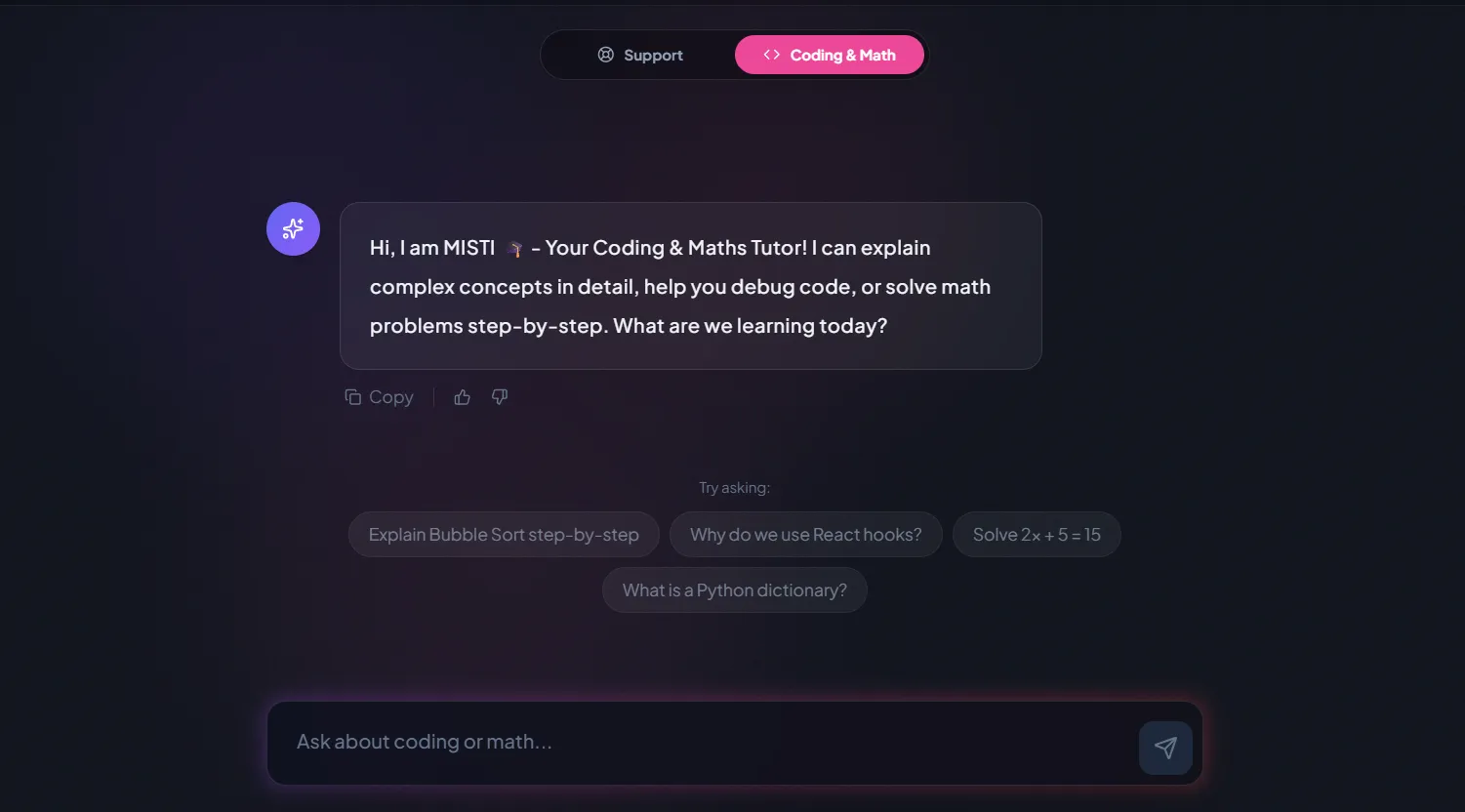
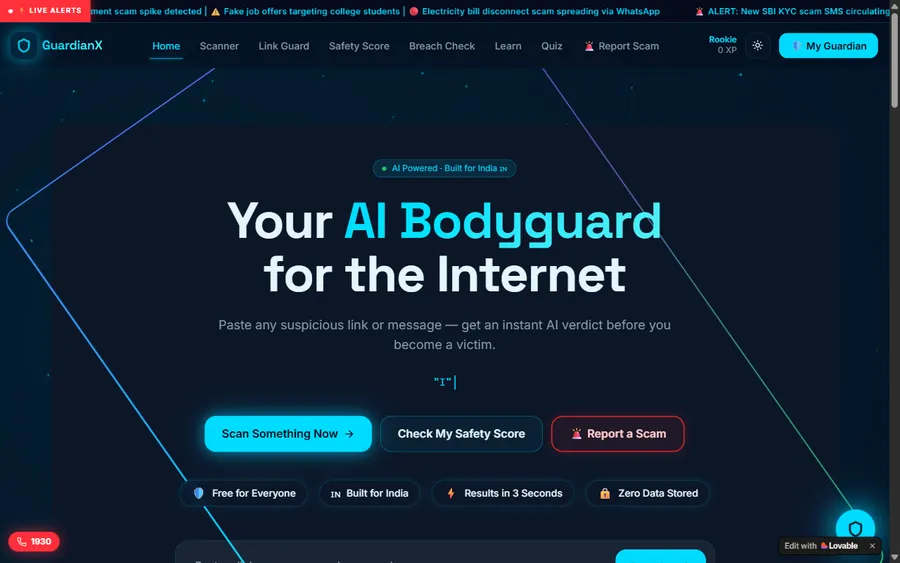
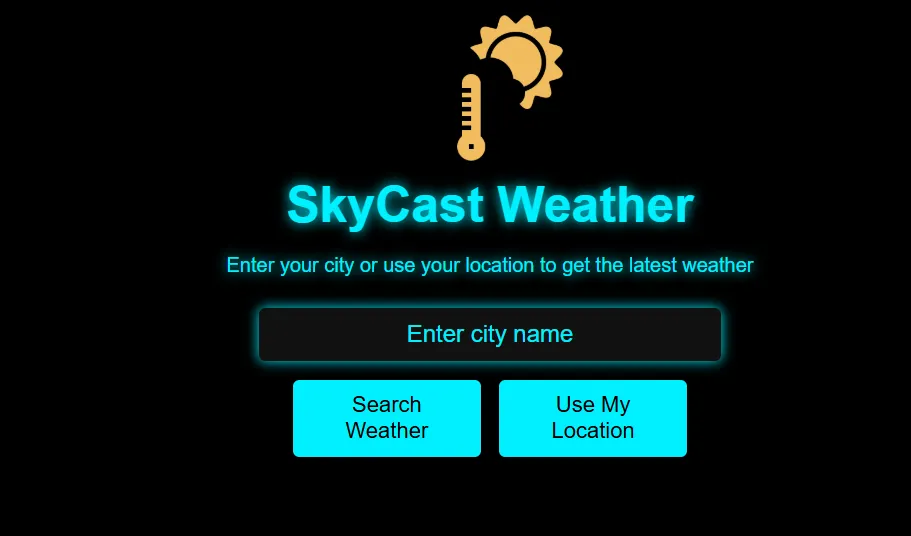
Everything below was made by our students in live video classes. The student labs page collects many more.
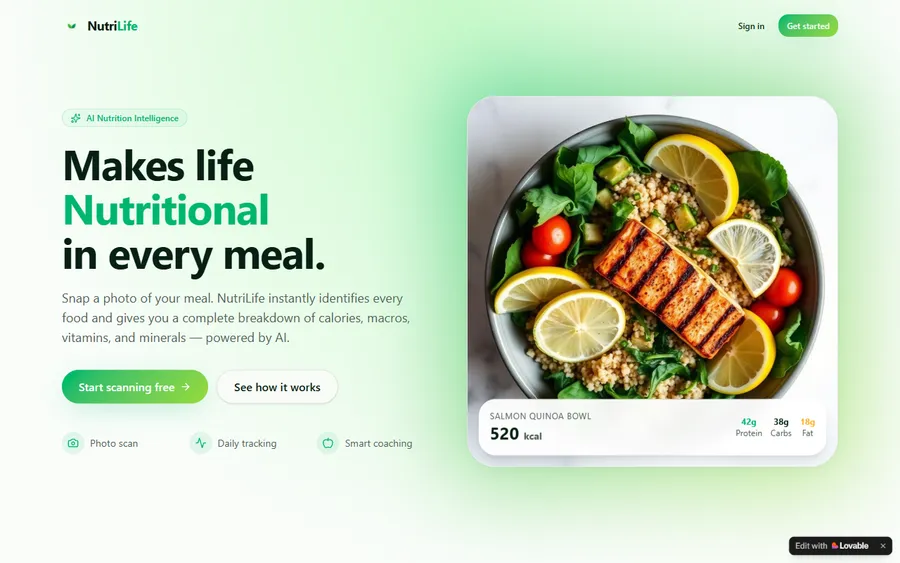
AI and ML
An AI nutrition coach that reads what you eat and works you toward a target.
AI and ML
A chatbot that answers mathematics and programming questions, built and deployed by a student.
AI and ML
An assistant that helps a young person recognise unsafe situations online.
Web app
A weather forecasting site with live conditions for any location.
Fees
You pay by the month, and a month is eight live lessons. On this page the fee appears in euro, calculated with the European Central Bank reference rate; the checkout then charges US dollars and your card provider converts them, so the euro on your statement may not match to the cent.
Free first class
Free
no card required
Group batch
€90
a month, eight live classes, charged in US dollars
One to one
€134
a month, eight live classes, charged in US dollars
What families say
Families' own Google reviews, quoted unchanged.
★★★★★
"The one step solution for my son. Modern Age Coders make learning coding so simple that kids love it. The teachers explain complex concepts clearly with practical exercises and interactive content."
Ria Mukherjee
Parent
★★★★★
"Modern Age Coders has been a game-changer for me. I struggled to grasp IT concepts and coding before joining, but their classes transformed everything. I can now confidently write complex programs with ease."
Samriddha Mondal
Student
★★★★★
"One of the most wonderful education centres out there. Education is not limited to school syllabus but focuses on skill development."
Vansh Agarwal
Student
★★★★★
"My child Dhairya is really enjoying the Modern Age Coders classes. This is his first online class and he eagerly looks forward to it. I can already see his improvement, and the teachers are very cooperative."
Sonam Oswal
Parent of Dhairya
★★★★★
"Modern Age Coders have wonderful teachers who teach in a clear, easy and practical way. The teacher boosts students' confidence and inspires them to learn without hesitation."
Sonu Goyal
Parent
★★★★★
"I highly recommend this computer coding class! The teachers are incredibly knowledgeable and passionate about coding."
Ritu Kedia
Parent
Questions from parents
No. Every lesson is live and in English; we do not offer German-language teaching. Mentors keep their English simple, show each step on screen, and adapt to each child's pace and accent, so a child with some school English can follow.
For coding, often better. The child's own screen is shared, so the mentor sees exactly what they typed, and nobody can drift at the back. What matters is a live mentor and a small enough group, not the building.
A laptop or desktop with a keyboard, a headset with a microphone, a steady internet connection and a quiet table. No special software is needed at the start, and no account of the child's own.
Yes, with short lessons and a parent nearby for the first few weeks to help with logging in. Six year olds start in Scratch, where blocks are dragged rather than typed, which works well over video.
Weekdays or weekends, flexible: choose your batch, or for a very personalised plan choose 1-on-1 at your convenience, weekend mornings or weekdays. A Saturday class at 11:30 in Germany is 16:00 for the mentor until 28 March 2027 and 15:00 after it.
Your class stays at the same German time. Germany moves to summer time on 28 March 2027 and India does not change, so the mentor starts an hour earlier in their own day. You do not need to do anything.
No. Every Land has its own autumn, Christmas and Easter dates, so classes run all year. If you travel, tell us and we pause your place or arrange catch-ups.
Lessons are live and happen once. Your child is not asked to learn from a recording; if a lesson is missed, the mentor arranges a catch-up instead.
We show the monthly fee in euro, worked out with the European Central Bank reference rate. The checkout charges US dollars and your card provider converts them, so the statement can differ by a little. The first lesson is free.
Your child rejoins with the same link and the mentor fills them in. If a whole lesson is lost, we arrange a catch-up with the same mentor.
Elsewhere on this site
Pages that go deeper on parts of this one.
The hub for every Germany page.
School computing Land by Land.
Our teaching method in full.
The first tool for young children.
When typed code can begin.
Age limits in each tool's own terms.
Start here
The free lesson doubles as a technical check: the mentor makes sure sound and screen sharing work, tries a small first program with your child, and then suggests a group or one to one.
For a fuller picture, read how we teach, or open the course list to see what each syllabus covers.
WhatsApp us · +91 91233 66161 · connect@modernagecoders.com
Lessons are live on video and in English, with mentors in India. Questions about setup are easiest on WhatsApp.
A priority demo is a full class of about 45 to 60 minutes. After the class the mentor sends a written skill report and a personal learning roadmap on WhatsApp. If you enrol, the demo fee is adjusted against your first month's fee. Share your demo Order ID with us on WhatsApp and we take it off.
Book a priority demo