Table of Contents
- What is Coding for 5-Year-Olds? Understanding the Difference
- Is It Too Early to Start Coding at Age 5?
- What Kind of Coding Can a 5-Year-Old Realistically Learn?
- How Do I Explain Coding to a 5-Year-Old in Simple Words?
- Best Visual Programming and Block-Based Coding for 5-Year-Olds
- Screen-Free Coding Activities for 5-Year-Olds
- Can My Child Learn Coding Without Reading or Typing Skills?
- Is Coding Suitable for a 5-Year-Old with a Short Attention Span?
- Learning Through Play: The Best Approach for Young Kids
- How Parents Can Support 5-Year-Olds Learning to Code
- Benefits of Early Coding for 5-Year-Olds
- Common Challenges and Simple Solutions
- Frequently Asked Questions
- Final Thoughts
Can a 5-year-old really learn to code? Absolutely, but not the way you might imagine. At age 5, kids aren't writing lines of code or debugging complex programs. Instead, they're learning the foundational thinking skills that make coding possible: sequencing, pattern recognition, problem-solving, and logical thinking.
This guide shows you exactly how young children can start their coding journey through play-based learning, visual programming, and activities that feel like games rather than lessons. We'll cover the best apps and tools for 5-year-olds, screen-free coding activities, how to work with short attention spans, and ways parents can support learning without technical knowledge.
Whether your child can read yet or not, whether they're energetic or focused, there's an age-appropriate way to introduce coding concepts that builds skills while keeping learning fun.
What is Coding for 5-Year-Olds? Understanding the Difference
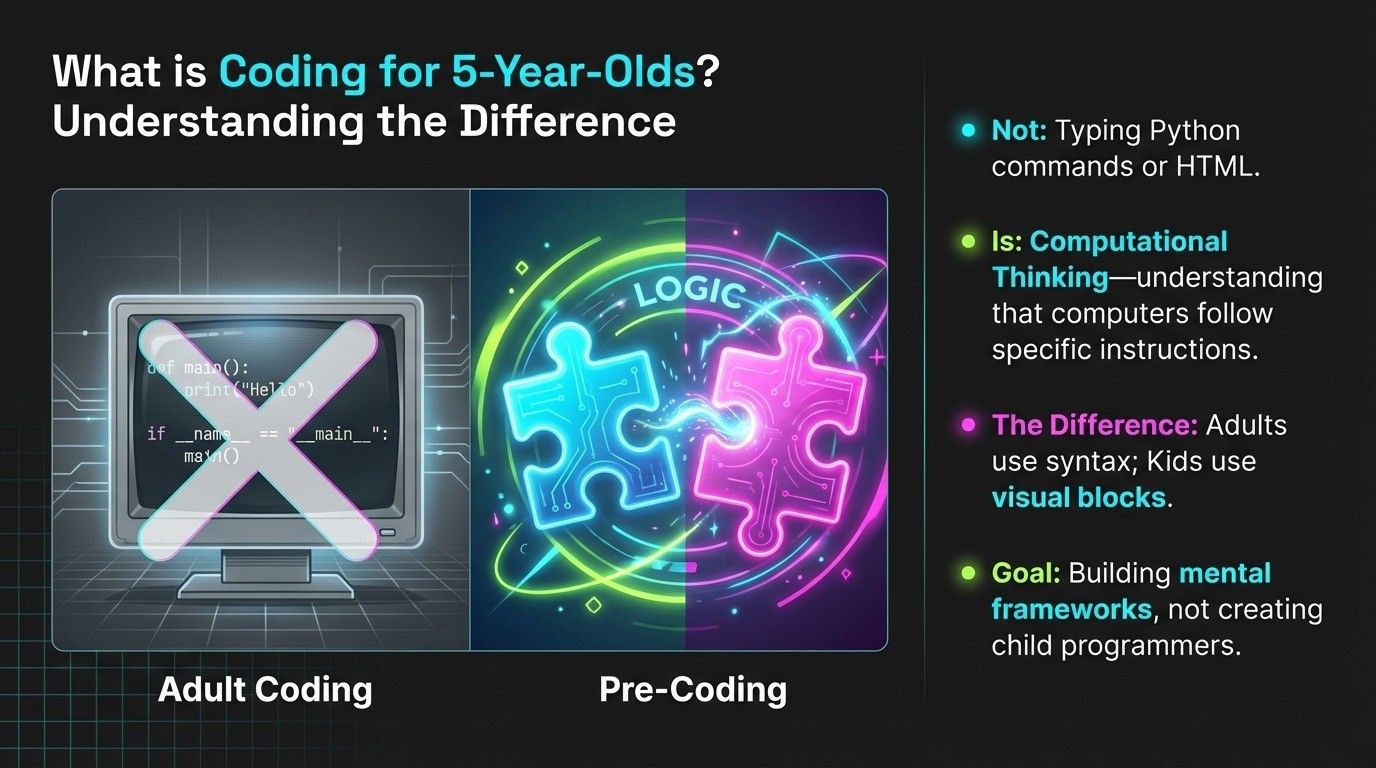
When we talk about coding for 5-year-olds, we're not referring to the same type of programming older kids or adults do. A 5-year-old won't be typing Python commands or building websites with HTML.
Instead, early coding focuses on computational thinking, the problem-solving process that underlies all programming. This includes understanding that computers follow specific instructions, actions happen in sequence, and patterns repeat.
What this looks like in practice:
A 5-year-old using ScratchJr drags colorful blocks to make a cat character jump across the screen. They're not writing code with words. They're connecting visual puzzle pieces that represent commands. Each block might say "move right" or "jump" with a picture, not text.
Through screen-free activities, they might play "robot" where they give step-by-step directions to a parent: "Walk forward three steps. Turn left. Take two more steps." They're learning sequencing and precision without any technology involved.
Why it's called "pre-coding":
Many educators refer to this stage as pre-coding because children are building the mental framework for coding without dealing with syntax, typing, or complex logic. They're developing the thinking patterns that will make actual programming easier later.
The goal isn't to create child programmers. It's to introduce concepts through play that support cognitive development and make kids comfortable with technology and logical thinking.
For a comprehensive understanding of what coding means for kids at different ages and stages, exploring age-appropriate expectations helps parents set realistic goals.
Is It Too Early to Start Coding at Age 5?
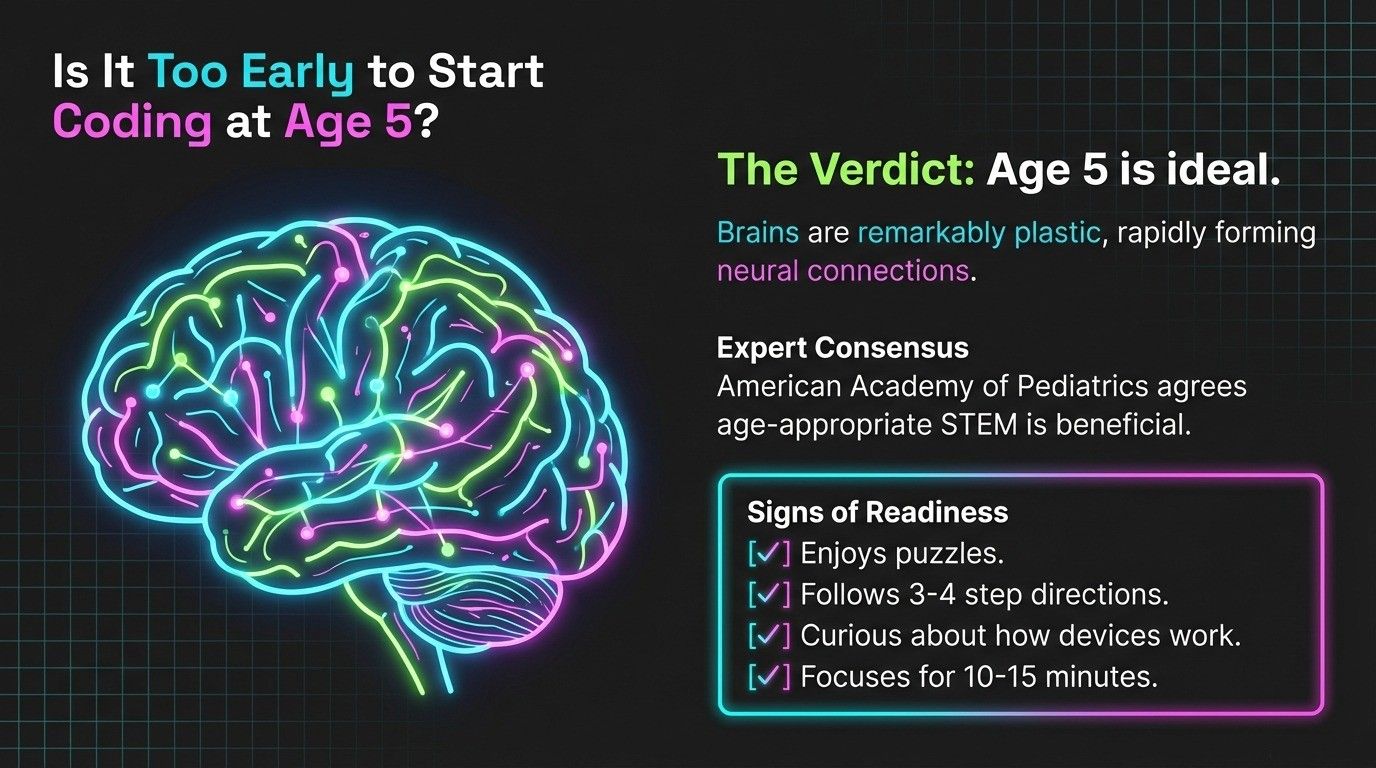
Research shows age 5 is actually an ideal time to introduce coding concepts, as long as the approach matches developmental abilities.
Brain development at age 5:
Five-year-olds can follow multi-step directions, recognize patterns, understand cause and effect, and think logically about simple problems. These are exactly the skills coding activities strengthen.
Their brains are remarkably plastic at this age, forming neural connections rapidly. Activities that involve sequencing and problem-solving literally build brain pathways that support learning across all subjects.
What experts say:
The American Academy of Pediatrics and early childhood education experts agree that age-appropriate STEM activities benefit young children. The key word is "age-appropriate", activities must be playful, visual, and hands-on rather than abstract or academic.
Signs your 5-year-old is ready:
They enjoy puzzles and figuring out how things work. They can follow directions with 3-4 steps. They show curiosity about technology and ask questions about how devices work. They can stay focused on interesting activities for 10-15 minutes.
If your child shows these signs, they're ready to explore coding concepts. If not, waiting a few months is perfectly fine. Development happens at different rates, and there's no rush.
The right approach matters more than age:
A 5-year-old forced to memorize commands or sit through boring tutorials will develop negative associations with coding. The same child exploring a colorful, game-like app or playing physical coding games will build skills while having fun.
What Kind of Coding Can a 5-Year-Old Realistically Learn?
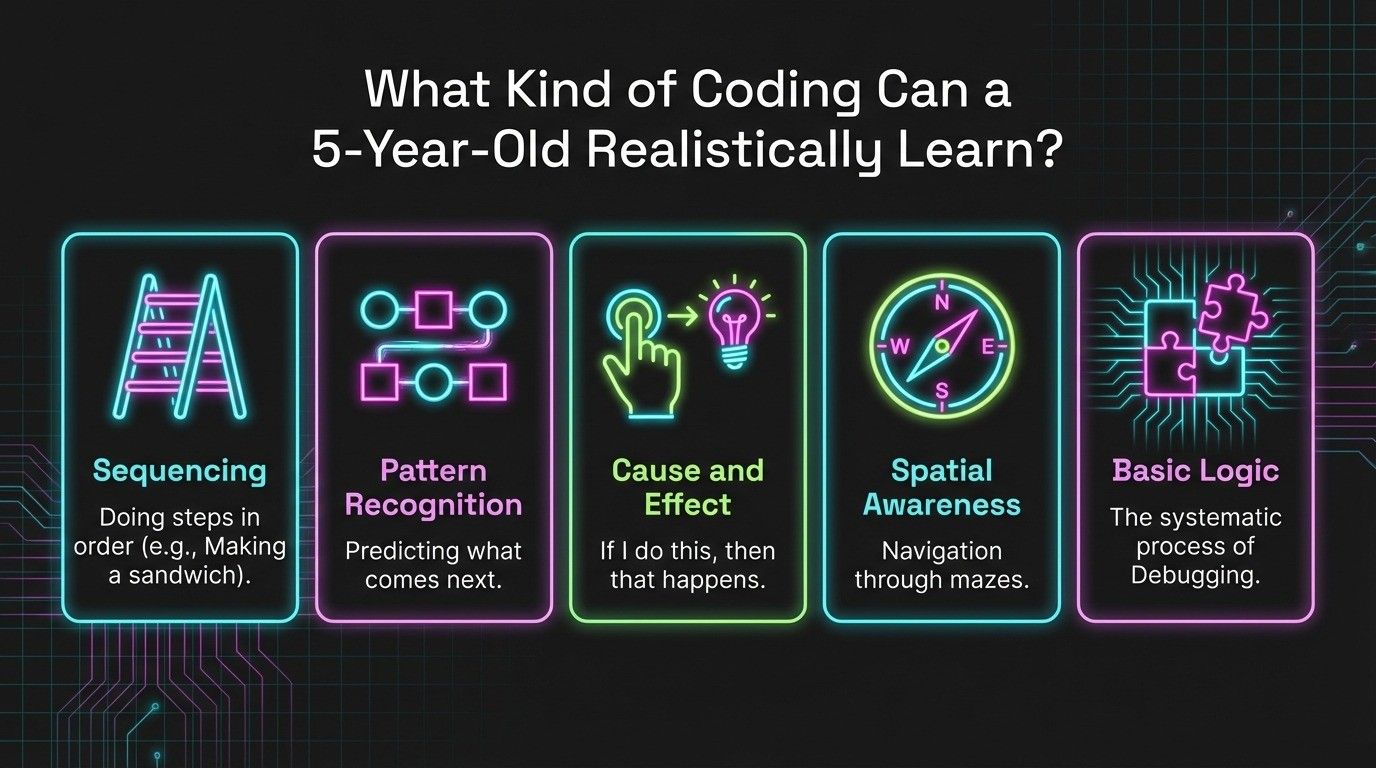
Let's be specific about what concepts make sense at this age and what's too advanced.
Sequencing: Following Steps in Order
This is the most fundamental coding concept. Computers execute instructions in order, and kids need to understand that sequence matters.
Real-world example: Making a peanut butter sandwich requires specific steps. You can't eat the sandwich before you make it, and you can't put the bread on last. Steps must happen in logical order.
In coding apps: Kids arrange blocks showing "move forward," "turn right," "move forward again" to navigate a character through a maze. They see immediately that wrong order means wrong result.
Why it matters: Sequencing is the backbone of all programming. It's also essential for reading, math, and following directions in school.
Pattern Recognition
Patterns are everywhere in coding. Loops repeat patterns, algorithms follow patterns, and debugging often involves spotting when patterns break.
Real-world example: ABB pattern with blocks, red, blue, blue, red, blue, blue. What comes next? Kids who recognize patterns can predict and continue them.
In coding apps: A character might need to jump over three obstacles in a row. Instead of coding "jump" three separate times, kids learn they can create a pattern that repeats.
Why it matters: Pattern recognition supports early math skills, reading fluency, and the logical thinking required for more complex coding concepts later.
Cause and Effect
Programming is fundamentally about cause and effect: "If I do this, then that happens." Five-year-olds can grasp this concrete relationship.
Real-world example: When you press a button on a toy, it makes a sound. Press the button = cause. Sound plays = effect.
In coding apps: When a child places a "jump" block and runs the program, their character jumps. They created the cause; they see the effect immediately.
Why it matters: Understanding cause and effect is foundational for conditional logic ("if this happens, then do that"), which appears in all programming languages.
Spatial Awareness and Directions
Many coding activities involve navigation: moving characters forward, backward, left, right. This builds spatial reasoning.
Real-world example: "The bathroom is down the hall, turn left, it's the second door on the right." Kids learn directional concepts through movement.
In coding apps: Navigating a character through a grid or maze using directional commands strengthens spatial thinking.
Why it matters: Spatial reasoning supports geometry, map reading, and many coding challenges involving movement and positioning.
Basic Logic and Problem-Solving
At age 5, kids can approach simple problems systematically: try something, see if it works, adjust if it doesn't.
Real-world example: A puzzle piece doesn't fit. Instead of forcing it, they try rotating it or try a different piece. This is debugging!
In coding apps: A character doesn't reach the goal. Kids look at their sequence of blocks, identify the mistake, and fix it.
Why it matters: This trial-and-error process is exactly how programmers debug code. Starting this mindset early builds resilience and analytical thinking.
How Do I Explain Coding to a 5-Year-Old in Simple Words?
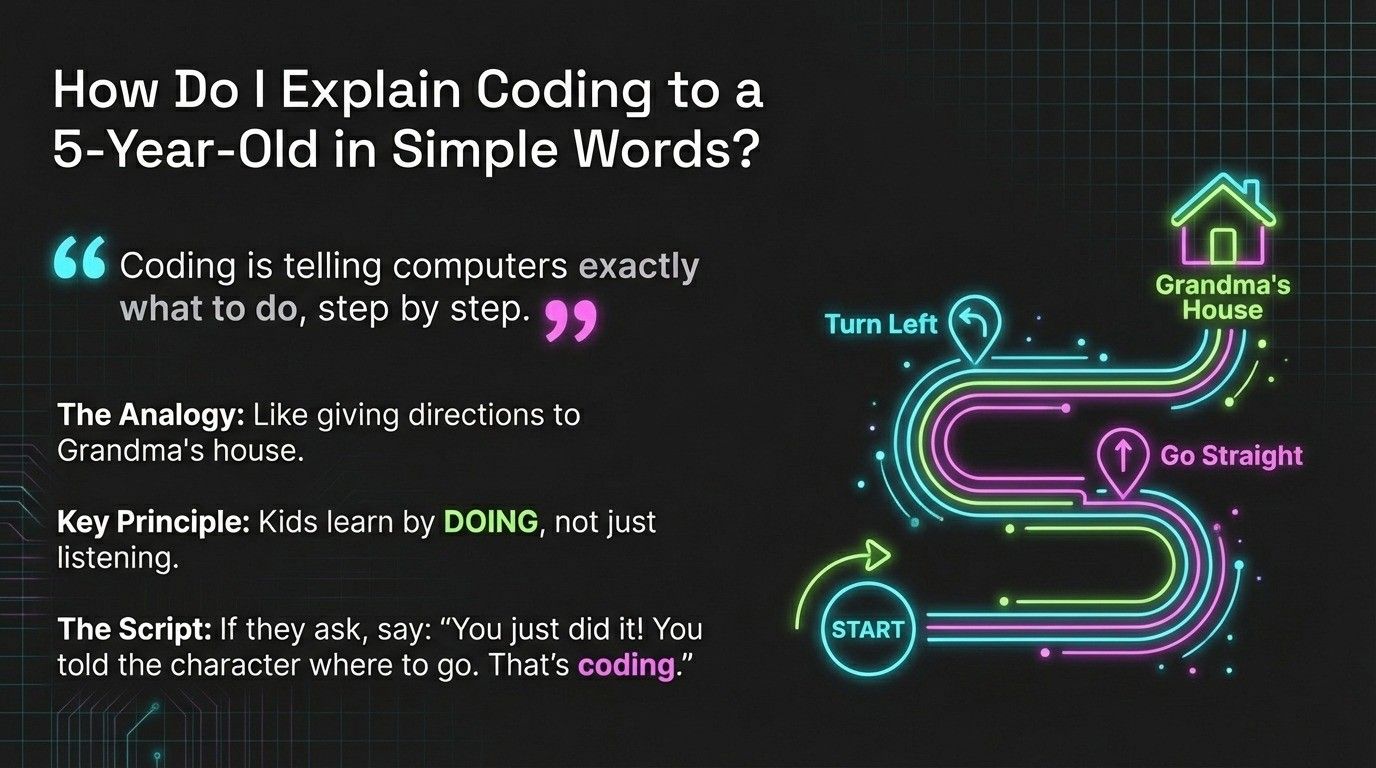
You don't need technical explanations. Use language and examples from their daily life.
Simple explanation: "Coding is telling computers or robots exactly what to do, step by step. Like when you teach your friend a new game, you have to explain every rule in order so they understand."
Relatable analogy: "Remember when we gave directions to Grandma's house? We had to say 'turn left here, go straight, turn right there.' That's like coding! We're giving directions to a computer instead of a person."
Make it concrete: "When you press the button to turn on the TV, that's code telling the TV to start. When you swipe to open a game on the tablet, code makes that happen."
The key principle:
Don't overwhelm them with information. Let them experience coding through apps and activities first. Understanding follows experience at this age, kids learn by doing, not listening to explanations.
If they ask "What is coding?" after trying an app, say something like: "What you just did! You told the cat where to go by putting the blocks in order. That's coding, telling computers what to do."
Best Visual Programming and Block-Based Coding for 5-Year-Olds
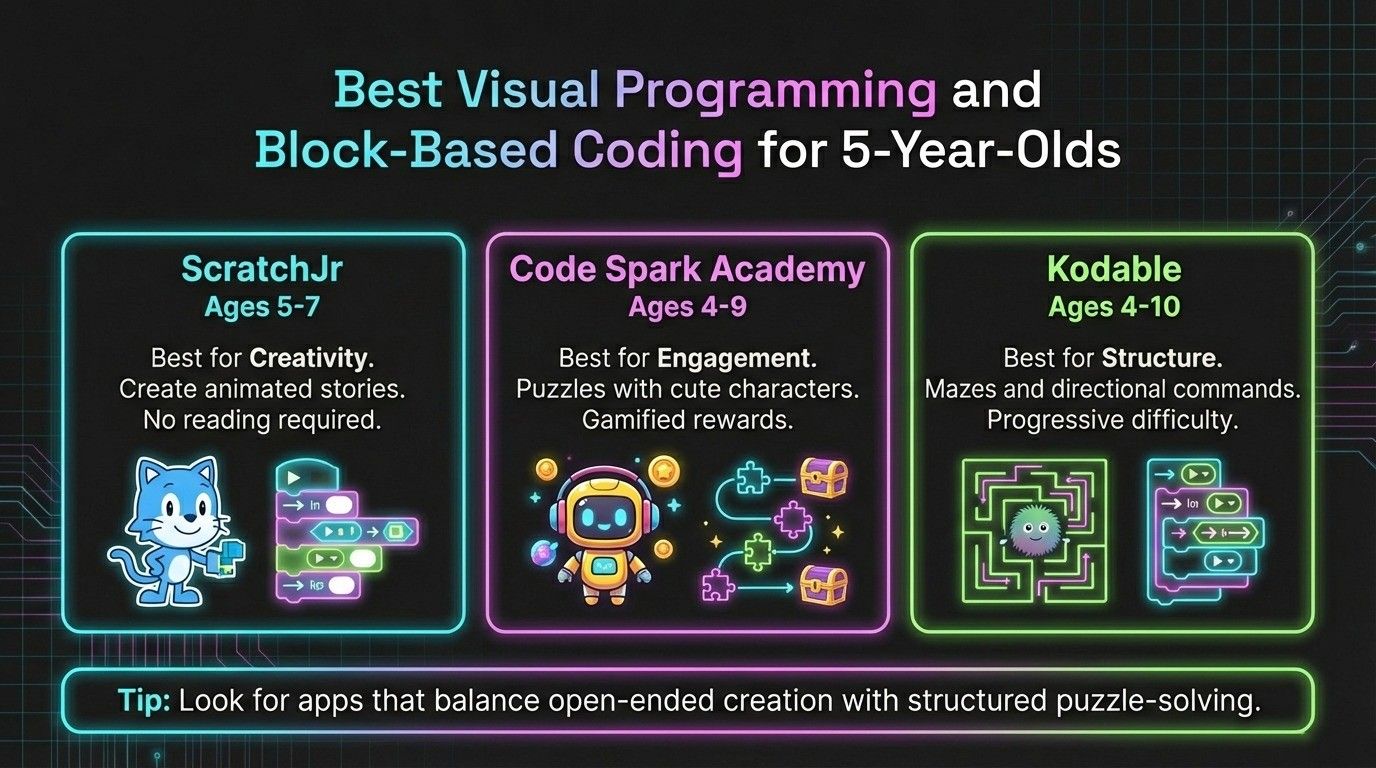
Visual programming uses pictures and colors instead of text. Kids drag and drop blocks to create instructions, perfect for pre-readers.
ScratchJr (Ages 5-7)
Platform: iPad, Android tablets, Chromebook, free
Website: scratchjr.org
What kids create: Animated stories with characters that move, jump, talk, and interact with backgrounds they design.
Why it works for 5-year-olds: No reading required. Colorful blocks show pictures of what they do. Kids see immediate results, press the green flag, and their story plays.
Parent involvement: Helpful initially to navigate the interface, but kids can explore independently once familiar.
Code Spark Academy (Ages 4-9)
Platform: iPad, Android, web browser
Website: codespark.com
What kids do: Solve puzzles featuring cute characters, create simple games, complete coding challenges.
Why it works for 5-year-olds: Gamified approach maintains interest. Short levels perfect for short attention spans. Rewards and celebrations keep kids engaged.
Cost: 7-day free trial, then $7.99/month
Kodable (Ages 4-10)
Platform: iPad, web browser
Website: kodable.com
What kids do: Guide fuzzy ball characters through mazes using directional commands. Learn sequencing, loops, and conditions.
Why it works for 5-year-olds: Simple interface. Clear goals (get to the end). Progressive difficulty that doesn't overwhelm.
Cost: Free trial, then $6.99/month. Parent dashboard tracks progress.
Choosing the Right App
Try free versions or trials of multiple apps. Kids respond differently to various interfaces and characters. What engages one child might bore another.
Watch for apps that allow open-ended creation (like ScratchJr) versus structured puzzle-solving (like Kodable). Some kids prefer freedom to experiment; others like clear goals.
Screen-Free Coding Activities for 5-Year-Olds
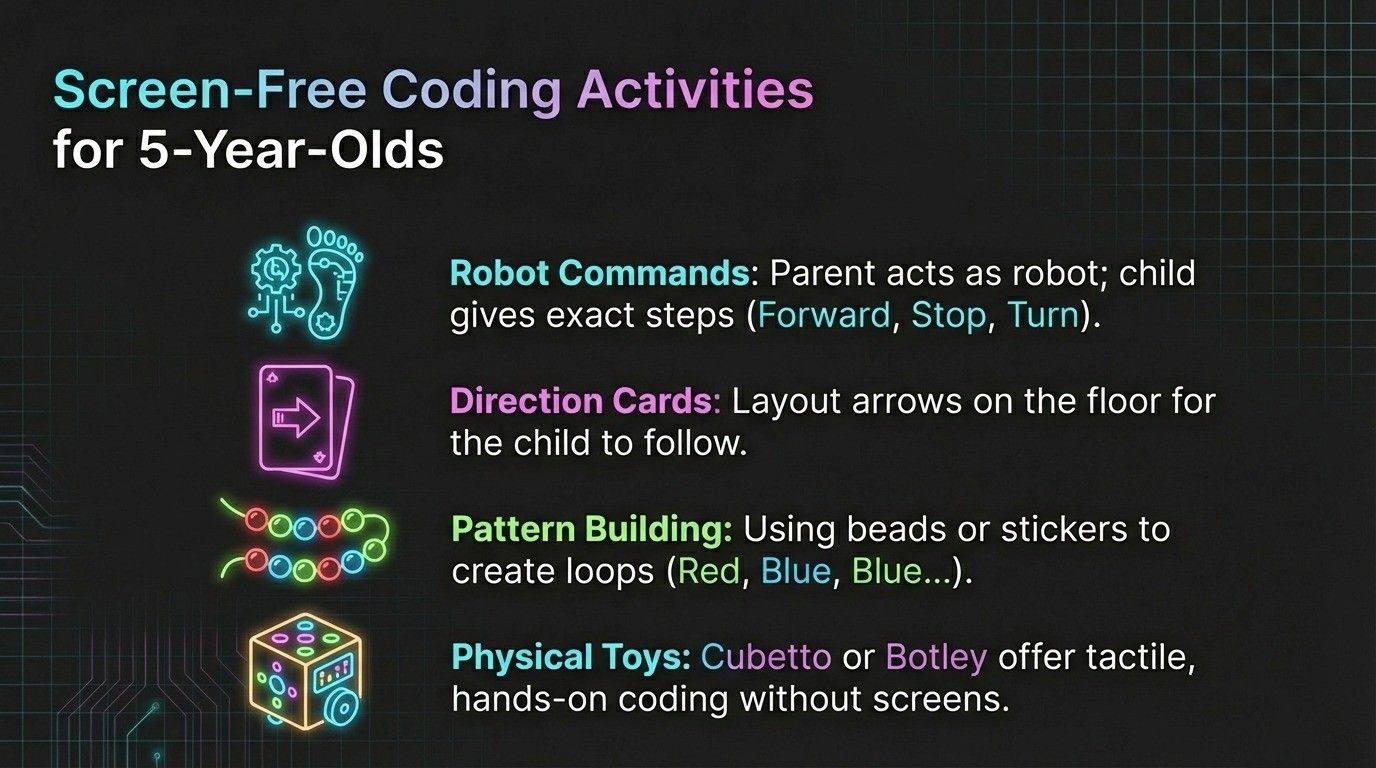
Balancing digital learning with physical activities is important. These unplugged coding games teach the same concepts without screens.
Robot Commands (No Materials Needed)
How to play: One person is the "robot." The other gives step-by-step directions using only specific commands: forward, backward, left, right, stop.
What kids learn: Precise sequencing. Commands must be exact. "Walk over there" doesn't work. You need "take three steps forward, turn right, take two steps."
Make it fun: Create obstacle courses with pillows or toys. The robot must navigate without touching obstacles. Take turns being robot and programmer.
Coding with Direction Cards
What you need: Index cards with arrows (forward, backward, left, right) drawn on them.
How to play: Layout a sequence of cards on the floor. Child follows the "code" by walking the directions. Then they create their own sequences for you to follow.
What kids learn: Sequencing, planning ahead, debugging (if the sequence doesn't reach the goal, they figure out why).
Extension: Hide a treasure. Child creates direction cards that lead you to it.
Pattern Building and Continuation
What you need: Blocks, beads, stickers, or any objects in different colors.
How to play: Create a simple pattern (red, blue, blue, red, blue, blue). Child continues the pattern. Then they create patterns for you to continue.
What kids learn: Pattern recognition, loops (repeating sequences), prediction.
Connection to coding: Loops in programming repeat patterns. Understanding patterns makes loops intuitive later.
Story Sequencing
What you need: Picture cards showing events from a story, or photos of daily routines.
How to play: Mix up cards. Child puts them in correct order. Discuss what happens if steps are out of order.
What kids learn: Sequencing, logical order, cause and effect.
Real-world connection: Act out routines together. "First we brush teeth, then we put on pajamas, then we read a story." Change the order and talk about why it doesn't make sense.
Physical Coding Toys (Minimal Screen Time)
Cubetto: Wooden robot programmed with physical blocks placed in a sequence board. Moves through story maps. Ages 3+, no screen required.
Code & Go Robot Mouse: Programmable mouse navigates mazes. Uses button sequences to code movements. Ages 5+.
Botley the Coding Robot: Screen-free robot with remote control. Detects objects and follows black-line paths. Ages 5+, 40+ coding actions.
These toys provide tactile, hands-on coding experiences. Kids see physical cause and effect as robots respond to their programmed commands.
Can My Child Learn Coding Without Reading or Typing Skills?
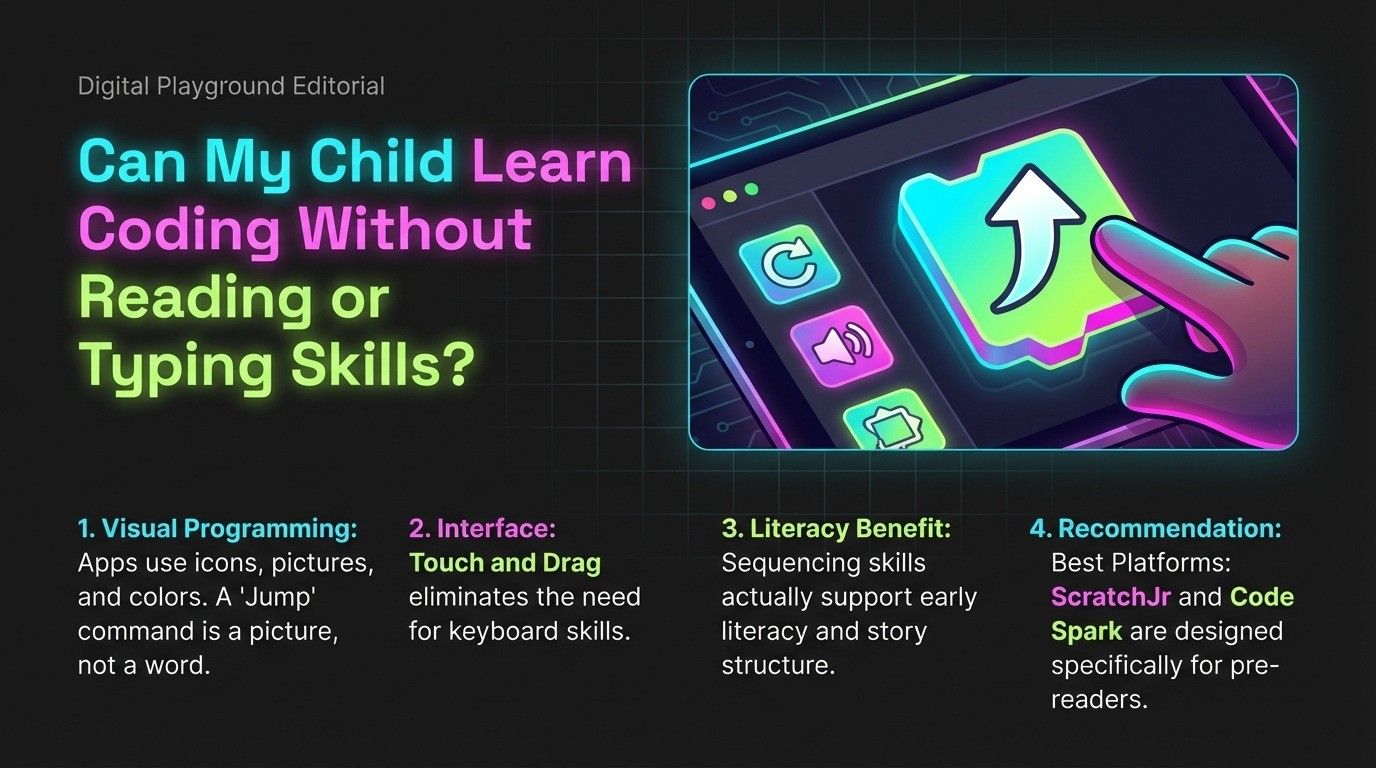
Absolutely, and this is one of the best aspects of early coding education for 5-year-olds.
Visual programming platforms designed for pre-readers:
Apps like ScratchJr and Code Spark use icons, pictures, and colors instead of words. A block might show a picture of a character jumping rather than the word "jump."
Instructions are often given through images or voice narration. Kids navigate using pictures they recognize, not words they must read.
Touch and drag instead of typing:
Young kids use tablets naturally, dragging and dropping with their fingers. This requires no keyboard skills whatsoever.
Even on computers, block-based coding uses mouse dragging, not typing. Characters and commands are selected visually.
Reading can develop alongside coding:
Interestingly, some research suggests coding activities support early literacy. Sequencing skills transfer to understanding story structure. Pattern recognition supports phonics and word recognition.
Best platforms for pre-readers:
ScratchJr specifically designed for this age group. Code Spark uses no text in core gameplay. Kodable has visual mazes requiring no reading.
When reading becomes helpful:
Around ages 6-7, when kids start reading, they can transition to platforms that combine pictures with simple words. This supports reading practice while coding.
Is Coding Suitable for a 5-Year-Old with a Short Attention Span?
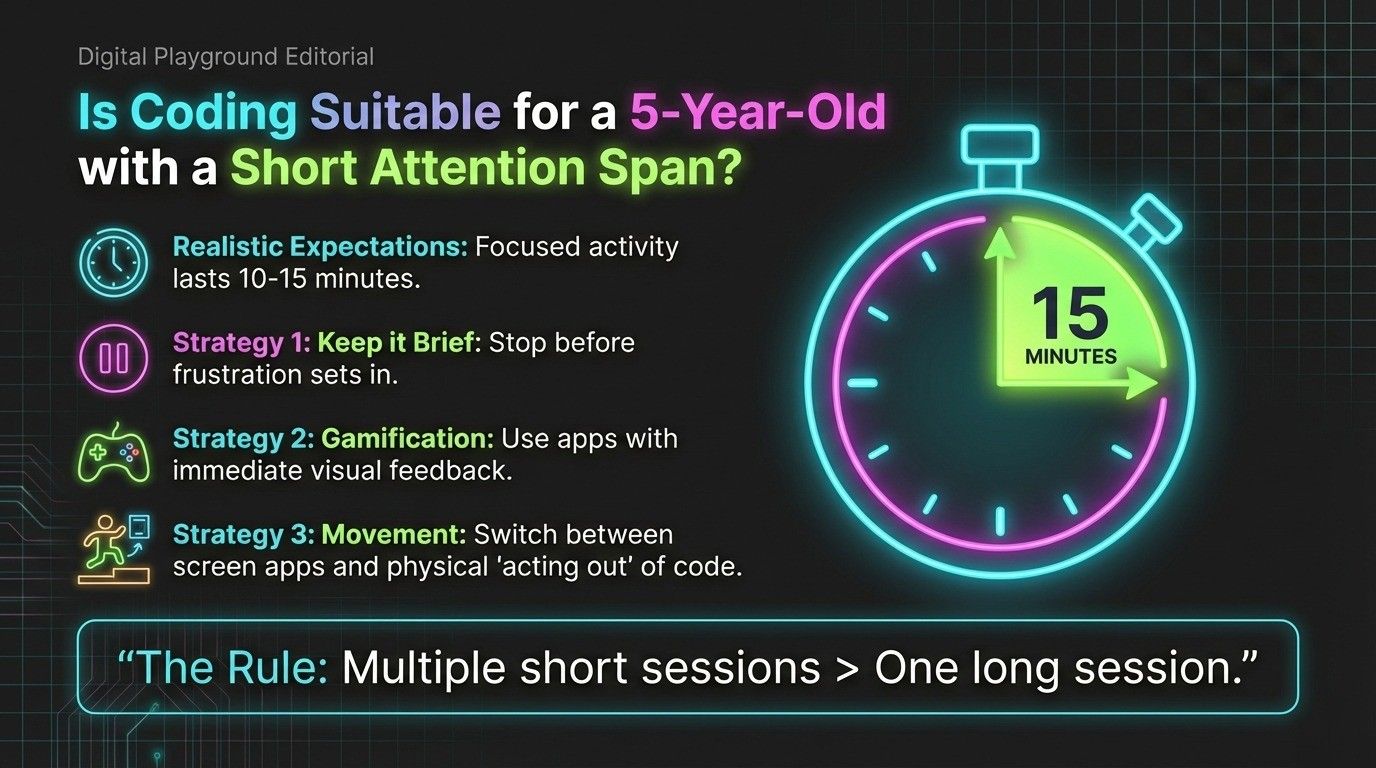
Yes, with the right approach. In fact, coding activities can actually help extend attention spans over time when matched to a child's capabilities.
Understanding 5-Year-Old Attention Spans
Typical attention span for focused, structured activity: 10-15 minutes. For high-interest activities kids enjoy: 20-30 minutes potentially.
Expecting a 5-year-old to code for an hour is unrealistic and counterproductive. Short, frequent sessions work much better than occasional long ones.
Strategies for Short Attention Spans
Keep sessions brief: 10-20 minutes is perfect. Set a timer if needed. Stop before frustration sets in or interest wanes completely.
Choose highly engaging apps: Gamification helps. Apps with colorful characters, sound effects, celebrations for completing levels, and immediate visual feedback maintain interest longer.
Incorporate movement: After 10 minutes on a coding app, switch to a physical coding activity. Act out the sequences they just created. Move between sitting and moving activities.
Let them lead: Following their exploration within an app maintains engagement better than directing every action. "I wonder what happens if you try that?" works better than "Do it this way."
Make it social: Coding with a sibling, parent, or friend increases engagement. Taking turns, sharing discoveries, and celebrating together extends focus.
End on success: When you notice attention fading, help them complete one more successful level or project, then stop. This creates positive associations and eagerness to return.
Signs You Need to Adjust
If your child can never focus for even 5 minutes, the app might be too advanced or not interesting to them. Try a different platform or wait a few months.
If they engage for 20+ minutes easily, they're in the right zone. Let them continue as long as interest holds.
Learning Through Play: The Best Approach for Young Kids
Five-year-olds learn best through play. This isn't just theory. It's how their brains are wired to process and retain information.
Why Play-Based Learning Works
At age 5, play is work. It's how kids make sense of the world, practice skills, and build understanding. Activities that feel like games don't register as "learning" to kids, which reduces pressure and anxiety.
Games provide immediate feedback. Try something, see result, adjust strategy. This natural experimentation cycle is exactly how programmers work.
Play allows exploration without fear of failure. A child playing doesn't worry about "getting it wrong". They're discovering what works through trial and error.
Coding Games That Feel Like Play
Logic puzzles: Apps like "Rush Hour Jr." teach sequential thinking and planning ahead. Kids solve traffic jams by moving cars in correct order, pure logical sequencing disguised as a game.
Story-based coding: ScratchJr lets kids create animated stories. They're motivated to learn commands because they want their cat to dance or their character to jump. The coding serves their creative goal.
Building and creating: Open-ended apps where kids design characters, backgrounds, and interactions tap into creative play while teaching coding concepts naturally.
How Parents Can Support 5-Year-Olds Learning to Code
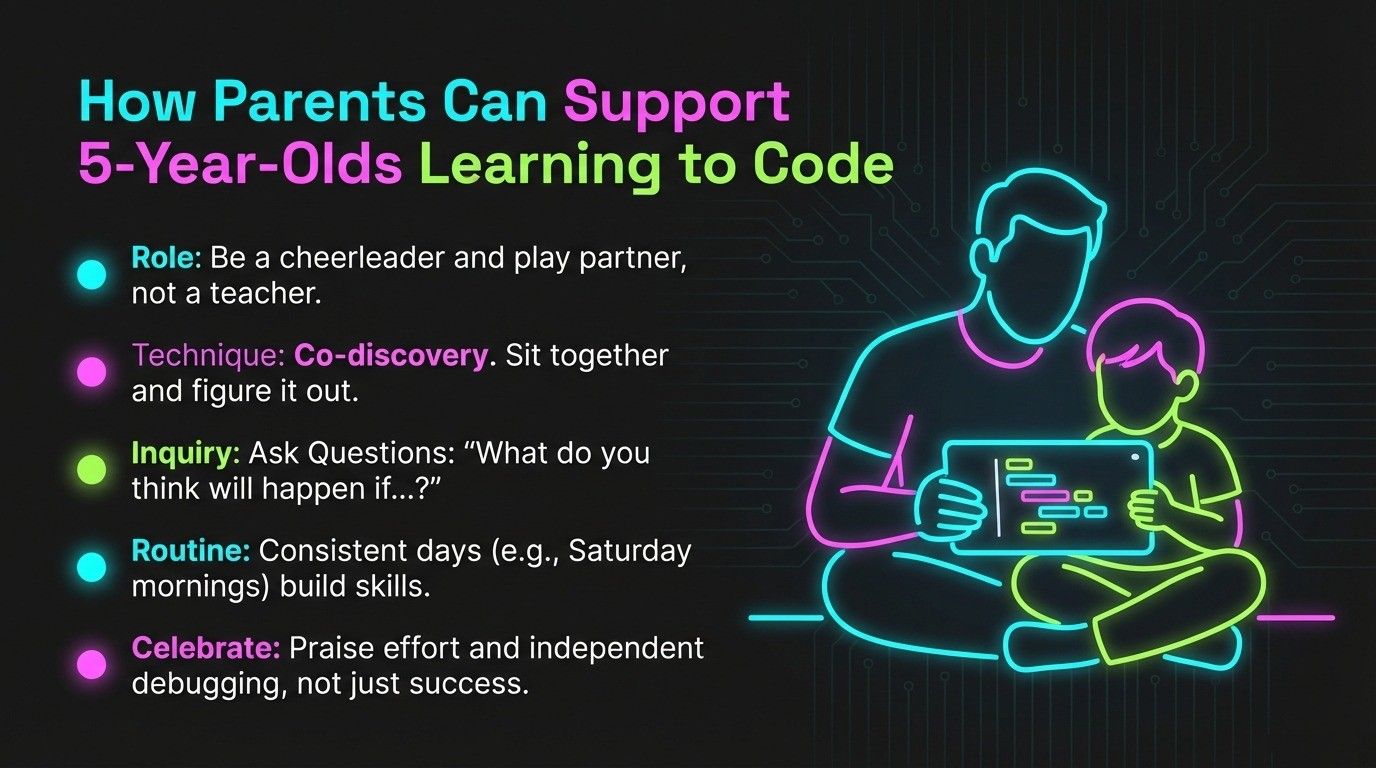
You don't need any coding knowledge to support your 5-year-old effectively. Your role is guide, cheerleader, and play partner.
Effective Parent Involvement
Sit with them initially: The first few times your child uses a coding app, explore it together. Figure out how it works side by side. This co-discovery is bonding time and shows you're interested.
Ask questions instead of teaching: "What do you think will happen if you put that block there?" "How did you make the cat move?" "Can you show me what you made?" Questions encourage thinking and explaining.
Create a routine: Same time a few days per week works better than random sessions. After breakfast on Saturday mornings. After school on Tuesdays and Thursdays. Consistency builds skills.
Balance screen time appropriately: Set time limits even for educational apps. Follow coding time with outdoor play or physical activity. Distinguish between "educational screen time" and entertainment, but still limit both.
Connect to daily life: Point out sequencing everywhere. "First we drive to the store, then we shop, then we drive home." "Look at that pattern on your shirt!" Make coding concepts part of normal conversation.
What to Celebrate
Celebrate effort and problem-solving, not just success. "I saw you try three different ways to solve that puzzle!" matters more than "You got it right!"
Notice when they debug independently. "You figured out what was wrong and fixed it yourself!" builds confidence in their problem-solving abilities.
Share their creations with family. Video call grandparents and have your child demonstrate what they built. This validates their work and builds communication skills.
Benefits of Early Coding for 5-Year-Olds
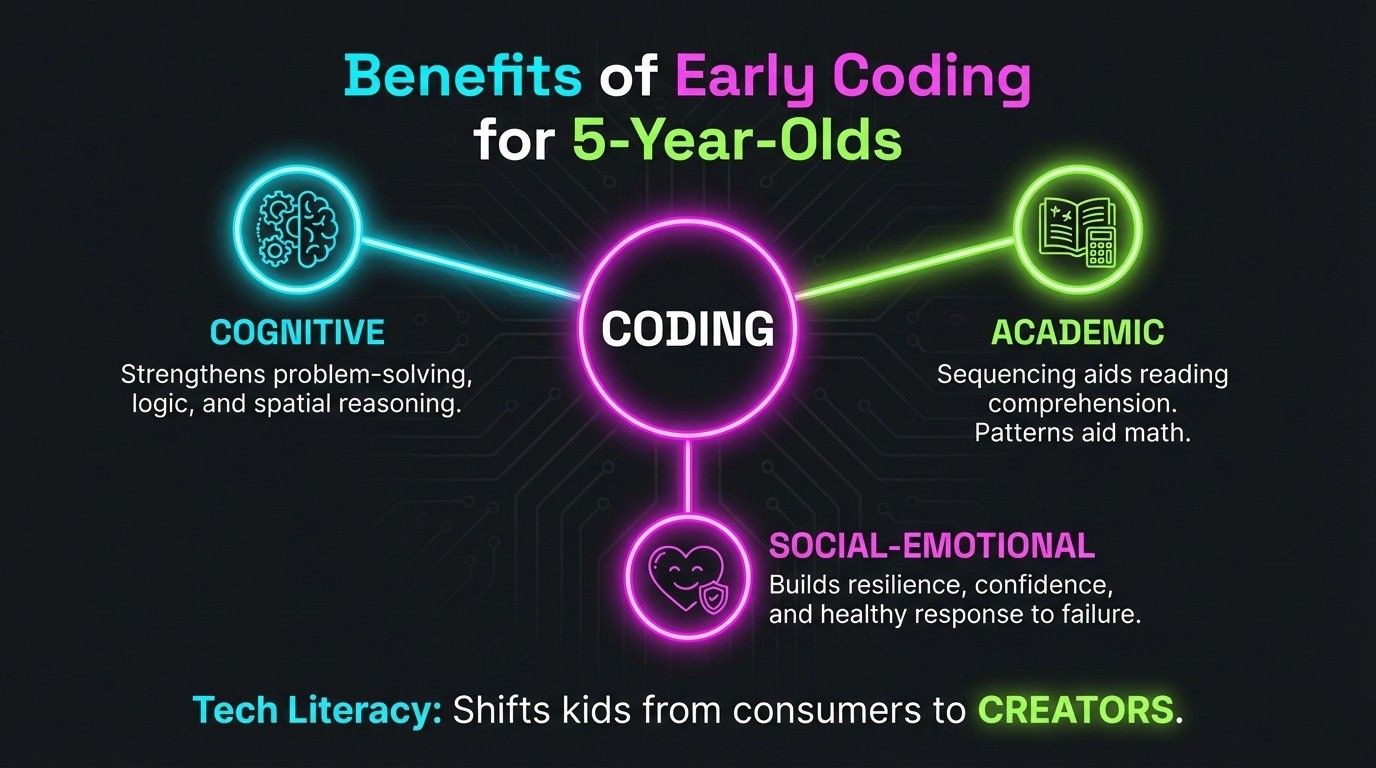
Early coding exposure provides benefits far beyond future programming skills.
Cognitive development: Problem-solving strengthens. Logical thinking develops. Spatial reasoning improves. Persistence and resilience build.
Academic readiness: Sequencing supports reading comprehension (story beginning, middle, end). Pattern recognition aids math skills. Following multi-step directions improves listening skills.
Social-emotional growth: Creating something builds confidence. Learning from mistakes in low-stakes environment teaches healthy failure response. Sharing projects develops communication skills.
Technology literacy: Comfort with technology rather than fear or overwhelm. Understanding that humans control technology, not the other way around. Foundation for being creators, not just consumers.
Common Challenges and Simple Solutions
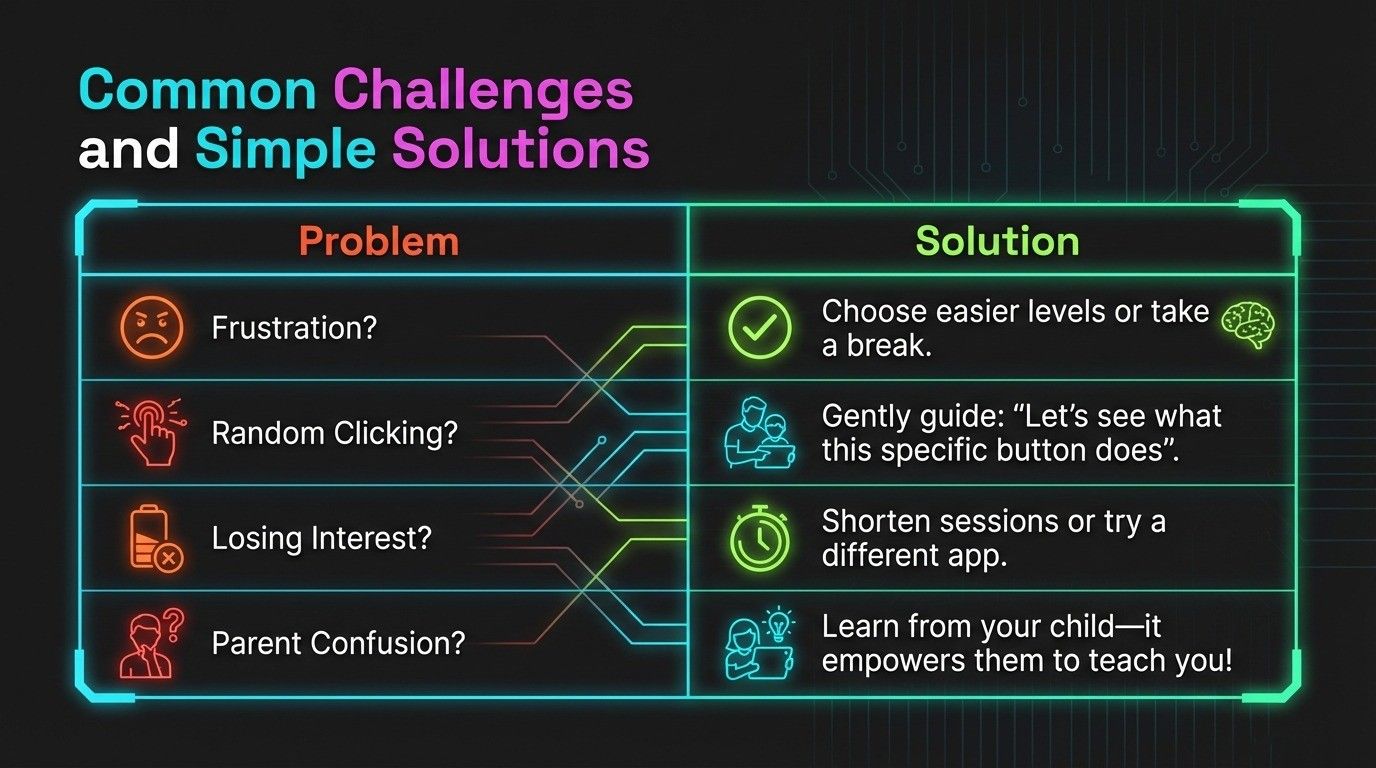
"My child gets frustrated easily": Choose apps with very gradual difficulty increases. CodeSpark's early levels are nearly impossible to fail. Celebrate effort immediately. Take breaks before total frustration.
"They just click randomly": This is normal exploration at age 5. Some learning happens through random discovery. Gently guide: "What do you think that button does? Let's try it and see!" Structured apps like Kodable eventually require intentional actions.
"They lose interest after 3 minutes": Try a different app, current one may not match their interests. Shorten sessions to 5-10 minutes. Alternate with physical coding activities. Or simply wait. They might not be ready yet.
"I don't understand the app": Watch tutorial videos (most apps have parent guides on their websites). Explore without your child first. Read Common Sense Media reviews. Or let your child teach you. It's empowering for them!
Frequently Asked Questions
What kind of coding can a 5-year-old realistically learn?
Visual programming using colorful blocks to create animations, navigate mazes, and complete logic puzzles. They learn sequencing (steps in order), pattern recognition, cause and effect, and basic problem-solving. They're not writing text-based code or learning programming languages. They're building the thinking skills that make coding possible later.
Is coding suitable for a 5-year-old with a short attention span?
Yes! Keep sessions to 10-20 minutes. Choose game-like apps with short levels (Code Spark, Kodable). Incorporate movement between coding activities. Let them stop when interest fades. Multiple short sessions throughout the week work better than long sessions. Match the activity to their energy level, active apps for energetic kids, calmer puzzles for quiet time.
Is it too early to start coding at age 5?
No. Age 5 is developmentally appropriate for learning coding concepts through play-based, visual methods. The key is using age-appropriate tools and realistic expectations. You're teaching thinking skills, not professional programming. If your child enjoys puzzles and can follow 3-4 step directions, they're ready to explore coding.
How do I explain coding to a 5-year-old in simple words?
"Coding is giving step-by-step instructions to computers or robots, just like when you tell your friend how to play a game. We have to tell computers every little step in the right order so they know exactly what to do." Use familiar examples: making a sandwich requires steps in order, giving directions to a place, teaching a pet a trick.
Can my child learn coding without reading or typing skills?
Absolutely! Apps like ScratchJr and Code Spark use pictures, icons, and colors instead of words. Kids drag and drop with their fingers, no typing required. These platforms are specifically designed for pre-readers. Some apps even use voice narration for instructions. Reading and coding can develop alongside each other as kids grow.
Final Thoughts
Starting coding at age 5 isn't about creating child prodigies or rushing development. It's about introducing foundational thinking skills through play, building confidence with technology, and nurturing natural curiosity about how things work.
The best approach combines visual programming apps with screen-free activities, keeps sessions short and playful, and follows your child's interests. Whether they engage for 10 minutes or 30, whether they explore randomly or follow structured puzzles, they're building valuable cognitive skills.
Remember that every child develops differently. If your 5-year-old isn't interested yet, that's perfectly normal. Try again in a few months. The goal isn't to rush them into advanced concepts. It's to make their first exposure to coding positive, playful, and age-appropriate.
Start small, celebrate curiosity, and let learning happen through play. That's how 5-year-olds learn best, whether it's coding or anything else.
Related Posts
- Armstrong Number in Python: Complete Guide with Examples and Code - Learn how to check, find, and generate Armstrong numbers in Python with step-by-step code examples perfect for beginners and students.
- How Coding and Mathematics Work Together in Engineering & Science - Discover the powerful connection between coding and mathematics and how they combine to solve real-world problems in engineering and science.
- What is Blockly for Kids? - Explore Blockly, Google's visual programming language that helps kids transition from block-based coding to text-based programming languages.