CAB / KIDS / 01
Coding for kids
The long course from first Scratch blocks to apps and AI ideas.
Open the syllabusBielefeld · Coding and AI · Every age from 6
Every AI system starts by reading data, and real data is rarely tidy. That is the thread through this page and through our classes in Bielefeld, whether the learner is seven, fifteen or fifty. Below: why we teach coding and AI together, what NRW schools and the KMK expect pupils to learn, which AI tools each age is allowed to use, and a project on Bielefeld's carbon dioxide figures in which the file will not even open on the first try.
Live online since 2020 · 10,000+ students worldwide · coding first, so the AI makes sense
At a glance
Coding and AI classes for Bielefeld at Modern Age Coders are taught live online, in English, to every age: children from 6 learn Scratch and then Python, teenagers move on to data and to building machine-learning models they can explain, and adults learn to automate work and use AI tools with care. Each learner keeps one mentor who adjusts to their pace and accent, either in a class of 15 to 20 or privately, on weekdays or at weekends.
Three doors in
One course per age group. In the free first class the mentor checks the fit and suggests a different one if something else suits better.
CAB / 01
Ages 8 to 12. Scratch games built with the mentor, plus a careful first look at what AI can and cannot do, with no chatbot accounts for children.
Open the syllabus →
CAB / 02
Ages 13 to 18. Python with real files like the Bielefeld one below, charts that answer questions, and a first machine-learning model.
Open the syllabus →
CAB / 03
Adults. Scripts that read, clean and report on files, then AI services called from Python, with every result checked.
Open the syllabus →Coding and AI together
Because a learner who has never told a computer exactly what to do cannot judge what an AI tool did. We teach both at once, in proportions that change with age.
A seven year old sorts picture cards by a rule they invent, then writes the rule as Scratch blocks. Later they see a program learn a rule from examples instead. That contrast, rules written versus rules learned, is the heart of AI, and children grasp it without a single account or app.
Teenagers write Python that reads data, then build small models whose every number they can print. They learn why a model that looks clever on its training data can fail on new data, and how to test for it. That is where school Informatik often stops and our course carries on.
Adults usually want results at work. We teach them to hand routine tasks to scripts and AI assistants, and just as carefully to check what comes back. An adult who can read the code an assistant wrote is far safer than one who can only paste it.
Our promise is the same in every group: we teach learners to think a problem through and solve it, not to copy answers, whether those answers come from a classmate, a website or an AI. That is also why the project below starts with a file that breaks. A learner who can work out why it broke is learning more than one who never saw it break.
All classes are live and in English only. Mentors are based in India, speak clearly, adapt to each learner's pace and accent, and explain the same idea a second or third way if needed. For learners whose first language is German, the vocabulary of programming is English anyway, so a coding class doubles as English practice.
A Bielefeld dataset
Stadt Bielefeld publishes its greenhouse gas balance by energy carrier, from heating oil to district heating, under a CC BY 4.0 licence. Before a single number can be compared, the file has to be read the way it was written: in German.
The dataset is called Treibhausgase, Bilanzbericht. Its file co2_1990_2022.csv, which we downloaded on 3 November 2026, has one row for each of 23 energy carriers and a unit column, t CO2aequ, tonnes of CO2 equivalent.
Its columns are 1990, then every year from 2010 to 2022. Its numbers use the German decimal comma, 303933,11 rather than 303933.11, and it was saved in an older text encoding than most modern programs expect.
For each energy carrier, how much did emissions change between 1990 and 2022? Which fell most, and did anything rise?
A teenager can answer it in twenty lines. But the first line already fails, and that failure is worth a lesson of its own.
import csv

try:
    with open("co2_1990_2022.csv", encoding="utf-8") as f:
        rows = list(csv.reader(f, delimiter=";"))
except UnicodeDecodeError as error:
    print("UTF-8 failed:", error.reason, "at byte", error.start)

with open("co2_1990_2022.csv", encoding="latin-1") as f:
    rows = list(csv.reader(f, delimiter=";"))

print("Energy carriers:", len(rows) - 1)
print("Row 12 is called:", rows[12][0])
print("First value:", rows[1][2], "as text")
It prints UTF-8 failed: invalid start byte at byte 1422, then Energy carriers: 23, Row 12 is called: Flüssiggas and First value: 303933,11 as text.
Python reads files as UTF-8 unless told otherwise, and this file is not UTF-8. At byte 1422 it meets the ü in Flüssiggas, liquefied gas, written in the older Latin-1 encoding, and stops. Opening it again with encoding="latin-1" works, and the name comes out correctly. The last line shows the second German habit: the number is still text, with a comma where Python expects a point.
def number(text):
    return float(text.replace(",", "."))      # German decimal comma to a point

years = [int(y) for y in rows[0][2:]]
gaps = [b - a for a, b in zip(years, years[1:])]
print("Gaps between columns:", sorted(set(gaps)), " first gap:", gaps[0])

first, last = years.index(1990), years.index(2022)
change = {}
for row in rows[1:]:
    start, end = number(row[2 + first]), number(row[2 + last])
    if start > 0:
        change[row[0]] = round(100 * (end - start) / start, 1)

for name in sorted(change, key=change.get):
    print(f"{name:12} {change[name]:+7.1f}%")
Run after Step 1. It prints Gaps between columns: [1, 20] first gap: 20, then twelve lines from Heizstrom -95.0% to Solarthermie +7965.0%.
The gap check matters more than it looks. The first two columns are 1990 and 2010, twenty years apart, and every later pair is one year apart. Anyone who draws the columns as evenly spaced points, or calls the first change "in one year", has misread the file. The program also skips the 11 carriers that were 0 in 1990, because a percentage change from zero cannot be calculated.
| Energy carrier | Change |
|---|---|
| Heizstrom (electric heating) | -95.0% |
| Steinkohle (hard coal) | -91.9% |
| Heizoel (heating oil) | -80.8% |
| Flüssiggas (liquefied gas) | -62.0% |
| Biomasse (biomass) | -61.9% |
| Strom (electricity) | -39.6% |
| Benzin (petrol) | -38.0% |
| Erdgas (natural gas) | -21.6% |
| Nahwaerme (local heat networks) | -2.2% |
| Fernwaerme (district heating) | +25.3% |
| Diesel | +136.0% |
| Solarthermie (solar heating) | +7965.0% |
Data: Stadt Bielefeld, Treibhausgase, Bilanzbericht, open-data.bielefeld.de via Open.NRW, licence CC BY 4.0, file co2_1990_2022.csv downloaded 3 November 2026, unit t CO2aequ. The percentages are our own. The file gives no total across carriers, and we do not add one.
for name in ["Solarthermie", "Diesel"]:
    row = next(r for r in rows if r[0] == name)
    start, end = number(row[2 + first]), number(row[2 + last])
    print(f"{name}: {start:,.0f} t in 1990, {end:,.0f} t in 2022, change {end - start:+,.0f} t")
Run after Step 2. It prints Solarthermie: 3 t in 1990, 265 t in 2022, change +262 t and Diesel: 163,886 t in 1990, 386,749 t in 2022, change +222,863 t.
Solar heating shows the largest rise on the list, about eighty-fold, but it started from about three tonnes; its whole increase is 262 tonnes. Diesel rose by a far smaller percentage and added more than 222,000 tonnes. Both statements are true, and a headline could use either. Learners who see this once start asking "a percentage of what?" every time they meet one, and that is exactly the question to put to any AI system that summarises data for you. The file does not explain the changes, so we do not either.
NRW and the KMK
Two layers decide it: the KMK, where all sixteen Länder agree common frameworks, and Nordrhein-Westfalen, which sets the subject rules for Bielefeld's schools.
The KMK adopted its strategy Bildung in der digitalen Welt in 2016. In 2024 it added a recommendation for education administrations on handling artificial intelligence in school learning, and in 2026 it adopted an updated competence framework that extends the 2016 areas with AI-related competences.
These frameworks are about using and judging digital tools and AI across subjects. They do not, on their own, put a programming course on every pupil's timetable.
According to the GI Informatik-Monitor 2026/27, NRW teaches Informatik as a compulsory subject in grades 5 and 6 at every general school type. After that it is a matter of school offer and pupil choice.
In the Qualifikationsphase Informatik can be chosen at basic level, three hours a week in a Grundkurs, or at raised level, five hours in a Leistungskurs, and the written Abitur tasks are set centrally and answered without a computer.
| Age | At school | With us |
|---|---|---|
| 6 to 10 | Grundschule; NRW's compulsory Informatik has not started yet | Scratch, rules and patterns, first AI ideas without accounts |
| 10 to 12 | Compulsory Informatik in grades 5 and 6 | Typed Python and small data projects |
| 12 to 16 | Informatik if the school offers it and the pupil chooses it | Python, data and machine learning |
| 16 to 19 | Informatik Grundkurs or Leistungskurs, if chosen | Abitur-level programming and real projects |
| Adults | None | Automation and AI tools for work |
Sources: KMK, Bildung in der digitalen Welt (2016 strategy, 2024 AI recommendation, 2026 framework update); GI Informatik-Monitor 2026/27, NRW entry. Both read on 2 November 2026. The right-hand column is our own course plan; we teach next to school, and the school course is the one that counts.
Teenagers who want to test themselves on a national stage can look at the Bundeswettbewerb Künstliche Intelligenz. It is open to pupils in Sekundarstufe I and II, alone or in teams of up to four, and accepts projects in German or English. We are not connected with it and do not submit work for anyone.
Age rules
The providers decide, in their own terms of use. We follow those terms in every class, and design each course so it never needs a tool the learner is too young for.
| Tool | Minimum age in the terms | In our classes |
|---|---|---|
| ChatGPT (OpenAI) | 13, with a parent's or guardian's permission under 18 | Not needed in any under-18 course; teenagers build models in Python instead |
| Claude (Anthropic) | 18 | Adult courses only |
| Python and its open-source libraries | No age limit | Used at every age from about 9 |
Minimum ages as quoted, with links, in our AI tools age guide, which records when each provider's terms were last read.
Children under 13 never sign up for anything in our classes. Their AI lessons are built from Scratch and Python, which means they see how a guessing program improves rather than only what it outputs. Teenagers do the same with real machine-learning code. Adults may use the full range of assistants, and they practise the check from Step 3 above on every summary an assistant gives them: a percentage of what, and compared with which year?
When classes run
Children and teenagers usually come after school, adults in the early evening or at the weekend. Our mentors teach from India.
| In Bielefeld | India, while Germany is on MEZ | India, once Germany is on MESZ |
|---|---|---|
| 15:15, after school | 19:45 | 18:45 |
| 18:00, after work | 22:30 | 21:30 |
| Saturday 13:30 | 18:00 | 17:00 |
| Sunday 16:00 | 20:30 | 19:30 |
MEZ is UTC+1 and MESZ is UTC+2, both defined in the Einheitenzeitgesetz. Germany left MESZ on 25 October 2026 and goes back to it on 28 March 2027. India does not observe daylight saving and stays on UTC+5:30, four and a half hours ahead of Bielefeld for now and three and a half from that March date. Illustrative times only.
NRW school holidays 2026/27 from the KMK holiday table, Stand 9 October 2025. Our classes continue through the holidays unless a family asks to pause.
Bielefeld had 331,605 residents on 31 December 2024, according to the Destatis municipal register, and is the largest city in Ostwestfalen-Lippe. Learners in nearby Gütersloh (100,479) and Paderborn (156,378), and in smaller towns such as Herford or Bad Salzuflen, join the same online classes; all of them follow the NRW holiday dates above.
Milestones
Our milestones, the same order for every age at a different speed. Learners or parents see the current one in each monthly note.
| Milestone | Child, typical age | Teen or adult, typical month |
|---|---|---|
| Gives exact instructions | 6 to 8 | Month 1 |
| Reads and fixes an error | 8 to 10 | Month 1 |
| Reads a real file correctly | 10 to 12 | Month 2 |
| Questions a number before using it | 11 to 12 | Month 3 |
| Builds and tests a small model | From 12 | Months 4 to 6 |
When a file will not open, read the error before you search for a fix. It usually tells you the byte and the reason.
A big percentage from a tiny start is a small change in disguise.
Ask what the program got wrong first and how it was fixed. That answer says more about progress than any finished project.
If an AI tool appears in homework, ask your child how they checked it.
More to explore
Sorted by age. All live, all in English, all with a regular mentor, in a shared class or privately.
CAB / KIDS / 01
The long course from first Scratch blocks to apps and AI ideas.
Open the syllabusCAB / KIDS / 02
Typed code and small smart projects from about nine.
Open the syllabusCAB / KIDS / 03
Puzzles that train the planning behind every program.
Open the syllabusCAB / TEEN / 01
Models built and tested, with the maths shown.
Open the syllabusCAB / TEEN / 02
Machine learning with Orange before writing it in code.
Open the syllabusCAB / TEEN / 03
Grundkurs and Leistungskurs topics, taught in English.
Open the syllabusCAB / ADULT / 01
Spreadsheets and assistants for people who do not code yet.
Open the syllabusCAB / ADULT / 02
From Python to deep learning and generative models.
Open the syllabusCAB / ADULT / 03
Planning and reviewing what an agent writes, adults only.
Open the syllabusFormat
Weekdays or weekends, flexible: choose your batch, or for a very personalised plan choose 1-on-1 at your convenience, weekend mornings or weekdays.
Afternoons
From mid-afternoon Bielefeld time, for school pupils.
Evenings
Early evening, mostly chosen by adults.
Weekends
Saturday and Sunday, from morning to late afternoon.
Learners type and run every program themselves.
Every answer is tested, whoever produced it.
Explained again, more simply, whenever needed.
Someone who remembers last week's bug.
No under-18 learner meets an adult-only tool.
Learn with 15 to 20 peers, or alone.
Student work
Our students in many countries build working projects, a handful of which are shown here. The student labs page has the rest.
AI and ML
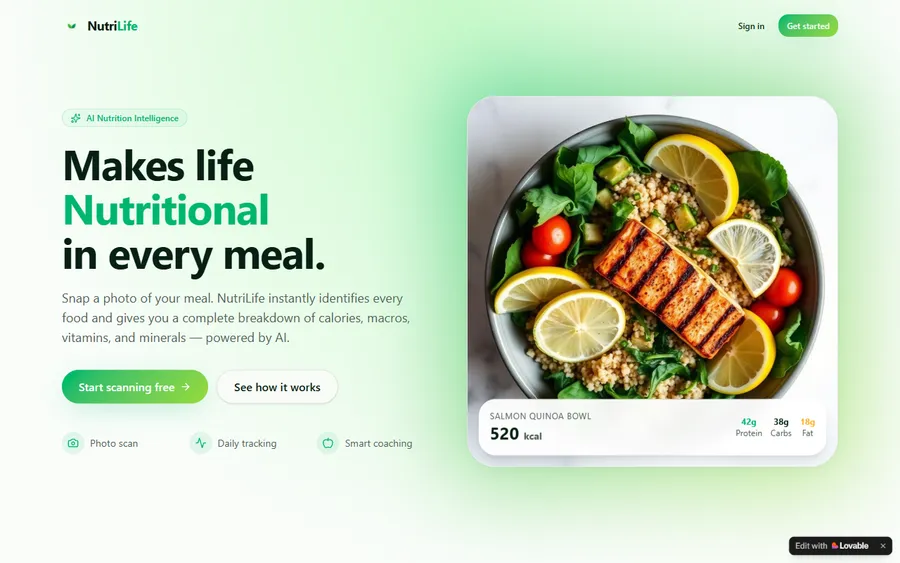
An AI nutrition coach that reads what you eat and works you toward a target.
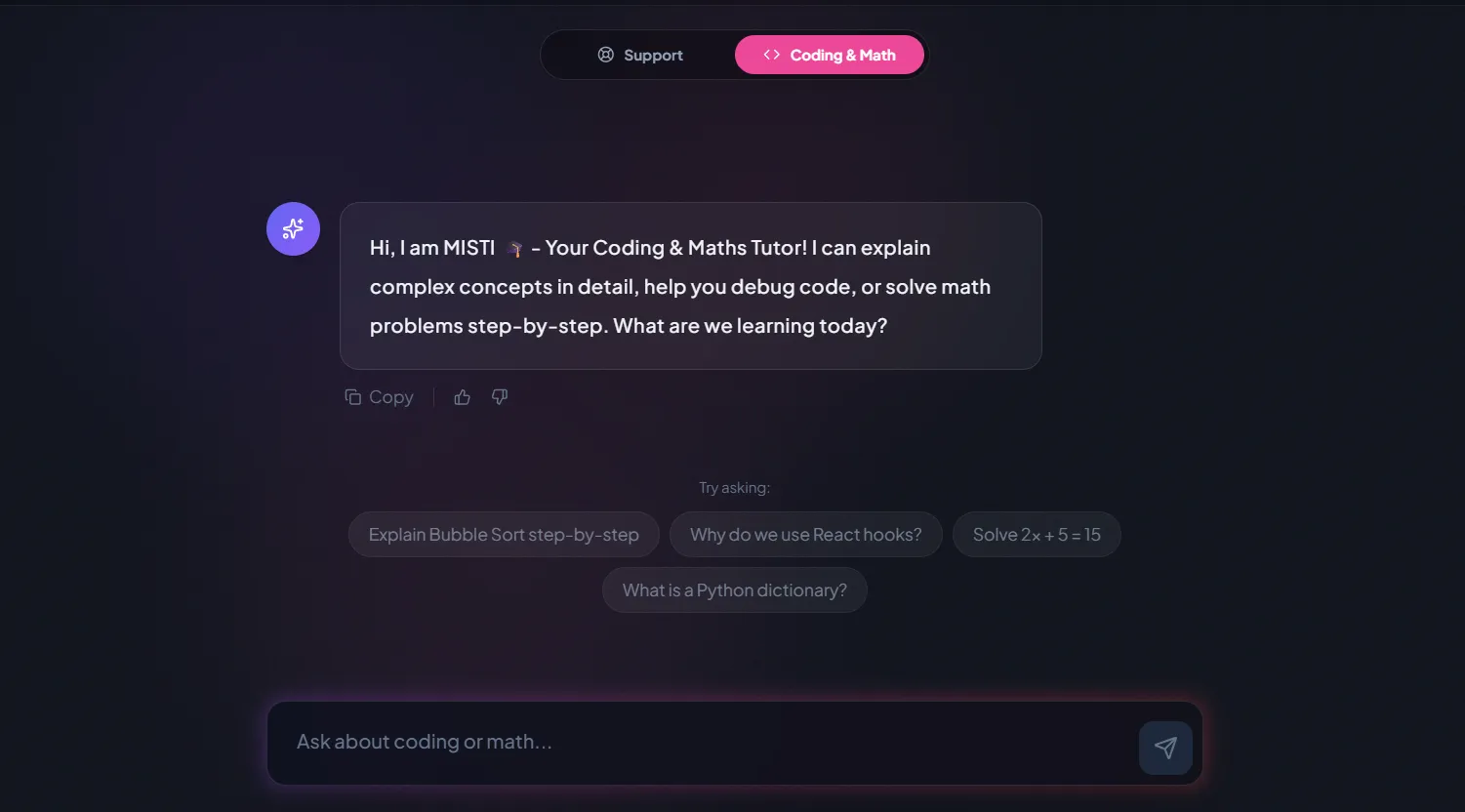
AI and ML
A chatbot that answers mathematics and programming questions, built and deployed by a student.
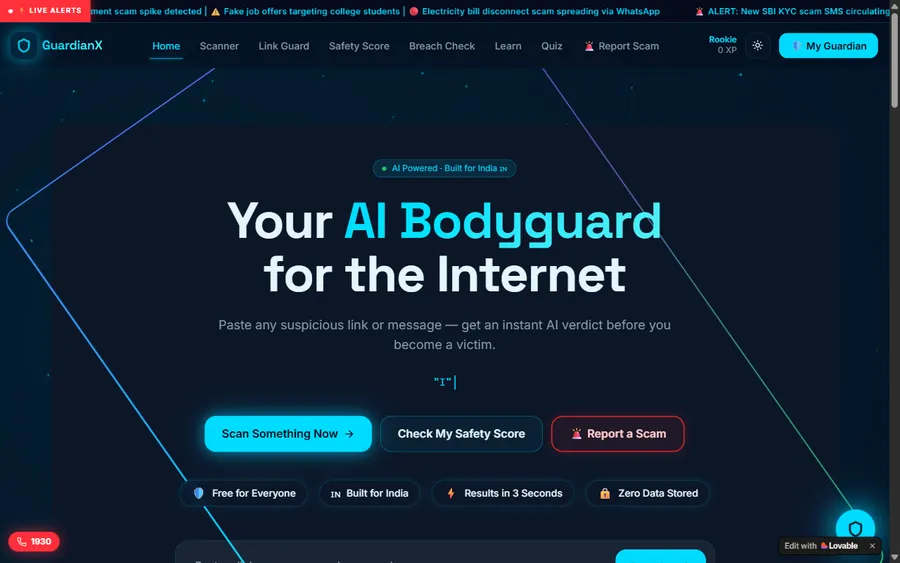
AI and ML
An assistant that helps a young person recognise unsafe situations online.
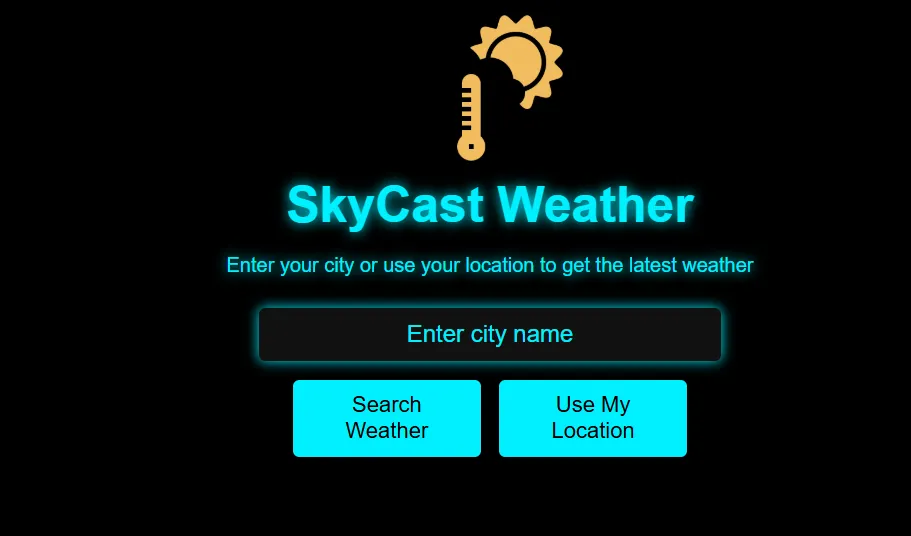
Web app
A weather forecasting site with live conditions for any location.
Fees
A monthly fee pays for eight live classes. The euro amount you see is based on the European Central Bank reference rate, while the payment is processed in US dollars; the conversion back is your bank's, so the euro figure it books can differ very slightly.
Free first class
Free
no card required
Group batch
€90
a month, eight live classes, charged in US dollars
One to one
€134
a month, eight live classes, charged in US dollars
What families say
Google reviews from learners and parents, reproduced exactly.
★★★★★
"The one step solution for my son. Modern Age Coders make learning coding so simple that kids love it. The teachers explain complex concepts clearly with practical exercises and interactive content."
Ria Mukherjee
Parent
★★★★★
"Modern Age Coders has been a game-changer for me. I struggled to grasp IT concepts and coding before joining, but their classes transformed everything. I can now confidently write complex programs with ease."
Samriddha Mondal
Student
★★★★★
"One of the most wonderful education centres out there. Education is not limited to school syllabus but focuses on skill development."
Vansh Agarwal
Student
★★★★★
"My child Dhairya is really enjoying the Modern Age Coders classes. This is his first online class and he eagerly looks forward to it. I can already see his improvement, and the teachers are very cooperative."
Sonam Oswal
Parent of Dhairya
★★★★★
"Modern Age Coders have wonderful teachers who teach in a clear, easy and practical way. The teacher boosts students' confidence and inspires them to learn without hesitation."
Sonu Goyal
Parent
★★★★★
"I highly recommend this computer coding class! The teachers are incredibly knowledgeable and passionate about coding."
Ritu Kedia
Parent
Bielefeld asks
No. Every class is live and in English only, with a mentor who matches the learner's pace and accent and explains again in simpler words when needed. Programming keywords are English in any case.
Yes, each person in their own age group or one-to-one plan. A child, a teenager and a parent can all learn with us at the same time, but never in the same group.
A little, and we teach it first. Children start with Scratch and simple rules; AI ideas come in as soon as they can give a computer exact instructions. Teenagers learn Python before they build models.
The KMK adopted an updated competence framework in 2026 that adds AI-related competences, and a 2024 recommendation on AI in schools. Programming itself is taught in Informatik, which NRW makes compulsory in grades 5 and 6 and offers as a Grundkurs or Leistungskurs in the Oberstufe.
No. Our teen AI courses build models in plain Python. OpenAI's terms allow ChatGPT from 13 with a parent's permission, but nothing in our under-18 courses depends on it.
Weekdays or weekends, flexible: choose your batch, or for a very personalised plan choose 1-on-1 at your convenience, weekend mornings or weekdays. School pupils usually prefer afternoons, adults early evenings or weekends.
Not unless you ask. Mentors do not follow the NRW school calendar, so learners can keep going through the Herbstferien, Christmas, Easter and summer, or pause and return later.
Our mentors are based in India and teach live online. India is four and a half hours ahead of Bielefeld in winter, so an 18:00 class in Bielefeld is 22:30 for the mentor.
The monthly fee is shown in euro using the European Central Bank reference rate, but it is charged in US dollars. Your bank converts the charge, so the euro amount on your statement may not match to the cent. The first class costs nothing.
Yes. Our adult courses begin with a real task from the learner's own work or life, and build the coding and AI skills needed for it from zero.
Elsewhere on this site
Other pages for learners in Germany who want coding and AI.
Where all our Germany pages begin.
NRW rules, holidays and data.
AI ideas for children in Germany.
For pupils in secondary school.
Why we teach reasoning first.
For the national AI competition.
Part of the guide: Coding classes in North Rhine-Westphalia
More guides: Coding classes in Lower Saxony · Coding classes in Land Bremen · Coding classes in Hesse · Coding classes in Bavaria · Coding classes in Saxony-Anhalt · Coding classes in Schleswig-Holstein · Coding classes in Baden-Württemberg · Coding classes in Saarland · Coding classes in Rhineland-Palatinate · Coding and maths in Berlin · Coding and maths in Hamburg · Coding classes in Saxony · Coding classes in Thuringia · Coding classes in Brandenburg · Coding classes in Mecklenburg-Vorpommern
Start here
Tell us the learner's age and what they would like to do. The mentor prepares a short task for that level, watches how they reason through it and how they manage in English, and recommends where to start.
For the full picture of our method see how we teach; every syllabus is on the course list.
WhatsApp us · +91 91233 66161 · connect@modernagecoders.com
Live online classes in English only, with mentors in India. Message us on WhatsApp in English for the quickest reply.
A priority demo is a full class of about 45 to 60 minutes. After the class the mentor sends a written skill report and a personal learning roadmap on WhatsApp. If you enrol, the demo fee is adjusted against your first month's fee. Share your demo Order ID with us on WhatsApp and we take it off.
Book a priority demo