CNE / KID / 01
Python and AI for kids
Typed Python, games and small smart projects from about nine.
Open the syllabusNeuss · Coding and AI · Every age
AI is not one subject. For an eight year old it is learning that a computer can be taught from examples; for a fifteen year old it is building and testing a small model; for an adult it can mean putting AI to work in a job without trusting it blindly. This page sets out what we teach at each of those ages in Neuss, what the KMK and North Rhine-Westphalia have said about AI and Informatik, which popular AI tools allow which ages, and a first machine-learning model that learns to tell Neuss street trees apart by their size.
Live lessons since 2020 · 10,000+ students worldwide · AI taught as something you build and test
In short
Coding and AI classes in Neuss from Modern Age Coders are live online lessons in English for children from 8, teenagers and adults. Learners write real code first, then work with data and build machine-learning models they can test and explain, with a regular mentor who adapts to their pace and accent, one to one or in a batch of fifteen to twenty.
Three starting points
One course per stage of life. Each begins with code the learner writes, not with a chatbot.
CNE / 01
Children of eight to fourteen find out how machines learn from examples, through games and small experiments, with no adult chatbot accounts.
Open the syllabus →
CNE / 02
Python first, then real models on real data, tested properly. The tree model on this page is a typical early project.
Open the syllabus →
CNE / 03
For students and working adults in Neuss: Python, classical machine learning, deep learning and generative AI.
Open the syllabus →AI at every age
Our own view, shaped by what each age can do safely and by the age rules in the AI tools' own terms.
| Age | Coding | AI | Tools we use |
|---|---|---|---|
| 8 to 12 | Scratch, then typed Python | Sorting examples, spotting patterns, simple rule-based bots | Child-safe tools, no personal chatbot accounts |
| 13 to 17 | Python, data files, functions | Train and test small models; ask why they fail | Code they write themselves; chatbots only within each tool's age terms |
| Adults | Python and working practice | Machine learning, generative AI, checking AI output | Any tool their own account allows |
| Tool | What its terms say |
|---|---|
| ChatGPT (OpenAI) | At least 13; under 18 needs a parent or legal guardian's permission |
| Google Gemini | 13 or over with a personal or school Google Account, or the age your country sets |
| Claude (Anthropic) | At least 18 |
Source: the tools' own terms of use as collected in our AI tool age guide, checked for the guide and quoted there. The first table is ours. We never ask a child under 13 to open a chatbot account, and we do not use 18+ tools with anyone under 18.
A learner who has never written a loop can still type a question into a chatbot, but cannot tell whether the answer is right. We teach the code first so that, later, AI is something they can open up and check.
This is also how we keep our promise to teach learners to think, not to copy: in our classes nobody is asked to paste an answer they cannot explain.
Adults in Neuss tend to come with a concrete aim: to automate a weekly report, to understand the models their company now uses, or to move into a data role. Their path starts with Python and moves to machine learning quickly, at their own speed, often one to one.
We give no career, salary or immigration advice; we teach the skills and show the work.
School and policy
Two short answers: the KMK has added AI to its framework for digital education, and NRW teaches compulsory Informatik in grades 5 and 6.
The Kultusministerkonferenz set out its strategy for education in a digital world in 2016. In 2026 it adopted an updated competence framework that adds AI-related competences to those areas. Since 2024 it has also had a recommendation for education administrations on handling AI in school learning.
In plain terms: schools are expected to teach about AI, but the framework describes competences, not a fixed timetable of AI lessons.
The Gesellschaft für Informatik reports that NRW teaches Informatik as a compulsory subject in grades 5 and 6 at all general school types. In the Qualifikationsphase it can be a three-hour Grundkurs or a five-hour Leistungskurs.
The written Informatik Abitur in NRW is set centrally and solved without a computer, so planning and tracing code by hand matter as much as typing it.
| Stage | In school | Source |
|---|---|---|
| Grades 5 and 6 | Compulsory Informatik | GI Informatik-Monitor 2026/27, NRW |
| All grades | Digital and AI-related competences in the KMK framework | KMK, Bildung in der digitalen Welt, 2026 update |
| Qualifikationsphase | Informatik as Grundkurs (3 hours) or Leistungskurs (5 hours), if offered | GI Informatik-Monitor 2026/27, NRW |
| Abitur | Written tasks set centrally, no computer | GI Informatik-Monitor 2026/27, NRW |
All three sources were read on 2 November 2026. Destatis counts Neuss 154,317 and North Rhine-Westphalia 18,034,454 (Gemeindeverzeichnis, as of 31 December 2024). Neuss pupils also live close to Düsseldorf, Kaarst, Meerbusch, Dormagen and Grevenbroich, which follow the same NRW rules.
Our classes teach alongside school, not in its place. A teenager taking Informatik in the Oberstufe keeps their school teacher as the person who sets marks; what we add is more practice, more projects and a mentor to ask.
A real Neuss project
The City of Neuss publishes its register of street and park trees as open data with no restrictions. That is enough to build a first machine-learning model, and to make the most common beginner mistake on purpose.
The register, Stadt Neuss: Baumbestand, is listed on GovData with a CC0 licence. Our download on 3 November 2026 has 72,648 trees, each with its kind of tree, height in metres, crown width in metres and trunk girth in centimetres. Ahorn, maple, is the most common, with 19,910 trees.
We keep three kinds that look quite different to a person: Platane (plane tree), Birke (birch) and Rosskastanie (horse chestnut), and only trees with all three sizes filled in and above zero. That leaves 2,960 trees in neuss_trees.csv.
The model is a nearest-neighbour model, one of the oldest ideas in machine learning. To guess a new tree, find the five known trees whose sizes are closest to it and take the kind most of them share.
To test it fairly, one tree in five, chosen by its ID number, is hidden from the model and used only for the test. The model must beat the lazy strategy of always guessing the most common kind.
import csv
from collections import Counter

trees = []
with open("neuss_trees.csv", encoding="utf-8") as f:
    for row in csv.DictReader(f):
        size = (float(row["height_m"]), float(row["crown_m"]), float(row["girth_cm"]))
        trees.append((int(row["id"]), row["genus"], size))

train = [t for t in trees if t[0] % 5 != 0]
test = [t for t in trees if t[0] % 5 == 0]
print("Training trees:", len(train), " Test trees:", len(test))

common = Counter(g for _, g, _ in train).most_common(1)[0][0]
right = sum(1 for _, g, _ in test if g == common)
print("Always guess", common + ":", round(100 * right / len(test)), "%")

def guess(size, k=5):
    near = sorted(train, key=lambda t: sum((a - b) ** 2 for a, b in zip(t[2], size)))
    return Counter(g for _, g, _ in near[:k]).most_common(1)[0][0]

right = sum(1 for _, g, size in test if guess(size) == g)
print("Nearest neighbours:", round(100 * right / len(test)), "%")
It prints Training trees: 2374 Test trees: 586, Always guess Birke: 39 % and Nearest neighbours: 67 %.
Sixty-seven per cent against a lazy 39 is a real result, but there is a flaw in how "closest" is measured. The distance adds up differences in height, crown and girth as plain numbers. Height is in metres and differs between trees by a few units; girth is in centimetres and differs by a hundred or more. So a 10 cm difference in girth counts as much as a 10 m difference in height, and the model is really listening to the trunk alone.
The fix is to put the three measurements on the same scale before measuring distance. Version 2 works out how much each measurement usually varies in the training trees (its standard deviation) and divides by it, so that "one unit" means "a typical difference" for all three. It is the same three trees and the same five neighbours; only the ruler changes.
import statistics

spread = [statistics.pstdev(t[2][i] for t in train) for i in range(3)]
print("Spread of height, crown, girth:", [round(s, 1) for s in spread])

def scaled(size):
    return tuple(v / s for v, s in zip(size, spread))

train = [(i, g, scaled(size)) for i, g, size in train]
test = [(i, g, scaled(size)) for i, g, size in test]

right = sum(1 for _, g, size in test if guess(size) == g)
print("Nearest neighbours, scaled:", round(100 * right / len(test)), "%")
It prints Spread of height, crown, girth: [6.6, 4.8, 100.4] and Nearest neighbours, scaled: 70 %.
Girth varies about fifteen times more than height in these numbers, which is why it drowned out the other two. After scaling, the model gets 70 per cent right. That is a modest gain, and the honest part of the lesson is looking at where it came from, kind by kind, rather than trusting one number.
| Kind | Test trees | Raw sizes | Scaled sizes |
|---|---|---|---|
| Birke (birch) | 230 | 171 | 177 |
| Platane (plane) | 209 | 143 | 153 |
| Rosskastanie (horse chestnut) | 147 | 78 | 82 |
Data: Stadt Neuss, Baumbestand, licence CC0, downloaded 3 November 2026. The selection, split, model and counts are our own. All three kinds improve with scaling, but the horse chestnut stays hard: size alone gets just over half of them right, a sign that the model needs other information, such as leaf shape, that the register does not hold.
An AI contest
Yes: the Bundeswettbewerb Künstliche Intelligenz. We are not connected to it and describe it from its own pages.
The BWKI is run by the Tübingen AI Center for pupils in Sekundarstufe I and II. A project must use machine-learning methods, and an entry needs written documentation, code that runs and a short video pitch. Projects may be handed in in German or in English.
That last point matters for a learner who studies with us: a project built and explained in English can be entered as it is.
For 2026, registration opened on 1 March 2026 and projects had to be handed in by 20 September 2026. The final takes place in Tübingen on 13 November 2026.
The next round follows the same pattern, so a Neuss teenager who starts a model this winter has months to improve it before the 2027 deadlines are announced.
We never write a competition project for a learner. We teach the methods, ask the questions a jury would ask, and leave the project in the learner's own hands. The tree model above is the kind of starting point that can grow into one, with better data and a fair test.
Class times
Mentors teach from India, so most Neuss slots fall in the afternoon, early evening or at weekends.
| Neuss | India now (winter) | India from 28 March 2027 |
|---|---|---|
| Wednesday 15:45 | 20:15 | 19:15 |
| Thursday 17:15 | 21:45 | 20:45 |
| Saturday 13:45 | 18:15 | 17:15 |
Neuss keeps German legal time: UTC+1 in winter and UTC+2 in summer, under the Einheitenzeitgesetz. The last change was on 25 October 2026 and the next is on 28 March 2027. India does not change its clocks and stays on UTC+5:30, four and a half hours ahead of Neuss until March and three and a half after. These are illustrations; no batch is tied to them.
| Break | From and to |
|---|---|
| Herbstferien | 17 to 31 October 2026 |
| Weihnachtsferien | 23 December 2026 to 6 January 2027 |
| Osterferien | 22 March to 3 April 2027 |
| Pfingsten | 18 May 2027 |
| Sommerferien | 19 July to 31 August 2027 |
Dates as printed in the KMK holiday overview for the 2026/2027 school year (version of 9 October 2025). Lessons carry on through these breaks unless you choose to pause.
Milestones
The five steps we use to plan a learner's course and to report to them, or to their parents. They are our own, not a school standard.
| Step | The learner can |
|---|---|
| 1. Instructions | Give a computer exact steps and fix them when they fail |
| 2. Data | Read a file, count, sort and summarise it |
| 3. A baseline | Say what a lazy guess would score before building anything |
| 4. A model | Train a simple model and test it on data it never saw |
| 5. Doubt | Find where a model fails, explain why, and change one thing to test the idea |
Step 5 is where the tree model ends: not with a score, but with a question about the horse chestnut.
We report what the learner built and could explain. Hours online say very little.
When you compare things measured in different units, ask which unit is shouting loudest.
One good score is not the end. Look at what the model gets wrong.
More coding and AI
All taught live in English by a mentor who stays with the learner, in a batch or one to one.
CNE / KID / 01
Typed Python, games and small smart projects from about nine.
Open the syllabusCNE / KID / 02
Scratch first, then apps, for six to twelve.
Open the syllabusCNE / KID / 03
Building games with AI help, ages 8 to 12, child-safe tools.
Open the syllabusCNE / TEE / 01
The language most AI work is written in, done properly.
Open the syllabusCNE / TEE / 02
Charts, statistics and first models on open data.
Open the syllabusCNE / TEE / 03
Biber, BwInf and BWKI practice with problems we write.
Open the syllabusCNE / ADU / 01
Large language models, retrieval and agents, from the inside.
Open the syllabusCNE / ADU / 02
Python, machine learning and deep learning end to end.
Open the syllabusCNE / ADU / 03
Working with coding agents and checking what they write, 18+.
Open the syllabusHow classes run
Weekdays or weekends, flexible: choose your batch, or for a very personalised plan choose 1-on-1 at your convenience, weekend mornings or weekdays.
Afternoons
For pupils, after the school day in Neuss.
Early evenings
For adults coming home from work.
One to one
Whenever you and your mentor agree.
Every AI topic starts with code the learner writes.
Models are judged on data they never saw.
Each tool used within its own age terms.
Paced and phrased for each learner.
One person who follows your progress.
Up to twenty learners, or just you.
Student work
Some of the things our older students have built; there are more on the student labs page.
AI and ML
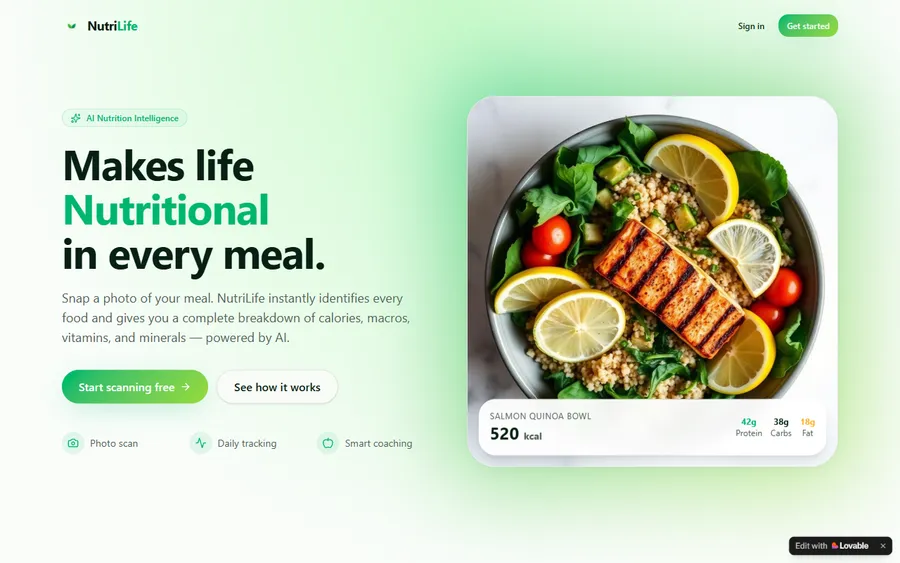
An AI nutrition coach that reads what you eat and works you toward a target.
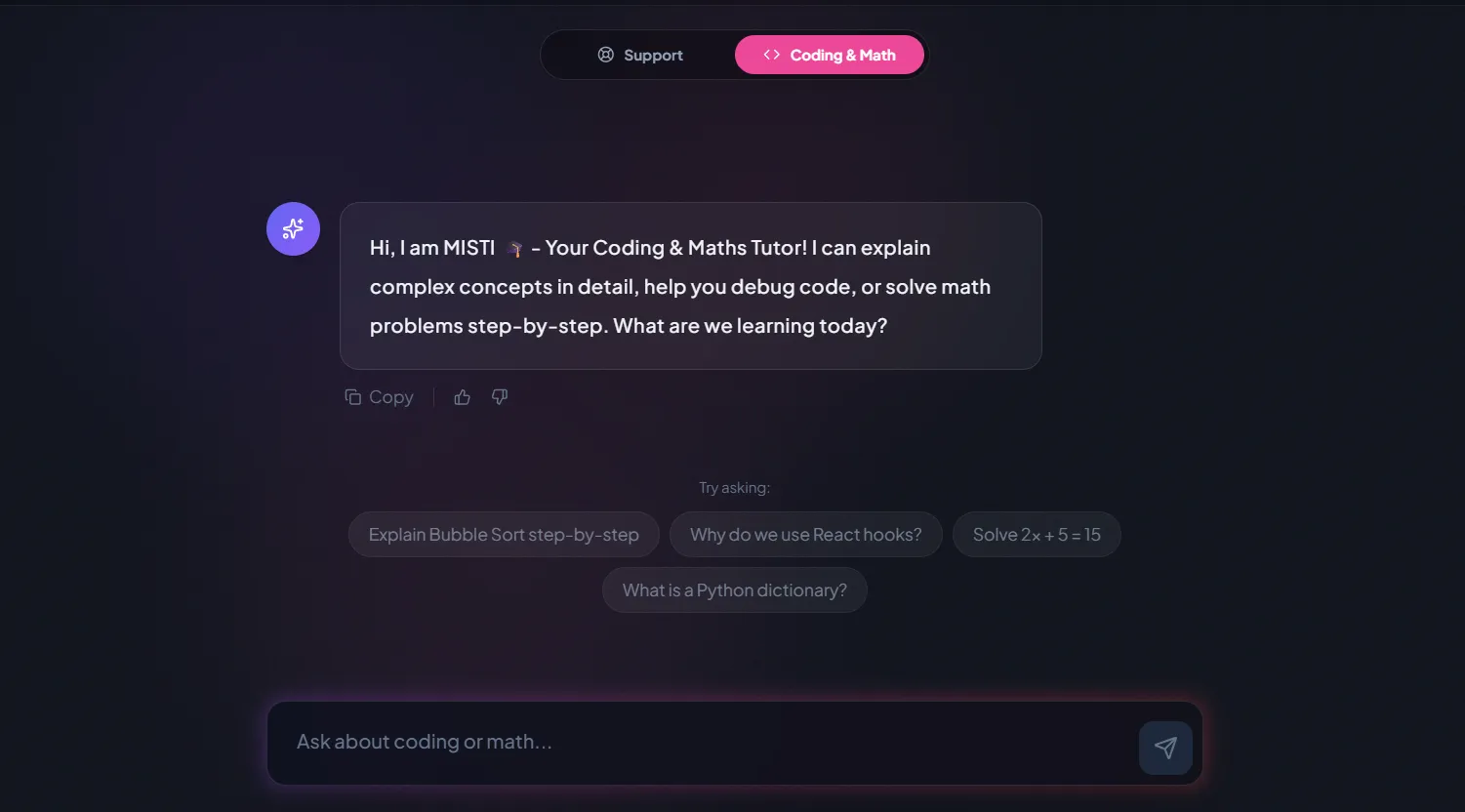
AI and ML
A chatbot that answers mathematics and programming questions, built and deployed by a student.
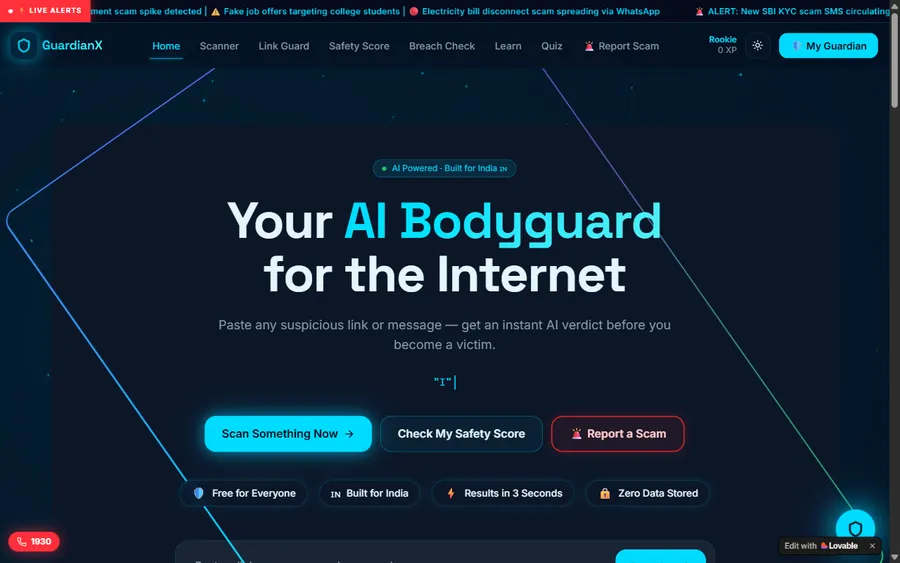
AI and ML
An assistant that helps a young person recognise unsafe situations online.
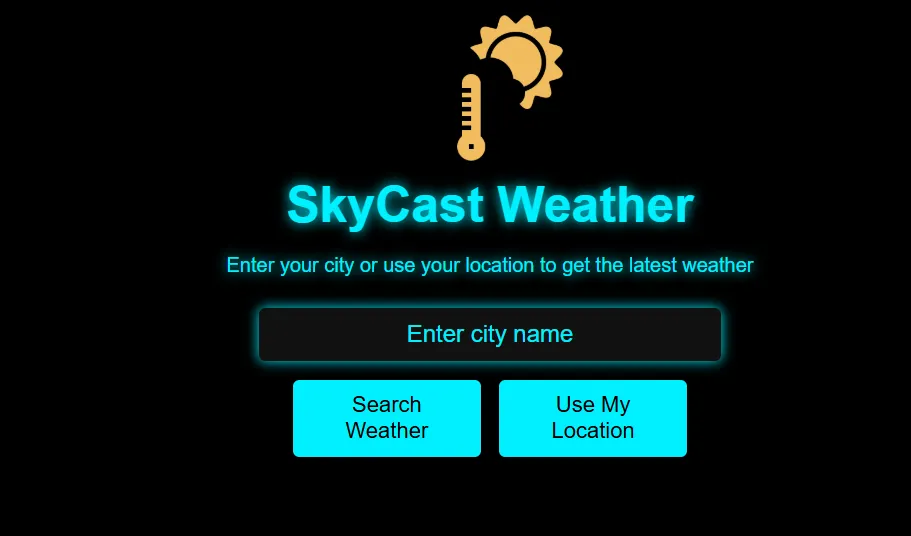
Web app
A weather forecasting site with live conditions for any location.
Fees
Fees are monthly and pay for eight live classes. They appear here in euro, converted at the European Central Bank reference rate, and the payment is collected in US dollars; your bank makes the conversion, so the amount it shows can be a little different.
Free first class
Free
no card required
Group batch
€90
a month, eight live classes, charged in US dollars
One to one
€134
a month, eight live classes, charged in US dollars
What families say
Reviews from Google, in the words students and parents used.
★★★★★
"The one step solution for my son. Modern Age Coders make learning coding so simple that kids love it. The teachers explain complex concepts clearly with practical exercises and interactive content."
Ria Mukherjee
Parent
★★★★★
"Modern Age Coders has been a game-changer for me. I struggled to grasp IT concepts and coding before joining, but their classes transformed everything. I can now confidently write complex programs with ease."
Samriddha Mondal
Student
★★★★★
"One of the most wonderful education centres out there. Education is not limited to school syllabus but focuses on skill development."
Vansh Agarwal
Student
★★★★★
"My child Dhairya is really enjoying the Modern Age Coders classes. This is his first online class and he eagerly looks forward to it. I can already see his improvement, and the teachers are very cooperative."
Sonam Oswal
Parent of Dhairya
★★★★★
"Modern Age Coders have wonderful teachers who teach in a clear, easy and practical way. The teacher boosts students' confidence and inspires them to learn without hesitation."
Sonu Goyal
Parent
★★★★★
"I highly recommend this computer coding class! The teachers are incredibly knowledgeable and passionate about coding."
Ritu Kedia
Parent
Neuss learners ask
No. Classes are live and in English only. The mentor adjusts speed and wording to the learner, gets used to their accent quickly and explains again in simpler words when needed.
Not if it is taught the right way. Children of 8 to 12 learn how a computer can learn from examples through games and sorting tasks, without personal chatbot accounts, alongside ordinary coding in Scratch or Python.
Only within the tool's own terms, which set a minimum of 13 and require a parent's permission under 18. Most teen AI work in our classes is code the learner writes and tests, such as the tree model on this page.
The KMK added AI-related competences to its digital education framework in 2026, and NRW teaches compulsory Informatik in grades 5 and 6. There is no fixed AI timetable; our classes teach alongside school, and the school stays in charge of marks.
Weekdays or weekends, flexible: choose your batch, or for a very personalised plan choose 1-on-1 at your convenience, weekend mornings or weekdays. Pupils tend to choose afternoons, adults early evenings or Saturdays.
In India, teaching live over video. India is four and a half hours ahead of Neuss in winter and three and a half hours ahead in summer.
Yes, through Python. Adults usually spend the first weeks on Python basics and data, then move to machine learning. Many choose one to one so the pace is entirely their own.
A batch has fifteen to twenty learners at a similar level. If you prefer, one-to-one lessons give you two private classes a week at agreed times.
You pay monthly. Fees are shown in euro at the European Central Bank reference rate and taken in US dollars, which your bank converts, so your statement may show a slightly different amount. The first class is free.
A learner's own project can be, if it uses machine learning and meets the rules. The BWKI accepts projects in German or English. We teach the methods but never build the entry for the learner.
Elsewhere on this site
More on coding and AI for Neuss and the rest of Germany.
The NRW rules and dates.
Our AI courses for all of Germany.
AI for pupils, taught alongside school.
The age terms of over a hundred tools.
How we teach thinking first.
Starting later, at your own pace.
Part of the guide: Coding classes in North Rhine-Westphalia
More guides: Coding classes in Lower Saxony · Coding classes in Land Bremen · Coding classes in Hesse · Coding classes in Bavaria · Coding classes in Saxony-Anhalt · Coding classes in Schleswig-Holstein · Coding classes in Baden-Württemberg · Coding classes in Saarland · Coding classes in Rhineland-Palatinate · Coding and maths in Berlin · Coding and maths in Hamburg · Coding classes in Saxony · Coding classes in Thuringia · Coding classes in Brandenburg · Coding classes in Mecklenburg-Vorpommern
Start here
The first class is a short coding task and a conversation about what you, or your child, want from coding and AI. The mentor then suggests a course and a group or one-to-one plan.
Before booking you might read how we teach, or browse all courses.
WhatsApp us · +91 91233 66161 · connect@modernagecoders.com
Lessons come live from mentors in India and are given only in English. The fastest way to ask us something is WhatsApp, in English.
A priority demo is a full class of about 45 to 60 minutes. After the class the mentor sends a written skill report and a personal learning roadmap on WhatsApp. If you enrol, the demo fee is adjusted against your first month's fee. Share your demo Order ID with us on WhatsApp and we take it off.
Book a priority demo