VCA / TEEN / 01
Python for teens
The language to read AI output in.
Open the syllabusGermany · Vibe coding and AI agents · Ages 13 and up
Describe an app in a sentence and an AI assistant will write it. That part is real, and it is why vibe coding caught on. The other part is less often mentioned: the code can look perfect and still be wrong, and the person who asked for it is the only one who can tell. These classes teach both halves, for teenagers and adults in Germany, with every AI tool used inside its own age rules.
Live classes since 2020 · 10,000+ students worldwide · AI writes, the learner checks
Short answer
Modern Age Coders teaches vibe coding and AI agents to learners in Germany live online, in English. Teenagers from 13 build web and Python projects with the AI tools their age permits, and adults from 18 add coding agents such as Codex and Claude Code. Whatever the age, the AI's code gets tested before it is trusted. Learners keep one mentor, who adapts to their pace and accent, alone or with fifteen to twenty others.
Choose by age
The split is by age, because the tools' own terms are. One course for teenagers, two for adults.
VCA / 01
Ages 13 to 17. Python and web projects built with AI help. For learners in Germany under 18 we use only tools whose terms allow their age, never Claude.
Open the syllabus →
VCA / 02
Ages 18 and up. Full-stack projects, AI features and the data structures that let you judge AI-written code.
Open the syllabus →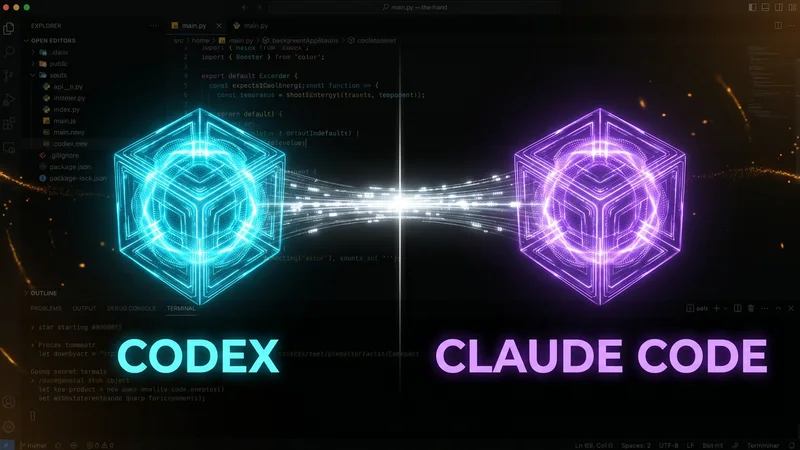
VCA / 03
Adults only. Planning work for Codex and Claude Code, reviewing their changes and testing before anything ships.
Open the syllabus →Honest limits
Vibe coding means describing what you want and letting an AI write the code. AI agents go one step further: they plan, edit several files and run commands on their own. Both are useful. Neither removes the need to understand.
| Task | AI is usually good at | The learner still has to |
|---|---|---|
| Starting a project | A working first version in minutes | Say precisely what "working" means |
| Everyday code | Common patterns, boilerplate, small functions | Spot the case the AI did not think of |
| Fixing errors | Explaining a message, suggesting a fix | Check the fix did not break something else |
| Larger changes by an agent | Edits across many files | Review every change before accepting it |
| Anything with users or money | Drafting the code | Own the result, its security and its mistakes |
An AI assistant predicts plausible code. Plausible and correct are not the same, and the difference shows up in exactly the cases nobody asked about: an empty input, a leading zero, a user who types a space.
A learner who cannot read the code cannot judge it. So every course here still teaches Python, JavaScript and how programs work, with AI as a fast assistant rather than a replacement.
Write down what the program must do before asking for it. Write tests from that description. Read the AI's answer line by line. Run the tests. Ask the AI to explain anything unclear, then check the explanation.
That routine turns vibe coding from a gamble into engineering, and it is the same routine professional teams use with coding agents.
Tool age rules
Each company sets a minimum age in its own terms. For an AI coding class with teenagers, those terms decide which tools are allowed, so we read them first.
| Tool | What the terms say | In our classes |
|---|---|---|
| Claude and Claude Code (Anthropic) | At least 18, or the local age of consent to the service if that is higher | Adults only; never with anyone under 18 |
| Cursor | At least the age of majority in your jurisdiction or 18, whichever is higher | Adults only |
| GitHub, including Copilot | A user must be at least 13; a country's own minimum may be older | From 13, within those terms |
| Python, an editor and a browser | No age limit | Every learner, from the first class |
Sources: Anthropic consumer terms; Cursor terms of service; GitHub Terms of Service. Each read in full on 3 November 2026. Other tools, ChatGPT among them, are covered in our AI tools age guide, with the date each rule was read.
Two of the best-known AI coding tools are for adults only. Anthropic sets 18 as the floor for Claude, and Cursor does the same for its editor. So our teen classes in Germany never use either, whatever a course outline elsewhere may list, and a parent will never be asked to sign up a teenager for them. Teenagers vibe code with tools whose terms allow their age, and with plain Python, which needs no account at all. Our adult agents course uses Claude Code and Codex, and it is open to learners aged 18 and over only.
Worked example, ours
You decide what "right" means before you read the code, and write it down as tests. Here is the exercise our learners do first, on a task that sounds trivial: checking a German postcode.
A form asks for a German postcode. The program should accept any five digits and refuse everything else. That is a format check only; whether the postcode actually exists is another question.
Before anyone looks at code, the learner writes eight test cases: three good codes, one with a leading zero among them, and five bad ones, including a space and an underscore.
The first function below is the kind of answer AI assistants often give. We wrote it ourselves to show the pattern: turn the text into a number, then check the number is between 10000 and 99999.
It is short, readable and looks finished. Most people would accept it.
# The kind of answer an AI assistant often gives (written by us to show a typical mistake)
def valid_postcode_ai(code):
    try:
        n = int(code)
    except ValueError:
        return False
    return 10000 <= n <= 99999

# Our tests, written BEFORE reading the code: input -> the answer we expect
tests = {
    "10115": True, "80331": True, "01067": True,
    "1234": False, "123456": False, "12a45": False,
    " 10115": False, "10_115": False,
}

def check(fn):
    failed = [code for code, want in tests.items() if fn(code) != want]
    print(fn.__name__, "passed", len(tests) - len(failed), "of", len(tests), "| failed:", failed)

check(valid_postcode_ai)
It prints valid_postcode_ai passed 5 of 8 | failed: ['01067', ' 10115', '10_115'].
Three failures, each with a different cause. A code that starts with 0, such as 01067, becomes the number 1067, which is below 10000, so a perfectly valid five-digit code is refused. A code with a space in front is accepted, because Python's int quietly ignores the space. And 10_115 is accepted too, because Python allows underscores between digits in numbers. None of these show up if you test the function with one ordinary postcode, which is what most people do.
def valid_postcode(code):
    # exactly five characters, every one of them an ASCII digit 0 to 9
    return len(code) == 5 and code.isascii() and code.isdigit()

check(valid_postcode)
Run after Version 1. It prints valid_postcode passed 8 of 8 | failed: [].
| Input | AI-style answer | Expected | Why it went wrong |
|---|---|---|---|
| 01067 | Refused | Accepted | Turning text into a number drops the leading zero |
| 10115 | Accepted | Refused | int() ignores spaces around the digits |
| 10_115 | Accepted | Refused | int() allows underscores between digits |
Why does the fixed version also check isascii? Because Python's isdigit accepts digits from other writing systems too, and a German postcode field should not. A learner who asks an AI "is this correct?" about Version 1 may well be told yes. A learner who wrote the eight tests first knows the answer in a second. With agents the lesson scales up: an agent can change twenty files in a minute, and the tests are what tell you whether you can keep them.
Rules in Europe and Germany
It contains an article on AI literacy. Here is what the text says; it is not advice on how it applies to you or your employer.
Article 4 of Regulation (EU) 2024/1689, the AI Act, says that providers and deployers of AI systems must take measures to ensure, as far as they can, a sufficient level of AI literacy of their staff and of other people operating or using AI systems on their behalf. The regulation defines AI literacy as the skills, knowledge and understanding needed to use AI systems in an informed way and to be aware of their opportunities and risks.
Its final article says the regulation applies from 2 August 2026, and that Chapters I and II, which include Article 4, apply from 2 February 2025. We read the text as published in 2024 and did not check later amendments.
For schools, the KMK, the conference of the Länder education ministers, published a recommendation on AI in schools in 2024 and in 2026 added AI-related competences to its framework Bildung in der digitalen Welt.
None of this makes anyone a programmer. It does mean that understanding how AI produces its answers, and when not to trust them, is now treated as a basic skill at school and at work.
Sources: Regulation (EU) 2024/1689, Articles 3(56), 4 and 113, read on 3 November 2026 through the EU Publications Office; KMK, Bildung in der digitalen Welt. We are not lawyers, we give no legal advice, and we are not connected with the European Commission or the KMK.
Class times
Teenagers mostly book after lessons end or on Saturdays and Sundays; adults pick lunchtime, early evening or a weekend morning. India, where the mentors are, is ahead of Germany.
| Germany | India, winter (until 28 March 2027) | India, summer (from 28 March 2027) |
|---|---|---|
| 13:30 | 18:00 | 17:00 |
| 17:45 | 22:15 | 21:15 |
| Saturday 14:00 | 18:30 | 17:30 |
| Sunday 09:15 | 13:45 | 12:45 |
The Einheitenzeitgesetz puts Germany one hour ahead of UTC (MEZ) through the winter and two hours ahead (MESZ) through the summer. Winter time began on 25 October 2026; summer time returns on 28 March 2027. India keeps UTC+5:30 throughout. Example rows only; no group time is promised.
Trial slots are offered in whatever time zone your device uses. Adults working full time often choose one to one, so that a lesson can move when a meeting runs late.
Milestones
Our own milestones for vibe coding and agent work, used to place learners and to report progress.
| Milestone | Often reached | What the learner shows |
|---|---|---|
| 1. Read code | First weeks | Explain, line by line, a short program an AI wrote |
| 2. Test first | Month 1 to 2 | Write tests from a description before reading any code |
| 3. Build with help | Months 2 to 4 | Build a small web or Python project with AI, every test passing |
| 4. Review | Months 4 to 6 | Find and fix the mistakes in AI-written code without being told where they are |
| 5. Agents (18+) | Months 6 and up | Plan work for a coding agent, review its changes and keep the project tested |
If the AI's code passes every test you wrote, write a harder test.
Use only tools your age is allowed. A good mentor will never ask you to break a tool's terms.
An agent's change is a proposal. Read it as if a stranger had written it, because one did.
Keep the tests in the project, not in your head. They are what lets you hand work to an agent safely.
More courses
Live, in English, with a regular mentor, in a group or one to one. Courses marked for adults are for learners aged 18 and over only.
VCA / TEEN / 01
The language to read AI output in.
Open the syllabusVCA / TEEN / 02
Tracking every change, yours or an AI's.
Open the syllabusVCA / TEEN / 03
Logic that no tool can do for you.
Open the syllabusVCA / BUILD / 01
React, Node.js and deployment.
Open the syllabusVCA / BUILD / 02
Scripts and AI services that do real work.
Open the syllabusVCA / BUILD / 03
LLMs, retrieval and agents explained.
Open the syllabusVCA / WORK / 01
Agents on Google's business platform.
Open the syllabusVCA / WORK / 02
Agents for Microsoft 365 teams.
Open the syllabusVCA / WORK / 03
Search, logic and how agents decide.
Open the syllabusHow it works
Weekdays or weekends, flexible: choose your batch, or for a very personalised plan choose 1-on-1 at your convenience, weekend mornings or weekdays.
Midday
Lunchtime slots for adults, from about 13:00 German time.
After school
Late afternoon and early evening for teens.
One to one
A time you agree with your mentor, weekends too.
Every AI answer is checked against tests.
Python and JavaScript taught properly.
Explained again whenever needed.
The same reviewer every week.
No 18+ tools for anyone under 18.
Fifteen to twenty learners, or one.
Student work
Some projects by our students in several countries; more are on the student labs page.
AI and ML
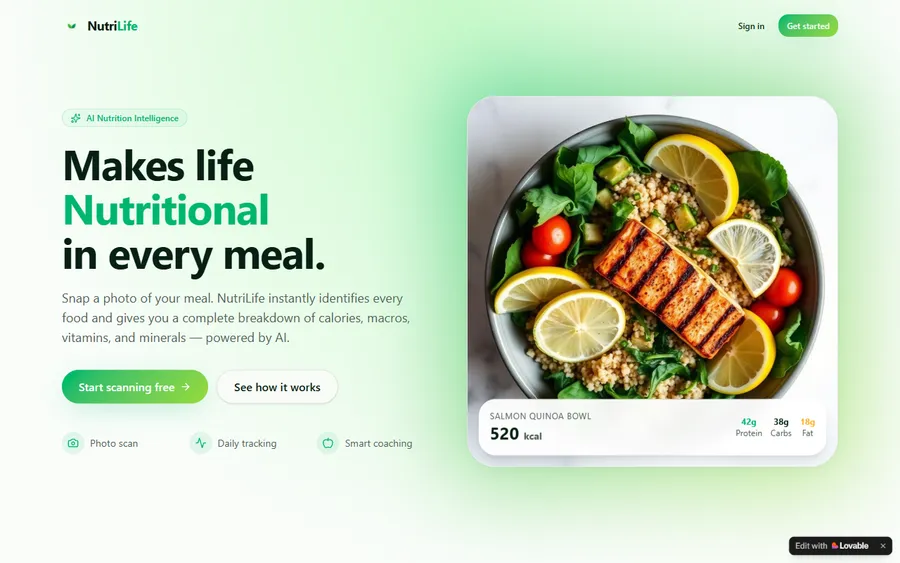
An AI nutrition coach that reads what you eat and works you toward a target.
AI and ML
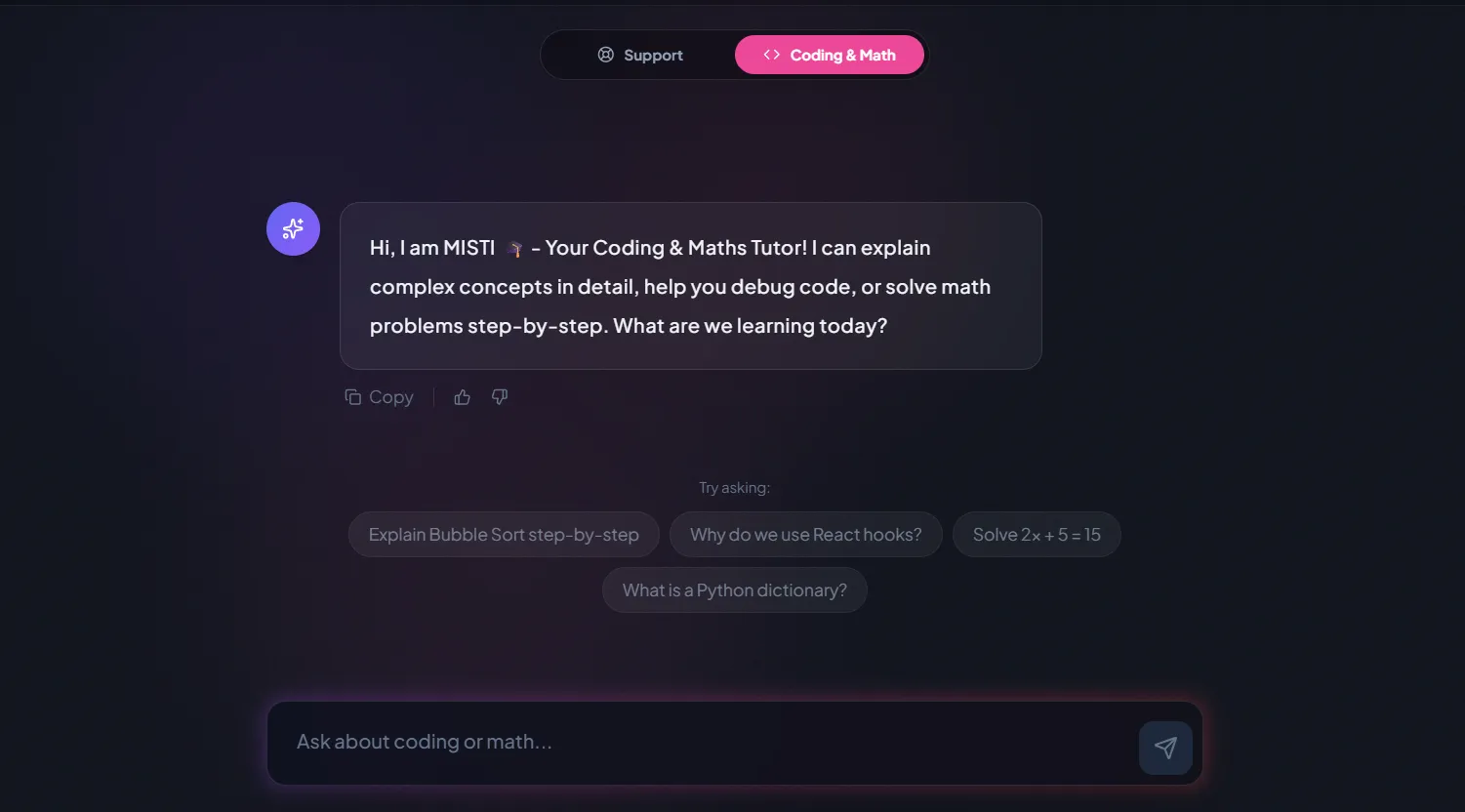
A chatbot that answers mathematics and programming questions, built and deployed by a student.
AI and ML
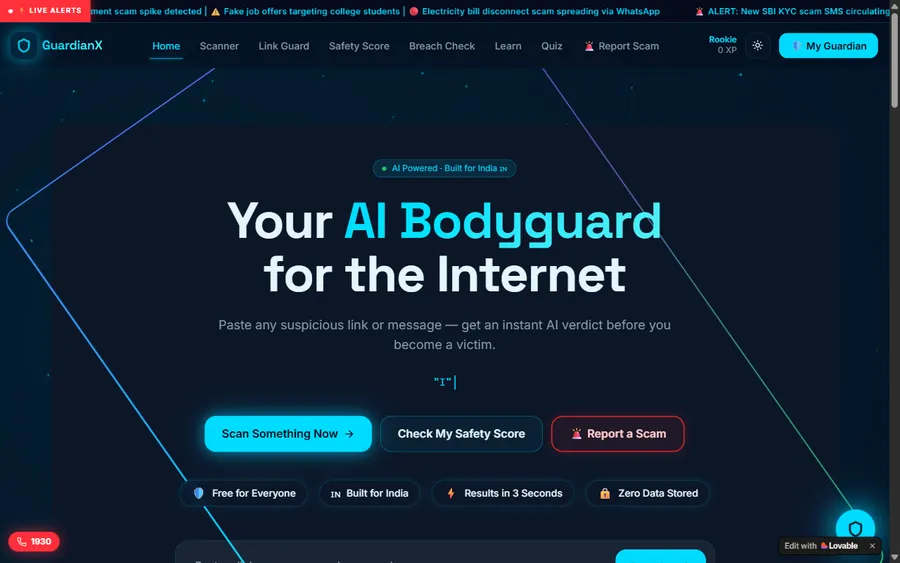
An assistant that helps a young person recognise unsafe situations online.
Web app
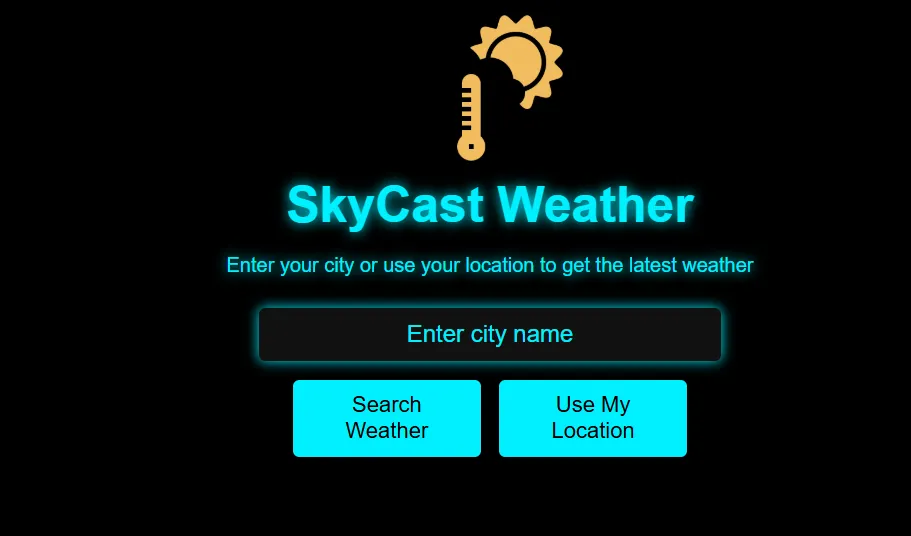
A weather forecasting site with live conditions for any location.
Fees
A month of eight live classes has one fee. We display it in euro at the European Central Bank reference rate and collect it in US dollars, which means your bank handles the conversion and the euro figure on your statement may not match it exactly.
Free first class
Free
no card required
Group batch
€90
a month, eight live classes, charged in US dollars
One to one
€134
a month, eight live classes, charged in US dollars
What families say
Students and parents reviewed us on Google; here are their words, untouched.
★★★★★
"The one step solution for my son. Modern Age Coders make learning coding so simple that kids love it. The teachers explain complex concepts clearly with practical exercises and interactive content."
Ria Mukherjee
Parent
★★★★★
"Modern Age Coders has been a game-changer for me. I struggled to grasp IT concepts and coding before joining, but their classes transformed everything. I can now confidently write complex programs with ease."
Samriddha Mondal
Student
★★★★★
"One of the most wonderful education centres out there. Education is not limited to school syllabus but focuses on skill development."
Vansh Agarwal
Student
★★★★★
"My child Dhairya is really enjoying the Modern Age Coders classes. This is his first online class and he eagerly looks forward to it. I can already see his improvement, and the teachers are very cooperative."
Sonam Oswal
Parent of Dhairya
★★★★★
"Modern Age Coders have wonderful teachers who teach in a clear, easy and practical way. The teacher boosts students' confidence and inspires them to learn without hesitation."
Sonu Goyal
Parent
★★★★★
"I highly recommend this computer coding class! The teachers are incredibly knowledgeable and passionate about coding."
Ritu Kedia
Parent
Learners in Germany ask
No. We teach only in English, always live. Mentors work from India and adjust to how fast you learn and how you speak. Prompts, code and AI tools mostly work in English anyway, so the language of the class matches the language of the work.
Building software by describing what you want to an AI assistant and letting it write the code. It is fast for first versions, and it still needs a person who can read, test and fix the result.
An AI tool that does more than suggest lines: it plans a task, edits several files and can run commands. Codex and Claude Code are examples. Our agents course is for adults aged 18 and over only.
No. Anthropic's terms require users to be at least 18, so we never use Claude or Claude Code with anyone under 18. Cursor's terms also require 18. Teenagers build with tools whose terms allow their age, such as GitHub from 13, and with plain Python.
No. Every course starts with reading and writing real code, because judging AI-written code needs that. Learners who already code are started at a later point once the trial lesson shows their level.
Only after it has been tested. In the exercise on this page, a typical AI-style function passes five of eight tests that were written before reading it. That is normal, and it is why we teach tests first.
Article 4 of Regulation (EU) 2024/1689 asks providers and deployers of AI systems to ensure, as far as they can, a sufficient level of AI literacy among their staff. We describe the text only and give no legal advice.
Weekdays or weekends, flexible: choose your batch, or for a very personalised plan choose 1-on-1 at your convenience, weekend mornings or weekdays. Adults often choose lunchtime or early evening, teens after school.
Fees are shown in euro at the European Central Bank reference rate and charged in US dollars, which your bank converts, so your statement may differ slightly. The first class is free.
A group of fifteen to twenty suits steady learning with others. One to one suits a learner with their own project, a busy job or a specific tool to master within its age rules.
Related
Further pages on AI, tools and learning in Germany.
All our Germany pages.
Building models rather than prompting them.
Minimum ages from each provider's terms.
The same subject for learners in Canada.
School Informatik support, in German.
What happens in a live class.
Start here
The mentor asks what you want to build, gives you a short test-first task and suggests the course that fits your age and goals. In English, at your pace.
Curious about the method? How we teach explains it, and the course list shows everything else.
WhatsApp us · +91 91233 66161 · connect@modernagecoders.com
Teaching happens live over video, in English, with mentors who work from India. For quick questions, message us on WhatsApp in English.
A priority demo is a full class of about 45 to 60 minutes. After the class the mentor sends a written skill report and a personal learning roadmap on WhatsApp. If you enrol, the demo fee is adjusted against your first month's fee. Share your demo Order ID with us on WhatsApp and we take it off.
Book a priority demo