UK / KC1 / 01
Coding for Kids
Scratch to games and apps, grouped by age.
Open the syllabusEngland · Key Stage 1 computing · Years 1 and 2
Computing has been a national curriculum subject from Year 1 since 2014, and the whole of the Key Stage 1 programme fits in six sentences. A child of six or seven should learn what an algorithm is, write and fix simple programs, predict what a program will do before running it, use technology to make things, notice computers in the world around them, and keep personal information private. None of that needs an expensive kit, and a good deal of it is best learned with a pencil, a floor and a patient adult. This page explains each sentence in plain words, what Ofsted's research review says about unplugged activities and block coding, what is changing in 2028, and how our live lessons teach six and seven year olds.
Live teaching since 2020 · 10,000+ students · From the national curriculum, Ofsted's research review and the 2025 Review
In short
KS1 computing is the Key Stage 1 programme of the national curriculum in England, taught in Years 1 and 2. Children learn that algorithms are precise and unambiguous instructions, create and debug simple programs, use logical reasoning to predict what a program will do, make digital content, and use technology safely. Computing is statutory from Key Stage 1, and a revised curriculum starts in September 2028. Modern Age Coders teaches live block-coding lessons online from age 6, in a group of 15 to 20 or 1-on-1, through Coding for Kids. The first class is free.
Courses for ages 6 and 7
Coding for Kids is the main course. Scratch is a shorter way in, and the reasoning course suits a child who loves puzzles more than screens.
KC / 01
For complete beginners aged 6 to 12, grouped by age, starting with first steps in Scratch.
Open the syllabus →
KC / 02
Three months from zero to small games, for ages 6 to 12.
Open the syllabus →
KC / 03
Patterns, sequences and spatial puzzles for ages 6 to 9, much of it off the screen.
Open the syllabus →The six sentences
The statutory programme for Key Stage 1 is six statements. Three are about programming, three are about using technology well. Here is each one with what it looks like for a six year old.
| Statement (DfE, statutory) | In plain words (ours) | A six year old might |
|---|---|---|
| Understand what algorithms are; how they are implemented as programs on digital devices; and that programs execute by following precise and unambiguous instructions | An algorithm is a set of steps. A program is those steps written for a computer, which does exactly what it is told and nothing else | Give a friend step-by-step directions across the playground, then type the same steps for an on-screen character |
| Create and debug simple programs | Make a short program, then find and fix what goes wrong | Build a three-block program, see the character walk off the edge, and change one number |
| Use logical reasoning to predict the behaviour of simple programs | Say what will happen before pressing go | Point to where the character will stop, then run it to check |
| Use technology purposefully to create, organise, store, manipulate and retrieve digital content | Make something on a device, save it, find it again and change it | Draw a picture, save it with a name, reopen it next lesson and add to it |
| Recognise common uses of information technology beyond school | Notice computers in everyday life | Spot the computer in a self-service till, a traffic light or a washing machine |
| Use technology safely and respectfully, keeping personal information private; know where to go for help | Keep your name, school and address to yourself online, and tell an adult if something worries you | Sort a set of cards into "fine to share" and "keep private" |
The national curriculum frames all of this with an ambitious purpose: "A high-quality computing education equips pupils to use computational thinking and creativity to understand and change the world." Its aims for the whole of school name the big ideas, "abstraction, logic, algorithms and data representation". In Key Stage 1 those ideas arrive in their simplest form: instructions that must be precise, and the habit of checking whether a program did what you meant.
The 2025 Curriculum and Assessment Review puts it simply: "Computing is a statutory foundation subject from Key Stages 1 to 4." Maintained schools must teach the programme in Years 1 and 2.
Ofsted's computing review adds the starting point: computing "is not part of the latest statutory framework for the early years foundation stage, but is part of the national curriculum from Year 1."
The Year 2 maths programme suggests children practise quarter, half and three-quarter turns by giving each other instructions, and by programming robots with turns in right angles.
So the same lesson can serve two subjects: a child directing a floor robot is doing both geometry and computing.
Sources: Department for Education, Computing programmes of study: key stages 1 and 2, published September 2013; DfE, Curriculum and Assessment Review Final Report, November 2025; Ofsted, Research review series: computing, May 2022. All read on 31 October 2026. The middle and right-hand columns of the table are ours.
Off the screen
Not for all of it. Ofsted's research review says unplugged activities can help at the early stages, with one important warning about how they are chosen.
Unplugged means teaching computing ideas without a computer. Ofsted's 2022 review describes the approach and its value for young children: "Unplugged activities can be useful in introducing computing concepts to pupils at the early stages of their computing education." It is also careful. Teachers "should pay careful attention to how the activity will contribute to achieving curriculum goals", and the review warns that "unplugged activities to teach pupils about algorithms can be ambiguous", which defeats the point, since an algorithm is meant to be exact. A good unplugged game for a six year old is one where a vague instruction visibly fails.
| Activity (ours) | You need | What happens | Statement it practises |
|---|---|---|---|
| Robot Parent | One adult, one living room | The child gives instructions to walk the adult to the sofa. The adult follows them exactly, so "go over there" gets nowhere. | Precise and unambiguous instructions |
| Arrow Trail | Paper squares and a toy | Lay a path of arrow cards on the floor; the toy follows them square by square. One arrow is wrong: find it. | Create and debug |
| Where Will It Land? | A grid drawn on paper, a counter | Read out three moves; the child points to the finishing square before moving the counter to check. | Predict the behaviour of a program |
| Computer Spotting | A walk to the shops | Count the computers you can see: tills, card readers, lights, doorbells, the car. | Uses of IT beyond school |
| Private or Fine? | Cards with a pet's name, a favourite colour, a home address, a school name | Sort them into two piles and talk about why. | Keeping personal information private |
The curriculum says programs run by "following precise and unambiguous instructions". Children usually find this funny the first time an adult robot walks into a wall because the instruction said "forward" and never said "stop".
That laugh is the lesson. It is the same reason an on-screen character walks off the edge.
Ofsted notes that "Several studies have demonstrated that young pupils are able to wrestle successfully with the core concepts of computing", including programming.
In our experience six year olds handle short sequences and simple bugs well. Long programs and abstract ideas come later.
Blocks and apps
Block-based tools are the normal choice in primary schools, and Ofsted explains both why they help and where they fall short.
Ofsted observes that "It is common for block-based languages such as Scratch to be used in primary schools". Blocks snap together, so a child cannot make a typing mistake, and the review agrees they "reduce the need to memorise syntax". It then adds the part parents rarely hear: they "do not necessarily help pupils with the semantic and conceptual difficulties". A child can drag blocks around until something moves without understanding why. That is why we ask children to predict and explain, not just to build.
| Tool | What its maker says | Good for | Watch out for |
|---|---|---|---|
| ScratchJr | "young children (ages 5 to 7) can program their own interactive stories and games" | A free tablet app for Year 1 and Year 2 stories at home | Easy to play with randomly; ask what each block will do first |
| Scratch | A free block-based language used widely in primary schools | Six and seven year olds ready to read short block labels with help | More blocks than a beginner needs; a teacher helps choose a few |
| A floor robot or a toy with arrow buttons | Varies by maker | Directions, turns and debugging in a real room | Can become a toy only; tie it to a task with a clear goal |
| Paper and a grid | Costs nothing | Prediction and precise instructions | Needs an adult to play the computer strictly |
Our Coding for Kids course uses Scratch from the first lesson, with short sessions and a teacher who keeps the block palette small. ScratchJr is a lovely free tool for the days between lessons, and we often suggest it to families with a tablet. For older primary children, our KS2 coding page covers variables, selection and repetition, which arrive in Years 3 to 6.
The government's response to the Review commits to a revised national curriculum, aiming to publish it "by spring 2027" and to "fully implement the new full national curriculum for first teaching from September 2028".
For computing it says: "Through the reformed curriculum, pupils will know from a young age how computers can be trained using data and they will learn essential digital skills such as AI literacy."
Today's six sentences still apply for this school year and next. The new programme was not yet published when we read the sources in October 2026, so we do not guess its wording.
Precise instructions, debugging and prediction will matter under any version, which is why we teach them first.
Sources: Ofsted, Research review series: computing, May 2022; ScratchJr, scratchjr.org; DfE, Curriculum and Assessment Review Final Report: government response, November 2025. Read on 31 October 2026. We are not affiliated with ScratchJr, Scratch or any toy maker.
Worked examples
Our own examples, in the order we would teach them. Each one names the statutory idea it serves.
Task (ours). Write the steps to put a teddy in a box: "Pick up teddy. Put teddy in box."
Test. An adult follows the steps exactly and holds teddy above the box forever, because "put in" never said "let go".
Fix. "Pick up teddy. Move teddy over the box. Let go."
The idea. Precise and unambiguous instructions. The program did what it said, not what we meant.
Task (ours). A mouse starts in the bottom-left square of a 4 by 4 grid, facing up. The cheese is two squares up and one square right.
Program. Forward 2. Turn left. Forward 1.
Bug. The mouse ends up off the grid on the left. Which step is wrong? The turn: it should be right.
The idea. Debugging means finding the one step that differs from the plan, not starting again.
Task (ours). A character stands in the middle of the stage. The program: move 10 steps, move 10 steps, turn around, move 10 steps.
Predict. Ask: "Where will it stop?" Most children point too far right the first time.
Reason. Twenty steps right, then ten steps back: it ends ten steps right of where it started.
The idea. "Use logical reasoning to predict the behaviour of simple programs", in the curriculum's words. Running it is the check.
Task (ours). A program draws a square with: forward, turn, forward, turn, forward, turn, forward, turn.
Notice. "Forward, turn" happens four times.
Shorter. Repeat 4 times: forward, turn.
The idea. Repetition is a Key Stage 2 statement, but a confident Year 2 child often spots it. We let them, without rushing it.
Task (ours). Sort: your favourite animal, your full name, your school, the colour of your bike, your street.
Talk. Favourite animal and bike colour are fine. Full name, school and street help a stranger find you, so they stay private.
The idea. "Keeping personal information private", and knowing to tell a trusted adult if something online feels wrong.
(1) Fix this: "Draw a face" as an algorithm for someone who has never seen one. (2) Forward 3, turn right, forward 1, from the bottom-left facing up: which square? (3) A program says move 5 three times; how far altogether? (4) Name two computers in a kitchen.
Answers: (1) many answers, such as "Draw a circle. Draw two dots near the top. Draw a curve below them."; (2) three up and one right; (3) 15 steps; (4) for example a microwave and a fridge with a display.
Our KS1 lessons
Short, practical and spoken aloud. The child builds on screen, but the teacher keeps asking them to predict and explain.
A group of 15 to 20 children of a similar age suits a child who reads simple words and enjoys showing their work.
1-on-1 suits a child who is just turning six, who needs help with the mouse, or who wants to go further faster.
Leave a six year old alone with a screen for long. We ask for an adult in the house, nearby, during lessons.
Use tools meant for older users, such as general AI chatbots, with Key Stage 1 children, or claim any link with a school or the Department for Education.
Progress
Each step is something a child can show you, not a level on a chart.
| Step | Usually by | What it looks like |
|---|---|---|
| 1. Exact instructions | Early Year 1 | Gives three clear steps to move a person or toy to a target |
| 2. Short programs | Late Year 1 | Builds a sequence of four or five blocks that does one job |
| 3. Finding the bug | Year 2 | Spots which single step is wrong and changes only that one |
| 4. Predicting | End of Year 2 | Says where a character will stop before running the program, and explains why |
A child who fixes one step instead of starting over has understood that programs are made of parts.
For the road beyond Year 2, the coding roadmap shows each stage.
Prediction is the root of reasoning about variables and selection later.
Lessons can pause during school holidays.
Catalogue
Coding first, then thinking skills and the maths that sits beside early computing.
UK / KC1 / 01
Scratch to games and apps, grouped by age.
Open the syllabusUK / KC1 / 02
Three months to a first small game.
Open the syllabusUK / KC1 / 03
Simple apps from blocks, a step after Scratch.
Open the syllabusUK / KC2 / 01
Pattern and spatial reasoning for ages 6 to 9.
Open the syllabusUK / KC2 / 02
Breaking problems into steps, from age 7.
Open the syllabusUK / KC2 / 03
For a slightly older child, from age 7.
Open the syllabusUK / KC3 / 01
Turns, directions and number, with objects first.
Open the syllabusUK / KC3 / 02
Quick number sense for ages 5 to 10.
Open the syllabusUK / KC3 / 03
Counting and patterns for the youngest.
Open the syllabusLessons
Weekdays or weekends, flexible: choose your batch, or for a very personalised plan choose 1-on-1 at your convenience, weekend mornings or weekdays. Our teachers are in India and every time slot is shown in UK time, with shorter lessons for younger children.
After school
A short session once homework is done.
Early evening
Before bath and bedtime.
Weekend morning
For longer, calmer projects.
Every lesson opens with a paper or floor activity before the mouse.
Children say what will happen before they press go.
The teacher asks questions; the child finds the bug.
Only the blocks a lesson needs, so the screen stays simple.
Someone at home and reachable, for a child of six or seven.
A group of 15 to 20, or a teacher for one child.
Student work
A few games and animations from ordinary lessons, none of them assessed. Student labs keeps the rest.
AI and ML
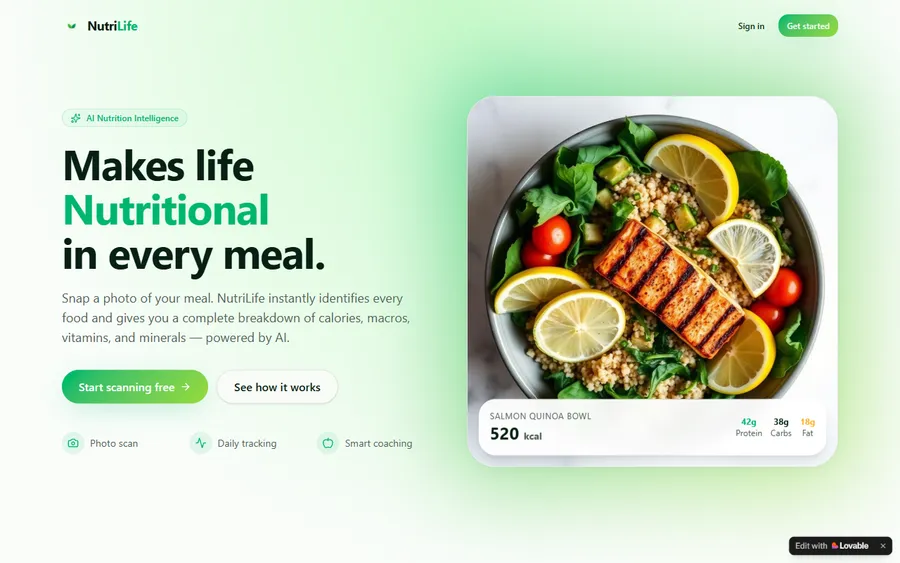
An AI nutrition coach that reads what you eat and works you toward a target.
AI and ML
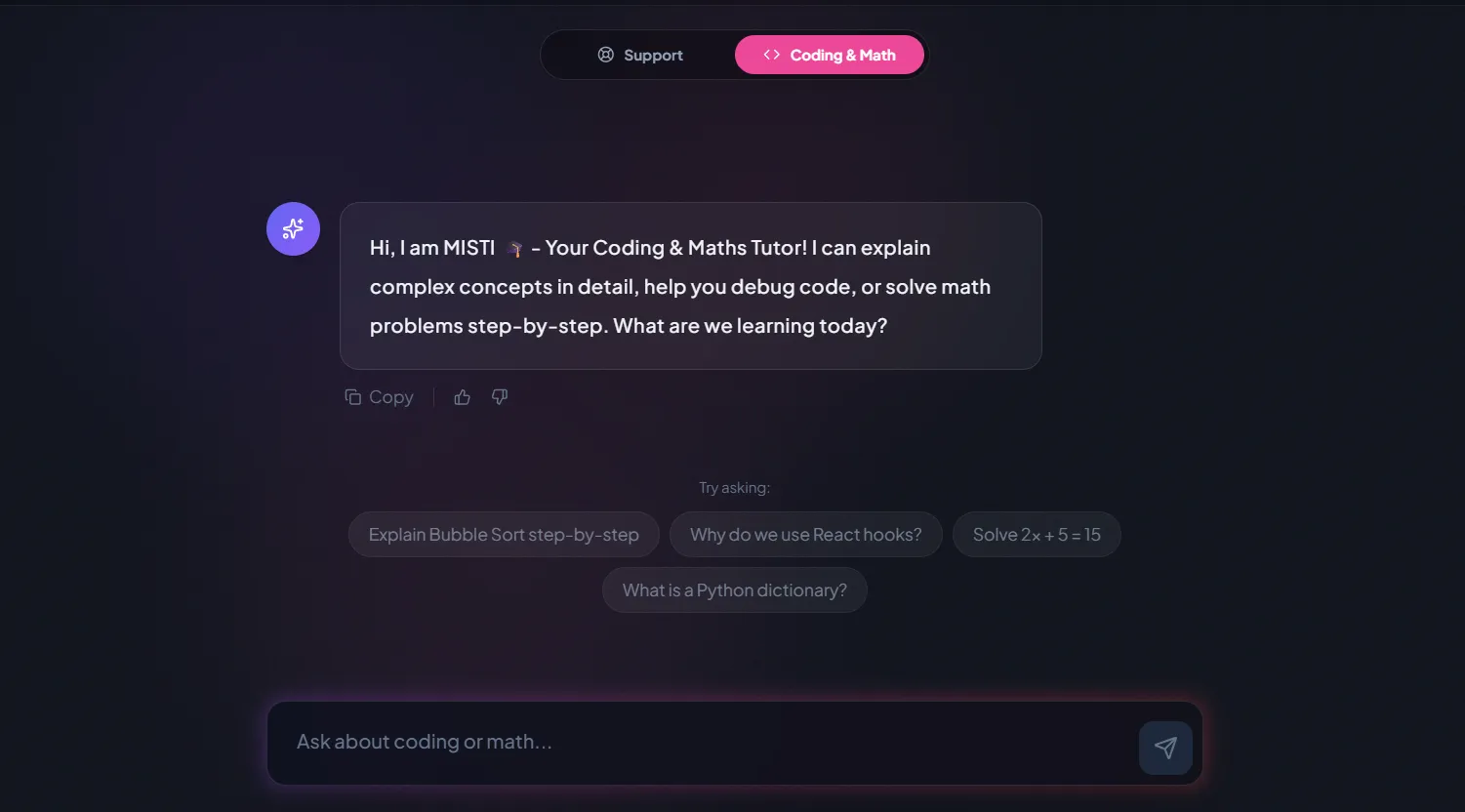
A chatbot that answers mathematics and programming questions, built and deployed by a student.
AI and ML
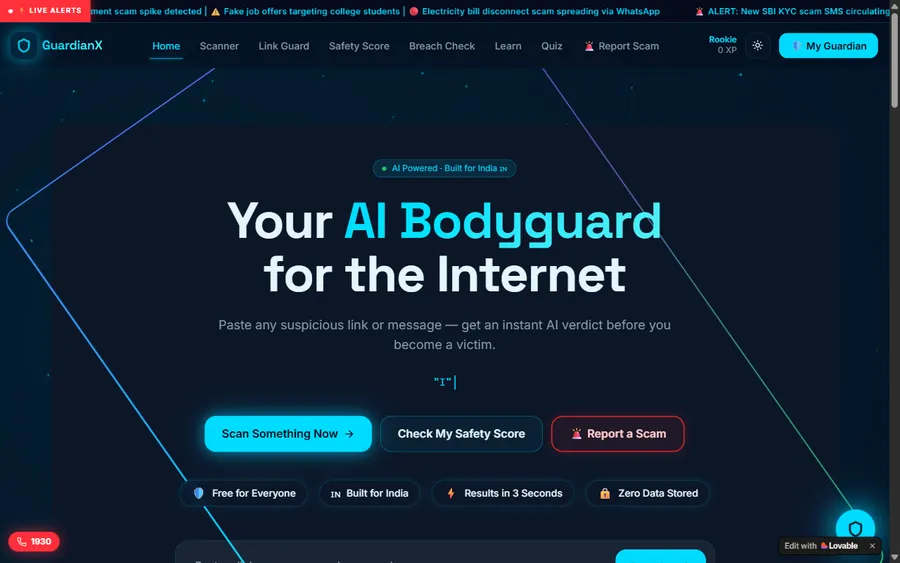
An assistant that helps a young person recognise unsafe situations online.
Web app
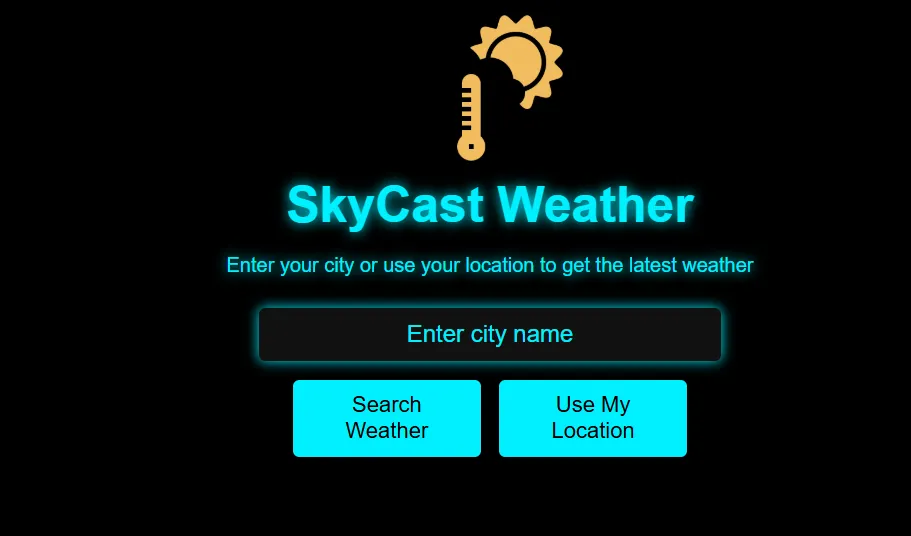
A weather forecasting site with live conditions for any location.
Fees
Your child's first lesson is free. Then there is one monthly fee, with a group place costing less than 1-on-1; billing starts only once the course and a weekly slot are agreed, and you can stop at any time.
Free first class
USD 0
no card required
Group batch
USD 100
a month, billed in US dollars
One to one
USD 150
a month, billed in US dollars
What families say
Parents' reviews from Google, copied as written.
★★★★★
"The one step solution for my son. Modern Age Coders make learning coding so simple that kids love it. The teachers explain complex concepts clearly with practical exercises and interactive content."
Ria Mukherjee
Parent
★★★★★
"Modern Age Coders has been a game-changer for me. I struggled to grasp IT concepts and coding before joining, but their classes transformed everything. I can now confidently write complex programs with ease."
Samriddha Mondal
Student
★★★★★
"One of the most wonderful education centres out there. Education is not limited to school syllabus but focuses on skill development."
Vansh Agarwal
Student
★★★★★
"My child Dhairya is really enjoying the Modern Age Coders classes. This is his first online class and he eagerly looks forward to it. I can already see his improvement, and the teachers are very cooperative."
Sonam Oswal
Parent of Dhairya
★★★★★
"Modern Age Coders have wonderful teachers who teach in a clear, easy and practical way. The teacher boosts students' confidence and inspires them to learn without hesitation."
Sonu Goyal
Parent
★★★★★
"I highly recommend this computer coding class! The teachers are incredibly knowledgeable and passionate about coding."
Ritu Kedia
Parent
KS1 computing questions
Six statutory statements: what algorithms are and that programs follow precise instructions, creating and debugging simple programs, predicting what a program will do, making and saving digital content, noticing technology beyond school, and staying safe online.
A set of steps to do a job, written so exactly that someone, or a computer, could follow them without guessing. Brushing teeth or getting to the classroom door can both be algorithms.
Yes for schools following the national curriculum. The 2025 Curriculum and Assessment Review states that computing is a statutory foundation subject from Key Stages 1 to 4.
A revised national curriculum is planned for first teaching from September 2028. The government says pupils will learn from a young age how computers can be trained using data, but the new wording was not yet published when we checked.
Games where a child gives an adult exact instructions, arrow paths on the floor with one deliberate mistake to find, and predicting where a counter will land on a paper grid. They need no screen at all.
Its makers describe it for ages 5 to 7, and it is free. It works well alongside lessons, especially if you ask your child what each block will do before they run it.
From age 6, which covers most children in Year 1 and every child in Year 2. Coding for Kids is listed for complete beginners aged 6 to 12, grouped by age.
No. A computer or laptop with a browser is enough for our lessons, and the home activities on this page use paper, toys and a floor.
Weekdays or weekends, flexible: choose your batch, or for a very personalised plan choose 1-on-1 at your convenience, weekend mornings or weekdays. Every time is in UK time.
No. Modern Age Coders is an independent online school. We are not connected with schools, Ofsted, the Department for Education, ScratchJr or Scratch.
Primary coding
The years that follow, and other ways to start.
Years 3 to 6: variables, selection and repetition.
Our Scratch page, for children ready to build games.
What to look for when comparing providers.
From first blocks to real programming languages.
Friendly contests for later in primary school.
Every UK page we publish.
Part of the guide: UK maths enrichment, competitions and able pupils
More guides: UK maths exam boards and specification codes · UK maths year by year, Reception to Year 11 · UK selective school maths tests: 7+, 11+, 13+ and 16+ · UK university admissions: maths tests and computing applications
Start here
Share a phone number and we will ring at a UK time that fits round school. Your child writes a real two or three block program in the first lesson, and you hear honestly whether regular lessons suit them yet.
Want to look first? The Coding for Kids course lists every month and week, and how we teach describes a lesson.
WhatsApp us · +91 91233 66161 · connect@modernagecoders.com
WhatsApp is the fastest way to reach us and costs nothing from a UK phone. Replies come from our team in India on a +91 number.
A priority demo is a full class of about 45 to 60 minutes. After the class the mentor sends a written skill report and a personal learning roadmap on WhatsApp. If you enrol, the demo fee is adjusted against your first month's fee. Share your demo Order ID with us on WhatsApp and we take it off.
Book a priority demo