CAO / KIDS / 01
Coding for Kids
From Scratch blocks to small apps.
Open the syllabusOldenburg (Oldb) · Coding and AI · Every age
Learning AI can mean three different things: using the tools well, building a model yourself, and judging whether a model's answer deserves trust. A primary child, a Gymnasium pupil and an adult in Oldenburg each start at a different one of those. This page explains the three layers, how our live classes in English take each age through them, what Niedersachsen schools now teach in Informatik, and a project on the Oldenburg lock where a program spots six strange years and a person has to work out why.
Teaching live online since 2020 · 10,000+ students worldwide · one mentor per learner, always in English
In short
Modern Age Coders offers coding and AI classes to Oldenburg learners of every age, live online in English: AI Literacy for Kids and Scratch for children, Python and Data Science for Teens, and Generative AI and machine-learning courses for adults. Each learner keeps one mentor, based in India, who matches their pace and accent, in a class of fifteen to twenty or one to one. Niedersachsen makes Informatik compulsory only in grades 9 and 10.
Three first courses
Each course starts at the layer that fits the age: understanding for children, building for teenagers, applying and judging for adults.
CAO / 01
Eight to fourteen. How a machine learns from examples, why it gets things wrong, and how to tell, all without any adult chatbot account.
Open the syllabus →
CAO / 02
Teenagers who already know a little Python move on to real data files, charts and first models, such as the lock detector on this page.
Open the syllabus →
CAO / 03
Adults who want to know what is inside the chat tools they use at work: language models, retrieval, agents and their limits.
Open the syllabus →Three layers of AI
We split it into three layers. Most courses online teach only the first. Our classes reach the second and third, because that is where understanding starts.
Knowing what a tool can and cannot do, asking it well, and checking what comes back. For adults this includes the chat assistants used at work. For children it means age-appropriate tools only, and never an adult account.
Writing a small model yourself in Python: a program that learns from examples, a rule that flags strange values, a guess that improves with data. This is where coding and AI meet, and it is the heart of every course.
Deciding whether a result is right, and saying why. A model that flags a year as unusual has not explained anything yet. The judging layer is the one that makes a learner hard to fool, by a machine or a headline.
| Age | Starting layer | A first piece of work |
|---|---|---|
| 6 to 8 | Build, with blocks | A Scratch game that changes when you press a key |
| 8 to 12 | Use and build | Sorting pictures by rules, then letting a program find the rule |
| 13 to 15 | Build | A Python program that reads a file and flags odd values |
| 16 to 18 | Build and judge | A small model tested on data it has never seen |
| Adults | Use, build and judge | An anomaly detector on real data, with every flag explained |
A parent and a child can learn at the same time on different courses. Some families in Oldenburg book a group course for a child and a one-to-one course for an adult who wants to understand the AI tools arriving at work.
Lower Saxony schools
Since 2024/25 every pupil in Niedersachsen has compulsory Informatik, but only in two school years. The figures below are from the Gesellschaft für Informatik and the KMK, read on 2 November 2026.
The Informatik-Monitor 2026/27 records that at all general school types in Niedersachsen, Informatik has been a compulsory subject in grades 9 and 10 since the 2024/25 school year. Before grade 9, there is no fixed Informatik lesson for every pupil.
That means an Oldenburg child can go from age 6 to about 14 without regular computing at school, the years in which coding habits are easiest to form.
Niedersachsen's Gymnasium follows the nine-year route: grade 11 is the Einführungsphase and grades 12 and 13 the Qualifikationsphase. Informatik is a course a pupil can choose there.
Few do. On its national page the monitor names Niedersachsen, with Baden-Württemberg and Bremen, as the Länder where only about one Oberstufe pupil in twelve takes Informatik.
| Grades | Informatik |
|---|---|
| 1 to 4, Grundschule | No compulsory lesson |
| Grades 5 to 8 | No compulsory lesson |
| 9 and 10 | Compulsory at all general school types, since 2024/25 |
| 11 to 13, Oberstufe | A chosen course; about one pupil in twelve takes it |
Sources: Gesellschaft für Informatik, Informatik-Monitor 2026/27, Niedersachsen page and national overview, read 2 November 2026. In 2026 the KMK also updated its framework Bildung in der digitalen Welt with AI-related competences. We have no connection with the Gesellschaft für Informatik, the KMK or the Niedersachsen ministry, and our classes run beside school; marks come only from the school.
| Holiday | Dates |
|---|---|
| Herbstferien | 12 to 24 October 2026 |
| Weihnachtsferien | 23 December 2026 to 9 January 2027 |
| Winterferien | 1 and 2 February 2027 |
| Osterferien | 22 March to 3 April 2027 |
| Single days | 7 May and 18 May 2027 |
| Sommerferien | 8 July to 18 August 2027 |
Source: KMK, Ferienkalender 2026/27, Stand 9 October 2025. Lessons continue in the holidays for anyone who wants them.
Pupils who want to take an AI or coding project further can enter Jugend forscht, which runs for ages up to 21 and, as Jugend forscht junior, from grade 4 to age 14. Registration closes on 30 November each year, regional contests follow in February and the national final in May. We help with skills, never with writing a pupil's entry, and we are not connected to the organisers.
Live, in English
All teaching is live and in English only. For many learners that is a second benefit, not a barrier.
We do not offer lessons in German. Families should know that before they book, so it is the first answer in the questions at the bottom of this page too.
Mentors speak clearly and adjust: slower and simpler for an eight year old, technical and brisk for a software tester. They get used to each learner's accent within a few classes.
Almost every AI tool, library, paper and error message is written in English. A learner who studies AI in English reads the documentation of tomorrow's tools without translating.
Mentors teach from India over live video. A learner keeps the same mentor for the whole course, so the mentor knows which explanations worked last time and which project comes next.
A real Oldenburg project
Stadt Oldenburg publishes how many ships passed its lock each year since 1987. Our teenagers and adults use it to build the simplest kind of anomaly detector, and to learn the most important rule about such systems: a flag is a question, not an answer.
The dataset Schleuse Oldenburg seit 1987 lists, for each year, ships travelling up (Bergfahrt, coming from the Weser) and down (Talfahrt, heading to the Weser), how many were loaded, the cargo in tonnes, and a total. It is published by Stadt Oldenburg under the Datenlizenz Deutschland Namensnennung 2.0. We downloaded the file on 3 November 2026.
The city notes that there are no figures for 2019, so that row is empty. We keep the file as published and call it schleuse_oldenburg.csv.
An anomaly detector learns what normal looks like and flags whatever is far from it. Here, normal is the usual change in the number of ships from one year to the next. For each year we measure how many spreads it sits from the usual change: its z-score.
Anything more than 1.5 spreads away gets flagged. The same idea, with far more data, sits behind systems that flag unusual card payments or a sensor that suddenly reads too high.
import csv
from statistics import mean, pstdev

ships = {}
with open("schleuse_oldenburg.csv", encoding="utf-8") as table:
    for row in csv.reader(table, delimiter=";"):
        if row[0].isdigit() and row[7] != "":
            ships[int(row[0])] = int(row[7])        # column 8: ships in total

print("Years with data:", len(ships), "from", min(ships), "to", max(ships))

change = {}
for year in ships:
    if year - 1 in ships:
        change[year] = 100 * (ships[year] - ships[year - 1]) / ships[year - 1]

centre = mean(change.values())
spread = pstdev(change.values())
print("Typical yearly change:", round(centre, 1), "%  spread:", round(spread, 1))

for year in sorted(change):
    z = (change[year] - centre) / spread
    if abs(z) > 1.5:
        print("Unusual:", year, round(change[year], 1), "%  z =", round(z, 1))
It prints Years with data: 38 from 1987 to 2025, Typical yearly change: -2.0 % spread: 8.7, then six flags, among them Unusual: 1988 11.5 % z = 1.5, Unusual: 1994 -17.1 % z = -1.7 and Unusual: 2025 13.3 % z = 1.8.
Ship numbers fell by about 2 percent a year on average, from 6,344 in 1987 to 2,671 in 2025. The detector flags 1988, 1994, 2003, 2010, 2024 and 2025. The program cannot say why any of them is unusual. That is the judging layer, and it belongs to the learner.
with open("schleuse_oldenburg.csv", encoding="utf-8") as table:
    for row in csv.reader(table, delimiter=";"):
        if row[0] in ("1993", "1994", "1995"):
            up, down, total = int(row[1]), int(row[4]), int(row[7])
            print(row[0], "up", up, "+ down", down, "=", up + down, " total column:", total)
Run after Step 1. It prints 1993 up 3499 + down 3776 = 7275 total column: 7275, 1994 up 3757 + down 4039 = 7796 total column: 6033 and the same check for 1995, which agrees.
In 1993 and 1995 the ships going up and the ships going down add up exactly to the total. In 1994 they add up to 7,796, but the total column says 6,033. The file does not say which figure is right, so we do not either. What we can say is that the 1994 flag may come from the bookkeeping rather than the canal: measured with the two directions, 1994 would be a rise of about 7 percent, an ordinary year.
| Year | Change in ships | z-score | What we found |
|---|---|---|---|
| 1988 | +11.5 % | 1.5 | A rise after 1987; nothing odd in the file |
| 1994 | -17.1 % | -1.7 | Up plus down does not match the total |
| 2003 | +14.0 % | 1.8 | A rise; the parts match |
| 2010 | -16.3 % | -1.6 | A real drop: up and down both fell |
| 2024 | -15.8 % | -1.6 | A real drop: up and down both fell |
| 2025 | +13.3 % | 1.8 | A recovery after 2024 |
Data: Stadt Oldenburg (Oldb), Schleuse Oldenburg seit 1987, licence Datenlizenz Deutschland Namensnennung 2.0, downloaded 3 November 2026. The z-scores, the 1.5 threshold and the checks are our own. A second, smaller mismatch exists in 2005, where the two directions add up to 18 ships more than the total. The cargo per ship rose from about 472 tonnes in 1987 to about 510 tonnes in 2025, also our calculation. We make no claim about the causes of any change.
Times
You choose. Afternoons and early evenings in Oldenburg fall in the Indian evening, and weekend mornings are midday there.
| Oldenburg | India in winter (to 28 March 2027) | India in summer (from 28 March 2027) |
|---|---|---|
| 14:45 | 19:15 | 18:15 |
| 15:15 | 19:45 | 18:45 |
| Saturday 12:00 | 16:30 | 15:30 |
| Sunday 14:00 | 18:30 | 17:30 |
The Einheitenzeitgesetz gives Germany MEZ, UTC+1, in winter and MESZ, UTC+2, in summer; the clocks went back on 25 October 2026 and will go forward on 28 March 2027. India is on UTC+5:30 all year, which makes the gap four and a half hours in winter and three and a half in summer. The table shows conversions only; there is no fixed batch time.
Learners in Bad Zwischenahn, Hude, Wardenburg or Delmenhorst join in the same way. The booking page lists every time in your own clock.
Progress
Our own steps, used for planning and for reports.
| Step | The learner can |
|---|---|
| 1. Instruct | Write exact steps a computer follows |
| 2. Program | Use loops, conditions and functions in Python |
| 3. Read data | Load a real file and summarise it |
| 4. Build | Make a model or detector that learns from data |
| 5. Judge | Explain each result, and say when not to trust it |
The lock project reaches step 5. A teenager who has looked behind the 1994 flag knows that a computer's alarm still needs a human explanation.
Reports describe what your child built and explained.
When a program flags something, your work has just started.
Check whether the parts add up before you believe the total.
More courses
Live, in English, with a regular mentor; group or one to one.
CAO / KIDS / 01
From Scratch blocks to small apps.
Open the syllabusCAO / KIDS / 02
Typed code and simple AI ideas from nine.
Open the syllabusCAO / KIDS / 03
A short, complete first course.
Open the syllabusCAO / TEEN / 01
The language behind most AI work.
Open the syllabusCAO / TEEN / 02
Models written by hand, then with libraries.
Open the syllabusCAO / TEEN / 03
Machine learning as visual workflows.
Open the syllabusCAO / ADULT / 01
Classical models to deep learning.
Open the syllabusCAO / ADULT / 02
Excel, SQL, Python and dashboards.
Open the syllabusCAO / ADULT / 03
Working with coding agents, for adults.
Open the syllabusHow classes run
Weekdays or weekends, flexible: choose your batch, or for a very personalised plan choose 1-on-1 at your convenience, weekend mornings or weekdays.
Afternoon
For children and teenagers after school.
Early evening
For adults after work.
1-on-1
Any time agreed with the mentor.
Use, build and judge, at every age.
The same person for the whole course.
German open data, not invented examples.
No result is accepted without a reason.
No adult AI accounts for under-18s.
Fifteen to twenty, or one learner.
Student work
A selection of student work; the student labs show the full range.
AI and ML
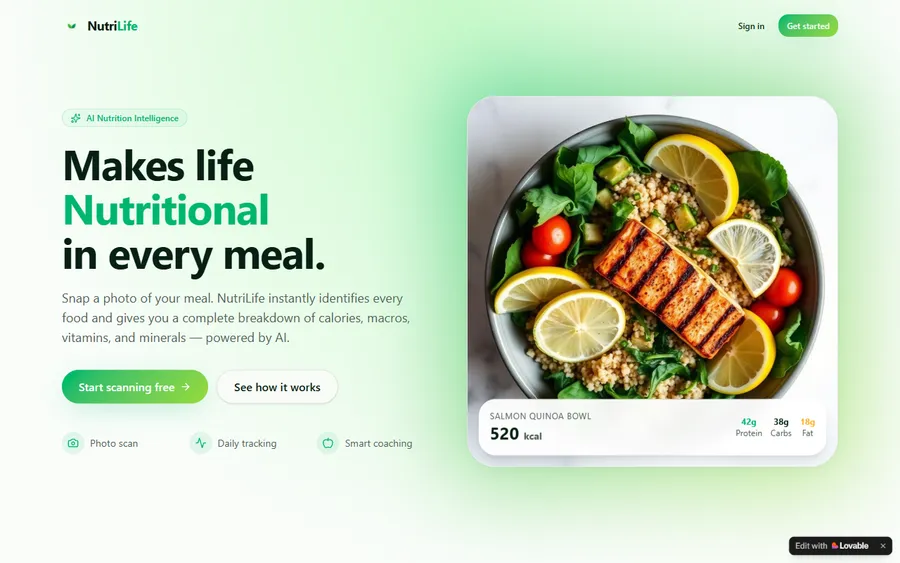
An AI nutrition coach that reads what you eat and works you toward a target.
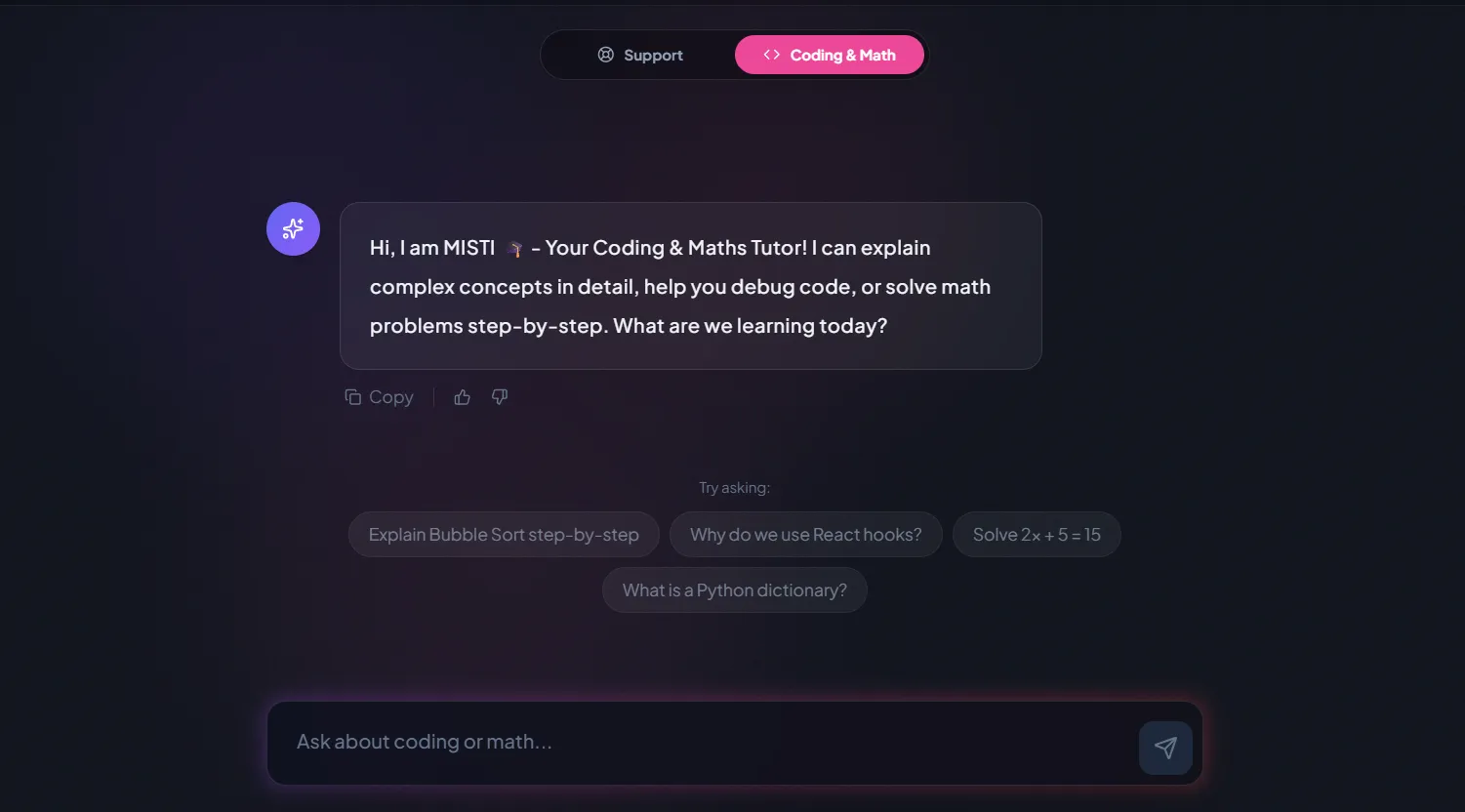
AI and ML
A chatbot that answers mathematics and programming questions, built and deployed by a student.
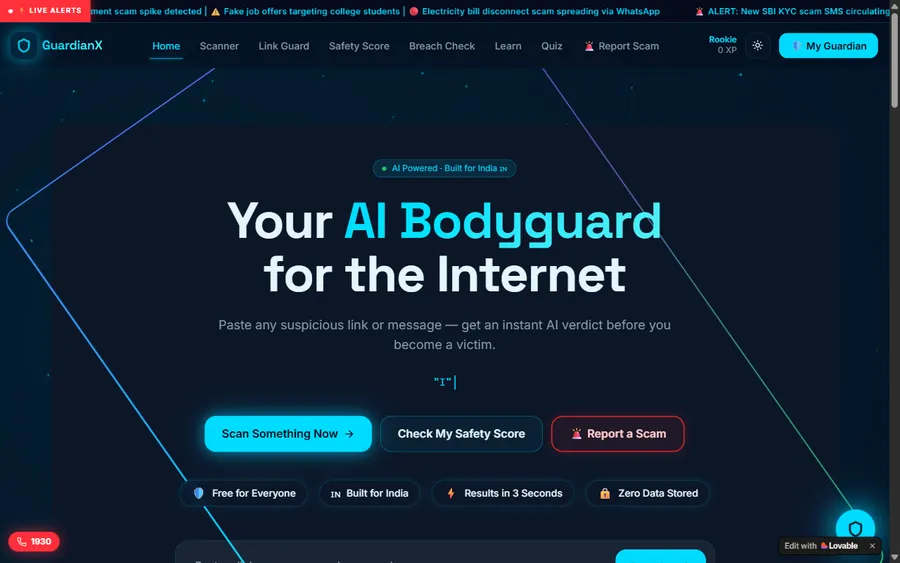
AI and ML
An assistant that helps a young person recognise unsafe situations online.
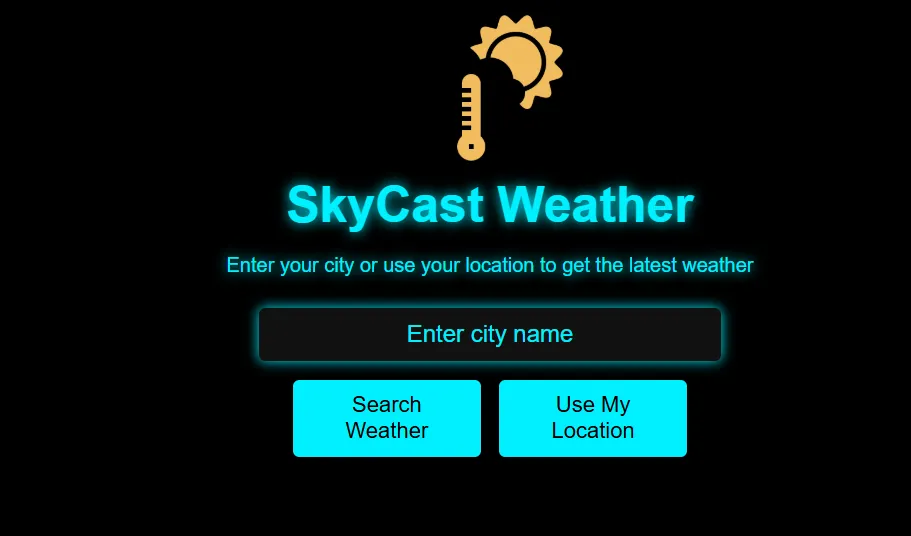
Web app
A weather forecasting site with live conditions for any location.
Fees
The fee is per month and includes eight live classes. It is displayed in euro using the European Central Bank reference rate; we charge in US dollars, and your bank converts the payment, so what you see on your statement may differ by a small amount.
Free first class
Free
no card required
Group batch
€90
a month, eight live classes, charged in US dollars
One to one
€134
a month, eight live classes, charged in US dollars
What families say
Students and parents in their own words, from Google.
★★★★★
"The one step solution for my son. Modern Age Coders make learning coding so simple that kids love it. The teachers explain complex concepts clearly with practical exercises and interactive content."
Ria Mukherjee
Parent
★★★★★
"Modern Age Coders has been a game-changer for me. I struggled to grasp IT concepts and coding before joining, but their classes transformed everything. I can now confidently write complex programs with ease."
Samriddha Mondal
Student
★★★★★
"One of the most wonderful education centres out there. Education is not limited to school syllabus but focuses on skill development."
Vansh Agarwal
Student
★★★★★
"My child Dhairya is really enjoying the Modern Age Coders classes. This is his first online class and he eagerly looks forward to it. I can already see his improvement, and the teachers are very cooperative."
Sonam Oswal
Parent of Dhairya
★★★★★
"Modern Age Coders have wonderful teachers who teach in a clear, easy and practical way. The teacher boosts students' confidence and inspires them to learn without hesitation."
Sonu Goyal
Parent
★★★★★
"I highly recommend this computer coding class! The teachers are incredibly knowledgeable and passionate about coding."
Ritu Kedia
Parent
Questions from Oldenburg
No. We teach only in English, and every class is live. Mentors are based in India, speak clearly, and adapt their pace and accent to each learner, whether that is a primary child or an adult who learnt English at school years ago.
Three layers: using AI tools sensibly, building small models in Python, and judging whether a result can be trusted. Children start with ideas and blocks, teenagers build, adults do all three.
Since 2024/25, in grades 9 and 10 at all general school types in Niedersachsen, according to the Gesellschaft für Informatik. Before grade 9 there is no compulsory Informatik lesson, which is why many families start earlier with us.
Weekdays or weekends, flexible: choose your batch, or for a very personalised plan choose 1-on-1 at your convenience, weekend mornings or weekdays. Afternoons, early evenings and weekend mornings are the usual choices here.
Not with an adult account. ChatGPT needs a parent's permission for anyone under 18 and Claude is for adults only, so our children's and teenage courses teach AI by building and explaining small models instead.
Yes. Adults with no coding start with Python and move to data and models; adults who already code can begin with the Generative AI or the AI and ML Masterclass. Many choose one to one.
Yes. It uses Schleuse Oldenburg seit 1987, published by Stadt Oldenburg under the Datenlizenz Deutschland Namensnennung 2.0 and downloaded on 3 November 2026. The detector, the threshold and the checks are ours.
We teach the skills a project needs, such as Python, data and testing, but the project and its write-up must be the pupil's own. Jugend forscht registration closes on 30 November.
Fifteen to twenty, grouped by age for children and by level for older learners. One to one is the alternative, with two private lessons a week.
Monthly, in US dollars. The page shows the amount in euro at the European Central Bank reference rate, and your bank converts the dollar payment, so a small difference is possible. The first class is free.
Read next
More for learners in Oldenburg and Lower Saxony.
The Land page for Niedersachsen.
Our longer page on learning AI.
Why we teach judgement.
The Abitur course in Lower Saxony.
Support for a computing project.
Every Germany page.
Part of the guide: Coding classes in Lower Saxony
More guides: Coding classes in North Rhine-Westphalia · Coding classes in Land Bremen · Coding classes in Hesse · Coding classes in Bavaria · Coding classes in Saxony-Anhalt · Coding classes in Schleswig-Holstein · Coding classes in Baden-Württemberg · Coding classes in Saarland · Coding classes in Rhineland-Palatinate · Coding and maths in Berlin · Coding and maths in Hamburg · Coding classes in Saxony · Coding classes in Thuringia · Coding classes in Brandenburg · Coding classes in Mecklenburg-Vorpommern
Start here
In the first class the mentor sets a small problem, sees how the learner tackles it and how much English support helps, and then recommends a course and a group.
For more detail, read how we teach or look through every course.
WhatsApp us · +91 91233 66161 · connect@modernagecoders.com
Live online classes with mentors in India, taught only in English. A WhatsApp message in English is the quickest way to reach us.
A priority demo is a full class of about 45 to 60 minutes. After the class the mentor sends a written skill report and a personal learning roadmap on WhatsApp. If you enrol, the demo fee is adjusted against your first month's fee. Share your demo Order ID with us on WhatsApp and we take it off.
Book a priority demo