BWA / TEEN / 01
Python for teens
The foundation that lets a teenager judge generated Python.
Open the syllabusPeru · AI as a collaborator · Ages 13 to adult
An AI assistant can write a working function faster than any student. It can also write one that works on the example you gave it and breaks on the next. The companies that make these tools say so in their own documents. This page shows what they say, which tools a teenager in Peru may use, and the routine we teach so that what you build is still yours.
Live classes since 2020 · 10,000+ students worldwide · AI output treated as a draft, never as the answer
The short answer
Building with AI without copying means you let an assistant draft code but accept nothing you cannot read, predict, test and explain yourself. Modern Age Coders teaches this live and online, in English, to teenagers from 13, with a parent's permission where a tool requires it, and for university students and adults in Peru. Mentors in India teach a fixed review routine, starting from the AI makers' own warning that output can be wrong. You choose a group of fifteen to twenty or one-to-one lessons, at flexible hours.
Start here
One for teenagers, one for university students and one for working adults. In all three the learner plans and tests; the assistant drafts.

BWA / 01
For 13 to 17 year olds. Web and Python builds where the tests exist before a single line is generated.
Open the syllabus →
BWA / 02
From 18. Full-stack builds and data structures, so generated code is judged by someone who knows what good looks like.
Open the syllabus →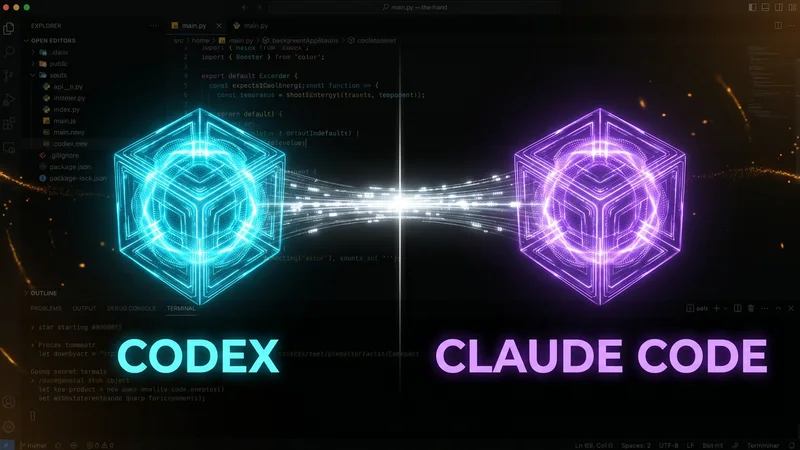
BWA / 03
Adults only. Agents that edit whole projects, supervised with version control, tests and code review.
Open the syllabus →In their own words
They say check all of it. Each major assistant's own documentation or terms tells users that output can be wrong while looking right, and that reviewing it is the user's job. These are not critics speaking; they are the makers.
| Maker and document | What it says | What that means for a learner |
|---|---|---|
| GitHub, application card for Copilot inline suggestions | "You should always review Copilot's suggestions before accepting them" | Accepting a suggestion is a decision you make, so you need to be able to make it |
| GitHub, same document | "Hallucinations are a known risk of large language models and are a key reason that human review of AI-generated output is important." | Code can call functions that do not exist or misuse ones that do |
| Anthropic, Consumer Terms of Service (effective 8 October 2025) | "Outputs may not always be accurate and may contain material inaccuracies even if they appear accurate because of their level of detail or specificity." | A detailed, confident answer is not evidence that it is right |
| Anthropic, same terms | "You should not rely on any Outputs or Actions without independently confirming their accuracy." | Confirming means a test or a check that does not come from the same tool |
| Google, Gemini Apps Privacy Hub (updated 26 October 2026) | "Gemini can make mistakes." and LLM experiences "can hallucinate and present inaccurate information as factual." | The same caution applies whichever assistant you use |
Sources: GitHub Docs, "Application card: GitHub Copilot inline suggestions"; Anthropic, Consumer Terms of Service; Google, Gemini Apps Privacy Hub. All read in English on 9 November 2026. OpenAI's site refused our request that day, so ChatGPT appears below only through its age rule, quoted from the vendor page in our July 2026 audit.
A professional who reviews AI code is comparing it with years of their own. A learner has nothing to compare it with yet, which makes copying more tempting and more risky at the same time. The answer is not to avoid the tools. It is to build the judgement first, then use the tools where that judgement can catch their mistakes.
In practice that means a learner should be able to write a small version of the thing on their own before asking an assistant for the big version.
Anthropic's phrase is the useful one. Confirming independently means a check that does not depend on the tool's own explanation: running the code on inputs you chose, tracing it by hand, reading the official documentation for a function, or comparing with a version you wrote.
Asking the same assistant "are you sure?" is not independent. Its second answer comes from the same place as its first.
Age rules
It depends on the tool, and the rule is in each maker's own terms, not in a school policy. Some allow 13-year-olds with a parent's permission; some require users to be adults. We follow the strictest reading in class.
Anthropic's consumer terms say: "You must be at least 18 years old or the minimum age required to consent to use the Services in your location, whichever is higher." So Claude is an adults-only tool in our classes.
OpenAI's terms, as quoted in our audit of July 2026, say that users under 18 "must have your parent or legal guardian's permission". Microsoft says users must be at least 13 to use Copilot. Google's Gemini help says a Family Link account cannot use the Gemini web app, so a supervised child account cannot use it there.
Under 13: no chatbots in class. Children learn how AI works through projects that do not need an account, such as training a tiny model on their own examples.
From 13 to 17: tools whose terms allow the age, with the parent's permission where the terms ask for it, and only after the learner has written their own first version. From 18: every tool the course needs, including coding agents. The full list, tool by tool, is on our AI tools age guide.
Tool terms change. We re-read them before a course uses a tool, and a parent can ask the mentor at any time which tools their teenager is using and under whose account. For the AI side of the curriculum for secundaria, our Spanish page on IA para adolescentes explains what we teach about how models work.
A real lesson
By being tested on the one case it happens to handle. The lesson below is ours. The first function is the kind of short, tidy answer an assistant often gives to "remove the blank names from a list"; we wrote it ourselves to make the point, and we never show students a real tool's output as if it were a fixed fact.
# A plausible answer to: "remove the blank names from a list"
def drop_blanks(names):
    for name in names:
        if name == '':
            names.remove(name)
    return names

print(drop_blanks(['Ana', '', 'Luis', '', 'Rosa']))
print(drop_blanks(['Ana', '', '', 'Luis', 'Rosa']))
print(drop_blanks(['', '', '', 'Rosa']))
It reads well: loop over the names, remove each blank one, return the list. Before running it, the mentor asks the learner to predict all three printed lines.
['Ana', 'Luis', 'Rosa']
['Ana', '', 'Luis', 'Rosa']
['', 'Rosa']
Copied verbatim after we ran it under Python 3. The first test passes. The second leaves a blank behind. The third leaves two. A learner who tried only the first list would have shipped it.
The pattern in the failures is the clue: the function fails when two blanks sit next to each other. Rather than ask the assistant to "fix it", the learner makes the function show its work, printing what the loop sees at each step and what the list looks like at that moment.
def drop_blanks_traced(names):
    for i, name in enumerate(names):
        print('step', i, 'sees', repr(name), 'list is now', names)
        if name == '':
            names.remove(name)
    return names

print(drop_blanks_traced(['Ana', '', '', 'Luis', 'Rosa']))
enumerate gives the step number alongside each name, and repr prints an empty string as two quote marks, so it is visible.
step 0 sees 'Ana' list is now ['Ana', '', '', 'Luis', 'Rosa']
step 1 sees '' list is now ['Ana', '', '', 'Luis', 'Rosa']
step 2 sees 'Luis' list is now ['Ana', '', 'Luis', 'Rosa']
step 3 sees 'Rosa' list is now ['Ana', '', 'Luis', 'Rosa']
['Ana', '', 'Luis', 'Rosa']
Exact output from our own run. At step 1 the loop sees the first blank and removes it. Every later name slides one place to the left, so the second blank moves into position 1, which the loop has already visited. At step 2 it sees Luis. The second blank is never looked at.
def drop_blanks(names):
    return [name for name in names if name != '']

tests = [
    ['Ana', '', 'Luis', '', 'Rosa'],
    ['Ana', '', '', 'Luis', 'Rosa'],
    ['', '', '', 'Rosa'],
    ['', ''],
    [],
]
for t in tests:
    original = list(t)
    result = drop_blanks(t)
    print(result, '| no blanks left:', '' not in result, '| input untouched:', t == original)
The comprehension reads as one English sentence: keep each name that is not blank. list(t) takes a copy before the call, so the last check can prove the input was not modified.
['Ana', 'Luis', 'Rosa'] | no blanks left: True | input untouched: True
['Ana', 'Luis', 'Rosa'] | no blanks left: True | input untouched: True
['Rosa'] | no blanks left: True | input untouched: True
[] | no blanks left: True | input untouched: True
[] | no blanks left: True | input untouched: True
Exact output from our own run: five cases, no blanks left in any result, and every input list exactly as it was before the call.
Could an assistant have produced Version 3 first time? Often, yes. The point of the lesson is that the learner can now tell Version 1 from Version 3 without running them, and knows which four tests to write next time. That is the difference between building with AI and copying from it.
Our review routine
With the same five steps every time, in the same order. The routine is ours and it is deliberately boring: a habit only works if it does not depend on how confident you feel about a particular answer.
Steps 1 to 3 every time, step 4 when the answer is longer than a screen. The mentor asks for step 5 aloud at the end of each project.
All five steps, plus version control: every accepted change is its own commit with a message that says why, so a bad suggestion can be undone.
All five, plus a check against the project's own rules on data and security. Agents that edit many files get their changes reviewed as if a new colleague had written them.
For the wider picture, including what vibe coding is and where it differs from this routine, our Spanish guide vibe coding en inglés is the place to start. Parents of younger children who would rather wait on AI tools can see what we teach before any assistant appears on our Spanish page about clases de programación para adolescentes.
AI in Peruvian education
Cautiously and in specific places. Peruvian institutions have begun using AI for planning and running AI projects, while the computing olympiad keeps it out of the contest room entirely.
MINEDU announced in December 2025 that from the following year it would use AI for learning planning in 205 rural secondary schools serving about 27,000 students. The tool supports teachers; it does not do the students' work.
MINEDU's Hackathon 2025, its fourth edition, rewarded teams of students and teachers for projects in AI and robotics, and reported that participation by girls grew 28% between 2023 and 2025.
UTEC's rules for the 2025 Peruvian Computing Olympiad ban generative AI for solving problems. A teenager who aims at the OPI needs to code alone, which is one more reason to build skill before leaning on tools.
We are not connected with MINEDU, UTEC or any school, and our classes do not count towards Peruvian grades. They run beside school and work, and a learner who finishes a course receives our own certificate of completion.
Taught in English
No. Lessons are live, online and given only in English. The mentors, who work from India, keep their speech clear and unhurried and follow the pace and accent of the person in front of them. For AI work, English carries a practical advantage.
Most of the documentation an AI assistant was trained on, and most of the error messages it will explain, are in English. A learner who can write a precise prompt in English, and read the documentation that confirms or contradicts the answer, can check the tool against its sources.
In class, learners write their task statements and test descriptions in English, which doubles as practice in saying exactly what they mean.
That is normal and fine. Mentors slow down, repeat in simpler words and type key phrases into the chat. Many adults in Peru read English far better than they speak it, and the classes give daily speaking practice in a low-pressure setting.
You may write to us on WhatsApp in Spanish whenever you like; the lessons themselves stay in English.
For Lima learners at bilingual or international schools, our page on English-medium coding classes in Lima describes how classes fit beside an English-language timetable.
Peru time
Whenever suits you. Mentors work from India, and the gap between the two clocks never changes, because neither country moves its clocks during the year.
| Peru time | India time | Day in India |
|---|---|---|
| 6:30 a.m. | 5:00 p.m. | Same day |
| 8:30 a.m. | 7:00 p.m. | Same day |
| 11:30 a.m. | 10:00 p.m. | Same day |
| 2:30 p.m. | 1:00 a.m. | Next day |
| 6:30 p.m. | 5:00 a.m. | Next day |
| 9:00 p.m. | 7:30 a.m. | Next day |
Peru is on UTC minus 5 throughout the year and does not use daylight saving (tz database, America/Lima). India is on UTC plus 5:30, also without daylight saving, so India is always 10 hours 30 minutes ahead of Peru.
Working adults in Lima often take an early morning class before the office; university students tend to pick late evenings. Either way, you book in Peru time and the conversion is our job.
Progress
Five levels of our own. Most learners start at 1 or 2, whatever their age; what moves them up is practice with the review routine, not more prompting.
| Level | Typical behaviour | Next step |
|---|---|---|
| 1. Paste and hope | Copies output, runs it once, moves on if no error appears | Write the expected result before running |
| 2. Test the example | Checks the case given in the prompt only | Add an awkward case: empty, repeated, reversed |
| 3. Read every line | Can explain each line and marks the ones they cannot | Trace the marked lines by hand |
| 4. Catch and fix | Finds a hidden failure and repairs it without asking the tool | Write the tests before generating anything |
| 5. Direct the tool | Specifies the job and tests, judges drafts, rejects weak ones | Review a classmate's AI-assisted code |
Ask your teenager which level they are on this week and what moved them. A learner at level 3 or above can tell you about a time the AI was wrong.
If the honest answer is level 1, that is where most beginners start. The routine is designed to move them.
Keep a short log of every time an assistant gave you something wrong and how you caught it. It becomes a list of your own blind spots.
The fastest route to level 5 is writing the tests before the prompt.
More courses
All live, in English, with one mentor, and all using AI tools within each maker's age rules.
BWA / TEEN / 01
The foundation that lets a teenager judge generated Python.
Open the syllabusBWA / TEEN / 02
How models learn, so their mistakes make sense.
Open the syllabusBWA / TEEN / 03
Version control, so every AI change can be inspected and undone.
Open the syllabusBWA / UNI / 01
Scripts and workflows that call models, with error handling.
Open the syllabusBWA / UNI / 02
What large language models are doing when they write code.
Open the syllabusBWA / UNI / 03
The knowledge that spots an inefficient suggestion.
Open the syllabusBWA / PRO / 01
Business agents built and reviewed one to one.
Open the syllabusBWA / PRO / 02
Enterprise agents with testing and governance.
Open the syllabusBWA / PRO / 03
Branches, reviews and history for teams using AI.
Open the syllabusHow it works
Any day, any time, flexible: choose a batch, or for a very personalised plan choose 1-on-1 at the hour that suits your family.
Early mornings
Popular with working adults in Lima.
Evenings
After school or lectures, in Peru time.
Set by you
One-to-one lessons whenever you book them.
Each task begins with a written goal and test cases.
Only tools the learner's age allows.
Line-by-line explanation to the mentor.
Awkward inputs before anything is kept.
Every accepted change explained in a sentence.
Fifteen to twenty learners of a similar level, or one to one.
Student work
Projects by some of our older students. More are collected on the student labs page.

AI and ML
An AI nutrition coach that reads what you eat and works you toward a target.
AI and ML
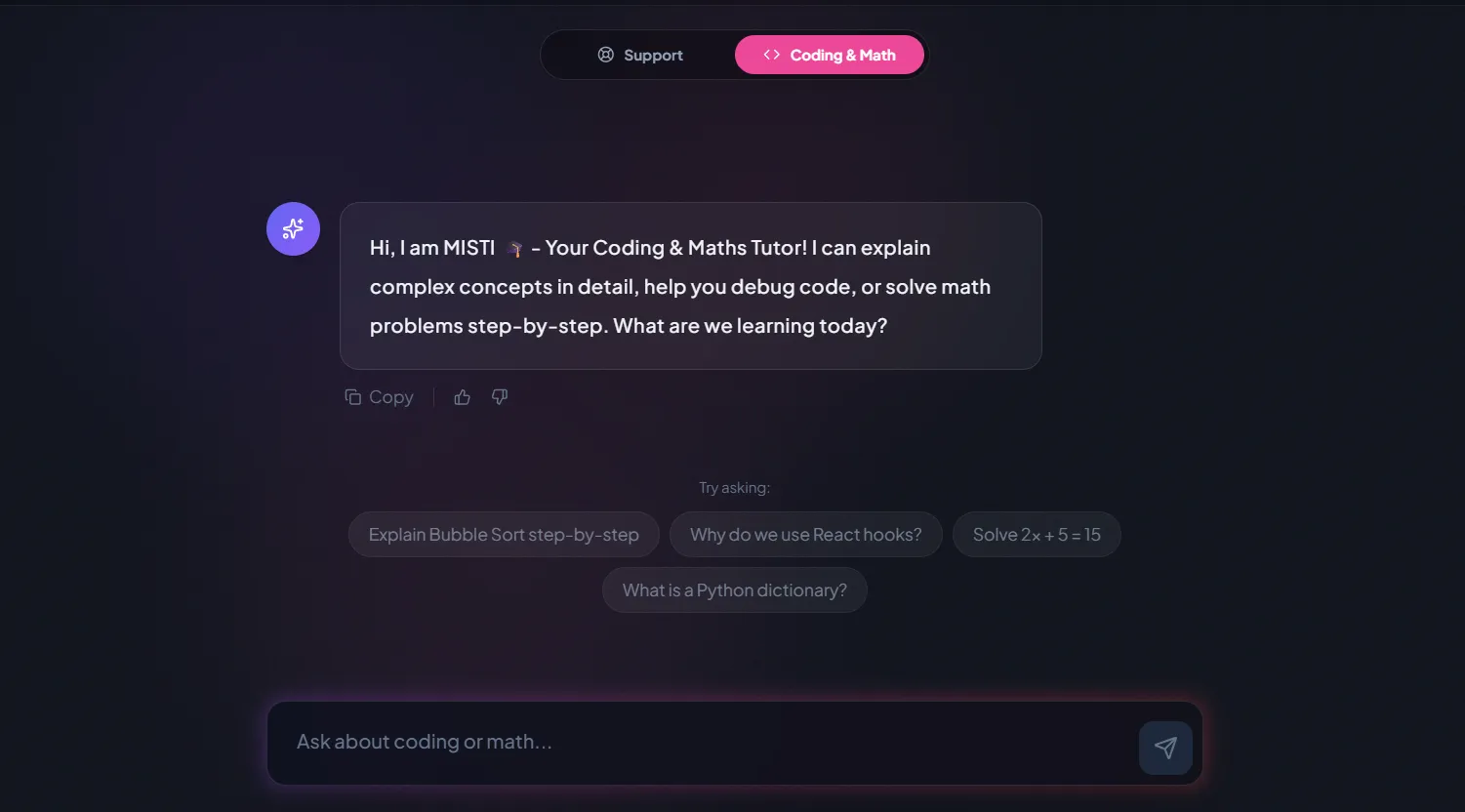
A chatbot that answers mathematics and programming questions, built and deployed by a student.
AI and ML
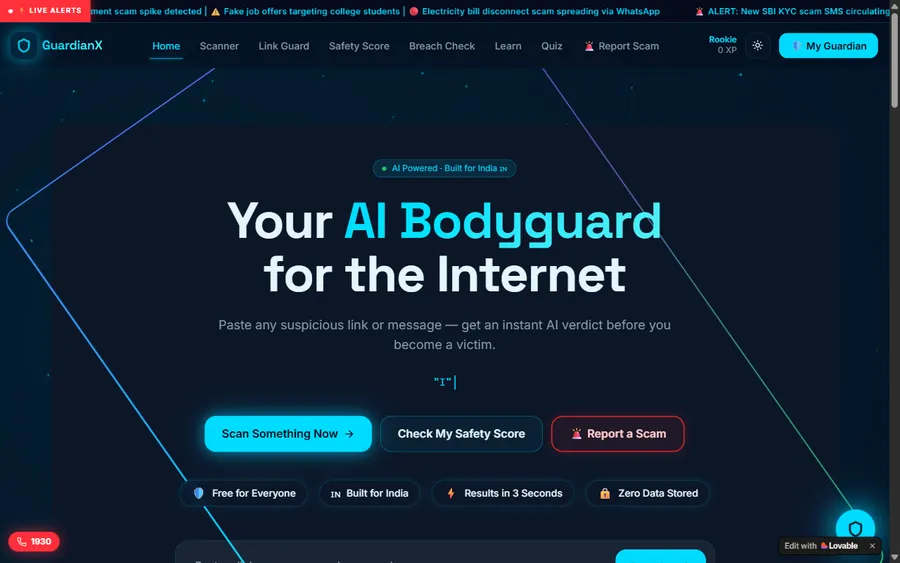
An assistant that helps a young person recognise unsafe situations online.
Web app
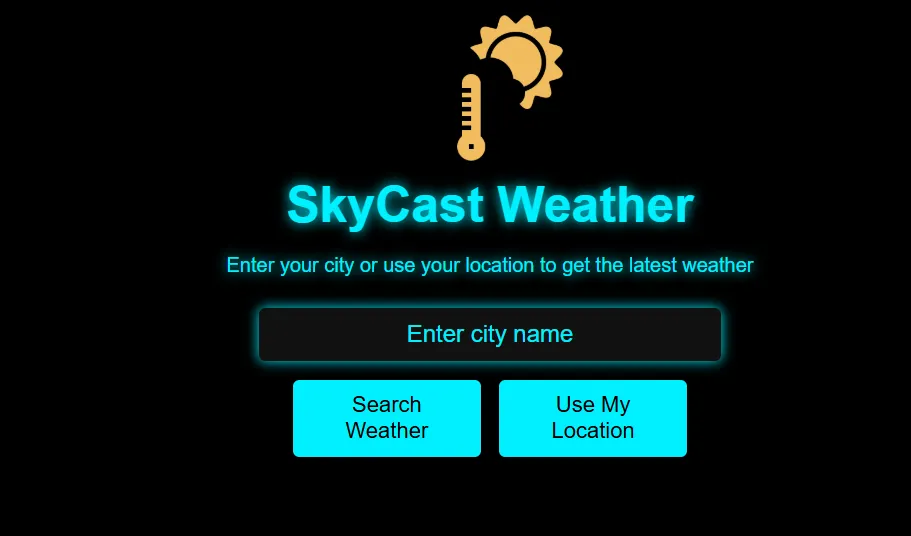
A weather forecasting site with live conditions for any location.
Fees
Plans are priced monthly in US dollars and charged to a debit or credit card. Your bank does the conversion to soles at its own rate, which is why the amount you see on your statement may differ by a little each month.
Free first class
Free
no card required
Group batch
$100 USD
a month, eight live classes
One to one
$150 USD
a month, eight live classes
What families say
What families and learners wrote about us on Google, unedited.
★★★★★
"The one step solution for my son. Modern Age Coders make learning coding so simple that kids love it. The teachers explain complex concepts clearly with practical exercises and interactive content."
Ria Mukherjee
Parent
★★★★★
"Modern Age Coders has been a game-changer for me. I struggled to grasp IT concepts and coding before joining, but their classes transformed everything. I can now confidently write complex programs with ease."
Samriddha Mondal
Student
★★★★★
"One of the most wonderful education centres out there. Education is not limited to school syllabus but focuses on skill development."
Vansh Agarwal
Student
★★★★★
"My child Dhairya is really enjoying the Modern Age Coders classes. This is his first online class and he eagerly looks forward to it. I can already see his improvement, and the teachers are very cooperative."
Sonam Oswal
Parent of Dhairya
★★★★★
"Modern Age Coders have wonderful teachers who teach in a clear, easy and practical way. The teacher boosts students' confidence and inspires them to learn without hesitation."
Sonu Goyal
Parent
★★★★★
"I highly recommend this computer coding class! The teachers are incredibly knowledgeable and passionate about coding."
Ritu Kedia
Parent
Learners in Peru ask
No. Every class is live, online and taught only in English. Mentors based in India keep their English plain and steady and adapt to how quickly you follow. You can write to us in Spanish on WhatsApp, but lessons stay in English.
Not in itself. It becomes copying when you accept code you cannot explain or test. In a contest that bans AI, such as the OPI, or in homework where the teacher forbids it, using it anyway is cheating, and we teach learners to follow those rules.
In our classes, from 13, with tools whose own terms allow it and a parent's permission where the terms ask for it. Claude requires users to be 18, so only adults use it. Children under 13 learn how AI works without chatbot accounts.
You need enough to read and test what the tool writes. Complete beginners spend their first weeks writing small programs alone, then bring in an assistant once they can check its work.
It depends on the course and the learner's age: coding assistants in an editor, chat assistants for explanations, and for adults, coding agents that edit whole projects. Tool terms are re-read before a course uses them.
Any day, any time, flexible: choose a batch, or for a very personalised plan choose 1-on-1 at the hour that suits your family. India is 10 hours 30 minutes ahead of Peru all year, so 8:30 a.m. in Lima is 7:00 p.m. in India.
Yes. Many adults take one-to-one classes early in the morning or late in the evening, Peru time, and bring a real problem from work to build during the course.
You receive our own certificate of completion when you finish a course. It is not a university credit or an official Peruvian qualification, and we are not connected with MINEDU or any university.
That is normal for these tools and one more reason the tests come first. If two different answers both pass your tests, your tests are probably too easy, and the mentor will help you write a harder one.
By card, monthly, in US dollars; your bank converts the charge into soles. The first class is free and needs no card.
Elsewhere on this site
English pages that go further into the tools and the thinking behind them.
A wider guide to assistants for beginners.
What teenagers are doing with these tools, explained for parents.
Why a model can sound sure and still be wrong.
The age rule for each tool, from its own terms.
Finding the cause, as in the lesson above.
All our courses for Peru in one place.
Part of the guide: Every Peru page
More guides: Coding and AI classes in Peru · En español: clases de programación en inglés · Start here: English-medium coding in Lima · By age and stage: AI and coding for professionals · Subjects and courses: AI agents course · Exams, olympiads and school holidays: IB computer science tutor · Regions of Peru: Amazonas region · Cities: Arequipa: coding for every age · Lima and Callao districts: Programación para niños en Ancón
Start here
In the free class you try one short task twice: once alone and once with an assistant, then you review the assistant's version with the mentor. It shows quickly where your judgement already is, and the mentor suggests a course, a level and the tools that fit your age.
Want to look around first? How we teach describes a live class, and the course list has every syllabus.
WhatsApp us · +91 91233 66161 · connect@modernagecoders.com
Live online classes with mentors in India, taught in English only. WhatsApp is the quickest way to reach us, in Spanish or English.
A priority demo is a full class of about 45 to 60 minutes. After the class the mentor sends a written skill report and a personal learning roadmap on WhatsApp. If you enrol, the demo fee is adjusted against your first month's fee. Share your demo Order ID with us on WhatsApp and we take it off.
Book a priority demo