AI Tools Mastery Course
Fluency in the tools that now run knowledge work: prompting done properly, image and video AI, AI coding assistants, and real automation with agents.
Syllabus updated August 2026
Recordings are free with a Google sign-in. These recordings show how we teach, not the exact syllabus of this course.
How long this course takes
This course runs 5-6 months (22-26 weeks) at 2 live classes/week + 4-6 hours practice. The range allows for background and pace: a complete beginner uses the full span, and a student with prior knowledge finishes sooner. The syllabus below is planned to the shorter end, with margin kept for revision.
For personalised duration planning, call +91 91233 66161 and we'll map a schedule to your goals.
At a glance
- Who it is for
- Complete beginner (18+); college students, graduates and working professionals. Age: 18+; college students, graduates and working professionals.
- Prerequisites
- None. Everything is taught from the first line
- Format
- Live, interactive classes with a real instructor, never pre-recorded videos. Live classes run about one hour.
- Language
- English or Hindi, depending on the batch.
- Duration
- 5-6 months (22-26 weeks)
- Weekly commitment
- 2 live classes/week + 4-6 hours practice
- Class size
- Group batches of 5 to 10 students, mini batches of 3 to 4, or 1-on-1.
- Certificate
- Certificate from Modern Age Coders, awarded on passing the final exam
- Watch first
- Free recordings of real classes for ages 13 and up, free with a Google sign-in. These recordings show how we teach, not the exact syllabus of this course.
- Live demo
- Optional. Enroll directly on this page, or book a free live demo if you would like to meet a mentor first.
How we teach
Deep understanding. Real projects. Expert guidance.
Learn coding, AI and maths through careful explanations, practical demonstrations, and hands-on problem-solving. Our instructors guide you from the foundations to advanced ideas, helping you understand what happens, why it happens, and how to build it yourself.
You will explore concepts step by step, write and improve code, investigate mistakes, ask questions, and apply your knowledge to meaningful projects. Lessons are designed around active participation, thoughtful feedback, and growing independence.
Expert-led live teaching, with practical participation built into every lesson.
- Students explain their thinking.
- Instructors demonstrate, then guide practice.
- Learners code, solve, or build during lessons.
- Questions and misconceptions get attention.
- Assignments receive useful feedback.
- Progress is checked before advancing.
Ready to Master AI Tools Mastery Course: ChatGPT, Claude & Automation?
Choose your plan and start your journey into the future of technology today.
Rated 4.9 across 547 Google reviews. Enroll directly, or see a class first. The free demo is a waiting list and needs no card. Monthly billing, cancel anytime.
Try this course in a full live class, today or tomorrow.The Priority Live Demo is a real class of about 45 to 60 minutes with a mentor reserved for you. You get a written skill report afterwards, and the fee is adjusted against your first month if you enrol.
Book priority demo · ₹499International Students (Outside India)
Billed monthly in US dollars, the same price in every country. Contact us with any questions.
Program Overview
The AI tool landscape changed what a single professional can do in a day, but most people use a fraction of it and use that fraction badly. This live online course builds real fluency for adults and professionals: prompt engineering with ChatGPT and Claude that goes far past one-line questions, then the wider toolkit, image generation with Midjourney and Stable Diffusion, video and audio AI, AI research assistants and AI coding tools, then the payoff layer that separates power users from dabblers: workflow automation, connecting tools through their APIs, and building AI agents that carry out multi-step work. Because the tools change monthly, the course teaches durable judgment (how to evaluate, adopt and drop tools) alongside current specifics, and treats ethics, verification and responsible use as core skills, not a footnote. A finale month builds a real automation and sits the final exam.
The pace is honest: about four months of teaching at two live classes a week plus practice, with margin in hand. Problem sets, monthly mixed reviews, phase exams, and a final exam that decides the certificate with a free retest.
What Makes This Program Different
- Prompting taught to real depth, the skill most people fake
- The full modern toolkit: text, image, video, research and coding AI
- The power-user layer: automation, APIs and AI agents that do multi-step work
- Durable judgment for a fast-moving field: how to evaluate and adopt tools, not just the current list
- Verification and ethics as core skills: AI that helps, checked before it ships
- Real assessment: weekly problem sets, monthly mixed reviews, phase exams and a final exam with a free retest
Your Learning Journey
Career Progression
Detailed Course Curriculum
Explore the complete week-by-week breakdown of what you'll learn in this comprehensive program.
Topics Covered
- AI revolution: understanding generative AI
- Overview of AI tools landscape (2026)
- What is ChatGPT? How its models differ, and how to pick one
- ChatGPT account setup and interface
- ChatGPT Plus vs Free tier comparison
- Basic prompting: asking questions effectively
- Understanding AI responses and limitations
- Chat history management and organization
- Mobile app usage and tips
- ChatGPT plugins introduction
Projects You Build
- Personal AI assistant setup
- Custom instruction templates
- Daily productivity workflow with ChatGPT
- Meeting notes summarizer
- Email response generator
Practice & Assignments
Use ChatGPT daily for 20 different tasks
Topics Covered
- What is prompt engineering?
- Anatomy of effective prompts
- Zero-shot, one-shot, few-shot prompting
- Chain-of-thought prompting
- Role-based prompting techniques
- Context setting and framing
- Prompt templates and frameworks
- RISEN framework: Role, Instructions, Steps, End goal, Narrowing
- RTF framework: Role, Task, Format
- Iterative prompt refinement
Projects You Build
- Prompt template library (50+ templates)
- Industry-specific prompt collections
- Complex task automation prompts
- Creative writing prompt system
- Business analysis prompts
Practice & Assignments
Create and test 100+ prompts across categories
Topics Covered
- Content ideation with ChatGPT
- Blog post writing workflow
- Article outlines and structure
- SEO-optimized content creation
- Social media content generation
- Email marketing campaigns
- Copywriting: sales pages, ads, landing pages
- Storytelling and creative writing
- Technical writing and documentation
- Resume and cover letter creation
Projects You Build
- Complete blog writing system
- Social media content calendar (30 days)
- Email sequence (welcome, nurture, sales)
- E-book outline and chapters
- Product descriptions generator
- LinkedIn posts automation
- YouTube script templates
Practice & Assignments
Create 50+ pieces of content in different formats
Topics Covered
- Business strategy and planning
- Market research with ChatGPT
- Competitive analysis workflows
- SWOT analysis generation
- Business plan creation
- Financial projections and modeling prompts
- Data analysis and insights
- Code generation basics (no coding knowledge needed)
- Excel formulas and spreadsheet help
- Presentation content and structure
Projects You Build
- Business plan generator
- Market research report automation
- Competitor analysis system
- Excel/Sheets automation prompts
- Presentation creation workflow
- Personal learning curriculum
- Daily productivity dashboard
Practice & Assignments
Apply ChatGPT to 30 business scenarios
Assessment
Phase 1 exam: a practical build defended live, plus a written paper mixing this phase with everything before it
Topics Covered
- Claude AI: features and strengths
- Claude vs ChatGPT comparison
- Claude's long context window usage
- Document analysis with Claude
- Claude for coding and technical tasks
- Claude Projects feature
- Google Gemini introduction
- Gemini Advanced features
- Gemini vs GPT-4 comparison
- Multi-modal capabilities of Gemini
Projects You Build
- Document summarization system (Claude)
- Long-form content analysis
- Code review automation
- Research paper summarizer
- Multi-AI workflow (ChatGPT + Claude + Gemini)
- AI tool selector guide
Practice & Assignments
Complete 20 tasks with each AI, compare results
Topics Covered
- Introduction to AI image generation
- Midjourney setup: Discord integration
- Midjourney versions: V5, V6, Niji
- Basic prompting for images
- Understanding parameters: aspect ratio, quality, stylize
- Image weights and multi-prompts
- Style references and character consistency
- Remix mode and variations
- Upscaling and image enhancement
- Negative prompts for better control
Projects You Build
- Product photography collection
- Brand visual identity
- Social media graphics library
- Character design series
- Marketing campaign visuals
- Book cover designs
- Website hero images
Practice & Assignments
Generate 200+ images, build prompt library
Topics Covered
- Stable Diffusion introduction
- Local installation vs cloud platforms
- Automatic1111 WebUI
- Stable Diffusion prompting differences
- LoRA models and fine-tuning
- ControlNet for precise control
- Inpainting and outpainting
- Adobe Firefly for commercial use
- Leonardo.ai for game assets
- Playground AI features
- Image upscaling tools: Topaz, Magnific
- Background removal: Remove.bg, Clipdrop
- AI photo editing: Photoshop AI, Luminar
- Comparing all image AI tools
Projects You Build
- Stable Diffusion custom model
- ControlNet workflow setup
- Image editing pipeline
- Multi-tool image creation workflow
- Background replacement system
- Product photography enhancement
- AI image editing service
Practice & Assignments
Master 5+ image AI tools, create comparison guide
Topics Covered
- AI video generation: Runway ML, Pika
- Text-to-video creation
- Image-to-video animation
- Video editing with AI: Descript, Opus Clip
- AI avatars: Synthesia, HeyGen
- Video enhancement and upscaling
- AI voice generation: ElevenLabs, Murf
- Voice cloning ethics and usage
- Text-to-speech for videos
- Music generation: Suno, Udio
Projects You Build
- AI-generated video ads
- Explainer video with AI avatar
- Podcast intro/outro creation
- Social media video series
- Product demo video
- Multi-language video content
- Complete video production workflow
Practice & Assignments
Create 15 videos using various AI tools
Topics Covered
- Perplexity AI for research
- Research paper summaries: Semantic Scholar, Consensus
- Literature review automation
- You.com for AI-powered search
- Bing AI (Copilot) features
- AI fact-checking tools
- Citation and reference management
- Knowledge base creation with AI
- Note-taking with AI: Notion AI, Mem
- Obsidian with AI plugins
Projects You Build
- Research automation system
- Literature review generator
- AI-powered knowledge base
- Personal learning system
- Fact-checking workflow
- Study guide generator
- Research paper writing assistant
Practice & Assignments
Build comprehensive research toolkit
Topics Covered
- GitHub Copilot for coding
- Cursor AI editor
- Replit AI for full-stack development
- V0.dev by Vercel for UI generation
- ChatGPT for code generation
- Code debugging with AI
- Code review automation
- Documentation generation
- No-code platforms: Bubble, Webflow
- AI-powered app builders: FlutterFlow
Projects You Build
- Landing page with V0.dev
- Full web app with Replit AI
- Mobile app with FlutterFlow
- Chrome extension with AI
- Automation script generation
- API wrapper creation
- Complete SaaS MVP without coding
Practice & Assignments
Build 10 applications using AI coding tools
Assessment
Phase 2 exam: a practical build defended live, plus a written paper mixing this phase with everything before it
Topics Covered
- Introduction to AI automation
- Zapier with AI: ChatGPT integration
- Make (Integromat) for complex workflows
- n8n for advanced automation
- Connecting multiple AI tools
- Trigger-action automation
- Multi-step workflows
- Conditional logic in automation
- Error handling and fallbacks
- Data transformation between tools
Projects You Build
- Content publishing automation
- Lead generation and nurturing workflow
- Social media automation system
- Email response automation
- Data extraction and analysis pipeline
- Customer onboarding automation
- Report generation workflow
Practice & Assignments
Build 20 automation workflows
Topics Covered
- What are AI agents?
- AutoGPT and autonomous agents
- BabyAGI for task automation
- LangChain for AI applications
- Agent frameworks overview
- Custom GPTs creation
- GPT Actions and integrations
- Assistants API usage
- Function calling in AI
- Agent memory and context
Projects You Build
- Custom GPT for specific task
- Personal AI assistant (multi-functional)
- Research agent system
- Customer service agent
- Data analysis agent
- Content creation agent
- Business intelligence agent
Practice & Assignments
Create 10 specialized AI agents
Topics Covered
- Understanding APIs basics
- Anthropic Claude API
- Google Gemini API
- Stability AI API
- API key management
- Rate limits and cost optimization
- Building apps with AI APIs (no-code tools)
- Glide for AI-powered apps
- Softr for AI integrations
- API connectors in various platforms
- Custom chatbots with APIs
- Embedding AI in websites
- WhatsApp/Telegram bot creation
- AI-powered Chrome extensions
Projects You Build
- Custom chatbot on website
- WhatsApp AI assistant
- Telegram bot with AI
- Chrome extension with ChatGPT
- Mobile app with AI features (Glide)
- Internal tool with AI (Softr)
- AI-powered form builder
Practice & Assignments
Build 8 AI-integrated applications
Topics Covered
- Freelancing with AI tools
- AI services to offer clients
- Pricing AI-powered services
- Building AI tool SaaS products
- Affiliate marketing with AI content
- AI-generated digital products
- Selling prompts and templates
- AI consulting services
- Agency model with AI
- White-label AI solutions
- Course creation with AI
- AI automation services
- Building and selling AI agents
- Subscription-based AI services
Projects You Build
- Freelance service package design
- AI SaaS product MVP
- Prompt marketplace listings
- Digital product creation
- Agency service offerings
- Online course with AI help
Practice & Assignments
Launch 3 revenue streams with AI tools
Topics Covered
- AI tool discovery strategies
- Following AI news and updates
- There's An AI For That (directory)
- AI tool review and evaluation
- Beta testing new AI tools
- Community engagement: Twitter, Reddit, Discord
- AI newsletters and resources
- Testing frameworks for new tools
- Building personal AI tool stack
- Documentation and knowledge management
Projects You Build
- AI tool evaluation framework
- Personal AI tools dashboard
- Weekly AI tools newsletter
- AI tools comparison database
- Trend analysis report
- Learning and update system
Practice & Assignments
Review 50+ new AI tools, create evaluation system
Topics Covered
- AI ethics principles
- Bias in AI tools
- Transparency and disclosure
- AI content labeling
- Misinformation and deepfakes
- Copyright and AI-generated content
- Privacy considerations
- Data security with AI tools
- Terms of service understanding
- Commercial use rights
Projects You Build
- Ethical AI usage policy
- Client education materials
- Disclosure templates
- Rights and licensing guide
- AI ethics checklist
- Best practices document
Practice & Assignments
Develop comprehensive ethical framework
Assessment
Phase 3 exam: a practical build defended live, plus a written paper mixing this phase with everything before it
Topics Covered
- Choosing the capstone: a real end-to-end AI automation: a content pipeline, a research assistant or a multi-step agent workflow for actual work
- A one-page spec: scope, milestones, stack
- Repository and skeleton ready on day one
- Instructor sign-off before the build begins
Projects You Build
- Approved capstone spec plus the running skeleton
Practice & Assignments
Pitch the spec to the batch and absorb one hard question
Topics Covered
- Two focused weeks in vertical slices
- Instructor checkpoints and honest scope cuts
- Using the whole course: prompting depth, the right tools for each step, and automation wiring through APIs or agents
- Daily commits and an always-working build
Projects You Build
- The capstone, feature-complete with version control
Practice & Assignments
A working build at the end of every session
Topics Covered
- The finishing pass: edge cases, errors, documentation
- Working and verified: an automation that runs, with human checks where they matter
- A README worth reading and a demo worth watching
- A full-course spiral review before the exam
Projects You Build
- The capstone shipped, documented and rehearsed
Practice & Assignments
Two mock demos, each tighter than the last
Topics Covered
- Presenting the capstone: live demo plus the hardest bug story
- The honest map of next roads: deeper automation with code, AI-assisted development, or applied AI in your own field
- Where our other courses continue the journey
Projects You Build
- Demo day presentation delivered to the batch
Assessment
FINAL EXAM: a practical build plus a written paper with questions mixed from every phase. Passing earns the certificate; falling short earns a focused revision plan and a free retest
Projects You'll Build
Build a professional portfolio with 15+ real deliverables, crowned by an end-to-end automation build real-world projects.
Weekly Learning Structure
Certification & Recognition
Technologies & Skills You'll Master
Comprehensive coverage of the entire modern web development stack.
Support & Resources
Career Outcomes & Opportunities
Transform your career with industry-ready skills and job placement support.
Prerequisites
Who Is This Course For?
Career Paths After Completion
Course Guarantees
Real students. Real moments. Real joy.
These are our actual student meetups. No stock photos, no filters. Swipe through and meet the community you'll be joining.







































What families say
Straight from the parents and students who learn with us. Rated 4.9 across 547 Google reviews.
“Mivaan enjoys the class. He understands the concepts and completes his tasks with excitement. He started taking interest in coding… truly amazing class.”
“I absolutely love it here! I made new friends and learned important valuable coding skills while having the fun of my life. It's not just coding here, it's outings, bonding and most importantly preparing you for your future. Definitely five stars.”
“What stands out most is how excited my son is before every class. He looks forward to learning, problem-solving, and sharing what he's built. I've noticed a big boost in his confidence!”
“Modern Age Coders has been a game-changer for me! I struggled to grasp IT concepts and coding before joining, but their classes transformed everything. I'm now the topper in my class and can confidently write complex programs with ease.”
“Modern Age Coder have wonderful teachers who teach in a clear, easy and practical way. The teacher boosts students' confidence, keeps them updated with technology, and inspires them to learn without hesitation.”
“The one step solution for my son. Modern Age Coders make learning coding so simple that kids love it.”
“Coding classes here make learning very interesting and conceptual. The teachers teach us in a very easy-to-understand and efficient manner.”
“One of the most wonderful education centres out there. Education is not limited to school syllabus but focuses on skill development. Learning here has been a wonderful journey and still continuing.”
“I highly recommend this computer coding class! The teachers are incredibly knowledgeable and passionate about coding. They make every session engaging and insightful.”
“My child Dhairya is really enjoying the Modern Age Coder IT classes. This is his first online class, and he eagerly looks forward to it.”
“Very good classes. Don't worry about coding. They teach the best, especially Shivam sir.”
“Very good classes. Makes learning very easy and interactive.”
Hear it from our students
Real parents and students in their own words, on our public YouTube channel.
Straight answers about AI Tools Mastery Course: ChatGPT, Claude & Automation
- Who should take this course?
- Complete beginner (18+); college students, graduates and working professionals. Age: 18+; college students, graduates and working professionals. It suits working professionals who want real leverage from ai, not surface tricks; students who want to enter the workforce genuinely ai-fluent; creators and marketers who need text, image and video ai at depth.
- What will they learn and build?
- The AI tool landscape changed what a single professional can do in a day, but most people use a fraction of it and use that fraction badly.
- How deeply are topics covered?
- The course runs 5-6 months (22-26 weeks) at 2 live classes/week + 4-6 hours practice, across 4 phases listed week by week in the syllabus below. A structured, well-paced curriculum taught step by step, with classwork in every session and problem sets after every class.
- Who teaches it?
- Modern Age Coders mentors, who teach the live classes themselves. You can watch them at work in the free class recordings before you decide.
- How do practice, feedback and assessment work?
- Monthly mixed reviews, cumulative phase exams, and a final exam that decides the certificate: real knowledge, real work. Doubt support between classes over WhatsApp, so you are never left stuck. A certificate you earn by passing the final exam, with a free retest after revision if needed.
- What does it cost?
- Three monthly plans: a group batch, a mini batch and 1-on-1. Prices are shown in your currency in the plans section. Monthly billing, cancel any time.
- When can classes take place?
- Live classes are scheduled around your week. Group batches meet at a fixed weekly slot; 1-on-1 students choose their own. International students are scheduled in their own timezone. Ask on WhatsApp for the current slots.
- Can I watch the teaching before deciding?
- Yes. Full recordings of real 13 and up classes are free to watch, free with a Google sign-in. These recordings show how we teach, not the exact syllabus of this course. Some classes are in English and some in Hindi; everyone follows at their own pace. Watch a class end to end, like you are in it. Sessions are interactive and each moment builds on the last.
- Can I enroll without a live demo?
- Yes. Choose a plan on this page and enroll directly; a booking or a demo is not required. A free live demo is optional, for anyone who wants to meet a mentor first. Outside India, our team confirms the plan and completes payment with you over WhatsApp, so allow a little time for that step.
Common Questions About AI Tools Mastery Course: ChatGPT, Claude & Automation
Get answers to the most common questions about this comprehensive program
Still have questions? We're here to help!
Contact UsRelated Courses You May Like
Continue your learning journey with these recommended programs
 AI & Automation
Python Automation Course: Scripting, Scraping & Applied AI
Python automation course for college students and professionals: Python core, web scraping, browser ...
Explore Course Generative AI
Generative AI Course: LLMs, RAG and AI Agents
Generative AI course, live online: Python to LLM engineering, prompt craft, RAG, fine-tuning, AI age...
Explore CourseRelated Articles & Guides
Deepen your knowledge with these hand-picked articles
 Business
10 min read
Business
10 min read
How AI and Automation Are Transforming Small and Medium Businesses
Learn how AI and automation help SMBs cut costs by 40%, boost revenue, and compete smarter. Real exa...
Read Article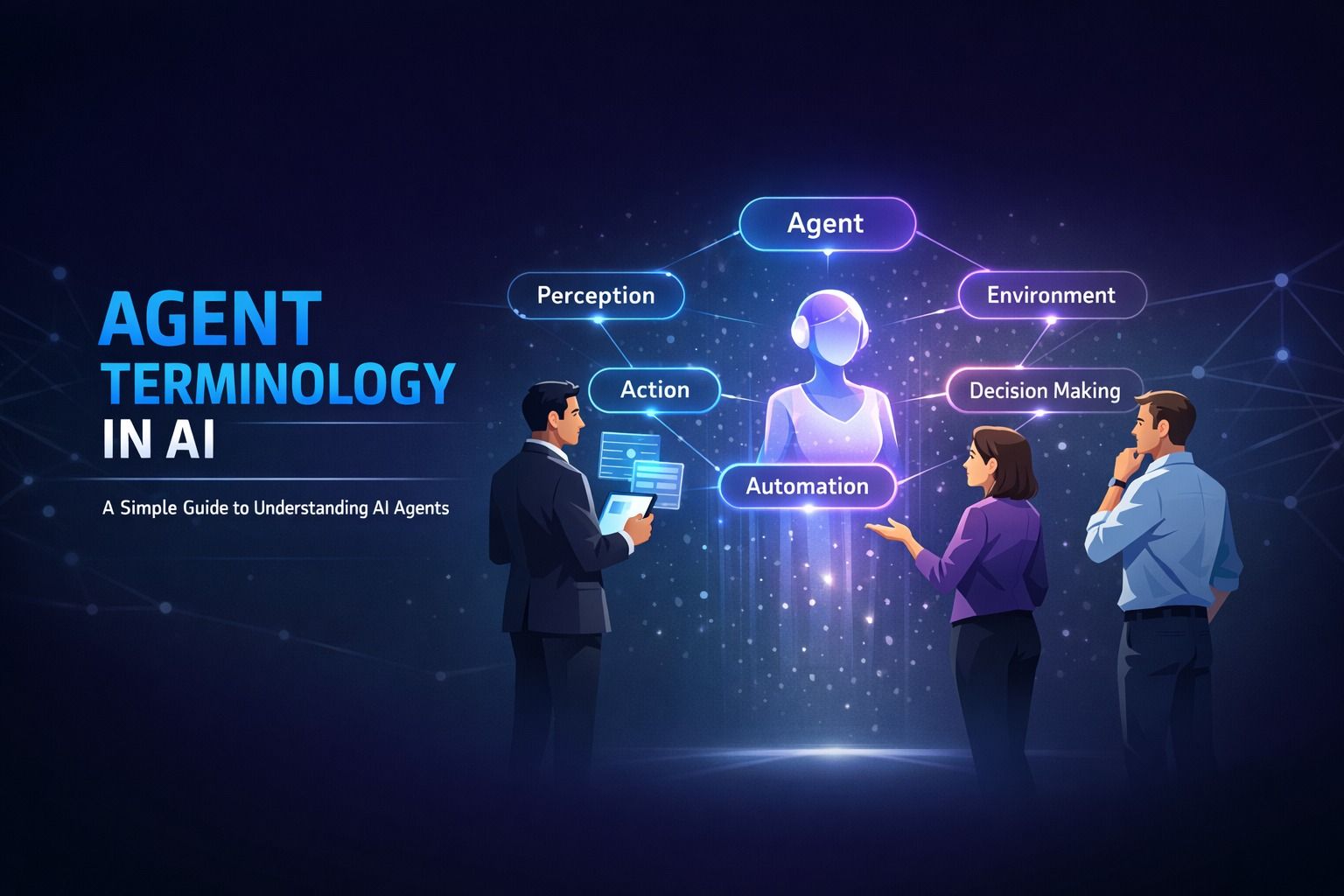 Artificial Intelligence
14 min read
Artificial Intelligence
14 min read
Agent Terminology in AI: A Simple Guide to Understanding AI Agents
Decode AI agent terminology in ai with this beginner-friendly guide. Learn about autonomous agents, ...
Read ArticleReady to start AI Tools Mastery Course: ChatGPT, Claude & Automation?
Book a free demo class to meet your mentor and see how we teach, with no commitment. Or enrol now and start this week.