ALE / F / 01
Block coding for kids
From 6. Instructions, loops, events.
Open the syllabusUnited States · Grades K to 5 · Live classes from age 8
AI literacy for an elementary student means three things: knowing AI is a tool, not a person; knowing it learns patterns from examples; and knowing its answers must be checked. Modern Age Coders teaches it live online from age 8, in grades 3 to 5, in a batch or one to one, with younger children starting at home.
Live teaching since 2020 · 10,000+ students · No child accounts on adult AI services
In short
For grades K to 5, AI literacy is not about using chatbots. It is understanding that AI is a non-human tool that produces outputs from patterns in data, spotting where AI appears in daily life, telling rule-following machines from ones that learn, and checking AI answers against trusted sources. Coding and data activities build all of it. Modern Age Coders teaches this live online for US students, in a batch or one to one, and the first class is free.
Start here
All live, all taught by a regular teacher, and none asks a child to sign up for an AI service.
ALE / 01
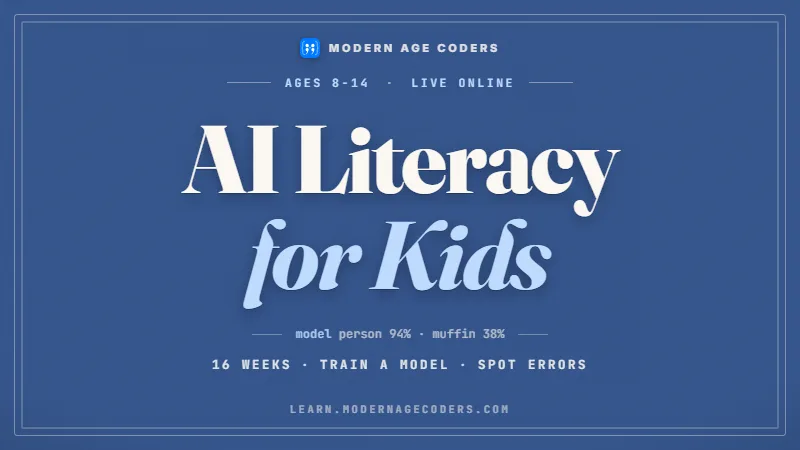
From 8 to 14. How AI learns, fails and should be judged.
Open the syllabus →
ALE / 02
From 9 to 12. Build small smart programs yourself.
Open the syllabus →
ALE / 03
From 7 to 12. The reasoning underneath AI.
Open the syllabus →What it means
AI literacy is a newer idea than computer literacy, and the two are easy to confuse. The difference matters most for young children, who are surrounded by AI long before they could use a chatbot.
TeachAI, an initiative whose steering committee is made up of non-profit organizations working across education, workforce and technology, puts it this way: "AI literacy represents the technical knowledge, durable skills, and future-ready attitudes required to thrive in a world influenced by AI."
For a six-year-old, the technical knowledge is small but real: a smart speaker does not understand them the way a friend does; it matches sounds to patterns it was trained on.
The K-12 Computer Science Framework separates computer science from computer literacy, which it says "focuses on the use of existing technologies and computer programs like word processing and spreadsheets".
AI literacy sits closer to computer science. A child who can only use an AI tool is not AI literate; a child who can explain, in their own simple words, how it reaches an answer and why it might be wrong is on the way.
| Domain | Grades K to 2 | Grades 3 to 5 |
|---|---|---|
| Engage with AI | Point out where AI is in the house: a voice assistant, a video app’s suggestions | Explain why an AI answer might be wrong and how to check it |
| Create with AI | Talk about a picture an adult made with an AI tool: who had the idea? | With a teacher, compare an AI suggestion with their own idea for a story |
| Manage AI | Sort tasks into ones a person should do and ones a machine could help with | Decide whether a task needs AI at all, or a rule, or a person |
| Shape AI | Sort pictures into groups, the way a machine is trained | Train a tiny program on examples and see how the examples change its answers |
Sources: TeachAI, AI Literacy, the AILit Framework site and the K-12 CS Framework FAQ, read 17 October 2026. We have no connection with TeachAI, the OECD, the European Commission or k12cs.org.
The basic level
The AILit Framework is a joint initiative of the European Commission and the OECD, developed with support from CodeAI, the organisation formerly called Code.org. It sets out learner expectations at three levels, from "Basic to Intermediate and Advanced", and says these "do not correspond to specific age ranges or grade levels". The basic level is the natural starting point for elementary students.
| Competence | Basic-level expectation | Classroom idea in the framework |
|---|---|---|
| Engage with AI 1: recognise AI’s role | "Learners can identify where different types of AI are present in their everyday lives." | An "AI or Not" game sorting smart home devices, social media and apps |
| Engage with AI 2: describe how AI works | "Learners know AI is a non-human tool that produces outputs based on patterns of data and lacks authentic context or understanding." | Spotting misleading phrases such as "AI thinks" and "AI understands" |
| Engage with AI 3: evaluate outputs | "Learners understand why AI-generated outputs should be verified" and how to check them | Comparing an AI tool’s solution to a math problem with the method the teacher taught |
| Manage AI 2: choose an approach | "some types of AI systems can be programmed with specific rules to accomplish tasks, while others can learn patterns from data." | Directing a classmate playing a robot to sort pictures of trash |
| Shape AI 3: data and design | "Learners identify examples of data that might be used to train AI systems." | Deciding what data would train a tool that sorts recycling |
The framework’s first knowledge statement is four words long: "AI is not human." Almost everything an elementary child needs follows from that one sentence, said often and shown in many ways.
Language is part of it. When a child says the computer "knows" or "wants" something, a gentle correction helps: it was trained to match patterns, and it can be wrong without knowing it.
The framework lists parents among its audiences, alongside teachers and policymakers, and its draft, published in May 2025, drew on "Insights from more than 2,000 individuals" before the final version.
Because it is international, it asks that classroom activities be adapted to "local contexts, guidance and legislation". In the US, that means following your district’s rules on which AI tools, if any, children may use.
Source: Empowering Learners for the Age of AI: An AI Literacy Framework for Primary and Secondary Education (OECD / European Union, 2026), read 17 October 2026. The framework also notes that it contributes to the Innovative Domain of the PISA 2029 Assessment.
US standards
The K-12 Computer Science Framework, which informs state and district computer science decisions, has no separate AI concept among its five core concepts, but its data strand already covers the foundations for grades K to 5: collecting data, and using it to make predictions.
| Subconcept | By the end of grade 2 | By the end of grade 5 |
|---|---|---|
| Collection | "Everyday digital devices collect and display data over time." | "People select digital tools for the collection of data based on what is being observed and how the data will be used." |
| Inference and models | "Data can be used to make inferences or predictions about the world." | "The accuracy of inferences and predictions is related to how realistically data is represented." |
An AI system is, at heart, a machine that makes predictions from data. A second grader who predicts tomorrow’s lunch choice from last week’s tally chart is doing, by hand, what a recommendation system does at scale.
The grade 5 statement adds the crucial warning: predictions are only as good as the data, with accuracy affected by factors "such as the amount and relevance of data collected". That is the root of every conversation about AI bias.
Code.org’s AI Discoveries, the course it now recommends for middle school, is listed for grades 6, 7 and 8. Elementary families who want AI ideas earlier can build them through the data activities on this page.
That makes the elementary years a quiet opportunity. Children who already understand data and patterns arrive in middle school ready to reason about AI rather than just use it.
Sources: K-12 CS Framework, statements by grade band and Code.org AI Discoveries, read 17 October 2026. We are not connected with either.
Try it at home
This activity takes ten minutes and works from about first grade. Write each item on a card. Your child sorts them into three piles: follows set rules, learns from examples, or not a machine decision at all. The AILit framework uses calculators, traffic lights and thermostats as its examples of rule-following technology.
| Card | Suggested pile | Why |
|---|---|---|
| A calculator adding 7 + 5 | Rules | It follows exact instructions and gives the same answer every time |
| A traffic light changing color | Rules | Usually a timer or sensor rule, not learning |
| A thermostat turning on the heat | Rules | It compares the temperature with a set number |
| A microwave counting down | Rules | A timer that does exactly what was typed |
| A voice assistant answering a question | Learning | Trained on recordings of many voices to match sounds to words |
| A video app suggesting the next video | Learning | It predicts what you will watch from what people watched before |
| A photo app finding pictures of a dog | Learning | Trained on many labelled pictures of dogs |
| An email app moving junk mail | Learning | Trained on examples of mail people marked as junk |
| A translation app turning English into Spanish | Learning | Trained on huge amounts of translated text |
| Choosing which friend to invite over | A person | This needs feelings and judgement |
| Deciding if a joke is kind | A person | Machines can guess, but people should decide |
| Sorting socks by color | Either | A good debate: a rule could do it, so could a person |
Disagreement is the point. If your child puts the video app under rules, ask how it could know what they like. If they put the calculator under learning, ask whether it ever surprises them.
End with the framework’s key sentence in kid language: a machine that learns is copying patterns from examples, and if the examples are odd, its answers will be odd too.
The AILit site lists AI for Oceans as an exemplar: "a web app learning game that introduces young learners to the concepts of how AI systems are trained, and how training can introduce bias, and potentially produce errors." It is listed for primary education, "Age 7 and up", in an activity of 60 minutes.
Children train a sorter on pictures, then see it make mistakes. It is a natural next step after the card sort, ideally with an adult nearby.
Sources: the Manage AI 2 learner expectations in the AILit Framework and its AI for Oceans exemplar page, read 17 October 2026. The twelve cards are ours.
A learning program
For fourth and fifth graders who have started Python, and for parents who want to see the idea in action, this is a program we use in class. It learns which words go with happy and sad sentences from four examples, then guesses. Its third guess is the lesson.
# Learning from examples (ours): a tiny word-counting guesser
examples = [
    ("i love sunny days", "happy"),
    ("this game is fun", "happy"),
    ("i feel sad and tired", "sad"),
    ("the rain spoiled our picnic", "sad"),
]

# training: count how often each word appears with each label
counts = {"happy": {}, "sad": {}}
for sentence, label in examples:
    for word in sentence.split():
        counts[label][word] = counts[label].get(word, 0) + 1

def guess(sentence):
    words = sentence.split()
    scores = {}
    for label in counts:
        scores[label] = sum(counts[label].get(w, 0) for w in words)
    return max(scores, key=scores.get)

print(guess("sunny days are fun"))    # happy
print(guess("a sad rainy picnic"))    # sad
print(guess("my kite is broken"))     # happy, only because of "is"
Ours. We ran it with Python 3.13 before printing, and the comments show its real answers. The third sentence is not happy at all, but the only word the program has seen before is "is", which appeared in a happy example, so it answers happy.
The loop counts words in four labelled examples. That is all the program ever knows.
For a new sentence, it adds up word counts for each label and picks the bigger total.
With too few examples it answers confidently anyway, and it can never say "I do not know".
Why did it say "my kite is broken" was happy? Children who answer "because of the word is" have understood that AI follows patterns in its data, not meaning.
How could we fix it? Add more examples, especially sad ones that use everyday words. Run it again. That is the framework’s point about the amount and relevance of data, discovered by a ten-year-old.
A child who builds a tiny guesser sees every step. Nothing is hidden, so nothing seems magical, and the idea that big AI systems work on the same principle, at enormous scale, becomes believable.
It also keeps the lesson inside our own code, so no child needs an account on any AI service to learn how AI works.
Safety and accounts
Many AI services set a minimum age in their terms of service, and some are for adults only. Those rules change, so we do not list them here; check the terms of any tool before your child uses it.
We never ask a child to create an account on a service whose terms do not allow their age. Elementary students in our classes learn with programs they build themselves, child-appropriate activities and demonstrations run by the teacher.
When a teacher demonstrates an AI tool, the lesson is about checking it: find one thing it got right, one thing it got wrong, and how we know.
Which AI tools, if any, do students in this grade use, and are they school-managed accounts? What does the district policy say about AI for elementary students? Is any student work or data shared with an AI service?
How is AI literacy taught, rather than just AI use? And how should my child say when they have used AI for schoolwork? Schools that have thought these through will have ready answers.
For older children, our guides to AI tools and age rules and studying with AI honestly go further. For the wider picture across all ages, see AI literacy for students.
Grade by grade
An outline, not a schedule. Many children reach stage 2 at home long before school mentions AI.
| Stage | A child at this stage says |
|---|---|
| 1. Noticing | "The speaker heard me and played my song." |
| 2. Not a person | "It does not really understand; it matches what I say to things it learned." |
| 3. Learns from examples | "If you show it lots of cat pictures, it gets better at finding cats." |
| 4. Can be wrong | "It might be wrong if its examples were wrong, so I should check." |
Stage 2 is the big one. Saying "it was trained" instead of "it knows" at home helps more than any app.
Ask your child to catch an AI mistake this week, perhaps a wrong song or a silly suggestion. Talk about why it happened.
AI is a tool, like a very fast pattern-matcher. It is not your friend and it is not always right.
If an answer matters, check it with a book, a teacher or a grown-up.
The catalogue
Coding, data and problem solving, taught live. The ages are those each course is designed for.
ALE / F / 01
From 6. Instructions, loops, events.
Open the syllabusALE / F / 02
From 6. Games that react and keep score.
Open the syllabusALE / F / 03
From 7. Code in a familiar world.
Open the syllabusALE / M / 01
Rules, scores and design.
Open the syllabusALE / M / 02
Apps with buttons and sensors.
Open the syllabusALE / M / 03
9 to 12. Smart web pages.
Open the syllabusALE / T / 01
Real models in Python.
Open the syllabusALE / T / 02
Using AI well, from 13.
Open the syllabusALE / T / 03
A first step towards building AI.
Open the syllabusHow lessons run
Weekdays or weekends, flexible: choose your batch, or for a very personalised plan choose 1-on-1 at your convenience, weekend mornings or weekdays.
Weekdays
After-school batches in US time zones.
Weekends
Morning classes for younger children.
1-on-1
At a time that suits your family.
A regular teacher guides every activity.
Children never sign up for adult services.
Small programs make AI less mysterious.
Every lesson includes catching a mistake.
Paced for elementary attention spans.
Fifteen to twenty children, or one to one.
Student work
Older learners built these after the same foundations. The student labs page has more.

AI and ML
An AI nutrition coach that reads what you eat and works you toward a target.

AI and ML
A chatbot that answers mathematics and programming questions, built and deployed by a student.

AI and ML
An assistant that helps a young person recognise unsafe situations online.

Web app
A weather forecasting site with live conditions for any location.
Fees
A monthly fee in US dollars, with no term contract. You can stop at the end of any month, and the first lesson is free so your child can try it first.
Free first class
USD 0
no card required
Group batch
USD 100
a month, billed in US dollars
One to one
USD 150
a month, billed in US dollars
What families say
Google reviews from parents, quoted exactly.
★★★★★
"The one step solution for my son. Modern Age Coders make learning coding so simple that kids love it. The teachers explain complex concepts clearly with practical exercises and interactive content."
Ria Mukherjee
Parent
★★★★★
"Modern Age Coders has been a game-changer for me. I struggled to grasp IT concepts and coding before joining, but their classes transformed everything. I can now confidently write complex programs with ease."
Samriddha Mondal
Student
★★★★★
"One of the most wonderful education centres out there. Education is not limited to school syllabus but focuses on skill development."
Vansh Agarwal
Student
★★★★★
"My child Dhairya is really enjoying the Modern Age Coders classes. This is his first online class and he eagerly looks forward to it. I can already see his improvement, and the teachers are very cooperative."
Sonam Oswal
Parent of Dhairya
★★★★★
"Modern Age Coders have wonderful teachers who teach in a clear, easy and practical way. The teacher boosts students' confidence and inspires them to learn without hesitation."
Sonu Goyal
Parent
★★★★★
"I highly recommend this computer coding class! The teachers are incredibly knowledgeable and passionate about coding."
Ritu Kedia
Parent
Questions from parents and teachers
Knowing that AI is a tool and not a person, that it produces answers from patterns in data it was trained on, where it shows up in daily life, and that its answers need checking. For grades K to 5 it is mostly about understanding, not using chatbots.
The ideas can start in kindergarten with games about patterns and sorting. Our live AI literacy course starts at 8, which is usually third grade, and runs to 14.
Many AI services set minimum ages in their terms, and some are for adults only. Check the terms and your school district policy first. Our classes never ask a child to create an account on a service that does not allow their age.
An AI literacy framework for primary and secondary education from the European Commission and the OECD, developed with support from CodeAI, formerly Code.org. It has four domains: Engage with AI, Create with AI, Manage AI and Shape AI.
Not usually by name, but the K-12 Computer Science Framework covers its foundations: by the end of grade 2, using data to make predictions, and by grade 5, understanding that prediction accuracy depends on the data.
Try the rules or learning card sort on this page: calculators and thermostats follow rules, while voice assistants and video suggestions learn from examples. Then talk about why a machine that learns can be wrong.
The AILit Framework lists it as an exemplar for primary education, age 7 and up, in a 60-minute activity that shows how AI is trained and how training can introduce bias and errors.
No coding is needed to begin. Coding helps from about grade 4, because building a tiny program that learns from examples makes the ideas concrete.
Weekdays or weekends, flexible. Choose your batch, or for a very personalised plan choose 1-on-1 at your convenience, weekend mornings or weekdays.
The first lesson costs nothing. Classes after that are paid monthly, and the fees section on this page shows the amount in US dollars.
Elsewhere on this site
More on AI and coding for young US learners.
Our US home page.
The same skill, across all ages.
Third grade coding, step by step.
More ideas for parents.
What each tool’s terms allow.
A class, minute by minute.
C++ for kids: an honest age guide, three real programs and the USACO path.
JavaScript for kids: an age guide, the Console, and three real programs to try today.
MIT App Inventor for kids: sign-in options, phone setup and a first app in real blocks.
Start here
Tell us your child’s grade and any questions they have asked about AI. The teacher builds the first lesson around those questions, which young children usually love.
Want to know more first? See how our lessons work, or read the full outline of the AI literacy course.
WhatsApp us · +91 91233 66161 · connect@modernagecoders.com
All teaching is live on video, by our teachers in India, so families join from any US state in the same way. WhatsApp is the fastest way to ask a question.
A priority demo is a full class of about 45 to 60 minutes. After the class the mentor sends a written skill report and a personal learning roadmap on WhatsApp. If you enrol, the demo fee is adjusted against your first month's fee. Share your demo Order ID with us on WhatsApp and we take it off.
Book a priority demo