MIC / BLOCK / 01
Scratch Coding for Kids
Flat-screen games and stories, all in blocks.
Open the syllabusHong Kong · Minecraft coding · Ages 7 to 12
Your child already spends hours placing blocks one at a time. In a Minecraft coding class they write a few lines that place five hundred blocks in a second, then work out why the roof came out crooked. That moment, when the game does exactly what the code said and not what the child meant, is where programming starts. Our Minecraft lessons are one to one and live, with a mentor who teaches in English and watches only your child's screen.
In class since 2020 · 10,000+ students worldwide · every Hong Kong lesson is one to one, online and in English
What these classes are
Modern Age Coders runs Minecraft coding classes for Hong Kong children of about 7 to 12. Lessons are live, one to one and in English, at whatever Hong Kong hour suits the family. Your child codes inside Minecraft Education using MakeCode blocks: commands, the agent robot, loops, variables, decisions and events, then randomness, scores and timers for mini-games, and finally a look at the same programs as typed code. Every lesson ends with something your child built by code. The first class is free.
Courses
Most children start with the first course below. The other two are where Minecraft children usually go next, chosen by what they enjoyed most.
MIC / 01
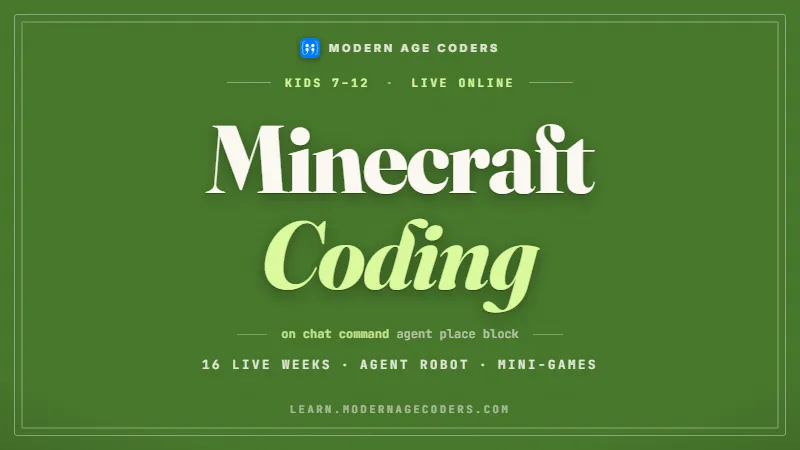
Sixteen weeks in Minecraft Education with MakeCode: walls, forts and pyramids by code, an agent that farms, trap walkways, then mini-games and a capstone your child designs.
Open the syllabus →
MIC / 02
For the child who wants to make games more than builds: Scratch, Roblox and Minecraft side by side, so they find the tool that suits them.
Open the syllabus →
MIC / 03
The usual next step after Minecraft: the same loops and decisions, now typed in Python, with games, drawings and small AI projects.
Open the syllabus →Coding or playing?
Yes. The blocks are a way of writing code, not a toy version of it. Microsoft, which makes the editor, says so directly: in MakeCode, “The blocks map directly to actual lines of code in a programming language.”
Inside Minecraft Education there is a coding window called Code Builder. Minecraft Education describes it as a “Code Builder tool that allows coding in MakeCode”. Your child snaps blocks together (repeat this, if that, when the player walks here), presses run, and the world changes.
Every block is a statement in a real language underneath, and the editor can show the same program as typed code. That is how a nine or ten year old makes the jump to typing without starting again: they read their own program in a new form.
Feedback is instant and impossible to ignore. A loop that runs one time too many builds a wall that pokes through the roof, in front of everyone. Children fix it because they care about the castle, and they learn what an off-by-one error is without ever hearing the phrase.
It also turns time they already spend in the game into time spent planning and testing. Our page on turning screen time into skill looks at that trade in more detail.
| Step | What the child does | In our course |
|---|---|---|
| Hour of Code | A short guided coding activity in a Minecraft world | Not required; many children have met it at school |
| MakeCode Blocks | Drag-and-drop programs for commands, the agent, loops and events | Weeks 1 to 14 |
| A look at typed code | The same program shown as text, changed by hand | Week 14, the typed-code peek |
| Python | Programs typed from scratch | Our Python and AI for Kids course, next |
Source: Minecraft Education, Computer Science resources: “Start with Hour of Code, progress to MakeCode Blocks, then learn to code in Python.” Microsoft MakeCode, About page. Both read 23 November 2026. The right-hand column is our own course plan. We are independent of Mojang and Microsoft.
Setting up at home
Minecraft Education, not the ordinary game. The version your child plays with friends does not include the coding editor, and the two are bought and signed into differently.
| Minecraft | Minecraft Education | |
|---|---|---|
| What it is for | Open-ended play, creativity, exploration | Learning: lessons in many subjects, including coding |
| How you get it | “Purchased as a one-time game license or subscription via personal accounts.” | “Requires a Microsoft 365 education license and is deployed on school-managed devices.” |
| Coding editor | None built in | Code Builder, coding in MakeCode |
| Who plays together | Public or private servers | Classmates in a teacher-run world |
Source: Minecraft Education, “Resources for parents and families”, FAQ “Minecraft vs. Minecraft Education: What's the difference?”, read 23 November 2026.
Many Hong Kong schools use Microsoft 365, and Minecraft Education's own parents' page says “Your child may already have access through their school account.” Ask the school before buying anything; the school decides whether its accounts can be used at home.
If there is no school access, Minecraft Education's licensing page says “Anyone with a Microsoft 365 account can purchase and use Minecraft Education”, and lists individual licences for clubs and other organisations. Licences are paid to Microsoft, not to us, and the current price is on Microsoft's licensing page.
In the free first class the mentor checks that your device can run Minecraft Education and walks you through signing in. If something does not work, we find out then, not in week three.
Your child never needs to join a public server for our classes. The mentor shares their screen and watches your child's screen; the world your child builds in stays on your own device.
| Device | Operating system | Memory |
|---|---|---|
| Windows PC | Windows 10 and up | 2 GB |
| Mac | macOS Big Sur 11 and up | 2 GB |
| Chromebook | Chrome OS 83 and up | 2 GB |
| iPad or iPhone | iOS or iPadOS 11 or higher | 1 GB |
| Android tablet or phone | Android 8.0 or higher | 1 GB |
Source: Minecraft Education, Licensing page, system requirements, read 23 November 2026. These are minimums; for a live class we suggest a laptop or desktop, because your child also needs the video call open, and a keyboard helps once typed code arrives.
Hong Kong primary school
Closely. Hong Kong primary schools now teach block coding in P4 to P6, and the primary schools' informatics olympiad is written in blocks too. Minecraft gives a child far more hours with the same ideas.
Since a 2023 circular, the Education Bureau has asked schools to “incorporate 10 to 14 hours of enriched coding education for all upper primary students at each level every year” (EDBCM No. 109/2023). Much of that material comes from CoolThink@JC: “In 2023, the Education Bureau adopted and adapted CoolThink@JC materials and mainstreamed them to all primary schools in Hong Kong.”
Ten to fourteen hours a year is a solid start but a short one. A child who has spent sixteen weeks writing loops in Minecraft arrives at those lessons already fluent, and is free to think about the problem rather than the tool.
The Hong Kong Primary Schools Olympiad in Informatics (HKPSOI), run by the HKOI organisers, “focuses on computer programming using the Blockly programming language”. MakeCode and Blockly are different editors, but loops, conditions, variables and events work the same way in both.
Entries go through schools (“All primary schools in Hong Kong may apply for HKPSOI”), so ask your child's school. We do not enter children and we cannot promise results; we build the thinking with our own puzzles, never the organiser's questions.
| Stage | Date | Format |
|---|---|---|
| Heat event | 7 December to 18 December 2026, weekdays | An online quiz on a phone app; the heat is “only available in Chinese version” |
| Final event | Saturday 20 February 2027 | “a 1 hour practical test”, in Chinese or English |
| Language of the code | Both events | Blockly |
Sources: EDBCM No. 109/2023 (19 June 2023); CoolThink@JC home page; HKPSOI rules, 2026/27 heat and final pages (hkoi.org). All read 23 November 2026. International schools set their own computing curricula, so what your child meets there depends on the school.
A sample build
One lesson from the middle of the course is the any-size house: a single program that builds a house of whatever width, depth and height the child chooses. In class it runs in MakeCode inside the game. Here we plan the same house in plain Python, which you can run without Minecraft, so you can see the thinking.
# A hollow block house, planned in plain Python before it is built. Our own example.
def build(width, depth, height, hollow=True):
    blocks = set()
    for y in range(height):
        for x in range(width):
            for z in range(depth):
                outside = x in (0, width - 1) or z in (0, depth - 1)
                if not hollow or outside or y in (0, height - 1):
                    blocks.add((x, y, z))
    return blocks

def show(blocks, width, depth, y):
    for z in range(depth):
        print("   " + "".join("#" if (x, y, z) in blocks else "." for x in range(width)))

house = build(7, 5, 4)
print("1. Seen from above: the floor (y = 0), then a wall layer (y = 1)")
show(house, 7, 5, 0)
print()
show(house, 7, 5, 1)
print("2. How many blocks?")
print("   solid 7 x 5 x 4 :", len(build(7, 5, 4, hollow=False)))
print("   hollow house    :", len(house))
print("   check by sum    :", 7 * 5 * 4 - (7 - 2) * (5 - 2) * (4 - 2))
print("3. Cut a door two blocks high in the front wall")
for y in (1, 2):
    house.discard((3, y, 0))
print("   blocks now      :", len(house))
show(house, 7, 5, 1)
Written by us for this page. In class the same loops drive the builder inside Minecraft Education. The printout underneath comes from running this exact program with Python 3.
1. Seen from above: the floor (y = 0), then a wall layer (y = 1)
   #######
   #######
   #######
   #######
   #######

   #######
   #.....#
   #.....#
   #.....#
   #######
2. How many blocks?
   solid 7 x 5 x 4 : 140
   hollow house    : 110
   check by sum    : 110
3. Cut a door two blocks high in the front wall
   blocks now      : 108
   ###.###
   #.....#
   #.....#
   #.....#
   #######
Each # is a block seen from above. The floor is solid; the wall layer has a room inside. A solid box of 7 by 5 by 4 would take 140 blocks; the hollow house takes 110, and the multiplication agrees: 140 take away the 5 by 3 by 2 space inside. The door removes two more, leaving 108.
Coordinates, nested loops and conditions, the three ideas behind almost every Minecraft build by code. Also volume and subtraction: the count check is a Primary 5 or 6 maths problem that the child cares about, because a wrong answer means a wrong house.
And the habit of checking a program against a second method. Professional programmers call it testing. Children call it “proving it”, and enjoy it once they catch their first mistake that way.
Week 5 of our Minecraft course is exactly this house, built small, medium or giant by changing one number. Week 4 before it builds a pyramid with a hollow chamber, and week 13 turns houses, paths and lamp posts into functions that build a whole village.
Children who enjoy this lesson most usually enjoy maths too. Our Maths Through Coding course takes the same approach further, for ages 10 and up.
y in (0, height - 1) to y in (0, height). What happens to the roof, and why?Minecraft, Roblox or Scratch?
All three teach real programming ideas. The right one depends on age, on how your child likes to play, and on whether they are ready to type.
| Minecraft coding | Scratch | Roblox coding | |
|---|---|---|---|
| Typical age with us | 7 to 12 | 6 to 12 | 8 to 14 |
| How code is written | MakeCode blocks, then a typed view | Blocks only | Typed Luau from the start |
| What the child makes | Builds, farms, traps and mini-games in a 3D world | 2D games, stories and animations | 3D games others can play |
| Typing needed | Not at first | No | Yes |
| Suits a child who | Loves building and already plays Minecraft | Is young or new to computers | Reads well and wants to publish games |
Our own comparison and our course age bands. In our research of Hong Kong Google search suggestions (November 2026), Minecraft coding phrases appeared more often than Roblox ones in Chinese searches, the opposite of what we saw in Peru. See also Scratch coding classes and Roblox coding classes.
If your child already plays Minecraft, the motivation is free: they know the blocks, the creatures and the world, and they want to make it do more. That head start matters most for seven and eight year olds, who learn fastest when the setting is familiar.
Minecraft also suits children who like building more than winning. Many of the first weeks are about making the computer build something big, accurately and fast.
A six year old who has never used a mouse much will usually do better in Scratch first, where everything is on one flat screen. A twelve year old who wants to publish a game for friends may be happier in Roblox, which uses typed code from day one.
If you are unsure, the free first class settles it: the mentor tries a short Minecraft task and watches what your child enjoys. Older children who mod the Java edition can read our page on learning to code Minecraft mods.
Sixteen weeks
Something new every week. The first half is code that builds; the second half is code that plays. Here are the weekly projects from our course plan.
| Weeks | Topic | What your child builds |
|---|---|---|
| 1 to 2 | Chat commands and the agent robot | Magic words that summon towers and flowers; an agent that walks a maze |
| 3 to 4 | Loops | A wall of any length, a square fort, a pyramid with a hollow chamber |
| 5 to 6 | Variables and decisions | The any-size house; an explorer that steps around obstacles |
| 7 to 8 | Events and a first project | A walkway of coded surprises; an agent that tills, plants and harvests |
| 9 to 10 | Randomness and scores | A hidden-treasure hunt with hot and cold hints; a collecting race to ten |
| 11 to 12 | Timers and an arena game | A build race against the clock; an arena where the floor vanishes |
| 13 to 14 | Functions and typed code | A whole village from named functions; a fountain changed in typed code |
| 15 to 16 | Capstone | An original game or machine, tested and shown to the family |
Source: our Minecraft Coding for Kids course plan (16 weeks). In Hong Kong the course is taught one to one, so the mentor can stretch a week that clicks or repeat one that did not. The full syllabus is on the course page.
At the end, children leave with a set of programs they wrote themselves and a certificate of completion from us, awarded after a short final assessment. That certificate is ours alone: no school, no Hong Kong authority, no Microsoft or Mojang stands behind it.
Screen time and safety
It is screen time with a purpose and an adult beside it. The hour is spent planning, coding and fixing, and the mentor makes sure it stays that way.
Each lesson has one build goal. Free play happens after the code works, as a reward, not instead of it.
Your child works in their own world on your device. Our classes never use public servers or chat with other players.
A practice task follows each lesson, kept to an hour or two a week in all, and you hear what was built.
Minecraft Education also publishes free online-safety worlds, its CyberSafe series, with notes for parents, which families can explore at home. For the wider question of children and AI tools, see our AI course for kids in Hong Kong.
English and one to one
Because one adult watching one screen catches every wrong turn as it happens, and because a lesson spent explaining a build in English is English practice your child will actually enjoy.
For Hong Kong we teach one to one and nothing else. In a game lesson that matters: with one screen to watch, the mentor sees the exact block your child dragged into the wrong place and can ask the question that leads them to the fix, rather than fixing it for them.
It also means the pace is your child's. A seven year old can spend two lessons on the agent; a confident eleven year old can reach typed code early.
Mentors speak slowly and clearly and type new words in the chat: loop, variable, coordinate, condition. Minecraft's own words, block, agent, mob, are already English to most children.
Children at international schools find the classes feel like school; children at local schools get an hour a week of English used for something they care about. We do not teach in Cantonese or Mandarin.
| Your child starts at | The mentor's clock reads | Often chosen by |
|---|---|---|
| 3:45 pm, weekday | 1:15 pm | Families whose school day ends early |
| 6:30 pm, weekday | 4:00 pm | Children with homework done first |
| 9:30 am, Saturday | 7:00 am | Weekend morning families |
Hong Kong runs on UTC+8 and India on UTC+5:30 all year, and neither changes its clocks, so the difference is always two and a half hours (IANA time zone database). These conversions are our own examples, not fixed slots.
Progress
Our own stages for Minecraft coding, used for placement and monthly notes. They are not a school level or an official standard.
| Stage | Your child can | You will see |
|---|---|---|
| 1. Command | Make code run from a chat word and place blocks | Three commands that build on cue |
| 2. Steer | Program the agent through a route step by step | A maze solved by code, not by hand |
| 3. Repeat | Use loops, including a loop inside a loop | Walls, forts and a pyramid built in seconds |
| 4. Decide | Use variables and if-then checks | A house of any size; an agent that avoids obstacles |
| 5. Play | Combine randomness, scores, timers and events | A mini-game a sibling can play |
| 6. Design | Plan, build and test an original project | A capstone shown and explained in English |
If the build is wrong, the code is telling you something. Read it before you rebuild.
Count it two ways. If the numbers agree, you can trust it.
Ask your child to run last week's program and explain one block. That is the quickest progress check there is.
Stage 4 is where most children start to plan before they code; you will hear it in how they talk.
More courses
All live and in English; in Hong Kong every one is taught one to one.
MIC / BLOCK / 01
Flat-screen games and stories, all in blocks.
Open the syllabusMIC / BLOCK / 02
A long block road through games, apps and simple AI.
Open the syllabusMIC / BLOCK / 03
Puzzles and patterns behind every program.
Open the syllabusMIC / TYPE / 01
3D games in typed Luau that friends can play.
Open the syllabusMIC / TYPE / 02
A real game engine with its own scripting language.
Open the syllabusMIC / TYPE / 03
Volume, angles and chance, learned by programming them.
Open the syllabusMIC / NEXT / 01
How machines learn, and when not to trust them.
Open the syllabusMIC / NEXT / 02
Telling an AI what game you want, then testing its work.
Open the syllabusMIC / NEXT / 03
Phone apps built with blocks, tested on a real device.
Open the syllabusHow classes run
Any day, any time, flexible: one to one at the hour that suits your family, weekdays or weekends. Your child plays and codes on your computer at home while the mentor, in India, watches the shared screen; India's clocks read two and a half hours earlier.
Straight after school
Begin at 3:45 pm Hong Kong time; the mentor's clock shows 1:15 pm.
Early evening
Begin at 6:30 pm; in India it is 4 pm.
Weekend
Saturday or Sunday, whichever hour your family keeps free.
Each lesson opens with what the code should build.
Squared paper before blocks, for anything bigger than a wall.
The mentor sees your child's world and code as they work.
Crooked builds are studied before they are fixed.
Most lessons end with something to demonstrate at home.
Projects stay on your device; no public servers.
Student work
Projects from learners in our longer courses, beyond Minecraft. The student labs collect many more.

AI and ML
An AI nutrition coach that reads what you eat and works you toward a target.

AI and ML
A chatbot that answers mathematics and programming questions, built and deployed by a student.

AI and ML
An assistant that helps a young person recognise unsafe situations online.

Web app
A weather forecasting site with live conditions for any location.
Fees
Fees are monthly and shown in Hong Kong dollars; you pay each month as it begins, never a block of months up front. Any payment-gateway charge is shown on screen before you pay. The Minecraft Education licence, if you need one, is bought from Microsoft separately.
Free first class
Free
no card required
One to one
$1,200 HKD
a month, eight live classes
What families say
Reviews from parents and students on Google, shown exactly as they were posted.
★★★★★
"The one step solution for my son. Modern Age Coders make learning coding so simple that kids love it. The teachers explain complex concepts clearly with practical exercises and interactive content."
Ria Mukherjee
Parent
★★★★★
"Modern Age Coders has been a game-changer for me. I struggled to grasp IT concepts and coding before joining, but their classes transformed everything. I can now confidently write complex programs with ease."
Samriddha Mondal
Student
★★★★★
"One of the most wonderful education centres out there. Education is not limited to school syllabus but focuses on skill development."
Vansh Agarwal
Student
★★★★★
"My child Dhairya is really enjoying the Modern Age Coders classes. This is his first online class and he eagerly looks forward to it. I can already see his improvement, and the teachers are very cooperative."
Sonam Oswal
Parent of Dhairya
★★★★★
"Modern Age Coders have wonderful teachers who teach in a clear, easy and practical way. The teacher boosts students' confidence and inspires them to learn without hesitation."
Sonu Goyal
Parent
★★★★★
"I highly recommend this computer coding class! The teachers are incredibly knowledgeable and passionate about coding."
Ritu Kedia
Parent
Questions from Hong Kong parents
English, in every lesson. Mentors teach live from India, speak slowly and clearly, and type new words into the chat. Minecraft words are already English to most children, so they settle in quickly. We do not teach in Cantonese or Mandarin.
Yes. In Hong Kong we only offer one-to-one lessons, never a shared class. The mentor watches your child's screen alone, so every mistake becomes a teaching moment and the pace is your child's own.
Any day, any time, flexible: one to one at the hour that suits your family, weekdays or weekends. India is two and a half hours behind Hong Kong all year, so a 6:30 pm lesson in Hong Kong is 4 pm for the mentor.
Minecraft Education is needed, because the coding editor, Code Builder, is built into it. The ordinary game does not include it. Check first whether your child's school account already gives access; if not, a licence is bought from Microsoft.
About 7 to 12. Seven year olds who read simple sentences manage the blocks well. Six year olds usually start with Scratch, and children of 12 or more often move on to typed code in Python or Roblox.
Real programming. Every lesson has a coding goal: loops, variables, decisions, events, randomness, scores and functions. Play comes after the code works. In the last weeks children also see and change their programs as typed code.
It builds the same ideas: Hong Kong primary schools teach block coding in P4 to P6, and the HKPSOI uses Blockly. We cannot enter a child for the HKPSOI, which goes through schools, and we never promise results.
Your child works in their own world on your device, with only the mentor watching through the video call. We never use public servers or in-game chat with strangers.
A Windows PC, a Mac or a Chromebook that meets Minecraft Education's minimum requirements, plus a camera, a microphone and steady internet. An iPad can run the game, but a laptop is easier with the video call open.
Month by month in Hong Kong dollars, with nothing paid ahead for later months. The payment-gateway charge is shown before you pay. The first class is free, and any Minecraft Education licence is paid to Microsoft, not to us.
No. We are an independent coding school. We teach with Minecraft Education and MakeCode, but the course and lessons are entirely our own, and our certificate of completion is ours alone.
Related
Pages that help with the same choice or the next one.
Every course we offer Hong Kong families.
How children learn what AI is and where it fails.
Our Minecraft course, for families anywhere.
Typed game code for older children.
Turning game hours into something built.
What a live one-to-one lesson looks like.
Part of the guide: Every Hong Kong page
More guides: Coding and AI classes in Hong Kong · 中文:英文授課編程課程 · Start here: Online coding for kids · AI, vibe coding and AI agents: AI agents course · By age and school level: Adults · HKDSE ICT and maths: DSE ICT elective guide · IB, IGCSE, A-level and SAT: A level Computer Science tutor · Olympiads and competitions: AMC 10 preparation · Guides for families: After-school coding · School holidays: AI summer course · Districts and areas: Causeway Bay
Start here
In the free class your child writes a chat command that builds something, meets the agent, and shows the mentor how they think. The mentor also checks that Minecraft Education runs on your device, so nothing surprises you later.
Want more detail first? The full syllabus is on the Minecraft course page, and how we teach explains the lesson format.
WhatsApp us · +91 91233 66161 · connect@modernagecoders.com
Live, online and one to one, in English, with mentors based in India. Message us on WhatsApp for a quick reply.
A priority demo is a full class of about 45 to 60 minutes. After the class the mentor sends a written skill report and a personal learning roadmap on WhatsApp. If you enrol, the demo fee is adjusted against your first month's fee. Share your demo Order ID with us on WhatsApp and we take it off.
Book a priority demo