MCO / FIRST / 01
Scratch coding
Games and stories in blocks.
Open the syllabusGermany · Minecraft coding · Ages 6 to 12
A child who has built a castle in Minecraft one block at a time already understands the problem coding solves: doing the same thing over and over is slow. Tell the computer to do it instead and a castle takes seconds, and a hundred castles take no longer than one. This page is for parents in Germany who want that leap for their child, with the facts on age ratings and accounts first, from the people who set them.
Teaching online since 2020 · 10,000+ students worldwide · builds made with code, not by hand
Quick answer
At Modern Age Coders, Minecraft coding for kids in Germany means live online classes in English for children aged 6 to 12. They begin with block coding inside Minecraft and progress to Python that builds, counts and solves puzzles in the game. Each child keeps the same mentor, who adapts to their pace and accent, either one to one or with fifteen to twenty classmates. The first class is free.
Where to begin
Most children aged 6 to 12 begin with the Minecraft course. Children who want more games, or who are ready for Python outside the game, have two good alternatives.
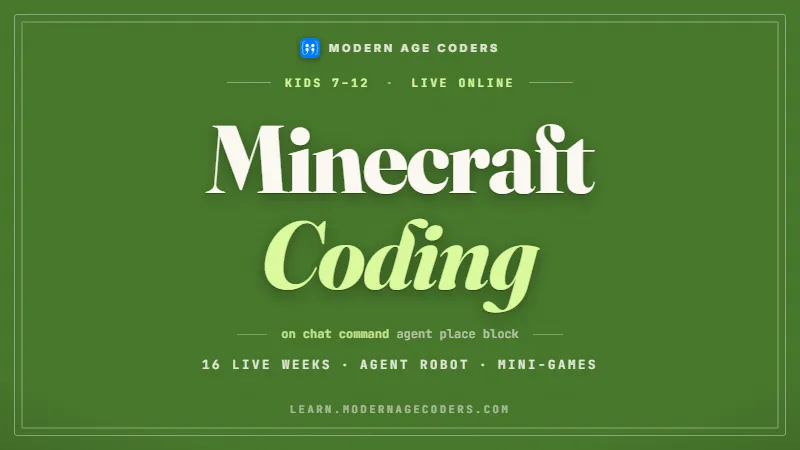
MCO / 01
The main course. Blocks first, then real code, building and solving inside Minecraft with a mentor beside every step.
Open the syllabus →
MCO / 02
Scratch, Roblox and Minecraft in one path, for a child who wants to make several kinds of game.
Open the syllabus →
MCO / 03
For a child of about 9 and up who is ready to write Python on its own, with games, turtle drawings and small AI projects.
Open the syllabus →Ratings and accounts
In Germany the USK gives games their legal age ratings. Its database lists Minecraft with an age rating of 6.
| What the USK records | Entry |
|---|---|
| Age rating | Freigegeben ab 6 Jahren gemäß § 14 JuSchG |
| Reasons given | Comic-Gewalt, Handlungsdruck, Schreckmomente |
| Also contains | Chats, In-Game-Käufe |
| Publisher | Microsoft Corporation |
Source: USK title search for Minecraft, usk.de, read on 3 November 2026. The search returned 81 titles; spin-off games such as Minecraft Dungeons II carry their own, different ratings.
A USK 6 rating is the legal age mark under the German Jugendschutzgesetz. The note "Chats, In-Game-Käufe" tells parents that the game can include chat with other players and purchases, which the rating itself does not cover.
Those two things are exactly what parents usually ask us about. In our classes children code in their own world; there is nothing to buy and nobody to chat with except the mentor on the call.
Minecraft's own end user licence agreement says that for a minor, the parent or legal guardian is responsible for creating the Microsoft account and accepting the terms on the child's behalf. It also asks minors to have a parent explain the terms to them.
So the account is a family decision. We never create a child's account. In the free first class the mentor checks which edition the child has and what it can do.
Blocks, then Python
Yes. Minecraft Education is built for exactly that, and its own learning path runs from blocks to Python.
Minecraft Education describes its coding path in one line: start with Hour of Code, progress to MakeCode Blocks, then learn to code in Python. Its newer tutorials let children solve coding puzzles with blocks or Python while learning why AI tools need human oversight.
Its licensing page says anyone with a Microsoft 365 account can buy and use it, and its getting-started page offers downloads for Windows, ChromeOS, macOS and iOS.
A six year old can read a block that says "move forward 5" long before they can type it without mistakes. Blocks let children think about the order of steps, repetition and decisions without fighting the keyboard.
Around the age of 8 or 9, when typing gets easier, the same ideas move into Python. The world stays the same; only the way of writing changes.
| Stage | Typical age | What the child writes | What they build |
|---|---|---|---|
| Blocks | 6 to 8 | Block programs: move, place, repeat | Paths, walls, a first house |
| Blocks with logic | 7 to 9 | Loops inside loops, if and else | Patterns, mazes, simple farms |
| First Python | 8 to 10 | Short Python programs with variables | Towers and pyramids of any size |
| Python with functions | 9 to 12 | Functions with inputs, lists of positions | Whole villages from one function |
Source for the blocks-to-Python path: Minecraft Education, computer science subject kit and licensing pages, read on 3 November 2026. The ages and stages in the table are our own.
What if a child plays the ordinary game, not Minecraft Education? Then we teach the same ideas in Python outside the game, as in the program below, and bring them back into the world later. The thinking is identical, and it is the thinking we care about: a child who can describe a build as steps, spot the repeating part and check the result has learned to program, whichever edition they used.
Worked example, ours
Children love building pyramids. Before building a big one, it helps to know how many blocks it will take. We work it out two ways, with a program that builds it and with a formula, and the two answers have to agree.
A stepped pyramid has a square base. Each layer is two blocks narrower than the one below, until the top is a single block. A base of 9 gives layers of 9, 7, 5, 3 and 1.
A hollow pyramid keeps only the outer ring of each layer, so it saves blocks and leaves a room inside.
The program places every block in a set, just as an agent in Minecraft would place it in the world, and then counts the set.
The formula is a quick guess a child might make: a ring with side s has four walls of s blocks, so 4 times s.
# A stepped pyramid, built layer by layer like a Minecraft agent would (our own example)
def build(base, hollow):
    blocks = set()
    layer, side = 0, base
    while side > 0:
        for x in range(layer, layer + side):
            for z in range(layer, layer + side):
                edge = x in (layer, layer + side - 1) or z in (layer, layer + side - 1)
                if not hollow or edge or side == 1:
                    blocks.add((x, layer, z))
        layer, side = layer + 1, side - 2
    return blocks

def by_formula(base):
    # a quick guess: each ring of side s has 4 walls of s blocks
    return sum(4 * s if s > 1 else 1 for s in range(base, 0, -2))

print("Solid pyramid, base 9:", len(build(9, hollow=False)), "blocks")
print("Hollow pyramid, base 9:", len(build(9, hollow=True)), "blocks")
print("Formula for hollow, base 9:", by_formula(9), "blocks")
It prints Solid pyramid, base 9: 165 blocks, then Hollow pyramid, base 9: 81 blocks and Formula for hollow, base 9: 97 blocks.
The two counts disagree: 81 from the program and 97 from the formula. One of them is wrong, and the program has the advantage of having actually placed every block. So where does the formula go wrong? Draw a ring of side 3 on squared paper and count: 8 blocks, not 12. Each corner block belongs to two walls at once, and the formula counted it twice. Four corners per ring, four rings with corners in a base-9 pyramid: 16 blocks too many, and 97 minus 16 is 81.
def by_formula_fixed(base):
    # four walls of s blocks share four corners, so take 4 away
    return sum(4 * s - 4 if s > 1 else 1 for s in range(base, 0, -2))

for base in [3, 5, 9, 15, 21]:
    built = len(build(base, hollow=True))
    print("base", base, " built:", built, " old formula:", by_formula(base), " fixed formula:", by_formula_fixed(base))
Run after Version 1. It prints base 3 built: 9 old formula: 13 fixed formula: 9, then the same for bases 5, 9, 15 and 21: built 25, 81, 225 and 441, old formula 33, 97, 253 and 481, fixed formula 25, 81, 225 and 441.
| Base | Built and counted | Old formula, 4 times s | Fixed formula, 4 times s minus 4 |
|---|---|---|---|
| 3 | 9 | 13 | 9 |
| 5 | 25 | 33 | 25 |
| 9 | 81 | 97 | 81 |
| 15 | 225 | 253 | 225 |
| 21 | 441 | 481 | 441 |
Example and program written by us; output taken from a Python 3 run on 3 November 2026.
Now look down the "built" column: 9, 25, 81, 225, 441. Those are 3 times 3, 5 times 5, 9 times 9, 15 times 15 and 21 times 21. A hollow pyramid always needs exactly as many blocks as a flat square floor of the same base. Children are usually delighted, and a little suspicious, which is the right reaction. The older ones can prove it by adding up the rings; the younger ones can test it in the game. Either way they have learned the habit this example is really about: when two ways of counting disagree, do not pick the one you like, find out why.
Beyond Minecraft
For most children it leads to Python, and later to whatever school or curiosity asks for. The game is a starting point, not a ceiling.
| In Minecraft | The coding idea | Next place it appears |
|---|---|---|
| Placing a wall with one command | A loop | Every Python program |
| A pyramid of any size | A function with an input | Maths through coding, Python projects |
| Counting blocks two ways | Testing a result | Every serious program |
| A farm that reacts to the day | Conditions and events | Games in Scratch or Roblox |
| A village from a list of houses | Lists and data | Data and AI projects |
In Germany, when a child first meets computing at school, and how much of it, depends on the Land and often on the school. A child who arrives in Klasse 5 or 7 able to break a problem into steps and test the answer is in a strong position whatever the timetable holds. For a free contest there is the Informatik-Biber, open to pupils from Klasse 3, organised by BWINF, and which tests exactly this kind of step-by-step thinking without any programming.
Class times
After school during the week, and at the weekend. The mentors are based in India, which is ahead of Germany.
| Germany | India, winter (until 28 March 2027) | India, summer (from 28 March 2027) |
|---|---|---|
| 14:45 | 19:15 | 18:15 |
| 17:15 | 21:45 | 20:45 |
| Saturday 10:15 | 14:45 | 13:45 |
| Sunday 15:00 | 19:30 | 18:30 |
Germany uses MEZ, UTC+1, in winter and MESZ, UTC+2, in summer, as set by the Einheitenzeitgesetz; the change back was on 25 October 2026 and the change forward is on 28 March 2027. India stays at UTC+5:30. The rows are examples; no batch time is fixed here.
When you book the free class, slots appear in your own local time. Young children often do better with a weekend morning class, when they are fresh, than late on a school day.
Milestones
Our own milestones for Minecraft coders, used to place each child and to show parents progress.
| Milestone | Typical timing | What the child manages |
|---|---|---|
| 1. Steps | First weeks | Put block commands in the right order to build a path |
| 2. Repeats | Month 1 to 2 | Use a loop instead of copying the same block ten times |
| 3. Decisions | Months 2 to 4 | Use if and else to react to what is in the world |
| 4. Python | Months 4 to 6 | Write short Python programs with variables and loops |
| 5. Functions | Month 6 onwards | Build any size of structure from one function and test the count |
If you are placing the same block again and again, there is a loop hiding there.
Count it twice, two different ways. If the answers differ, you have found something interesting.
Ask your child how many blocks their last build used and how they know. The second answer is the one that matters.
Time in a coding lesson looks like playing. Watch for the moment they stop clicking and start planning.
More courses
Every one of them runs live, in English, with the same mentor each week, for a whole group or a single child.
MCO / FIRST / 01
Games and stories in blocks.
Open the syllabusMCO / FIRST / 02
Thinking in steps, with and without a computer.
Open the syllabusMCO / FIRST / 03
From blocks to games, apps and AI.
Open the syllabusMCO / MORE / 01
Typed Luau scripts for multiplayer games.
Open the syllabusMCO / MORE / 02
Counting, patterns and proof in Python.
Open the syllabusMCO / MORE / 03
Real web pages a child designs.
Open the syllabusMCO / OLDER / 01
For older children heading towards Java Edition mods.
Open the syllabusMCO / OLDER / 02
From scripts to full projects.
Open the syllabusMCO / OLDER / 03
Designing pages people enjoy using.
Open the syllabusHow lessons run
Weekdays or weekends, flexible: choose your batch, or for a very personalised plan choose 1-on-1 at your convenience, weekend mornings or weekdays.
School days
Afternoon slots from about a quarter to three, German time.
Weekends
Saturday and Sunday, mornings and afternoons.
One to one
A regular time agreed with your child's mentor.
Every build in class is made by a program.
Each child moves on when ready.
Short sentences, shown on screen, repeated.
The same friendly face each week.
Nothing to buy and no strangers.
Fifteen to twenty children, or one alone.
Student work
Some projects from our students around the world; you will find more on the student labs page.
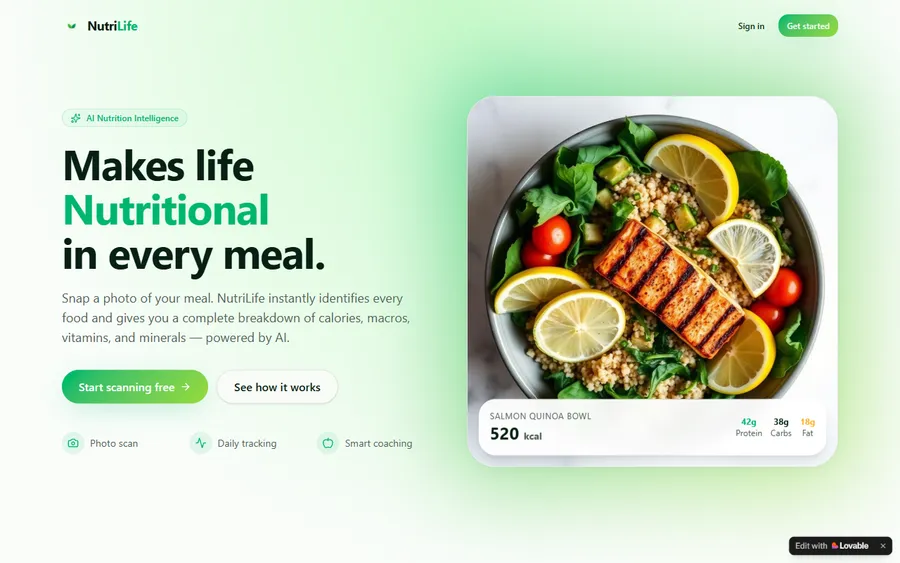
AI and ML
An AI nutrition coach that reads what you eat and works you toward a target.
AI and ML
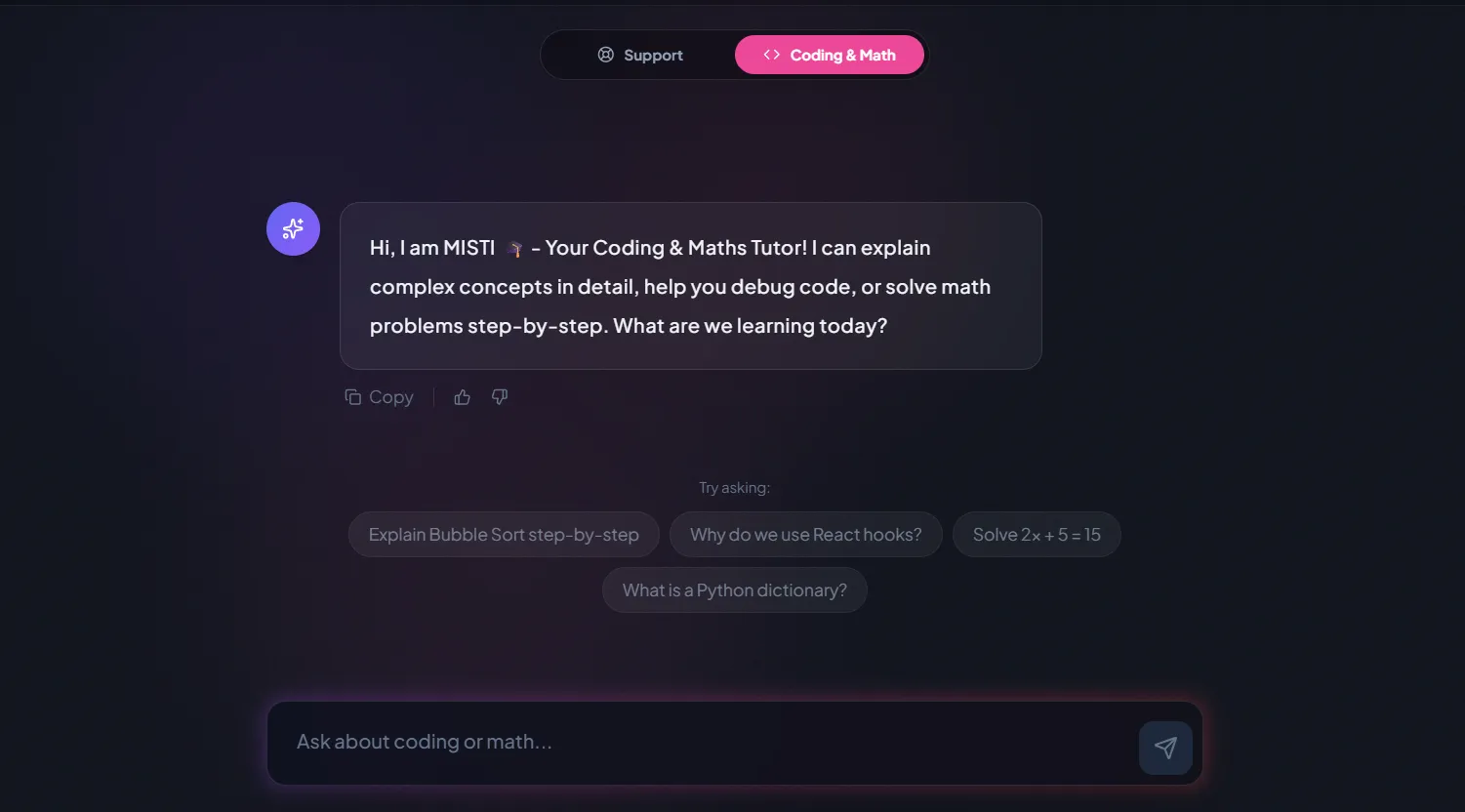
A chatbot that answers mathematics and programming questions, built and deployed by a student.
AI and ML
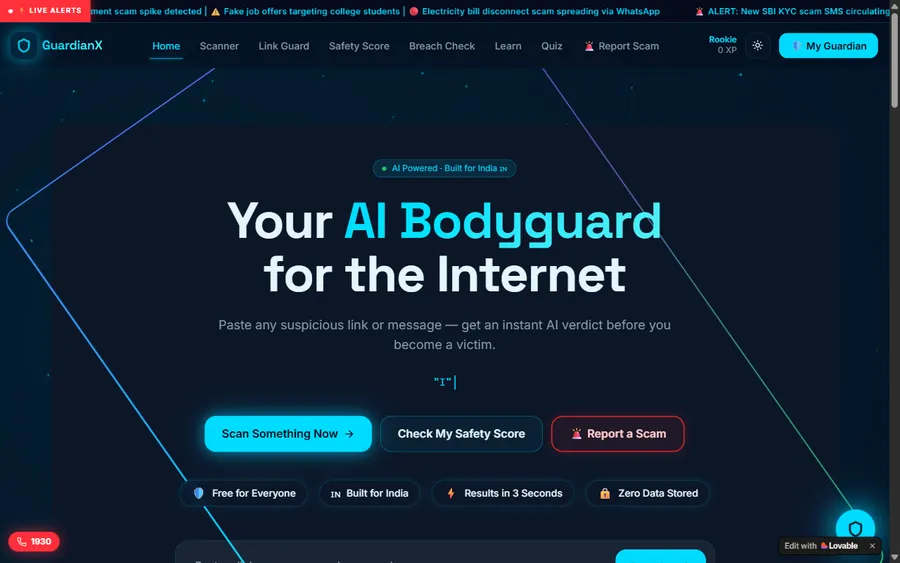
An assistant that helps a young person recognise unsafe situations online.
Web app
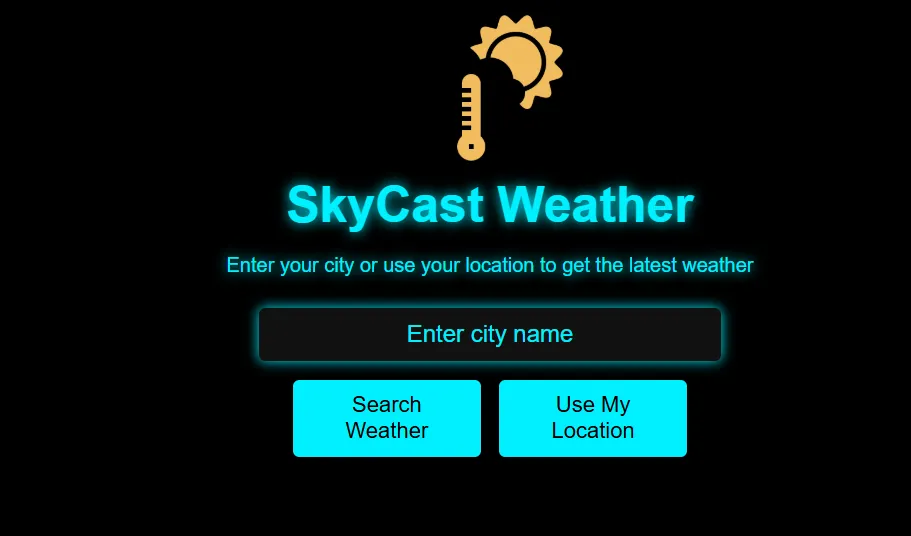
A weather forecasting site with live conditions for any location.
Fees
The monthly fee pays for eight live classes. You see it in euro, calculated at the European Central Bank reference rate; the charge is made in US dollars and converted by your bank, so the euro amount on your statement can be a little different.
Free first class
Free
no card required
Group batch
€90
a month, eight live classes, charged in US dollars
One to one
€134
a month, eight live classes, charged in US dollars
What families say
Reviews posted on Google by parents and students, shown unchanged.
★★★★★
"The one step solution for my son. Modern Age Coders make learning coding so simple that kids love it. The teachers explain complex concepts clearly with practical exercises and interactive content."
Ria Mukherjee
Parent
★★★★★
"Modern Age Coders has been a game-changer for me. I struggled to grasp IT concepts and coding before joining, but their classes transformed everything. I can now confidently write complex programs with ease."
Samriddha Mondal
Student
★★★★★
"One of the most wonderful education centres out there. Education is not limited to school syllabus but focuses on skill development."
Vansh Agarwal
Student
★★★★★
"My child Dhairya is really enjoying the Modern Age Coders classes. This is his first online class and he eagerly looks forward to it. I can already see his improvement, and the teachers are very cooperative."
Sonam Oswal
Parent of Dhairya
★★★★★
"Modern Age Coders have wonderful teachers who teach in a clear, easy and practical way. The teacher boosts students' confidence and inspires them to learn without hesitation."
Sonu Goyal
Parent
★★★★★
"I highly recommend this computer coding class! The teachers are incredibly knowledgeable and passionate about coding."
Ritu Kedia
Parent
Parents in Germany ask
No. All lessons are live and in English only. Mentors work from India and slow down, repeat or rephrase to suit how your child speaks and learns. Block commands and Python keywords are English words, so the code helps with the English and the English helps with the code.
Often, yes. Block coding is very visual, and the mentor shows each step on screen and uses short, simple sentences. The free first class is the best way to see whether it works for your child.
The USK database lists Minecraft as Freigegeben ab 6 Jahren under the Jugendschutzgesetz, with the reasons Comic-Gewalt, Handlungsdruck and Schreckmomente, and notes that it contains chats and in-game purchases.
Minecraft Education is designed for coding and teaches blocks and then Python. Minecraft's licensing page says anyone with a Microsoft 365 account can buy and use it. If your child has another edition, the mentor explains in the first class what it can do, and Python can also be taught outside the game.
The family does. Minecraft's licence agreement says that for a minor the parent or legal guardian is responsible for creating the Microsoft account and accepting the terms. We never create or manage children's accounts.
No. Children code in their own world, and the only other person in the lesson is the mentor. The course never asks for in-game chat or purchases.
Yes. Children learn sequences, loops, conditions, variables and functions, first in blocks and then in Python, the same ideas used in every programming language.
Weekdays or weekends, flexible: choose your batch, or for a very personalised plan choose 1-on-1 at your convenience, weekend mornings or weekdays. In Germany most children come after school or on a weekend morning.
Our pages give the fee in euro, worked out from the European Central Bank reference rate, but the card payment is in US dollars. Your bank makes the conversion, which is why the euro figure on a statement is rarely identical. Nothing is charged for the first class.
Most children continue with Python, and some move to Roblox, Scratch games or Java. The mentor suggests a next step based on what your child enjoys.
Read on
Further reading for Minecraft fans and their parents.
Every Germany page in one place.
For older children ready for Java.
Our general guide to the course.
Block coding beyond Minecraft.
For families in the capital.
Inside a live class.
Start here
Together with the mentor, your child writes a little program that builds something. From that the mentor can tell whether blocks or Python is the better starting point. It all happens in English, gently, at your child's pace.
You can also read how we teach or look at all our courses first.
WhatsApp us · +91 91233 66161 · connect@modernagecoders.com
Classes are live online in English, with mentors based in India. WhatsApp in English is the quickest way to ask a question.
A priority demo is a full class of about 45 to 60 minutes. After the class the mentor sends a written skill report and a personal learning roadmap on WhatsApp. If you enrol, the demo fee is adjusted against your first month's fee. Share your demo Order ID with us on WhatsApp and we take it off.
Book a priority demo