CBS / SIX / 01
Scratch Coding for Kids
Blocks, characters and first games.
Open the syllabusHong Kong · Age 5 · K3 and the year before P1
Plenty of Hong Kong centres advertise coding from four or five. Our answer is quieter. A five year old can absolutely learn the thinking that coding is made of: putting things in order, spotting a pattern, following a rule. A screen-based coding course is another matter, and we do not run one at this age. What we do offer is one to one, live maths foundations in English that build exactly those habits, and a clear plan for when real coding should begin.
Teaching live since 2020 · 10,000+ students worldwide · Hong Kong families learn one to one, online, in English
The short answer
Can a 5 year old learn coding? The ideas, yes: ordering, patterns and simple rules are within reach of most Hong Kong K3 children, and they are learned most easily through play, not screens. Modern Age Coders does not run a coding course for five year olds; our Scratch courses start at about six. For a five year old we teach live, one to one maths foundations online in English, at a Hong Kong time your family chooses, and move the child to coding when they are ready.
Courses first
None of our coding courses is built for five, and we would rather say so than stretch one. These three maths courses take children from about four or five, and each trains a habit that coding leans on later: counting carefully, ordering, and seeing structure.
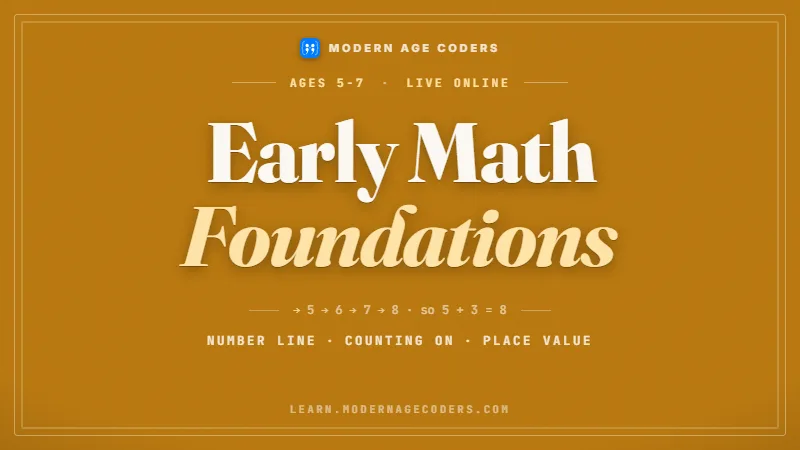
CBS / 01
Hands-on number sense with objects in the room: more and fewer, shapes, first and second, and repeating patterns. The closest thing we have to a coding readiness course, and the one most families of five year olds choose.
Open the syllabus →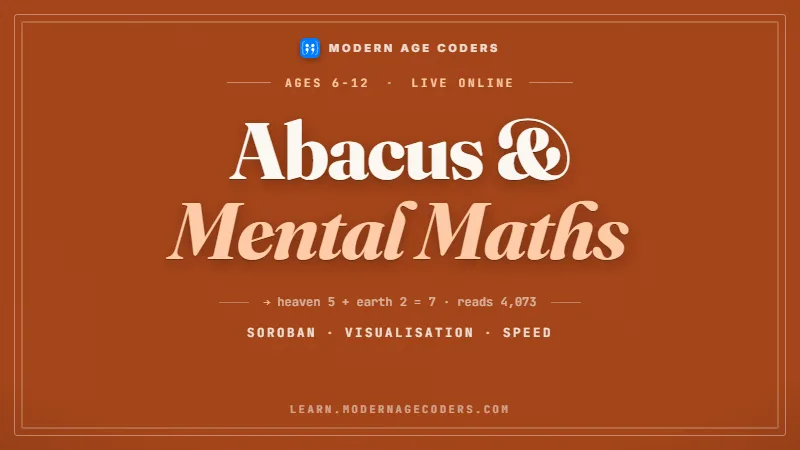
CBS / 02
Beads that stand for numbers. Moving them in a set order to add and subtract is a physical algorithm, and children who enjoy rules and precision usually love it.
Open the syllabus →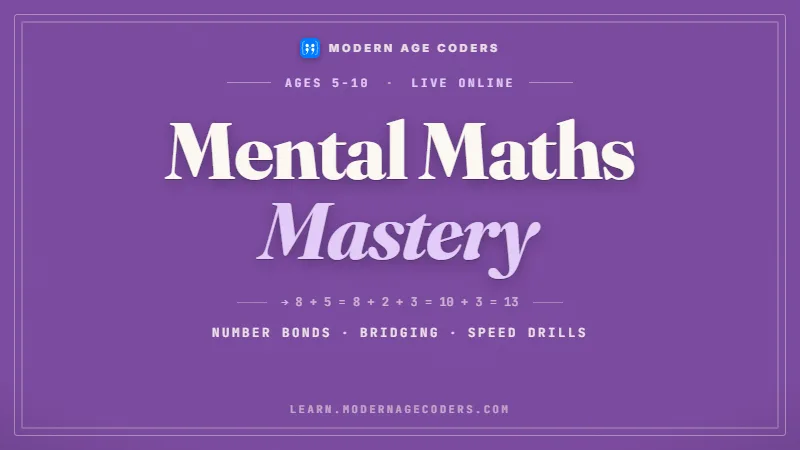
CBS / 03
Number sense rather than tricks: splitting, doubling and checking. Good for a five year old who already counts confidently and wants a challenge.
Open the syllabus →The honest answer
Coding has two layers. One is the thinking: breaking a job into steps, getting the order right, noticing when something repeats. The other is the machinery: a screen, an app, blocks or typed words. Five is a fine age for the first layer and an early one for the second.
Tell you how to brush their teeth in three steps, and notice when you do them in the wrong order. Continue a red, blue, red, blue line of Lego bricks. Follow "if it is raining, take the umbrella". Every one of these is a coding idea: sequence, pattern, condition.
The EDB's own coding supplement makes the same point about everyday life: "Most regulations in the games, sports and music activities have already involved the concepts of sequence and condition in computational thinking." A child who plays a game with rules is already practising.
Screen-based courses at this age often turn into the adult doing the dragging while the child watches, or into a child pressing buttons fast to see what happens. Neither builds the thinking. Reading instructions is also hard for many five year olds, so the course leans on the parent.
There is nothing to lose by waiting. Hong Kong schools do not test coding for Primary One, and a child who starts Scratch at six or seven with strong ordering and counting habits usually overtakes one who started at four without them.
If you want the wider picture across ages, our page on the right age to start coding sets out readiness signs from five to fifteen, and turning screen time into skill covers the screen question in more depth.
Where a five year old sits
Mostly K3. The EDB says "Kindergarten education in Hong Kong is for children from three to six years old", and the Primary One rule for September 2027 asks that a child "reach the age of 5 years 8 months when he/she is enrolled", which means born on or before 31 December 2021.
In practice, a child born in a given calendar year usually starts P1 in the September six years later. So in the 2026/27 school year, children born in 2021 are in K3 and children born in 2020 are in P1. That is our reading of the EDB rule, not an EDB table, and private and international schools set their own entry ages.
It means a five year old is in K3 for most of the year, and a child with a birthday late in the year can be five for the first months of P1. If your child is in K3 now, the Primary One Admission process is running this very school year.
For government and aided schools in the Discretionary Places stage, the EDB note is plain: "Schools must not conduct tests or interviews on the applicant children." No coding, no maths test. Points come from family links and, for every child of the right age, 20 points.
We mention this because some families feel pressure to "get ahead" before P1. For the admission process, there is nothing coding can add. For the child, a calm year of play, counting and stories is the better preparation.
| Step | Date | What the EDB note says |
|---|---|---|
| Age to enter P1 | September 2027 | Child at least 5 years 8 months at enrolment, born on or before 31 December 2021 |
| Discretionary Places results | 23 November 2026 | Released by schools; viewable on ePOA from 10 am |
| Register a discretionary place | 25 or 26 November 2026 | At the school applied to; missing it forfeits the place |
| Central Allocation choices | 18 to 24 January 2027 | Online through ePOA, or 23 to 24 January 2027 in person |
| Central Allocation results | 2 June 2027 | On ePOA from 10 am; forms also posted 2 to 3 June 2027 |
| Register with the allocated school | 10 to 11 June 2027 | During school hours |
Source: EDB, Primary One Admission System (Admission to Primary One in September 2027), Information Note, read 23 November 2026. DSS and private primary schools are outside this system and admit children directly. The EDB adds: "Parents are required by law to send their children aged six or above to school."
What the EDB expects
The EDB's Kindergarten Education Curriculum Guide (2017) lists what children commonly manage at each age. Its column for 5 to 6 years reads, item by item, like a list of coding foundations. The right-hand column is our own note on the link.
| The guide's words (5 to 6 years) | The coding idea underneath (our note) |
|---|---|
| "Able to put things of different length, height, width and size in correct order easily" | Sorting by a rule, the start of every sorting algorithm |
| "Able to tell the order and position of an object" (first, second) | Position in a list: item 1, item 2, item 10 |
| "Able to repeat three acts from a story just heard" | Holding a short sequence of steps in mind |
| "Able to recall five numbers just seen or heard" | Working memory, which a program later stores in variables |
| "Able to count and write from one to twenty" | Counting steps and repeats exactly |
| "Able to play simple puzzle games" | Trying, checking and trying again: debugging in miniature |
Source: Curriculum Development Council, Kindergarten Education Curriculum Guide (2017), Appendix 2, Developmental Characteristics of Children from 2 to 6 Years Old, intellectual column for 5 to 6 years; EDB website, read 23 November 2026. These are typical abilities, not targets for any one child.
Among its maths objectives, the guide hopes children will "Be interested in the patterns of ordering of different things". On play, it notes that children over four "begin to engage in more complex play. The games are organised with certain rules and require co-operation to complete."
Read together, the guide describes a child who is ready to invent rules, follow them and notice when a pattern breaks. That is the exact mental move a programmer makes, with no computer involved.
Hong Kong's new pilot primary AI strand (2026) asks schools to start in key stage one with unplugged activities for computational thinking, naming sorting, ordering and finding patterns as examples (our English; the EDB published it in Chinese). Its year-by-year AI topics begin at P2.
Formal coding comes later: the EDB recommends about 10 to 14 hours a year from P4. So a five year old who sorts, orders and spots patterns at home is doing what school will ask for next, at the right age.
Screens at five
Very little, and never alone. The kindergarten guide is direct about it, and our own lessons for this age are built around objects on the table, with the screen used to talk to the teacher rather than to stare at an app.
The guide accepts that screens can help, but warns that "IT cannot take the place of learning activities or play", and points parents to the Department of Health recommendation that "children aged from 2 to 6 should avoid prolonged use of electronic screen products".
We take that seriously. A live online lesson for a five year old is short, the child spends much of it moving real things in front of the camera, and a parent is in the room.
About twenty to thirty minutes, not an hour. The teacher asks the child to fetch five spoons, line up toy cars by size, or build a pattern with coloured blocks, and to say out loud what comes next.
The camera points at the table as much as at the face. When the lesson ends, the work is on the table, not in an app, and the child can show it to a grandparent at dinner.
Blocks, beads, cards and toys do the teaching; the screen only carries the teacher's voice.
Two or three activities, each a few minutes, with movement in between.
For a five year old, a parent nearby is part of the lesson, not an extra.
A pattern game, in full
Here is one we use, with beads, pasta shapes or Lego. It teaches the single most useful idea in programming for a young child: a pattern is a small unit that repeats, and once you know the unit you can predict anything further along, without counting every bead.
# Bead patterns for a 5 year old: our own puzzle, checked by a parent.
def unit(beads):
    # the shortest chunk that, repeated, rebuilds the whole string
    for size in range(1, len(beads) + 1):
        chunk = beads[:size]
        if (chunk * len(beads))[:len(beads)] == beads:
            return chunk

def bead_number(beads, n):
    chunk = unit(beads)
    return chunk[(n - 1) % len(chunk)]

for beads in ["RB" * 4, "RRY" * 3, "BYYG" * 2]:
    chunk = unit(beads)
    print(beads, "| unit:", chunk, "| bead 10:", bead_number(beads, 10),
          "| bead 20:", bead_number(beads, 20))
This is for the parent, not the child: a five year old does the activity with real beads. We wrote the program so you can check your child's answers for bead 10 or bead 20. R is red, B is blue, Y is yellow, G is green. Paste it into any Python 3 editor and you get exactly the output below.
RBRBRBRB | unit: RB | bead 10: B | bead 20: B
RRYRRYRRY | unit: RRY | bead 10: R | bead 20: R
BYYGBYYG | unit: BYYG | bead 10: Y | bead 20: G
In the second string the unit is red, red, yellow, so bead 10 is the first bead of a new unit: red. In the third, bead 20 is the last bead of the fifth unit: green. The program counts round the unit with a remainder; the child counts round it on their fingers. Same idea.
Abstraction: seeing that eight beads are really one small unit, four times over. Prediction: answering about bead ten without having bead ten in front of you. Checking: testing a guess against the rule.
Years later, the same child will meet a loop in Scratch ("repeat 4") and recognise it as an old friend. Children who did this kind of play tend to read loops as patterns rather than as a new word to memorise.
1. Blue, yellow, blue, yellow: what is bead 7? 2. Red, red, blue: what is bead 6? 3. Make a pattern whose unit has three different colours. 4. Make one with a mistake hidden in it and ask a sibling to find it.
Answers: 1 is blue, 2 is blue (the end of the second unit). For 3 and 4 there is no single answer, which is the point: the child sets the rule. For more ideas in this style, see how to think like a programmer.
Apps and age rules
Only one well-known coding tool is designed for this age, and the AI chatbots that children see adults using are not meant for them at all. Here is what the makers themselves say.
| Tool | What its maker says about age | Our advice at five |
|---|---|---|
| ScratchJr | For young children aged 5 to 7; a free app for iPads, Android tablets and Chromebooks | Fine with a parent beside the child, in short sessions |
| Scratch | "Primarily designed for 8 to 16 year olds", also used by "younger children with their parents" | Wait; most children are ready around six or seven |
| ChatGPT | At least 13, with a parent's permission under 18 (OpenAI terms) | Not for a five year old |
| Claude | At least 18 (Anthropic consumer terms) | Not for a child of any primary age |
Sources: ScratchJr, About page (scratchjr.org); Scratch Foundation, parents FAQ (scratch.mit.edu); OpenAI Terms of Use; Anthropic Consumer Terms. All read 23 November 2026. Neither OpenAI nor Anthropic lists Hong Kong among the places it offers ChatGPT or Claude. Our wider AI tools age guide covers more than a hundred tools.
Sit together. Let the child choose a character, then ask them to make it walk three steps and jump. Before pressing play, ask: "What will it do?" The prediction matters more than the animation.
Stop while it is still fun. Ten minutes is plenty. The goal at five is a child who thinks "I can tell it what to do", not a finished game.
Chatbots answer instantly and confidently. A five year old cannot judge whether the answer is right, and the habit of asking before thinking is the opposite of what we are building.
Hong Kong's pilot primary AI strand also places children's first guided contact with AI in P2, with a teacher in charge. We think that is about right, and our page on thinking with AI rather than copying from it explains why.
A plan by age
For most Hong Kong children, about six, once the first months of P1 have settled. The route below is how we usually place children from five upwards; a mentor adjusts it to the child in front of them.
| Age (about) | What we suggest | Why then |
|---|---|---|
| 5, in K3 | Early Math Foundations and pattern play at home | Ordering, counting and patterns without screens |
| 6, in P1 | Scratch Coding for Kids | Blocks, a mentor reading aloud, short projects |
| 7, in P2 | Problem Solving and Computational Thinking | Puzzles and plans that stretch a confident reader |
| 8 and over | AI Literacy for Kids or a game course | Ready to ask how machines learn and to build longer projects |
The ages are our placement guide, not an official band. Course age ranges come from each course page. School levels assume the usual P1 entry in the September after a child turns five or six (our reading of the EDB Primary One note).
They line things up, sort toys into groups, invent rules for games, or correct you when you skip a step in a story. They ask "what happens if...?" and like to test the answer.
None of these needs reading. If you see them, you will probably find Scratch at six a natural next step, and the free first class can confirm it.
Some five year olds with late-year birthdays are already in P1. If the class is going well and your child reads simple words, a gentle start in Scratch can be fine before six; the mentor decides after the first class, with you.
Our online coding classes for Hong Kong children page shows what those first Scratch lessons look like.
English, one to one
Usually, if the lesson is short, visual and one to one. Maths for this age needs few words, and the ones it needs (more, less, first, next, same, different) are words children in Hong Kong kindergartens meet anyway.
One instruction at a time, shown as well as said: the mentor holds up three blocks while saying "three". The child answers by doing, so shy children do not have to speak much at first.
If your family speaks Cantonese or another language at home, that is fine. A parent can whisper a translation in the early lessons; most children stop needing it within a few weeks. We do not teach in Cantonese or Mandarin.
A five year old in a group lesson waits most of the time. One to one, the child acts every minute, and the mentor can stop the moment attention drifts and switch to a counting song or a stretch.
Every Hong Kong booking with us is one to one. More on the language side is on our page about coding classes taught in English in Hong Kong.
Progress before coding
Our own readiness stages, used in the maths foundations lessons to decide when a child moves on to Scratch. They are not an EDB or school measure.
| Stage | Your child can | You might see |
|---|---|---|
| 1. Order | Line up five things by size or length | Toy cars parked smallest to biggest |
| 2. Repeat | Continue a two-part pattern | Red, blue, red, blue with no help |
| 3. Find the unit | Spot a three-part unit | Red, red, yellow named as one chunk |
| 4. Predict | Say what comes several steps ahead | The tenth bead worked out on fingers |
| 5. Follow a rule | Act on "if this, then that" | "If the card is red, I clap" |
| 6. Make a rule | Invent a rule and check others against it | A pattern game run for a sibling |
Look for the chunk that repeats.
Guess first, then check.
A child at stage 5 or 6 usually takes to Scratch blocks quickly.
Ask "how did you know?" more often than "is it right?"
When they are ready
Each is live, in English and, for Hong Kong families, one to one. The age bands are the courses' own, so these are for later, not for now.
CBS / SIX / 01
Blocks, characters and first games.
Open the syllabusCBS / SIX / 02
A longer block road with a mentor beside.
Open the syllabusCBS / SIX / 03
School maths, placed by level.
Open the syllabusCBS / SEVEN / 01
Puzzles and plans, screen or paper.
Open the syllabusCBS / SEVEN / 02
Loops inside a world they know.
Open the syllabusCBS / SEVEN / 03
Typing, slides and tidy documents.
Open the syllabusCBS / EIGHT / 01
How machines learn, without copying from them.
Open the syllabusCBS / EIGHT / 02
Rules, levels and scores.
Open the syllabusCBS / EIGHT / 03
Typed scripts in a game world.
Open the syllabusTiming and setup
Any day, any time, flexible: one to one at the hour that suits your family, weekdays or weekends. For a five year old we keep lessons short and early enough that nobody is tired; the mentor works from India, two and a half hours behind Hong Kong.
After kindergarten
3:30 pm in Hong Kong is 1 pm for the mentor in India.
Late afternoon
A 5:15 pm lesson is 2:45 pm India time.
Saturday
10 am in Hong Kong is 7:30 am India time.
Anything with a camera that can look at the table.
Blocks, beads, spoons, toy cars: whatever is at home.
In the room for every lesson at this age.
About twenty to thirty minutes, ended on a high.
A familiar face each week matters at five.
What your child did, and one game to repeat at home.
Student work
A glimpse of where the ordering and pattern work leads: projects by students in our longer courses. The student labs page has more.

AI and ML
An AI nutrition coach that reads what you eat and works you toward a target.

AI and ML
A chatbot that answers mathematics and programming questions, built and deployed by a student.

AI and ML
An assistant that helps a young person recognise unsafe situations online.

Web app
A weather forecasting site with live conditions for any location.
Fees
Fees are shown in Hong Kong dollars and charged one month at a time, so you never pay ahead for months your child has not had. There is no lump sum and no prepaid bundle. If a payment gateway adds a charge, you see it on the checkout screen before you agree to pay.
Free first class
Free
no card required
One to one
$1,200 HKD
a month, eight live classes
What families say
Reviews parents and students left for us on Google, copied word for word.
★★★★★
"The one step solution for my son. Modern Age Coders make learning coding so simple that kids love it. The teachers explain complex concepts clearly with practical exercises and interactive content."
Ria Mukherjee
Parent
★★★★★
"Modern Age Coders has been a game-changer for me. I struggled to grasp IT concepts and coding before joining, but their classes transformed everything. I can now confidently write complex programs with ease."
Samriddha Mondal
Student
★★★★★
"One of the most wonderful education centres out there. Education is not limited to school syllabus but focuses on skill development."
Vansh Agarwal
Student
★★★★★
"My child Dhairya is really enjoying the Modern Age Coders classes. This is his first online class and he eagerly looks forward to it. I can already see his improvement, and the teachers are very cooperative."
Sonam Oswal
Parent of Dhairya
★★★★★
"Modern Age Coders have wonderful teachers who teach in a clear, easy and practical way. The teacher boosts students' confidence and inspires them to learn without hesitation."
Sonu Goyal
Parent
★★★★★
"I highly recommend this computer coding class! The teachers are incredibly knowledgeable and passionate about coding."
Ritu Kedia
Parent
Parents of five year olds ask
For the ideas, no: ordering, patterns and simple rules suit five year olds well, through play. For a screen-based coding course, usually yes. We start our Scratch courses at about six and teach maths foundations before that.
No. Our coding courses start at about six. For five year olds we offer live, one to one maths foundations online, which build the same ordering and pattern habits, and we move the child to Scratch when they are ready.
No. The EDB note on Primary One admission for September 2027 says schools must not conduct tests or interviews on applicant children in the Discretionary Places stage. Coding plays no part.
Usually K3. For September 2027 entry a child must be at least 5 years 8 months old, born on or before 31 December 2021. A child with a late-year birthday can be five during the first months of P1.
Yes, its makers built it for children of about 5 to 7, and it is free on iPads, Android tablets and Chromebooks. Use it together, for short sessions, and ask your child to predict what will happen before pressing play.
No. OpenAI requires users to be at least 13 and to have a parent's permission under 18. Anthropic's Claude requires users to be 18, and neither maker lists Hong Kong among the places it offers these chatbots. We do not use AI chatbots with primary-age children.
English, spoken slowly and shown with objects. Our mentors are based in India. We do not teach in Cantonese or Mandarin, though a parent is welcome to help with a word in the early lessons.
Any day, any time, flexible: one to one at the hour that suits your family, weekdays or weekends. India is two and a half hours behind Hong Kong, so a 4 pm lesson for your child is 1:30 pm for the mentor.
Short: about twenty to thirty minutes, with movement and objects. We end while the child still wants more, which makes the next lesson easier to start.
Monthly, shown in Hong Kong dollars, paid one month at a time with no lump sum. Any payment-gateway charge appears before you pay. The first lesson is free.
Related
Pages for the years just after five.
Every course for Hong Kong families, by age.
What a first Scratch lesson looks like.
Readiness signs from five upwards.
Number sense for the youngest learners.
For later: how AI works, from about eight.
What drives the price, and how we charge.
Part of the guide: Every Hong Kong page
More guides: Coding and AI classes in Hong Kong · 中文:英文授課編程課程 · Start here: Online coding for kids · AI, vibe coding and AI agents: AI agents course · Coding subjects and courses: App development · HKDSE ICT and maths: DSE ICT elective guide · IB, IGCSE, A-level and SAT: A level Computer Science tutor · Olympiads and competitions: AMC 10 preparation · Guides for families: After-school coding · School holidays: AI summer course · Districts and areas: Causeway Bay
Start here
Your child meets a mentor, plays two or three ordering and pattern games on camera, and you see how they respond. Afterwards the mentor tells you plainly whether maths foundations now or Scratch a little later is the better step.
Prefer to read first? The Early Math Foundations page has the full outline, and how we teach shows our lesson format.
WhatsApp us · +91 91233 66161 · connect@modernagecoders.com
Live online lessons, one to one, in English, with mentors based in India. WhatsApp reaches us fastest.
A priority demo is a full class of about 45 to 60 minutes. After the class the mentor sends a written skill report and a personal learning roadmap on WhatsApp. If you enrol, the demo fee is adjusted against your first month's fee. Share your demo Order ID with us on WhatsApp and we take it off.
Book a priority demo