COSE / MAKE / 01
App Development
A simple phone app, step by step.
Open the syllabusHong Kong · Later-life learners · Our classes go up to age 67
Plenty of people in Hong Kong reach their sixties having used computers at work for decades without once looking underneath. Retirement, or the approach of it, is a good time to find out how the machine actually thinks. We teach older learners one to one, live and in English, at a pace set by the learner and never by a class. One honest limit first: our classes run to age 67.
Live classes since 2020 · 10,000+ students worldwide · Learners up to 67 in Hong Kong, one to one, in English
Can seniors in Hong Kong learn coding?
Yes. Older adults in Hong Kong can learn to code, and more of them are online than ever: the C&SD found that 87.1% of people aged 65 and over had used the Internet in 2025. Modern Age Coders teaches learners up to age 67, live online, one to one, in English, with a patient mentor in India and lessons at daytime hours the learner chooses. We start slowly with Python or simple web pages and small useful projects. For people over 67, Hong Kong's Elder Academies are the place to look. The first class is free.
Courses first
Three gentle starting points. In the free class we try a little of each and see which one feels right.
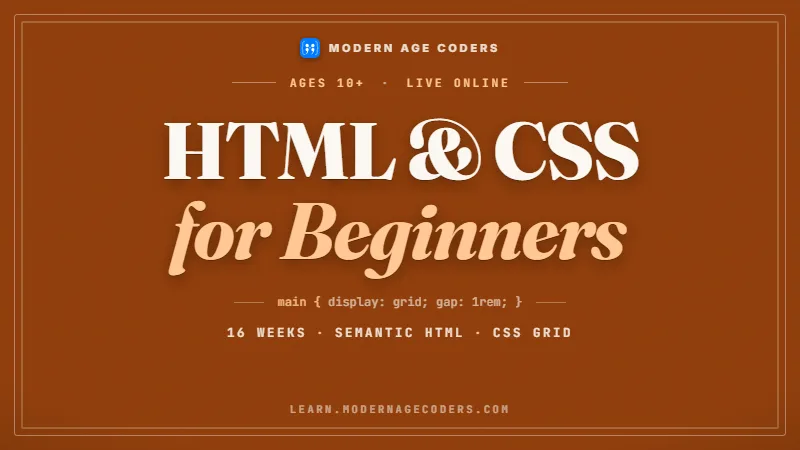
COSE / 01
Visible results from the first lesson: a page with your own words and photos. Many older learners like seeing a change on screen straight away.
Open the syllabus →
COSE / 02
The language most beginners of any age start with. We take the early chapters slowly and repeat whatever needs repeating.
Open the syllabus →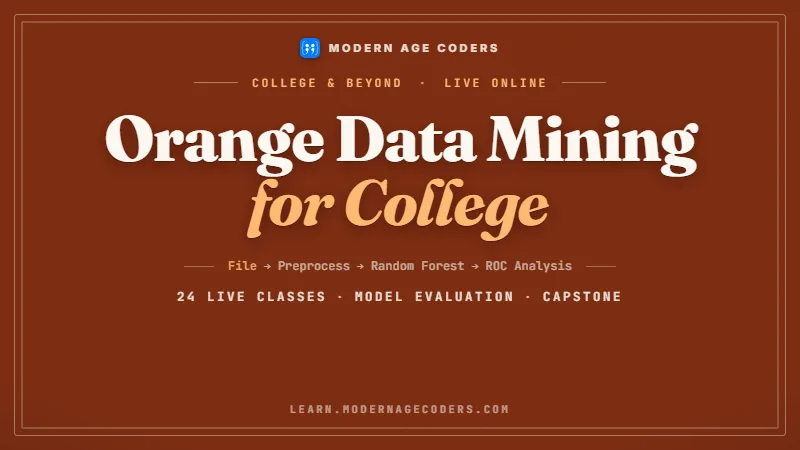
COSE / 03
Drag-and-drop tools for exploring data and simple machine learning, with no typing of code at first. A good way to understand what AI does.
Open the syllabus →Older and online
Far more than ten years ago. The census office's household survey shows the over-sixties catching up fast online, while computer use, as opposed to phone use, still trails well behind.
| Year | Had used the Internet (%) | Had used a PC (%) | Gap (percentage points, our arithmetic) |
|---|---|---|---|
| 2015 | 47.6 | 35.5 | 12.1 |
| 2020 | 75.1 | 48.2 | 26.9 |
| 2025 | 90.3 | 55.6 | 34.7 |
Source: Census and Statistics Department, tables 720-90003 and 720-90005, persons aged 60 and over who had used the Internet or a PC (desktop, laptop or tablet) in the 12 months before the survey. The gap column is our own subtraction.
In its Thematic Household Survey Report No. 86, published on 25 June 2026, the C&SD wrote that the rate for people aged 65 and over "increased noticeably from 84.0% in 2024 to 87.1% in 2025".
The same report shows the computer gap: PC use falls "from 78.9% for persons aged 55-64 to 49.0% for persons aged 65 and over". Phones carried older Hong Kongers online; computers did not follow at the same speed.
Coding is done at a keyboard. An older learner who is confident on a phone may still need a lesson or two on a laptop first: files, windows, copy and paste. We build that in rather than assume it.
There are many more people in this age range than there were. Hong Kong had about 603,000 people aged 65 to 69 in mid-2026, by the C&SD's provisional estimate, against about 395,700 in mid-2016.
An honest limit
From 6 to 67. That is the range we teach across every country, and we would rather say so here than turn someone away after the free class.
People in their late fifties and sixties, up to 67: retired or about to retire, working part-time, or simply ready for something new. Hong Kong's 60 to 64 age band alone was about 627,300 people in mid-2026, the C&SD estimates, around 8.3% of the population.
Adult children are welcome to book on a parent's behalf, as long as the learner wants to come. Lessons work only when the learner chose them.
We are not the right provider, and we say so plainly. Hong Kong has good local options: the Elder Academies described below run courses in schools and universities across the territory, many with computer and smartphone classes.
Community centres and libraries also run computer classes; their own notice boards and websites are the most reliable guide.
Local options
Elder Academies are Hong Kong's own network of learning places for older people, set up inside schools. They are a fine choice for many, and different in kind from what we offer.
| Elder Academies | Our private lessons | |
|---|---|---|
| Who runs them | NGOs partnering with schools and post-secondary institutions | Modern Age Coders, a private company, online |
| Where | In person, at about 200 academies across Hong Kong | At home, over live video |
| Language | Usually Cantonese | English |
| Format | Classes with other older learners | One learner, one mentor |
| Age | For elders | Up to 67 |
| Pace | Set by the class | Set by the learner |
Elder Academy figures from the scheme's own "About" page, read 23 November 2026: it "was jointly launched by the Labour and Welfare Bureau and the Elderly Commission in 2007 to enable elders to learn in a school setting", and "Currently, there are about 200 EAs in primary, secondary and post-secondary institutions throughout Hong Kong". The language row is our general observation, not the scheme's statement; check each academy.
If you want company, a regular outing and Cantonese teaching, an Elder Academy near home is hard to beat. The social side is part of the point.
Subsidised adult courses under the Continuing Education Fund are another route. The fund "subsidises adults aged 18 or above to pursue continuing education and training", by its FAQ; we are not on its register.
If you want to go further than a class goes, at your own speed, in English, without travelling. Or if hearing, eyesight or confidence makes a group harder: one to one, the mentor adjusts the font size, slows down and repeats without anyone waiting.
Our one-on-one tutor page sets out what private lessons are like, and why we teach Hong Kong learners this way only.
How we teach older learners
Some parts are, some are easier. Older learners usually bring patience, care and real problems worth solving. What slows them down is rarely the logic; it is unfamiliar vocabulary, small text and fiddly setup. We plan for those.
Two or three new terms a lesson, written down, and repeated next time. Jargon is the main barrier, so we ration it.
Larger fonts in the editor, high-contrast themes and a slower shared screen. Ask, and it changes.
Installing software is the first lesson, done side by side on video, so nothing is left as homework that goes wrong.
A short written summary: what we did, what the new words mean, what to try. Useful for anyone, essential for some.
A family photo page, a recipe scaler, a reading list. Projects that matter to the learner hold attention longest.
There is no class to keep up with and no exam. A topic takes as many lessons as it takes.
Lessons are in English. Many older Hong Kongers read English well from working life even if they rarely speak it; a patient one-to-one setting is a comfortable place to use it again. Our page on coding taught in English says more. For older learners elsewhere, our pages on coding for seniors in Canada and coding after 50 in Peru show how the same approach is used in other places.
AI, plainly
Not from their makers: neither OpenAI nor Anthropic includes Hong Kong in its list of supported places, as of November 2026. We name them only because you will read about them, and we never suggest workarounds.
We teach with software that is offered in Hong Kong, and most of a beginner's work needs no AI at all. Understanding how a program follows instructions is the strongest protection against being misled by any AI tool later.
When a learner wants to understand AI itself, we explain how such systems are built and where they go wrong, using small examples we can run in lessons.
Treat any answer from a machine as a suggestion to check, not a fact. Our page on thinking with AI rather than copying was written for students, but the method suits every age.
For a structured introduction, see our online AI course for Hong Kong or the global AI classes for beginners.
A first project, in full
A recipe written for four, cooked for two or five. Every cook has done this sum in their head and fudged the awkward amounts. In this lesson the learner teaches the computer to do it exactly, then sees why exact matters.
# Scale a family recipe from 4 servings to any number. Our own lesson; an invented recipe.
from fractions import Fraction

recipe = {
    "rice (cups)": Fraction(3, 2),
    "water (cups)": Fraction(9, 4),
    "soy sauce (tbsp)": Fraction(2),
    "ginger slices": Fraction(5),
}

def mixed(q):
    whole, part = divmod(q.numerator, q.denominator)
    if part == 0:
        return str(whole)
    frac = f"{part}/{q.denominator}"
    return frac if whole == 0 else f"{whole} {frac}"

for people in (2, 5):
    ratio = Fraction(people, 4)
    print(f"For {people} people (x {ratio}):")
    for item, amount in recipe.items():
        new = amount * ratio
        print(f"  {item:17} {mixed(new):>6}   as a decimal {float(new):.3f}")
Our own program and an invented recipe; nothing to install beyond Python 3. Its exact printout follows.
For 2 people (x 1/2):
  rice (cups)          3/4   as a decimal 0.750
  water (cups)       1 1/8   as a decimal 1.125
  soy sauce (tbsp)       1   as a decimal 1.000
  ginger slices      2 1/2   as a decimal 2.500
For 5 people (x 5/4):
  rice (cups)        1 7/8   as a decimal 1.875
  water (cups)      2 13/16   as a decimal 2.812
  soy sauce (tbsp)   2 1/2   as a decimal 2.500
  ginger slices      6 1/4   as a decimal 6.250
For five people the water is exactly 2 13/16 cups. The decimal column shows 2.812, not 2.8125, because it was told to keep three places and Python rounds an exact half to the even digit. The fraction column never loses anything.
Data in a list of names and amounts, a loop that visits each one, a function with a clear job. These three ideas carry almost every program anyone writes.
And a lesson about precision: a computer only rounds when you tell it to, and it follows the rule you give it exactly, even when the rule is surprising.
Add a new recipe, or a "people" question that asks the cook how many are coming. Then print the result on a page with HTML, large enough to read from across the kitchen.
Learners who enjoy this kind of exactness often enjoy the Python course path; those who prefer making things to look at may move to web pages.
Learning across generations
Yes, though not in the same lesson. Each learns at their own level with their own mentor, and the two compare notes afterwards. Many grandparents tell us that is the best part.
A grandchild aged 6 or over takes their own course, for example from our online coding classes for Hong Kong children; the grandparent takes theirs. Same company, separate lessons, and often the same project idea at two levels.
Grandparents who understand a little code can ask far better questions about a child's screen time and homework.
Grandparents are often the after-school adult. If a grandchild asks to use an AI chatbot for homework, our guide should my child use ChatGPT for homework? explains the age rules and the Hong Kong position.
A shared rule at home, such as "try it yourself first, then check", serves both generations.
Progress
Our own milestones. There are no tests and no grades.
| Milestone | You can | Something to show |
|---|---|---|
| Comfortable | Use the laptop, files and the editor without help | Your own folder of lesson files |
| First program | Write and run a few lines that print and calculate | A greeting that uses your name |
| Repeating | Use a loop to do something many times | A table printed by the computer |
| Your project | Build a small tool you actually use | The recipe scaler, or your own idea |
| On the web | Put text and pictures on a simple page | A page to share with family |
| Independent | Fix a small error by reading the message | A bug you found yourself |
Exact is a choice; so is rounding.
Ask for the same thing twice. Nobody minds.
Ask to see the project, not the progress report.
The learner sets the pace, always.
More courses
Each one is taught privately, live and in English, at a pace the learner sets.
COSE / MAKE / 01
A simple phone app, step by step.
Open the syllabusCOSE / MAKE / 02
One app for phones and computers.
Open the syllabusCOSE / MAKE / 03
Small puzzle and card games.
Open the syllabusCOSE / DATA / 01
Charts and summaries from your own lists.
Open the syllabusCOSE / DATA / 02
Keep and search records properly.
Open the syllabusCOSE / DATA / 03
Let the computer do the repetitive part.
Open the syllabusCOSE / IDEA / 01
Understand the numbers in the news.
Open the syllabusCOSE / IDEA / 02
The maths you half remember, made clear.
Open the syllabusCOSE / IDEA / 03
Keep every version of your work safe.
Open the syllabusDaytime lessons
Any day, any time, flexible: one to one at the hour that suits your family, weekdays or weekends. Many older learners prefer daylight hours, and those suit India well: Hong Kong mornings and afternoons fall inside the mentor's working day, two and a half hours behind, all year.
Mid-morning
Hong Kong 10 am is India 7:30 am.
After lunch
A 2 pm lesson is 11:30 am for the mentor.
Late afternoon
4 pm in Hong Kong, 1:30 pm in India.
Any recent laptop or desktop, with a camera.
Font sizes and contrast set to suit you.
The same patient person each time.
Pause for travel, family or rest.
A summary after each lesson.
A relative may sit in on the first class.
Student work
A selection across ages and courses; the student labs show more.

AI and ML
An AI nutrition coach that reads what you eat and works you toward a target.

AI and ML
A chatbot that answers mathematics and programming questions, built and deployed by a student.

AI and ML
An assistant that helps a young person recognise unsafe situations online.

Web app
A weather forecasting site with live conditions for any location.
Fees
The card below shows a single monthly fee in Hong Kong dollars. You pay month by month, nothing in advance and no package to commit to; any extra charge from the payment gateway appears on screen before you agree to pay.
Free first class
Free
no card required
One to one
$1,200 HKD
a month, eight live classes
What families say
Reviews left on Google, shown without edits.
★★★★★
"The one step solution for my son. Modern Age Coders make learning coding so simple that kids love it. The teachers explain complex concepts clearly with practical exercises and interactive content."
Ria Mukherjee
Parent
★★★★★
"Modern Age Coders has been a game-changer for me. I struggled to grasp IT concepts and coding before joining, but their classes transformed everything. I can now confidently write complex programs with ease."
Samriddha Mondal
Student
★★★★★
"One of the most wonderful education centres out there. Education is not limited to school syllabus but focuses on skill development."
Vansh Agarwal
Student
★★★★★
"My child Dhairya is really enjoying the Modern Age Coders classes. This is his first online class and he eagerly looks forward to it. I can already see his improvement, and the teachers are very cooperative."
Sonam Oswal
Parent of Dhairya
★★★★★
"Modern Age Coders have wonderful teachers who teach in a clear, easy and practical way. The teacher boosts students' confidence and inspires them to learn without hesitation."
Sonu Goyal
Parent
★★★★★
"I highly recommend this computer coding class! The teachers are incredibly knowledgeable and passionate about coding."
Ritu Kedia
Parent
Older learners ask
67. Our classes cover ages 6 to 67. For older learners, Hong Kong's Elder Academies and community centres are better places to look.
Yes. You need curiosity and a computer, not a technical past. We start with the basics of the laptop itself if needed.
No, coding needs a laptop or desktop. The 2025 household survey shows many older people use phones more than computers, so we include computer basics early.
A learning centre for older people set up in a school or college. The scheme was launched in 2007 and has about 200 academies across Hong Kong.
No. The fund reimburses only courses on its own register, which ours is not. We mention it so you can compare.
No. Their makers do not list Hong Kong as a supported place, so lessons use software available here. Most beginner work needs no AI tool.
Never. In Hong Kong we teach one to one only: you and one mentor on a live video call.
English, from mentors based in India. We do not teach in Cantonese or Mandarin. Mentors speak slowly and clearly and repeat whenever asked.
Any day, any time, flexible: one to one at the hour that suits your family, weekdays or weekends. Hong Kong 3 pm is 12:30 pm in India.
Monthly, in Hong Kong dollars as the fee card shows, paid one month at a time. A gateway charge, if any, is shown before you pay. The first lesson is free.
Related
Useful next pages.
Why our lessons are in English.
How AI works, explained.
Describe, build, check.
What learning machines do.
Monthly payment, plainly.
Every age and subject.
Part of the guide: Every Hong Kong page
More guides: Coding and AI classes in Hong Kong · 中文:英文授課編程課程 · Start here: Online coding for kids · AI, vibe coding and AI agents: AI agents course · Coding subjects and courses: App development · HKDSE ICT and maths: DSE ICT elective guide · IB, IGCSE, A-level and SAT: A level Computer Science tutor · Olympiads and competitions: AMC 10 preparation · Guides for families: After-school coding · School holidays: AI summer course · Districts and areas: Causeway Bay
Start here
Tell us a little about your computer and what you would like to make. In the free lesson we check your setup together, write a first short program, and agree a pace that feels comfortable.
If you like to read first, see how we teach or browse the course list.
WhatsApp us · +91 91233 66161 · connect@modernagecoders.com
Private lessons in English, live over video from India, for learners up to 67. A WhatsApp message is the easiest way to reach us.
A priority demo is a full class of about 45 to 60 minutes. After the class the mentor sends a written skill report and a personal learning roadmap on WhatsApp. If you enrol, the demo fee is adjusted against your first month's fee. Share your demo Order ID with us on WhatsApp and we take it off.
Book a priority demo