CBSE Computational Thinking & AI Masterclass for Kids (Classes 3-8)
From Curiosity to Creating AI, The Future-Ready Child Starts Here!
Syllabus updated August 2026
Questions? WhatsApp +91 91233 66161 or email connect@modernagecoders.com
Recordings are free with a Google sign-in. These recordings show how we teach, not the exact syllabus of this course.
Our promise
The world's best learning experience, open to everyone.
- World-class instructorsEvery class is taught by an instructor who specialises in that exact field.
- No compromise on qualityEvery lesson, project and piece of feedback is held to the highest standard.
- Education for everyoneLearners aged 6 to 67, from first-time beginners to working professionals, in 25+ countries.
If you want the highest quality, Modern Age Coders is the right choice.
Book a Priority DemoHow long this course takes
This course runs 9-12 months (40-52 weeks) at 5-7 hours/week (2 live classes + self-practice). The range allows for background and pace: a complete beginner uses the full span, and a student with prior knowledge finishes sooner. The syllabus below is planned to the shorter end, with margin kept for revision.
For personalised duration planning, call +91 91233 66161 and we'll map a schedule to your goals.
At a glance
- Who it is for
- Absolute Beginner (Class 3-5) to Intermediate AI Project Builder (Class 6-8). Age: 8-13 years (Classes 3 to 8).
- Prerequisites
- None, absolute beginners welcome
- Format
- Live, interactive classes with a real instructor, never pre-recorded videos. Live classes run about one hour.
- Language
- English or Hindi, depending on the batch.
- Duration
- 9-12 months (40-52 weeks)
- Weekly commitment
- 5-7 hours/week (2 live classes + self-practice)
- Class size
- Group batches of 15 to 20 students, mini batches of up to 6, or 1-on-1.
- Certificate
- Certificate from Modern Age Coders, awarded on passing the final exam
- Watch first
- Free recordings of real classes for ages 6 to 12, free with a Google sign-in. These recordings show how we teach, not the exact syllabus of this course.
- Live demo
- Optional. Enrol directly on this page, or book a Priority Demo: a full live class of about 45 to 60 minutes with a mentor reserved for you.
- Questions
- WhatsApp +91 91233 66161 or email connect@modernagecoders.com.
How we teach
Deep understanding. Real projects. Expert guidance.
Learn coding, AI and maths through careful explanations, practical demonstrations, and hands-on problem-solving. Our instructors guide you from the foundations to advanced ideas, helping you understand what happens, why it happens, and how to build it yourself.
You will explore concepts step by step, write and improve code, investigate mistakes, ask questions, and apply your knowledge to meaningful projects. Lessons are designed around active participation, thoughtful feedback, and growing independence.
Expert-led live teaching, with practical participation built into every lesson.
- Students explain their thinking.
- Instructors demonstrate, then guide practice.
- Learners code, solve, or build during lessons.
- Questions and misconceptions get attention.
- Assignments receive useful feedback.
- Progress is checked before advancing.
How to join CBSE Computational Thinking & AI for Kids (Class 3-8)
Four steps from this page to the first class. See a full class first with a Priority Demo, or choose a plan and enrol today.
Rated 4.9 across 547 Google reviews. Monthly billing, cancel any time.
How enrolment works
See a full class first (optional)
Book a Priority Demo: a live class of about 45 to 60 minutes with a mentor reserved for you, today or tomorrow. After the class the mentor sends a written skill report and a personal learning roadmap on WhatsApp. If you enrol, the demo fee is adjusted against your first month's fee. Share your demo Order ID with us on WhatsApp and we take it off.
Book a Priority DemoDemo fee ₹499Choose a plan
Group batch (15 to 20 students), mini batch (up to 6 students, India only) or 1-on-1 with your own mentor. Every plan is live online, and each class runs about one hour. The cards below show classes per week and the monthly fee in your currency.
Enrol and pay the first month
Press Enrol Now on your plan, fill in the student's name, email and phone, and pay through secure Razorpay checkout: UPI, cards or net banking in India, and debit or credit card from any other country.
Fix your class timings
After payment, message us on WhatsApp or call +91 91233 66161 with the student's name, the course and your preferred time slot. We confirm the batch, send the class link and schedule the first class at your chosen time.
Billing is monthly and you can cancel any time.
International Students (Outside India)
Billed monthly in US dollars, the same price in every country. Contact us with any questions.
Questions before you enrol? Talk to our team.
Ask about class timings, the right level for your child, what they need to know already, or payment. Parents and adult learners can reach us on WhatsApp, by email or by phone.
Program Overview
The Central Board of Secondary Education (CBSE) has officially integrated Computational Thinking and Artificial Intelligence into the foundational and middle school curriculum as a core 21st-century skill. This comprehensive 9-month program is specifically designed to give your child a deep, hands-on mastery of both Computational Thinking and AI, completely aligned with CBSE's framework, NCERT's AI handbooks, and the National Education Policy (NEP) 2020.
Your child will learn to think like a scientist, reason like a mathematician, solve like an engineer, and create like an AI researcher. Starting with unplugged thinking activities (no screens!), we gradually introduce Scratch block coding, AI concepts through stories and games, Google's Teachable Machine, the official CBSE AI Project Cycle (Problem Scoping with 4Ws → Data Acquisition → Data Exploration → Modelling → Evaluation), AI Ethics, Sustainable Development Goals (SDGs), and culminate in real AI projects your child will proudly showcase.
By the end, your child will have built 50+ projects, understood how Netflix, Alexa, YouTube and self-driving cars really work, and will be fully prepared for CBSE AI Class 9 (Code 417) and later AI Class 11-12 (Code 843).
What Makes This Program Different
- 100% aligned with the official CBSE Computational Thinking & AI framework
- Separate, age-appropriate tracks for Classes 3-5 and Classes 6-8
- Follows the CBSE AI Project Cycle methodology used in board curriculum
- Mix of unplugged (no-screen) and plugged (digital) activities, healthy screen time
- Uses exact tools CBSE recommends: Scratch, Teachable Machine, Code.org, MIT App Inventor, Python (for Class 8)
- Direct preparation for CBSE AI Class 9-10 (Code 417) & Class 11-12 (Code 843)
- AI Ethics, Bias, Privacy & SDG integration from day one
- Live expert-led classes + parent progress reports + project showcase days
- 50+ original AI & CT projects for school portfolio and competitions
- Compatible with Atal Tinkering Lab (ATL) and CBSE AI School projects
Your Learning Journey
Career Progression
Detailed Course Curriculum
Explore the complete week-by-week breakdown of what you'll learn in this comprehensive program.
Topics Covered
- What is Computational Thinking? (Definition as per CBSE/NCERT framework)
- How do computers 'think'? (Simple explanation for kids)
- Difference between a human brain and a computer
- The 4 pillars of CT: Decomposition, Pattern Recognition, Abstraction, Algorithms
- Real-life CT: Brushing teeth, making sandwich, getting ready for school
- CT all around us: Traffic signals, recipes, board games
- Growth mindset & making mistakes, the scientist way
- Introduction to the CBSE CT framework (age-appropriate)
- Thinking journal: Your child's first CT diary
- Family CT challenge: Find 5 algorithms at home
Projects You Build
- Create a 'How I Get Ready for School' step-by-step poster
- Break down making Maggi into 10 precise steps (Decomposition)
- CT Thinking Diary, daily entries for a week
Practice & Assignments
Daily 10-minute unplugged CT game from our parent pack
Topics Covered
- What is Decomposition?
- Why decomposition matters (examples: school projects, cleaning room)
- Decomposing a drawing into shapes
- Decomposing a birthday party plan
- Tree diagrams and mind maps for decomposition
- Decomposing a school timetable
- Decomposing a game into rules
- Practice: Decompose 10 everyday tasks
- When decomposition helps (and when it doesn't)
- Team decomposition: Family project breakdown
Projects You Build
- Decompose your favorite board game into its smallest rules
- Plan a pretend birthday party using only decomposition
- Create a decomposition poster for any Class subject
Practice & Assignments
Decompose one new task every day, parent signs logbook
Topics Covered
- What are patterns? (Visual, numerical, behavioral, musical)
- Patterns in nature: leaves, flowers, honeycomb, zebra stripes
- Patterns in math tables (2, 5, 10 tables)
- Patterns in Indian festivals & seasons
- Spotting patterns in stories & rhymes
- Patterns in our daily routine
- Why AI uses pattern recognition (face unlock, Netflix recommendations)
- Pattern puzzles and Sudoku for kids (4x4)
- Creating your own patterns
- Pattern break: Finding the 'odd one out'
Projects You Build
- Pattern hunt journal, photograph 20 patterns around you
- Design a Rangoli using mathematical patterns
- Create a pattern-based memory game
Practice & Assignments
Spot 5 new patterns daily
Topics Covered
- What is Abstraction? (Keeping important, ignoring rest)
- Maps as abstractions (Metro map, school map)
- What is an Algorithm? Step-by-step instructions
- Recipes as algorithms
- Algorithms for brushing teeth, tying shoelaces
- Sequence matters, why order is important
- Introduction to Flowcharts (shapes and arrows)
- First flowchart: Morning routine
- Writing your first algorithm on paper
- Robot Game: Human Robot, algorithms in action
Projects You Build
- Write the 'Perfect Algorithm' for making your favorite food
- Design a flowchart adventure story
- Program your family to be 'robots' and follow your algorithm
Practice & Assignments
Write one algorithm per day for any daily task
Topics Covered
- Introduction to Scratch (MIT), why CBSE recommends it
- Scratch interface tour: Stage, Sprites, Blocks, Scripts
- Motion blocks: Move, turn, glide
- Your first Scratch program: Make the cat dance
- Saving and managing Scratch projects
- Scratch account creation (parent-supervised)
- Connecting CT to Scratch: Every program = an algorithm
- Changing costumes & backgrounds
- Sound blocks, making your sprite speak in Hindi/English
- First creative project: Digital greeting card
Projects You Build
- Animated birthday card for a family member
- Dancing cat in 5 different backgrounds
- Digital storybook cover with your name
Practice & Assignments
Explore one new Scratch block daily
Topics Covered
- Events in Scratch: 'When flag clicked', key press, sprite click
- Loops: Repeat, forever (why loops save time)
- Real-life loops: brushing teeth 20 times, school bell rings 6 times
- Nested loops for patterns
- Pen tool, drawing geometric shapes with code
- Drawing squares, triangles, hexagons with loops
- Spiral drawings with loops
- Variables introduction, boxes that hold information
- Score counter in a simple game
- Name input using 'Ask' block
Projects You Build
- Geometric art generator (shapes with pen + loops)
- Simple counting game
- Animated alphabet learning app
Practice & Assignments
Create one new looping animation daily
Topics Covered
- If-then blocks, decisions in code
- If-else blocks, choosing between two options
- Comparison: Less than, greater than, equal to
- Interactive stories with choices
- Keyboard-controlled sprites
- Sprite-to-sprite interaction (touching, bouncing)
- Adding sound effects for actions
- Timer and countdown
- Changing background on condition
- Branching storylines
Projects You Build
- 'Choose Your Adventure' interactive story
- Keyboard-controlled character runner
- Quiz game with If-Else logic (Science or GK quiz)
Practice & Assignments
Add If-Else logic to previous projects
Topics Covered
- Game design basics for kids
- Planning: storyboarding before coding
- Combining motion, events, loops, conditions
- Scoring systems
- Lives and Game Over screens
- Winning and losing conditions
- Play-testing & debugging
- Sharing with friends and family
- Publishing to Scratch studio
- Presenting your project
Projects You Build
- CAPSTONE 1: Complete Scratch game (Catch the Stars, Maze Runner, or Pong)
- Record a project showcase video (2 mins)
- Write a simple README for your game
Assessment
Phase 1 Mid-Milestone: Scratch Project Certification
Topics Covered
- What is Intelligence? What makes humans smart?
- What is Artificial Intelligence? (Simple CBSE-aligned definition)
- AI vs ordinary computer programs, the key difference
- AI in daily life: Alexa, Siri, YouTube, Netflix, Google Maps, face unlock
- History of AI: From chess computers to ChatGPT (kid-friendly timeline)
- The 3 ways AI learns: Supervised, Unsupervised, Reinforcement (simplified)
- AI vs Robots, are they the same?
- Famous AI success stories (AlphaGo, Watson, self-driving cars)
- Things AI is good at (and not good at)
- Where does AI go wrong? (Introduction to bias)
Projects You Build
- AI Spotter Journal, find 30 examples of AI in your home & neighborhood
- Draw an 'AI Timeline' poster
- Interview a parent/grandparent: 'What was life before AI?'
Practice & Assignments
Identify AI vs non-AI apps on family phone
Topics Covered
- How do humans see? (Eyes + brain)
- How do computers 'see'? (Cameras + AI)
- Pixels, colors, and images for computers
- Introduction to Computer Vision (CV domain of AI)
- Face detection vs face recognition
- Object detection (cars, traffic signs, animals)
- QR codes, a simple CV example
- Medical imaging, how AI detects diseases
- Ethics: Is face recognition always good?
- Fun hands-on: Training a simple image classifier with Teachable Machine
Projects You Build
- Train a Teachable Machine model to recognize 'happy face vs sad face'
- Train a model to classify 3 objects you own
- Poster: '10 places where Computer Vision is used'
Practice & Assignments
Spot 5 Computer Vision apps daily
Topics Covered
- How computers understand language (Natural Language Processing intro)
- Speech-to-Text: How Alexa & Google understand you
- Text-to-Speech: How computers talk back
- Chatbots, kid-friendly intro
- Simple rule-based chatbot in Scratch
- Language translation with AI
- Voice assistants: Alexa, Google Home, Siri
- How AI learns Hindi, Tamil, English, Bengali and other languages
- Spam detection in email, a NLP example
- Ethics: When should you trust a chatbot?
Projects You Build
- Build a rule-based chatbot in Scratch (answers 10 common questions)
- Record voice commands and explore Google Assistant
- Design a friendly AI assistant for elderly people
Practice & Assignments
Talk to voice assistants and note what works, what doesn't
Topics Covered
- What is the AI Project Cycle? (Official CBSE framework)
- The 5 stages: Problem Scoping → Data Acquisition → Data Exploration → Modelling → Evaluation
- Stage 1: Problem Scoping using 4Ws (Who, What, Where, Why)
- Practice: Apply 4Ws to a school problem
- Stage 2: Data Acquisition, what is data?
- Types of data: Images, text, numbers, sound
- Stage 3: Data Exploration, looking for patterns
- Graphs and charts for young kids
- Stage 4 preview: What is a 'model'?
- Stage 5 preview: How do we know AI is right?
Projects You Build
- Apply the 4Ws to 'Why do kids waste food in school canteen?'
- Collect data on weather for 7 days and draw a chart
- Create an AI Project Cycle poster for classroom
Practice & Assignments
Use 4Ws on one problem every day
Topics Covered
- Choosing a community problem
- Applying the full AI Project Cycle
- Combining Scratch + Teachable Machine
- Documentation & presentation
- Demonstrating to parents and peers
- Getting feedback and improving
- Celebrating first success
- Preparing for Phase 2
Projects You Build
- CAPSTONE 2: AI-powered Scratch project solving a home problem (e.g. lost item finder, pet mood detector, uniform checker)
- 3-slide presentation
- 2-minute demo video
Assessment
CBSE CT & AI Foundation Certificate (Classes 3-5 level)
Topics Covered
- Problem Scoping, 4Ws in detail (Who, What, Where, Why)
- Stakeholder identification
- Framing the problem statement
- SDG (Sustainable Development Goals) connection, mandated by CBSE
- Selecting SDG goals for your AI project
- Data types: Structured (tables), Unstructured (images, text, audio)
- Sources of data: Surveys, sensors, public datasets (Kaggle for kids), APIs
- Data privacy basics, why it matters
- How to design a survey (Google Forms)
- Collecting data ethically
- Data cleaning basics, removing mistakes
- Introduction to CSV files
Projects You Build
- Create a full CBSE-format AI Project Cycle document
- Design and conduct a survey in your school (30 responses)
- Map your project to 2 SDG goals
Practice & Assignments
Practice 4Ws on 3 new problems weekly
Topics Covered
- Data exploration, why we look at data
- Types of charts: Bar, Line, Pie, Scatter (when to use which)
- Google Sheets / MS Excel for data exploration
- Making charts in Google Sheets
- Finding outliers and missing values
- Mean, median, mode for kids
- Data stories, telling the truth with data
- Avoiding misleading graphs
- Introduction to data visualization best practices
- Creating infographics in Canva
- Interpretation, what does the data say?
- Designing a data dashboard
Projects You Build
- Collect and visualize your class's screen time data
- Analyze a public dataset on air pollution in Indian cities
- Create a data-driven infographic on a CBSE social topic
Practice & Assignments
Make one chart from real data every day
Topics Covered
- What is Data Science?
- Prediction vs Classification vs Clustering
- Linear thinking in predictions (temperature, prices)
- Classification with Teachable Machine (extended)
- Clustering explained with sorting toys game
- K-Means clustering, simplified
- Decision Trees, kids' explanation
- Building your first decision tree by hand
- Orange Data Mining, visual ML for kids
- Installing & exploring Orange Data Mining
- Uploading a dataset in Orange
- Running your first ML model visually
Projects You Build
- Decision tree: 'What should I wear today?'
- Clustering project: Group your toys using K-Means thinking
- Orange ML: Predict if a student will pass based on study hours
Practice & Assignments
Solve one ML thinking puzzle daily
Topics Covered
- Pixels, RGB, grayscale explained
- Image classification vs object detection vs image generation
- Training a custom Teachable Machine model (10+ classes)
- Exporting Teachable Machine models to Scratch
- Using TM models inside Scratch for interactive projects
- Face filters, how Snapchat/Instagram works (simplified)
- OCR (Optical Character Recognition), reading handwriting
- Medical AI, skin disease, X-ray detection (kid-safe intro)
- Real-world case studies (Indian startups using CV)
- Ethics: Deepfakes & misuse of CV
- CBSE sample CV project ideas
- Planning your own CV project
Projects You Build
- Build a Teachable Machine + Scratch 'Hand Gesture Controlled Game'
- Create an attendance system using facial recognition (Teachable Machine)
- Design a 'litter detector' for clean India initiative (SDG)
Practice & Assignments
Train one TM model daily
Topics Covered
- Words as data, how computers read text
- Tokenization, splitting sentences into words
- Bag of Words model (simplified)
- Sentiment analysis, is this message happy or sad?
- Chatbot building blocks
- Rule-based vs AI-based chatbots
- Dialogflow / simple chatbot builders for kids
- Voice input & output in Scratch 3 (speech extensions)
- Translation AI, how Google Translate works
- NLP use cases in India (Bhashini, regional languages)
- Spam filters, a classic NLP task
- Limitations of NLP, why AI gets confused
Projects You Build
- Build a Scratch-based mood-detecting journal bot
- Create a voice-controlled calculator
- Build a Hindi-English translation assistant prototype
Practice & Assignments
Analyze sentiment of 10 messages daily
Topics Covered
- Why AI ethics matters, CBSE emphasis
- What is AI bias? (Famous case studies)
- Gender, racial, cultural bias in AI
- Case study: Biased resume screening AI
- Privacy & AI, your data is valuable
- Consent in the AI age
- Deepfakes & misinformation
- Environmental cost of AI (energy, water)
- AI & Jobs, what the future holds
- Responsible AI principles (fairness, accountability, transparency)
- Asimov's 3 Laws of Robotics (kid-friendly)
- Designing ethical AI, a framework for kids
Projects You Build
- Ethics poster: 'Our Family's AI Rules'
- Case study presentation: Find an example of AI bias
- Design an 'AI Ethics Checklist' for classroom use
Practice & Assignments
Daily AI ethics journal
Topics Covered
- What is a model?
- Supervised learning (with labeled examples)
- Unsupervised learning (finding patterns alone)
- Reinforcement learning (learning from reward)
- Training, validation and testing data
- Overfitting & underfitting, kids' analogy
- Accuracy, error, confusion matrix basics
- When models fail
- Improving a model
- Retraining & iterating
- Google's Teachable Machine: Advanced usage
- Introduction to MIT App Inventor for AI apps
Projects You Build
- Train, test and evaluate 3 different TM models
- Build an MIT App Inventor app that uses a trained AI model
- Improve an existing model by adding more data
Practice & Assignments
Evaluate one model daily
Topics Covered
- Evaluation metrics (simplified)
- Precision, Recall, kid-friendly explanations
- F1 Score in simple terms
- When AI shouldn't be deployed
- Real-world deployment examples
- User testing with friends and family
- Feedback & iteration cycle
- Packaging & sharing AI projects
- Hosting AI apps (Teachable Machine, MIT App Inventor, Glitch)
- Presenting AI projects to non-technical people
- Creating project documentation
- CBSE AI project report format
Projects You Build
- Deploy one AI app for family use (MIT App Inventor)
- Write a CBSE-format AI Project Report (5 pages)
- Conduct 3 user-testing sessions
Practice & Assignments
Get feedback from 3 people per project
Topics Covered
- Why Python? The language of AI & CBSE Class 9+
- Installing Python & Thonny (kid-friendly IDE)
- Google Colab, Python in the browser
- Variables, data types, print statement
- Input & simple calculations
- If-else in Python
- Loops (for, while)
- Lists, storing multiple items
- Functions, reusable code
- Random module, fun first projects
- Turtle module, drawing with Python
- First AI-like program in Python (rule-based chatbot)
Projects You Build
- Python turtle, draw Indian flag, mandala, geometric art
- Python rule-based chatbot
- Dice roller, number guessing, quiz game in Python
Practice & Assignments
Write 10 Python lines daily
Topics Covered
- Full AI Project Cycle application
- Scratch + Teachable Machine + Python integration
- SDG alignment
- Documentation
- Showcase preparation
- Peer review
- Parent-teacher showcase
- Competition readiness
Projects You Build
- CAPSTONE 3: Full AI Project solving a community problem (choose any SDG)
- Examples: Plant disease detector, School waste tracker, Elderly help chatbot, Road safety app
- Complete CBSE-format report + video + live demo
Assessment
CBSE CT & AI Builder Certificate (Classes 6-8 level)
Topics Covered
- What is Generative AI? (chatbots and image generators, simplified)
- How GenAI is different from earlier AI
- Using GenAI safely, age-appropriate rules
- Prompt Engineering basics for kids
- Creating AI art (safe, kid-friendly tools)
- AI writing helpers for schoolwork (ethical use)
- AI as a homework helper vs homework doer (boundary setting)
- Citing AI in school assignments
- Creativity + AI = Superpower
- AI music generation introduction
- AI video generation basics
- Ethics of GenAI, hallucinations & misinformation
Projects You Build
- Generate a storybook cover with AI and Canva
- Design an AI-generated bookmark
- Write a 300-word story with AI assistance (document your prompts)
Practice & Assignments
Daily prompt engineering journal
Topics Covered
- What is a robot? Robot vs AI
- mBot, LEGO Mindstorms, Spike, kid-friendly robots
- Sensors: ultrasonic, light, touch, camera
- Actuators: motors, servos, LEDs
- Virtual robotics, VEXcode VR
- Line-following robot (simulated)
- Obstacle-avoidance robot (simulated)
- Adding AI to robots, computer vision for robots
- Humanoid robots (Sophia, Optimus) overview
- Indian robotics, ISRO, DRDO, startups
- Future of robotics in homes & hospitals
- Robotics competitions in India (WRO, FLL)
Projects You Build
- Program a virtual robot in VEXcode VR
- Design a line-following robot algorithm
- Storyboard: 'A day with your personal AI robot'
Practice & Assignments
Daily robotics simulation
Topics Covered
- Overview of the 17 UN SDGs (a core CBSE AI curriculum theme)
- How AI is helping each SDG (case studies)
- AI for Clean Water (Goal 6)
- AI for Quality Education (Goal 4)
- AI for Zero Hunger (Goal 2)
- AI for Climate Action (Goal 13)
- AI for Good Health (Goal 3)
- Indian AI-for-Good examples (Swasth, eSanjeevani)
- Designing an SDG-aligned AI project
- Finding SDG datasets (UN, Government of India)
- Measuring impact
- Youth AI-for-Good competitions (Google, UNICEF)
Projects You Build
- Choose one SDG, design a complete AI solution
- Build a prototype of the solution
- Write an impact report (2 pages)
Practice & Assignments
Daily SDG research
Topics Covered
- App design principles
- MIT App Inventor advanced
- Integrating Personal Image Classifier
- Using Look Extension for AI
- Adding voice recognition to apps
- Text-to-speech in apps
- Connecting to Firebase for data
- Publishing APKs and sharing
- UI/UX for kids
- App store basics (concept only)
- Making your app accessible
Projects You Build
- AI-powered plant identifier app
- Voice-command note app
- Flash card memorizer with NLP
Practice & Assignments
Build one mini app weekly
Topics Covered
- What is a hackathon? Format and rules
- Team formation strategies
- Idea generation (design sprints)
- Rapid prototyping
- Pitching an AI idea (Pixar method)
- Creating a great demo video
- Presenting to judges (body language, voice)
- Handling Q&A
- Time management during competitions
- Famous CBSE AI competitions (CBSE AI Hackathon, Intel AI Youth)
- Indian AI Olympiads (IIRC, TechXcelerate)
- International AI for Good competitions
Projects You Build
- Full 48-hour mini-hackathon (home edition)
- Original AI project + pitch + demo
- 3-minute pitch video for portfolio
Practice & Assignments
Daily idea generation
Topics Covered
- AI Olympiad syllabus overview
- CBSE AI Hackathon past problems
- Logical reasoning practice
- Python/Scratch speed challenges
- AI vocabulary & concepts test prep
- Time-bound problem solving
- Mock Olympiad rounds
- AI puzzle solving (riddles, pattern tests)
- Math for AI, proportion, averages, probability basics
- Debate: 'Is AI dangerous?' (public speaking)
- Essay writing: AI in India 2030
- Portfolio polishing
Projects You Build
- Complete 5 mock Olympiad rounds
- Submit to one real CBSE/Intel AI competition
- AI essay for school magazine
Practice & Assignments
Daily timed practice
Topics Covered
- Selecting a real community problem
- Deep stakeholder interviews
- Complete AI Project Cycle execution
- Multi-week project management
- Using Git/GitHub basics for kids
- Version control & backup
- Collaboration with classmates
- Expert mentor review sessions
- Iterative development
- User testing with 10+ real users
- Formal CBSE-style report writing (10 pages)
- Presentation mastery
Projects You Build
- FINAL CAPSTONE: Full AI solution for a real community issue
- Complete CBSE-style report (cover, abstract, methodology, results, ethics, SDG alignment)
- Public GitHub portfolio with documentation
Topics Covered
- Portfolio website building
- Personal branding for young creators
- Creating a project showcase page
- Video editing for project demos
- Writing project stories (journalistic style)
- Social media presentation (parent-managed)
- Preparing for school science fair
- Public speaking, mini TED-talk format
- Handling feedback gracefully
- Connecting with peer creators
- Maintaining lifelong learning habits
- Giving back, teach a younger friend
Topics Covered
- CBSE Class 9 AI (417) curriculum overview
- CBSE Class 11-12 AI (843) curriculum preview
- Sample past papers (Class 9 AI)
- Practical file requirements
- Employability skills (part of CBSE AI curriculum)
- Self-management, ICT, Entrepreneurial, Green skills
- Mock Class 9 AI assessment
- Gap identification
- Personalized next-step recommendation
- Transition pathway plan
- Parent conference
- Learning roadmap for next 3 years
Assessment
CBSE AI Class 9 (Code 417) Readiness Certification
Topics Covered
- Final skill assessment
- Certification ceremony (virtual + physical certificate)
- Alumni community induction
- Access to future courses and updates
- Mentor allocation for next year
- Community contribution opportunities
- Celebrating every student's journey
- Setting 3-year learning goals
Assessment
FINAL EXAM: capstone demo plus a friendly viva and a mixed quiz drawn from the whole course. Passing earns the certificate; a child who falls short gets focused revision and a free retest
Projects You'll Build
Build a professional portfolio with 50+ projects real-world projects.
Weekly Learning Structure
Certification & Recognition
Technologies & Skills You'll Master
Comprehensive coverage of the entire modern web development stack.
Support & Resources
Career Outcomes & Opportunities
Transform your career with industry-ready skills and job placement support.
Prerequisites
Who Is This Course For?
Career Paths After Completion
Course Guarantees
Real students. Real moments. Real joy.
These are our actual student meetups. No stock photos, no filters. Swipe through and meet the community you'll be joining.







































What families say
Straight from the parents and students who learn with us. Rated 4.9 across 547 Google reviews.
“Mivaan enjoys the class. He understands the concepts and completes his tasks with excitement. He started taking interest in coding… truly amazing class.”
“I absolutely love it here! I made new friends and learned important valuable coding skills while having the fun of my life. It's not just coding here, it's outings, bonding and most importantly preparing you for your future. Definitely five stars.”
“What stands out most is how excited my son is before every class. He looks forward to learning, problem-solving, and sharing what he's built. I've noticed a big boost in his confidence!”
“Modern Age Coders has been a game-changer for me! I struggled to grasp IT concepts and coding before joining, but their classes transformed everything. I'm now the topper in my class and can confidently write complex programs with ease.”
“Modern Age Coder have wonderful teachers who teach in a clear, easy and practical way. The teacher boosts students' confidence, keeps them updated with technology, and inspires them to learn without hesitation.”
“The one step solution for my son. Modern Age Coders make learning coding so simple that kids love it.”
“Coding classes here make learning very interesting and conceptual. The teachers teach us in a very easy-to-understand and efficient manner.”
“One of the most wonderful education centres out there. Education is not limited to school syllabus but focuses on skill development. Learning here has been a wonderful journey and still continuing.”
“I highly recommend this computer coding class! The teachers are incredibly knowledgeable and passionate about coding. They make every session engaging and insightful.”
“My child Dhairya is really enjoying the Modern Age Coder IT classes. This is his first online class, and he eagerly looks forward to it.”
“Very good classes. Don't worry about coding. They teach the best, especially Shivam sir.”
“Very good classes. Makes learning very easy and interactive.”
Hear it from our students
Real parents and students in their own words, on our public YouTube channel.
Straight answers about CBSE Computational Thinking & AI for Kids (Class 3-8)
- Who should take this course?
- Absolute Beginner (Class 3-5) to Intermediate AI Project Builder (Class 6-8). Age: 8-13 years (Classes 3 to 8). It suits cbse students in classes 3-8 looking to master computational thinking and ai; icse, ib, state board and international students, curriculum is fully transferable; perfect structured ai curriculum for homeschool families.
- What will they learn and build?
- The Central Board of Secondary Education (CBSE) has officially integrated Computational Thinking and Artificial Intelligence into the foundational and middle school curriculum as a core 21st-century skill.
- How deeply are topics covered?
- The course runs 9-12 months (40-52 weeks) at 5-7 hours/week (2 live classes + self-practice), across 4 phases listed week by week in the syllabus below. A structured, well-paced curriculum taught step by step, with hands-on practice in every session.
- Who teaches it?
- Modern Age Coders mentors, who teach the live classes themselves. You can watch them at work in the free class recordings before you decide.
- How do practice, feedback and assessment work?
- Mixed-review challenges after every month and a final exam that decides the certificate: real knowledge, real work, real projects. Doubt support between classes over WhatsApp, so you are never left stuck. A certificate your child earns by passing the final exam, with a free retest after revision if needed.
- What does it cost?
- Three monthly plans: a group batch, a mini batch and 1-on-1. Prices are shown in your currency in the plans section. Monthly billing, cancel any time.
- When can classes take place?
- Live classes are scheduled around your week. Group batches meet at a fixed weekly slot; 1-on-1 students choose their own. International students are scheduled in their own timezone. Ask on WhatsApp for the current slots.
- Can I watch the teaching before deciding?
- Yes. Full recordings of real 6 to 12 classes are free to watch, free with a Google sign-in. These recordings show how we teach, not the exact syllabus of this course. Some classes are in English and some in Hindi; everyone follows at their own pace. Watch a class end to end, like you are in it. Sessions are interactive and each moment builds on the last.
- Can I enroll without a live demo?
- Yes. Choose a plan on this page and enrol directly; a demo is not required. If you would like to see a full class with a mentor first, book a Priority Demo.
- How do I reach you with a question?
- WhatsApp +91 91233 66161, email connect@modernagecoders.com, or call +91 91233 66161. Tell us the student's age and what they have learned so far, and we will point you to the right plan and batch.
Common Questions About CBSE Computational Thinking & AI for Kids (Class 3-8)
Get answers to the most common questions about this comprehensive program
Still have questions? We're here to help!
Contact UsWhy CBSE-Aligned Computational Thinking & AI Mastery Now?
The Central Board of Secondary Education (CBSE) has officially made Computational Thinking and Artificial Intelligence part of the foundational curriculum for all students from Class 3 to Class 12. This is not optional any more, it is the new 'literacy' of the 21st century. Schools across India are rapidly integrating AI, but most lack the depth, time, and expert faculty needed to truly master this subject. This course fills that gap completely.
Unlike generic coding courses, this program is built around CBSE's exact pedagogical framework: the 4 pillars of Computational Thinking and the 5-stage AI Project Cycle. Every project your child builds follows CBSE-board-exam format. Every topic maps directly to NCERT AI handbooks and the CBSE Skill Subject AI curriculum (Code 417 for Class 9-10, Code 843 for Class 11-12).
Starting early (Class 3-8) creates compounding benefits: your child develops logical reasoning that boosts Maths and Science scores, cultivates problem-solving confidence, builds a tangible portfolio of 50+ AI projects useful for board practical files, school competitions, and eventually IIT/NIT/top college admissions. More importantly, they learn to use AI ethically and creatively, not just consume it.
Related Courses You May Like
Continue your learning journey with these recommended programs
 School Board Mathematics
CBSE Class 10 Maths Board Prep: Case Studies & Mocks
CBSE Class 10 Maths board prep course aligned to the 2026-27 syllabus: all 14 chapters, competency a...
Explore Course Data Science & Machine Learning
Orange Data Mining Course for Teens: Machine Learning Without Code
Learn Orange Data Mining in 24 live classes for teens 13-18: build machine learning workflows by con...
Explore CourseRelated Articles & Guides
Deepen your knowledge with these hand-picked articles
 Artificial Intelligence
7 min read
Artificial Intelligence
7 min read
How to Teach Kids AI at Home: A Safe 2026 Parent Guide
How to teach your child about AI at home, safely: the ground rules, real age limits, and simple acti...
Read Article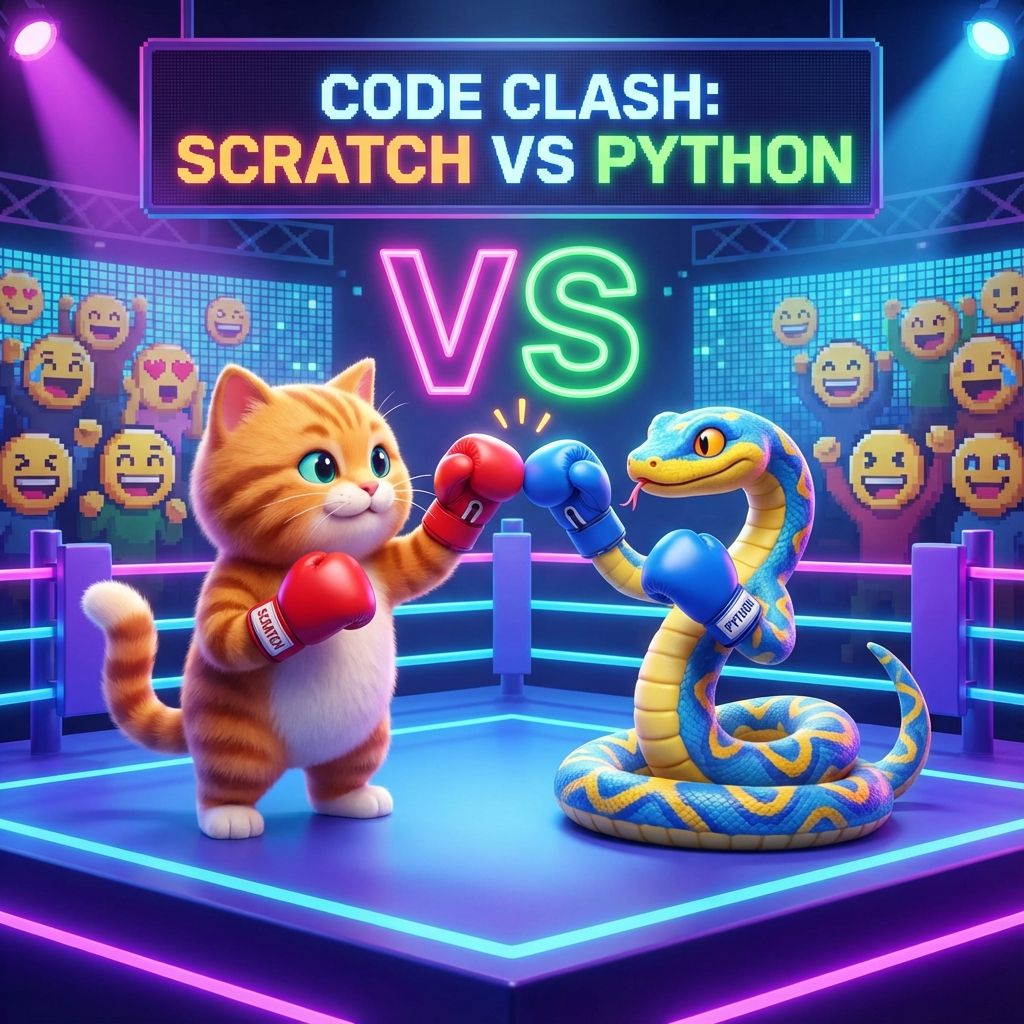 Education
15 min read
Education
15 min read
Scratch vs Python for Kids: The Difference and Which First
Scratch vs Python: Scratch is free drag-and-drop blocks for ages 8 to 13+, Python is typed text code...
Read ArticleReady to start CBSE Computational Thinking & AI for Kids (Class 3-8)?
Book a Priority Demo to see a full live class with a mentor reserved for you, today or tomorrow. Or choose a plan and enrol now.
Questions? WhatsApp +91 91233 66161 or email connect@modernagecoders.com