AI Agents with Microsoft Copilot Studio: The Business Agent Skill for Your First Job
Recruiters no longer ask whether you have used AI. They ask what you have built with it. Build, ground, automate and publish real business agents, in private 1-on-1 classes.
Syllabus updated August 2026
Recordings are free with a Google sign-in. These recordings show how we teach, not the exact syllabus of this course.
How long this course takes
This course runs 24 classes (12 weeks · 2 classes/week) at 4-5 hours/week recommended. The range allows for background and pace: a complete beginner uses the full span, and a student with prior knowledge finishes sooner. The syllabus below is planned to the shorter end, with margin kept for revision.
For personalised duration planning, call +91 91233 66161 and we'll map a schedule to your goals.
At a glance
- Who it is for
- Intermediate (college students and early-career, ages 18+; no prior agent experience needed).
- Prerequisites
- None required. Copilot Studio is a graphical, low-code studio, and the course teaches every concept from first principles. Students who do code will get further faster in the REST, custom connector and MCP classes, but the syllabus assumes nothing
- Format
- Live, interactive classes with a real instructor, never pre-recorded videos. Live classes run about one hour.
- Language
- English or Hindi, depending on the batch.
- Duration
- 24 classes (12 weeks · 2 classes/week)
- Weekly commitment
- 4-5 hours/week recommended
- Class size
- Taught 1-on-1 only: every class is a private session with your own mentor.
- Certificate
- Certificate from Modern Age Coders, awarded on passing the final assessment
- Watch first
- Free recordings of real classes for ages 13 and up, free with a Google sign-in. These recordings show how we teach, not the exact syllabus of this course.
- Live demo
- Optional. Enroll directly on this page, or book a free live demo if you would like to meet a mentor first.
How we teach
Deep understanding. Real projects. Expert guidance.
Learn coding, AI and maths through careful explanations, practical demonstrations, and hands-on problem-solving. Our instructors guide you from the foundations to advanced ideas, helping you understand what happens, why it happens, and how to build it yourself.
You will explore concepts step by step, write and improve code, investigate mistakes, ask questions, and apply your knowledge to meaningful projects. Lessons are designed around active participation, thoughtful feedback, and growing independence.
Expert-led live teaching, with practical participation built into every lesson.
- Students explain their thinking.
- Instructors demonstrate, then guide practice.
- Learners code, solve, or build during lessons.
- Questions and misconceptions get attention.
- Assignments receive useful feedback.
- Progress is checked before advancing.
Ready to Master AI Agents with Microsoft Copilot Studio for College Students?
This course runs as 1-on-1 private mentorship only: one private class a weektwo private classes a week, a pace set to you, and a dedicated mentor on your screen.
Rated 4.9 across 547 Google reviews. Enroll directly, or see a class first. The free demo is a waiting list and needs no card. Monthly billing, cancel anytime.
Try this course in a full live class, today or tomorrow.The Priority Live Demo is a real class of about 45 to 60 minutes with a mentor reserved for you. You get a written skill report afterwards, and the fee is adjusted against your first month if you enrol.
Book priority demo · ₹499International Students (Outside India)
Billed monthly in US dollars, the same price in every country. Contact us with any questions.
Program Overview
Every placement season now has a new line on the checklist: AI agents. Microsoft Copilot Studio is the graphical, low-code studio enterprises use to build and manage AI-powered agents and workflows, and by Microsoft's own count 90% of the Fortune 500 use it. This course takes a college student from zero to a business-grade, published agent in 24 live 1-on-1 classes. You start with agent fundamentals done properly: instructions that steer behaviour, test sets, and the model lineup behind every agent (GPT-4.1 as the default, GPT-5.5 Chat, and Anthropic Claude models among them). Then you go deep where business agents actually live: knowledge grounding across SharePoint, Dataverse and connector-indexed enterprise data with citations users can check; conversation design with topics, entities, condition groups and adaptive cards; and generative orchestration, where the model plans across your topics, knowledge and tools. Phase 4 is the employability core: tools built from Copilot Studio's library of more than 1,400 connectors, deterministic agent flows for work that must run the same every time, custom connectors and REST APIs, Model Context Protocol (MCP) tools, autonomous event triggers with the security discipline they demand, multi-agent design with child agents and the agent-to-agent (A2A) protocol, and analytics with agent evaluations to prove your agent works. You finish by publishing to real channels, passing a professional pre-flight checklist, and defending a capstone agent built for a real club, department or small business, with a documentation packet a recruiter can actually read. The syllabus is a Living Syllabus, updated as Copilot Studio ships, and it maps directly to Microsoft's credential ladder: PL-900, the Applied Skills labs, and the AI Agent Builder Associate certification (exam AB-620).
What Makes This Program Different
- 1-on-1 only, by design: your mentor reviews your actual instructions, knowledge sources, flows and test logs line by line every class, and points every project at your real placement goals, which a group batch cannot do honestly.
- The full business toolchain, not a demo tour: connectors, custom connectors, REST APIs, Model Context Protocol, agent flows, event triggers, multi-agent design and agent evaluations, each one practised on a project you keep.
- Certification-mapped: the syllabus vocabulary tracks Microsoft's PL-900 exam (which added a dedicated Copilot Studio agents domain in July 2026) and the AI Agent Builder Associate certification (exam AB-620), so course time doubles as credential prep.
- Autonomy taught with adult supervision of the risks: event triggers run with the maker's credentials, so you learn the security reasoning enterprises are hiring for, not just the wow demo.
- Evidence over vibes: from Class 4 you keep fixed test sets, and by Phase 4 you use analytics outcomes and agent evaluations to prove improvements with numbers, the habit that separates builders from users.
- Living Syllabus: Copilot Studio ships continuously (MCP tools, the A2A protocol, agent evaluations and new models all landed within the last year), and the curriculum is re-verified against Microsoft's documentation as features land.
Your Learning Journey
Career Progression
Detailed Course Curriculum
Explore the complete week-by-week breakdown of what you'll learn in this comprehensive program.
Topics Covered
- Chatbot vs assistant vs agent: instructions, knowledge, tools and autonomous action, defined precisely
- Why this is on placement checklists: Microsoft reports 90% of the Fortune 500 use Copilot Studio, and Gartner projects a third of enterprise software will include agentic AI by 2028
- Microsoft Copilot Studio in one sentence: a graphical, low-code studio for building and managing AI-powered agents and workflows
- The studio tour that matters: agents, knowledge, topics, tools, triggers, channels, analytics, and the Build, Preview, Evaluate and Monitor surfaces
- Where Copilot Studio sits: low-code SaaS on Power Platform, beside Microsoft Foundry for pro-code teams, and how the two interoperate
- Access done honestly: Copilot Studio needs a Microsoft work or school account; most college emails qualify for the 30-day trial, and your mentor sets your practice environment up with you
- Choosing your capstone candidate: a real club, department or small business whose problem you will ship an agent for in Class 24
Projects You Build
- Agent teardown, business edition: analyse one real customer-facing agent (bank, airline, university helpdesk), reverse-engineer its probable instructions, knowledge and tools, and write a one-page teardown
Practice & Assignments
Draft five agent ideas from your college and internship life and rank them by business value and by how much real knowledge each needs.
Assessment
Define agent, knowledge grounding and tool in your own words, with one business example each.
Topics Covered
- Describe-to-create: starting an agent from a plain-English description and reading what the platform scaffolds for you
- The instruction stack for business agents: identity, audience, scope, tone, format rules and refusals, in that order
- The test panel as your workbench: probing the agent the moment it exists, and logging behaviour instead of trusting memory
- One-change iteration: modify a single instruction line, retest, compare, keep or revert
- Names and descriptions users trust: why a precise agent description is both UX and findability
- What the model actually does with instructions: system prompts, context and why wording changes behaviour
- Version discipline from day one: keeping instruction versions outside the tool
Projects You Build
- Build 'Placement FAQ v1': an agent with hand-written instructions that answers questions about one real company's hiring process in a tone you designed
Practice & Assignments
Write three instruction variants for the same agent and record exactly how each changes the answers to a fixed set of five questions.
Assessment
Show a before-and-after instruction change with the precise behaviour difference it caused.
Topics Covered
- Scope fences: declaring what the agent must not do, and proving the fence holds under pressure
- Refusal design for business contexts: legal, HR and personal-data questions the agent must decline gracefully
- Brand voice as an instruction problem: the same agent for students, recruiters and professors
- Format contracts: forcing answers into steps, tables or short summaries that busy readers actually use
- Instruction smells: vague verbs, contradictions, and rules that fight each other in production
- The deep reasoning preview, honestly framed: Microsoft's reasoning models are in preview and triggered by the keyword 'reason' in instructions, and current syllabi treat them as preview, not promises
- A/B instruction testing: scoring two instruction sets against the same 10 questions
Projects You Build
- The Refusal Gauntlet, corporate edition: 10 questions your Placement FAQ agent must refuse or redirect (offer-letter legal advice, personal data, salary speculation), tuned until all 10 are handled gracefully
Practice & Assignments
Have two friends try to drag your agent out of scope for ten minutes each; log every breach and patch the instructions.
Assessment
Defend each line of your instruction stack: what specific failure appears if that line is deleted?
Topics Covered
- Fixed test sets: 15 questions with expected behaviour written before you run them
- Happy path, edge case, adversarial: three question classes every business agent must survive
- Grading answers on four axes: correctness, tone, format and scope
- Manual regression: rerunning the full set after every meaningful change, and why professionals never skip it
- Recognising hallucination before grounding exists to fix it: confident nonsense and how to catch it
- The test log as an artifact: question, expected, actual, verdict, and why recruiters respond to this document
- Preview of Class 20: Copilot Studio's agent evaluations automate exactly this habit, so building it by hand first makes the tool obvious later
Projects You Build
- Build the permanent 15-question test set for Placement FAQ, run it twice in one week, and file the two most instructive failures with root causes
Practice & Assignments
Write five adversarial questions designed to make your agent overstep, and score how it handles each.
Assessment
Given a conversation transcript, mark every agent turn pass or fail against the written instructions, with reasons.
Topics Covered
- The model picker: GPT-4.1 as the current default, GPT-5 Chat and GPT-5.5 Chat generally available, and Anthropic Claude models (Sonnet 4.6, Opus 4.6 and 4.7) in the lineup
- Why model choice is a design decision: retesting your fixed set across two models and defending the differences
- Harnesses in plain words: the runtime between your design and the model, with a standard harness for topics and flows and a GitHub Copilot harness for reasoning-heavy work
- Environments: why your practice environment is separate from a company's production environment, and what that separation protects
- Copilot Credits, first pass: agent usage is metered (classic answers, generative answers and actions cost different amounts), and designers are expected to know it
- Platform guardrails you inherit: content filtering and responsible-AI defaults that run before your instructions
- Phase 1 systems map: from a user's message through harness, instructions and model to the answer, labelled by what you control
Projects You Build
- Model comparison memo: run your full Placement FAQ test set on two available models and write a one-page recommendation with evidence
Practice & Assignments
Draw the full journey of one question through your agent and annotate the three points where you can change the outcome.
Assessment
Phase 1 gate: rebuild a small agent from a written spec in 20 minutes, with instructions, refusals and a five-question test.
Topics Covered
- Why ungrounded agents are unemployable: training data vs your organisation's data
- The knowledge source lineup: public websites, uploaded documents, SharePoint, Dataverse, and enterprise data indexed through connectors
- Generative answers: how the agent searches sources and composes answers, and where citations come from
- The 'Allow ungrounded responses' setting and why business agents keep it off
- Real limits that force curation: website and SharePoint URL caps, file ceilings, and a hard maximum of knowledge sources per agent
- Source selection as a professional judgment: authoritative, current, small enough to verify
- Grounding plan for your capstone: the source list you will defend on demo day
Projects You Build
- Ground Placement FAQ in the target company's public website and prove five answers now carry citations a recruiter could check
Practice & Assignments
Ask your grounded agent five questions its sources cannot answer and document its behaviour at the edge of knowledge.
Assessment
Explain grounding, citations and hallucination in interview language: two minutes, no notes.
Topics Covered
- SharePoint as a knowledge source: pointing an agent at the document library a team actually maintains
- Writing documents for retrieval: headings, one fact per paragraph, consistent names, and why messy docs produce messy agents
- Document formats that ground well, and the file-size and count ceilings that shape what you upload
- Precision testing: questions whose answers live in one exact paragraph, and verifying the agent finds that paragraph
- Update behaviour: what happens when the source changes, and designing so the agent never lags the truth
- Confidentiality first pass: what must never enter an agent's knowledge, and who decides
- The curation principle: five great pages beat fifty mediocre ones, measurably
Projects You Build
- Build 'Society Desk': an agent for a real college society grounded in a clean 3-document knowledge pack you author, with a 10-question proof test
Practice & Assignments
Deliberately degrade one knowledge document, measure the answer-quality drop on your test set, then fix and remeasure.
Assessment
Given two versions of the same document, predict which grounds better and prove it with tests.
Topics Covered
- Dataverse as structured knowledge: when tabular business data beats documents
- Enterprise data through connectors: sources indexed by Microsoft Search, and why enterprises fund this path
- Multi-source agents: how the agent chooses between website, documents and structured data
- Conflict behaviour: engineering for the day two sources disagree, because they will
- Scoping by instruction: routing question types to the right source deliberately
- Freshness strategy: which source type updates fastest and which facts must follow it
- Auditing knowledge like an owner: what is in, what is out, what is stale, on one page
Projects You Build
- Build a two-source Internship Tracker knowledge base (structured table plus policy document) and document exactly how the agent behaves when they conflict
Practice & Assignments
Write five questions that force a source choice and log which source wins each, then adjust scoping instructions.
Assessment
Defend your capstone source list: authority, freshness and maintenance plan for each source.
Topics Covered
- The accuracy audit: scoring 20 grounded answers against source text and publishing the number
- Bias in, bias out: how one-sided source lists produce one-sided agents, and the audit that catches it
- Uncertainty language: agents that say 'my sources do not cover that' instead of improvising
- Data protection instincts: personal data, minimisation, and what a business agent must forget
- The trust contract with users: transparency about being an agent, about sources, and about limits
- What enterprises layer on top: evaluation suites and monitoring, previewed honestly before you meet them in Class 20
- Phase 2 wrap: the grounding checklist you now apply to every agent
Projects You Build
- Publish an accuracy audit of Society Desk: 20 scored answers with cited source paragraphs, an accuracy figure, and the three fixes it demanded
Practice & Assignments
Add an uncertainty rule to every agent you own and collect three real out-of-scope responses that handled it well.
Assessment
Phase 2 gate: design a complete knowledge plan (sources, scoping, refusals, accuracy test) for a given business brief, in writing.
Topics Covered
- Topics as designed conversation paths: one topic per job the agent does
- Trigger phrases: capturing the many phrasings of one request (topics support up to 200)
- System topics you inherit: greeting, escalate, goodbye, and when to customise them
- The authoring canvas: message nodes, question nodes and flow, built live
- Topics vs generative answers: control for the critical paths, flexibility for the long tail
- The YAML beneath the canvas: every topic is also code, your first bridge from low-code to pro-code
- The topic map for a business agent: the five jobs users will actually bring
Projects You Build
- Build 'Fest Helpdesk' with three designed topics for a real event: schedule lookup, registration help and venue directions
Practice & Assignments
Collect ten real phrasings of one request from classmates and tune trigger phrases until recognition is reliable.
Assessment
Given three user messages, predict the triggered topic and verify live, explaining each miss.
Topics Covered
- Question nodes that collect exactly what a process needs, one clean question at a time
- Entities: extracting dates, numbers and choices from messy human sentences
- Variables: carrying user answers through the conversation and into confirmations
- Slot filling: skipping questions the user already answered in one breath
- Choice questions vs open questions: constraining input where structure matters
- Validation: what happens when the user answers a date question with 'whenever works'
- Session memory: what the agent remembers within a conversation and what it must not
Projects You Build
- Upgrade Internship Tracker: an add-application topic that collects company, role, deadline and status through entities, confirming with a variable-built summary
Practice & Assignments
Test one topic with cooperative, messy and hostile input styles; log extraction failures and tighten the questions.
Assessment
Trace a conversation on paper naming the entity and variable at each step, then verify live.
Topics Covered
- Condition nodes: branching on variables to route the conversation
- Condition groups: combining tests cleanly (role is internship AND deadline within a week) without spaghetti
- Paper first: flow diagrams before canvas, the habit that prevents dead ends
- The escalation branch: recognising 'this needs a human' and handing off with context
- Default branches: designing for everything you did not predict
- Branch coverage testing: one scripted conversation per path, no path untested
- Refactoring: splitting one bloated topic into three maintainable ones
Projects You Build
- Rebuild Fest Helpdesk registration as a condition-driven flow: student vs guest vs volunteer paths, each with its own confirmation and an escalation branch
Practice & Assignments
Hand your flow diagram to a friend and let them hunt for a reachable dead end; fix what they find.
Assessment
Find and fix the planted logic bug in a provided flow diagram within one session.
Topics Covered
- Adaptive cards: structured, tappable answers for information that deserves better than a paragraph
- Card anatomy: titles, fact sets, images and actions, and when each earns its place
- Mobile first: your agent will mostly be read on phones, so cards are designed for small screens
- Card actions that continue the conversation: buttons feeding back into topics
- A small card style guide: consistency that makes an agent look engineered, not assembled
- Accessibility: alt text and reading order as professional defaults, not afterthoughts
- Restraint: the cases where plain text beats a card, chosen deliberately
Projects You Build
- Give Internship Tracker a card-based pipeline view: each application a card with company, role, deadline and a status-update action
Practice & Assignments
Convert your three most-used responses to cards and A/B them with two real users against the text versions.
Assessment
Improve a deliberately bad card (dense text, no hierarchy, dead buttons) and justify every change.
Topics Covered
- Two execution brains: classic orchestration where trigger phrases pick topics, generative orchestration where the model plans across topics, knowledge and tools
- What generative orchestration unlocks: multi-intent requests, dynamic tool choice, and the event triggers you will use in Phase 4
- The trade: less predictability, reined back in with instructions and scope fences
- Reading the plan: inspecting how the agent decided which topic, source or tool to use, and debugging from that trace
- Mixing modes: designed topics for critical business paths, generative flexibility for the long tail
- Re-running the guardrail suite: refusals and fences retested under the new orchestrator, because behaviour moved
- Phase 3 wrap: the conversation-design checklist from trigger phrases to orchestration choice
Projects You Build
- Migrate Fest Helpdesk to generative orchestration, rerun the full test set, and file a keep-or-fix verdict on every behaviour change
Practice & Assignments
Write three multi-intent messages ('register me, what time is the keynote, can my cousin come') and tune until all three resolve in one turn.
Assessment
Phase 3 gate: design a five-topic business agent on paper (topics, entities, conditions, cards, orchestration mode) and defend it.
Topics Covered
- The tool types in Copilot Studio: Prompt, Agent flow, Custom connector, Model Context Protocol and REST API, plus prebuilt connectors
- The connector library: more than 1,400 prebuilt connections to real services, standard and premium
- Your first Prompt tool: one transformation done perfectly (summarise, extract, rewrite), reusable across agents
- Tool descriptions as an interface: the orchestrator chooses tools by reading descriptions, so you write them like contracts
- Discipline over abundance: the platform allows up to 128 tools per agent, Microsoft recommends staying near 25 to 30, and professionals use far fewer
- Authorisation questions before wiring anything: what may this tool touch, and who approved that
- Tool plan for your capstone: usually two tools, chosen from evidence, not excitement
Projects You Build
- Add a 'JD decoder' Prompt tool to Placement FAQ: paste any job description, get requirements, keywords and preparation gaps in a fixed format
Practice & Assignments
Write two versions of one tool description and demonstrate how the wording changes when the orchestrator invokes it.
Assessment
Explain, unaided, how an agent under generative orchestration decides between answering, searching knowledge and calling a tool.
Topics Covered
- Agent flows: deterministic, step-based automations your agent calls as tools
- Flow anatomy: trigger, actions, conditions and outputs returned to the conversation
- When flows beat models: approvals, notifications, record updates, anything that must be identical every run
- Building a notification flow: collect structured details in conversation, send a formatted email or Teams message
- Error paths: what the user sees when a step fails, and why silent failure is disqualifying
- Reading a flow run: inputs, outputs and the exact step that broke
- Flows vs topics vs Prompt tools: a decision rubric you can defend in interviews
Projects You Build
- Build 'Expense Slip': Society Desk collects reimbursement details through entities, an agent flow emails a formatted claim to the treasurer, and the agent confirms with the flow's real result
Practice & Assignments
Break your flow with bad input on purpose, then add the error path that turns the failure into a graceful message.
Assessment
Given three automation briefs, classify each as flow, topic or Prompt tool with a three-sentence justification.
Topics Covered
- REST in one hour: request in, JSON out, and how an agent turns a response into an answer
- Adding a REST API as a tool: authentication, parameters and response handling
- Custom connectors: wrapping any API so every maker in an organisation can reuse it safely
- Authentication in plain words: what 'connect your account' grants, and why least privilege is the default
- DLP governance: connector access is policy-controlled in real tenants, so 'can' and 'may' are different questions
- Reading API documentation like a builder: finding the one endpoint your agent needs
- The integration mindset recruiters probe: the least-powerful tool that does the job
Projects You Build
- Wire a public REST API into a practice agent as a tool (weather, holidays or exchange rates) and demonstrate a grounded conversation using live data
Practice & Assignments
Design on paper the API tool your capstone needs: endpoint, parameters, auth, tool description and three test utterances.
Assessment
Sketch one tool call end to end: utterance, orchestration decision, call, response, answer, and where it can fail.
Topics Covered
- Model Context Protocol (MCP): the open standard for connecting tool servers to agents, added from the same Add-a-tool menu
- MCP tools and resources: what a server exposes, and toggling individual tools with the Allow all switch
- Why MCP transfers: the same protocol appears in Claude, IDEs and other agent platforms, so this class compounds
- Governance continuity: MCP runs over Power Platform connectors, so DLP policies govern it like any other connector
- Computer use, surveyed honestly: agents that operate real user interfaces, generally available since May 2026, with per-step metering and premium model options
- The governance stack around computer use: allow-lists, HTTPS enforcement, stored credentials and human supervision
- Choosing integration styles: prebuilt connector vs REST vs custom connector vs MCP, as a decision table
Projects You Build
- Connect an MCP server to a practice agent, inventory the tools it exposes, disable all but two deliberately, and demonstrate both in conversation
Practice & Assignments
Write a one-page comparison: the same integration built as REST tool vs MCP tool, with the governance implications of each.
Assessment
Explain to your mentor what MCP standardises, and why DLP still applies to it.
Topics Covered
- Event triggers: agents that act with no user in the chat, on events like an item created in SharePoint, a file added to OneDrive, a completed Planner task, or a Recurrence schedule
- The trigger payload: event data arriving as input, and instructions deciding what happens next
- Generative orchestration as a prerequisite: why autonomy needs the planning brain from Class 14
- The security fact enterprises underline: triggers run with the maker's credentials, so every autonomous action is effectively signed by you
- Designing the first autonomous job: small, observable, reversible, logged
- Human-in-the-loop: which actions pause for approval, and how the pause is built
- Idempotence in plain words: running twice must not double the damage
Projects You Build
- Build 'Status Reporter': an autonomous agent that watches a shared project folder and posts a tidy weekly summary on a Recurrence trigger, with an approval pause on anything destructive
Practice & Assignments
Feed your autonomous agent five events while away from the keyboard, then audit and score all five actions from the log.
Assessment
Explain maker-credential risk and name the two design rules you applied because of it.
Topics Covered
- Multi-agent options: child agents, connected Copilot Studio agents, and agents joined over the A2A protocol, generally available since April 2026
- When one agent becomes two: Microsoft's own rule of thumb, split when an agent nears 30 to 40 choices of tools, topics and agents
- Orchestrating specialists: a front-desk agent delegating to a bookings agent and a policy agent, cleanly
- The analytics view: sessions, outcomes (resolved, escalated, abandoned), satisfaction and themes
- Transcripts as design feedback: reading real sessions respectfully and mining the gaps
- Agent evaluations, generally available since March 2026: test sets and graders that automate the discipline you have run by hand since Class 4
- The improvement loop with numbers: hypothesis, one change, evaluation rerun, verdict
Projects You Build
- Split Fest Helpdesk into a parent agent with one child specialist, then run an analytics-and-evaluations sprint on a week of real usage and ship two evidenced improvements
Practice & Assignments
Define your capstone's three success metrics and build the evaluation set that will measure them before you build the agent.
Assessment
Phase 4 gate: from provided transcripts and evaluation results, diagnose the top failure and prove your one-line fix moved the number.
Topics Covered
- The channel lineup: Microsoft Teams and Microsoft 365 Copilot, SharePoint, demo website, custom website, and WhatsApp in business configurations
- Publishing flow: from studio to a shareable demo website, then toward Teams where organisations actually work
- The Agent Store: how a published agent reaches Microsoft 365 Copilot after an admin approves it, a live lesson in enterprise governance
- Identity for agents: Microsoft now issues Entra Agent IDs to new agents, making agents governable like users, mandatory since July 2026
- Channel-fit design: the same agent on a phone, a website and inside Teams, and what changes per surface
- Versioning discipline: what re-publishing replaces, and how not to break live users
- Your capstone's launch plan: channel, audience, access and rollback, on one page
Projects You Build
- Publish Internship Tracker to the demo website, run a supervised session with two real users on their phones, and file the structured feedback
Practice & Assignments
Write the one-paragraph launch plan for your capstone: channel, audience, access decision and rollback trigger.
Assessment
Explain what changes and what stays identical when one agent ships to two channels.
Topics Covered
- The professional pre-flight: scope fences retested, refusals verified, citations on, personal data audited, evaluation suite green
- Prompt injection: how malicious content tries to hijack instructions through knowledge and inputs, and the mitigations that blunt it
- Data minimisation: collecting the least, retaining the least, and being able to say so
- Cost awareness in Copilot Credits: metered usage (generative answers, actions, flow actions) means design choices change the bill, and capacity has enforcement limits
- Transparency obligations: users know they are talking to an agent, what it can do, and where its knowledge ends
- Kindness and accessibility passes: language level, error tone, and the user having a bad day
- The signed go / no-go: a written audit your mentor countersigns before capstone launch
Projects You Build
- Run the full 20-point pre-flight checklist against your published agent, fix every failure, and produce the signed one-page audit
Practice & Assignments
Attempt three prompt-injection attacks on your own agent through its knowledge and inputs, document outcomes, and add one mitigation.
Assessment
Audit a deliberately flawed agent spec and catch at least four of its five planted problems.
Topics Covered
- Freezing the spec: job, users, sources, tools, trigger, channel and success metrics on one page
- Build order that works: knowledge first, topics second, tools third, trigger last
- Timeboxing with a mentor: what gets cut when reality bites, and why the core loop is protected
- The evaluation suite as safety net: rerun at every milestone, no green no merge
- Professional polish: greeting, description, card consistency, error tone and escalation paths
- Dress rehearsal: the timed demo run with one planned failure recovery
- Documentation packet: spec, source list, tool contracts, test log, audit page, ready for a recruiter
Projects You Build
- Build the complete capstone: a business-grade agent for a real club, department or small business, grounded, tooled, evaluated, published and documented
Practice & Assignments
Run the dress rehearsal for an outsider and cut or fix the two weakest moments they identify.
Assessment
Milestone gate: the capstone passes its own evaluation suite and pre-flight audit before demo day.
Topics Covered
- The live demo: your capstone on a real channel, citations showing, one failure recovered gracefully
- Defending design decisions: these sources, these tools, this orchestration mode, this trigger, and why
- The retrospective: what you would build differently, the slide interviewers respect most
- Portfolio packaging: capstone plus project history, browsable by a recruiter in five minutes
- The Microsoft credential ladder mapped to what you now know: PL-900 with its new Copilot Studio agents domain, the Applied Skills labs 'Build an agent in Microsoft Copilot Studio' and 'Enhance agents with autonomous capabilities', and the AI Agent Builder Associate certification (exam AB-620)
- The market you are entering: Gartner projects that by 2029 at least half of knowledge workers will need to work with, govern or create AI agents
- Certificate, feedback and the Living Syllabus promise: what changed in Copilot Studio while you were learning it
Projects You Build
- Deliver the capstone demo and hand over the complete packet: spec, source list, tool contracts, evaluation results, audit page and a two-minute recorded walkthrough
Practice & Assignments
Draft your AB-620 preparation plan: which exam domains your coursework already covers and what remains.
Assessment
Final evaluation: capstone demo, design defence and documentation packet, graded against the Class 20 rubric.
Projects You'll Build
Build a professional portfolio with 24 hands-on projects, one per class, finishing with a published business-grade capstone agent real-world projects.
Weekly Learning Structure
Certification & Recognition
Technologies & Skills You'll Master
Comprehensive coverage of the entire modern web development stack.
Support & Resources
Career Outcomes & Opportunities
Transform your career with industry-ready skills and job placement support.
Prerequisites
Who Is This Course For?
Career Paths After Completion
Course Guarantees
Real students. Real moments. Real joy.
These are our actual student meetups. No stock photos, no filters. Swipe through and meet the community you'll be joining.







































What families say
Straight from the parents and students who learn with us. Rated 4.9 across 547 Google reviews.
“Mivaan enjoys the class. He understands the concepts and completes his tasks with excitement. He started taking interest in coding… truly amazing class.”
“I absolutely love it here! I made new friends and learned important valuable coding skills while having the fun of my life. It's not just coding here, it's outings, bonding and most importantly preparing you for your future. Definitely five stars.”
“What stands out most is how excited my son is before every class. He looks forward to learning, problem-solving, and sharing what he's built. I've noticed a big boost in his confidence!”
“Modern Age Coders has been a game-changer for me! I struggled to grasp IT concepts and coding before joining, but their classes transformed everything. I'm now the topper in my class and can confidently write complex programs with ease.”
“Modern Age Coder have wonderful teachers who teach in a clear, easy and practical way. The teacher boosts students' confidence, keeps them updated with technology, and inspires them to learn without hesitation.”
“The one step solution for my son. Modern Age Coders make learning coding so simple that kids love it.”
“Coding classes here make learning very interesting and conceptual. The teachers teach us in a very easy-to-understand and efficient manner.”
“One of the most wonderful education centres out there. Education is not limited to school syllabus but focuses on skill development. Learning here has been a wonderful journey and still continuing.”
“I highly recommend this computer coding class! The teachers are incredibly knowledgeable and passionate about coding. They make every session engaging and insightful.”
“My child Dhairya is really enjoying the Modern Age Coder IT classes. This is his first online class, and he eagerly looks forward to it.”
“Very good classes. Don't worry about coding. They teach the best, especially Shivam sir.”
“Very good classes. Makes learning very easy and interactive.”
Hear it from our students
Real parents and students in their own words, on our public YouTube channel.
Straight answers about AI Agents with Microsoft Copilot Studio for College Students
- Who should take this course?
- Intermediate (college students and early-career, ages 18+; no prior agent experience needed). It suits final and pre-final year students who want a demonstrable ai agent skill on their resume, with a published capstone and documentation packet recruiters can actually inspect; bba, bcom and management students who will never be full-time programmers but will absolutely be asked to automate processes and build departmental agents; cs and it students who know code but not the low-code agent stack enterprises deploy, and want the governance and orchestration vocabulary interviews now probe.
- What will they learn and build?
- Every placement season now has a new line on the checklist: AI agents. Microsoft Copilot Studio is the graphical, low-code studio enterprises use to build and manage AI-powered agents and workflows, and by Microsoft's own count 90% of the Fortune 500 use it. This course takes a college student from zero to a business-grade, published agent in 24 live 1-on-1 classes.
- How deeply are topics covered?
- The course runs 24 classes (12 weeks · 2 classes/week) at 4-5 hours/week recommended, across 5 phases listed week by week in the syllabus below. A structured, well-paced 24-class curriculum taught step by step, with a real project in every single class.
- Who teaches it?
- Modern Age Coders mentors, who teach the live classes themselves. You can watch them at work in the free class recordings before you decide.
- How do practice, feedback and assessment work?
- Classwork every session, a task after every class, monthly reviews that mix in earlier topics, and a final project defended live, plus a written assessment that decides the certificate: real knowledge and real work, with a free retest after revision if needed. Doubt support between classes over WhatsApp, so a broken flow never waits four days for help. A certificate you earn by passing the final assessment, with a free retest after revision if needed.
- What does it cost?
- One plan, taught 1-on-1 only, billed per month of private classes. The price is shown in your currency in the plans section. Monthly billing, cancel any time.
- When can classes take place?
- Live classes are scheduled around your week: as a 1-on-1 student you choose your own slots with your mentor, and international students are scheduled in their own timezone. Ask on WhatsApp for the current availability.
- Can I watch the teaching before deciding?
- Yes. Full recordings of real 13 and up classes are free to watch, free with a Google sign-in. These recordings show how we teach, not the exact syllabus of this course. Some classes are in English and some in Hindi; everyone follows at their own pace. Watch a class end to end, like you are in it. Sessions are interactive and each moment builds on the last.
- Can I enroll without a live demo?
- Yes. Choose a plan on this page and enroll directly; a booking or a demo is not required. A free live demo is optional, for anyone who wants to meet a mentor first. Outside India, our team confirms the plan and completes payment with you over WhatsApp, so allow a little time for that step.
Common Questions About AI Agents with Microsoft Copilot Studio for College Students
Get answers to the most common questions about this comprehensive program
Still have questions? We're here to help!
Contact UsWhy Choose AI Agents with Microsoft Copilot Studio for College Students?
Related Courses You May Like
Continue your learning journey with these recommended programs
 AI Agents & Automation
AI Agents with Microsoft Copilot Studio for Teens
Build real AI agents with Microsoft Copilot Studio in 24 live 1-on-1 online classes for ages 13-18: ...
Explore Course AI Agents & Automation
Copilot Studio Agent Masterclass for Professionals
Ship production AI agents in Microsoft Copilot Studio: 24 live 1-on-1 online classes for working pro...
Explore CourseRelated Articles & Guides
Deepen your knowledge with these hand-picked articles
 Artificial Intelligence
14 min read
Artificial Intelligence
14 min read
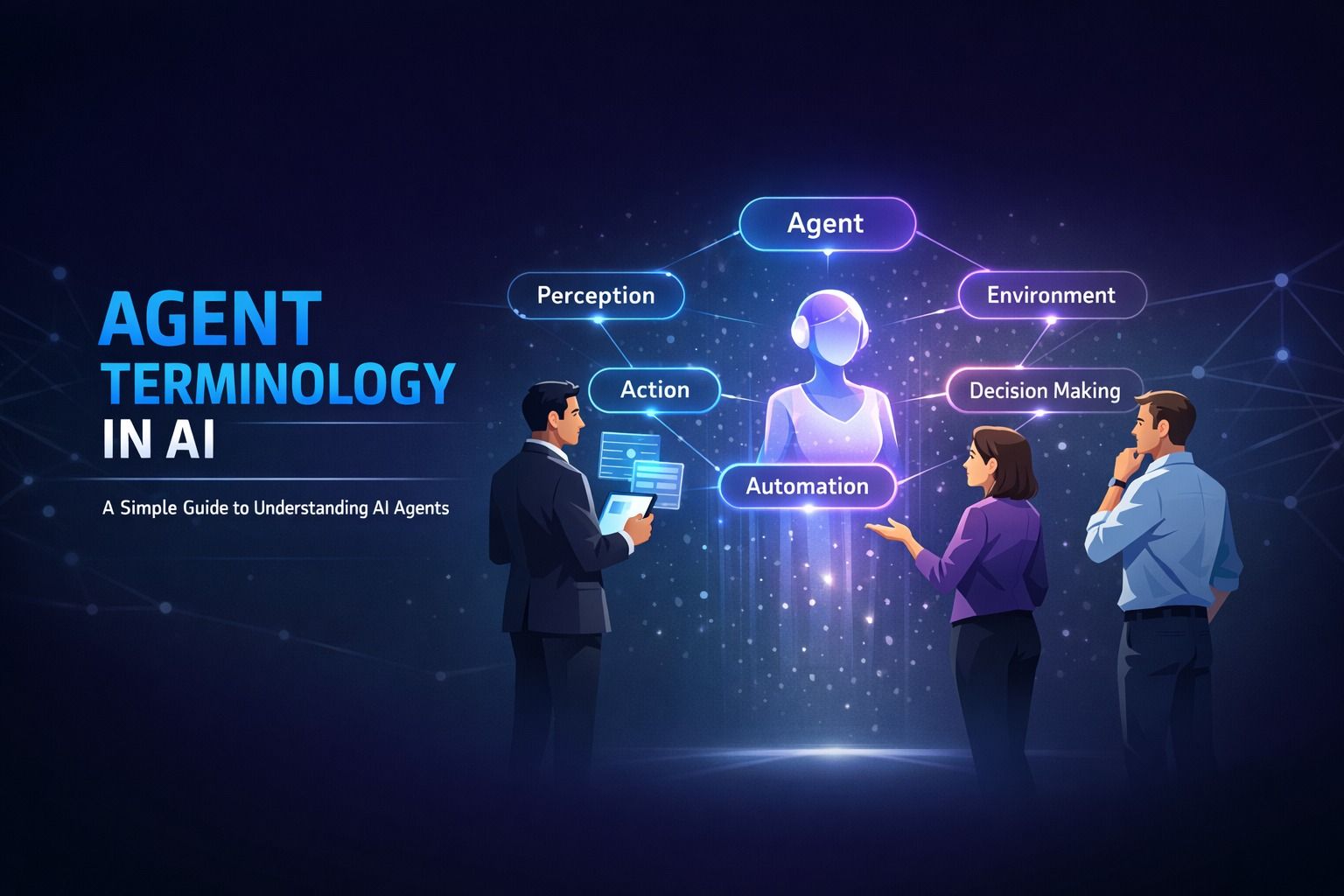
Agent Terminology in AI: A Simple Guide to Understanding AI Agents
Decode AI agent terminology in ai with this beginner-friendly guide. Learn about autonomous agents, ...
Read Article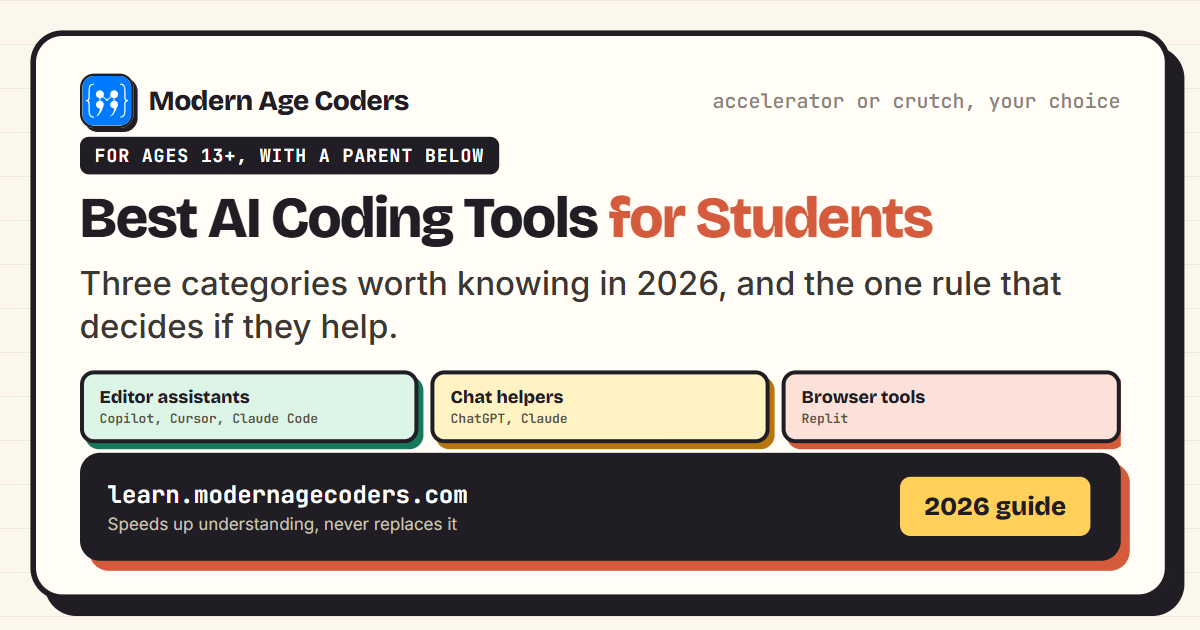 Artificial Intelligence
7 min read
Artificial Intelligence
7 min read
Best AI Coding Tools for Students in 2026
The best AI coding tools for students in 2026, what each is good for, and the one rule that decides ...
Read ArticleReady to start AI Agents with Microsoft Copilot Studio for College Students?
Book a free demo class to meet your mentor and see how we teach, with no commitment. Or enrol now and start this week.