AI Agents with Microsoft Copilot Studio: Build Agents That Actually Do Things
Stop just chatting with AI. Design, ground, and publish your own AI agents on the platform 90% of the Fortune 500 already use, in private 1-on-1 classes built around your ideas.
Syllabus updated August 2026
Recordings are free with a Google sign-in. These recordings show how we teach, not the exact syllabus of this course.
How long this course takes
This course runs 24 classes (12 weeks · 2 classes/week) at 3-4 hours/week recommended. The range allows for background and pace: a complete beginner uses the full span, and a student with prior knowledge finishes sooner. The syllabus below is planned to the shorter end, with margin kept for revision.
For personalised duration planning, call +91 91233 66161 and we'll map a schedule to your goals.
At a glance
- Who it is for
- Beginner (ages 13-18; no coding experience needed).
- Prerequisites
- None needed. Copilot Studio is a graphical, low-code studio; clear thinking and good writing matter far more than syntax. Teens who already code can go deeper into connectors and REST tools inside the same syllabus
- Format
- Live, interactive classes with a real instructor, never pre-recorded videos. Live classes run about one hour.
- Language
- English or Hindi, depending on the batch.
- Duration
- 24 classes (12 weeks · 2 classes/week)
- Weekly commitment
- 3-4 hours/week recommended
- Class size
- Taught 1-on-1 only: every class is a private session with your own mentor.
- Certificate
- Certificate from Modern Age Coders, awarded on passing the final assessment
- Watch first
- Free recordings of real classes for ages 13 and up, free with a Google sign-in. These recordings show how we teach, not the exact syllabus of this course.
- Live demo
- Optional. Enroll directly on this page, or book a free live demo if you would like to meet a mentor first.
How we teach
Deep understanding. Real projects. Expert guidance.
Learn coding, AI and maths through careful explanations, practical demonstrations, and hands-on problem-solving. Our instructors guide you from the foundations to advanced ideas, helping you understand what happens, why it happens, and how to build it yourself.
You will explore concepts step by step, write and improve code, investigate mistakes, ask questions, and apply your knowledge to meaningful projects. Lessons are designed around active participation, thoughtful feedback, and growing independence.
Expert-led live teaching, with practical participation built into every lesson.
- Students explain their thinking.
- Instructors demonstrate, then guide practice.
- Learners code, solve, or build during lessons.
- Questions and misconceptions get attention.
- Assignments receive useful feedback.
- Progress is checked before advancing.
Ready to Master AI Agents with Microsoft Copilot Studio for Teens?
This course runs as 1-on-1 private mentorship only: one private class a weektwo private classes a week, a pace set to you, and a dedicated mentor on your screen.
Rated 4.9 across 547 Google reviews. Enroll directly, or see a class first. The free demo is a waiting list and needs no card. Monthly billing, cancel anytime.
Try this course in a full live class, today or tomorrow.The Priority Live Demo is a real class of about 45 to 60 minutes with a mentor reserved for you. You get a written skill report afterwards, and the fee is adjusted against your first month if you enrol.
Book priority demo · ₹499International Students (Outside India)
Billed monthly in US dollars, the same price in every country. Contact us with any questions.
Program Overview
Every teenager has used a chatbot. Almost none of them have built an agent: an AI that knows a specific subject deeply, follows instructions it was given, uses tools, and acts on its own when something happens. That is exactly the skill this course teaches, on Microsoft Copilot Studio, the graphical low-code studio Microsoft describes as the way to build and manage AI-powered agents and workflows. Across 24 live 1-on-1 classes you go from your very first agent (described in plain English, tested the same hour) to agents grounded in real knowledge sources with citations, conversation design with topics and trigger phrases, tools built from connectors and agent flows, an autonomous agent that wakes up on an event trigger and works without you, and a published capstone agent demonstrated live on a website and shared for feedback. Along the way you learn the ideas that make agents trustworthy: grounding versus guessing, why an agent should cite its sources, what an agent should refuse to do, and how professionals measure whether an agent actually helped. Because every class is private, your mentor builds the whole course around agents you actually care about: a study buddy grounded in your own class notes, a quiz coach for your next exam, a club FAQ agent, a family trip planner. The syllabus is a Living Syllabus, updated as Copilot Studio ships new features, so you learn the current platform, never a frozen snapshot of last year's tool.
What Makes This Program Different
- 1-on-1 only, by design: agent building is a design discipline, and a private mentor can review your instructions, your knowledge sources, and your conversation maps line by line, which a group class simply cannot do.
- Real platform, real skills: you work in Microsoft Copilot Studio itself, the same low-code agent studio used across enterprises, with topics, knowledge, tools, triggers and analytics, not a toy sandbox.
- No heavy coding needed: Copilot Studio is a graphical, low-code studio, so the course runs on clear thinking and good instructions; teens who do code can go further with connectors and REST APIs in the same syllabus.
- Agents that act, not just answer: by Phase 4 your agent responds to event triggers (a file added, a task completed, a schedule) and works autonomously, which is the difference between a chatbot and an agent.
- Honest AI habits from Class 1: grounding answers in sources, keeping citations on, deciding what an agent must refuse, and testing before publishing, the same responsible-AI defaults professionals are held to.
- Living Syllabus: Copilot Studio ships new models and features continuously (the current lineup includes GPT-5.5 Chat and Anthropic Claude models), and the curriculum is updated as they land, so nothing you learn is stale.
Your Learning Journey
Career Progression
Detailed Course Curriculum
Explore the complete week-by-week breakdown of what you'll learn in this comprehensive program.
Topics Covered
- Chatbot vs assistant vs agent: an agent has instructions, knowledge, tools and can act, not just answer
- Agents you already meet every week: support bots, order trackers, school helpdesks, and what they get right and wrong
- Microsoft Copilot Studio in one sentence: a graphical, low-code studio for building and managing AI-powered agents and workflows
- The guided tour: agents, knowledge, topics, tools, triggers, channels and analytics, and what each tab is for
- How access works honestly: Copilot Studio uses a Microsoft work or school account, and your mentor gets your practice environment ready with you in this class
- The anatomy of every agent you will build: name, description, instructions, knowledge, tools, and where each lives
- Setting the course goal: the capstone agent you will publish in Class 24, chosen from your own school, club or family life
Projects You Build
- Agent safari: analyse two real agents you have used (a support bot, a game helper), map what their instructions and knowledge must look like, and write a one-page teardown
Practice & Assignments
List five agent ideas from your own week (study, club, family, hobby) and rank them by how much real knowledge each would need.
Assessment
Explain the difference between a chatbot and an agent in two sentences, using the words instructions, knowledge and tools correctly.
Topics Covered
- Describe-to-create: starting an agent from a plain-English description of what it should do
- Writing your first instructions: role, audience, tone, and the three behaviours your agent must always show
- The test panel: talking to your agent the moment it exists, and reading its answers critically
- Iteration as the core loop: change one instruction line, retest, compare, keep or revert
- Naming, descriptions and icons: why a clear agent description matters for users and for you
- What the model does with your instructions: a teen-friendly picture of how a large language model follows a system prompt
- Saving versions of your instruction text outside the tool, the habit that saves every project later
Projects You Build
- Build 'Study Buddy v1': an agent with instructions for your real timetable and subjects that answers revision questions in a tone you designed
Practice & Assignments
Rewrite your agent's instructions three different ways and record how each version changes the same test question's answer.
Assessment
Show a before-and-after: one instruction change and the exact behaviour difference it caused in the test panel.
Topics Covered
- The instruction stack: identity, scope, tone, format rules, and refusals, in that order
- Scope fences: telling an agent what it must NOT do, and testing that the fence holds
- Tone control for real audiences: the same agent for classmates vs teachers vs grandparents
- Format discipline: making answers arrive as steps, tables or short paragraphs on demand
- Refusal design: choosing the questions your agent should decline (medical advice, personal data, exam cheating) and wording the refusal kindly
- Instruction smells: vague verbs, contradictions, and instructions that fight each other
- A/B testing instructions: running the same 10 questions against two instruction sets and scoring the answers
Projects You Build
- The Refusal Gauntlet: write 10 questions your Study Buddy must refuse or redirect, then tune instructions until all 10 are handled gracefully
Practice & Assignments
Take a classmate's (or parent's) three trickiest questions and tune your instructions until the answers pass their review.
Assessment
Present your instruction stack and defend each line: what breaks if it is removed?
Topics Covered
- Why 'it answered nicely once' is not evidence: building a fixed test set of 15 questions
- Happy path, edge case, and adversarial questions: three test types every agent needs
- Reading answers critically: correctness, tone, format, and whether the agent stayed in scope
- Regression testing by hand: rerunning your test set after every meaningful change
- Keeping a test log: question, expected behaviour, actual behaviour, verdict
- When the agent is confidently wrong: recognising hallucination before you have knowledge sources to fix it
- The professional habit this course grades you on: no change ships without a retest
Projects You Build
- Build your permanent 15-question test set for Study Buddy, with expected behaviour written down before you run it
Practice & Assignments
Run your full test set twice this week and log every verdict; bring the two failures you found to class.
Assessment
Given a transcript of an agent conversation, mark every line as pass or fail against the written instructions.
Topics Covered
- Where agents live: environments, and why your practice environment is separate from a company's production one
- The model picker: Copilot Studio agents run on a chosen model (the lineup currently includes GPT-4.1 as default, GPT-5.5 Chat, and Anthropic Claude models), and what changing it does
- Harnesses in plain words: the runtime between your design and the model, and why Microsoft now ships more than one
- What is free and what costs money: Copilot Credits exist, adults pay for capacity, and testing in class is covered by your practice environment
- Responsible-AI defaults you inherit: content filters and guardrails the platform applies before your instructions even run
- Saving and organising agents so week-12-you can find what week-2-you built
- Checkpoint: everything in one map, from your typed instruction to the model's answer
Projects You Build
- Draw the journey of one question through your agent: user, harness, instructions, model, answer, and label the parts you control
Practice & Assignments
Try the same three test questions on two different models in the picker and write down every difference you can defend.
Assessment
Phase 1 review: rebuild a small agent from a written spec in 20 minutes, with instructions, a refusal, and a 5-question test.
Topics Covered
- Why a bare model guesses: training data vs your data, in a picture a friend could follow
- Knowledge sources in Copilot Studio: public websites, uploaded documents, SharePoint, Dataverse, and connector-indexed enterprise data
- Generative answers: how the agent searches your sources and composes an answer from what it found
- Citations: why the little source link is the most trustworthy pixel on the screen
- The 'Allow ungrounded responses' setting, and why this course keeps it off by default
- Limits that shape design: sources per agent, website counts, and file size ceilings exist, so knowledge is curated, not dumped
- Choosing knowledge for your capstone: authoritative, current, and small enough to verify
Projects You Build
- Ground Study Buddy in one real source (your school's public website or a subject site) and prove three answers now cite it
Practice & Assignments
Ask your grounded agent five questions its source cannot answer and observe exactly how it behaves at the edge of its knowledge.
Assessment
Explain grounding, citation and hallucination to a parent in under two minutes; they grade you.
Topics Covered
- Uploading documents as knowledge: what formats work well and what makes a document searchable
- Writing documents FOR agents: headings, one fact per paragraph, and names spelled consistently
- The curation habit: five great pages beat fifty messy ones, every time
- Testing document knowledge: questions whose answers live in one exact paragraph
- Updating knowledge: what happens when the source document changes and the agent must not lag behind
- Privacy first pass: what should never go into an agent's knowledge (family data, friends' names, anything you would not print)
- Building the knowledge pack for your own subjects: notes that become a genuinely useful revision agent
Projects You Build
- Create a clean 3-document knowledge pack from your own class notes and ground a Revision Coach agent in it, with a 10-question proof test
Practice & Assignments
Deliberately break one document (vague headings, mixed topics), watch answer quality drop, then fix it and retest.
Assessment
Given two versions of the same document, predict which grounds better and verify by testing both.
Topics Covered
- Combining sources: website plus documents plus a SharePoint folder, and how the agent picks
- When sources disagree: seeing conflicting-answer behaviour and designing around it
- Source scoping: pointing a question type at the right source with instructions
- Freshness: preferring the source that updates (a website) for facts that change
- The web question: what 'Use information from the web' changes, and when a curated agent should leave it off
- Auditing an agent's knowledge like a librarian: what is in, what is out, what is stale
- Knowledge design for the capstone: writing the source list you will defend in Class 24
Projects You Build
- Build 'Club Desk': an agent for a real club or activity grounded in two sources, with documented behaviour when sources conflict
Practice & Assignments
Write five questions that force your agent to choose between its sources and log which one wins each time.
Assessment
Defend your capstone source list: for each source, why it is authoritative and how you will keep it current.
Topics Covered
- Measuring accuracy properly: scoring 20 grounded answers against the source text itself
- Bias in, bias out: how a one-sided source list produces a one-sided agent
- Uncertainty language: making the agent say 'my sources do not cover that' instead of improvising
- Personal data rules for minors, in plain words: what an agent about your life may never store or repeat
- Academic honesty: a revision agent that teaches you vs one that does your homework, and where this course draws the line
- What professionals add later: evaluation suites and monitoring, previewed honestly so you know where this road goes
- Phase 2 wrap: the grounding checklist you will apply to every agent from now on
Projects You Build
- Accuracy audit: score 20 answers from Revision Coach against the actual source paragraphs and publish your agent's accuracy number with examples
Practice & Assignments
Add an uncertainty rule to every agent you own and collect three real 'my sources do not cover that' responses.
Assessment
Phase 2 exam: given a topic, design the full knowledge plan (sources, scoping, refusals, accuracy test) in writing.
Topics Covered
- What a topic is: a designed conversation path for one job your agent does
- Trigger phrases: teaching the agent the many ways people ask for the same thing (topics support up to 200)
- The topics you get for free: greeting, goodbye, escalate, and why system topics exist
- Building a topic on the authoring canvas: message nodes, question nodes, and the flow between them
- When to use a topic vs when to let generative answers handle it: control vs flexibility
- Peeking under the canvas: every topic is also code (YAML), the first hint that low-code and pro-code meet
- Designing your agent's topic map: the five jobs users will actually ask it to do
Projects You Build
- Build a 'Homework Planner' agent with three hand-designed topics: add a task, list this week, and what should I do first
Practice & Assignments
Collect ten real phrasings of one request from friends or family and add the best ones as trigger phrases, then test recognition.
Assessment
Given three user messages, predict which topic each will trigger and verify live.
Topics Covered
- Question nodes: asking for exactly the information a topic needs, one clean question at a time
- Entities: how the agent extracts a date, a number, a choice from a messy sentence
- Variables: storing what the user said and reusing it later in the conversation
- Slot filling: when a user gives three answers in one sentence and the agent skips already-answered questions
- Choice questions vs open questions: constraining answers when structure matters
- Validating input: what happens when the user answers a date question with 'idk, whenever'
- Conversation memory across a session: what your agent remembers and what it forgets
Projects You Build
- Upgrade Homework Planner: the add-a-task topic now collects subject, due date and effort through entities and confirms with a summary using variables
Practice & Assignments
Test the same topic with cooperative, messy and hostile answers; log where extraction fails and tighten the questions.
Assessment
Trace a conversation on paper: name the entity and variable at each step before running it live.
Topics Covered
- Condition nodes: sending the conversation down different paths based on variables
- Condition groups: combining tests (subject is maths AND due tomorrow) without spaghetti
- Designing branches on paper first: a flow diagram before ever touching the canvas
- The escalation branch: recognising 'this needs a human' and saying so
- Default branches: the path for everything you did not predict
- Testing branch coverage: one test conversation per path, no path untested
- Refactoring topics: splitting one giant topic into three small clean ones
Projects You Build
- Build 'Event Helper' for a real school or family event: RSVP path, question path, and organiser-escalation path, all condition-driven
Practice & Assignments
Draw your Event Helper flow as a diagram, then have your mentor try to reach a dead end you did not design.
Assessment
Given a flow diagram with a logic bug, find and fix the bad branch in one session.
Topics Covered
- Beyond plain text: adaptive cards for structured, tappable answers
- Card anatomy: title, facts, images, actions, and when a card beats a paragraph
- Designing cards for small screens: your agent will mostly be read on phones
- Buttons that continue the conversation: card actions feeding back into topics
- Consistency: a small card style guide so your agent looks designed, not assembled
- Accessibility basics: alt text and reading order, because agents are for everyone
- When NOT to use a card: the restraint that separates designers from decorators
Projects You Build
- Give Homework Planner a card-based weekly view: each task a card with subject, due date and a 'mark done' action
Practice & Assignments
Convert your three most-used answers into cards and A/B them with two real users against the text versions.
Assessment
Card critique: improve a deliberately ugly card (walls of text, no hierarchy) and justify each change.
Topics Covered
- Two brains, one agent: classic orchestration (trigger phrases pick topics) vs generative orchestration (the model plans across topics, knowledge and tools)
- What generative orchestration unlocks: multi-intent requests, tool choice, and the autonomous triggers you will use in Phase 4
- What you trade: predictability, and how instructions rein the planner back in
- Watching the plan: reading how the agent decided which topic, knowledge source or tool to use
- Mixing modes wisely: designed topics for the critical paths, generative flexibility for the long tail
- Guardrails under orchestration: scope fences and refusals still rule, and you retest them now
- Phase 3 wrap: your conversation-design checklist, from trigger phrases to orchestration choice
Projects You Build
- Switch Event Helper to generative orchestration, rerun your full test set, and document every behaviour change with a keep-or-fix verdict
Practice & Assignments
Craft three multi-intent messages ('RSVP yes and what time and can my sister come') and tune until all three resolve cleanly.
Assessment
Phase 3 exam: design a five-topic agent on paper (topics, entities, branches, cards, orchestration mode) and defend the design.
Topics Covered
- The tool menu: Prompt, Agent flow, Custom connector, Model Context Protocol and REST API, and what each is for
- Connectors: Copilot Studio's library of more than 1,400 prebuilt connections to real services
- Your first tool: a Prompt tool that does one transformation perfectly (summarise, translate, rewrite)
- Tool descriptions matter: the agent chooses tools by reading their descriptions, so you write them carefully
- Fewer, better tools: the platform allows many tools per agent, professionals deliberately keep the list short
- Safety question of the day: what is this tool allowed to touch, and who said so
- Planning the tools your capstone actually needs (usually two, rarely five)
Projects You Build
- Add a 'flashcard maker' Prompt tool to Revision Coach: paste messy notes, get clean question-answer pairs, every time
Practice & Assignments
Write two versions of your tool's description and show how the wording changes when the agent decides to use it.
Assessment
Explain to your mentor, without notes, how an agent decides between answering directly, using knowledge, and calling a tool.
Topics Covered
- Agent flows: deterministic step-by-step automations your agent can call as a tool
- Flow anatomy: trigger, steps, conditions, and outputs handed back to the conversation
- When a flow beats the model: anything that must happen exactly the same way every time
- Building a notify flow: collect details in conversation, send a formatted email or Teams message
- Error paths in flows: what the user sees when a step fails, and why silence is never acceptable
- Flows vs topics: designed conversation vs designed action, and how they hand off
- Reading a flow run: inputs, outputs and the step where things went wrong
Projects You Build
- Build 'Permission Slip': Event Helper collects details, an agent flow sends a tidy summary email to the organiser (a parent or teacher), and the agent confirms with the flow's result
Practice & Assignments
Break your flow on purpose (bad input, missing field), observe the failure, then add the error path that makes it graceful.
Assessment
Given a task description, decide flow or topic or Prompt tool, and justify the choice in three sentences.
Topics Covered
- Using a prebuilt connector as a tool: real services (To Do, Calendar, SharePoint) inside your conversation
- Authentication in plain words: why tools ask 'connect your account' and what is being granted
- REST APIs, demystified: request in, JSON out, and how an agent turns that into an answer
- Model Context Protocol (MCP): the open standard for plugging tool servers into agents, added from the same Add-a-tool menu
- Why MCP matters beyond Microsoft: the same protocol appears in Claude, IDEs and other agent platforms you already know
- Governance preview: connector access is policy-controlled in real companies, so 'can' and 'may' are different questions
- Choosing the responsible option: the least-powerful tool that does the job
Projects You Build
- Wire one real connector tool into a practice agent (task list or calendar lookup) and demonstrate a conversation that reads and writes real data
Practice & Assignments
Map one API you wish existed for your life (canteen menu, bus times) and write the tool description and three test utterances for it.
Assessment
Sketch the path of one tool call end to end: utterance, orchestration, tool choice, call, result, answer.
Topics Covered
- The autonomy switch: event triggers let an agent act with no user in the chat at all
- Trigger types that matter: item created (SharePoint), file added (OneDrive), task completed (Planner), and Recurrence for schedules
- The trigger payload: the event's data arriving as input, and instructions deciding what to do with it
- Generative orchestration required: why autonomous behaviour needs the planning brain from Class 14
- The security fact professionals underline: triggers run with the maker's credentials, so you design as if everything it does is signed by you
- Designing the first autonomous job: small, observable, reversible
- Logging what your agent did while you were at school: the activity trail habit
Projects You Build
- Build 'Drop Folder Librarian': when a file lands in a watched folder, the agent files a tidy summary card automatically, on a Recurrence backup schedule
Practice & Assignments
Feed your autonomous agent five files while you are away from the keyboard and audit its five actions afterwards, scoring each.
Assessment
Explain maker-credential risk in your own words and name the two design rules you applied because of it.
Topics Covered
- From demo to dependable: retries, idempotence in plain words (running twice must not double the damage)
- Human-in-the-loop: which autonomous actions should pause for approval, and how to design the pause
- Notification etiquette: an autonomous agent that spams is an autonomous agent that gets turned off
- Failure diaries: capturing what went wrong so Tuesday's bug is not repeated on Thursday
- Scope creep in autonomy: resisting the urge to let the agent 'also just' do one more thing
- Multi-agent preview: child agents and connected agents exist, and when one agent should become two
- Rehearsing the demo: showing autonomous behaviour live without praying
Projects You Build
- Harden Drop Folder Librarian: add an approval pause for deletes, an error diary, and a weekly self-report message, then run it for three real days
Practice & Assignments
Write the one-page 'operations note' for your agent: what it does, when, with whose permissions, and how to turn it off.
Assessment
Live drill: your mentor breaks one input; your agent must fail gracefully and your diary must show why.
Topics Covered
- The analytics view: sessions, outcomes (resolved, escalated, abandoned), and what each outcome means
- Reading transcripts respectfully: real conversations are the best design feedback you will ever get
- Customer satisfaction in miniature: asking users to rate your agent and surviving the answers
- Finding the gap: the questions users asked that your agent could not handle, ranked
- Evaluations, previewed: professionals run test sets automatically against agents; you have been doing it by hand since Class 4
- The improvement loop: analytics, hypothesis, one change, retest, remeasure
- Phase 4 wrap: tools, autonomy and analytics as one system, ready for the capstone
Projects You Build
- Analytics sprint: put one agent in front of five real users for a week, read every session, and ship two improvements the data demanded
Practice & Assignments
Write your capstone's success metrics before building it: three numbers that will define 'it works'.
Assessment
Phase 4 exam: from a set of session transcripts, diagnose the top failure and propose the one-line fix, then prove it.
Topics Covered
- The channel lineup: demo website, custom website, Microsoft Teams and Microsoft 365 Copilot, SharePoint, and even WhatsApp in business setups
- Publishing flow: from the studio to a shareable demo website in one class
- How the same agent feels different per channel: phone vs desktop vs inside Teams
- Access decisions: who can reach your agent, and why 'everyone' is rarely the right answer
- Versioning discipline: what publishing again replaces, and how not to break your live users
- The Agent Store idea: in companies, published agents go through an admin's approval, a preview of real-world governance
- Choosing your capstone's channel and writing its one-paragraph launch plan
Projects You Build
- Publish Homework Planner to the demo website and run a supervised test with two real users on their own phones
Practice & Assignments
Collect structured feedback from your two testers (what confused, what delighted) and file it against Class 23's build time.
Assessment
Explain what changes and what stays the same when one agent is published to two different channels.
Topics Covered
- The publishing checklist professionals use: scope fences retested, refusals verified, sources cited, personal data audited
- Prompt injection for teens: how a malicious message tries to hijack instructions, and the defensive habits that blunt it
- Data minimisation: your agent stores the least it can and forgets what it should
- Transparency: users must know they are talking to an agent, and what it can and cannot do
- Credits and cost awareness: agent usage is metered in real deployments (Copilot Credits), and design choices change the bill
- Accessibility and kindness passes: language level, error tone, and the user having a bad day
- Signing off: the written go / no-go your mentor countersigns before capstone launch
Projects You Build
- Run the full 20-point pre-flight checklist against your published agent, fix the failures, and produce the signed one-page audit
Practice & Assignments
Attempt three prompt-injection attacks on your own agent, document what happened, and add one mitigation.
Assessment
Checklist mastery: audit a deliberately flawed agent spec and catch at least four of its five planted problems.
Topics Covered
- Freezing the spec: the capstone's job, users, sources, tools, trigger and channel on one page
- Building in the right order: knowledge first, topics second, tools third, trigger last
- Timeboxing with a mentor: what gets cut when reality bites, and why the core loop is protected
- The test set as safety net: your fixed questions rerun after every build milestone
- Polish that matters: greeting, name, description, card style, error tone
- Dress rehearsal: the full demo run, timed, with one planned failure recovery
- Presentation craft: showing the design decisions, not just the happy path
Projects You Build
- Build the complete capstone agent: grounded knowledge, at least two designed topics, one tool or agent flow, one trigger if autonomous, published to your chosen channel
Practice & Assignments
Run the dress rehearsal for a family member and cut or fix the two weakest moments of the demo.
Assessment
Milestone gate: the capstone passes its own test set and pre-flight checklist before demo day.
Topics Covered
- The live demo: your capstone, in front of a real audience, on a real channel, with citations showing
- Defending design decisions: why these sources, these topics, this tool, this trigger
- The retrospective: what you would build differently, the most honest slide in any deck
- Your portfolio: the capstone plus the practice agents, packaged so a school or interviewer can browse them
- The credential road: Microsoft's PL-900 Power Platform Fundamentals now has a Copilot Studio agents domain, and the Applied Skills lab 'Build an agent in Microsoft Copilot Studio' is the natural next rung
- Where this skill goes: Gartner projects that by 2029 at least half of knowledge workers will need to work with, govern or create AI agents
- Certificate, feedback, and the Living Syllabus promise: what changed in Copilot Studio while you were learning it
Projects You Build
- Deliver the capstone demo and hand over the full packet: spec, source list, test log, audit page and a two-minute recorded walkthrough
Practice & Assignments
Write your next agent's one-page spec unprompted, because you will not stop at one.
Assessment
Final evaluation: capstone demo, design defence, and the complete documentation packet, graded against the rubric from Class 20.
Projects You'll Build
Build a professional portfolio with 24 hands-on projects, one per class, finishing with a published capstone agent real-world projects.
Weekly Learning Structure
Certification & Recognition
Technologies & Skills You'll Master
Comprehensive coverage of the entire modern web development stack.
Support & Resources
Career Outcomes & Opportunities
Transform your career with industry-ready skills and job placement support.
Prerequisites
Who Is This Course For?
Career Paths After Completion
Course Guarantees
Real students. Real moments. Real joy.
These are our actual student meetups. No stock photos, no filters. Swipe through and meet the community you'll be joining.







































What families say
Straight from the parents and students who learn with us. Rated 4.9 across 547 Google reviews.
“Mivaan enjoys the class. He understands the concepts and completes his tasks with excitement. He started taking interest in coding… truly amazing class.”
“I absolutely love it here! I made new friends and learned important valuable coding skills while having the fun of my life. It's not just coding here, it's outings, bonding and most importantly preparing you for your future. Definitely five stars.”
“What stands out most is how excited my son is before every class. He looks forward to learning, problem-solving, and sharing what he's built. I've noticed a big boost in his confidence!”
“Modern Age Coders has been a game-changer for me! I struggled to grasp IT concepts and coding before joining, but their classes transformed everything. I'm now the topper in my class and can confidently write complex programs with ease.”
“Modern Age Coder have wonderful teachers who teach in a clear, easy and practical way. The teacher boosts students' confidence, keeps them updated with technology, and inspires them to learn without hesitation.”
“The one step solution for my son. Modern Age Coders make learning coding so simple that kids love it.”
“Coding classes here make learning very interesting and conceptual. The teachers teach us in a very easy-to-understand and efficient manner.”
“One of the most wonderful education centres out there. Education is not limited to school syllabus but focuses on skill development. Learning here has been a wonderful journey and still continuing.”
“I highly recommend this computer coding class! The teachers are incredibly knowledgeable and passionate about coding. They make every session engaging and insightful.”
“My child Dhairya is really enjoying the Modern Age Coder IT classes. This is his first online class, and he eagerly looks forward to it.”
“Very good classes. Don't worry about coding. They teach the best, especially Shivam sir.”
“Very good classes. Makes learning very easy and interactive.”
Hear it from our students
Real parents and students in their own words, on our public YouTube channel.
Straight answers about AI Agents with Microsoft Copilot Studio for Teens
- Who should take this course?
- Beginner (ages 13-18; no coding experience needed). It suits teens who use chatgpt or copilot daily and are ready to move from asking ai questions to building ai that answers them; students eyeing careers in technology, product or business who want the agent-building vocabulary employers now test, on the platform 90% of the fortune 500 use; teens who thought ai was locked behind programming: copilot studio's low-code canvas makes design thinking, not syntax, the superpower.
- What will they learn and build?
- Every teenager has used a chatbot. Almost none of them have built an agent: an AI that knows a specific subject deeply, follows instructions it was given, uses tools, and acts on its own when something happens. That is exactly the skill this course teaches, on Microsoft Copilot Studio, the graphical low-code studio Microsoft describes as the way to build and manage AI-powered agents and workflows.
- How deeply are topics covered?
- The course runs 24 classes (12 weeks · 2 classes/week) at 3-4 hours/week recommended, across 5 phases listed week by week in the syllabus below. A structured, well-paced 24-class curriculum taught step by step, with a real project in every single class.
- Who teaches it?
- Modern Age Coders mentors, who teach the live classes themselves. You can watch them at work in the free class recordings before you decide.
- How do practice, feedback and assessment work?
- Classwork every session, a task after every class, monthly reviews that mix in earlier topics, and a final project defended live, plus a written assessment that decides the certificate: real knowledge and real work, with a free retest after revision if needed. Doubt support between classes over WhatsApp, so you are never stuck for four days with a broken agent. A certificate you earn by passing the final assessment, with a free retest after revision if needed.
- What does it cost?
- One plan, taught 1-on-1 only, billed per month of private classes. The price is shown in your currency in the plans section. Monthly billing, cancel any time.
- When can classes take place?
- Live classes are scheduled around your week: as a 1-on-1 student you choose your own slots with your mentor, and international students are scheduled in their own timezone. Ask on WhatsApp for the current availability.
- Can I watch the teaching before deciding?
- Yes. Full recordings of real 13 and up classes are free to watch, free with a Google sign-in. These recordings show how we teach, not the exact syllabus of this course. Some classes are in English and some in Hindi; everyone follows at their own pace. Watch a class end to end, like you are in it. Sessions are interactive and each moment builds on the last.
- Can I enroll without a live demo?
- Yes. Choose a plan on this page and enroll directly; a booking or a demo is not required. A free live demo is optional, for anyone who wants to meet a mentor first. Outside India, our team confirms the plan and completes payment with you over WhatsApp, so allow a little time for that step.
Common Questions About AI Agents with Microsoft Copilot Studio for Teens
Get answers to the most common questions about this comprehensive program
Still have questions? We're here to help!
Contact UsWhy Choose AI Agents with Microsoft Copilot Studio for Teens?
Related Courses You May Like
Continue your learning journey with these recommended programs
 AI Agents & Automation
AI Agents with Microsoft Copilot Studio for College Students
Build business-grade AI agents in Microsoft Copilot Studio: 24 live 1-on-1 online classes on knowled...
Explore Course AI Agents & Automation
Copilot Studio Agent Masterclass for Professionals
Ship production AI agents in Microsoft Copilot Studio: 24 live 1-on-1 online classes for working pro...
Explore CourseRelated Articles & Guides
Deepen your knowledge with these hand-picked articles
 Education
14 min read
Education
14 min read
Best Coding Languages for Kids and Teens by Age, 6 to 18: 2026-27 Parent Guide
Kids coding languages by age, updated for 2026-27: Scratch from 6, Python from 11, then the advanced...
Read Article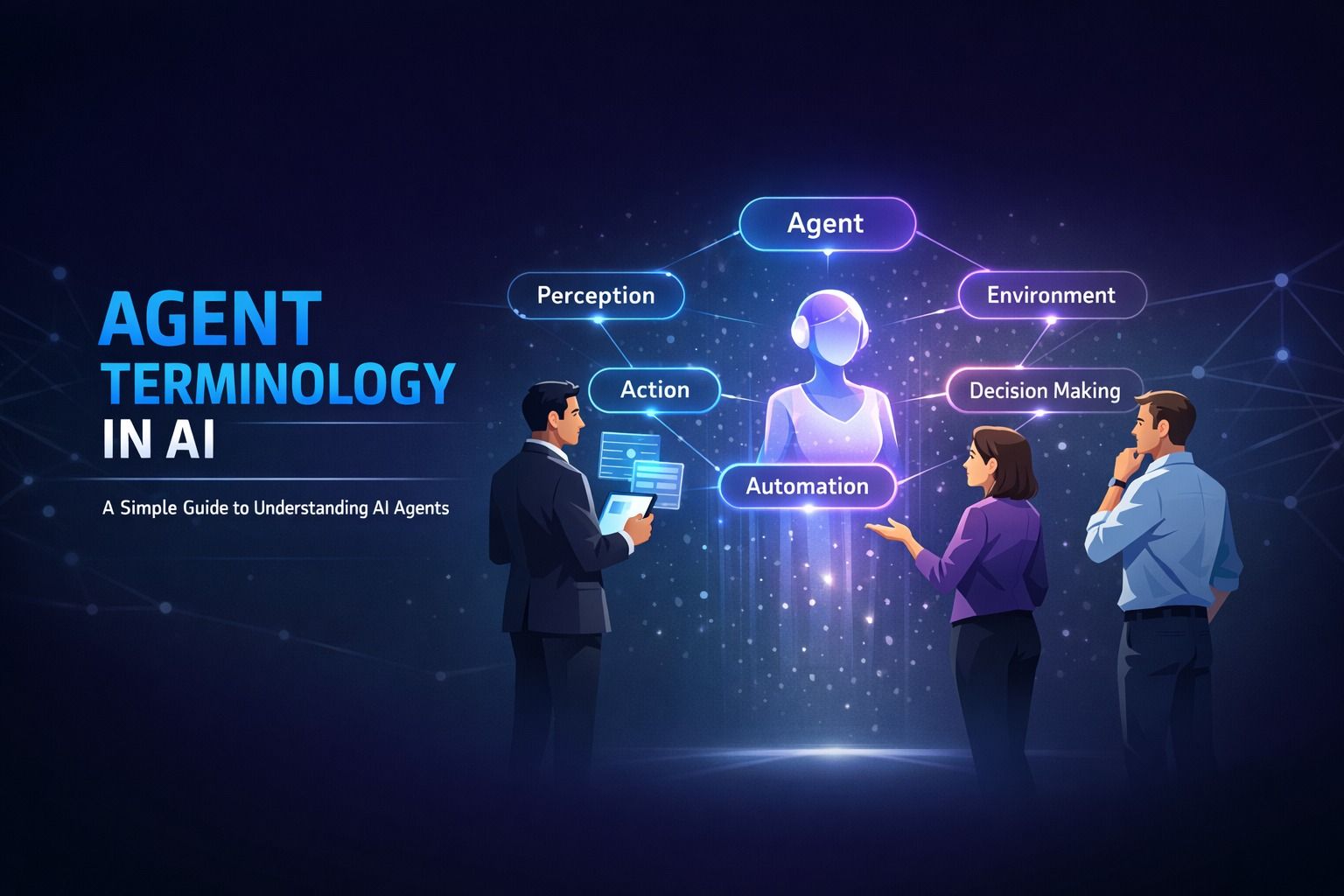 Artificial Intelligence
14 min read
Artificial Intelligence
14 min read
Agent Terminology in AI: A Simple Guide to Understanding AI Agents
Decode AI agent terminology in ai with this beginner-friendly guide. Learn about autonomous agents, ...
Read ArticleReady to start AI Agents with Microsoft Copilot Studio for Teens?
Book a free demo class to meet your mentor and see how we teach, with no commitment. Or enrol now and start this week.