AI Tools Mastery for Teens
Every teen already uses AI. This course turns using into understanding: prompting that actually works, tools that are actually allowed at their age, and a real project at the end.
Syllabus updated August 2026
Questions? WhatsApp +91 91233 66161 or email connect@modernagecoders.com
Recordings are free with a Google sign-in. These recordings show how we teach, not the exact syllabus of this course.
Our promise
The world's best learning experience, open to everyone.
- World-class instructorsEvery class is taught by an instructor who specialises in that exact field.
- No compromise on qualityEvery lesson, project and piece of feedback is held to the highest standard.
- Education for everyoneLearners aged 6 to 67, from first-time beginners to working professionals, in 25+ countries.
If you want the highest quality, Modern Age Coders is the right choice.
Book a Priority DemoHow long this course takes
This course runs 4-5 months (16-20 weeks) at 2 live classes/week + 2-3 hours practice. The range allows for background and pace: a complete beginner uses the full span, and a student with prior knowledge finishes sooner. The syllabus below is planned to the shorter end, with margin kept for revision.
For personalised duration planning, call +91 91233 66161 and we'll map a schedule to your goals.
At a glance
- Who it is for
- Complete beginner, ages 13 to 18. Age: 13 to 18, firmly: the platforms’ own age rules are part of the curriculum.
- Prerequisites
- None. Curiosity and a willingness to fact-check are the real prerequisites
- Format
- Live, interactive classes with a real instructor, never pre-recorded videos. Live classes run about one hour.
- Language
- English or Hindi, depending on the batch.
- Duration
- 4-5 months (16-20 weeks)
- Weekly commitment
- 2 live classes/week + 2-3 hours practice
- Class size
- Group batches of 15 to 20 students, mini batches of up to 6, or 1-on-1.
- Certificate
- Certificate from Modern Age Coders, awarded on passing the final exam
- Watch first
- Free recordings of real classes for ages 13 and up, free with a Google sign-in. These recordings show how we teach, not the exact syllabus of this course.
- Live demo
- Optional. Enrol directly on this page, or book a Priority Demo: a full live class of about 45 to 60 minutes with a mentor reserved for you.
- Questions
- WhatsApp +91 91233 66161 or email connect@modernagecoders.com.
How we teach
Deep understanding. Real projects. Expert guidance.
Learn coding, AI and maths through careful explanations, practical demonstrations, and hands-on problem-solving. Our instructors guide you from the foundations to advanced ideas, helping you understand what happens, why it happens, and how to build it yourself.
You will explore concepts step by step, write and improve code, investigate mistakes, ask questions, and apply your knowledge to meaningful projects. Lessons are designed around active participation, thoughtful feedback, and growing independence.
Expert-led live teaching, with practical participation built into every lesson.
- Students explain their thinking.
- Instructors demonstrate, then guide practice.
- Learners code, solve, or build during lessons.
- Questions and misconceptions get attention.
- Assignments receive useful feedback.
- Progress is checked before advancing.
How to join AI Tools Course for Teens (13+): Prompting to Real Projects
Four steps from this page to the first class. See a full class first with a Priority Demo, or choose a plan and enrol today.
Rated 4.9 across 547 Google reviews. Monthly billing, cancel any time.
How enrolment works
See a full class first (optional)
Book a Priority Demo: a live class of about 45 to 60 minutes with a mentor reserved for you, today or tomorrow. After the class the mentor sends a written skill report and a personal learning roadmap on WhatsApp. If you enrol, the demo fee is adjusted against your first month's fee. Share your demo Order ID with us on WhatsApp and we take it off.
Book a Priority DemoDemo fee ₹499Choose a plan
Group batch (15 to 20 students), mini batch (up to 6 students, India only) or 1-on-1 with your own mentor. Every plan is live online, and each class runs about one hour. The cards below show classes per week and the monthly fee in your currency.
Enrol and pay the first month
Press Enrol Now on your plan, fill in the student's name, email and phone, and pay through secure Razorpay checkout: UPI, cards or net banking in India, and debit or credit card from any other country.
Fix your class timings
After payment, message us on WhatsApp or call +91 91233 66161 with the student's name, the course and your preferred time slot. We confirm the batch, send the class link and schedule the first class at your chosen time.
Billing is monthly and you can cancel any time.
International Students (Outside India)
Billed monthly in US dollars, the same price in every country. Contact us with any questions.
Questions before you enrol? Talk to our team.
Ask about class timings, the right level for your child, what they need to know already, or payment. Parents and adult learners can reach us on WhatsApp, by email or by phone.
Program Overview
AI is already in every teenager’s day, in search, homework, music and feeds, usually unexamined and often against the tools’ own age rules. This live online course for ages 13 to 18 replaces that drift with skill: how AI actually works, prompting as a craft, AI art and media created with tools that genuinely permit teens, AI as a study partner used ethically, coding assistants, training small machine-learning models, and a capstone project that combines them.
Age honesty is a feature of this course, not a footnote: every tool taught is selected for 13+ availability, accounts are set up together with a parent where consent is required, and the course explicitly teaches which popular tools teens should NOT be using yet and why. Ethics runs throughout: hallucinations and fact-checking from week 2, academic honesty in the study weeks, bias, privacy and deepfake awareness before graduation.
The pace is honest: 4 months at two live classes a week plus two to three hours of practice, with a fifth month in hand for teens who want more time. Homework follows every class, each month ends with a mixed challenge that revisits earlier skills, and the course ends with a final exam, a capstone demo plus written questions, that decides the certificate, with a free retest after revision. Real skill, real judgment, depth over dopamine.
What Makes This Program Different
- Age-clean by design: every tool taught genuinely permits teens, accounts are set up with parents, and the course teaches which famous tools are off-limits until 18 and why
- Prompting taught as a craft: structure, context, iteration and evaluation, not magic phrases
- Ethics is load-bearing: fact-checking, academic honesty, bias, privacy and deepfake awareness are core weeks, not disclaimers
- Beyond chatting: teens train their own small ML models and use AI coding assistants, the builder’s side of AI
- An honest 4-month arc with a fifth month in hand: nobody is rushed, nobody coasts
- Real assessment: weekly homework, monthly mixed challenges, and a final exam that decides the certificate, with focused revision and a free retest
Your Learning Journey
Career Progression
Detailed Course Curriculum
Explore the complete week-by-week breakdown of what you'll learn in this comprehensive program.
Topics Covered
- What is Artificial Intelligence? Simple explanation
- AI in everyday life: Siri, Alexa, YouTube recommendations
- How AI learns: Machine Learning basics for teens
- Types of AI: Narrow AI vs General AI
- AI history: From calculators to ChatGPT
- AI vocabulary: Model, training, dataset, algorithm
- AI myths vs reality
- How AI 'thinks' differently from humans
- AI limitations and capabilities
- Setting up safe AI accounts with parental guidance
- Creating AI learning journal
- Class rules for AI usage
Projects You Build
- My First AI Conversation
- AI vs Human: Comparison chart
- Draw AI's journey timeline
- Play and analyze AI games
Practice & Assignments
Spot five places AI helped you this week, like YouTube suggestions or a voice assistant, and mark which one felt the smartest.
Topics Covered
- ChatGPT interface walkthrough
- Free vs paid versions understanding
- How to start conversations
- Basic prompt structure
- Being polite with AI (digital etiquette)
- Getting better responses
- When ChatGPT makes mistakes
- Fact-checking AI responses
- Using ChatGPT for homework help (ethically)
- ChatGPT for creative writing
- ChatGPT for explanations
- Saving and organizing chats
Projects You Build
- Interview ChatGPT about its capabilities
- Create a story with ChatGPT
- Get homework help (with citations)
- Plan a birthday party with AI
Practice & Assignments
With a parent nearby, ask ChatGPT three questions about your favorite animal and note which answer surprised you most.
Topics Covered
- What is a prompt?
- Anatomy of a good prompt
- Clear instructions importance
- Context and background information
- Specific vs vague prompts
- Using examples in prompts
- Role-playing prompts ('Act as a...')
- Step-by-step prompts
- Output format specification
- Temperature and creativity settings
- Iterative prompting (improving results)
- Prompt templates creation
Projects You Build
- Create prompt template library
- Before/After prompt improvements
- Prompt engineering challenge
- Build custom AI assistant personality
Practice & Assignments
Rewrite one vague prompt like 'draw a dog' into a detailed prompt with a place, a mood and a style, then compare the two answers.
Topics Covered
- Multi-turn conversations
- Teaching ChatGPT your preferences
- Custom instructions setup
- Using ChatGPT for learning
- Language translation with AI
- Code explanation with ChatGPT
- Math problem solving
- ChatGPT for research projects
- Creating study guides
- Quiz and flashcard generation
- Web browsing with ChatGPT
- Custom GPTs and projects: building a tailored study helper
Projects You Build
- Create personalized study assistant
- Build interactive quiz game
- Research project on favorite topic
- Multi-language story creation
Practice & Assignments
Hold a five turn conversation where you teach the AI about your favorite hobby, then ask it to quiz you on it.
Assessment
Month 1 check: a live prompting challenge scored on a rubric, plus a take-home mixing everything from month 1
Topics Covered
- How AI creates images
- Understanding diffusion models (simple explanation)
- Text-to-image concept
- AI art history and evolution
- Famous AI artworks
- Copyright and AI art basics
- Ethical considerations in AI art
- Different styles AI can create
- Resolution and quality settings
- Image composition basics
- Color theory for AI art
- Planning AI art projects
Projects You Build
- First AI artwork collection
- Illustrate a short story
- Create fantasy creatures
- Design dream bedroom with AI
Practice & Assignments
Describe your dream bedroom in words, generate an image from the description and circle two details the AI got right.
Topics Covered
- Image generator interface deep dive
- Crafting detailed image prompts
- Style modifiers: cartoon, realistic, abstract
- Artist styles (ethically)
- Lighting and mood descriptors
- Camera angles and perspectives
- Combining multiple concepts
- Inpainting and editing
- Variations and iterations
- Bing Image Creator advantages
- Batch generation techniques
- Saving and organizing AI art
Projects You Build
- Create comic book pages
- Design game characters
- Reimagine famous paintings
- Build visual vocabulary guide
Practice & Assignments
Generate the same scene in three styles, cartoon, realistic and abstract, and write down which prompt words worked best.
Topics Covered
- Adobe Firefly: generation built on licensed training data
- Canva Magic Media inside real design projects
- Microsoft Designer and Bing Image Creator workflows
- Style, mood and composition prompts that transfer across tools
- Consistent characters and series work
- Generative fill and expand: editing with AI
- Why several famous art tools are 18+ and what that means for now
- Building a small AI art portfolio with honest tool credits
Projects You Build
- A themed 6-piece AI art series with consistent style
- A school event poster designed end to end in Canva with AI assists
Practice & Assignments
One artwork a day across different tools, credited honestly
Topics Covered
- AI-powered photo editing
- Background removal with AI
- Object removal and replacement
- AI upscaling and enhancement
- Face editing and avatars
- Style transfer techniques
- Creating AI filters
- Batch processing with AI
- Restoration of old photos
- AI color correction
- Creating photo compositions
- AI-assisted graphic design
Projects You Build
- Restore and colorize old photos
- Create AI avatar collection
- Design poster with AI elements
- Before/after photo gallery
Practice & Assignments
With permission, remove the background from a family photo using an AI editor and place the subject somewhere fun.
Assessment
Month 2 check: an art-and-editing challenge with a copyright question, plus mixed review from month 1
Topics Covered
- How AI composes music
- Music theory basics for AI
- Genres and styles in AI music
- Melody vs harmony generation
- Rhythm and beat creation
- AI instrument selection
- Mood and emotion in music
- Creating loops and samples
- Extending and editing AI music
- Copyright in AI music
Projects You Build
- Create theme song for imaginary show
- Compose study music playlist
- Make birthday song variations
- Video game soundtrack creation
Practice & Assignments
Generate two short tunes in different genres and tell someone at home which mood each one gives you.
Topics Covered
- Text-to-video AI introduction
- Video editing with AI assistance
- Creating animations with AI
- AI scene generation
- Green screen with AI
- Video upscaling and enhancement
- Automatic subtitles and captions
- Video summarization AI
- Creating video thumbnails
- AI video effects and filters
- Lip-sync and dubbing AI
- Short-form content creation
- GIFs and short animations with teen-accessible tools
- Animating a static image, responsibly and with consent
Projects You Build
- Create AI news report
- Animated explainer video
- Music video with AI visuals
- Educational video with AI presenter
Practice & Assignments
Storyboard a 15 second video in three drawn frames, then create one of the scenes with an AI video tool.
Topics Covered
- AI for different subjects
- Math problem solvers
- Science experiment simulators
- History research assistants
- Language learning with AI
- AI essay helpers (ethical use)
- Citation and bibliography tools
- Concept explanation AI
- Creating mind maps with AI
- AI flashcard systems
- Spaced repetition with AI
- Exam preparation strategies
Projects You Build
- Create personalized study plan
- Build subject-specific AI tutor
- Design quiz preparation system
- Make visual study guides
Practice & Assignments
Use an AI study helper to practice five maths or spelling questions, and mark which ones you solved without any help.
Topics Covered
- Research methodology with AI
- Finding reliable sources
- AI for literature review
- Summarizing long texts
- Note-taking with AI
- Outline generation
- Paraphrasing tools
- Grammar and style checking
- Plagiarism detection
- Creating bibliographies
- Presentation creation with AI
- Infographic generation
Projects You Build
- Complete research project
- Create academic presentation
- Build knowledge database
- Design infographic report
Practice & Assignments
Ask AI to summarize a short article about space or animals, then check one fact from the summary in another source.
Assessment
Month 3 check: produce a short AI-assisted study artifact with sources verified, plus mixed review reaching back to month 1
Topics Covered
- Introduction to AI pair programming
- How AI understands code
- Code completion basics
- Bug detection with AI
- Code explanation tools
- Converting ideas to code
- Learning programming with AI
- Different programming languages
- Debugging with AI help
- Code optimization suggestions
- Documentation generation
- Version control basics with AI
Projects You Build
- Build first website with AI help
- Create simple Python game
- Make calculator app
- Design personal portfolio
Practice & Assignments
Ask an AI assistant to explain a small piece of code in plain words, then change one thing and predict what happens.
Topics Covered
- Training custom AI models
- Understanding datasets
- Classification vs regression
- Computer vision projects
- Natural language processing
- Predictive models basics
- Model evaluation metrics
- Overfitting and underfitting
- Feature engineering basics
- Deploying ML models
- ML ethics and bias
- Real-world ML applications
- Sharing a model demo with Gradio, the simple way
Projects You Build
- Image classifier for recycling
- Sentiment analysis tool
- Gesture recognition system
- Predictive text generator
Practice & Assignments
Train a Teachable Machine model to recognize two of your toys and test it five times with each toy.
Topics Covered
- AI bias and fairness
- Privacy in AI age
- Deepfakes and detection
- Misinformation and AI
- Digital footprint awareness
- Cybersecurity basics
- AI regulation basics
- Intellectual property and AI
- Job displacement discussions
- Human-AI collaboration
- Future of work with AI
- Responsible AI use
- AI agents that act on your behalf: promise and risk
- Capstone planning: choosing a project worth defending
Projects You Build
- Create AI ethics guidebook
- Design bias detection system
- Build fact-checking tool
- Develop digital safety plan
Practice & Assignments
Play detective with a parent: compare one real photo and one AI image and list two clues that gave the AI image away.
Topics Covered
- Building the capstone: several AI tools, one real outcome
- Documentation: what was AI, what was you, said honestly
- Rehearsing the demo: showing judgment, not just output
- Presenting to the batch and parents
- A full-course mixed review before the exam
Projects You Build
- The capstone: a study system, creative portfolio, small trained model or AI-assisted build, demonstrated live
Practice & Assignments
Daily capstone progress with honest AI-use notes
Assessment
FINAL EXAM: capstone demo plus a written paper with questions mixed from the whole course, including tool-age judgment and ethics. Passing earns the certificate; falling short earns focused revision and a free retest
Projects You'll Build
Build a professional portfolio with 15+ real AI-assisted projects plus a defended capstone real-world projects.
Weekly Learning Structure
Certification & Recognition
Technologies & Skills You'll Master
Comprehensive coverage of the entire modern web development stack.
Support & Resources
Career Outcomes & Opportunities
Transform your career with industry-ready skills and job placement support.
Prerequisites
Who Is This Course For?
Career Paths After Completion
Course Guarantees
Real students. Real moments. Real joy.
These are our actual student meetups. No stock photos, no filters. Swipe through and meet the community you'll be joining.







































What families say
Straight from the parents and students who learn with us. Rated 4.9 across 547 Google reviews.
“Mivaan enjoys the class. He understands the concepts and completes his tasks with excitement. He started taking interest in coding… truly amazing class.”
“I absolutely love it here! I made new friends and learned important valuable coding skills while having the fun of my life. It's not just coding here, it's outings, bonding and most importantly preparing you for your future. Definitely five stars.”
“What stands out most is how excited my son is before every class. He looks forward to learning, problem-solving, and sharing what he's built. I've noticed a big boost in his confidence!”
“Modern Age Coders has been a game-changer for me! I struggled to grasp IT concepts and coding before joining, but their classes transformed everything. I'm now the topper in my class and can confidently write complex programs with ease.”
“Modern Age Coder have wonderful teachers who teach in a clear, easy and practical way. The teacher boosts students' confidence, keeps them updated with technology, and inspires them to learn without hesitation.”
“The one step solution for my son. Modern Age Coders make learning coding so simple that kids love it.”
“Coding classes here make learning very interesting and conceptual. The teachers teach us in a very easy-to-understand and efficient manner.”
“One of the most wonderful education centres out there. Education is not limited to school syllabus but focuses on skill development. Learning here has been a wonderful journey and still continuing.”
“I highly recommend this computer coding class! The teachers are incredibly knowledgeable and passionate about coding. They make every session engaging and insightful.”
“My child Dhairya is really enjoying the Modern Age Coder IT classes. This is his first online class, and he eagerly looks forward to it.”
“Very good classes. Don't worry about coding. They teach the best, especially Shivam sir.”
“Very good classes. Makes learning very easy and interactive.”
Hear it from our students
Real parents and students in their own words, on our public YouTube channel.
Straight answers about AI Tools Course for Teens (13+): Prompting to Real Projects
- Who should take this course?
- Complete beginner, ages 13 to 18. Age: 13 to 18, firmly: the platforms’ own age rules are part of the curriculum. It suits teens already using ai casually who should be using it skillfully and legally; class 8-12 students who want ai as an honest study advantage, not a shortcut that backfires; teens making art, music and videos who want ai in their toolkit the right way.
- What will they learn and build?
- AI is already in every teenager’s day, in search, homework, music and feeds, usually unexamined and often against the tools’ own age rules.
- How deeply are topics covered?
- The course runs 4-5 months (16-20 weeks) at 2 live classes/week + 2-3 hours practice. A structured, well-paced curriculum taught step by step, with classwork in every session and homework after every class.
- Who teaches it?
- Modern Age Coders mentors, who teach the live classes themselves. You can watch them at work in the free class recordings before you decide.
- How do practice, feedback and assessment work?
- Mixed challenges after every month and a final exam that decides the certificate: real skill, real judgment. Doubt support between classes over WhatsApp, so you are never left stuck. A certificate your teen earns by passing the final exam, with a free retest after revision if needed.
- What does it cost?
- Three monthly plans: a group batch, a mini batch and 1-on-1. Prices are shown in your currency in the plans section. Monthly billing, cancel any time.
- When can classes take place?
- Live classes are scheduled around your week. Group batches meet at a fixed weekly slot; 1-on-1 students choose their own. International students are scheduled in their own timezone. Ask on WhatsApp for the current slots.
- Can I watch the teaching before deciding?
- Yes. Full recordings of real 13 and up classes are free to watch, free with a Google sign-in. These recordings show how we teach, not the exact syllabus of this course. Some classes are in English and some in Hindi; everyone follows at their own pace. Watch a class end to end, like you are in it. Sessions are interactive and each moment builds on the last.
- Can I enroll without a live demo?
- Yes. Choose a plan on this page and enrol directly; a demo is not required. If you would like to see a full class with a mentor first, book a Priority Demo.
- How do I reach you with a question?
- WhatsApp +91 91233 66161, email connect@modernagecoders.com, or call +91 91233 66161. Tell us the student's age and what they have learned so far, and we will point you to the right plan and batch.
Common Questions About AI Tools Course for Teens (13+): Prompting to Real Projects
Get answers to the most common questions about this comprehensive program
Still have questions? We're here to help!
Contact UsWhy Teens Need AI Skill, Not Just AI Access
Every teenager already has AI access; almost none have AI skill. The difference shows up everywhere: in study quality, in what they believe online, in the projects they can build, and in whether they respect the age rules the platforms themselves set. Skill is teachable, and it compounds.
This course teaches the full stack of AI literacy: prompting as a craft, creation with tools teens are actually allowed to use, ethical study workflows, the builder’s layer of coding assistants and self-trained models, and the judgment to know what to trust. Age honesty is a feature throughout, the course names the 18+ tools and explains the waiting.
It ends the way real learning should: a capstone project combining several tools, defended at demo day, and a final exam that decides the certificate. Four months, honestly paced, with a fifth in hand.
Related Courses You May Like
Continue your learning journey with these recommended programs
 AI and Machine Learning
AI and Machine Learning for Teens: Python to Real Models
AI and machine learning course for teens aged 13-18: Python, real ML models, neural networks, comput...
Explore Course Web Development
TypeScript Course: Typed JavaScript, React and Node
TypeScript course for college students and professionals: JavaScript foundations, the type system to...
Explore CourseRelated Articles & Guides
Deepen your knowledge with these hand-picked articles
 Artificial Intelligence
9 min read
Artificial Intelligence
9 min read
Do AI Detectors Work? What Students and Parents Should Know
What OpenAI and a Stanford study found about AI detectors, why they flag plain human writing, and wh...
Read Article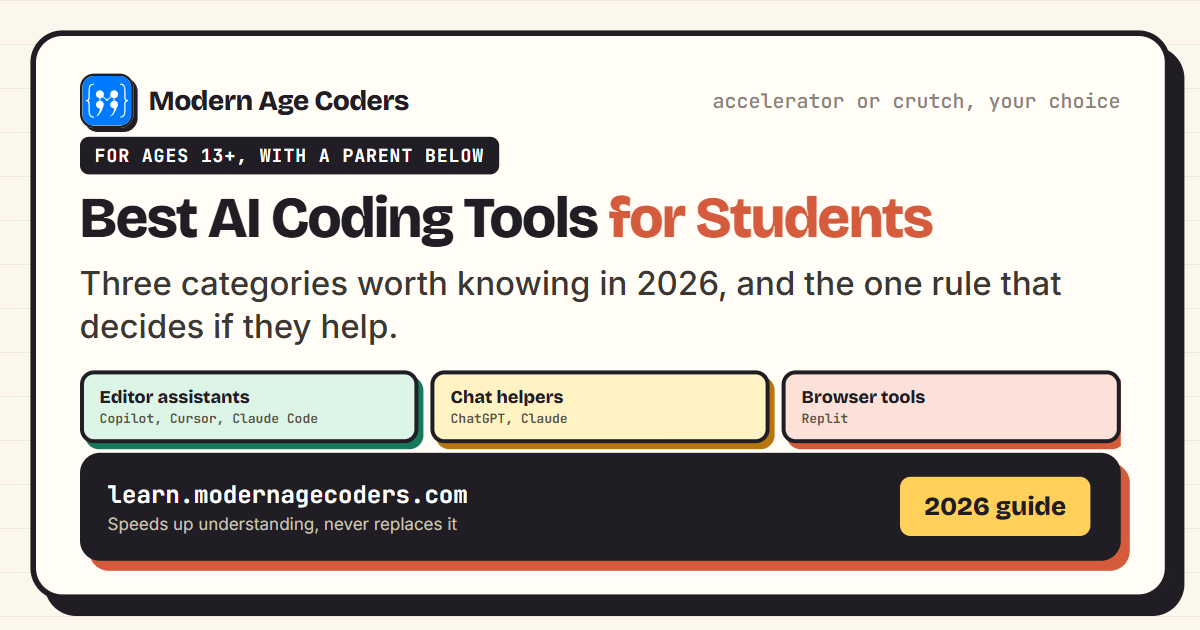 Artificial Intelligence
7 min read
Artificial Intelligence
7 min read
Best AI Coding Tools for Students in 2026
The best AI coding tools for students in 2026, what each is good for, and the one rule that decides ...
Read ArticleReady to start AI Tools Course for Teens (13+): Prompting to Real Projects?
Book a Priority Demo to see a full live class with a mentor reserved for you, today or tomorrow. Or choose a plan and enrol now.
Questions? WhatsApp +91 91233 66161 or email connect@modernagecoders.com