Table of Contents
If your goal is working with data, you will hear two names constantly: SQL and Python. Both are worth learning, and many jobs ask for both. But you have to start somewhere, and the right first choice depends on what you want to do. Choosing well can save you months of learning things you do not need yet.
This guide explains what each language is actually for, answers the same question in both so you can see the difference, and shares a timing test on a million rows that produced a surprising result. Every output below comes from running the code. At the end is a simple guide to which one to start with for your goal.
Which should you learn first?
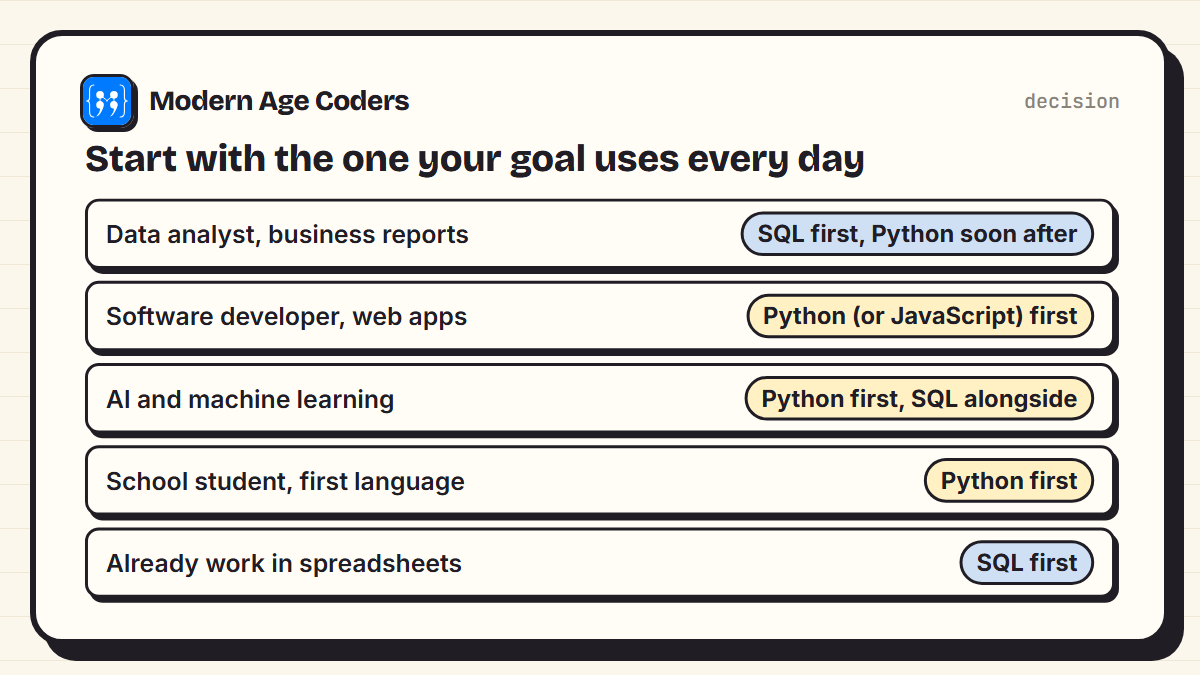
- Start with SQL if your goal is data analysis, business reporting, or you already work a lot in spreadsheets. SQL is smaller, and you can be useful with it quickly.
- Start with Python if you want to build software, automate tasks, work in AI or machine learning, or if you are a school student learning your first language.
- Learn both if you want a data career. They are partners, and the order matters less than people think.
What SQL and Python actually are
SQL (Structured Query Language) is the language of databases. Almost every app, website and company stores its data in a database, and SQL is how you ask that database questions: which customers ordered last week, what the average score is per subject, which students have not submitted work. It is a specialist language. You cannot build a game or a website in SQL alone.
Python is a general-purpose programming language. You can use it to build websites, automate boring tasks, analyse data, train AI models, and much more. It can also talk to databases, so a lot of Python code sends SQL queries and then works with the results.
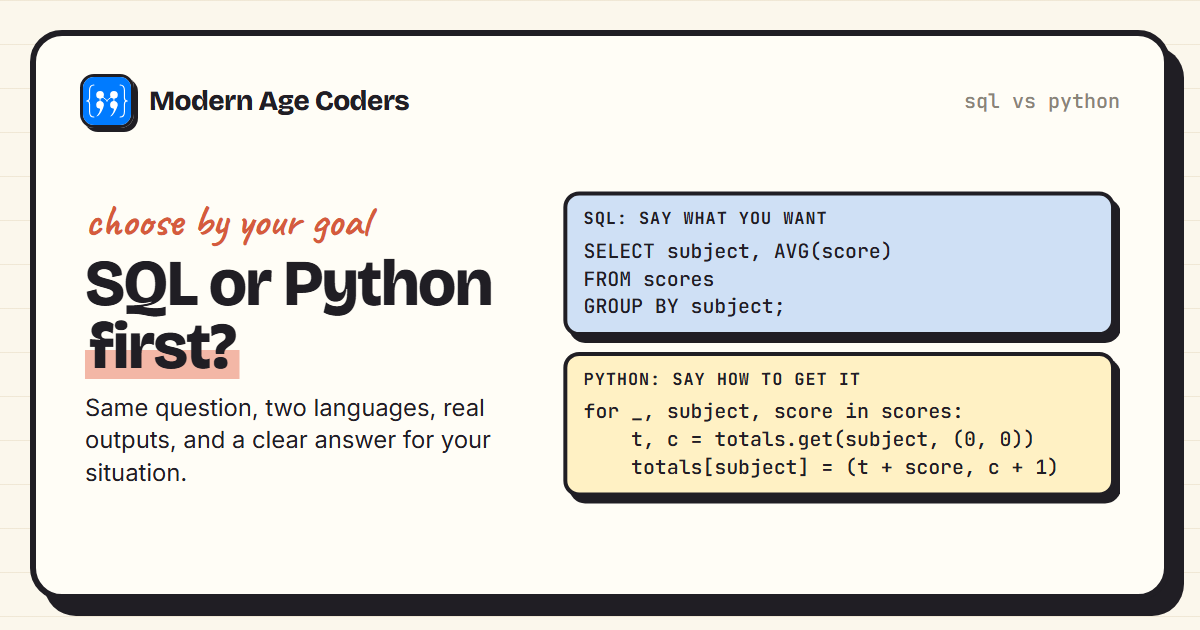
The biggest difference is in how you think. SQL is declarative: you describe the result you want, and the database works out how to get it. Python is imperative: you write the steps yourself. The example below makes this concrete.
The same question in SQL and in Python
Here is a small set of student scores. The data is invented for this example. Our question: what is the average score in each subject, highest first? And which students have no scores yet?
students = [(1, "Asha"), (2, "Ben"), (3, "Chen"), (4, "Dara"), (5, "Eli")]
scores = [
    (1, "Maths", 88), (1, "Science", 74), (1, "English", 69),
    (2, "Maths", 55), (2, "Science", 81), (2, "English", 77),
    (3, "Maths", 93), (3, "Science", 90), (3, "English", 62),
    (4, "Maths", 71), (4, "Science", 58), (4, "English", 84),
]
With SQL
Python has a small database engine, SQLite, built in, so we can run real SQL without installing anything:
import sqlite3
from data import students, scores

db = sqlite3.connect(":memory:")
db.execute("CREATE TABLE students (id INTEGER, name TEXT)")
db.execute("CREATE TABLE scores (student_id INTEGER, subject TEXT, score INTEGER)")
db.executemany("INSERT INTO students VALUES (?, ?)", students)
db.executemany("INSERT INTO scores VALUES (?, ?, ?)", scores)

query = """
SELECT subject, ROUND(AVG(score), 1) AS average
FROM scores
GROUP BY subject
ORDER BY average DESC
"""
for row in db.execute(query):
    print(row)

missing = """
SELECT name FROM students
LEFT JOIN scores ON scores.student_id = students.id
WHERE scores.student_id IS NULL
"""
print("no scores yet:", [r[0] for r in db.execute(missing)])('Maths', 76.8)
('Science', 75.8)
('English', 73.0)
no scores yet: ['Eli']With plain Python
from data import students, scores

totals = {}
for student_id, subject, score in scores:
    total, count = totals.get(subject, (0, 0))
    totals[subject] = (total + score, count + 1)

averages = {s: round(t / c, 1) for s, (t, c) in totals.items()}
for subject, avg in sorted(averages.items(), key=lambda x: x[1], reverse=True):
    print((subject, avg))

has_scores = {student_id for student_id, _, _ in scores}
print("no scores yet:", [name for sid, name in students if sid not in has_scores])('Maths', 76.8)
('Science', 75.8)
('English', 73.0)
no scores yet: ['Eli']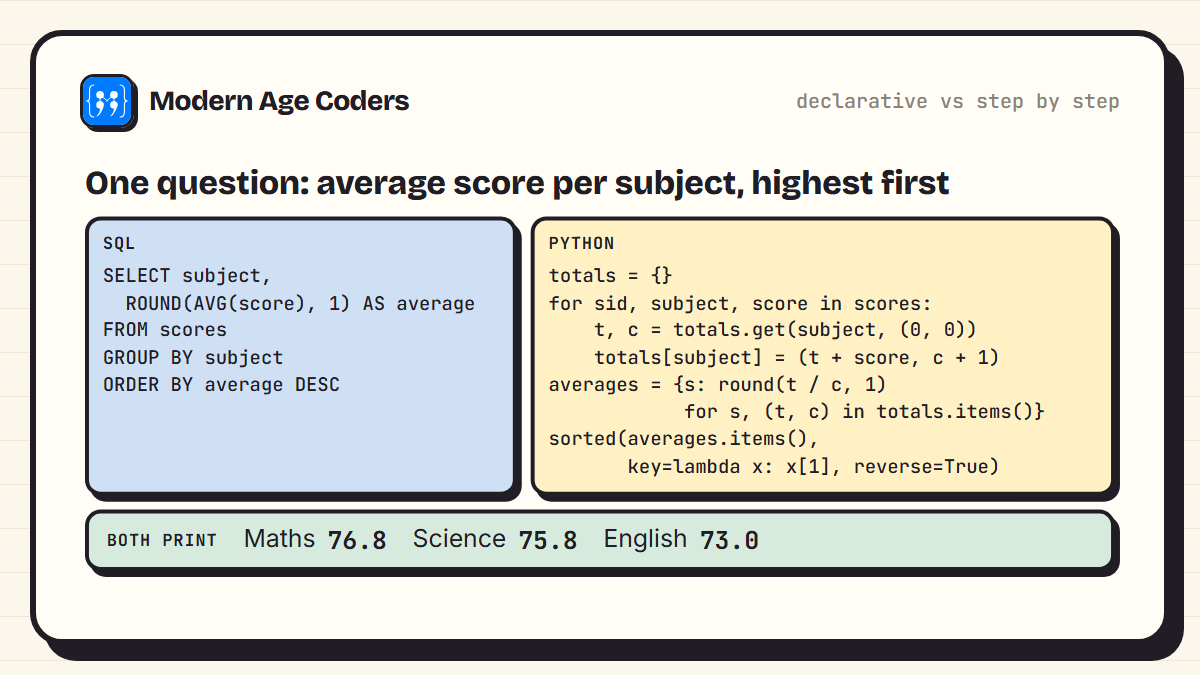
Both give identical results, including that Eli has no scores yet. The SQL version reads almost like English: select, from, group by, order by. The Python version is longer because you manage the totals and counts yourself. That is the trade-off in a nutshell. For questions about tables of data, SQL is shorter and clearer. For anything that is not a table question, Python can do it and SQL cannot.
There is also a third option many analysts use: pandas, a Python library that brings table operations into Python:
import pandas as pd
from data import students, scores

df = pd.DataFrame(scores, columns=["student_id", "subject", "score"])
print(df.groupby("subject")["score"].mean().round(1).sort_values(ascending=False))subject
Maths 76.8
Science 75.8
English 73.0
Name: score, dtype: float64Which is faster? A test on a million rows
We generated one million random scores and timed the same average-by-subject question four ways. Each timing is the best of five runs on one laptop, and the script checks that all four approaches give the same answer:
import random, sqlite3, time
import pandas as pd

random.seed(1)
subjects = ["Maths", "Science", "English", "History", "Art"]
rows = [(random.randint(1, 50_000), random.choice(subjects), random.randint(0, 100))
        for _ in range(1_000_000)]

db = sqlite3.connect(":memory:")
db.execute("CREATE TABLE scores (student_id INTEGER, subject TEXT, score INTEGER)")
db.executemany("INSERT INTO scores VALUES (?, ?, ?)", rows)
df = pd.DataFrame(rows, columns=["student_id", "subject", "score"])

def with_sql():
    return sorted(db.execute("SELECT subject, AVG(score) FROM scores GROUP BY subject"))

def with_loops():
    totals = {}
    for _, subject, score in rows:
        t, c = totals.get(subject, (0, 0))
        totals[subject] = (t + score, c + 1)
    return sorted((s, t / c) for s, (t, c) in totals.items())

def with_pandas():
    return sorted(df.groupby("subject")["score"].mean().items())

def time_it(name, fn, runs=5):
    times = []
    for _ in range(runs):
        start = time.perf_counter()
        result = fn()
        times.append(time.perf_counter() - start)
    print(f"{name:<14} {min(times) * 1000:6.0f} ms")
    return [round(v, 3) for _, v in result]

answers = [time_it("SQL, no index", with_sql),
           time_it("Python loops", with_loops),
           time_it("pandas", with_pandas)]
db.execute("CREATE INDEX idx_subject_score ON scores (subject, score)")
answers.append(time_it("SQL + index", with_sql))
print("all four agree:", all(a == answers[0] for a in answers))SQL, no index 485 ms
Python loops 148 ms
pandas 84 ms
SQL + index 81 ms
all four agree: True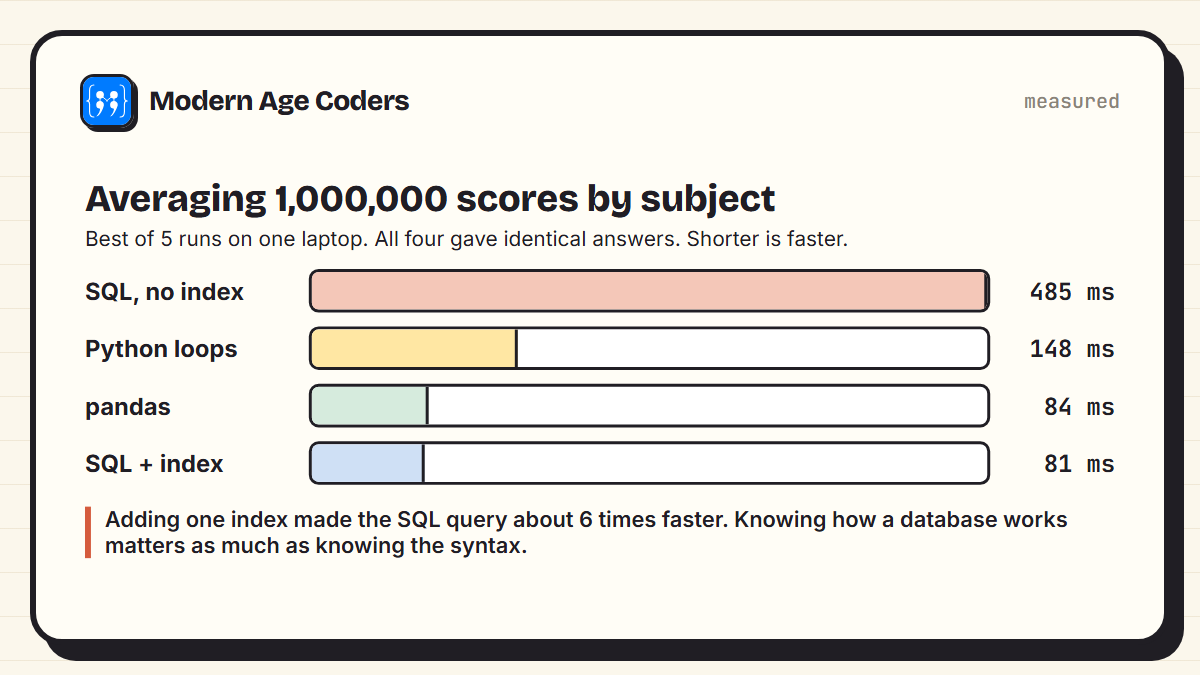
The surprise is the first line. Without any help, SQLite took 485 ms, slower than a plain Python loop at 148 ms. After adding one index on the subject and score columns, the same query took 81 ms, about 6 times faster, in the same range as pandas. An index lets the database read the data already sorted by subject, instead of sorting it every time.
What this really teaches
Speed is not the reason to choose SQL or Python. In real work the data lives in a database on a server, often far too large to load into Python at all, and SQL sends only the rows you need. The lesson is that knowing how a database works, including indexes, matters as much as knowing the syntax. Our free SQL guide to indexes explains how they work.
They work best together
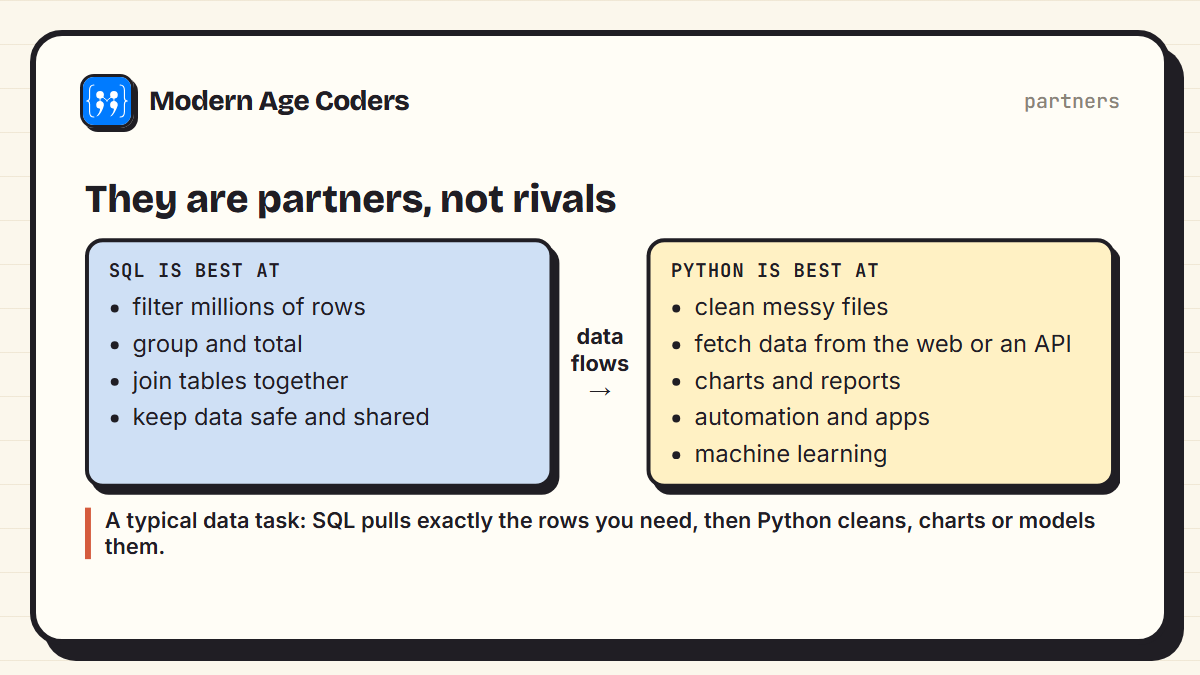
In most real data work, the two are used together. SQL pulls exactly the rows you need from a database. Python then cleans them, draws charts, sends reports or trains a model. That is why the question is really about order, not about choosing one forever.
Is SQL easier than Python?
For most beginners, yes, at the start. The core of SQL, selecting, filtering, sorting, grouping and joining, is a small set of ideas, and you can answer useful questions within your first few sessions. Python has more to learn before you are productive, because it is a full programming language with variables, loops, functions and much more.
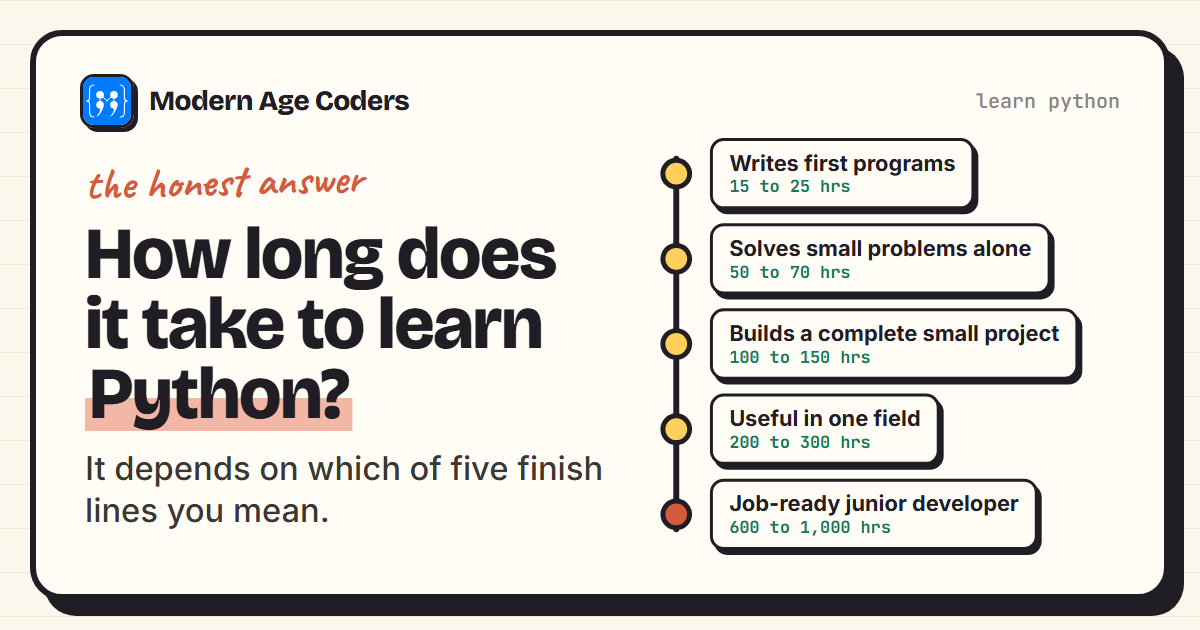
But SQL has its own hard parts later: joins across many tables, window functions, and thinking in sets rather than steps. And Python's early learning pays off far more widely. If you are unsure how long Python takes, our guide to how long it takes to learn Python gives realistic estimates by goal.
A learning path for both
| Stage | SQL | Python |
|---|---|---|
| Basics | SELECT, WHERE, ORDER BY | Variables, lists, loops, functions |
| Working with data | GROUP BY, aggregate functions | Dictionaries, reading CSV files |
| Combining | JOINs across tables | pandas for tables |
| Connecting them | Writing queries Python will run | sqlite3 or a database library |
| Going further | Window functions, indexes, design | Charts, automation, machine learning |
Our free SQL tutorial covers every SQL stage in the table, from your first SELECT to window functions, with practice questions. For Python, our basic Python programs are a good place to practise the first two stages.
SQL asks the database a question. Python does something with the answer. Most data careers need both.
How we teach it
Both languages suit the principles on our how we teach page: learning by building, tracing code line by line until every step can be predicted, and seeing the same problem solved more than one way, exactly as this post answers one question in SQL, Python and pandas. Our MySQL masterclass includes Python integration, and our data analysis course covers SQL and then Python with pandas. Classes run one to one or in small groups of 5 to 10.
Frequently asked questions
It depends on your goal. For data analysis and business reporting, start with SQL because it is smaller and immediately useful. For software development, automation, AI or as a first programming language, start with Python. For a data career, learn both.
For beginners, SQL is usually easier to start because its core is a small set of ideas: selecting, filtering, sorting, grouping and joining. Python takes longer to become productive in, but it can do far more.
Yes. Many learners do, and the two reinforce each other. A good approach is to learn Python basics and SQL basics in parallel, then connect them using Python's built-in sqlite3 module.
SQL is a query language designed for databases. It is declarative, meaning you describe the result you want rather than the steps to get it. It is not used to build general software on its own.
Many data analyst roles ask for SQL first and Python as a strong advantage. SQL gets the data, and Python helps clean it, analyse it and automate reports.
Neither is simply faster. In our test on a million rows, SQLite without an index was slower than a Python loop, but adding one index made it about as fast as pandas. In real systems, SQL runs inside the database and returns only the rows you need, which usually matters more than raw speed.
Python is usually the better first language for a school student because it teaches general programming. SQL is a useful, quick second step, and it appears in some school syllabuses alongside Python.