Table of Contents
- All 35 Python programs at a glance
- Why You Need to Practice with Basic Python Programs
- Level 1: The Absolute Basics (Programs 1 to 10)
- Level 2: Loops, Conditions, and Logic (Programs 11 to 20)
- Level 3: Strings, Lists, and Functions (Programs 21 to 30)
- Level 4: Real-World Utilities (Programs 31 to 35)
- How to Get the Most Out of This List
- Python programs: common questions
- Conclusion
Here are 35 basic Python programs for beginners, each with the complete code and the exact output it prints when you run it. They climb in four levels: the absolute basics (printing, input, arithmetic), then loops and conditions (leap years, primes, factorials), then strings, lists and functions, and finally small real utilities such as a password generator and a countdown timer.
Every program uses only what comes with Python 3.9 or later, so there is nothing to install. Type each one yourself rather than pasting it, run it, and compare what you see with the output block underneath. Where a program asks for input, the value after the prompt in the output is what was typed in.
If you are stuck in "tutorial hell", freezing the moment you open a blank editor, this list is the way out: small programs, each teaching one idea, that you can finish in a sitting.
All 35 Python programs at a glance
Use this table to jump to the idea you need. Each program below has its code and its output.
| # | Program | What it teaches | Level |
|---|---|---|---|
| 1 | Print "Hello, World!" | print() | 1 |
| 2 | Add Two Numbers | input() and float() | 1 |
| 3 | Find the Square Root of a Number | the math module | 1 |
| 4 | Calculate the Area of a Triangle | arithmetic with variables | 1 |
| 5 | Swap Two Variables | tuple unpacking | 1 |
| 6 | Generate a Random Number | the random module | 1 |
| 7 | Convert Kilometres to Miles | f-string formatting | 1 |
| 8 | Convert Celsius to Fahrenheit | using a formula | 1 |
| 9 | Check if a Number is Positive, Negative or Zero | if, elif and else | 1 |
| 10 | Check if a Number is Even or Odd | the modulo operator % | 1 |
| 11 | Check if a Year is a Leap Year | combining and / or | 2 |
| 12 | Find the Largest Among Three Numbers | comparisons and max() | 2 |
| 13 | Check if a Number is Prime | a for loop with break | 2 |
| 14 | Print All Prime Numbers in an Interval | nested loops and for-else | 2 |
| 15 | Find the Factorial of a Number | building a result in a loop | 2 |
| 16 | Display the Multiplication Table | range() | 2 |
| 17 | Print the Fibonacci Sequence | multiple assignment | 2 |
| 18 | Check if a Number is an Armstrong Number | strings of digits and sum() | 2 |
| 19 | Find the Sum of Natural Numbers | a loop against a formula | 2 |
| 20 | Display Powers of 2 Using an Anonymous Function | lambda and map() | 2 |
| 21 | Find the ASCII Value of a Character | ord() and chr() | 3 |
| 22 | Find the HCF or GCD of Two Numbers | a while loop and math.gcd() | 3 |
| 23 | Make a Simple Calculator | functions stored in a dictionary | 3 |
| 24 | Check Whether a String is a Palindrome | slicing with [::-1] | 3 |
| 25 | Remove Punctuation from a String | the string module and join() | 3 |
| 26 | Sort Words in Alphabetical Order | split() and sort() | 3 |
| 27 | Count Each Vowel in a String | counting with a dictionary | 3 |
| 28 | Merge Two Dictionaries | merging dictionaries | 3 |
| 29 | Catch Multiple Exceptions in One Line | try and except | 3 |
| 30 | Safely Open, Read and Write a File | with open() for files | 3 |
| 31 | Get the Current Date and Time | the datetime module | 4 |
| 32 | Check if Two Strings are Anagrams | sorted() | 4 |
| 33 | Generate a Secure Random Password | the secrets module | 4 |
| 34 | Build a Simple Countdown Timer | time.sleep() | 4 |
| 35 | Filter a List Using a List Comprehension | list comprehensions | 4 |
Why You Need to Practice with Basic Python Programs
When you type code out manually, you build muscle memory. You learn where the colons go, you figure out how Python handles indentation, and most importantly, you learn how to read error messages.
Making mistakes is the fastest way to learn. When a program crashes, you are forced to debug it, and that debugging process is what actually makes you a developer. Small, basic programs are the building blocks of complex software. You cannot build a machine learning model or a backend API if you do not understand how a for loop works.
Before you dive into the list, if you need a quick refresher on how the language operates, bookmark our comprehensive Python for beginners guide to keep handy while you code.
Level 1: The Absolute Basics (Programs 1 to 10)
These first ten programs are all about getting comfortable with Python's syntax. You will handle basic math, variable assignments, and simple user inputs. Try running these directly in your terminal or by using the official Python.org standard environment.
1. Print "Hello, World!"
The classic rite of passage for every programmer: get the computer to say hello back to you.
print("Hello, World!")Hello, World!2. Add Two Numbers
Ask the user for two numbers, add them and print the total. input() always returns text, so convert each answer with float() (or int() for whole numbers) before adding.
a = float(input("First number: "))
b = float(input("Second number: "))
print(f"{a} + {b} = {a + b}")First number: 7
Second number: 5.5
7.0 + 5.5 = 12.53. Find the Square Root of a Number
Import the math module and use it to calculate the square root of any number the user provides.
import math

n = float(input("Enter a number: "))
print(f"The square root of {n} is {math.sqrt(n):.4f}")Enter a number: 20
The square root of 20.0 is 4.47214. Calculate the Area of a Triangle
Take the base and height as inputs and apply the standard mathematical formula (0.5 * base * height) to find the area.
base = float(input("Base: "))
height = float(input("Height: "))
area = 0.5 * base * height
print("Area of the triangle:", area)Base: 10
Height: 6
Area of the triangle: 30.05. Swap Two Variables
Create two variables, x and y. Write a program that swaps their values. Try doing it the traditional way with a temporary variable, and then try Python's incredibly clean x, y = y, x method.
x = 5
y = 10

# the Python way: tuple unpacking
x, y = y, x
print("After swapping: x =", x, "and y =", y)

# the classic way, with a temporary variable
temp = x
x = y
y = temp
print("Swapped back: x =", x, "and y =", y)After swapping: x = 10 and y = 5
Swapped back: x = 5 and y = 106. Generate a Random Number
Import the random module and write a script that prints a random number between 1 and 100 every time you run it.
import random

number = random.randint(1, 100)   # both ends included
print("Your random number is", number)Your random number is 117. Convert Kilometres to Miles
A practical utility script. Take an input in kilometers and multiply it by the conversion factor (0.621371) to output miles.
km = float(input("Distance in kilometres: "))
miles = km * 0.621371
print(f"{km} km is {miles:.2f} miles")Distance in kilometres: 10
10.0 km is 6.21 miles8. Convert Celsius to Fahrenheit
Similar to the previous program, but this time you will use the formula (Celsius * 1.8) + 32 to convert temperatures.
celsius = float(input("Temperature in Celsius: "))
fahrenheit = celsius * 1.8 + 32
print(f"{celsius} C is {fahrenheit:.1f} F")Temperature in Celsius: 37
37.0 C is 98.6 F9. Check if a Number is Positive, Negative or Zero
This introduces control flow. Use if, elif, and else statements to check the state of a user's inputted number.
num = float(input("Enter a number: "))

if num > 0:
    print("Positive")
elif num < 0:
    print("Negative")
else:
print("Zero")Enter a number: -4
Negative10. Check if a Number is Even or Odd
You will use the modulo operator (%) to see if a number is cleanly divisible by 2. If you want to dive deeper into how Python handles division and remainders, check out our guide on understanding operators like floor division in Python.
num = int(input("Enter a whole number: "))

if num % 2 == 0:
    print(num, "is even")
else:
print(num, "is odd")Enter a whole number: 17
17 is oddLevel 2: Loops, Conditions, and Logic (Programs 11 to 20)
Now that you have the syntax down, it is time to force your brain to think logically. These programs require loops (for and while) and nested conditions.
11. Check if a Year is a Leap Year
Write a program that determines if a year is a leap year based on the rules (divisible by 4, but not 100, unless it is also divisible by 400).
def is_leap(year):
    return (year % 4 == 0 and year % 100 != 0) or year % 400 == 0

for year in [1900, 2000, 2024, 2026]:
print(year, "leap year" if is_leap(year) else "not a leap year")1900 not a leap year
2000 leap year
2024 leap year
2026 not a leap yearThe leap year program in Python guide explains the three rules and shows four more versions.
12. Find the Largest Among Three Numbers
Take three numbers as input and use if/elif/else blocks with and operators to find the largest one.
a = float(input("First: "))
b = float(input("Second: "))
c = float(input("Third: "))

if a >= b and a >= c:
    largest = a
elif b >= a and b >= c:
    largest = b
else:
    largest = c

print("Largest:", largest)
print("Same answer with max():", max(a, b, c))First: 12
Second: 45
Third: 7
Largest: 45.0
Same answer with max(): 45.013. Check if a Number is Prime
Write a loop that checks if a number is divisible by anything other than 1 and itself. This is a classic computer science problem.
num = int(input("Enter a number: "))

is_prime = num > 1
for i in range(2, int(num ** 0.5) + 1):   # no factor can be bigger than the square root
    if num % i == 0:
        is_prime = False
        break

print(num, "is prime" if is_prime else "is not prime")Enter a number: 29
29 is prime14. Print All Prime Numbers in an Interval
Take the logic from program 13, but wrap it in another loop to print every prime number between 1 and 100.
lower = int(input("From: "))
upper = int(input("To: "))

primes = []
for num in range(max(lower, 2), upper + 1):
    for i in range(2, int(num ** 0.5) + 1):
        if num % i == 0:
            break
    else:                 # runs only when the loop did not break
        primes.append(num)

print("Primes:", primes)From: 10
To: 50
Primes: [11, 13, 17, 19, 23, 29, 31, 37, 41, 43, 47]15. Find the Factorial of a Number
Use a for loop to multiply a number by every integer below it (e.g., 5! = 5 x 4 x 3 x 2 x 1).
n = int(input("Enter a number: "))

factorial = 1
for i in range(1, n + 1):
    factorial *= i

print(f"{n}! = {factorial}")Enter a number: 5
5! = 12016. Display the Multiplication Table
Ask the user for a number, then use a loop to print out its multiplication table from 1 to 10.
num = int(input("Table of: "))

for i in range(1, 11):
print(f"{num} x {i} = {num * i}")Table of: 7
7 x 1 = 7
7 x 2 = 14
7 x 3 = 21
7 x 4 = 28
7 x 5 = 35
7 x 6 = 42
7 x 7 = 49
7 x 8 = 56
7 x 9 = 63
7 x 10 = 7017. Print the Fibonacci Sequence
Print a sequence where the next number is found by adding up the two numbers before it (0, 1, 1, 2, 3, 5, 8...). This is a fantastic test of your variable-updating skills.
count = 10
a, b = 0, 1

for _ in range(count):
    print(a, end=" ")
    a, b = b, a + b
print()0 1 1 2 3 5 8 13 21 34 All of these programs also have a home in our step-by-step Python library, which orders every tutorial on this site into five stages so you always know what comes next.
When you want to go beyond the teaser, our full guide to the Fibonacci series in Python writes it seven different ways, from a simple loop to a cached recursion, with honest speed measurements.
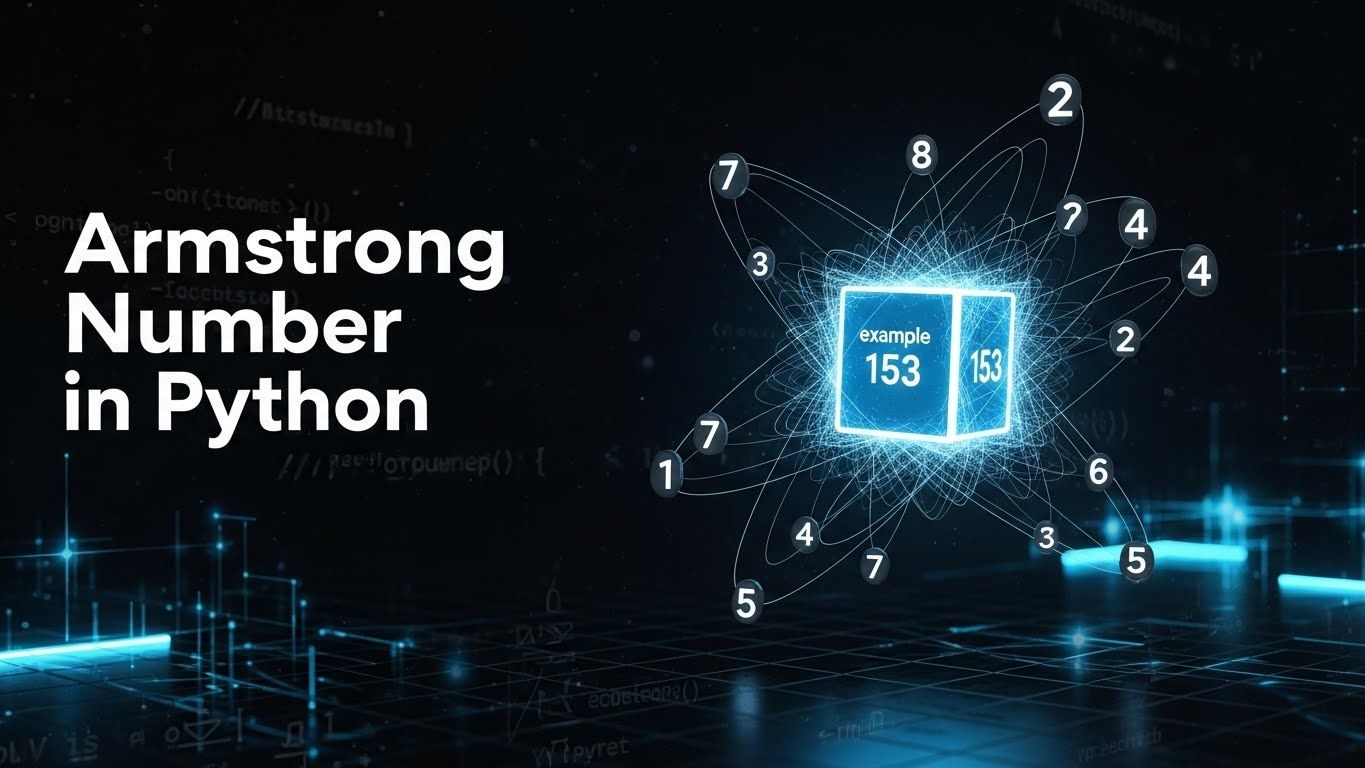
18. Check if a Number is an Armstrong Number
Check if an n-digit number equals the sum of its digits raised to the power of n. This sounds complicated, but breaking it down is great practice.
num = input("Enter a number: ")
power = len(num)
total = sum(int(digit) ** power for digit in num)

if total == int(num):
    print(num, "is an Armstrong number")
else:
print(num, "is not an Armstrong number")Enter a number: 153
153 is an Armstrong numberThere is a full walk-through, with the other Armstrong numbers, in Armstrong numbers in Python.
19. Find the Sum of Natural Numbers
Write a script that adds up all positive integers up to a number provided by the user.
n = int(input("Add up 1 to: "))

total = 0
for i in range(1, n + 1):
    total += i

print("Sum with a loop:", total)
print("Sum with the formula n(n+1)/2:", n * (n + 1) // 2)Add up 1 to: 10
Sum with a loop: 55
Sum with the formula n(n+1)/2: 5520. Display Powers of 2 Using an Anonymous Function
Learn how to use Python's lambda functions paired with the map() function to generate a list of powers of 2.
terms = 8
powers = list(map(lambda x: 2 ** x, range(terms)))

for i, value in enumerate(powers):
print(f"2 raised to {i} = {value}")2 raised to 0 = 1
2 raised to 1 = 2
2 raised to 2 = 4
2 raised to 3 = 8
2 raised to 4 = 16
2 raised to 5 = 32
2 raised to 6 = 64
2 raised to 7 = 128Level 3: Strings, Lists, and Functions (Programs 21 to 30)
The third tier introduces data structures like lists and dictionaries, and forces you to modularize your code by writing your own functions. If you haven't set up a local coding environment yet, skip the headache of manual installations. You can use a vibe coding platform like Replit to practice these modular programs right in your browser, and even collaborate with their AI agent when you get stuck.
When the third tier feels comfortable, a text adventure is a good capstone: it combines a dictionary of rooms, an inventory list and a game loop in 50 lines. The full build is in how to make a text adventure game in Python.
21. Find the ASCII Value of a Character
Use Python's built-in ord() function to find the numerical value of any character on your keyboard.
ch = input("Enter one character: ")
print(f"The ASCII value of '{ch}' is {ord(ch)}")
print("And back again:", chr(ord(ch)))Enter one character: p
The ASCII value of 'p' is 112
And back again: p22. Find the HCF or GCD of Two Numbers
Write a function that calculates the Highest Common Factor (or Greatest Common Divisor) of two numbers using a while loop.
import math

a = int(input("First number: "))
b = int(input("Second number: "))

# Euclid's method: replace the pair with (b, remainder) until the remainder is 0
x, y = a, b
while y:
    x, y = y, x % y

print("HCF by Euclid:", x)
print("HCF by math.gcd:", math.gcd(a, b))First number: 54
Second number: 24
HCF by Euclid: 6
HCF by math.gcd: 6For LCM as well, and why Euclid's method is fast, read HCF and LCM in Python.
23. Make a Simple Calculator
Create a calculator that can add, subtract, multiply, and divide. Structure it so each math operation is its own function. If you aren't sure why this matters, read up on the advantages of using functions in Python.
def add(x, y): return x + y
def subtract(x, y): return x - y
def multiply(x, y): return x * y
def divide(x, y): return "cannot divide by zero" if y == 0 else x / y

operations = {"1": ("+", add), "2": ("-", subtract), "3": ("*", multiply), "4": ("/", divide)}

print("1 Add   2 Subtract   3 Multiply   4 Divide")
choice = input("Choose 1 to 4: ")
a = float(input("First number: "))
b = float(input("Second number: "))

symbol, action = operations[choice]
print(f"{a} {symbol} {b} = {action(a, b)}")1 Add 2 Subtract 3 Multiply 4 Divide
Choose 1 to 4: 3
First number: 8
Second number: 4
8.0 * 4.0 = 32.024. Check Whether a String is a Palindrome
Write a script that checks if a word is spelled the same way backward as it is forward. Hint: look into Python's string slicing [::-1].
word = input("Enter a word: ")
cleaned = word.lower()

if cleaned == cleaned[::-1]:      # [::-1] reverses a string
    print(word, "is a palindrome")
else:
print(word, "is not a palindrome")Enter a word: Racecar
Racecar is a palindrome25. Remove Punctuation from a String
Take a messy sentence full of commas and exclamation points, and use a loop to strip them all out, leaving only the words.
import string

text = "Hello!!! How are you, today? (Fine, thanks.)"
cleaned = "".join(ch for ch in text if ch not in string.punctuation)
print(cleaned)Hello How are you today Fine thanks26. Sort Words in Alphabetical Order
Take a sentence from the user, split it into individual words, and use the .sort() method to arrange them alphabetically.
sentence = input("Enter a sentence: ")
words = sentence.lower().split()
words.sort()
print(" ".join(words))Enter a sentence: the Quick brown fox jumps over a lazy dog
a brown dog fox jumps lazy over quick the27. Count Each Vowel in a String
Ask the user for a string and use a dictionary to count how many times 'a', 'e', 'i', 'o', and 'u' appear.
text = "Modern Age Coders teaches Python to every age"
counts = {vowel: 0 for vowel in "aeiou"}

for ch in text.lower():
    if ch in counts:
        counts[ch] += 1

print(counts){'a': 3, 'e': 8, 'i': 0, 'o': 4, 'u': 0}28. Merge Two Dictionaries
Create two dictionaries with fake user data and write a script to merge them into one single dictionary.
student = {"name": "Asha", "age": 12}
marks = {"maths": 91, "science": 88, "age": 13}

merged = {**student, **marks}      # works on every Python 3 version
print(merged)

merged2 = student | marks          # Python 3.9 and later
print(merged2 == merged){'name': 'Asha', 'age': 13, 'maths': 91, 'science': 88}
True29. Catch Multiple Exceptions in One Line
Write a script that intentionally causes a division-by-zero error and a value error, and use a try/except block to catch and handle both safely without crashing the program.
for value in ["10", "0", "abc"]:
    try:
        print(f"100 / {value} =", 100 / int(value))
    except (ZeroDivisionError, ValueError) as error:
print(f"Could not divide by {value!r}:", type(error).__name__)100 / 10 = 10.0
Could not divide by '0': ZeroDivisionError
Could not divide by 'abc': ValueError30. Safely Open, Read and Write a File
Create a text file using Python, write a sentence to it, close it, and then open it back up to read the contents using the with open() context manager.
with open("notes.txt", "w") as file:          # "w" creates or overwrites
    file.write("Python closes this file for me.\n")

with open("notes.txt", "a") as file:          # "a" adds to the end
    file.write("Second line, appended.\n")

with open("notes.txt") as file:               # reading is the default
    for number, line in enumerate(file, start=1):
print(number, line.strip())1 Python closes this file for me.
2 Second line, appended.Level 4: Real-World Utilities (Programs 31 to 35)
To really hit that "30+" mark, let's look at a few scripts that mimic what actual developers build on a day-to-day basis. These programs mix logic, modules, and data formatting.
31. Get the Current Date and Time
Import the datetime module and format the output so it prints today's date and the current time in a readable, human-friendly way (like "Monday, October 12, 2026").
from datetime import datetime

now = datetime.now()
print("Today is", now.strftime("%A, %d %B %Y"))
print("The time is", now.strftime("%H:%M"))Today is Wednesday, 23 September 2026
The time is 15:5732. Check if Two Strings are Anagrams
Write a script that takes two words from the user, converts them to lowercase, sorts their letters, and checks if they contain the exact same characters.
first = input("First word: ")
second = input("Second word: ")

if sorted(first.lower()) == sorted(second.lower()):
    print(first, "and", second, "are anagrams")
else:
print(first, "and", second, "are not anagrams")First word: Listen
Second word: Silent
Listen and Silent are anagrams33. Generate a Secure Random Password
Build a 12-character password that mixes lowercase and uppercase letters, digits and symbols. Use the secrets module rather than random: the Python documentation warns that the generators in random should not be used for security purposes and points to secrets instead.
Once you can generate passwords, the natural next question is how websites keep them safe. Our guide to how passwords are stored uses Python's hashlib to show hashing, salting and why slow hashes matter.
import secrets
import string

alphabet = string.ascii_letters + string.digits + string.punctuation

while True:
    password = "".join(secrets.choice(alphabet) for _ in range(12))
    # keep only passwords that mix all four kinds of character
    if (any(c.islower() for c in password) and any(c.isupper() for c in password)
            and any(c.isdigit() for c in password) and any(c in string.punctuation for c in password)):
        break

print("Your new password:", password)Your new password: [_;kQUpGoM1O34. Build a Simple Countdown Timer
Import the time module. Ask the user for a number of seconds, and use a while loop paired with time.sleep(1) to print a countdown that ends with "Time's up!".
import time

seconds = int(input("Count down from: "))

while seconds > 0:
    print(seconds)
    time.sleep(1)       # wait one second
    seconds -= 1

print("Time's up!")Count down from: 3
3
2
1
Time's up!35. Filter a List Using a List Comprehension
Take a list of 20 numbers and, instead of a standard for loop, use a list comprehension to build new lists in one line: the even numbers, and the squares of the odd ones.
numbers = [14, 3, 8, 21, 6, 17, 30, 9, 12, 5, 26, 11, 4, 19, 2, 27, 16, 7, 10, 23]

evens = [n for n in numbers if n % 2 == 0]
squares_of_odds = [n * n for n in numbers if n % 2 == 1]

print("Evens:", evens)
print("Squares of the odd numbers:", squares_of_odds)Evens: [14, 8, 6, 30, 12, 26, 4, 2, 16, 10]
Squares of the odd numbers: [9, 441, 289, 81, 25, 121, 361, 729, 49, 529]How to Get the Most Out of This List
Having a list of programs is only half the battle. How you practice determines how fast you learn.
First, do not copy and paste. It is tempting to Google the solutions, copy the code, run it, and tell yourself you learned it. You didn't. You have to type the code out yourself. The physical act of typing builds the mental connections you need.
Second, break things on purpose. Once you get a program working, change a variable. Delete an indent. See what kind of error Python throws at you. Getting familiar with error messages makes debugging much less scary in the future.
Finally, combine programs. Once you finish this list, start mashing them together. Build a secure password generator that saves the output to a text file, or a calculator that checks if the final answer is a prime number.
Python programs: common questions
Start with printing Hello, World, adding two numbers, checking whether a number is even or odd, converting Celsius to Fahrenheit and printing a multiplication table. Then move to loops and conditions: leap years, factorials, prime numbers and the Fibonacci sequence. All of them are on this page with code and output.
Install Python 3 from python.org, save a program in a file ending in .py, and run it from a terminal with python program.py (on macOS and Linux the command is often python3). You can also paste it into IDLE, which comes with Python, or into an online Python editor.
Programs 6, 31 and 33 use randomness or the clock, so they print something new each time; their output is marked as a sample. Everywhere else your output should match exactly if you type the same input. A number read with float() prints with a decimal point, so 7 becomes 7.0.
No. Every program uses only the standard library that ships with Python 3.9 or later: math, random, string, datetime, secrets and time.
At two or three programs a day, which is a pace most beginners can keep up, the list takes about two weeks. Speed matters less than typing each one yourself and changing it until you can predict what it will print.
The Class 12 programs go further than this page, into text, binary and CSV files and the stack. We collect them in Python programs for CBSE Class 12.
Join programs together. A menu driven program in Python turns several of these into one app, exception handling stops it crashing on bad input, and star pattern programs are good practice for nested loops.
Conclusion
Completing these 35 Python basic programs for beginners gives you a rock-solid grasp of programming fundamentals. Consistency is key, tackle two or three programs daily, and the logic will quickly click.
Learn Python live, with a teacher reading your code
Working through a list alone is how most people start; the jump to writing your own programs comes faster when someone reads your code and asks why it works. Ages 9 to 12: Python and AI for Kids. Ages 13 to 18: Python for Teens. College students and adults: Python Masterclass. The first class is a free demo, so you can see how it is taught before you decide.