Table of Contents
Recursion is the moment many beginner programmers get stuck. Loops make sense: do this, then do it again. Recursion seems to ask you to trust a function that has not finished being written yet, calling itself, somehow producing an answer. Most explanations jump straight to a definition and a factorial function, and the "how does it actually know?" question never gets answered.
This guide answers it by showing what really happens. You will see a recursive function print every call as it is made and every answer as it comes back, a real crash when the base case is missing, the exact number of calls a badly written recursive function makes, and one problem where recursion is genuinely the best tool. All the code is Python, and every output shown is what the code actually printed.
What recursion is
Imagine you are in a long queue and want to know your position, but you can only see the person in front of you. You ask them, "What number are you?" They do not know either, so they ask the person in front of them, and so on to the front. The first person says "I am number 1". The answer comes back down the line, each person adding one, until it reaches you. Nobody needed to see the whole queue. Each person only solved a slightly smaller version of the same question.
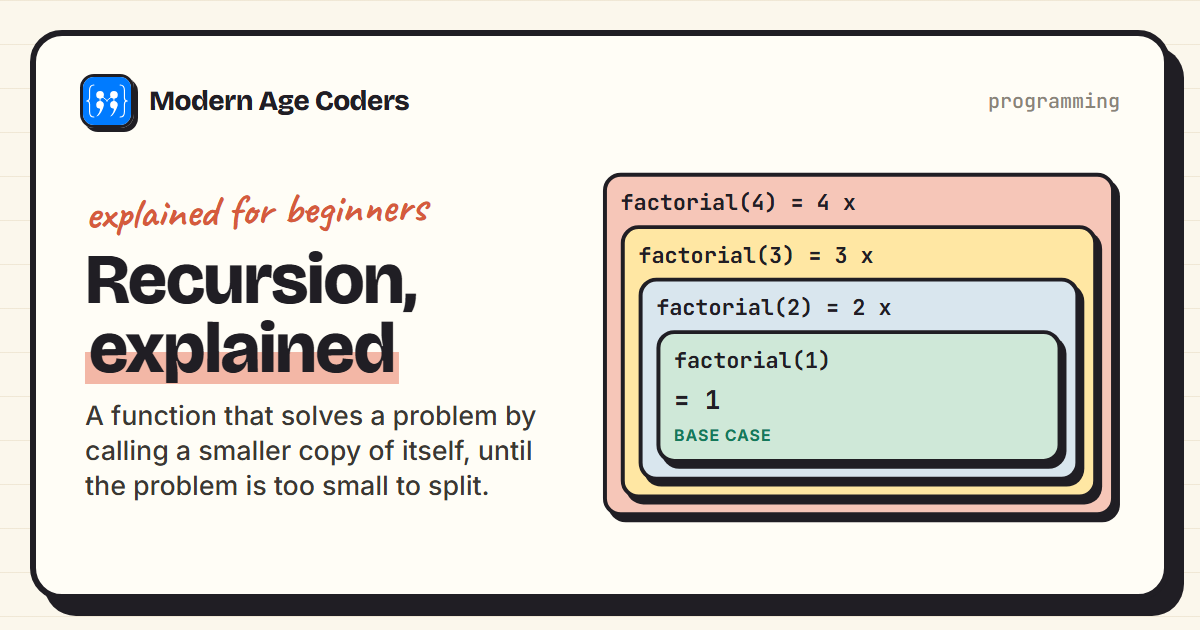
That is recursion. A recursive function handles a problem by handing a smaller version of it to another call of the same function, then doing one small piece of work with the answer it gets back.
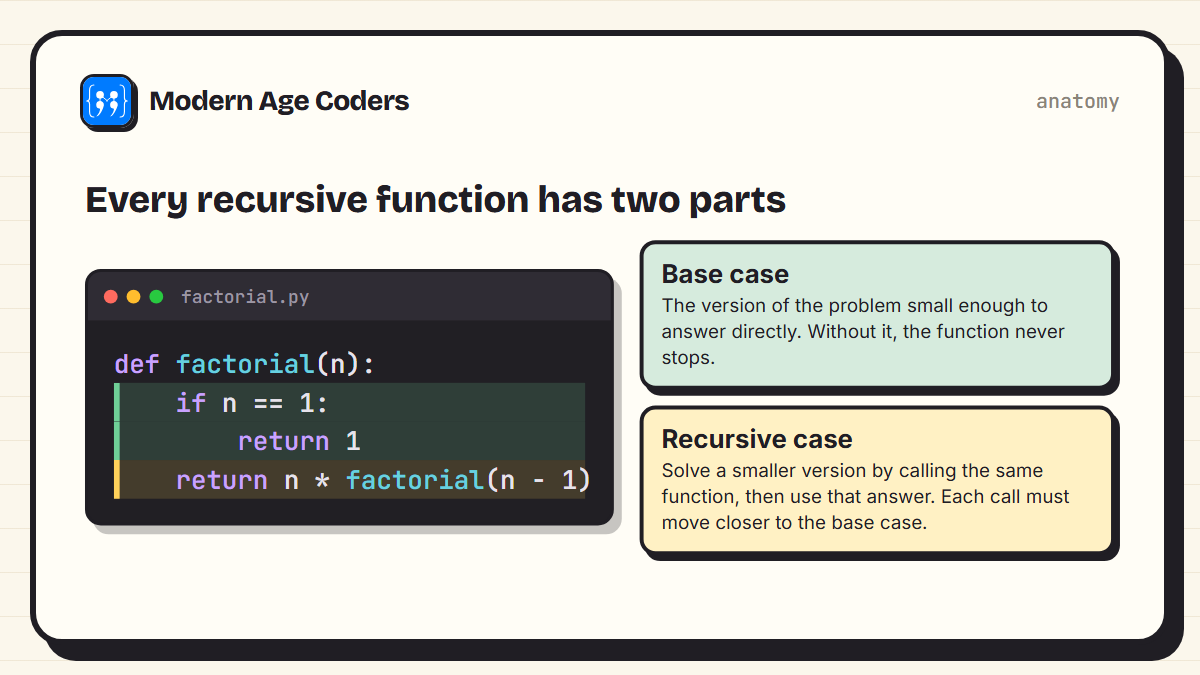
- The base case is the version of the problem so small that you can answer it immediately, like the person at the front of the queue. For factorial, factorial(1) is simply 1.
- The recursive case breaks the problem into a smaller copy of itself. factorial(4) is 4 x factorial(3), and factorial(3) is 3 x factorial(2).
Watching recursion happen
The best way to understand recursion is to make it show its working. This version of factorial prints a line every time it is called and every time it returns, indented by how deep it is:
def factorial(n, depth=0):
    indent = "    " * depth
    print(f"{indent}factorial({n}) called")
    if n == 1:                                   # base case: stop here
        print(f"{indent}factorial(1) returns 1")
        return 1
    result = n * factorial(n - 1, depth + 1)     # recursive case: a smaller copy
    print(f"{indent}factorial({n}) returns {n} x factorial({n - 1}) = {result}")
    return result

print("answer:", factorial(4))factorial(4) called
factorial(3) called
factorial(2) called
factorial(1) called
factorial(1) returns 1
factorial(2) returns 2 x factorial(1) = 2
factorial(3) returns 3 x factorial(2) = 6
factorial(4) returns 4 x factorial(3) = 24
answer: 24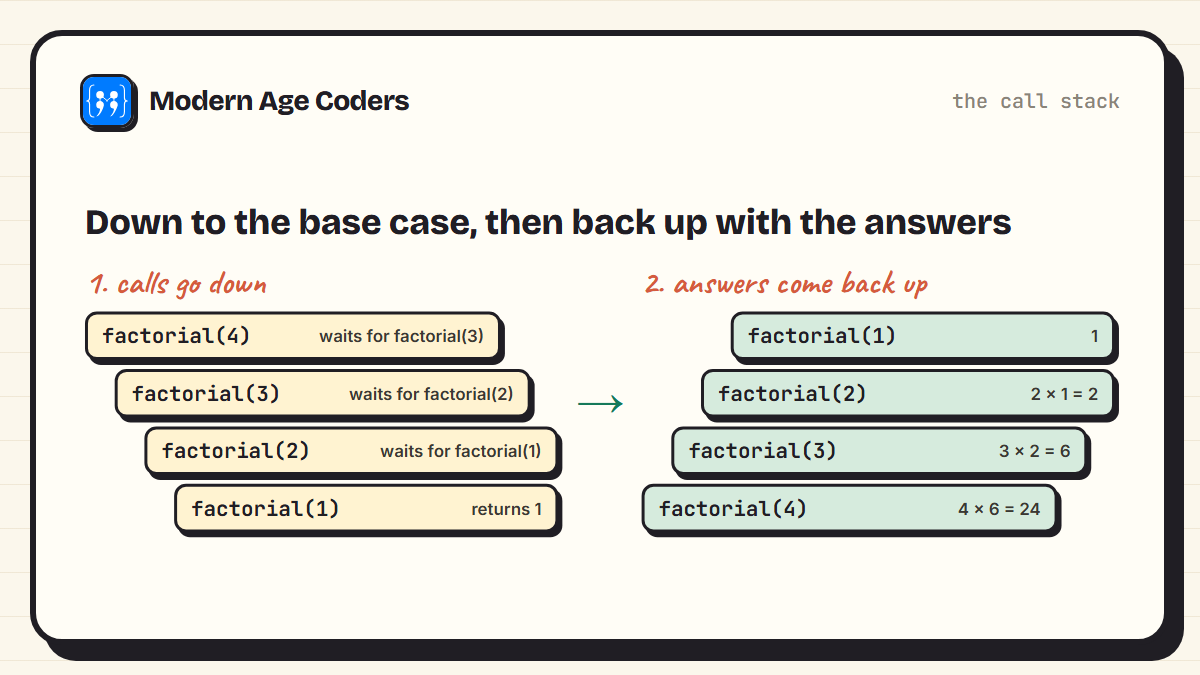
Read the output from top to bottom. The calls go down: factorial(4) cannot finish until factorial(3) does, which is waiting on factorial(2), which is waiting on factorial(1). Then factorial(1) hits the base case and returns 1, and the answers come back up: 2 x 1 = 2, then 3 x 2 = 6, then 4 x 6 = 24. Each unfinished call is kept on a structure called the call stack until the call it is waiting for returns.
How to trace recursion in an exam
Draw a box for each call, one under the other, writing the argument in each. When you reach the base case, write its answer, then work back up filling in each box using the answer from the box below. AP Computer Science A and ISC Class 12 both test exactly this skill: tracing recursive calls by hand.
What happens without a base case
Forget the base case, and the function calls itself forever. Or rather, until Python stops it. This countdown has no stopping point. Here is what really happens when you run it:
def countdown(n):
    print(n)
    countdown(n - 1)        # no base case, so it never stops

countdown(3)3
2
1
0
...
Traceback (most recent call last):
File "countdown.py", line 5, in <module>
countdown(3)
~~~~~~~~~^^^
File "countdown.py", line 3, in countdown
[... the same frames repeat hundreds of times ...]
RecursionError: maximum recursion depth exceededEvery call adds a frame to the call stack, and the stack is not infinite. Python sets a limit, which on this machine is 1000 calls deep, and raises RecursionError when it is reached. Other languages crash with a "stack overflow", which is where the famous programming website got its name. The fix is always the same: add a base case, and make sure every call moves towards it.
def countdown(n):
    if n == 0:              # base case
        print("Lift off!")
        return
    print(n)
    countdown(n - 1)        # each call moves one step closer to the base case

countdown(3)3
2
1
Lift off!The hidden cost: repeated work
Recursion can be elegant and still be terribly slow. The classic example is the Fibonacci sequence, where each number is the sum of the two before it. The recursive definition is beautiful: fib(n) = fib(n - 1) + fib(n - 2). But look at how many calls it makes, counted by the program itself:
calls = 0

def fib(n):
    global calls
    calls += 1
    if n < 2:
        return n
    return fib(n - 1) + fib(n - 2)

from functools import lru_cache

@lru_cache(maxsize=None)
def fib_memo(n):
    if n < 2:
        return n
    return fib_memo(n - 1) + fib_memo(n - 2)

for n in (10, 20, 30):
    calls = 0
    value = fib(n)
    fib_memo.cache_clear()
    assert fib_memo(n) == value
print(f"fib({n}) = {value:>6} plain recursion made {calls:>9,} calls memoised made {fib_memo.cache_info().misses} calls")fib(10) = 55 plain recursion made 177 calls memoised made 11 calls
fib(20) = 6765 plain recursion made 21,891 calls memoised made 21 calls
fib(30) = 832040 plain recursion made 2,692,537 calls memoised made 31 calls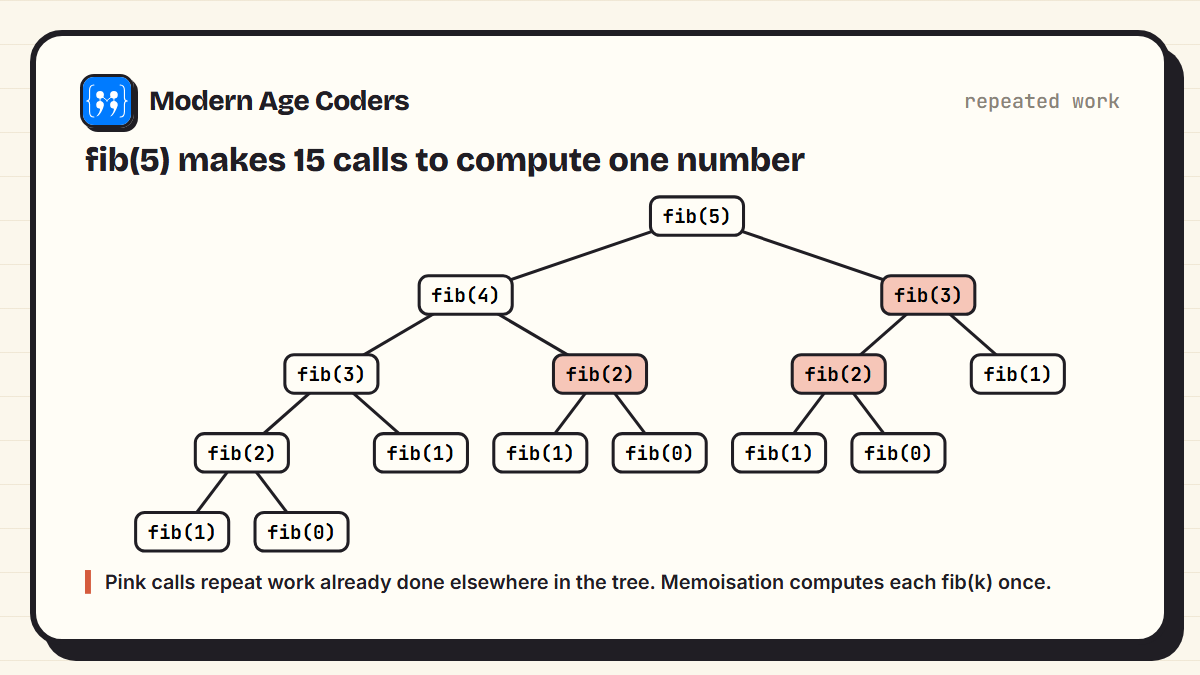
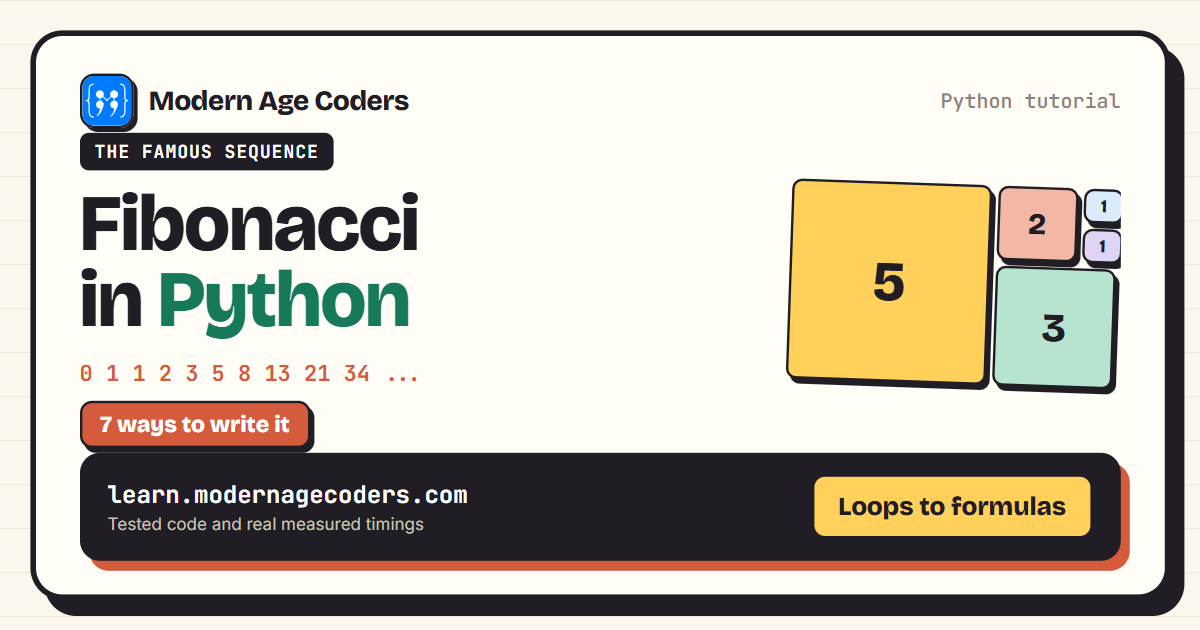
To compute fib(30), plain recursion made well over a million calls, because it keeps solving the same small problems again and again. The fix is memoisation: remember each answer the first time it is computed. Python's lru_cache does this with one line, and the call count drops to just 31. Our guide to the Fibonacci series in Python compares seven ways of writing it, with timings.
Where recursion is genuinely the best tool
If loops can do everything recursion can, why bother? Because some data is shaped like a tree, and recursion matches that shape perfectly. Folders contain files and other folders, which contain more folders. A website menu has submenus. A family tree has branches. Writing a loop for these needs you to manage your own list of "places still to visit". Recursion does that bookkeeping for you.
Here is a program that works out the size of every folder in a small file tree. The recursive idea fits in one sentence: the size of a file is its size, and the size of a folder is the total of the sizes of everything inside it.
folder = {
    "notes.txt": 12,
    "photos": {"beach.jpg": 2400, "party.jpg": 1800, "old": {"2019.jpg": 900}},
    "school": {"maths.pdf": 350, "project": {"report.docx": 120, "data.csv": 40}},
}

def total_size(item):
    if isinstance(item, int):                          # base case: a file has a size
        return item
    return sum(total_size(child) for child in item.values())   # a folder: add up its contents

def show(item, name="my folder", depth=0):
    print("    " * depth + f"{name}  ({total_size(item):,} KB)")
    if isinstance(item, dict):
        for child_name, child in item.items():
            show(child, child_name, depth + 1)

show(folder)my folder (5,622 KB)
notes.txt (12 KB)
photos (5,100 KB)
beach.jpg (2,400 KB)
party.jpg (1,800 KB)
old (900 KB)
2019.jpg (900 KB)
school (510 KB)
maths.pdf (350 KB)
project (160 KB)
report.docx (120 KB)
data.csv (40 KB)Notice that the function never needs to know how deep the folders go. It would work unchanged on a tree ten levels deep. That is the real power of recursion, and it is why it appears everywhere in computer science: searching trees, sorting (merge sort and quicksort are both recursive), parsing code, and solving puzzles by trying possibilities one branch at a time.
Loop or recursion: how to choose
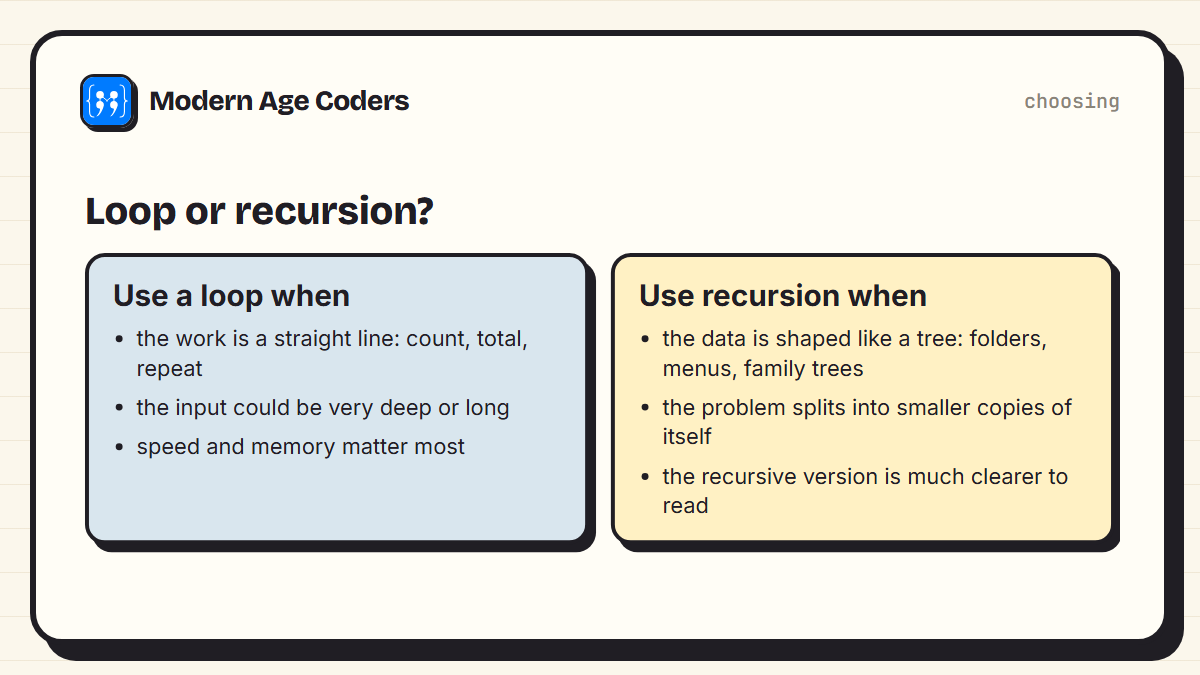
| Loop | Recursion | |
|---|---|---|
| Best for | Straight-line repetition | Tree-shaped data and problems that split into smaller copies |
| Memory | Constant | One stack frame per level of depth |
| Risk | Infinite loop if the condition never changes | RecursionError if the base case is missing or too deep |
| Readability | Clearer for counting and totals | Clearer for trees, nesting and divide-and-conquer |
A good rule for beginners: if you can describe the solution as "the answer for this is built from the answer for a smaller one", recursion is worth trying. If you are just repeating something a known number of times, use a loop.
Recursion is not magic. It is trusting that the smaller problem will be solved, and making sure it is actually smaller.
How we teach it
One principle on our how we teach page is to trace code line by line until the student can predict every step, and recursion is where that pays off most. It is part of our Python from the ground up course and our data structures and algorithms course, taught live, one to one or in small groups of 5 to 10.
Frequently asked questions
Recursion is when a function solves a problem by calling itself on a smaller version of the same problem. It keeps doing this until it reaches a version small enough to answer directly, called the base case, and then builds the full answer on the way back.
The base case is the simplest version of the problem, which the function can answer without calling itself again. It is what stops the recursion. Without a base case, the function would call itself forever, and in Python it would crash with a RecursionError.
It is the error Python raises when a function calls itself too many times without returning, usually because the base case is missing or never reached. Python limits how deep the call stack can go, by default around a thousand calls, to stop a program using up all its memory.
Usually not. Each recursive call has a small overhead and uses memory on the call stack, so an equivalent loop is often slightly faster. Recursion is chosen because it makes certain problems, especially tree-shaped ones, much simpler to write and read.
Because it solves the same smaller problems over and over. Computing fib(30) with plain recursion makes more than a million calls. Memoisation, which stores each answer the first time it is computed, reduces that to about thirty.
The call stack is where a program keeps track of function calls that have started but not yet finished. In recursion, each call waits on the stack for the call it made to return, and the calls are finished in reverse order once the base case is reached.
Often yes. AP Computer Science A, ISC Class 12 Computer Science and A level Computer Science all include recursion, usually as tracing questions where you work out what a recursive method returns. Practising by drawing the call stack is the best preparation.