AHC / FS / 01
Coding for kids
Blocks, games, logic.
Open the syllabusUnited States · Ages about 6 to 12 · CSEdWeek, December 7 to 11, 2026
Every December, millions of children try one hour of coding at school, and many come home asking to do more. This guide explains what has changed, since the Hour of Code is now the Hour of AI, lists the free next steps for each grade from the organizations that run them, and teaches the one idea that separates an hour of clicking from real coding: noticing when something repeats and writing it once.
Live teaching since 2020 · 10,000+ students · from first blocks to first Python
In short
The Hour of Code, a free one-hour coding activity run by the nonprofit once called Code.org and now CodeAI, has become the Hour of AI, held around CSEdWeek, December 7 to 11 in 2026. After it, children can continue free with Scratch or CodeAI’s courses. Modern Age Coders teaches the next stage live online, in a batch or 1-on-1, in our Coding for Kids course.
Learn with a teacher
Blocks while the excitement is fresh, then games, then a first taste of Python.
AHC / 01
Ages about 6 to 12. From blocks to games, apps and AI, at the child’s pace.
Open the syllabus →
AHC / 02
For children who loved making things move and want their own games.
Open the syllabus →
AHC / 03
For ages about 9 and up, once blocks start to feel easy.
Open the syllabus →What changed
Yes, under a new name. CodeAI, the nonprofit formerly known as Code.org, now says the Hour of Code is the Hour of AI, and hourofcode.com now opens hourofai.org. Classic coding activities are still listed beside the new AI ones, and the week to watch is CSEdWeek, December 7 to 11, 2026.
| Question | Answer | Source |
|---|---|---|
| What is it called now? | The Hour of AI; the Hour of Code is now the Hour of AI | CodeAI |
| Who runs it? | CodeAI, which says "Code.org" is its former trademark | CodeAI |
| How long is an activity? | About one class period or a lunch break | hourofai.org |
| Who is it for? | From kindergarten upward; no AI or coding experience needed | hourofai.org |
| When in 2026? | Around CSEdWeek, December 7 to 11; new activities previewed from November 16 | hourofai.org |
| Who runs CSEdWeek? | The Computer Science Teachers Association; free virtual events with a free CSTA account | csedweek.org |
| A date in the week | December 9, Grace Hopper’s birthday | csedweek.org |
The hourofai.org list mixes coding with AI ideas. Examples include Dance Party: AI Edition and Music Lab: Jam Session from CodeAI, a Minecraft activity where an AI helper needs a child’s guidance, MakeCode Bug Arena from Microsoft, and Scratch face sensing blocks.
CodeAI’s page also keeps the older description: the Hour of Code as a global movement reaching tens of millions of students in 180+ countries, with 100 one-hour tutorials in over 45 languages.
An hour-long tutorial is designed to succeed: every step is laid out, and the child gets a finished result. That is exactly what makes it a great start and a poor finish.
Real coding begins when a child has a blank screen and an idea of their own. The gap between those two is small, but it needs a few weeks of practice, which the rest of this guide plans out.
Sources: hourofai.org (reached from hourofcode.com), CodeAI: Hour of AI and CSEdWeek, read 31 October 2026. Hour of AI, CodeAI and CS Discoveries are trademarks of CodeAI. We are not connected with CodeAI, CSTA or any activity partner.
Free next steps
Keep going within a week, while the interest is fresh, and pick a tool that lets them build their own things. For most children aged 8 to 12 that is Scratch; for school-based learning, CodeAI’s free courses are organized by grade.
| Grade band | CodeAI course | Size, as listed |
|---|---|---|
| K to 5 | Computer Science Fundamentals, including Express and Pre-reader Express courses | 9 units |
| 3 to 5 | Computer Science Connections, linking CS with math, language arts, science and social studies | 11 units |
| 6 to 8 | AI Discoveries | 8 units |
| 6 to 10 | Computer Science Discoveries | 6 units |
| 9 to 12 | Computer Science Principles; AP Computer Science A in Java; AI Foundations | 3, 4 and 6 units |
The Scratch Foundation describes Scratch as block-based coding with no tricky syntax, free, and run by an independent nonprofit, with over a billion Scratch projects created. For a child who liked the hour, it is the natural place to make something with no instructions.
If Scratch misbehaves on a school laptop, our Scratch not working guide covers the usual fixes.
CodeAI’s student page points ages 5 to 11 toward block-based coding and videos, and ages 11 and up toward self-paced courses in App Lab, Game Lab and Web Lab.
App Lab is also used in school courses. Our App Lab help page is for students who get stuck there.
Sources: CodeAI curriculum, CodeAI for students and the Scratch Foundation, read 31 October 2026. Scratch is a project of the Scratch Foundation; we are not connected with it.
The loop habit
Spotting repetition and writing it once, with a loop. Most hour-long tutorials introduce a repeat block; the step after is a child seeing, on their own, that their twelve blocks are really one pattern four times.
| Pattern | Blocks without a loop | Blocks with a loop |
|---|---|---|
| A 3-step dance move, 4 times | 12 | 4 (one repeat block holding 3) |
| A 2-step square side, 4 times | 8 | 3 |
| A 3-step move, 10 times | 30 | 4 |
| Any k steps, n times | k times n | k plus 1 |
Without a loop, a pattern repeated ten times takes ten times the blocks, and fixing one step means fixing it ten times. With a loop, the program stays the same size however many times it repeats, and one fix fixes every repeat.
Children feel this the first time they change "4" to "40" and watch the program still work. That moment is worth more than another hour of tutorials.
Loops bring the first classic bug. To draw 5 squares in a row with a gap between each, a child writes "repeat 5: square, gap" and gets an extra gap at the end. Five squares need only four gaps, as five fence posts need four rails.
The fix is to ask, every time, "how many times does this really happen?" It is a habit, not a rule, and it saves real programmers too.
Worked example (ours). A child’s animation makes a character step, jump and spin, then do it again three more times: 12 blocks. Asked to find the pattern, they spot the step, jump and spin trio and wrap it in a repeat 4 block, leaving 4 blocks. Asked for a longer dance, they change one number to 8 and get 24 moves with no new blocks. Then we ask them to add a bow at the very end, once. If the bow goes inside the loop, the character bows 8 times, which is a fencepost bug they can see and fix by moving one block.
First Python
When blocks feel slow rather than hard, often around age 9 to 11. The first Python program should do something the child already understands from blocks, so that only the typing is new.
# Our first Python program after block coding: five squares in a row.
import turtle

pen = turtle.Turtle()

def square(size):
    for side in range(4):        # the same two steps, four times
        pen.forward(size)
        pen.right(90)

for number in range(5):          # five squares...
    square(40)
    if number < 4:               # ...but only four gaps between them
        pen.penup()
        pen.forward(60)
        pen.pendown()

turtle.done()
Our own program, using only Python’s built-in turtle module. It is the fencepost lesson from blocks, written in text: a loop inside a function, and a check so the last square gets no gap.
The ideas are the same: a repeat block becomes for side in range(4), and a custom block becomes def square(size). What is new is spelling, spacing and colons, which is why this step should come after the ideas are secure.
A child who can explain the block version first usually types the Python version in one lesson.
They build projects in Scratch without a tutorial, they make their own custom blocks, and they get frustrated dragging the same blocks again and again. Those are signs, not an age.
Younger children, around 6 to 8, are usually better served by more block projects first. There is no prize for typing early.
Practice set
Original puzzles, written by us, for a child aged about 8 to 11 who has finished an hour-long activity. Parents can read the answers aloud and ask the child to explain.
Let the child guess first, then try it in Scratch or a CodeAI activity to check. Being wrong and then seeing why is the whole point.
Five puzzles take about twenty minutes. Spread over a week, they keep the habit going after CSEdWeek ends.
Some Hour of AI activities use AI tools that have their own age rules. Check each activity’s teacher notes and the tool’s terms before a child uses it at home.
For understanding AI without chat tools, our AI literacy guide for elementary students starts with patterns and training data.
Six weeks
Our plan for a child aged about 8 to 11, with one live lesson a week and two short practice sessions at home. It fits the weeks from CSEdWeek into the new year.
| Week | Lesson focus | At home |
|---|---|---|
| 1 | Sequences: telling a sprite exactly what to do | Remix the hour’s project with three changes |
| 2 | Loops: finding the pattern | The five practice puzzles |
| 3 | Events: when clicked, when key pressed | Make a sprite move with arrow keys |
| 4 | Conditions: if touching, then | A sprite that bounces off walls |
| 5 | Variables: keeping score | Add a score that counts catches |
| 6 | A first game, planned and built by the child | Show it to someone and explain one part |
The game in week 6 should be the child’s idea, even if it is simple. A small game they invented teaches more than a big one copied from a video.
Our teachers ask questions rather than giving block-by-block instructions, so the child does the thinking.
Children who want more move into longer projects, then into Python around age 9 to 11. See our coding milestones by age for what is typical at each stage.
Others are happy to pause. One good experience of building something is a fine result, and the door stays open.
Readiness
The Hour of Code gets a child to step one. These are the steps after it, as we see them in our classes.
| Step | What the child can do |
|---|---|
| 1. Follower | Finishes a guided activity step by step |
| 2. Remixer | Changes a finished project to make it their own |
| 3. Pattern spotter | Sees repetition and writes it once with a loop |
| 4. Maker | Starts from a blank screen with their own idea |
Ask your child to show you what they made and explain one block. Explaining is how they discover what they understand.
A week is long for a seven-year-old. The sooner after the hour the next session happens, the more of the excitement carries over.
A follow-up lesson the next week, asking students to change three things in their hour’s project, moves a whole class from step one to step two.
CSTA’s CSEdWeek events are free and virtual, including a preview on Wednesday, November 18, for teachers new to computer science.
The catalogue
Every course is taught live by the same teacher each week, to a class or to one child.
AHC / FS / 01
Blocks, games, logic.
Open the syllabusAHC / FS / 02
Games and stories.
Open the syllabusAHC / FS / 03
Patterns and steps.
Open the syllabusAHC / BM / 01
Real games in Scratch.
Open the syllabusAHC / BM / 02
Design a game from scratch.
Open the syllabusAHC / BM / 03
How AI learns patterns.
Open the syllabusAHC / TC / 01
First text code.
Open the syllabusAHC / TC / 02
Numbers come alive.
Open the syllabusAHC / TC / 03
For keen older kids.
Open the syllabusHow lessons run
Weekdays or weekends, flexible: choose your batch, or for a very personalised plan choose 1-on-1 at your convenience, weekend mornings or weekdays.
Weekdays
Right after school, before the evening rush.
Weekends
A relaxed morning lesson.
1-on-1
Paced for one child’s age and attention.
Children build what they imagine.
Teachers prompt, children think.
Text code when they are ready.
A weekly habit, not a cram.
Live online, any state.
Fifteen to twenty per batch, or one child.
Student work
Games, apps and AI projects by our young learners. See more in the student labs.
AI and ML
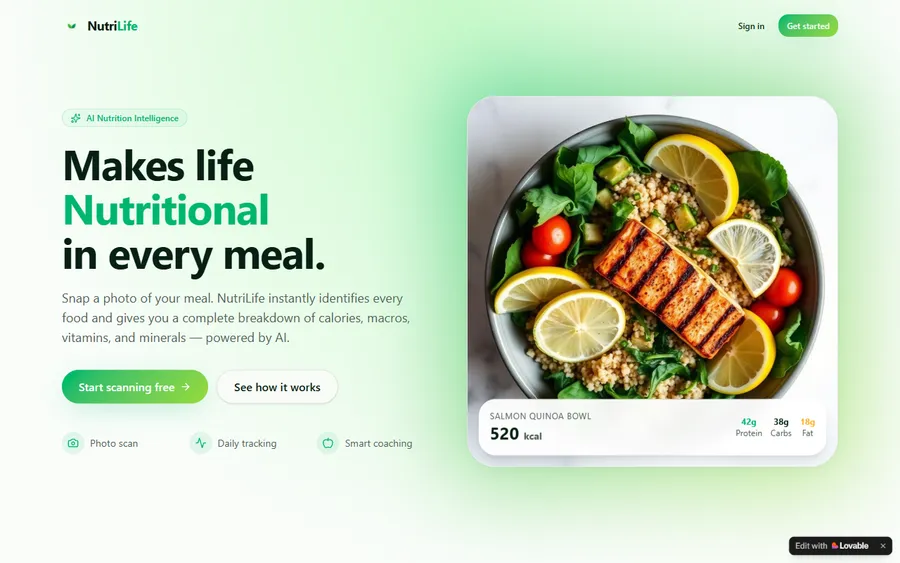
An AI nutrition coach that reads what you eat and works you toward a target.
AI and ML
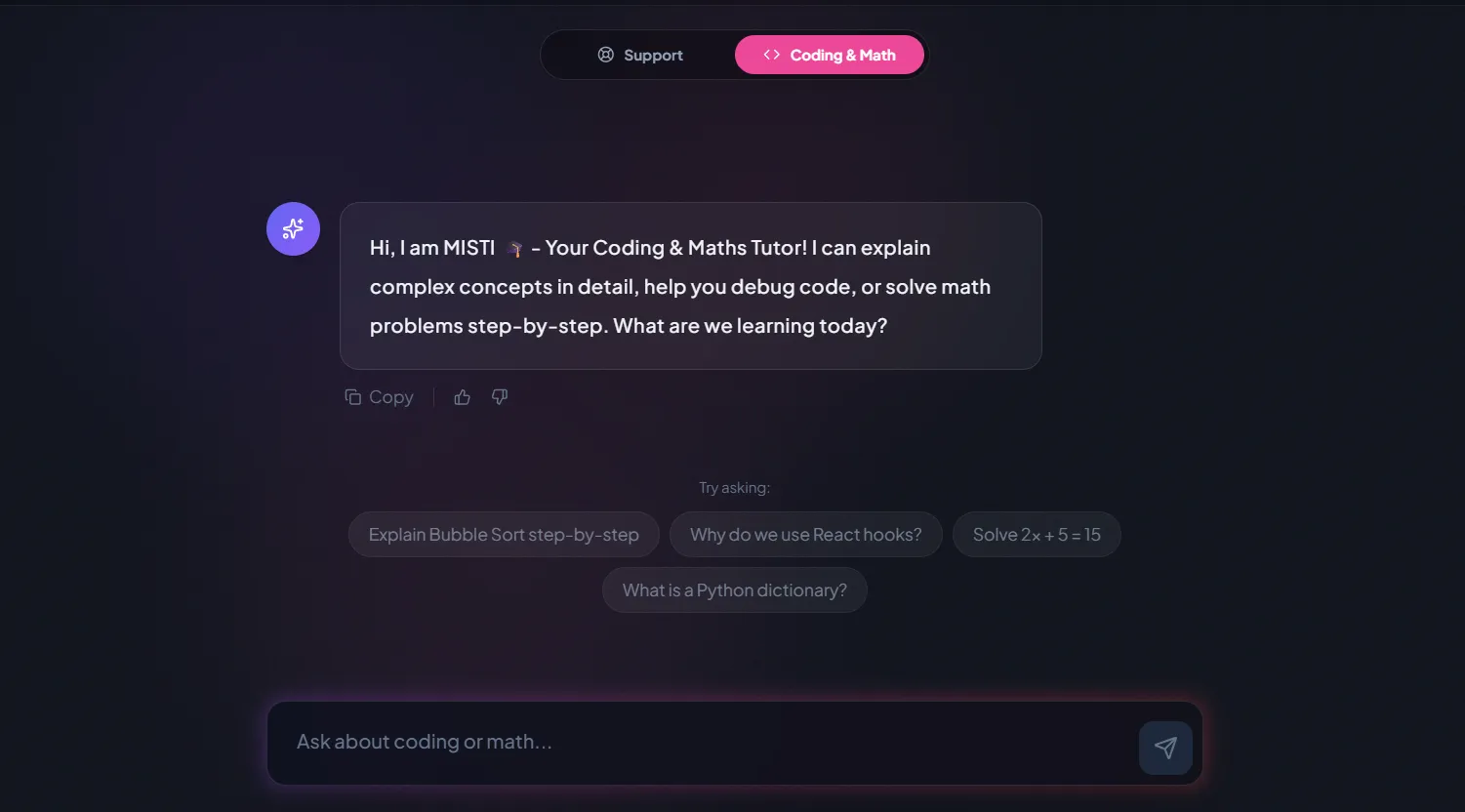
A chatbot that answers mathematics and programming questions, built and deployed by a student.
AI and ML
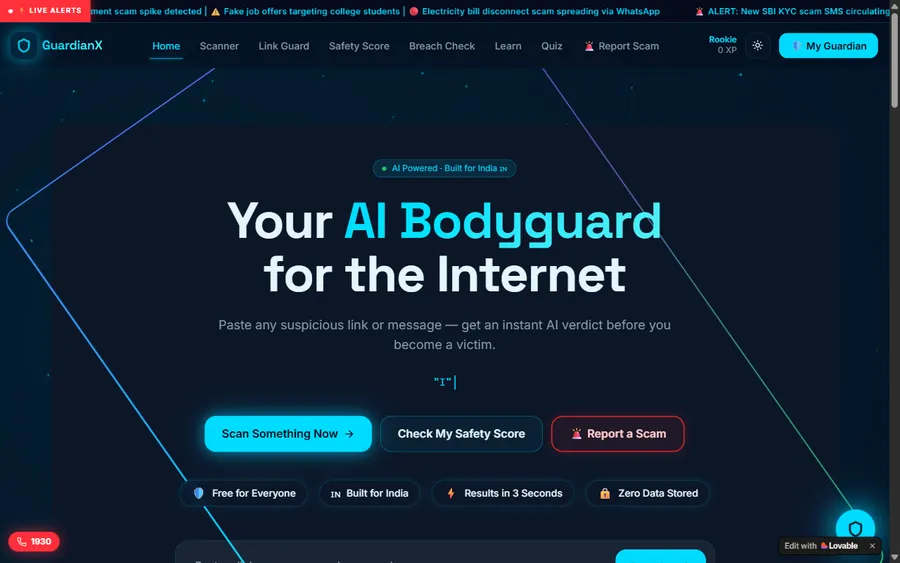
An assistant that helps a young person recognise unsafe situations online.
Web app
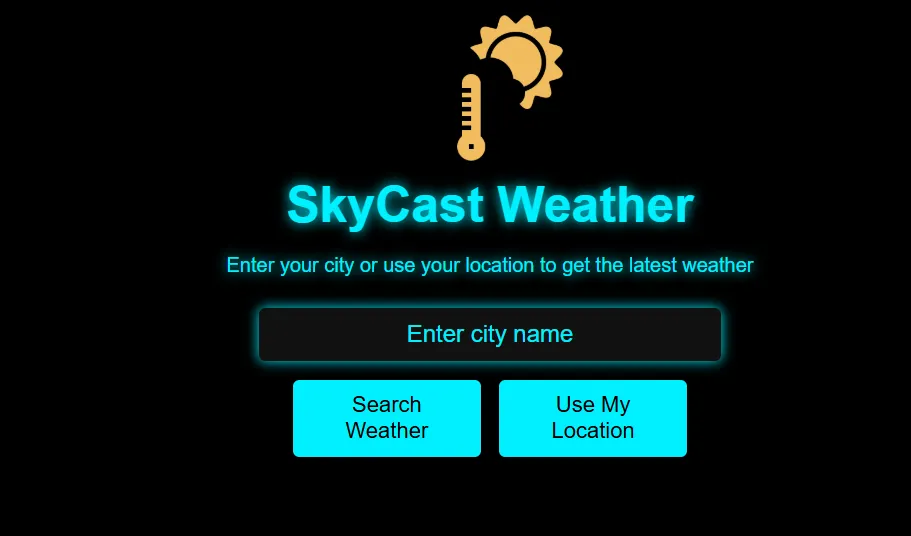
A weather forecasting site with live conditions for any location.
Fees
The Hour of AI, Scratch and CodeAI courses are free, and a child can go a long way with them. Our fee is for live teaching with a regular teacher, billed monthly, so a family can try a term after CSEdWeek and decide.
Free first class
USD 0
no card required
Group batch
USD 100
a month, billed in US dollars
One to one
USD 150
a month, billed in US dollars
What families say
Google reviews from parents, exactly as posted.
★★★★★
"The one step solution for my son. Modern Age Coders make learning coding so simple that kids love it. The teachers explain complex concepts clearly with practical exercises and interactive content."
Ria Mukherjee
Parent
★★★★★
"Modern Age Coders has been a game-changer for me. I struggled to grasp IT concepts and coding before joining, but their classes transformed everything. I can now confidently write complex programs with ease."
Samriddha Mondal
Student
★★★★★
"One of the most wonderful education centres out there. Education is not limited to school syllabus but focuses on skill development."
Vansh Agarwal
Student
★★★★★
"My child Dhairya is really enjoying the Modern Age Coders classes. This is his first online class and he eagerly looks forward to it. I can already see his improvement, and the teachers are very cooperative."
Sonam Oswal
Parent of Dhairya
★★★★★
"Modern Age Coders have wonderful teachers who teach in a clear, easy and practical way. The teacher boosts students' confidence and inspires them to learn without hesitation."
Sonu Goyal
Parent
★★★★★
"I highly recommend this computer coding class! The teachers are incredibly knowledgeable and passionate about coding."
Ritu Kedia
Parent
Questions from parents and teachers
Yes, under a new name. CodeAI, formerly Code.org, says the Hour of Code is now the Hour of AI, and hourofcode.com now leads to hourofai.org. Classic coding activities are still listed alongside the new AI ones.
The hourofai.org page gives CSEdWeek as December 7 to 11, which is Monday to Friday in 2026. CSEdWeek is run by the Computer Science Teachers Association, and its site highlights December 9, Grace Hopper's birthday.
Keep building within a week, ideally something of their own. Scratch is free and suits ages about 8 to 12, and CodeAI offers free courses by grade, such as Computer Science Fundamentals for grades K to 5.
Its website now uses the name CodeAI and says "Code.org" is a former trademark of CodeAI. The site address code.org still works and leads to the CodeAI pages.
CodeAI lists Computer Science Discoveries for grades 6 to 10 and AI Discoveries for grades 6 to 8. Its student page also points ages 11 and up to App Lab, Game Lab and Web Lab.
Loops: spotting a repeated pattern and writing it once. A 3-step move repeated 4 times is 12 blocks without a loop and 4 with one, and the loop version stays small however many repeats you add.
When blocks feel slow rather than hard, often around age 9 to 11. The first Python program should repeat something they already built in blocks, so only the typing is new.
Many are designed for classrooms from kindergarten up, but some use AI tools with their own age rules. Check each activity's teacher notes and the tool's terms before a child uses it at home.
Yes. We teach live online coding classes for children aged about 6 to 12, in a group of 15 to 20 or one to one, and the first lesson is free.
Weekdays or weekends, flexible: choose your batch, or for a very personalised plan choose 1-on-1 at your convenience, weekend mornings or weekdays.
No. We run our own classes and have no link to CodeAI, CSTA, the Scratch Foundation or any Hour of AI partner; their names and marks belong to them.
Elsewhere on this site
Help with tools, ages and next steps.
Classes for grades K to 5.
Fixes for common Scratch problems.
For older students stuck in App Lab.
What is typical, age by age.
Understanding AI before using it.
The step after elementary.
Part of the guide: US math and coding competitions guide
More guides: US state math tests by state · US gifted and selective school tests · US math placement and college readiness tests · Homeschool and school math curricula guide
Start here
Share your child’s age, which activity they did and what they enjoyed about it. The teacher starts from that project and finds the right next step.
To see what lessons are like, read how we teach, or browse our courses.
WhatsApp us · +91 91233 66161 · connect@modernagecoders.com
Lessons come live from our teaching team in India, timed for American afternoons and Saturday or Sunday mornings. A WhatsApp message tends to get the fastest answer.
A priority demo is a full class of about 45 to 60 minutes. After the class the mentor sends a written skill report and a personal learning roadmap on WhatsApp. If you enrol, the demo fee is adjusted against your first month's fee. Share your demo Order ID with us on WhatsApp and we take it off.
Book a priority demo