FP / JV / 01
Java for teens
The FTC text language.
Open the syllabusUnited States · Grades 7 to 12 · The 2026 to 2027 BIOBUZZ season
A FIRST Tech Challenge robot runs two kinds of program in every match: one that drives itself for the first 30 seconds, and one that turns a driver’s joystick into motor power for the next two minutes. This guide reads the 2026 to 2027 BIOBUZZ competition manual, the official FTC docs and the current SDK release, then teaches a piece of real FTC Java most new programmers never think about: shaping the joystick so a driver can make small, precise moves without losing top speed.
Live teaching since 2020 · 10,000+ students · students write their team’s code
In short
FTC programming means writing the OpModes that run a FIRST Tech Challenge robot, in Blocks, OnBot Java or Java in Android Studio, using FIRST’s SDK, now v12.0 for 2026 to 2027. Each BIOBUZZ match has a 30-second autonomous period and a 2-minute driver period. Modern Age Coders teaches the Java behind it live online, in a batch or 1-on-1, in our Java for Teens course.
Learn with a teacher
Java first, because FTC text code is Java, then the logic and math a robot depends on.
FP / 01
Classes, methods, loops and conditions: the language of FTC text code.
Open the syllabus →
FP / 02
A gentler first text language for a grade 7 or 8 team member.
Open the syllabus →
FP / 03
Functions, curves and angles, written as code.
Open the syllabus →The 2026 to 2027 match
Each BIOBUZZ match has a 30-second autonomous period, an 8-second transition and a 2-minute driver-controlled period. Two alliances of two teams each play, so a robot’s code also has to work alongside a partner robot it has never seen before.
| Part | Length | Who is in control | What the code does |
|---|---|---|---|
| Pre-match | Before the timer | Drive team sets up | An OpMode is selected and initialized on the Driver Station (rule G305) |
| AUTO | 30 seconds | The robot alone | Runs only its pre-programmed instructions; drivers may not touch it or the console (G401) |
| Transition | 8 seconds | Nobody | Teams switch from the AUTO OpMode to the TELEOP one |
| TELEOP | 2 minutes | Two human drivers | Turns gamepad input into motor and servo commands |
The manual describes two alliances collecting POLLEN and NECTAR, launching them into their HIVE and placing them into FLOWERS. Robots can use sensors in AUTO to collect and navigate; in the last 60 seconds of the match, all remaining NECTAR can be entered.
We describe the game only at that level. The full scoring rules belong to FIRST, and every team should read the current manual, which changes through team updates during the season.
FIRST lists FIRST Tech Challenge for grades 7 to 12, ages 12 to 18, with a new game released every September. In North America a team is competition ready only after registering, paying, and having two Lead Coaches pass Youth Protection Program screening, under rule I101.
For a grade 7 or 8 student coming from FIRST LEGO League, which ends after its 2026 to 2027 season, FTC is the FIRST program that carries on for grades 7 to 12, so it is a natural next step.
Sources: the 2026-2027 FIRST Tech Challenge Competition Manual (version TU07) and the FIRST Tech Challenge program page, read 31 October 2026. FIRST, FIRST Tech Challenge and BIOBUZZ are trademarks of their owners. We are not connected with FIRST.
Tools
The FTC docs offer three official ways to program: Blocks, OnBot Java and Android Studio. FIRST’s own Blocks tutorial recommends starting with Blocks, even for experienced programmers, and most teams move to Java once code grows.
| Tool | What it is | Who it suits (our view) |
|---|---|---|
| Blocks | A visual tool in a web browser, served by the Robot Controller app | New teams, younger members, and anyone testing hardware quickly |
| OnBot Java | Text-based Java in a web browser, also served by the Robot Controller app | Members with basic to advanced Java who want text code without installing an IDE |
| Android Studio | A full Java development environment on a laptop, building the Robot Controller app from the SDK source | Experienced programmers who want libraries, version control and debugging tools |
The FtcRobotController repository on GitHub lists v12.0 as the official release for the 2026/2027 season, published on September 12, 2026. Building it in Android Studio needs Android Studio Narwhal 3 Feature Drop or later.
The FTC docs explain that the Kickoff SDK release is typically the minimum software version required for the season, so teams update their Robot Controller and Driver Station apps early and check the release notes for breaking changes.
The docs also cover Kotlin as an advanced topic and external libraries in OnBot Java and Blocks. Vision is its own section: AprilTags, color processing and on-board vision sensors.
None of that is needed to start. A student who writes clean Java classes and methods can learn any of it later, which is why our lessons build the language first and the robot extras second.
Sources: FTC docs: Programming Resources, the SDK overview, and the FtcRobotController releases, read 31 October 2026.
OpModes
An OpMode is one program the robot can run, chosen on the Driver Station. A team usually has at least one autonomous OpMode and one TeleOp OpMode, and the manual requires a team to select and initialize an OpMode before every match.
@TeleOp or @Autonomous puts the OpMode on the Driver Station list, as the docs’ first OnBot Java example shows.LinearOpMode and puts its work in runOpMode(), which runs from top to bottom.hardwareMap.get(DcMotor.class, "name") finds each device by the name given in the robot configuration. A spelling mismatch here is the first bug most teams meet.waitForStart() pauses until the driver presses PLAY, so nothing moves during setup.while (opModeIsActive()) repeats until STOP, reading sensors and gamepads and setting motor power each time.telemetry.addData then telemetry.update() prints values on the Driver Station, the quickest way to see what the code believes.Rule G305 says every team must select and INIT an OpMode before the match, and if it is an AUTO OpMode the 30-second timer must be enabled. A team with no autonomous program is not excused.
The manual’s own advice for such teams is to create a default AUTO OpMode from the BasicOpMode sample and use auto-loading to queue up the TeleOp OpMode. That is a sensible first coding task for a rookie.
Students often want to write a whole autonomous routine at once. We start with a program that only prints sensor and encoder values, because a programmer who can see the numbers stops guessing.
The docs’ own sensor tutorial works the same way: its example prints a distance reading in centimeters and whether a touch sensor is pressed, so the student sees the sensor before trusting it.
Java lesson
Pass each joystick value through a shaping function before setting motor power. A blend of a cube and a straight line, plus a small deadband, gives drivers fine control near the center of the stick and full power at the edge.
package org.firstinspires.ftc.teamcode;

import com.qualcomm.robotcore.eventloop.opmode.LinearOpMode;
import com.qualcomm.robotcore.eventloop.opmode.TeleOp;
import com.qualcomm.robotcore.hardware.DcMotor;

// Our teaching OpMode: tank drive with a shaped joystick response.
@TeleOp(name = "Shaped Tank Drive (practice)", group = "Practice")
public class ShapedTankDrive extends LinearOpMode {

    static final double DEADBAND = 0.05; // ignore tiny stick drift
    static final double BLEND = 0.7;     // 0 = straight line, 1 = pure cube

    private DcMotor leftDrive;
    private DcMotor rightDrive;

    double shape(double stick) {
        if (Math.abs(stick) < DEADBAND) return 0.0;
        return BLEND * stick * stick * stick + (1 - BLEND) * stick;
    }

    @Override
    public void runOpMode() {
        leftDrive = hardwareMap.get(DcMotor.class, "left_drive");
        rightDrive = hardwareMap.get(DcMotor.class, "right_drive");
        leftDrive.setDirection(DcMotor.Direction.REVERSE);

        telemetry.addData("Status", "Initialized");
        telemetry.update();
        waitForStart();

        while (opModeIsActive()) {
            double leftStick = -gamepad1.left_stick_y;  // pushing up reads negative
            double rightStick = -gamepad1.right_stick_y;
            leftDrive.setPower(shape(leftStick));
            rightDrive.setPower(shape(rightStick));
            telemetry.addData("Left stick to power", "%.2f to %.2f", leftStick, shape(leftStick));
            telemetry.update();
        }
    }
}
Our own program for practice. It uses only calls shown in the FTC docs and the official SDK samples: LinearOpMode, hardwareMap.get, setDirection, waitForStart, opModeIsActive, gamepad stick values, setPower and telemetry. Rename the motors to match your robot configuration.
| Stick pushed | Straight line | Pure cube | Our blend |
|---|---|---|---|
| 0.04 | 0.04 | 0.0001 | 0 (inside the deadband) |
| 0.10 | 0.10 | 0.001 | 0.0307 |
| 0.25 | 0.25 | 0.0156 | 0.0859 |
| 0.50 | 0.50 | 0.125 | 0.2375 |
| 0.75 | 0.75 | 0.4219 | 0.5203 |
| 1.00 | 1.00 | 1.00 | 1.00 |
With a straight line, the gentlest quarter of the motor’s power uses only the first quarter of stick travel. With our blend, a quarter of full power needs about 51 percent of the stick, so roughly half of the stick’s movement is spent on slow, careful moves.
Top speed is untouched: a stick pushed all the way still gives full power. That is the whole trick, more control where it is needed and no loss where it is not.
A pure cube makes the middle of the stick very weak: half stick is only 12.5 percent power, and many robots will not even move at that. The straight-line part of the blend keeps the robot responsive.
The deadband solves a different problem. Gamepad sticks rarely rest at exactly zero, and without it a robot can creep while the driver is not touching anything.
Worked example (ours). A driver pushes the stick to 0.6. The cube part is 0.6 times 0.6 times 0.6, which is 0.216, and 0.7 of that is 0.1512. The straight part is 0.3 times 0.6, which is 0.18. Added together the motor gets 0.3312 power, a little over a third, where a straight-line mapping would have given 0.6. Students check this by running the OpMode and reading the telemetry line, which prints the stick value and the power side by side.
Autonomous
Build autonomous from short, checked steps, each with a timeout, and use sensor or encoder feedback rather than timing alone. That is also what FIRST’s Control Award asks for: hardware or software that uses external feedback to control the robot.
The official encoder sample, RobotAutoDriveByEncoder_Linear, loops only while the OpMode is active, the elapsed time is under a timeout and the motors are still busy. If a wheel slips or an arm jams, the step gives up instead of freezing the whole 30 seconds.
We teach that pattern as a habit: every loop in an autonomous program names the condition that ends it and a time limit that ends it anyway.
Rule R503 limits a robot to 8 motors and 8 servos across every mechanism it uses. Rule R701 requires one robot controller, a REV Control Hub or an Android phone with a REV Expansion Hub, and the manual calls the Control Hub the only officially supported controller.
During AUTO, rule G401 bars the drive team from touching the robot or the console, except to press start, press stop, or for safety. Whatever the program does, it does alone.
| Criterion | Status in the manual | In plain words |
|---|---|---|
| Portfolio summary | Required | Describe the control components, the problem each solves and what each does; the full code does not have to be included |
| External feedback | Required | Use one or more hardware or software solutions that use feedback, such as sensors, to control the robot |
| Consistency | Encouraged | The solution should work during most matches, though not necessarily every time |
| Reliability explained | Encouraged | Show it working, or explain how it could be improved |
| What was learned | Encouraged | Describe the engineering process behind the control solution |
Sources: the 2026-2027 Competition Manual (sections 6.3.7, 11 and 12) and the official FtcRobotController samples, read 31 October 2026.
Practice set
Five original problems, written by us, for a student who has met Java classes and loops. Answers come with reasoning; none uses BIOBUZZ scoring.
-gamepad1.left_stick_y? Answer: the official tank sample negates the stick value too, and our comment gives the reason: pushing the stick up reads as negative. Negating it makes "push up" mean "drive forward".shape returns 0.0.while (opModeIsActive() && leftDrive.isBusy()). What goes wrong if the wheel is blocked? Answer: the motor never reaches its target, so it stays busy and the loop runs until AUTO ends. Adding an elapsed-time check, as the official sample does, lets the step give up.A student predicts the answer, works it out on paper, then runs the code on a robot or in a simulator and compares. The gap between prediction and result is where the lesson lives.
FIRST also lists FTC SIM among its season resources, which helps a student without a robot at home try ideas between team meetings.
We teach Java and robot programming ideas on our own example robots. We do not write a team’s OpModes, fix its competition code for it or plan its BIOBUZZ strategy.
The manual describes the right level of mentor involvement as whatever is needed to inspire the youth on the team. Our part is to make the student a stronger programmer who then works on the team’s code.
A season plan
Our plan for a student joining a team as its programmer, taking one live lesson a week with us alongside team meetings. It assumes no Java at the start.
| Week | Java with us | Try at the team meeting |
|---|---|---|
| 1 | Variables, types and printing | Telemetry that prints a stick value |
| 2 | Conditions | A button that changes drive speed |
| 3 | Loops | Understand the opModeIsActive loop |
| 4 | Methods with return values | Write a shaping method |
| 5 | Classes and fields | Move hardware setup into its own class |
| 6 | Constants and tuning | Tune the deadband and blend with drivers |
| 7 | Encoders and units | Print wheel positions while pushing the robot |
| 8 | Timeouts and states | One autonomous step that can give up |
| 9 | Reading sensors | Stop on a distance reading |
| 10 | Explaining code | Write the portfolio summary of one control solution |
A team already using Blocks does not have to switch at once. The ideas transfer: a loop is a loop and a condition is a condition, whatever the tool.
We often teach a student to rebuild one of their Blocks programs in OnBot Java, line by line, so the new language is attached to logic they already understand.
FTC Java is real Java. Classes, methods and loops learned on a robot carry straight into AP Computer Science A, which also uses Java.
Our AP Computer Science A practice questions are a good test of how much has transferred.
Readiness
Teams often have one student who can make the robot move and nobody who can make it reliable. These are the stages between, as we see them.
| Stage | What the student can do |
|---|---|
| 1. Driver code | Writes a TeleOp that maps sticks to motors |
| 2. Shaped control | Adds deadbands, shaping and speed modes that drivers ask for |
| 3. Feedback | Uses encoders and sensors, with timeouts, in autonomous steps |
| 4. Structure | Splits code into classes others on the team can read and change |
Ask your student to show the telemetry while the robot runs. If they can explain each number, they understand their code.
A team with one programmer has a single point of failure. Teaching a second student the basics is often the most useful thing a season can do.
Commit or copy working code before every change. Robot bugs often appear only on the field, and going back fast matters.
Name every constant. DEADBAND is easier to tune at an event than a bare 0.05 buried in a line.
The catalogue
Taught live online by one teacher who stays with the student, in a class or privately.
FP / JV / 01
The FTC text language.
Open the syllabusFP / JV / 02
A first text language.
Open the syllabusFP / JV / 03
Curves and angles in code.
Open the syllabusFP / SM / 01
How vision models decide.
Open the syllabusFP / SM / 02
Another robot language.
Open the syllabusFP / SM / 03
Breaking tasks into steps.
Open the syllabusFP / PR / 01
Loops with instant feedback.
Open the syllabusFP / PR / 02
Build and pitch fast.
Open the syllabusFP / PR / 03
For younger team members.
Open the syllabusHow lessons run
Weekdays or weekends, flexible: choose your batch, or for a very personalised plan choose 1-on-1 at your convenience, weekend mornings or weekdays.
Weekdays
After school, between build nights.
Weekends
A morning lesson before a league meet.
1-on-1
Built around one student’s role and code.
Only calls from the docs and samples.
Never the team’s competition code.
See the numbers, then decide.
Rebuild what the student already knows.
Live online, coast to coast.
Fifteen to twenty per batch, or one student.
Student work
Apps, games and AI projects from our learners. More are in the student labs.
AI and ML
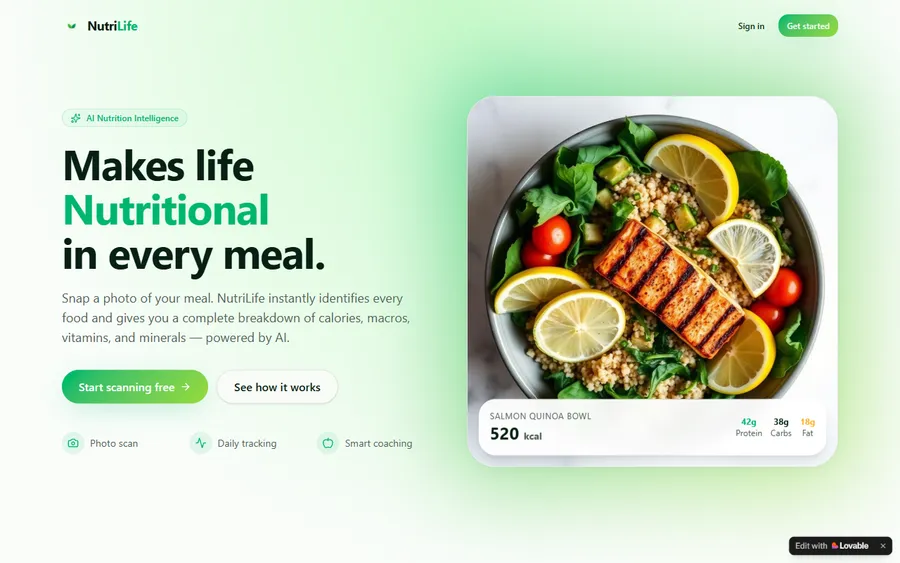
An AI nutrition coach that reads what you eat and works you toward a target.
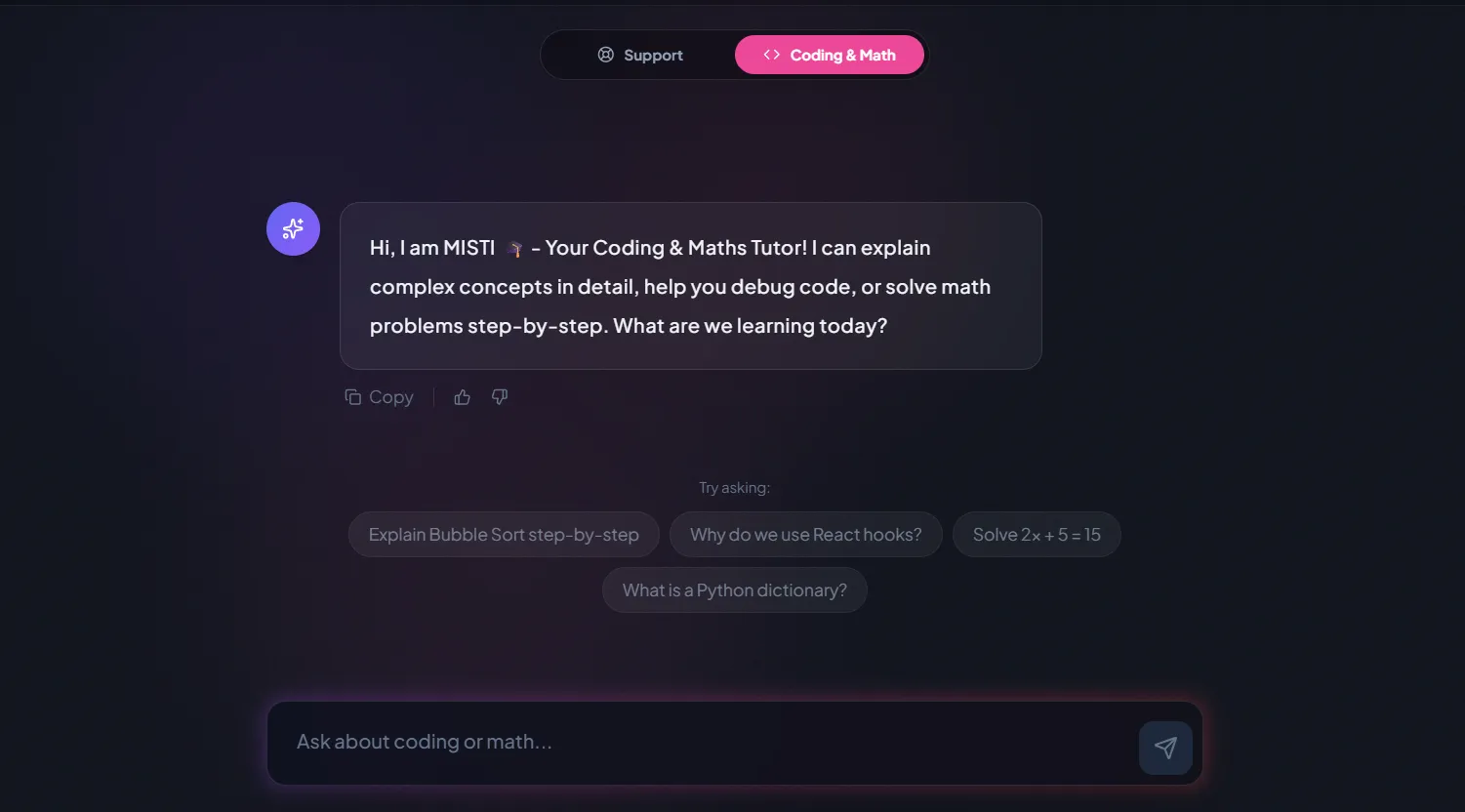
AI and ML
A chatbot that answers mathematics and programming questions, built and deployed by a student.
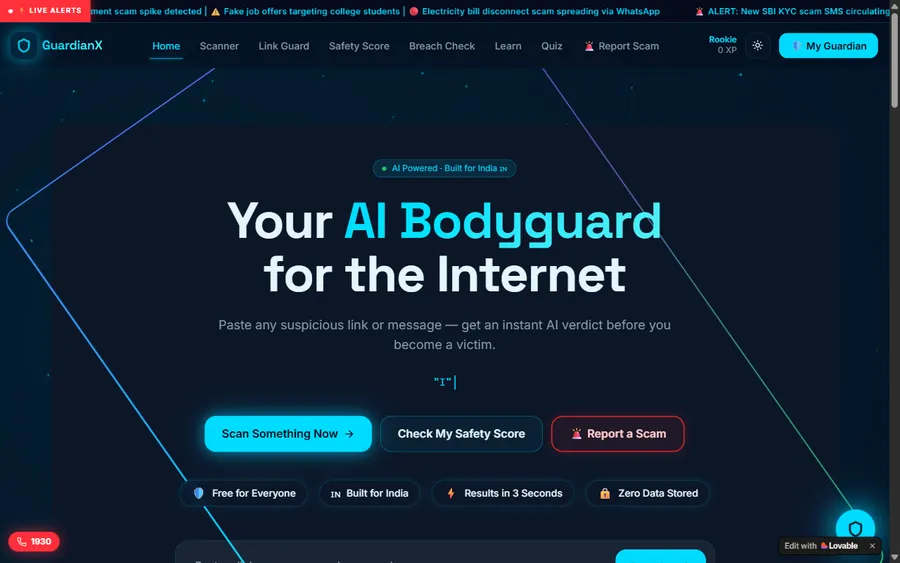
AI and ML
An assistant that helps a young person recognise unsafe situations online.
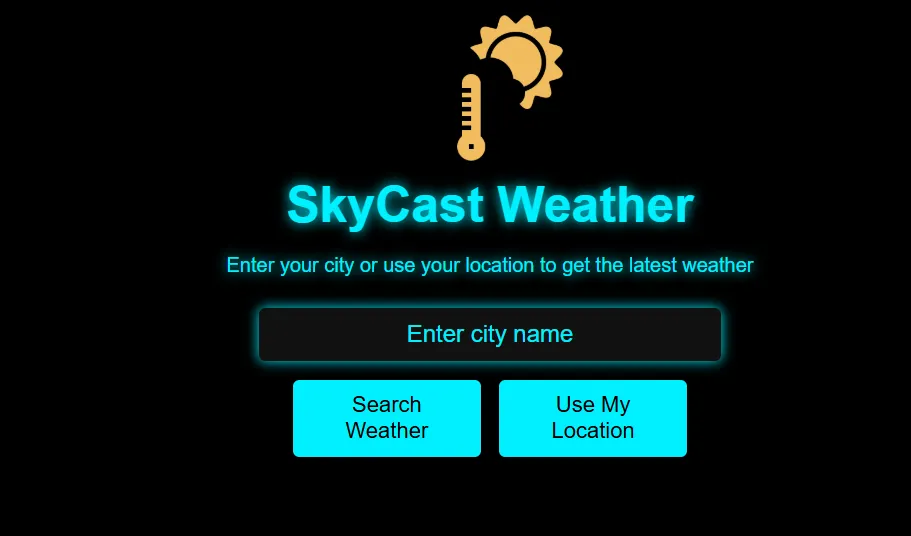
Web app
A weather forecasting site with live conditions for any location.
Fees
Team registration, parts and event entry are paid to FIRST and to suppliers; our fee covers Java and programming lessons only. We bill by the month, so lessons can run through league meets and stop after the last event.
Free first class
USD 0
no card required
Group batch
USD 100
a month, billed in US dollars
One to one
USD 150
a month, billed in US dollars
What families say
Google reviews from parents, in their own words.
★★★★★
"The one step solution for my son. Modern Age Coders make learning coding so simple that kids love it. The teachers explain complex concepts clearly with practical exercises and interactive content."
Ria Mukherjee
Parent
★★★★★
"Modern Age Coders has been a game-changer for me. I struggled to grasp IT concepts and coding before joining, but their classes transformed everything. I can now confidently write complex programs with ease."
Samriddha Mondal
Student
★★★★★
"One of the most wonderful education centres out there. Education is not limited to school syllabus but focuses on skill development."
Vansh Agarwal
Student
★★★★★
"My child Dhairya is really enjoying the Modern Age Coders classes. This is his first online class and he eagerly looks forward to it. I can already see his improvement, and the teachers are very cooperative."
Sonam Oswal
Parent of Dhairya
★★★★★
"Modern Age Coders have wonderful teachers who teach in a clear, easy and practical way. The teacher boosts students' confidence and inspires them to learn without hesitation."
Sonu Goyal
Parent
★★★★★
"I highly recommend this computer coding class! The teachers are incredibly knowledgeable and passionate about coding."
Ritu Kedia
Parent
Questions from FTC families and coaches
FTC robots are programmed in Blocks, a visual tool, or in Java, either in the browser with OnBot Java or in Android Studio. The FTC docs also cover Kotlin as an advanced option. Java is the text language most teams use.
FIRST's Blocks tutorial recommends starting with Blocks, even for experienced programmers, because it is the quickest way to get a robot moving. Teams usually move to OnBot Java or Android Studio when their code grows.
The FtcRobotController repository lists v12.0 as the official release for the 2026/2027 season, published September 12, 2026. Building it in Android Studio needs Narwhal 3 Feature Drop or later.
The 2026-2027 Competition Manual gives a 30-second AUTO period, then an 8-second transition, then a 2-minute TELEOP period. During AUTO the drive team may not touch the robot or the Driver Station, apart from start, stop and safety.
An OpMode is one program the robot can run, chosen on the Driver Station. Teams write TeleOp OpModes for driver control and Autonomous OpModes for the first 30 seconds, usually by extending LinearOpMode.
Rule G305 requires every team to select and initialize an OpMode before each match. The manual suggests that teams without an AUTO OpMode create a default one from the BasicOpMode sample and auto-load their TeleOp.
Rule R503 in the 2026-2027 manual limits a robot to a total of 8 motors and 8 servos across all the mechanisms it uses. Only motors on the manual's allowed list count as legal.
The manual answers the question of mentor involvement with "However much is needed to inspire the youth on the team." We teach programming ideas on our own example robots, and the student writes the team's code.
It recognizes a team that uses sensors and software creatively to solve game challenges. The team needs a portfolio summarizing its control components, and at least one solution must use external feedback; the full code does not have to be included.
Weekdays or weekends, flexible: choose your batch, or for a very personalised plan choose 1-on-1 at your convenience, weekend mornings or weekdays.
No. Modern Age Coders is an independent coding school, not connected with FIRST, FIRST Tech Challenge or REV Robotics. FIRST and FIRST Tech Challenge are FIRST's trademarks.
Elsewhere on this site
Other contests, Java next steps and robot programs.
For grade 7 and 8 students weighing FTC against other contests.
Coded runs on a different robot system.
Contests where the code runs on a screen, not a field.
Where FTC Java pays off in school.
Coding, math and AI contest dates this year.
Courses beyond the robot.
Part of the guide: US math and coding competitions guide
More guides: US state math tests by state · US gifted and selective school tests · US math placement and college readiness tests · Homeschool and school math curricula guide
Start here
Tell us your child’s grade, whether their team uses Blocks, OnBot Java or Android Studio, and how much Java they know. The teacher sets a short logic task and suggests where to begin.
Want to know how we teach first? Read how we teach, or see all our courses.
WhatsApp us · +91 91233 66161 · connect@modernagecoders.com
Our teachers are in India and teach live by video at US after-school and weekend hours. WhatsApp is usually the fastest way to get a reply.
A priority demo is a full class of about 45 to 60 minutes. After the class the mentor sends a written skill report and a personal learning roadmap on WhatsApp. If you enrol, the demo fee is adjusted against your first month's fee. Share your demo Order ID with us on WhatsApp and we take it off.
Book a priority demo