MS / KID / 01
Scratch, done properly
For a sixth grader who has never coded.
Open the syllabusUnited States · Grades 6 to 8 · Ages 11 to 14
Modern Age Coders teaches live online coding for middle school students in grades 6 to 8, ages 11 to 14, in a batch or one to one. These are the years to move from block coding to typed Python or JavaScript, write functions that can be reused, and build projects for real users. This page sets out what grade 8 should look like.
Live teaching since 2020 · 10,000+ students · Typed code from sixth grade
In short
By the end of grade 8, the K-12 Computer Science Framework expects students to write readable programs that combine loops, events and conditionals, name variables meaningfully, organise code into procedures with parameters, and test whether a solution meets its criteria. A middle school coding class should get a student typing real code, usually Python, and building projects for other people. Modern Age Coders teaches this live online for US students, in a batch or one to one, and the first class is free.
Start here
Middle school straddles our kids and teens courses, so we place each student by age and experience.

MS / 01
Written for 9 to 12. A first typed language for sixth graders.
Open the syllabus →
MS / 02
Written for 13 to 18. Deeper projects from seventh or eighth grade.
Open the syllabus →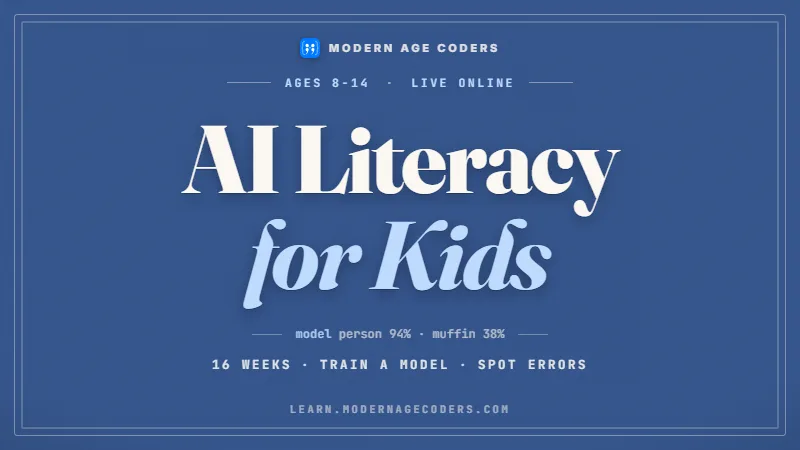
MS / 03
Ages 8 to 14. How AI works, where it fails, how to judge it.
Open the syllabus →Grades 6 to 8
Middle school is the hinge between children’s and teenagers’ coding. A sixth grader and an eighth grader can be in the same building and need quite different classes.
The National Center for Education Statistics defines a middle school as "A school that offers more of grades 5 through 8 than higher or lower grades but does not offer both kindergarten through grade 4 and grades 9 through 12."
Middle school usually means grades 6 to 8, though some districts start it at grade 5 and some run grade 7 to 8 junior highs. The Congressional App Challenge rules say the same thing in plain words: "Middle school varies by region but typically encompasses 6th-8th grades".
Our courses for kids run to age 12 and our teen courses start at 13, so the line falls inside middle school. Most sixth graders join a kids course; most eighth graders are ready for the teen version; seventh grade can go either way.
We decide in the free first lesson by looking at typing speed, reading level and what the student has already built, not birthday alone. A confident twelve-year-old who has finished a lot of Scratch may start straight in a teen course.
| Grade | Typical age during the year | Usual starting point | What they build |
|---|---|---|---|
| 6th grade | 11 to 12 | Python for kids, or Scratch if new to coding | Text games, quizzes, turtle drawings |
| 7th grade | 12 to 13 | Python for kids or for teens, by level | Programs split into functions, simple web pages |
| 8th grade | 13 to 14 | Python or JavaScript for teens | Apps for a real user, data projects, contest problems |
Sources: NCES glossary and the Congressional App Challenge 2026 rules, read 17 October 2026. The ages and starting points are ours. We are not connected with NCES or the Congressional App Challenge.
By the end of grade 8
The K-12 Computer Science Framework, which states may use to develop their own standards, sets an endpoint for grade 8. Read together, its programming statements describe a student who writes code other people can read and reuse.
| Idea in the framework | Grade 8 statement | Seen in class as |
|---|---|---|
| Algorithms | "Algorithms that are readable are easier to follow, test, and debug." | Rewriting a messy solution so a classmate can follow it |
| Variables | "A meaningful identifier is assigned to each variable to access and perform operations on the value by name." | lives_left, not x |
| Control | "Programmers select and combine control structures, such as loops, event handlers, and conditionals, to create more complex program behavior." | A loop inside a condition inside an event |
| Modularity | "Programs use procedures to organize code, hide implementation details, and make code easier to reuse." | Writing a function once and calling it many times |
| Parameters | "Defining parameters for procedures can generalize behavior and increase reusability." | The same function working for any message or any number |
| Troubleshooting | "A systematic process will identify the source of a problem" | Testing one change at a time and reading error messages |
| Online safety | "People can be tricked into revealing personal information when more public information is available about them online." | Thinking before posting a project with a real name or school |
In the elementary statements the emphasis is on following and creating instructions. By grade 8 the emphasis moves to other people: readable algorithms, meaningful names, and solutions designed by "defining a problem’s criteria and constraints" and testing whether they were met.
That is a big change in mindset. A sixth grader often writes code only they understand; an eighth grader who meets these statements writes code a teacher, a teammate or their future self can pick up.
The grade 8 statements also bring in protection of information "such as encryption to maintain its confidentiality", which is why our example program below is a simple cipher.
They connect it to students’ own lives as well: the more that is public about someone online, the easier it is to trick them. We talk about that directly when students publish their first projects.
Quoted from the statements-by-grade-band page on k12cs.org, which we checked on 17 October 2026; short extracts only, as its licence allows. The framework sets grade-band endpoints, not a lesson for each grade; your state’s standards decide the detail.
What schools are changing to
Code.org says its CS Discoveries course "introduced hundreds of thousands of middle schoolers to computer science." For the 2026 to 2027 school year, Code.org (now presenting its site as CodeAI) recommends a replacement built around AI.
| Point | CS Discoveries | AI Discoveries |
|---|---|---|
| Grades listed | 6, 7, 8, 9, 10 | 6, 7, 8 |
| Status | Still available to teachers using it; Code.org calls AI Discoveries "the new version of this course" | Ready for the 2026 to 2027 school year |
| Length | A full year over 7 units, or single units | Full Year (36 weeks), Semester (18 weeks) or Quarter (9 weeks) |
| First unit | Not stated on the course page | "Thinking Critically About AI" |
| AI content | An AI and Machine Learning unit | AI and Machine Learning moves to Unit 2 |
| Tools named | Game Lab, App Lab, AI Lab, Web Lab | AI Chat Lab, Web Lab, Game Lab, App Lab, Sketch Lab |
| Devices | Computer, Chromebook | Chromebook, computer |
If your child’s school adopts AI Discoveries, their first unit of computer science may be about evaluating AI systems, bias and misinformation before they write much code. That is a sensible order, and it raises a question families ask us: will they still learn to program?
They will meet programming in later units, but a school elective is often a quarter or a semester. A weekly class outside school is where students go further with typed code and longer projects.
We teach the same ideas in a different order: programming first, then AI, then the two together. A student who has written their own small classifier understands far better why an AI system can be confidently wrong.
Code.org and CodeAI have no connection with us. Their catalogue simply shows what many US middle schools teach, so we can start new students in the right place.
Sources: Computer Science Discoveries, AI Discoveries and the curriculum catalogue (which lists AI Discoveries as 8 units for grades 6 to 8), read 17 October 2026.
A real program
This is a program we write with middle schoolers in their first month of typed code. It is short, it does something they want (secret messages), and it meets two of the grade 8 statements head on: procedures that organise code, and parameters that make it reusable.
# Caesar cipher (ours): one procedure, two parameters, used twice
def shift_message(message, shift):
    result = ""
    for letter in message:
        if letter.isalpha():
            start = ord("A") if letter.isupper() else ord("a")
            result += chr((ord(letter) - start + shift) % 26 + start)
        else:
            result += letter
    return result

secret = shift_message("Meet at the library", 3)
print(secret)                     # Phhw dw wkh oleudub
print(shift_message(secret, -3))  # Meet at the library
Ours. We ran it with Python 3.13 before printing it, and the two comment lines show its real output. The % 26 wraps the alphabet round, so a letter shifted past z comes back to a.
def shift_message wraps the whole idea in one named block that hides the detail from the code that calls it.
message and shift let the same function encrypt with 3 and decrypt with -3.
isalpha() leaves spaces and punctuation alone, a decision students usually add after their first bug.
| Call | What it prints | What it tests |
|---|---|---|
| shift_message("xyz", 3) | abc | Wrapping past the end of the alphabet |
| shift_message("Zoo!", 1) | App! | Capitals and punctuation |
| shift_message("abc", 26) | abc | A full turn of the alphabet changes nothing |
| shift_message("Hi", -1) | Gh | A negative shift goes backwards |
A Caesar cipher is easy to break: there are only 25 useful shifts, so a program can try them all in an instant. Students usually discover this themselves, and writing that brute-force loop is the next lesson.
That discovery is worth more than the cipher. It shows why real encryption is mathematical and why the grade 8 framework talks about protecting information rather than hiding it.
From here students write a function that counts letters, then use the counts to guess the shift automatically. That is their first taste of using data to make a decision.
Older middle schoolers take the same idea into JavaScript and put it on a web page their friends can use, which is a project for a real user, exactly what the framework asks for.
Which language
Parents often ask which language a middle schooler should learn. There is no single right answer, but there is a sensible order for most students, and it depends on what they want to make.
| If your student wants to | Start with | Why |
|---|---|---|
| Learn programming properly, any direction | Python | Short, readable code; the same ideas carry to every other language |
| Make websites and things friends can open | JavaScript with HTML and CSS | Runs in any browser; instant results on screen |
| Make games in a world they already play | Luau in Roblox Studio | Event-driven code with a built-in audience |
| Take AP Computer Science A later | Python first, then Java in high school | Java is the AP CSA language; Python makes the first year gentler |
| Enter coding competitions | Python, then C++ if they get serious | Python to learn problem solving, C++ for speed in contests |
The real jump in middle school is from dragging blocks to typing exact syntax. A missing bracket or a wrong indent stops a program, and students need a few weeks of patient practice before that stops being frustrating.
Whichever language a student picks, the first month should be full of small programs that work, so the frustration never wins.
Many AI services set a minimum age in their terms, and those rules change. We never ask a student to create an account on a service that does not allow their age, and in class AI is something students study and test, not a shortcut.
Code.org lists an AI Chat Lab among the tools in its AI Discoveries course. If your student uses one at school, ask them to show you how they check its answers.
A first semester
Families like to know where the time goes. This is the outline we use for a middle schooler starting typed Python, written as six blocks of three weeks. Fast students finish early and move to a bigger project; nobody is pushed past a block they have not understood.
| Weeks | Block | What the student can do at the end |
|---|---|---|
| 1 to 3 | Printing, input and variables | Write a short quiz that asks questions and keeps a score |
| 4 to 6 | Conditions and loops | Build a number-guessing game with hints and a limited number of tries |
| 7 to 9 | Functions and parameters | Write the Caesar cipher above and reuse it to decode |
| 10 to 12 | Lists and strings | Store a list of words, search it, and count letters |
| 13 to 15 | A project for a real user | Interview a family member, then build a small tool they asked for |
| 16 to 18 | Testing and presenting | Fix bugs found by the user, then explain the code in five minutes |
The grade 8 framework statement on program development is about solutions for other people. Building for a grandparent, a younger sibling or a club teaches more about clear design than any exercise, because real users press the wrong buttons.
The projects students remember are often tiny: a chore tracker, a spelling quiz for a little brother, a scoreboard for a family board game.
Explaining code out loud is how we check understanding. A student who can say why a function takes a parameter, in their own words, owns that idea.
Parents are welcome at the presentation lesson. It is usually the moment a family sees how much has changed since week one.
Beyond class
Middle school is when students can start entering real competitions, and a project with a deadline is a strong reason to keep coding.
Under the 2026 rules, students must be enrolled in middle school or high school on October 26th, 2026 to enter. Students compete in a congressional district that is hosting the challenge, where they live or where they go to school, and entries are judged by that district’s Member of Congress and their office, so the competition is local even though it runs across the country.
Our Congressional App Challenge guide covers the rules, the demo video and a ten-week build plan.
Students who like puzzles can start on contest-style problems, and our USACO preparation page explains how that path works. Those who like making things can enter school science fairs with a coding project.
Our page on computer science extracurriculars lists more options, most of which open up in the last year of middle school.
Grade 6 to grade 8
Where most students are when they join, and where they can be by the end of eighth grade.
| Stage | Signs of it |
|---|---|
| 1. Block expert | Builds big Scratch projects, finds typing slow and fiddly |
| 2. Typist | Writes short Python programs with loops and conditions, fixes syntax errors alone |
| 3. Organiser | Splits programs into functions with parameters, names things clearly |
| 4. Builder for others | Makes a tool or game for a real user, tests it with them, improves it |
Stage 2 is the hardest month. Encourage short, frequent practice rather than long weekend sessions.
Ask who the project is for. A student who can answer that is thinking at stage 4.
Every error message is a clue. Read the line number first, then the last line of the message.
Write the function name before the function. If you cannot name it, you have not decided what it does yet.
The catalogue
Live classes with a steady teacher; the ages listed belong to each course.
MS / KID / 01
For a sixth grader who has never coded.
Open the syllabusMS / KID / 02
Ages 8 to 12. Build fast, pitch clearly.
Open the syllabusMS / KID / 03
The algebra that code leans on.
Open the syllabusMS / TEN / 01
Interactive pages and browser games.
Open the syllabusMS / TEN / 02
Unity and C#, step by step.
Open the syllabusMS / TEN / 03
HTML, CSS and JavaScript done well.
Open the syllabusMS / THK / 01
Algorithms explained from zero.
Open the syllabusMS / THK / 02
For students who already write programs.
Open the syllabusMS / THK / 03
Defensive and ethical, no coding needed.
Open the syllabusHow lessons run
Weekdays or weekends, flexible: choose your batch, or for a very personalised plan choose 1-on-1 at your convenience, weekend mornings or weekdays.
Weekdays
After-school batches across US time zones.
Weekends
Mornings that avoid sports and practice.
1-on-1
Booked at your convenience.
The same teacher follows each student’s progress.
Kids or teen course, decided in the first lesson.
Students write every line themselves.
The teacher reads the code, not just the result.
Built for a friend, a club or the family.
Join a batch of fifteen to twenty, or book one to one.
Student work
A few projects by learners who began with the same first programs. More on the student labs page.

AI and ML
An AI nutrition coach that reads what you eat and works you toward a target.

AI and ML
A chatbot that answers mathematics and programming questions, built and deployed by a student.

AI and ML
An assistant that helps a young person recognise unsafe situations online.

Web app
A weather forecasting site with live conditions for any location.
Fees
Fees are monthly and shown in US dollars. Nothing locks you in for the school year: if a month finishes and you want to stop, you stop.
Free first class
USD 0
no card required
Group batch
USD 100
a month, billed in US dollars
One to one
USD 150
a month, billed in US dollars
What families say
Copied word for word from parents’ Google reviews.
★★★★★
"The one step solution for my son. Modern Age Coders make learning coding so simple that kids love it. The teachers explain complex concepts clearly with practical exercises and interactive content."
Ria Mukherjee
Parent
★★★★★
"Modern Age Coders has been a game-changer for me. I struggled to grasp IT concepts and coding before joining, but their classes transformed everything. I can now confidently write complex programs with ease."
Samriddha Mondal
Student
★★★★★
"One of the most wonderful education centres out there. Education is not limited to school syllabus but focuses on skill development."
Vansh Agarwal
Student
★★★★★
"My child Dhairya is really enjoying the Modern Age Coders classes. This is his first online class and he eagerly looks forward to it. I can already see his improvement, and the teachers are very cooperative."
Sonam Oswal
Parent of Dhairya
★★★★★
"Modern Age Coders have wonderful teachers who teach in a clear, easy and practical way. The teacher boosts students' confidence and inspires them to learn without hesitation."
Sonu Goyal
Parent
★★★★★
"I highly recommend this computer coding class! The teachers are incredibly knowledgeable and passionate about coding."
Ritu Kedia
Parent
Questions from families
By the end of grade 8 the K-12 Computer Science Framework expects readable programs that combine loops, events and conditionals, meaningful variable names, and procedures with parameters. In practice that means typed code, usually Python or JavaScript, and projects built for other people.
No. Many students start in sixth or seventh grade and catch up quickly, because they read and type well. A beginner in middle school can go from first program to functions with parameters within a few months of weekly classes.
We start most students on Python: the code is short, it reads clearly, and what they learn transfers to any other language. JavaScript suits students who mainly want to build websites. Many learn Python first and add JavaScript in eighth grade.
Usually grades 6 to 8. NCES defines a middle school as one offering more of grades 5 through 8 than other grades, so some districts start middle school at grade 5 or use a grade 7 and 8 junior high.
A Code.org middle school course for grades 6 to 8 that replaces CS Discoveries for the 2026 to 2027 school year. Its first unit is Thinking Critically About AI, and it can run as a full year, a semester or a quarter.
Yes. The 2026 rules say students must be enrolled in middle school or high school on October 26th, 2026. Our Congressional App Challenge guide covers the rules and a build plan.
Our kids courses run to age 12 and teen courses start at 13. Most sixth graders join a kids course and most eighth graders a teen course; we decide in the free first lesson by level, not birthday alone.
Weekdays or weekends, flexible. Choose your batch, or for a very personalised plan choose 1-on-1 at your convenience, weekend mornings or weekdays.
Batches are fifteen to twenty students with one teacher who stays with them. If you want a teacher just for your child, 1-on-1 lessons are available too.
You pay nothing for the first lesson. After it a fee is charged each month, and the amount appears in US dollars in the fees section above.
Elsewhere on this site
More for US middle schoolers and their parents.
Where all our US guides start.
Rules and a ten-week plan.
The sixth and seventh grade year.
Moving into teen courses.
Clubs, contests and projects.
One class, described in full.
Coding for high schoolers: CS access data, AP CSP and AP CSA in 2027, and a four-year plan.
Coding milestones by age, with a checklist for 8 to 10 year olds.
AI literacy for K-5: what it means, what standards expect, and two activities.
Start here
Share your child’s grade and any coding they have done, even a few weeks of it at school. The first lesson doubles as placement, so they start at the right level.
Before booking you can read how our teachers run a class, or browse the course catalogue with full syllabuses.
WhatsApp us · +91 91233 66161 · connect@modernagecoders.com
Our teachers are based in India and teach every class live on video, so families anywhere in the US join the same way. WhatsApp gets the fastest answer.
A priority demo is a full class of about 45 to 60 minutes. After the class the mentor sends a written skill report and a personal learning roadmap on WhatsApp. If you enrol, the demo fee is adjusted against your first month's fee. Share your demo Order ID with us on WhatsApp and we take it off.
Book a priority demo