SC / EASY / 01
AI Tools Mastery
Using AI assistants sensibly, and knowing their limits.
Open the syllabusCanada · Older adults · Python and the web, at a patient pace
Plenty of people start programming after a working life in something else entirely. Some want to understand the technology their grandchildren talk about, some want a small tool that does a job at home, and some simply enjoy a puzzle that answers back. This page is for them. It explains how we pace classes for older beginners, how to make the screen easy to read before the first line of code, and walks through two complete projects from our classes: a birthday reminder written in Python, and a checker that tells you whether text on a web page is easy enough to read.
Teaching live online since 2020 · 10,000+ students · rated 4.9 across 547 Google reviews
In short
Modern Age Coders teaches coding to seniors across Canada, live online, one to one or in a batch, starting with Python or with HTML and CSS. We do not run a separate seniors course; we teach our beginner adult courses at a slower, patient pace, with large readable text, a recap at the end of each class, and small projects that are useful at home.
Gentle places to start
None of these is a special seniors course. They are our courses for complete beginners, which we pace to suit each learner.
SC / 01
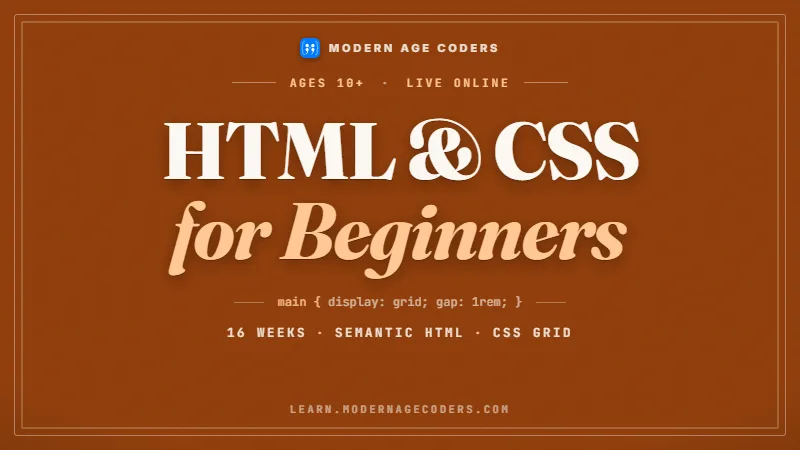
Build and publish a small website of your own, perhaps family recipes or a club page. Written for absolute beginners, sixteen weeks.
Open the syllabus →
SC / 02
For complete beginners aged 18 and over. We slow the first months right down for older learners who want plenty of practice.
Open the syllabus →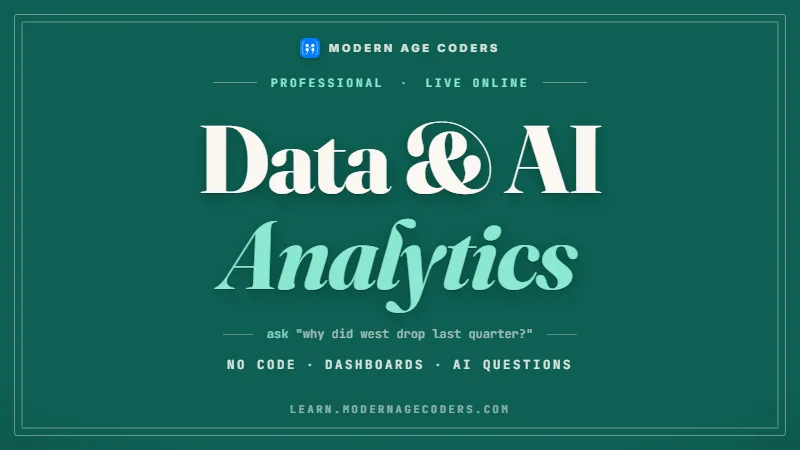
SC / 03
Spreadsheets, charts and AI assistants without writing code, for learners who want practical skills before programming.
Open the syllabus →How we pace it
Older beginners learn programming perfectly well. What usually goes wrong is the pace: courses written for students racing to a deadline pile up new words faster than anyone can absorb them. These are the principles we teach by, written by us.
| Principle | What it means in a class |
|---|---|
| One idea per class | A class introduces one new idea, such as a loop, and spends the rest of the hour using it in different ways. |
| Plain words first | Every technical word is explained in everyday language before it is used, and kept on a running word list. |
| Typing it yourself | You type every line. Watching someone else code feels like learning but rarely sticks. |
| Mistakes on purpose | The teacher breaks a working program and you fix it, so error messages become familiar instead of frightening. |
| A recap you write | The last minutes of each class go on writing down, in your own words, what was covered, plus one small exercise to try. |
| Repeat without apology | Any idea can be taught again, in another way, as often as needed. Nobody is behind. |
| Finish something useful | Every few weeks ends with a small program you will actually use, not an exercise thrown away. |
Many older learners prefer a teacher to themselves at first, because the pace is entirely theirs and questions never feel like an interruption.
Others enjoy learning alongside other adults in a batch of fifteen to twenty. Both work; the first class is a good time to decide.
A laptop or desktop computer, a reliable internet connection, and a quiet place for an hour. A mouse often feels easier than a touchpad.
Nothing needs to be bought. Python and the editor we use are free, and we install them together, step by step, during the first class.
Before the first line of code
Small grey text on a bright screen makes any lesson harder. We spend part of the first class making text larger and clearer, using settings that already exist. The web standards behind this are public, and so are Python's own settings.
| What to change | What the source says | How we do it in class |
|---|---|---|
| Text size on web pages | WCAG 2.2 asks that text "can be resized without assistive technology up to 200 percent without loss of content or functionality." | Browser zoom: hold Ctrl (Command on a Mac) and press the plus key until reading is comfortable. |
| Contrast between text and background | WCAG 2.2 sets a contrast ratio "of at least 4.5:1" for normal text, and at least 3:1 for large-scale text. | Dark text on a pale background in the editor; our second project below measures it. |
| Buttons and links you can hit | WCAG 2.2 added a new criterion, Target Size (Minimum): a pointer target "is at least 24 by 24 CSS pixels", with some exceptions. | When you build web pages, we make buttons generous from the start. |
| The Python editor's font | IDLE, "Python's Integrated Development and Learning Environment", lets you change "fonts, indentation, keybindings, text color themes, startup windows and size". | Options, then Configure IDLE, then the Font tab, where the documentation says to "see the text sample for the effect of font face and size". |
Zoom the browser so this page reads easily. Set the editor font to a size you can read from a relaxed sitting position. Choose a light or dark colour theme, whichever feels calmer.
Turn up the volume on the video call, and if it helps, turn on the call's own captions. Keep a notebook and pen beside the keyboard.
The settings that help you read your own code are the same ideas good web developers build into every page. Learners who build websites with us learn to meet these standards for other people too.
Canada's federal Accessible Canada Act sets the aim of "a Canada without barriers, on or before January 1, 2040". Readable, usable websites are one small part of that.
Sources: W3C, Web Content Accessibility Guidelines (WCAG) 2.2, Recommendation of 12 December 2024; Python documentation, IDLE; Accessible Canada Act. All read 22 October 2026.
What programming is for
Computer Science Circles, the free Python course from the Centre for Education in Mathematics and Computing at the University of Waterloo, opens with a list of what programming lets you do: "automate computer tasks, make art and music, interpret and analyze survey results, build tools for other people, create custom websites, write games". Our older learners pick from that list too.
| Interest | A first project | A later project |
|---|---|---|
| Family | A birthday reminder from a short list (project one below) | A family history website with photos and captions |
| Garden and outdoors | A planting log that prints what was sown and when | A chart of first and last frost dates kept over several years |
| Clubs and volunteering | A sign-up list that sorts names and removes duplicates | A simple website for the club, readable on any phone |
| Reading and writing | A program that counts words in a chapter you wrote | A small collection of your stories, published as web pages |
| Puzzles | A number-guessing game to play with grandchildren | A word puzzle that checks answers and keeps score |
| Photos | A script that renames photos by the date they were taken | A web gallery that shows one album per page |
Computer Science Circles explains its choice of language this way: "We have chosen to teach Python since it is both simple enough for beginners and powerful enough to be used by modern companies." We teach Python for the same reason, and we point learners to Computer Science Circles for extra practice between classes, which CEMC describes as a free service. Modern Age Coders is not connected with CEMC.
Project one
This is a project we wrote for our older beginners, usually around week six. It reads a short list of family birthdays from a file and prints the ones coming up in the next thirty days, soonest first.
The list lives in a CSV file, the plain format spreadsheets can save. The Python documentation describes it as "the most common import and export format for spreadsheets and databases", so a learner can keep the list in a spreadsheet and save it as CSV.
name,month,day
Aunt Maureen,11,3
Daniel,12,19
Priya,1,8
Grandpa Joe,10,30
Leo,11,21
# Our birthday reminder: who has a birthday in the next 30 days?
import csv
from datetime import date

today = date(2026, 10, 22)        # fixed so the example always prints the same
window = 30                       # days ahead to look

coming_up = []
with open("birthdays.csv", newline="", encoding="utf-8") as f:
    for row in csv.DictReader(f):
        when = date(today.year, int(row["month"]), int(row["day"]))
        if when < today:                      # already passed this year
            when = date(today.year + 1, when.month, when.day)
        days_left = (when - today).days
        if days_left <= window:
            coming_up.append((days_left, row["name"], when))

for days_left, name, when in sorted(coming_up):
    print(f"{name}: {when.strftime('%A %d %B')} (in {days_left} days)")
We fixed today's date at 22 October 2026 so the output below never changes. In real use, replace that line with today = date.today().
Grandpa Joe: Friday 30 October (in 8 days)
Aunt Maureen: Tuesday 03 November (in 12 days)
Leo: Saturday 21 November (in 30 days)
Reading a file, looping over its rows, making a decision for each one, and sorting the results. Those four ideas sit underneath a surprising amount of everyday software.
It also teaches the habit we care about most: change one thing, run it, see what happened.
Add anniversaries in a second column. Print how old each person will be. Later, turn the list into a small web page that shows the month ahead.
Each step adds one small idea to a program that already works. We call that our rule for older beginners: one small, useful program at a time.
Project two
Older learners who build websites often care about readability more than anyone. This project, also ours, turns the contrast formula published in WCAG 2.2 into a short Python program that tells you whether text will be easy to read on its background.
WCAG 2.2 defines relative luminance as "L = 0.2126 * R + 0.7152 * G + 0.0722 * B", after each colour channel is adjusted with the rule "if RsRGB <= 0.04045 then R = RsRGB/12.92 else R = ((RsRGB+0.055)/1.055) ^ 2.4". The contrast ratio is then "(L1 + 0.05) / (L2 + 0.05)", lighter colour on top. The program follows those three formulas exactly.
# Our contrast checker, using the formulas in WCAG 2.2
def channel(c):
    c = c / 255
    return c / 12.92 if c <= 0.04045 else ((c + 0.055) / 1.055) ** 2.4

def luminance(hex_colour):
    r, g, b = (int(hex_colour[i:i + 2], 16) for i in (1, 3, 5))
    return 0.2126 * channel(r) + 0.7152 * channel(g) + 0.0722 * channel(b)

def contrast(a, b):
    light, dark = sorted((luminance(a), luminance(b)), reverse=True)
    return (light + 0.05) / (dark + 0.05)

for text, background in [("#1C1814", "#FBF8F2"), ("#888888", "#FFFFFF"), ("#703F36", "#FBF8F2")]:
    ratio = contrast(text, background)
    verdict = "passes" if ratio >= 4.5 else "fails"
    print(f"{text} on {background}: {ratio:.2f} to 1, {verdict} 4.5 to 1")
Colours are written as hex codes, the six-character form web pages use. The second pair, mid-grey on white, is the kind of pale text many websites still use.
#1C1814 on #FBF8F2: 16.65 to 1, passes 4.5 to 1
#888888 on #FFFFFF: 3.54 to 1, fails 4.5 to 1
#703F36 on #FBF8F2: 8.08 to 1, passes 4.5 to 1
Near-black on cream scores about 16.65 to 1, far above the 4.5 to 1 that WCAG 2.2 asks for normal text. Mid-grey on white scores 3.54 to 1 and fails, which is why so much small grey web text is tiring to read.
The third pair is the colour used for headings on this page, and it passes with 8.08 to 1.
It shows that a published standard can be turned into code line by line, and that the code can be checked against the standard. Nothing is magic.
Learners then use the checker on the colours of their own first website, before anyone else sees it.
The first eight weeks
Our plan for an older learner starting Python one to one, with two classes a week. A group moves at the pace of the group, and any week can be repeated.
Twenty to thirty minutes between classes is plenty, ideally on two different days.
Writing a new word and its meaning by hand helps it stay.
The only test is whether your program does what you wanted.
Across Canada
Our teachers teach from India, which lets them cover hours across all of Canada's time zones. Times are agreed in your own local clock.
Two clock changes affect learners this season. Eastern and Atlantic Canada, and Newfoundland, set their clocks back on Sunday 1 November 2026 and forward on Sunday 14 March 2027. British Columbia stays on UTC-7 all year, Alberta and Saskatchewan on UTC-6, and Manitoba moves to UTC-5 all year from 1 November 2026. If your grandchildren live in another province, a class time can look different on their clock than on yours, so we always state the time in your own zone and check it again after each change. Many retired learners like weekend mornings; others prefer a weekday slot. Both are available, and a one-to-one plan can move from week to week.
Where a learner starts
Our stages, to place each learner kindly and honestly in the first class.
| Stage | What it looks like |
|---|---|
| 1. Comfortable on the computer | Opens files, uses a browser and a video call, and can type steadily |
| 2. First programs | Types short programs from the teacher's example and runs them |
| 3. Changing programs | Alters a working program to do something new and reads simple error messages |
| 4. Own projects | Plans and writes a small useful program from a blank file |
That is a fine place to begin. The first classes include whatever computer basics you need, such as saving a file and finding it again.
There is no hurry. Being comfortable with the computer makes every later week easier.
Years of spreadsheets, databases or office systems are a real head start: you already think in rows, columns and steps.
The first class may move you straight to stage 2 or 3.
The catalogue
All taught live online by a regular teacher, in a batch or one to one, at a pace we agree with you.
SC / EASY / 01
Using AI assistants sensibly, and knowing their limits.
Open the syllabusSC / EASY / 02
Making sense of numbers in the news, no programming needed.
Open the syllabusSC / EASY / 03
Excel, SQL and charts for your own data.
Open the syllabusSC / PY / 01
Small scripts that save time every week.
Open the syllabusSC / PY / 02
Turning a Python program into a web page.
Open the syllabusSC / PY / 03
For learners who like a clear goal to work towards.
Open the syllabusSC / WEB / 01
Keeping club or family records tidy and searchable.
Open the syllabusSC / WEB / 02
The long road to complete web applications.
Open the syllabusSC / WEB / 03
Keeping every version of your work safe.
Open the syllabusHow lessons run
Weekdays or weekends, flexible: choose your batch, or for a very personalised plan choose 1-on-1 at your convenience, weekend mornings or weekdays.
Weekdays
A regular slot on the days that suit your week.
Weekends
Unhurried morning classes.
1-on-1
Your own teacher, at a time agreed with you.
Screen and editor set up for easy reading.
Each class ends by noting what was learned.
Programs for home, family and clubs.
Questions welcome, repeats welcome.
Learners from coast to coast to coast.
A batch of fifteen to twenty adults, or a teacher alone.
Student work
Projects from learners of all ages are below; the student labs page has a wider collection.

AI and ML
An AI nutrition coach that reads what you eat and works you toward a target.

AI and ML
A chatbot that answers mathematics and programming questions, built and deployed by a student.

AI and ML
An assistant that helps a young person recognise unsafe situations online.

Web app
A weather forecasting site with live conditions for any location.
Fees
Classes are paid monthly, eight live classes at a time, with no long commitment. Many older learners take a month, pause for travel or family, and come back: that is welcome.
Free first class
Free
no card required
Group batch
$140 CAD
a month, eight live classes
One to one
$210 CAD
a month, eight live classes
What families say
Reviews our learners and families posted on Google, reproduced without edits.
★★★★★
"The one step solution for my son. Modern Age Coders make learning coding so simple that kids love it. The teachers explain complex concepts clearly with practical exercises and interactive content."
Ria Mukherjee
Parent
★★★★★
"Modern Age Coders has been a game-changer for me. I struggled to grasp IT concepts and coding before joining, but their classes transformed everything. I can now confidently write complex programs with ease."
Samriddha Mondal
Student
★★★★★
"One of the most wonderful education centres out there. Education is not limited to school syllabus but focuses on skill development."
Vansh Agarwal
Student
★★★★★
"My child Dhairya is really enjoying the Modern Age Coders classes. This is his first online class and he eagerly looks forward to it. I can already see his improvement, and the teachers are very cooperative."
Sonam Oswal
Parent of Dhairya
★★★★★
"Modern Age Coders have wonderful teachers who teach in a clear, easy and practical way. The teacher boosts students' confidence and inspires them to learn without hesitation."
Sonu Goyal
Parent
★★★★★
"I highly recommend this computer coding class! The teachers are incredibly knowledgeable and passionate about coding."
Ritu Kedia
Parent
Questions from older learners
No. Programming rewards patience, care and curiosity, which many retired learners have in abundance. Our learners include adults in their sixties, and steady practice matters far more than age.
Not a separate course. We teach our beginner courses, such as Python from zero or HTML and CSS for Beginners, at a slower pace for older learners, with a recap at the end of each class and as much repetition as each person wants.
Yes. The first classes include any computer basics you need, such as saving and finding files, and we set up everything together on the call.
Yes, and we do it in the first class. We use the browser's own zoom and the font settings in the Python editor, so text is large and clear before any coding starts.
Small programs that help at home: a birthday reminder, a planting log, a sorted list for a club, a game for grandchildren, or a simple family website. Each one is finished and kept.
Many older learners start one to one so the pace is entirely their own, then some move to a batch of fifteen to twenty for company. Both work well.
A laptop or desktop computer and a reliable internet connection. A mouse is often easier than a touchpad. The software we use is free.
Weekdays or weekends, flexible: choose your batch, or for a very personalised plan choose 1-on-1 at your convenience, weekend mornings or weekdays. We give every time in your own province's clock.
There are no exams. Each class ends with a short recap and one small optional exercise, usually twenty to thirty minutes of practice.
Our courses for children and our courses for adults are separate, but many grandparents and grandchildren take parallel courses and compare projects. We are happy to suggest matching courses.
Elsewhere on this site
More for adult learners in Canada, and for their families.
Our pages for learners in every province.
A second language, once Python feels familiar.
Our general guide for adult beginners.
Understanding AI tools without the hype.
Breaking a task into small steps.
What to do when a program stops.
How this year's clock changes affect classes.
A look inside a live class.
Work from our learners.
Start here
The first class is unhurried. We make the screen comfortable, install Python together, run a first short program, and talk about what you would like to make. You decide afterwards whether to continue.
Would you like to read a little more first? How we teach explains what happens in a class, and the full course list shows each syllabus.
WhatsApp us · +91 91233 66161 · connect@modernagecoders.com
Our teachers are in India and teach over live video, so you learn from your own home wherever you are in Canada. If you would rather message than fill in a form, WhatsApp reaches us quickly.
A priority demo is a full class of about 45 to 60 minutes. After the class the mentor sends a written skill report and a personal learning roadmap on WhatsApp. If you enrol, the demo fee is adjusted against your first month's fee. Share your demo Order ID with us on WhatsApp and we take it off.
Book a priority demo