Table of Contents
- What the research says happens when students use AI
- Six prompts that make a chatbot teach instead of tell
- Where the line between help and cheating usually is
- How to catch a confident wrong answer
- Age limits and settings parents should know
- A simple study routine with AI
- How we teach students to use AI well
- Frequently asked questions
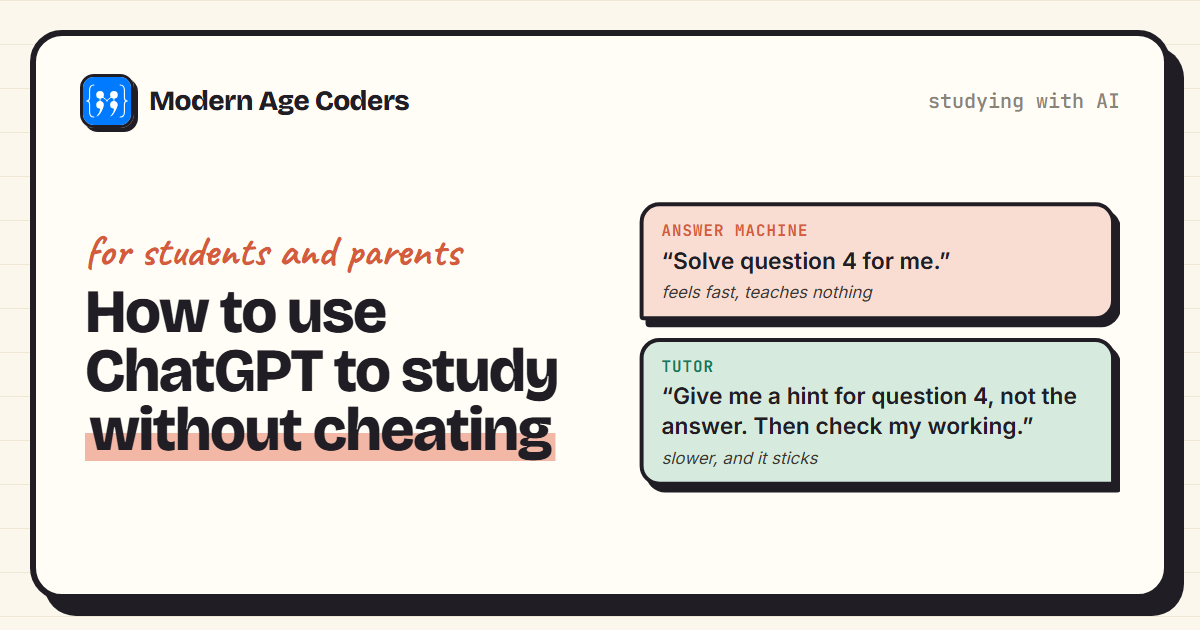
Almost every student now has access to an AI chatbot that can answer homework questions in seconds. That is a problem and an opportunity at the same time. Used one way, ChatGPT and tools like it do your thinking for you, and you arrive at the exam knowing less than when you started. Used another way, they are a patient tutor available at midnight, which is something students never had before.
This guide is about the second way. It explains what the research says actually happens to students who study with AI, gives you six prompts you can copy that make a chatbot teach rather than tell, shows where the line between help and cheating usually falls, and covers how to catch the confident wrong answers these tools sometimes give. It is written for students and for the parents trying to set sensible rules.
What the research says happens when students use AI
The best evidence so far comes from a randomised trial published in the Proceedings of the National Academy of Sciences in 2025 by researchers at the University of Pennsylvania. Working with a high school in Turkey, they gave nearly 1,000 students in grades 9 to 11 access to GPT-4 during maths practice sessions. Some students got a standard ChatGPT-style assistant. Others got a version with guardrails that gave teacher-designed hints instead of answers.
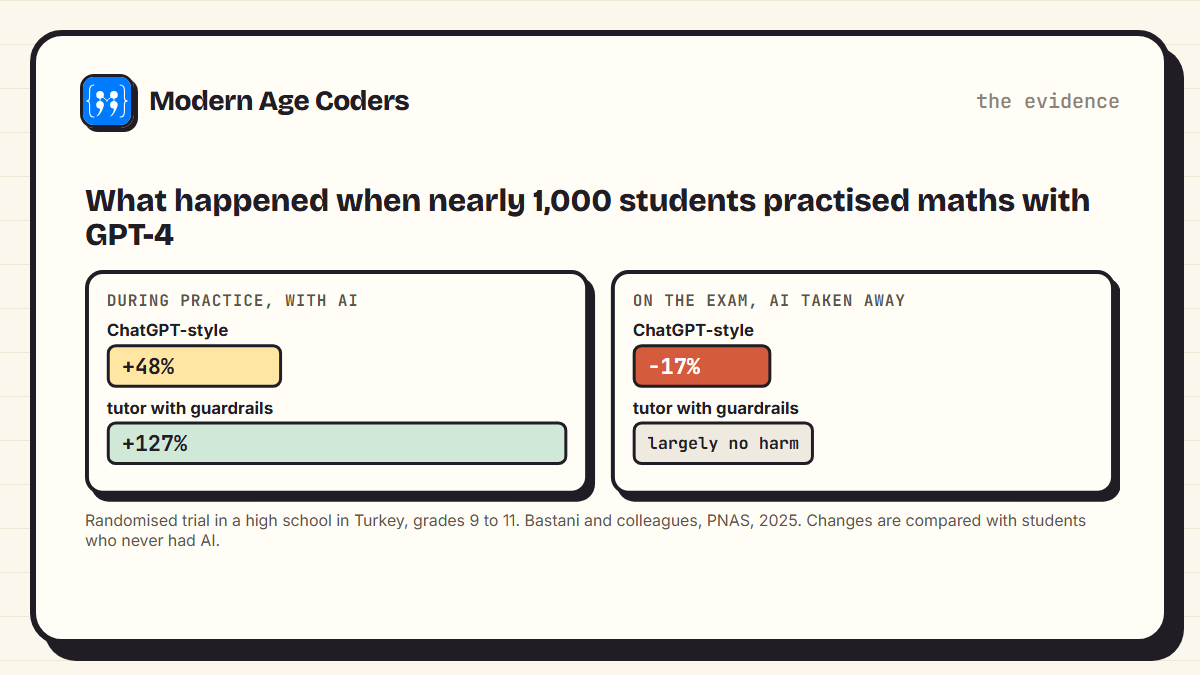
During practice, both groups did far better than students without AI: grades rose 48% with the standard assistant and 127% with the guardrailed tutor. But then the AI was taken away for the exam. Students who had used the standard assistant scored 17% lower than students who never had AI at all. They had practised with answers in front of them and learned less as a result. The students who used the tutor that only gave hints largely avoided that harm.
The lesson is not that AI is bad for learning. It is that how you use it decides whether it helps. Getting the answer and understanding the answer are different things, and only one of them is still there on exam day.
Why struggling a little is good for you
Learning research has shown for decades that recalling and working things out yourself, even slowly and with mistakes, builds much stronger memory than reading a correct answer. When AI removes all the struggle, it removes the part that did the teaching. The goal is to use it to keep the struggle productive, not to skip it.
Six prompts that make a chatbot teach instead of tell
The single most useful change you can make is to tell the AI what kind of help you want. By default, chatbots are built to be helpful, which usually means giving you the full answer. Ask for something different and most of them will do it.
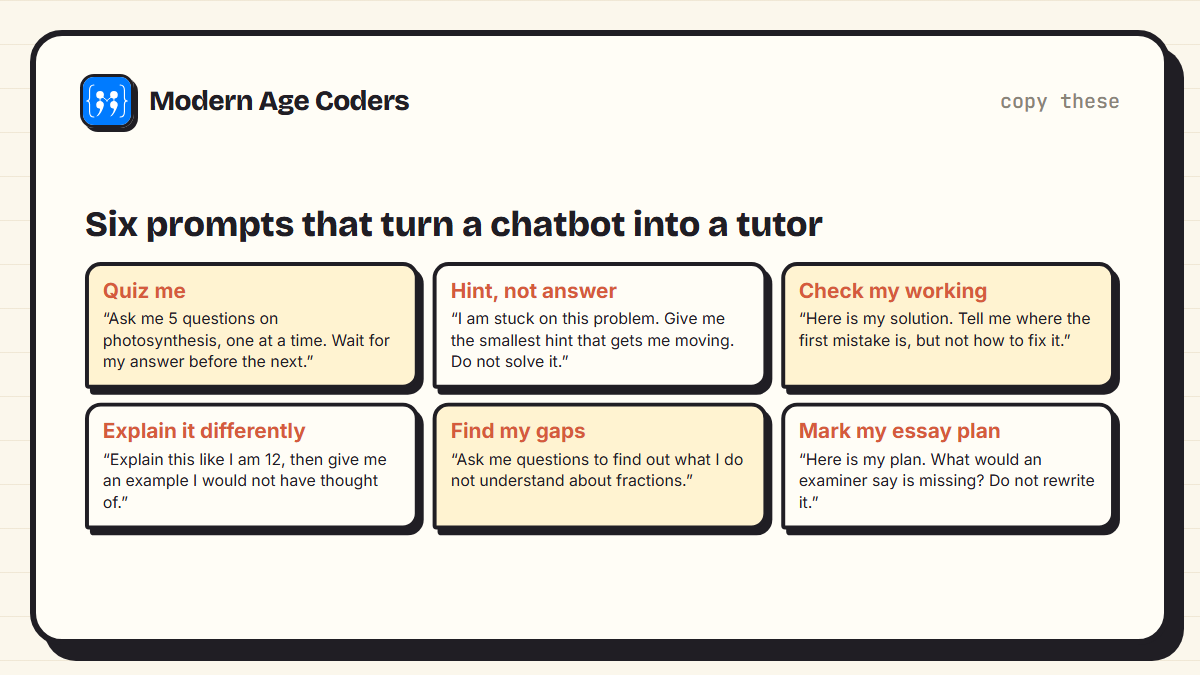
- Quiz me. "Ask me 5 questions on photosynthesis, one at a time, and wait for my answer before the next." This is retrieval practice, one of the most effective study techniques there is, with a quizmaster who never gets bored.
- Hint, not answer. "I am stuck on this problem. Give me the smallest hint that gets me moving. Do not solve it." This is essentially the guardrail from the study, applied by you.
- Check my working. "Here is my solution. Tell me where the first mistake is, but not how to fix it." You still do the fixing, which is where the learning happens.
- Explain it differently. "Explain this like I am 12, then give me an example I would not have thought of." Useful when your textbook's explanation is not landing.
- Find my gaps. "Ask me questions to work out what I do not understand about fractions." A good way to start revising a topic you are unsure about.
- Mark my plan. "Here is my essay plan. What would an examiner say is missing? Do not rewrite it." Feedback on your ideas without the ideas becoming the AI's.
A good rule of thumb: if you finish a session with AI and could not do the same task alone tomorrow, the session did not work, however good the answers looked.
Where the line between help and cheating usually is
Schools, exam boards and individual teachers have different rules, and they are still changing, so there is no single answer. But most policies agree on the extremes, and the grey area in the middle is exactly where you should ask.
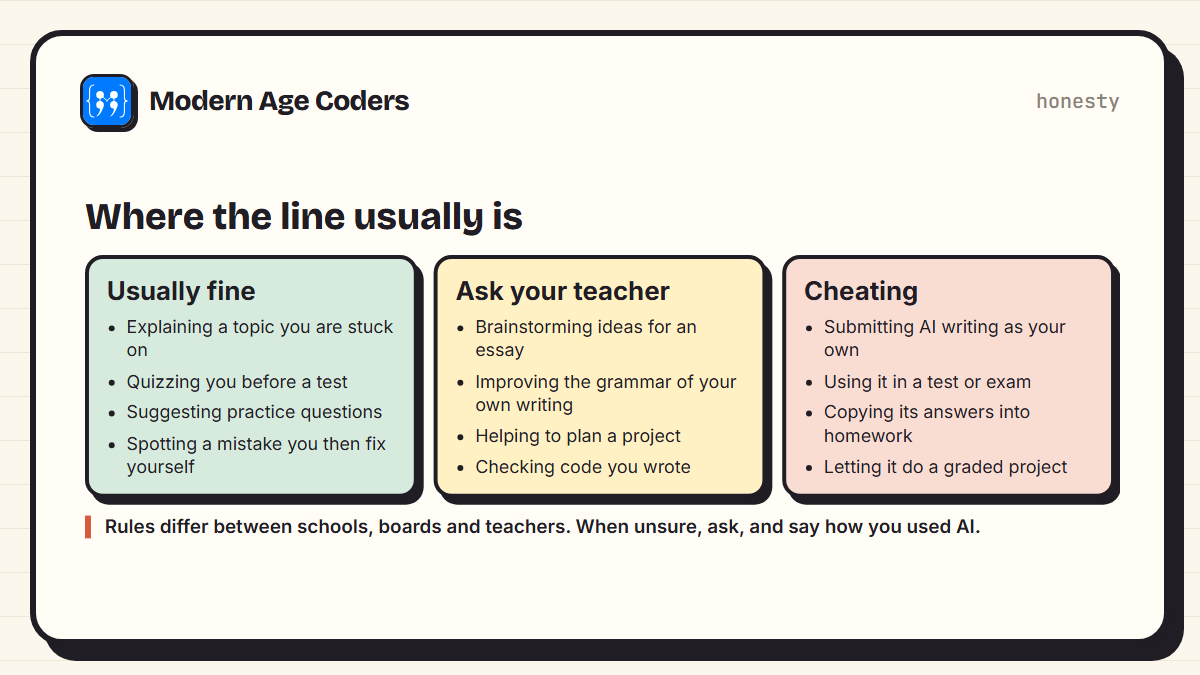
- Usually fine: using AI to understand a topic, quiz yourself, get practice questions or find a mistake you then fix yourself. These are all things a good tutor or study guide would do.
- Ask first: brainstorming essay ideas, improving the grammar of your own writing, planning a project or reviewing code you wrote. Some teachers welcome this. Others do not.
- Cheating: handing in AI-written work as your own, using AI in a test, copying its answers into homework, or letting it complete graded work. In coursework and exams this can have serious consequences.
When in doubt, be open about it
If you used AI and are not sure whether it was allowed, say how you used it. Most teachers treat honest disclosure very differently from hidden use. Many schools now ask students to note any AI use at the end of an assignment, and it is a good habit even where they do not.
How to catch a confident wrong answer
AI chatbots do not look facts up the way a search engine does. They generate text that sounds right, and most of the time it is right, but sometimes they state a wrong date, invent a quote, misremember a formula or slip on arithmetic, all in the same confident tone. Students who trust every answer will eventually learn something false.
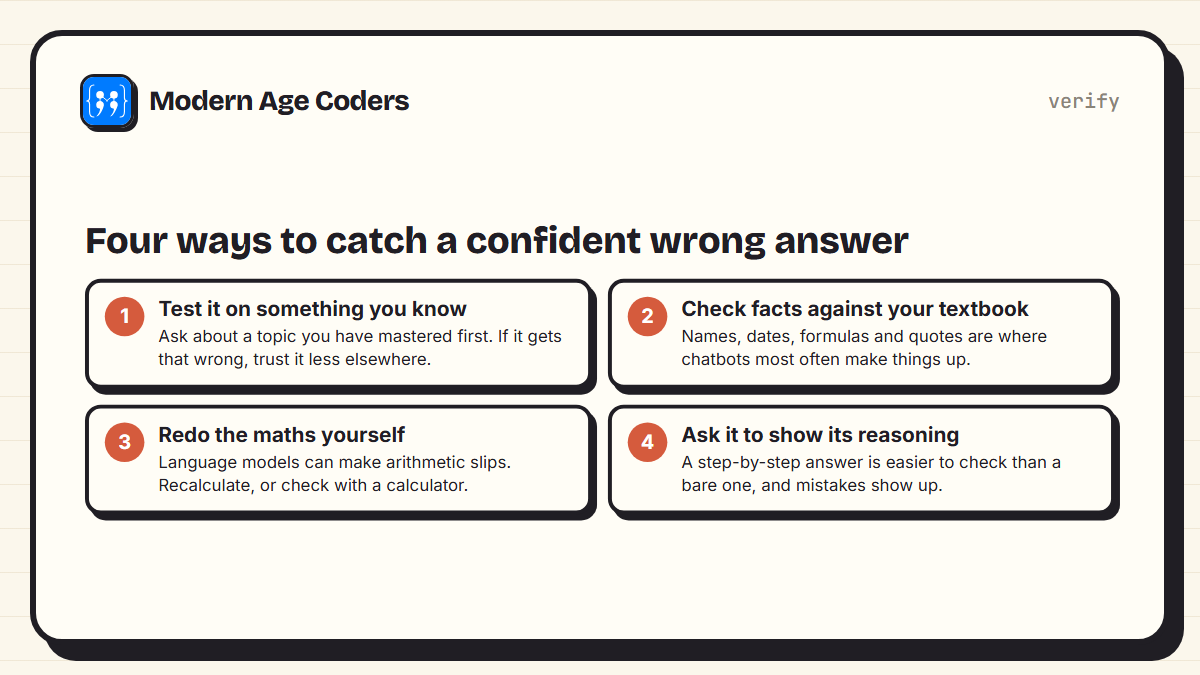
- Test it on something you know well. If it gets your strongest topic wrong, be more careful with the rest.
- Check facts against your textbook or class notes, especially names, dates, formulas, definitions and quotations.
- Redo calculations yourself. For maths and science, the working matters more than the final number anyway.
- Ask for step-by-step reasoning. A wrong step is much easier to spot than a wrong final answer.
Age limits and settings parents should know
AI chatbots are not designed for young children, and each company sets its own minimum age. OpenAI's terms require ChatGPT users to be at least 13, or older where local law requires, and users under 18 need a parent's or guardian's permission. Anthropic's consumer terms set a minimum of 18 for Claude. Google sets 13 for Gemini in many countries, with higher ages in some. These rules change and vary by country, so our AI tools age guide lists the current terms for over a hundred tools, with the wording from each company's own policy.
For younger children, the question is less about which chatbot to use and more about what they should understand about AI first. Our guides on teaching kids about AI at home and whether your child should learn AI cover that.
A simple study routine with AI
- Try first, alone, for at least ten or fifteen minutes. Write down where exactly you got stuck.
- Ask for a hint, not a solution, using the prompts above.
- Finish it yourself, then ask the AI to check your working.
- End with a quiz: ask it for three questions on what you just did, and answer them without looking back.
- Tomorrow, try a similar problem with no AI. If you can do it, the session worked.
AI should be the friend who asks you good questions, not the friend who does your homework.
How we teach students to use AI well
In our coding classes, AI tools are part of the conversation rather than something students hide, and the habits in this guide are the ones we want students to leave with: ask for hints, check everything, and be able to explain the work without the tool. For coding in particular, our learn to code with AI approach treats the model as a tutor, not a ghostwriter. Classes are live, one to one or in small groups of 5 to 10, for ages 6 to 67.
Frequently asked questions
It depends on how you use it and on your school's rules. Using it to understand a topic, quiz yourself or find a mistake you then fix is usually fine. Copying its answers or submitting its writing as your own is cheating. If you are unsure, ask your teacher and be open about how you used it.
Yes, if you ask it to make you think. Ask it to quiz you, give hints instead of answers, and check your working without fixing it. Research has found that students who used AI only to get answers learned less than students who never used it.
One of the most effective is: "Quiz me on this topic, one question at a time, and wait for my answer before giving the next." Recalling answers yourself is one of the strongest ways to build memory, and the AI becomes a quizmaster rather than an answer key.
Sometimes, and AI detection tools are unreliable in both directions, so some honest students are wrongly flagged. The better question is whether you learned anything. Work you cannot explain in your own words will usually show up in class or in the exam.
OpenAI's terms say users must be at least 13, or older if the law in their country requires it, and users under 18 need a parent's or guardian's permission. Other chatbots set different ages, for example Anthropic sets 18 for Claude.
Because it generates text that sounds likely rather than looking up verified facts. Most answers are correct, but it can state wrong dates, invent quotes or make arithmetic slips confidently. Always check important facts and calculations against a reliable source.
A ban is hard to enforce and misses a chance to teach good habits. It usually works better to agree rules together: try first alone, ask for hints not answers, check facts, and be open with teachers about AI use.